












Introduction: On tech forums, you’ll often see posts like this: “I connected my pen drive to my laptop this morning, but the folder was empty. All my college project files had vanished. I don’t have a backup. Can someone help me?” Stories like this are very common. Pen drives, USB drives and SD cards are […]
9 Best Game Controllers/ Gamepad for Windows 11
In the context of online or offline PC-based gaming, there are different options available and varying gameplays for each. In that context, only focusing on the keyboard and mouse is not enough. Other elements like adding the best game controllers with top-notch speed, compatibility, stable controls, and performance are necessary.
Many games that are ported to PCs from consoles have complex control systems. Controllers make it easier for gamers to use their devices and controls from one platform.
It would be best to use software options for efficient system scanning, driver/software updates, and system optimization. Additionally, focus on investing in a high-quality game controller for Windows 11; we discuss your options.
Top 5 Game Controllers for Windows 11 Comparison
Game controllers can greatly enhance the gaming experience on Windows 11. Some are designed for competitive play, while others focus on comfort and versatility. The table below compares the top controllers in terms of connectivity, features, and performance.
| Controller | Best For | Connectivity | Key Features | Compatibility | Battery Life |
| SteelSeries Stratus+ | Wireless PC gaming | Bluetooth | Rechargeable battery, programmable buttons | Windows 11, Android | Up to 20 hours |
| Xbox Wireless Controller | All-around gaming | Wireless / USB | Responsive triggers, ergonomic design | Windows 11, Xbox | 30+ hours |
| 8Bitdo Sn30 Pro+ | Retro and modern games | Bluetooth / USB-C | Customizable buttons, motion controls | Windows 11, Switch, Android | 20+ hours |
| PowerA Spectra | Budget-friendly gaming | Wired USB | RGB lighting, ergonomic grips | Windows 11 | N/A (wired) |
| DualSense Wireless Controller | Immersive gaming | Bluetooth / USB-C | Haptic feedback, adaptive triggers | Windows 11, PlayStation 5 | 20 hours |
Top Questions on Game Controllers for Windows 11
Are all these controllers plug-and-play on Windows 11?
Most modern controllers, including Xbox Wireless and SteelSeries Stratus+, work with plug-and-play functionality. Some may require driver updates or software for advanced customization.
Can I use PlayStation controllers on Windows 11?
Yes. DualSense controllers can be connected via Bluetooth or USB-C. Full haptic feedback and adaptive triggers may require specific software or games that support these features.
Do wired controllers perform better than wireless?
Wired controllers offer zero-latency input, which can be slightly better for competitive gaming. Wireless controllers provide freedom of movement but rely on battery life and may have minimal latency.
Best Gamepad or Game Controllers for Windows 11
Multiple software OEMs have created high-quality game controllers for Windows 11. We took the time to check out the different variations, judging their functionality, performance, and features. Next, you will read about the best options that we found for gamers today.
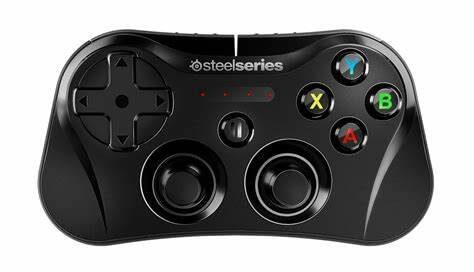
1. SteelSeries Stratus+
Another of the best game controllers available is the SteelSeries Stratus+. This one is mainly used for Android smartphones and Chromebook users, but other PC gamers can also use it. The upgraded version works well with Windows 10 and 11 and has strong sensors and controls.
The battery life is high on this game controller, giving around 90 hours of gameplay from one charge itself. The L3/R3 clickable buttons on ALPS analog-type thumbsticks here assure high controls.
Connectivity: USB, Bluetooth
Battery: Rechargeable Lithium-ion battery
Weight: 244 g
Price: USD 69.99
Features:
- Slim Phone Mount feature for easy device adjustability during gaming
- Multi-device compatibilities like Chromebook and Android support
- Hardware comes with Hall-Effect Triggers and ALPS thumbsticks
- Fast charge feature during mobile gameplay
Pros:
- Strong performance
- Long-term battery life of 90+ hours
- Connectivity is possible with Chromebook/Android as well
Cons:
- Only USB-C to USB-A wired cable connection is possible
- High cost for some users
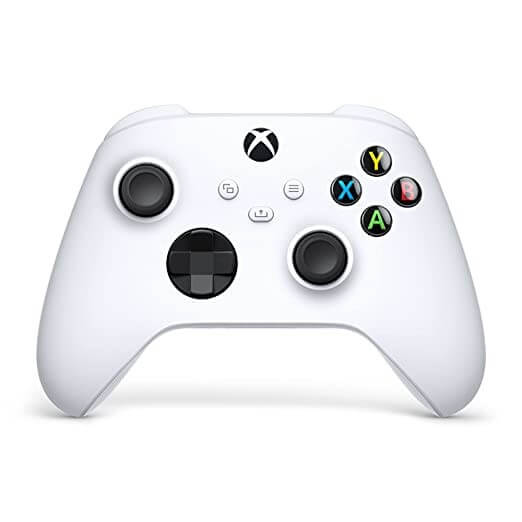
2. Xbox Wireless Controller
Xbox Wireless Controller is one of the best options currently available among Windows 11 and Xbox game controllers. It has the same simplistic design as the older Xbox 360 model, with all legacy console features still available. Plus, there are enhanced features for better grip and controls during various online and offline games.
Users can connect the durable and light wireless controller with systems via Bluetooth or USB adapter or plugin using USB Type C cables.
Connectivity: Bluetooth, USB cable
Battery: AA batteries
Weight: 310 g
Price: USD 70.66
Features:
- Ergonomic grip for better gameplay
- High-quality battery life
- Wireless connection via USB wireless adapter or Bluetooth
- Light build for easier grip
Pros:
- Reliable performance
- Smooth controls
- Widely available
Cons:
- Not many extra features are available
- High cost
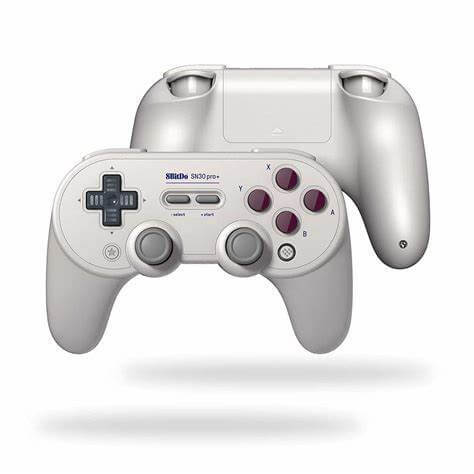
3. 8Bitdo Sn30 Pro+
This particular game controller is suitable for different types of devices and OS systems, including Windows 11. Gamers can mostly play retro-style games while connecting to this game controller in different PC types. It has a classic, smooth game control design for better grip and includes modern features for optimized usability.
Users can handle different types of modern functionalities on this enhanced game controller type, like generating macros using varying button combinations.
Connectivity: Bluetooth, USB cable
Battery: Li-ion battery
Weight: 222 g
Price: USD 9.99 (as an additional part)
Features:
- PC and smartphone connectivity with Smartphone Clip
- Wireless connectivity
- Vibration control
- Button mapping
Pros:
- Attractive and modern layout
- Advanced features for trigger control
- Versatile uses
Cons:
- Limited features
- Some specifications are not compatible with every OS
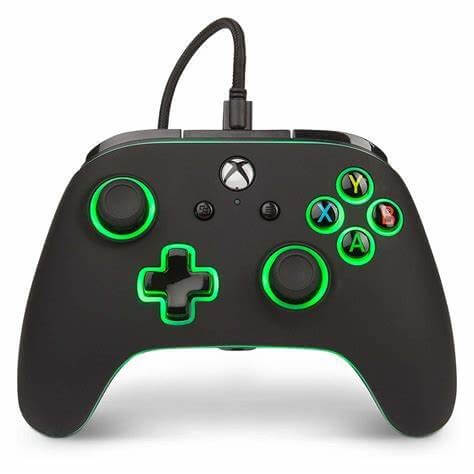
4. PowerA Spectra
PowerA Spectra is another of the top game controllers for Windows 11 or other PC systems and gaming software. It connects via different types of wired and wireless connections like USB cables and Bluetooth connections, respectively, for optimized gaming performance.
It includes analog sticks, face buttons, and a direction pad on the surface for easier navigation with a lighting feature in translucent bands. It lights up during gaming experiences.
Connectivity: USB Type C cable, Bluetooth
Battery: Rechargeable battery
Weight: 485 g
Price: USD 42.99
Features:
- Rear buttons are programmable
- Appealing RGB lighting feature
- Dual LED modes
- Solid build
Pros:
- Available in many locations
- Easy to use
- Reliable performance
Cons:
- Limited additional features
- Not very cost-friendly
5. DualSense Wireless Controller
The DualSense Game controller with wireless compatibility is suitable for PlayStation 5 products and other PC devices. It comes with high-quality Adaptive triggers for better resistance while holding the controller in hand. The updated haptic motors also contribute to better controls during gameplay.
It has gyro aiming and an analog thumbstick layout common in Sony’s other models. However, while many benefits are available for this controller, some advanced features are not compatible with a PC.
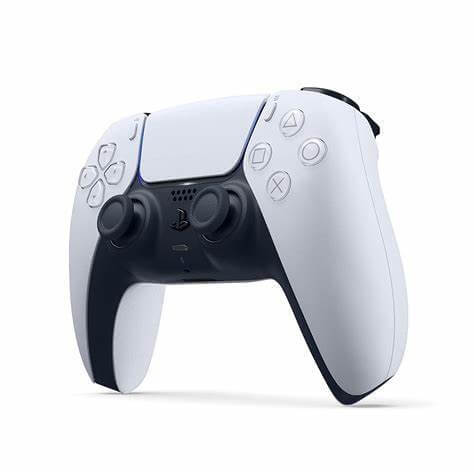
Connectivity: Bluetooth, USB cable
Battery: Rechargeable Li-Ion Battery
Weight: 210 g
Price: USD 91.64
Features:
- Gyro aiming
- Stick layout in analog Sony style
- Smooth resistance controls under the fingers
- Touchpad-based controls for easier gameplay
Pros:
- Haptic Rumble
- Adaptive triggers
- Accuracy is high in the thumbsticks
Cons:
- Battery life is not the best
- PC-based feature support is limited
6. Turtle Beach Recon Controller
This is one of the best game controllers that come with super-advanced benefits like Superhuman Hearing. Users can hear even the subtlest sounds during gameplay and get a better experience with this feature.
One can hear detailed sounds like weapon reloads and footfalls of enemies during FPS games and expect high-octane performance.
There are two types of mappable buttons, including one with Pro-Aim-based thumbstick sensitivity for better long-range accuracy.
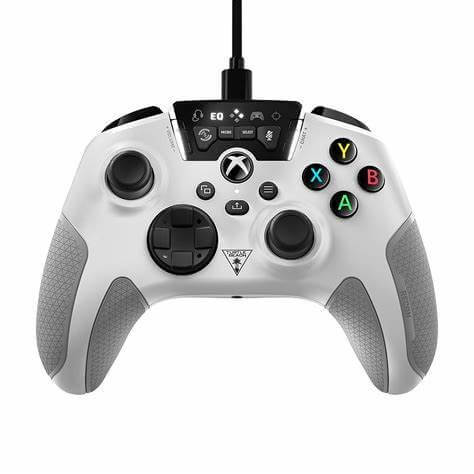
Connectivity: USB cable, Bluetooth
Battery: rechargeable battery
Weight: 200 g
Price: USD 59.95
Features:
- Sound Setting of the superhuman hearing quality
- High-personalized audio enhancements
- Focus mode available in specialized Pro-Aim™ types
- EQ presets of Turtle Beach Audio are available in 4 types
Pros:
- The handle surface has micro-cooling channels and an ergonomic cooling grip
- Vibration feedback is immersive
- Two quick-action buttons with mappable quality
Cons:
- High cost for some users
- Sometimes usability issues are noticeable
7. SCUF Instinct Pro
SCUF Instinct Pro is one of the notable game controllers for Windows 11 that works at a top-notch performance quality among the competitors. Users can expect a lot of customization benefits while using the game controller, making functionality changes as per their comfort level.
You can avoid the rumble pack distraction with the pink pad type, and it performs well with different types of game types. It is responsive and feels comfortable in hand.
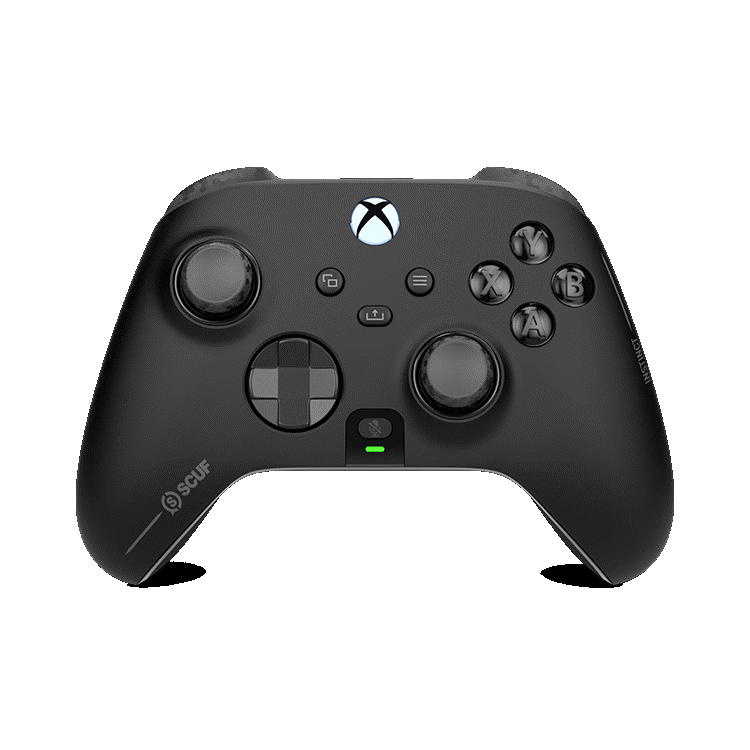
Connectivity: Xbox Wireless, USB Type C Cable, Bluetooth
Battery: 2x AA
Weight: 280 g
Price: USD 219.99
Features:
- Multiple charging and connectivity options
- Changeable thumbsticks
- Paddle switch support
- Faceplates are removable
Pros:
- Accurate and responsive functionality
- Feels solid and stable in one’s hand
- Good customization options
Cons:
- Not very cost-effective in case of extra customizations
- It cannot be recharged
8. Xbox Elite Wireless Controller Series 2
The Elite Wireless Controller from Xbox Series 2 is another high-level game controller option. It comes with wireless charging benefits, which work via the docking base that is attached to pogo pins. You can easily fit the charge inside the controller’s carrying case and plug it into the PC systems.
It allows Bluetooth connectivity, which makes it one of the best game controllers for Windows 11 or any smartphone user, to give an example.
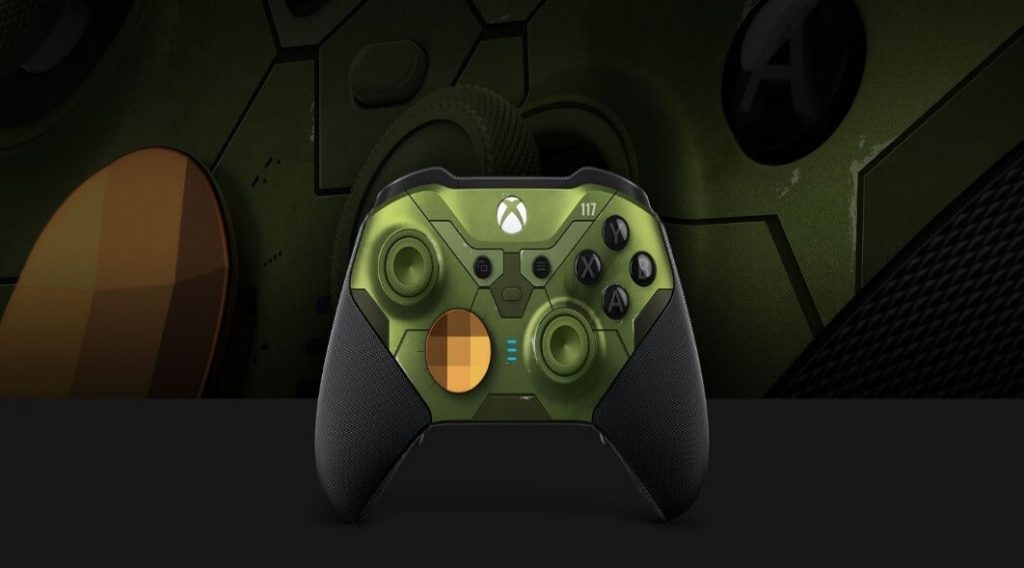
Connectivity: Bluetooth, USB Type C cable, wireless
Battery: Rechargeable battery
Weight: 345 g
Price: USD 209.63
Features:
- Rumble motors with modifiable motor controls
- Strong impulse triggers
- Manually adapt the thumbstick tension with an integrated thumbstick adjustment tool
- Multi-device or OS connectivity
Pros:
- Comes with a 3.5 mm stereo jack (headset)
- Internal battery that gives up to 40 hours of life
- Easy-to-adjust controls
Cons:
- Limited functionality in some connections
- Costly
9. 8Bitdo Pro 2
Another of the best game controllers available in the market is 8Bitdo Pro 2. This hardware is compatible with multiple Windows versions and even iOS and Android devices. This makes it easier for users to play games using the controller on any device. You can customize the controller for trigger and stick sensitivity for better gaming accuracy, button mapping, and vibration control.
You can also switch between multiple profiles at a time.
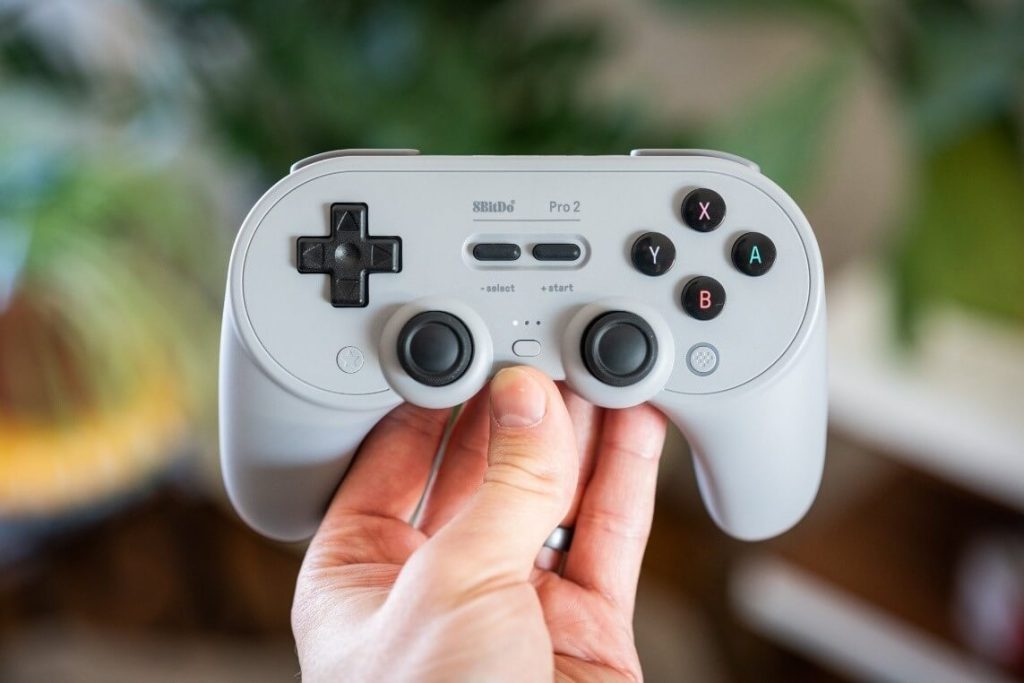
Connectivity: USB Cable, Bluetooth
Battery: Rechargeable 1000mAh Li-on battery
Weight: 228 g
Price: $49.99
Features:
- Dual Pro buttons in a back paddle format
- Compatible with mobile and PC-based gaming
- Custom Profile creation and switch with 3 profile options
- Enhanced grip for better hold
Pros:
- Multi-OS compatibility
- Switch available in four-way mode
- Vibration is modifiable
Cons:
- Only regular rumble feature under the Pro 2 version
- Not best for Mac users
Author’s Tip
Choosing a controller depends on your gaming style. If you play competitive shooters, a responsive and lightweight controller like the Xbox Wireless Controller or SteelSeries Stratus+ is ideal. For casual or retro gaming, the 8Bitdo Sn30 Pro+ offers versatility and customization across platforms.
Comfort and battery life are equally important. A well-balanced controller with long-lasting batteries or easy charging ensures uninterrupted play. Testing the controller with your favorite games helps you find the perfect fit for long sessions.
Conclusion
Game controllers enhance the Windows 11 gaming experience by offering precise input, comfort, and versatility. High-quality controllers like the Xbox Wireless or SteelSeries Stratus+ combine ergonomic design with responsive controls, making them suitable for long sessions and competitive gaming.
Budget and style considerations also matter. Options like PowerA Spectra provide essential features at a lower cost, while the DualSense Wireless Controller adds haptic immersion for supported games. Choosing the right controller depends on your preferred genres, connectivity needs, and desired features.
FAQs
Can I use multiple controllers on the same PC?
Yes. Windows 11 supports multiple controllers for local multiplayer games. Each controller must be paired individually.
Do I need extra software for custom button mapping?
Some controllers, like 8Bitdo or SteelSeries, offer dedicated apps for customization. Others, like Xbox Wireless, have built-in Windows support.
How do I maintain a wireless controller?
Keep it charged, avoid dropping it, and update firmware regularly. Clean the buttons and grips to ensure smooth operation over time.
Author Bio:
Dinesh Lakhwani 

Dinesh Lakhwani, the entrepreneurial brain behind “TechCommuters,” achieved big things in the tech world. He started the company to make smart and user-friendly tech solutions. Thanks to his sharp thinking, focus on quality and the motto of never giving up, TechCommuters became a top player in the industry. His commitment to excellence has propelled the company to a leading position in the industry.
Popular Post
Recent Post

How To Recover Files Deleted from the Recycle Bin [Windows 11]
Losing a file can happen in seconds. You clear your desktop, hit Delete, and empty the Recycle Bin. Then, just when you need that file again, it seems to have vanished. This guide will walk you through ways to restore files removed from the Recycle Bin. We will begin with simple fixes, then look at […]

Disk Drill Data Recovery Tool Explained: Full Review and Guide
It happens in a split second. You delete a folder by mistake. Your drive stops showing up. A photo album from your last trip just vanishes. And your stomach drops. Lost files feel personal. They are not just data. They are memories, work hours, and sometimes years of effort packed into a few gigabytes. When […]

Recover Deleted Files In Windows 11 With Software & Without
Introduction What is the first thing that goes through your mind the second an important file vanishes from a Windows 11 PC? For most people, it is a mix of panic and disbelief, followed by a frantic click through every folder that file could possibly be hiding in. It happens in a split second: one […]

EaseUS Data Recovery Wizard: Everything To Know
Data loss does not always come from a big disaster either. Most cases start small and boring. A drive gets formatted by mistake. A laptop freezes mid-save and restarts on its own. A memory card stops showing up after being pulled out too fast. None of these feel like emergencies at first, until you realize […]

Recuva Data Recovery Tool: Is it Actually Worth it?
When I first tried Recuva Data Recovery, I wanted to see if it could really bring back lost files. The tool is free, small in size, and promises quick recovery, which made me curious enough to test it on my own PC. The setup was fast, and the wizard guided me step by step. I […]

GetData Recover My Files Data Recovery Tool: Honest Review
A hard drive error brings a special kind of silence. Well, yes! The screen freezes, then a message appears saying the drive can’t be found or must be formatted. In that moment, years of photos and work files feel at risk. It never happens at a good time. Coffee spills near a laptop, a memory […]

Windows File Recovery: A Complete Review [Tried & Tested]
Imagine this. You spend hours perfecting a video project. You hit save. Then your laptop freezes, reboots, and when the screen comes back. The file is gone. Your stomach sinks. It’s not just you. Lost files happen all the time. A dropped hard drive, a bad update, an accidental delete, or a corrupted partition can […]

5 Best Data Recovery Software For Windows 11 and Windows 10
Introduction: A crashed drive can ruin a whole day. One minute your photos, work files, and tax records sit safe on your PC. The next minute they are gone. A power cut, a bad update, or one wrong click can wipe out years of memories and months of work in seconds. That sinking feeling is […]

How To Update NVIDIA Drivers On Windows 11/10 PC
Learn how to update NVIDIA drivers on Windows 11/10 with simple methods, safety tips, and easy steps for smoother gaming and better PC performance.

