











Imagine this. You spend hours perfecting a video project. You hit save. Then your laptop freezes, reboots, and when the screen comes back. The file is gone. Your stomach sinks. It’s not just you. Lost files happen all the time. A dropped hard drive, a bad update, an accidental delete, or a corrupted partition can […]
EaseUS Data Recovery Wizard – Review
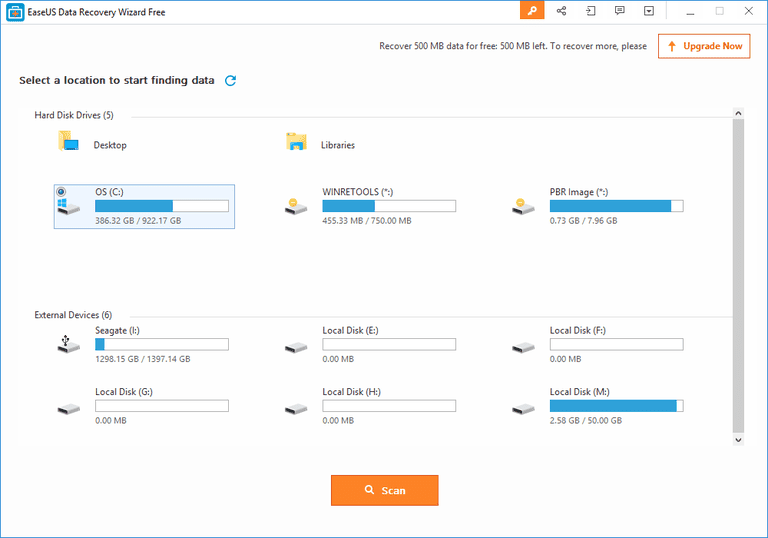
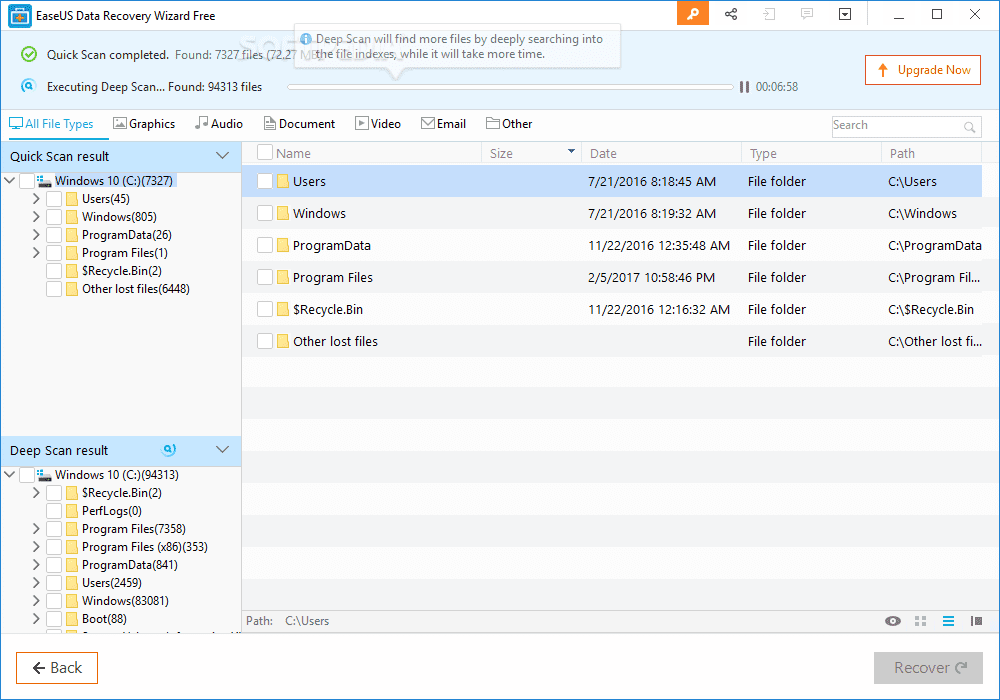
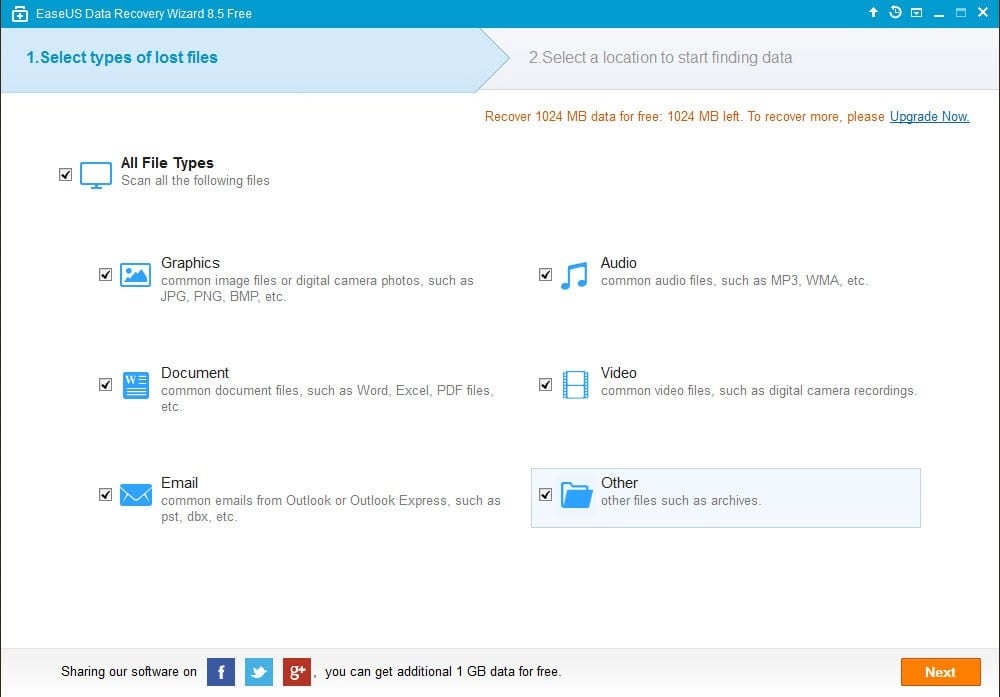
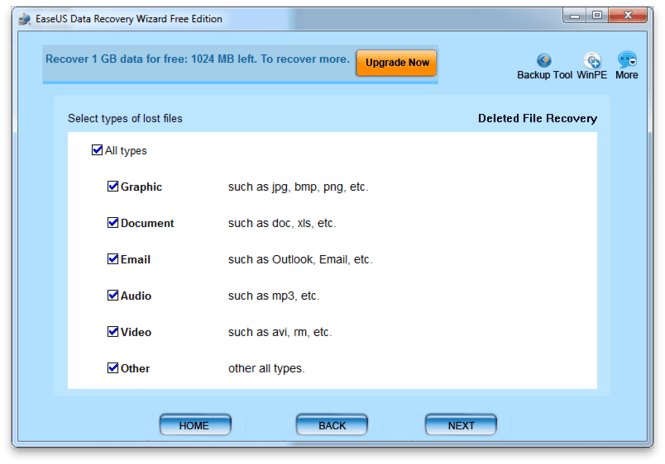
EaseUS Data Recovery Wizard comes as an effective solution to help you recover all your files on Windows and Mac. It comes loaded with tons of useful features to help you perform task seamlessly. Let’s review this powerful tool here.
Highlights Of EaseUS Data Recovery Wizard
- Lightweight software that runs on bare minimum hardware resources.
- Easy to install and much easier to use, making it a beginner-friendly program.
- Comes with two scan modes, Quick Scan and Deep Scan.
- Recovers over 1000 types of files.
- Download Link
Features of EaseUS Data Recovery Wizard
To know how a data recovery program works, it’s better to start with the list of features and what they do. To assist you with that, here are the main features of EaseUS Data Recovery Wizard:
Accidentally Deleted Files Recovery:
While using computer, you may sometimes delete some important files by accident. In such situations, many people panic and think that the data is gone forever. But, here comes the data recovery program to assist you with such troublesome scenarios. T
his program can recover any type of deleted files that you’ve removed by mistake. With just a few clicks, you can recover all the accidentally deleted files seamlessly.
Formatted Recovery:
For various reasons, we may have to format a disk of your computer’s hard drive. The reasons may vary from slow performance to a virus attack. But, if you don’t backup the files on that disk before formatting, you may lose those files.
Usually, there would be no option in your computer settings that could bring back those files. But, with this recovery program, you can easily recover those files that are deleted after formatting that disk.
Recycle Bin Empty Data Recovery:
We all know what Recycle Bin is and what it does. When you delete a file in your computer, it goes to the Recycle Bin. To delete those files permanently, you have to erase the bin.
But, what if you need those files sometime after you’ve erase those permanently? Well, with this advanced recovery program, you can bring back those files which you’ve deleted by erasing your recycle bin.
Lost Partition Recovery:
Your hard drive is divided into several partitions. This is usually done when you’re installing the operating system on your computer. Sometimes, due to several possible reasons, a partition of your hard drive may go missing.
While you face such tricky situations, don’t panic. With a great recovery tool like EaseUS Data Recovery Wizard, you can effortlessly recover all the data from any missing partition. This type of feature is rare to find and only a few programs offer it.
Hard Drive Damage Recovery:
Hard drive is one of the core parts of a computer and we all know that. Each and every file is stored on your hard drive. But the problem happens when the hard drive is damaged. There are several reasons for that. When a hard drive is corrupted, you can’t access your files.
But, with this recovery software, you can recover all your files from a corrupted drive. It just takes a few clicks and you’ll have the files recovered.
Virus Attack Recovery:
Recently, there have been many cyber attacks on the computers all over the world. Most of these involve viruses that affect your computer and hijack your files making them inaccessible. In such situations, you have to make the right decision in order to stop any type of data loss.
By using, EaseUS Mac data recovery program, you can retrieve the files that are affected by the virus attack and access them again without any hassle.
OS Crash Recovery:
Well, we know that Operating System is the most important component of a computer. After all, without it your computer wouldn’t be up and running. Due to several possible reasons, your OS can crash and make it very difficult to open your computer and access your files.
But, this recovery tool can make it easy for you. EaseUS lets you start your device by offering a WinPE media file. Not only that, you can also recovery all of your files after starting your computer this way.
RAW Partition Recovery:
There are a few problems related to your hard drive that makes it difficult accessing your files. One of such problems is RAW partition. When the file system of your hard disk gets corrupted or damaged, your partition becomes RAW and makes it inaccessible to the operating system. In such cases, using the recovery program can help you by leaps and bounds, as you can easily recover files from a RAW partition.
Pros & Cons
Here’s a look at the key pros and cons of this data recovery software:
Pros:
- Available for both Windows and Mac.
- A clean interface making it extremely easy to use.
- About 8 types of recovery systems making suitable for almost all data loss situations.
- Availability of Preview option before recovering the files.
- Three types of subsections options which includes a Free version as well.
- Runs on minimal hardware resources.
- Supports more than 10 types of devices ranging from PC to pen drive.
- Compatible with 7 types of file systems.
Cons:
- Not many features available with the free version.
- Pro version can be a bit expensive if you’re on a budget.
Final Verdict
EaseUS Data Recover Wizard has already garnered thousands of fans all over the world with its effective and efficient working mechanism. The program is extremely easy to use, which you can do without any prior recovery experience. Furthermore, you can also try the pro versions with the trial on offer. Since it’s available for both Mac and Windows, you can easily recover files seamlessly.
Author Bio:
Dinesh Lakhwani 

Dinesh Lakhwani, the entrepreneurial brain behind “TechCommuters,” achieved big things in the tech world. He started the company to make smart and user-friendly tech solutions. Thanks to his sharp thinking, focus on quality and the motto of never giving up, TechCommuters became a top player in the industry. His commitment to excellence has propelled the company to a leading position in the industry.
Popular Post
Recent Post

5 Best Data Recovery Software For Windows 11 and Windows 10
A crashed drive can ruin a whole day. One minute your photos, work files, and tax records sit safe on your PC. The next minute they are gone. A power cut, a bad update, or one wrong click can wipe out years of memories and months of work in seconds. That sinking feeling is why […]

How To Update NVIDIA Drivers On Windows 11/10 PC
Learn how to update NVIDIA drivers on Windows 11/10 with simple methods, safety tips, and easy steps for smoother gaming and better PC performance.

Top AI Features Hidden Inside Windows 11
Explore the top AI features in Windows 11, from Copilot to Recall, plus safety tips and simple steps to use each tool the right way.

Customize Your Screen Saver Settings in Windows [Easy Steps]
Learn how to customize screen saver settings in Windows 11 with easy steps, safety tips, and simple tricks to personalize your PC screen.

Driver Easy Windows Driver Updater Tool Review: Tried & Tested
In-depth information about Driver Easy’s functions and features can be found in our review. Learn how to update drivers more easily with this tool for a more seamless computer experience.

Is Avast Driver Updater Worth It? A Hands-On Analysis
A full review of Avast Driver Updater covering features, setup steps, pricing, pros and cons, and real PC results, to help you decide if it is worth buying.
IObit Driver Booster 13 (PRO) Review: [Tried & Tested]
IObit Driver Booster 13 is built for one purpose: keeping your PC drivers up to date. Well, yes! Outdated drivers can cause crashes, slowdowns, and hardware issues. This tool scans fast and updates with one click. The interface is simple. Even beginners can use it without confusion. Updates are pulled from a huge database, covering […]

Auslogics Driver Updater: A Detailed Walkthrough [2026]
This comprehensive review covers the key features, pros, and cons, pricing, and a final verdict on Auslogics’ driver update utility. Learn how it stacks up against manual driver maintenance.

5 Best Driver Updater Tools for Windows to Use (Free and Paid)
Introduction: Most people blame their PC for problems that a driver caused. A driver works like a bridge between your hardware and your operating system. When this bridge cracks, strange things start to happen. Screens flicker without reason. Printers go silent mid-task. Games freeze or crash out of nowhere. Manually finding the right driver is […]

