Top 8 Identity Theft Protection Software in 2026

Last updated on December 29th, 2025 at 1:26 am
Internet is the most vulnerable source of identity theft. You never know when your identity is compromised and when you become a victim of ransomware. This article has been designed to introduce best identity theft protection software to protect yourself against ID fraud and stay safe across all areas of your digital life.
These best ID theft protection services will protect you while browsing social media, web browsing, online banking, and online data transfers. Here is our roundup of the best identity theft prevention software.
8 Finest Identity Theft Protection Software 2026
1. LifeLock – (Best Data Monitoring Service)
Pros
Sends fraud alerts by text or mobile App
Monitors Dark Websites for your information
Provides support for restoring your identity
Best ID theft protection service
Cons
Bit expensive services compared to similar competitors
Monthly credit score monitors only one out of three bureaus
May not be able to monitor all transactions
Cost
LifeLock Standard – $8.99/Month
LifeLock Advantage – $17.99/Month
LifeLock Ultimate Plus – $26.99/Month
Everyone we remember has seen the commercials of LifeLock where the CEO gives out his social security number. LifeLock certainly has the best marketing campaigns compared to any of the Identity Theft protection companies we reviewed.
LifeLock services do stand-up as the best identity theft protection and credit monitoring services which should be considered by anyone who is looking forward to the best ID theft protection services.
2. Identity Guard – (Best Tool for Low Budget)
Pros
Comprehensive service at low cost
Monitors driver’s license information & other IDs for fraud
Removes personal information from junk mailing lists
Cons
Doesn’t monitor sex offender registries
Doesn’t share fraud alerts with credit bureaus
24/7 phone support not available
Cost
Identity Guard – $16.99/Month
Identity Guard is one of the best-valued products and best identity theft prevention software among its genre. This product gives you wide coverage and provides timely notification while putting the price at the forefront.
It monitors your address, Social Security number, and credit card details as well as other identity aspects such as criminal records and driver’s license information.
3. Intelius Identity Protector – (Best for Credit Reports)

Pros
Best for Public Record Monitoring
Recovery experts suggest help with suspicious activities
24/7 fraud resolution-expert service
Cons
Unable to freeze your credit reports for you
Cost
Intelius ID Protect – $29.95/Month
Intelius is the best fit for background checks and public record searches. Its ID theft protection service ‘IdentityProtect’ is one of the best identity theft protection software for tracking your personal information that appears in public records searches.
4. IDFreeze by MyFICO – (Best for Credit Report Monitoring)
Pros
IDFreeze monitors all three bureaus and sends you updated scores
Monitors Dark Web for stolen identity
Best for Credit Report Monitoring
Cons
It doesn’t look at public records
Cost
FICO Identity Ultimate 3B – $29.95/Month
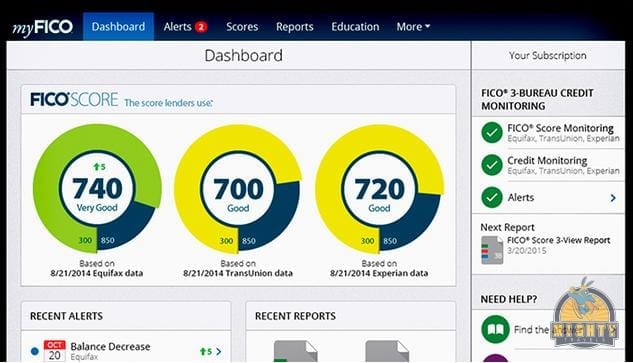
IDFreeze by MyFICO comprises complete credit monitoring and shows you regular reports from all three credit bureaus: Equifax, TransUnion, and Experian. If you think it’s costly, it’s worth it!
It sends you timely alerts whenever there is any suspicious activity detected. In addition to it, FICO Identity Ultimate also includes dark web monitoring to identify if your personal information is compromised or getting misused.
5. ID Watchdog – (Best for Identity Theft Victims)

ID Watchdog, Inc. logo. (PRNewsFoto/ID Watchdog, Inc.)
Pros
Monitors Payday loan database
Best after-effect resolution and monitoring
Best restoration services among all
Cons
Doesn’t remove your identity from mailing lists
Resolution services by fraud experts
Cost
ID Watchdog Platinum – $17.95/Month
ID Watchdog has numerous tools for monitoring your identity and resolving fraud activities done by ID theft. It not only prevents your information from getting stolen but also notifies you about any suspicious activity.
ID Watchdog’s restoration services directly connect you with a specialist to work with you and resolve fraudulent problems. It also explores few features that others don’t carry, including non-credit loan databases which are rare to catch.
6. IdentityForce (Comprehensive Support)

Pros
Directly sends fraud alerts to credit bureaus
Has comprehensive 24/7 phone support
Offers credit reports from all three bureaus
Cons
Only tracks one bureau’s score a month
All suspicious activities are not guaranteed monitored
Cost
IdentityForce UltraSecure – $14.95/Month
IdentityForce UltraSecure + Credit – $19.95/Month
This is an effective & the best ID theft protection services which alert you as soon as your identity is compromised and being used anywhere. IdentityForce is one of the best identity theft prevention software we have reviewed as it also monitors your Social Security Number, Name, Street Address, and Credit Card Details for signs of fraudulent activities.
7. ID Shield – Best for Families
Pros
24/7 access to licensed private investigators
Personal, financial and credit information monitoring
Social media and online credentials screening
Free Mobile App for Android and iOS
Password manager
Cons
One-bureau monitoring only
No online membership cancellation option (must be done in writing)
No free trial period
Cost
IDShield – 1 Bureau Monitoring – $12.95/Month
IDShield – 3 Bureau Monitoring – $17.95/Month
IDShield is best to monitor personal and financial information and offers various utilities like a mobile App, password manager, prepaid legal help through licensed investigators and updated credit score. Its basic plan lags behind competitors by just monitoring one credit bureau whereas other plan monitors all 3 bureaus.
8. Credit Sesame – Best Free ID Theft Service
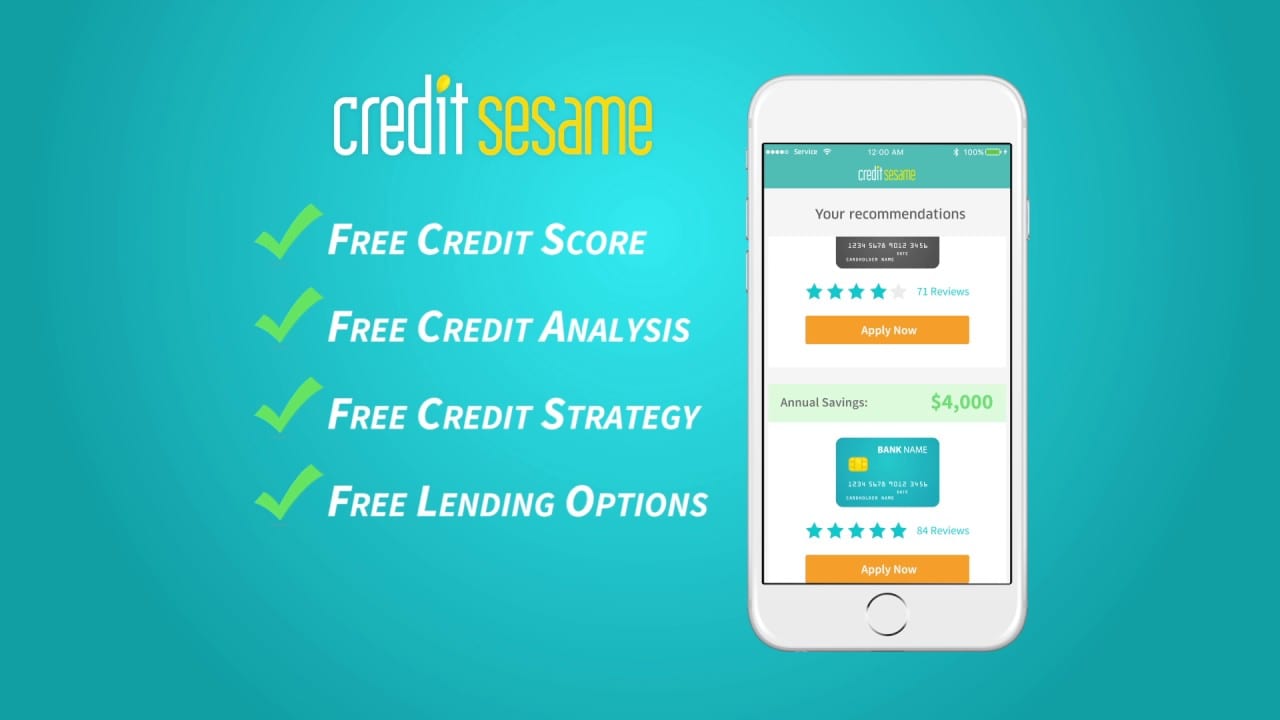
Credit Sesame became popular as they allowed users to check their credit score for free. They have been offering free services since the beginning of the innovation. They also have paid premium services however as a regular consumer, you can relish their services for free.
Product Features
Free credit score, credit report card, and credit monitoring
Find out what is affecting your credit score and how to improve it
Personalized and easy service to avail products based on your credit scores
Safeguard your credit with free credit monitoring and ID theft protection
Protect your identity with $50,000 theft insurance for Free
1 Bureau Credit Monitoring with Alerts for Free
3 Bureau Credit Monitoring with Alerts with Pro Credit & Platinum Protection Plans
Plans
Free Membership Plan
Advance Credit – $9.95/Month
Pro Credit – $15.95/Month
Platinum Protection – $19.95/Month
Pro Credit and Platinum Protection comprise of multiple premium services including 24/7 Live Experts support, Credit Report Inaccuracies, Stolen/Lost Wallet Protection, Black Market Website Monitoring, Public Records Monitoring, and Social Security Number Monitoring.
Wrapping Up
We have reviewed and compared most of the best identity theft protection services in the list to choose from in 2026. If you want to protect your sensitive information such as username, passwords, social security number or credit card information protected, then you must choose one of the best identity theft protection software listed here in this article.
Author Bio:
Dinesh Lakhwani 

Dinesh Lakhwani, the entrepreneurial brain behind “TechCommuters,” achieved big things in the tech world. He started the company to make smart and user-friendly tech solutions. Thanks to his sharp thinking, focus on quality and the motto of never giving up, TechCommuters became a top player in the industry. His commitment to excellence has propelled the company to a leading position in the industry.
Popular Post











Recent Post
How To Check Screen Time On android?
Digital Well-being is an essential health aspect that you need to take care of. It is very important to understand that mobile phones should not be used so much that it becomes a threat to your social life. Additionally, with several applications that are interesting, you could get addicted to using your mobile. However, to […]
What Is Onion over VPN and How Does It Work?
Security and privacy are the two main challenges of any modern digitized system. While data is vulnerable during the transfer from one system to another, unauthorized access compromises the privacy of the crucial information. Hence, the IT world is struggling to develop modern tools and technologies that add an extra layer to the existing security […]

How to Optimize CPU Speed In Windows 10 PC? – 10 Tips
Undoubtedly, Windows 10 is one of the fastest and most robust operating systems. But over time, Windows 10 PCs start to slow down due to malware attacks, less disk space, heavy temp files, and so on. There’s nothing to worry about if your Windows 10 PC is also running at a bulk cart speed. You […]

How to find your Windows 11 product key?
Many users know that Windows 11 is a free upgrade to Windows 10 users. However, there is the need for the product key when the activation is lost after switching from Windows 10 to Windows 11. It is easy to find the Windows 11 product key using different methods. There are four different ways to […]

How to Set a Sleep Timer Shutdown in Windows?
At some point in an individual’s work life, we all had to stay up late to complete a project assignment. However, with the exhaustion of working so much, we doze off after some time, leaving our work and computer on. When this occurs, you awaken several hours afterwards to find that the pc has been […]

How to Access Microsoft’s New Emoji in Windows 11
Ever since the public introduction of Windows 11, we’ve seen it gradually mature further towards the operating system that it is presently. Microsoft is working hard to give Windows 11 a next-generation experience, as well as new updates, are being released as a result. So now, emoticons in Windows 11 have been updated. Microsoft later […]

How to Transfer iPhone Photos to Your Mac (8 Easy Solutions)
Have you clicked a stellar image with your iPhone and now want to upload it on your website or edit it? Then, you can easily transfer your iPhone photos to your Mac to edit them with robust MacOS editing tools and further upload them on the web. Transferring photos from iPhone to Mac can save […]

How to Set Up and Use iCloud on Mac
If you haven’t set up iCloud on your Mac yet, do it now. iCloud is a powerful cloud storage service for Apple users that allow people to back up and synchronize email, photos, contacts, and other files across various devices. iCloud service was introduced in 2011, and it supports MacOS 10.7 or higher. As of […]

How to Create a Guest User Account on Mac
Computers are a very personal thing today. They store all your private documents, photos, videos, and other data. Thus, giving your Mac password to someone else is never a good idea. But what if you have to share your Mac with a colleague or friend for some reason? Sharing Mac’s user password can jeopardize your […]

How to Set Up a New Mac in a Few Minutes
Have you bought or received a brand new Mac computer? Then, you must be on the seventh cloud. Your Mac will open a pandora of several graphics-rich apps and features for you. If you are moving from Windows to Mac for the first time, the change will be really dramatic. At first, all the interfaces […]

