












Read my honest Wise Duplicate Finder review. See features, pricing, pros and cons, and real PC test results. Find out if this free duplicate cleaner can free up your Windows storage.
10 Best Mac Game Boosters & Optimizers [With Comparison]
Mac has never been a machine to play hardcore games. Mac games have always been on the sophisticated and graphic-rich side. However, to play top-rated games, gamers require a powerful and simple platform, which Apple proudly offers.
Therefore, Mac might not be designed to play games, but it can become one with a little tweaking. By tweaking, we mean with Mac game booster software, gamers can improve their MacBook efficiency to play mainstream games. Thus, today we are going to learn about the top ten game optimizers for Mac.
What is a Game Booster for Mac?
A game booster for a Mac is like a turbocharger for your computer when you want to play video games. Imagine your Mac is a car, and games are the road trips you take. Sometimes, games need a lot of power to run smoothly, just like a car needs more fuel to go fast on highways.
So, a game booster helps your Mac use its resources more efficiently, like giving your car a boost of speed. It shuts down unnecessary background tasks and processes that might slow down your Mac, freeing up its power for the game. This can make your games run faster, with fewer hiccups, and provide a better gaming experience overall. It is a well-designed tool that makes sure your Mac is all set to give you the best performance possible while you’re playing games.
Top 5 Mac Game Boosters: A Quick Comparison
Here are the 5 best game boosters for Mac in a quick nutshell so that you can make an informed decision:;
| Tool | Speed & Performance | User Interface | USP | Price |
|---|---|---|---|---|
| AVG TuneUp | Moderate | User-friendly | All-in one utility suite | Paid |
| CCleaner | Moderate | Intuitive | Cleaning and Optimization | Freemium |
| IoBit MacBooster | Moderate | Sleek | One-Click Optimization | Freemium |
| CleanMyMac X | High | Modern | Smart Scanning | Paid |
| TuneupMyMac | Moderate | Simple | Comprehensive Optimization | Paid |
NOTE: Prices can also change over time, so it’s recommended to check the official websites for the most up-to-date pricing information.
Top 10 Game Boosters for Mac to Improve Gaming Experience
In the Mac game optimizer market, there are various enigmatic brands available, including CCleaner, IObit, Systweak software, and many more. Therefore, we took liability to analyze all the top game boosters for Mac and shortlisted the ten best ones for our readers.
1. AVG TuneUp for Mac
App Rating – 4.3/5
Number of Downloads – N/D
Compatible MacOS – MacOSX 11 or later
Price – Starts from $20.99
Whether you want the best Mac game optimizer for home or work purposes, you can trust the AVG TuneUp. It can make your old MacBook a new one with revamped Sleep Mode technology to boost performance and speed. Furthermore, it can free up lots of space in your disk to play bulky games.

Wonderful Features
- With automatic maintenance, you’ll never have to worry about bugs, crashes, or freezes.
- Your game stuttering issue will be permanently resolved with Sleep Mode.
- It can put unnecessary software and programs—when they aren’t required.
- Unwanted bloatware can be detected and removed for fast performance.
Pros
- Clean design.
- Reduce startup time.
- Easily delete unnecessary data.
Cons
- Need some UI improvements.
2. CCleaner for Mac
App Rating – 4.8/5
Number of Downloads – 47,250+
Compatible MacOS – macOS X 10.8 to 10.14 Mojave
Price – Basic free version. Professional for $19.95.
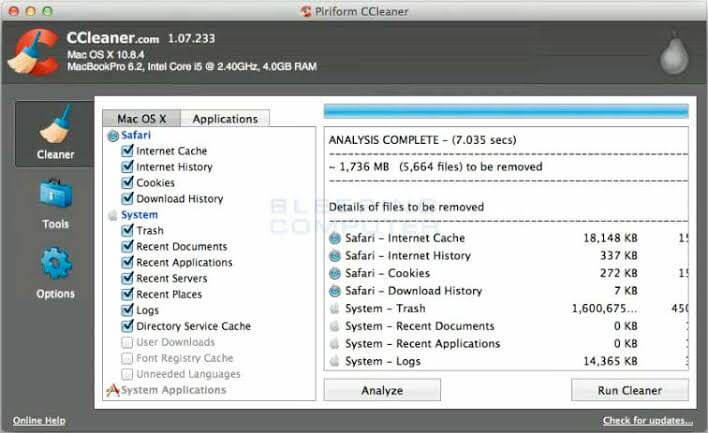
CCleaner is a pure crap cleaner that can thoroughly clean your MacBook and allow you to smoothly play hardcore games. It is a freeware Mac game optimizer that can clean unused files and folders from your system and boost its effectiveness, speed and free up loads of space. When you are facing glitches while playing your favorite video games, simply press a button on CCleaner, and your system will be ready to host heavy games.
Wonderful Features
- When your Mac runs super slow, you can instantly tap on CCleaner and get rid of all junk files. It can power up boot times with easy management of Startup items.
- You can sort chaotic recycle bin, temporary files and folders, broken permissions, and uninstall old software with one click.
- For safe and fast web browsing, it can erase cookie clutter from your system.
- The software is fully customizable; you can exclude or include any program while running Cleaner.
Pros
- Quick to install.
- Free tool.
- Easy to use.
- Multiple platform support.
Cons
- It’s bundled software, so you have to manually disable its uninstallation.
3. Iobit MacBooster 8
App Rating – 4/5
Number of Downloads – 250 million+
Compatible MacOS – MacOS X 10.9 or later
Price – The lite version for $39.95. The standard version for $59.95.
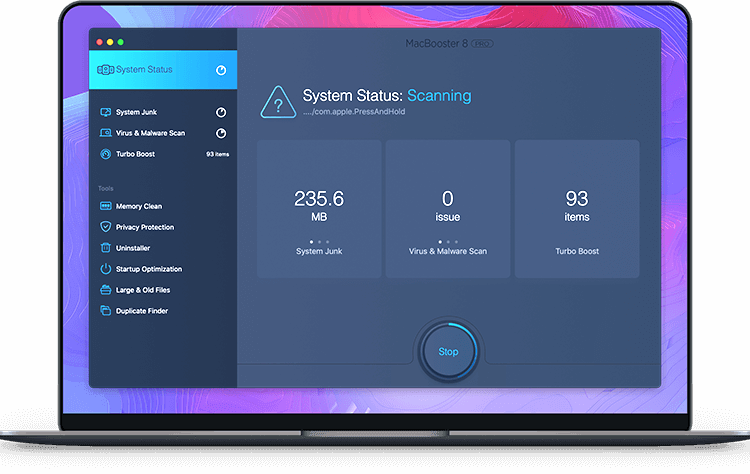
Whether you wish to secure your MacBook or amplify its performance, MacBooster is capable of performing multiple optimization activities. This game booster for Mac has received a position in our listicle because it can—clean junk files, secure systems, remove system vulnerabilities, accelerate performance, and so much. It is a perfect tool to play online games with your friends as it can provide safety against all kinds of online threats.
Wonderful Features
- MacBooster has five furious cleaner tools that can remove gigabytes from your junk files and free up hard disk space to enhance the Mac system’s performance.
- It can address technical problems like disk permission, high Mac RAM consumption, and login startup items.
- Turbo Boost, Startup Optimization, and Memory Clean are three MacBooster groundbreaking features.
- It can provide protection against adware, malware, spyware, viruses, and other online system threats.
Pros
- Great UI.
- Swift scanning.
- Virus and malware support.
Cons
- Unwanted installation insurance.
4. Trend Micro Cleaner One Pro
App Rating – 5/5
Number of Downloads – N/D
Compatible MacOS – macOS 10.12 (macOS Sierra) or later
Price – Free version. One device version for $9.99. Three-device version for $19.99.
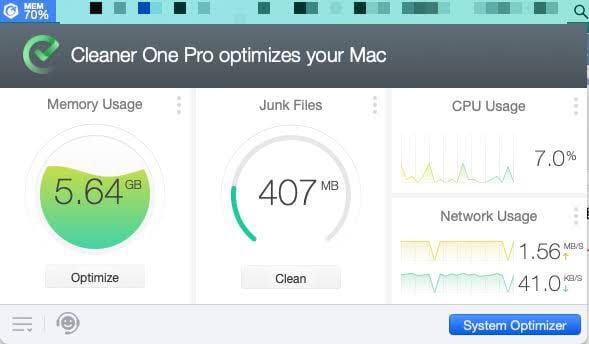
Trend Micro is a leading cybersecurity company that has developed numerous security and performance optimization tools by far. Cleaner One Pro is the finest Mac game optimizer by the company that can seamlessly vanquish browser history, passwords, sensitive files, and tracking cookies. It is a highly customizable and compatible tool, which can easily coordinate with other Trend Micro products to boost your Mac’s gaming abilities.
Wonderful Features
- With the centralized toolbar, you can miraculously smooth your Mac functionality by monitoring CPU Usage, Network Usage, and Memory Usage.
- The software cleaner is very useful with junk files, big files, duplicate files, similar photos, and disk mapping functions.
- Startup and App Managers enable multiple app management a seamless process.
- By tweaking with Secure Erase Setting, you can shred deleted apps and files and make them unrecoverable.
Pros
- Beautiful layout.
- Centralized Mac toolbar.
- Easy to install.
- Strong functionality.
Cons
- Requires more security features.
- Slow system updates.
5. CleanMyMac X
App Rating – 4.2/5
Number of Downloads – 15 million+
Compatible MacOS – MacOS 10.9 or later
Price – Basic free trial. Costs $90 or $45 for existing users.
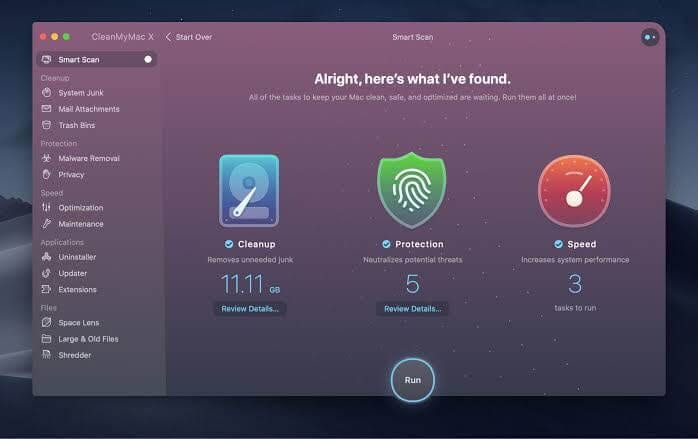
If you are looking for a simple and user-friendly game booster for Mac, CleanMyMacX is your tool. It can fix practically all Mac performance issues, including deleting junk files, useless apps, threatening malware, etc. It can turn your Mac system into a high-speed machine to play heavy-loading games with ease.
Wonderful Features
- The tool has the potential to clean invisible cache files, unused DMGs, incomplete downloads, massive hidden programs, and much more.
- Interactive Space Lens maps out your entire drive so you can visually spot the large files.
- Full-scale MacOS optimization disables apps that cannibalize your Mac’s memory.
- It helps secure your Mac system with gold-level virus detection.
- Delete tracking cookies and preserve your privacy.
Pros
- Easy to use.
- Scan fast.
- Effective and efficient.
Cons
- Limited features in a free trial.
6. TuneupMyMac
App Rating – 4.5/5
Number of Downloads – N/D
Compatible MacOS – OS X 10.9 or later.
Price – $58.94
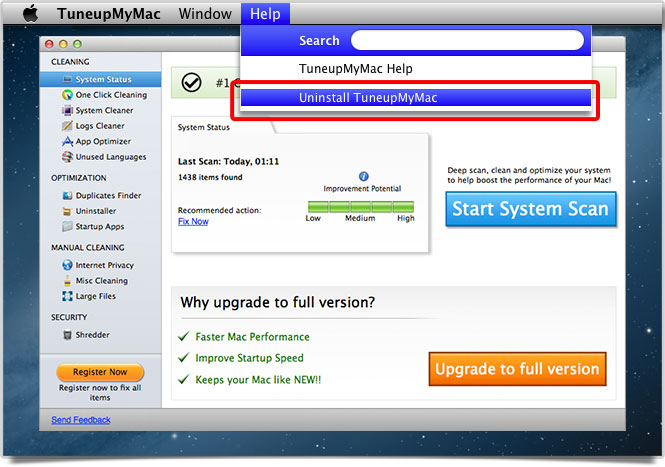
It is a certified game booster and optimizer for Mac. The software can take clutter away from your system by providing high-end privacy and security features. The software cleaner can perform multiple different activities such as uninstalling unwanted files, removing duplicates, deleting incomplete downloads, etc. It is a well-equipped Mac game booster with summarized reporting to keep your gameplay smooth.
Wonderful Features
- Malware Scan keeps your Mac protected from various infections like adware, malware, spyware, etc.
- Junk Scan smartly removes unused and unwanted files with one click.
- Browsing web history and erasing tracking cookies is eased with a quick Privacy Scan.
- The software consists of numerous Advanced Tools, including Uninstaller, Duplicate Finder, Failed Downloads, and Login Items.
Pros
- Money-back guarantee.
- One tap solutions.
- Advanced cleaning and privacy options.
Cons
- Features can’t be customized.
7. DiskCleanPro
App Rating – 5/5
Number of Downloads – N/D
Compatible MacOS – MacOS 10.7 or later
Price – $10.99
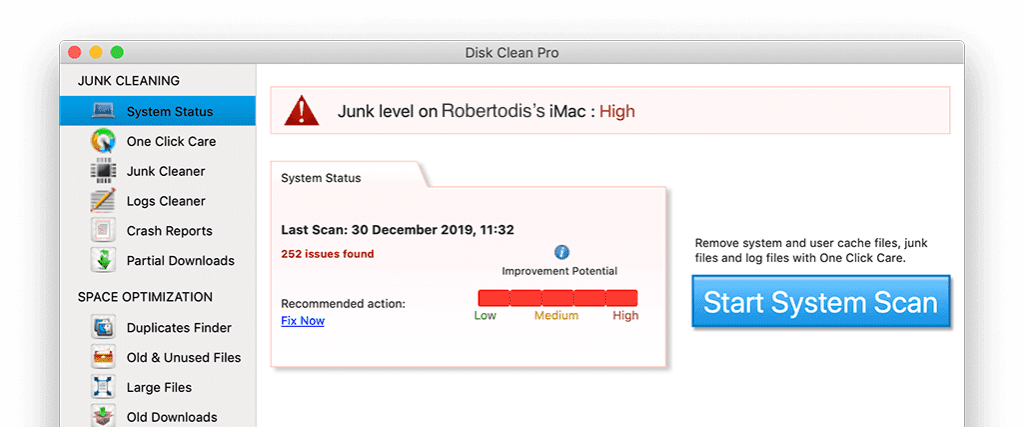
With an army of features, it is a robust Mac game optimizer. It can deep clean your disk by handling app cache, old downloads, unwanted software, and language packs. Additionally, it is developed by Systweak to empower gamers under a small budget. The software is compatible with almost all the Mac versions, so you can also use it on your old system.
Wonderful Features
- It can scan and erase year or a day older downloaded files or software.
- Incomplete downloads and junk files can be removed.
- All the cleaning features can be performed with one tap.
- You can do deep scanning to recognize and remove apps and system cache.
Pros
- One-click cleaning.
- Compatible with older Mac versions.
Cons
- No malware detection.
8. MacKeeper
App Rating – 2.5/5
Number of Downloads –
Compatible MacOS – MacOSX 10.9 or later
Price – Free basic version. A premium plan for $119.40.
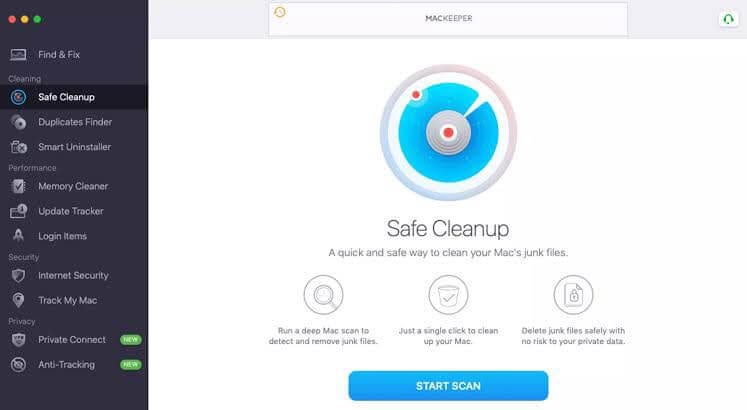
MacKeeper is your Mac system’s gatekeeper as it can secure as well as optimize. It is the best Mac game booster in our eyes as it can protect privacy, viruses, and other online threats from infecting your Mac. Additionally, performance-enhancing and Mac tracking features are highly appreciated.
Wonderful Features
- It can scan your entire disk and figure out all the causes behind your Mac’s slow speed.
- You can easily download or play online games with the MacKeeper protection layer.
- It is the most lightweight cleaning tool to remove junk files, local mail attachments, etc.
- With one click, you can instantly free up your Mac memory space to download your favorite video games.
Pros
- Quick cleanup.
- Memory cleaner.
- Shredder lets you clean the trash folder forever.
Cons
- Limited features for free users.
- Don’t excel in malware protection.
- Various useless features.
9. SpeedUpMac
App Rating –4.5/10
Number of Downloads – N/D
Compatible MacOS – macOS Big Sur 11, Catalina 10.15, Mojave 10.14, 10.13, 10.12, 10.11, 10.10 &
10.9
Price – Free for 30 days. Full version for $39.99.
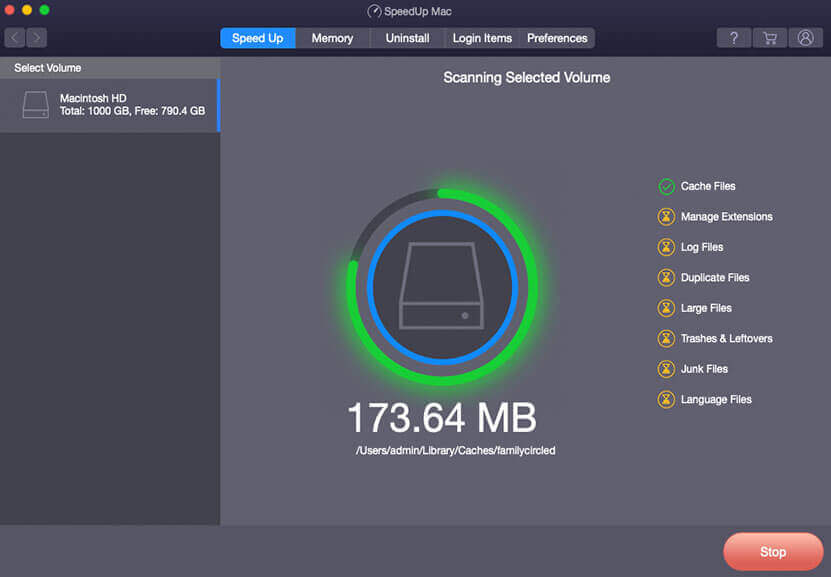
SpeedUpMyMac: Game Booster by Stellar is the ultimate solution to rejuvenate your Mac’s performance and elevate your gaming experience to new heights. This powerful Mac cleaner utility is meticulously designed to optimize your system and provide you with a seamless and immersive gaming environment.
With SpeedUpMyMac, you can bid farewell to sluggish performance and welcome a lightning-fast Mac that’s ready to tackle your gaming adventures head-on. By harnessing its advanced capabilities, this application efficiently identifies and eradicates duplicate files, redundant data, and other unwanted clutter that may be bogging down your system’s speed. Say goodbye to interruptions and lags while gaming, as SpeedUpMyMac focuses on streamlining your Mac’s resources, ensuring that your favorite games run smoothly without any hindrances.
Wonderful Features:
- Optimize your Mac’s resources specifically for gaming, reducing lags and interruptions.
- Remove unnecessary files and data that can slow down your Mac’s performance.
- Identify and eliminate duplicate files to free up valuable storage space.
- User-friendly design for easy navigation and optimization, suitable for all users.
Pros:
- Enhances the gaming experience by optimizing system resources.
- Eliminate unnecessary files for improved overall Mac speed.
Cons:
- The tool is not primarily focused on gaming optimization and may lack broader system utilities.
10. Onyx
App Rating – 4.5/5
Number of Downloads – N/D
Compatible MacOS – OS X 10.7 or later
Price – Free trial.
This is a power-packed game optimizer for Mac users. The tool is ideal for verifying disks, structuring system files, configuring parameters, etc. With this app, you can clean the disk, remove cache, and rebuild databases. It comes with Terminal Command, but it’s optional.
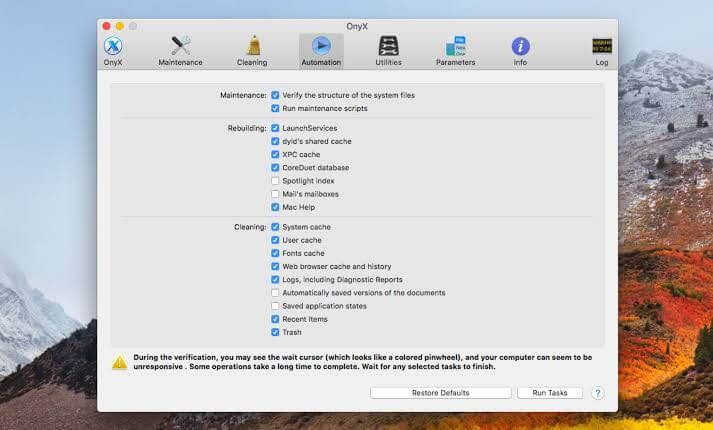
Wonderful Features
- Deep-rooted system cleaning is possible.
- It offers some other utilities also including—screen sharing, storage manager, etc.
- Slow Mac can be powered with accurate and fast system cleaning.
Pros
- Good for beginners.
- Uninstall widgets.
- Helps with space management.
Cons
- No security features.
- To use certain features accessing Terminal is required.
Let’s Boost Mac
If your Mac slows down, shutters, or crashes while playing your favorite games, don’t suffer because you can fix it with—a Mac game booster. So, don’t compromise with your gaming experience and download the best ten-game optimizer for Mac.
FAQs:
Q: How can I improve my Mac Gameplay?
Lower graphics settings, close background apps, update graphics drivers, ensure your Mac has enough free storage space, and keep your system updated.
Q: Do game boosters increase FPS?
Game boosters can help improve FPS by optimizing system resources for gaming, but the actual impact may vary depending on the specific game and system configuration.
Q: Does adding RAM increase FPS in games?
Adding RAM can increase FPS if your Mac previously had insufficient memory for smooth gameplay, but the improvement might not be significant if you already had enough RAM.
Q: Are Game Boosters Worth It?
The effectiveness of game boosters varies based on individual system configurations and the specific games played. While they can optimize resources and improve performance for some users, their impact may not be significant for everyone. It’s essential to consider your specific needs and do research before deciding if a game booster is worth it for you.
Author Bio:
Dinesh Lakhwani 

Dinesh Lakhwani, the entrepreneurial brain behind “TechCommuters,” achieved big things in the tech world. He started the company to make smart and user-friendly tech solutions. Thanks to his sharp thinking, focus on quality and the motto of never giving up, TechCommuters became a top player in the industry. His commitment to excellence has propelled the company to a leading position in the industry.
Popular Post
Recent Post

How to Recover Deleted Files from Pen drive, USB Drive, SD Card
Introduction: On tech forums, you’ll often see posts like this: “I connected my pen drive to my laptop this morning, but the folder was empty. All my college project files had vanished. I don’t have a backup. Can someone help me?” Stories like this are very common. Pen drives, USB drives and SD cards are […]

How To Recover Files Deleted from the Recycle Bin [Windows 11]
Losing a file can happen in seconds. You clear your desktop, hit Delete, and empty the Recycle Bin. Then, just when you need that file again, it seems to have vanished. This guide will walk you through ways to restore files removed from the Recycle Bin. We will begin with simple fixes, then look at […]

Disk Drill Data Recovery Tool Explained: Full Review and Guide
It happens in a split second. You delete a folder by mistake. Your drive stops showing up. A photo album from your last trip just vanishes. And your stomach drops. Lost files feel personal. They are not just data. They are memories, work hours, and sometimes years of effort packed into a few gigabytes. When […]
Recover Deleted Files In Windows 11 With Software & Without
Introduction What is the first thing that goes through your mind the second an important file vanishes from a Windows 11 PC? For most people, it is a mix of panic and disbelief, followed by a frantic click through every folder that file could possibly be hiding in. It happens in a split second: one […]

EaseUS Data Recovery Wizard: Everything To Know
Data loss does not always come from a big disaster either. Most cases start small and boring. A drive gets formatted by mistake. A laptop freezes mid-save and restarts on its own. A memory card stops showing up after being pulled out too fast. None of these feel like emergencies at first, until you realize […]

Recuva Data Recovery Tool: Is it Actually Worth it?
When I first tried Recuva Data Recovery, I wanted to see if it could really bring back lost files. The tool is free, small in size, and promises quick recovery, which made me curious enough to test it on my own PC. The setup was fast, and the wizard guided me step by step. I […]

GetData Recover My Files Data Recovery Tool: Honest Review
A hard drive error brings a special kind of silence. Well, yes! The screen freezes, then a message appears saying the drive can’t be found or must be formatted. In that moment, years of photos and work files feel at risk. It never happens at a good time. Coffee spills near a laptop, a memory […]

Windows File Recovery: A Complete Review [Tried & Tested]
Imagine this. You spend hours perfecting a video project. You hit save. Then your laptop freezes, reboots, and when the screen comes back. The file is gone. Your stomach sinks. It’s not just you. Lost files happen all the time. A dropped hard drive, a bad update, an accidental delete, or a corrupted partition can […]

5 Best Data Recovery Software For Windows 11 and Windows 10
Introduction: A crashed drive can ruin a whole day. One minute your photos, work files, and tax records sit safe on your PC. The next minute they are gone. A power cut, a bad update, or one wrong click can wipe out years of memories and months of work in seconds. That sinking feeling is […]

