












Introduction: On tech forums, you’ll often see posts like this: “I connected my pen drive to my laptop this morning, but the folder was empty. All my college project files had vanished. I don’t have a backup. Can someone help me?” Stories like this are very common. Pen drives, USB drives and SD cards are […]
10 Best Photo Blender Apps for Android & iOS
Blending photos is a fun way to make creative images. You can mix two pictures, add cool effects, and make your photos look amazing. Whether you want to create double exposure shots or just play with layers, photo blender apps make it easy.
There are many apps for Android and iOS that help you blend photos. Some are simple, while others offer advanced tools. In this article, we’ll show you the best apps to try and help you pick the right one.
Comparison Table: Top 5 Photo Blender Apps
Here’s a quick look at five popular photo blender apps. Each one has its own style, features, and strengths. This table will help you compare and choose the best app for your needs.
| App Name | Key Features | Platforms | Price |
| Blend Me, Photo Editor | Mix multiple photos, shape overlays, filters, and background changer | Android, iOS | Free (Ads) |
| Photoleap | AI blending, double exposure, animation, and advanced layers | iOS, Android | Free + Pro |
| Ultimate Photo Blender | Auto/manual blending, double exposure, eraser tools, and poster creation | Android | Free (Ads) |
| Photo Overlays | Easy blending, overlays, HD enhancer, and editing tools | Android | Free (Ads) |
| PicsArt | AI tools, background remover, filters, collage maker, and video editor | Android, iOS | Free + Pro |
Best 10 Photo Blender Apps for iOS & Android
Below are some of the top iOS & Android Photo Blender Apps to use if you are a photo enthusiast.
1) Blend Me, Photo Editor
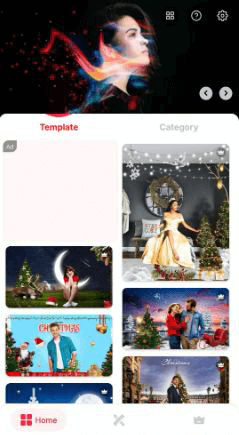
As the name suggests, it lets you mix up to three photos. With its auto-blend function, merging photographs is simple and quick, and you can adjust the luminance to your preferred level. The app’s selection of filters enhances your composite image further, and you can apply pattern overlays in the shape of a circle, oblong, or triangular.
Features
- You have total control over whether to weaken or strengthen an impact.
- You have access to several stickers, typefaces, and filters.
- There is an extensive selection of filter effects that you may use to choose one that works for your shot.
- Make your photograph in a unique form.
Pros:
- Beginners will benefit from this software.
- The user experience will be excellent.
- Heart, circle, rectangular, triangular, and 3D forms are supported.
Cons:
- Has a lot of pop-up video advertising.
- Only accessible for Android installation.
Cost: Free
OS compatibility: Android
2) Photoleap
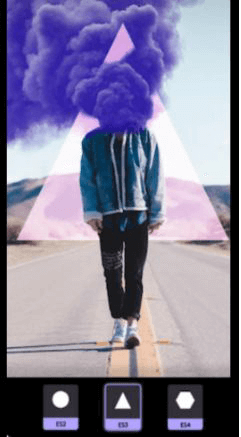
One of the many tools that Photoleap’s top-rated photo editing program offers to improve your photos is the option to create a Dual Exposure effect. Using Photofox, you can test several blending methods to see which suits your shot the best.
The best photo blending app for iOS and Android allows you to make photos that resemble artistic creations for those looking for more intricate mixing techniques.
Features
- The erasing function makes it easier to edit the picture.
- It is a delight because of how user-friendly the UI is.
- With picture retouching, outdated images may be turned into HD photos.
- Your photographs will be revived & restored with instant photo effects till they appear brand new.
Pros:
- The app’s built-in tools and filters are excellent.
- The altered image is stored in high definition.
- Sharpen distorted or blurry images with photo effects and sophisticated editing software.
Cons:
- The program costs $4.99 per month to utilize to its total capacity.
- There are many advertisements in the app.
Cost: Photoleap costs $36.
OS compatibility: Android and iOS
3) Ultimate Photo Blender
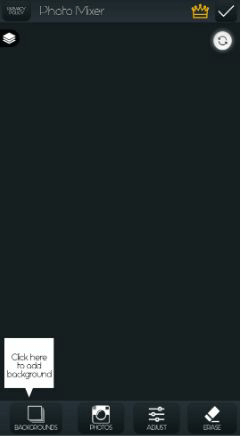
To produce beautiful images, you may blend, merge, and combine several photographs only with the Ultimate Photo Blender program. Use tools such as double exposure, blending, multi-exposure, and numerous effects to elevate your images.
The program also provides a variety of choices for further enhancing your photographs, such as adding stamps, frames, text, and distinctive backdrops to make your designs stand out.
Features:
- Access to a collection of several photos
- You may add several special filters to change the look of your images.
- Use tools like “Enhance,” “Light output,” “Counterbalance,” “Crop,” “Saturation,” and others.
- For social networking or other uses, crop pictures.
Pros:
- Consider the app to be your one-stop shop for editing requirements.
- The dual exposure effect’s maestro.
- To obtain the best view of the photographs, adjust the position.
Cons
- You cannot alter the layer sequence.
- Sometimes sluggish assistance.
Cost: Free
OS compatibility: Android and iOS
4) Photo Overlays
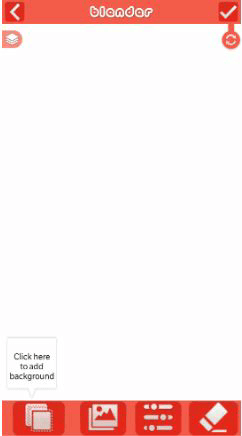
The Photo Blender program may combine photographs, enhance their appearance, or modify them in various ways. Its user-friendly design makes it simple to operate, and its robust features guarantee flawless results every time. With its sophisticated photo retouching and enhancing features, Photo Blender is the best photo merge app for android to combining two or more images.
Features
- Use sophisticated blending tools to combine and mix two or more photos.
- HD-enhanced photographs can be added.
- Use effects to enhance the beauty of images further.
- Generate a double exposure by applying an overlay.
Pros:
- This program has several effects besides the typical photo combining, filters, and outcomes.
- Negative ratings are interpreted as an opportunity to improve the app’s functionality.
- Make professional-quality photo edits using a variety of tools.
Cons:
- contains several adverts
- It is unable to save a photo in a higher resolution.
Cost: Free
5) PicsArt
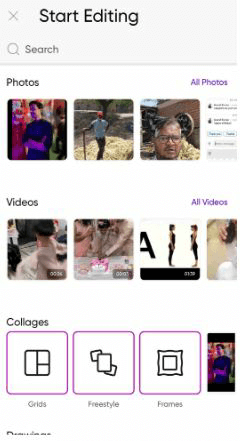
One of the most widely used picture editing applications is PicsArt, which has had over 1 billion installations. Its blending options and features let you make beautiful double-exposure pictures. You can use it as a multiple photo blender app. You may mix numerous photos and change opacity values thanks to the tool’s user-friendly features and straightforward layout.
Features:
- Full-resolution pictures are supported.
- Images in your favorite resolution, such as jpg, png, or even bmp, may be imported and exported.
- You may combine two or more photographs using these programs to produce breathtaking visual effects.
- You may use filters to produce stunning, merged photos.
Pros:
- Get editing results comparable to those of professionals, albeit without their expertise.
- A double exposure combines two pictures into one, giving them a dynamic, fantastical, or funny quality.
- Compatibility with Windows, IOS, Android, and macOS.
Cons:
- A tripod is needed to take the shots to get the best results.
- It costs about $11.99.
Cost: Starts at $11.99 per month
6) Blend Collage Free
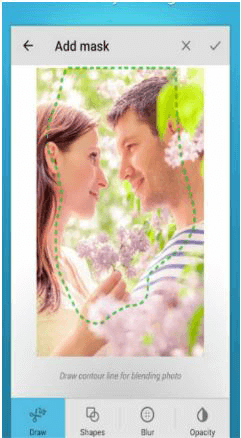
Blend Collage Free is now a fantastic app for producing beautiful collages using images from significant and exciting moments. You may use the photo blender free to add several photographs to a board by capturing your own or selecting from the ones it already has.
After choosing your photographs, you can quickly alter them with various tools, such as text addition and letter and color positioning, to produce a magnificent final output.
Features:
- Compared to its rivals, the app offers more imaginative possibilities.
- A wide range of backdrops and layers.
- The double shutter effect’s master.
- Keep your collage at HD resolution.
Pros:
- Choosing to eliminate the backdrop alone is an option.
- A brand-new software for creating creative collages.
- It has plenty of effects and screens and is entertaining to use.
Cons:
- The commercials are annoying.
- You can only utilize their pre-set backdrops to generate double visibility effects.
Cost: Free
7) PhotoLayers – Superimpose
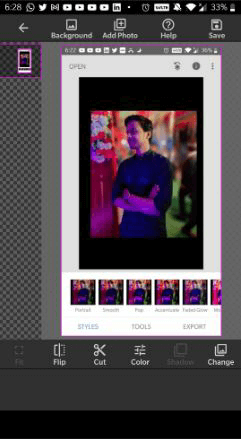
With the help of the effective photo-editing tool Photolayers – Superimpose, you can combine different images. This best photo merge app for android provides a variety of sophisticated editing capabilities, including perspective adjustment, color adjusting, and layer masking. To fully utilize the app’s potential if you are a potential customer, get familiar with its user experience, icons, designs, and extensive selection of capabilities.
Features:
- This program allows you to create stunning photomontages.
- This program has the full function of transparently making the image unnecessary space.
- Delete Background
- Creating a photomontage requires a simultaneous combination of up to 11 images.
Pros:
- Your customized picture is downloaded instantly after editing.
- Useful and enjoyable.
- The ideal tool for creative professionals and those wishing to make posters
Cons:
- A meager selection of backdrop pictures.
- No pair of your photographs can be combined.
Cost: Free
8) Piclay
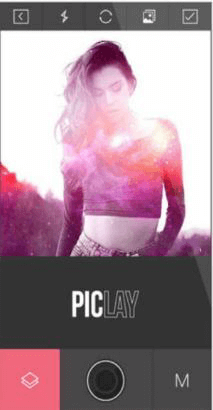
Piclay is a popular photo-editing program that offers a wide range of capabilities. While the Photo Blender free edition provides plenty of tools for basic picture editing, it’s astonishing double exposure functionality—which enables the simultaneous fusion of numerous images—stands out.
Features:
- It enables you to post your artwork directly to social platforms.
- It is available for free.
- It can incorporate current effects.
- The app gives your photographs distinctive frames and typography.
Pros
- A stable interface that seldom crashes.
- A vast assortment of templates.
- Use this picture maker to add unique effects.
Cons
- You cannot combine two of your photographs, just as with other programs.
- There is no way to change the eraser size.
Cost: Free
9) Snapseed
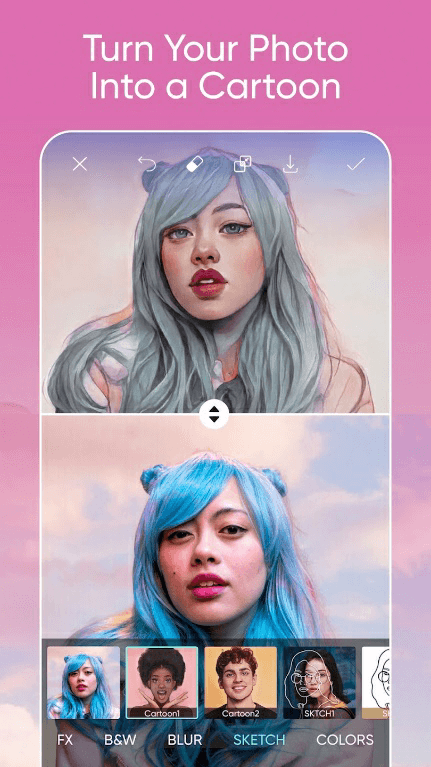
Snapseed may not be the best option if you are looking for a fun and straightforward picture-blending program to use daily. Each image may be fine-tuned using various high-quality customization options, several possibilities for color and brightness tweaks, and specific editing features.
Features
- You may instantly zoom in or out on each image using two fingers.
- There are many different styles, layouts, and functions to pick from.
- The ability to alter the color tone of the photograph and make it more appealing is another useful function of this program.
- You may develop your artistic talent by utilizing this software!
Pros:
- Google Play Store installations totaling more than 5 million.
- For experienced photojournalists and content producers, Snapseed is a great choice.
- A simple user interface makes it enjoyable for those with little computer knowledge.
Cons
- Your high-resolution photographs’ quality can suffer.
- Ads are everywhere on the app.
Cost: Free
10) Photoblend
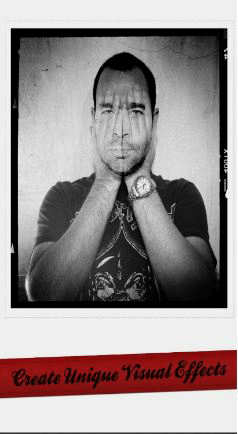
A great picture editing software for both iOS and Android users, Photoblend is a multiple photo blender app for smoothly combining numerous photographs. Without having to master complicated, expensive tools like Photoshop, you can make a stunning and coherent final result with Photoblend. A superb selection of filters that may be rapidly added to your images and improve the overall appearance of your image are also available in Photoblend.
Features:
- With this photo blender mix, you may combine up to 16 pictures.
- Much quicker than some other photo blending applications.
- It is an improved UX with guidelines and a demo.
- Performance is faster comparatively.
Pros:
- The photographs you generate automatically store themselves.
- There are more picture filters created.
- Thanks to a recent update, you may now select the crop for the merged picture.
Cons:
- There is little room for modification.
- A straightforward software with no additional intricate editing features.
Cost: Free
Conclusion
Photo blender apps are great for turning simple pictures into creative art. Whether you want to make fun edits or professional designs, there’s an app for you. You don’t need to be an expert—just pick an app and start blending.
Try a few apps to see which one fits your style. Some are better for quick edits, while others offer more control. With the right app, your photos can stand out and tell a unique story.
FAQs
1. What is a photo blender app?
A photo blender app lets you mix two or more photos together. You can add effects, change backgrounds, and create cool images with layers and filters.
2. Are photo blender apps free to use?
Most apps offer free versions with basic tools. Some have ads or limited features. You can upgrade to a paid version for more options and no ads.
3. Which app is best for beginners? Blend Me and Photo Overlays are great for beginners. They are easy to use and have simple tools to blend photos quickly.
Author Bio:
Dinesh Lakhwani 

Dinesh Lakhwani, the entrepreneurial brain behind “TechCommuters,” achieved big things in the tech world. He started the company to make smart and user-friendly tech solutions. Thanks to his sharp thinking, focus on quality and the motto of never giving up, TechCommuters became a top player in the industry. His commitment to excellence has propelled the company to a leading position in the industry.
Popular Post
Recent Post

How To Recover Files Deleted from the Recycle Bin [Windows 11]
Losing a file can happen in seconds. You clear your desktop, hit Delete, and empty the Recycle Bin. Then, just when you need that file again, it seems to have vanished. This guide will walk you through ways to restore files removed from the Recycle Bin. We will begin with simple fixes, then look at […]

Disk Drill Data Recovery Tool Explained: Full Review and Guide
It happens in a split second. You delete a folder by mistake. Your drive stops showing up. A photo album from your last trip just vanishes. And your stomach drops. Lost files feel personal. They are not just data. They are memories, work hours, and sometimes years of effort packed into a few gigabytes. When […]

Recover Deleted Files In Windows 11 With Software & Without
Introduction What is the first thing that goes through your mind the second an important file vanishes from a Windows 11 PC? For most people, it is a mix of panic and disbelief, followed by a frantic click through every folder that file could possibly be hiding in. It happens in a split second: one […]

EaseUS Data Recovery Wizard: Everything To Know
Data loss does not always come from a big disaster either. Most cases start small and boring. A drive gets formatted by mistake. A laptop freezes mid-save and restarts on its own. A memory card stops showing up after being pulled out too fast. None of these feel like emergencies at first, until you realize […]

Recuva Data Recovery Tool: Is it Actually Worth it?
When I first tried Recuva Data Recovery, I wanted to see if it could really bring back lost files. The tool is free, small in size, and promises quick recovery, which made me curious enough to test it on my own PC. The setup was fast, and the wizard guided me step by step. I […]

GetData Recover My Files Data Recovery Tool: Honest Review
A hard drive error brings a special kind of silence. Well, yes! The screen freezes, then a message appears saying the drive can’t be found or must be formatted. In that moment, years of photos and work files feel at risk. It never happens at a good time. Coffee spills near a laptop, a memory […]

Windows File Recovery: A Complete Review [Tried & Tested]
Imagine this. You spend hours perfecting a video project. You hit save. Then your laptop freezes, reboots, and when the screen comes back. The file is gone. Your stomach sinks. It’s not just you. Lost files happen all the time. A dropped hard drive, a bad update, an accidental delete, or a corrupted partition can […]

5 Best Data Recovery Software For Windows 11 and Windows 10
Introduction: A crashed drive can ruin a whole day. One minute your photos, work files, and tax records sit safe on your PC. The next minute they are gone. A power cut, a bad update, or one wrong click can wipe out years of memories and months of work in seconds. That sinking feeling is […]

How To Update NVIDIA Drivers On Windows 11/10 PC
Learn how to update NVIDIA drivers on Windows 11/10 with simple methods, safety tips, and easy steps for smoother gaming and better PC performance.

