










Imagine this. You spend hours perfecting a video project. You hit save. Then your laptop freezes, reboots, and when the screen comes back. The file is gone. Your stomach sinks. It’s not just you. Lost files happen all the time. A dropped hard drive, a bad update, an accidental delete, or a corrupted partition can […]
Top 5 green screen apps for your iPhone and Android
Do you want to become a professional video maker or a vlogger?
Are you looking forward to creating the most realistic and engaging videos?
So many different questions are going through your mind, and the answer is a green screen app. Such a mobile app lets you replace the green background with a real video, image, or animation to make the entire video come to life. These apps are helpful, whether it is movie making or prepping a commercial ad.
Having said that, we will introduce you to the five best free green screen mobile applications for iOS and Android.
Top 5 free green screen apps for iPhone and Android
Finding the best green screen application for iOS or Android won’t be easy. Here is a brief description of the five top apps to choose from for free.
1. iMovie
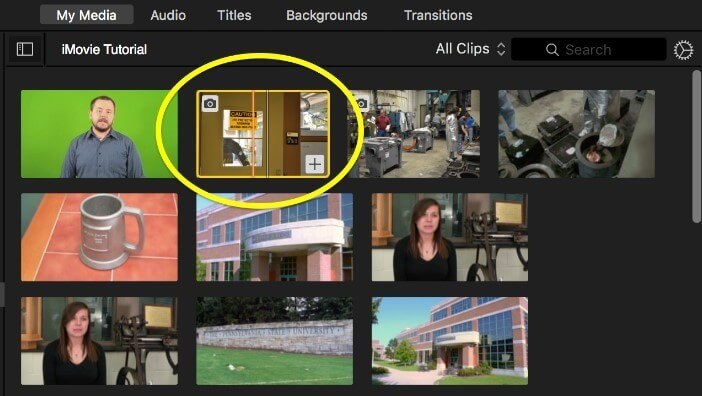
If you want to use an easy green screen maker without technical knowledge, iMovie is undoubtedly the ideal choice. It comes with iCloud and Airdrop features, allowing you to access the cloud memory and share the complete video to different social media platforms. Furthermore, it comes with ten different filters for Apple photos and videos that you can use to create realistic multimedia files easily.
Key Features
- Drops in the images with transparent backgrounds
- Helps rotate videos directly
- Comes with a 4-point mask to adjust the green screen
- Hides borders surrounding the picture-in-picture effect
Pros
- Doesn’t allow the black view to appear in full screen mode
- Saves videos to iCloud easily
- Returns to the editing window from other application
Cons
- Doesn’t has advanced editing features for videos
Compatibility
Compatible with iOS 13
2. KineMaster
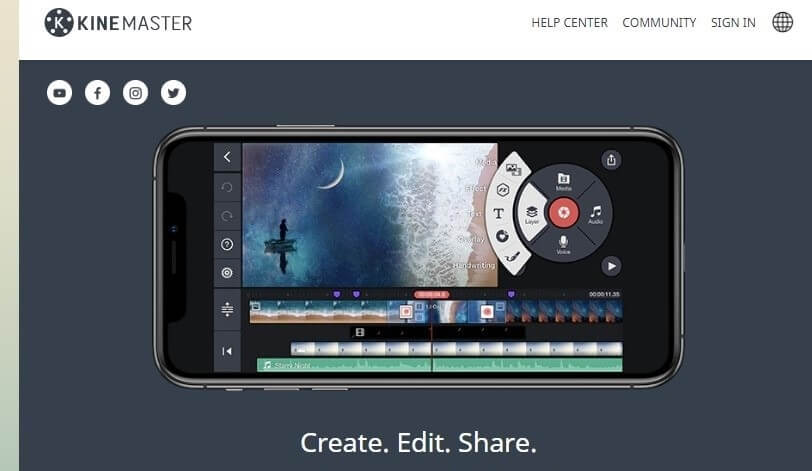
Whether you want to introduce reverse transition effects in the video or use the built-in templates instead of the green screen, this mobile application is undoubtedly one of the best choices you cannot ignore. Apart from this, the built-in Chroma Key feature lets you preview the video in the alpha mask mode and fine-tune the edges to have maximum clarity and sharpness of the video.
Key Features
- Creates a backup of the edited file to ensure the original file doesn’t get deleted permanently
- Comes with eight different blending modes to create video overlays
- Chroma Key helps compose two different videos together
- Allows editing 4K videos with a shutter speed of 60 fps
Pros
- Lets users easily share the edited videos to different social media platforms
- Helps create layered videos with multiple layers
- Comes with advanced editing features, including EQ presets and video preview
Cons
- Might malfunction at specific points
Compatibility
Android 5.0 and more, Chrome OS, and iOS
3. PowerDirector
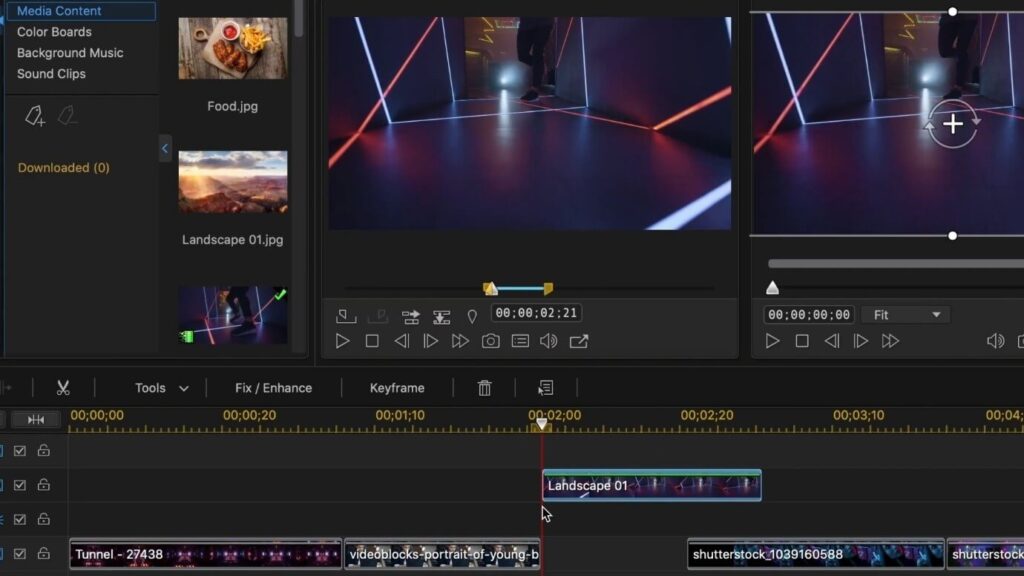
Considered one of the best green screen-making apps for iOS and Android, PowerDirector is entirely free and easy to use. Apart from replacing the background with a solid green or blue color and then making it transparent with another picture, you can edit the video in other ways. For example, you can easily create the best final video by changing the background brightness to introduce smooth transitions between the frames.
Key Features
- Comes with different background colors and an opacity slider
- Has a cinematic filter collection with realistic effects
- Handles videos in 4K resolution
- Can be connected with different social media platforms
Pros
- Can be used to correct the videographic images
- Ensures the picture quality is not compromised
- Uploads videos to social media faster
Cons
- Doesn’t allow images from Shutterstock to be used
Compatibility
iOS 13 up and Android 5.0 up
4. Chromavid
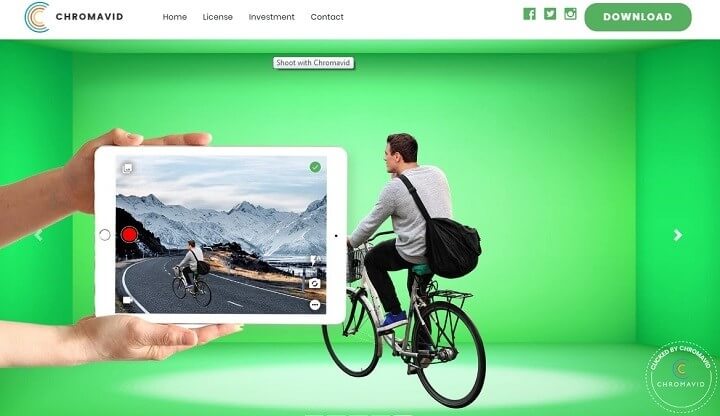
If you want to create professional videos, use the Chromavid green screen-making app. It offers you different background color options, namely green, red, blue, and yellow, so that you can use any of the lists at your convenience. It allows you to shoot movies, vlogger videos, commercial advertisements, and other types of content quickly.
Key Features
- Supports videos of different resolutions
- Uploads videos of different sizes to social media channels
- Video recording time has no limit
- Comes with a library full of photos, animations, and soundtracks
Pros
- Has numerous study videos for better knowledge
- Easy to use interface and ideal for beginners
- Has four different background colors
Cons
- No advanced editing tools present
Compatibility
iOS 12 and Android 6.0 minimum
5. WeVideo Movie & Video Editor
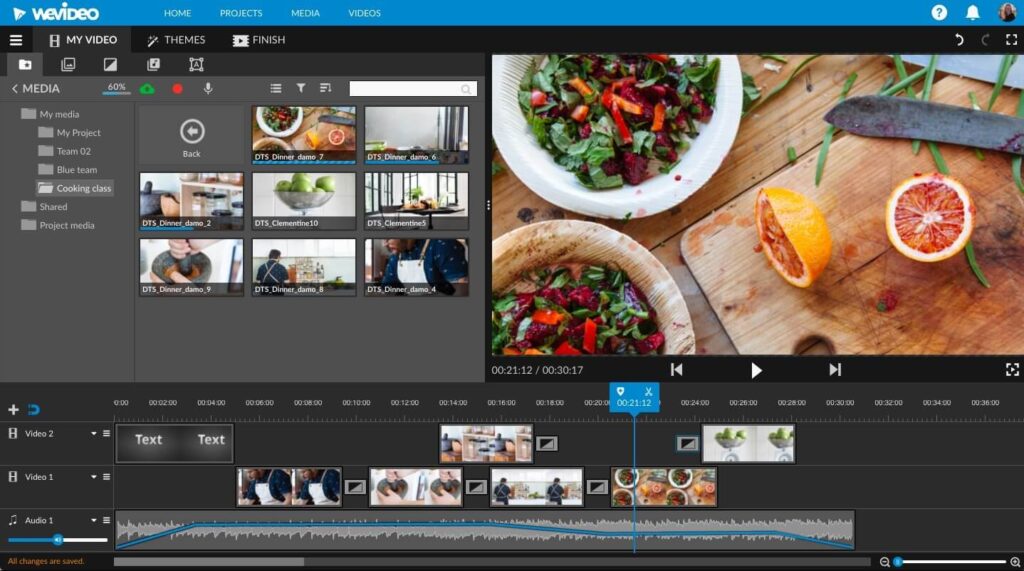
When you want to record live video and work on the same with the green space, no other application will be as good as WeVideo Movie & Video Editor. It is compatible with Android and iOS, which is one of the many reasons to proceed with this app. In addition, you can use numerous advanced features, from the overlay text and music to the layering of multiple video screens.
Key Features
- Real-time green screen software
- Comes with advanced editing tools
- Compatible with multiple video types
- Can be connected to the cloud network
Pros
- Doesn’t affect the video quality
- Saves the video to the device and cloud
- Can support images from stock websites
Cons
- Watermarks are present
Compatibility
Android 5.1 and more or iOS 12 and more
Conclusion
With the list of top free green screen applications now explained to you, it’s time you decide which one to go with. First, consider your skills and experience level because choosing the wrong app will destroy the video quality. Also, if you do not want to use any third-party video editing software, choose the green screen app with built-in editing tools for brightness adjustment, overlays, layering, and so on. Having the green screen app is like having the cherry on top of the cake, as it allows you to capture video with a regular mobile camera and produce a pro video.
Author Bio:
Dinesh Lakhwani 

Dinesh Lakhwani, the entrepreneurial brain behind “TechCommuters,” achieved big things in the tech world. He started the company to make smart and user-friendly tech solutions. Thanks to his sharp thinking, focus on quality and the motto of never giving up, TechCommuters became a top player in the industry. His commitment to excellence has propelled the company to a leading position in the industry.
Popular Post
Recent Post

5 Best Data Recovery Software For Windows 11 and Windows 10
A crashed drive can ruin a whole day. One minute your photos, work files, and tax records sit safe on your PC. The next minute they are gone. A power cut, a bad update, or one wrong click can wipe out years of memories and months of work in seconds. That sinking feeling is why […]
How To Update NVIDIA Drivers On Windows 11/10 PC
Learn how to update NVIDIA drivers on Windows 11/10 with simple methods, safety tips, and easy steps for smoother gaming and better PC performance.

Top AI Features Hidden Inside Windows 11
Explore the top AI features in Windows 11, from Copilot to Recall, plus safety tips and simple steps to use each tool the right way.

Customize Your Screen Saver Settings in Windows [Easy Steps]
Learn how to customize screen saver settings in Windows 11 with easy steps, safety tips, and simple tricks to personalize your PC screen.

Driver Easy Windows Driver Updater Tool Review: Tried & Tested
In-depth information about Driver Easy’s functions and features can be found in our review. Learn how to update drivers more easily with this tool for a more seamless computer experience.

Is Avast Driver Updater Worth It? A Hands-On Analysis
A full review of Avast Driver Updater covering features, setup steps, pricing, pros and cons, and real PC results, to help you decide if it is worth buying.

IObit Driver Booster 13 (PRO) Review: [Tried & Tested]
IObit Driver Booster 13 is built for one purpose: keeping your PC drivers up to date. Well, yes! Outdated drivers can cause crashes, slowdowns, and hardware issues. This tool scans fast and updates with one click. The interface is simple. Even beginners can use it without confusion. Updates are pulled from a huge database, covering […]

Auslogics Driver Updater: A Detailed Walkthrough [2026]
This comprehensive review covers the key features, pros, and cons, pricing, and a final verdict on Auslogics’ driver update utility. Learn how it stacks up against manual driver maintenance.

5 Best Driver Updater Tools for Windows to Use (Free and Paid)
Introduction: Most people blame their PC for problems that a driver caused. A driver works like a bridge between your hardware and your operating system. When this bridge cracks, strange things start to happen. Screens flicker without reason. Printers go silent mid-task. Games freeze or crash out of nowhere. Manually finding the right driver is […]

