











Imagine this. You spend hours perfecting a video project. You hit save. Then your laptop freezes, reboots, and when the screen comes back. The file is gone. Your stomach sinks. It’s not just you. Lost files happen all the time. A dropped hard drive, a bad update, an accidental delete, or a corrupted partition can […]
9 Best Music Video Editors Recommendations [ Windows 11, 10]
Whether it’s a YouTube video, a Facebook ad, or an Instagram story, using the best music video editing software is the key to making sure that your content looks professional and slick. In fact, the music industry simply cannot thrive without these tools. There are many free tools available to edit music videos to help you which means you don’t need to spend money on paid software to create engaging content. Read on to learn about these tools and what makes them a recommended choice.
What Matters for Music Video Editing Software?
There are several things you should keep in mind while choosing a software to edit music videos. Some of the key considerations include:
Free Music
These software come with their own library of royalty-free stock music. You should look for this feature. Having a huge library of stock music is crucial to creating a quality music video that is also free of any copyright issues.
Effects
It is recommended that you choose a music video editing software that has a wide range of stunning effects, filters, and transitions. These utilities are the key to enhancing a video and making it truly unique and the tool that offers a great variety of them should be your preferred choice.
Easy to Use
Ease of use is another important thing that matters for any video editing tool. Make sure that the video editor you choose has a user-friendly interface and it provides easy access to all of its features.
Less Work
There are certain video editors that feature automated operations. This means less work for the user. Such convenience should be your priority. This is because it not only minimizes the risk of mistakes but also streamlines the music video editing process.
Top 9 Music Video Editing Software
Following is the list of top 9 music video editors. These tools are recommended due to their ease of use, variety of features, and reliability when it comes to creating a high-quality music video.
1. iMyFone Filme
Best for: Beginners and advanced users looking to create stunning slideshows or music videos.
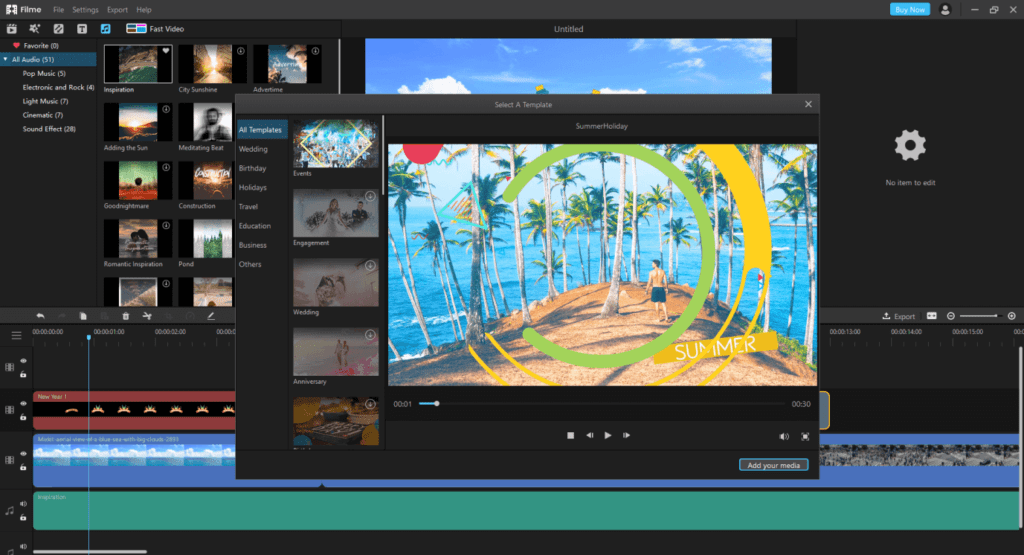
iMyFoneFilme is a fast, pro video editor that is particularly helpful for creating stunning music videos and slideshow content with just several clicks. As a free music video editing program, the best feature is the fast video mode. It also comes with variety of resources, e.g. music, transitions, filters, effects, etc. which you can use to personalize your video and make it engaging. Thanks to Filme’s user-friendly interface, anyone can easily create engaging video content.
Features
- Fast Video mode allows you to create a high-quality slideshow with one click.
- Basic video editing utilities, e.g. crop, rotate, split, merge, picture-in-picture, etc.
- Wide range of filters, effects, transitions, and more for an excellent video-enhancing experience.
- Free music library.
- Instant preview.
- Share videos to social media platforms directly from the software.
Pros
- User-friendly, intuitive interface.
- Supports a variety of media formats.
- Suitable for both beginners and advanced users.
Available on: Windows, Mac
2. Lightworks
Best for: Desktop music video editing at lower resolutions.
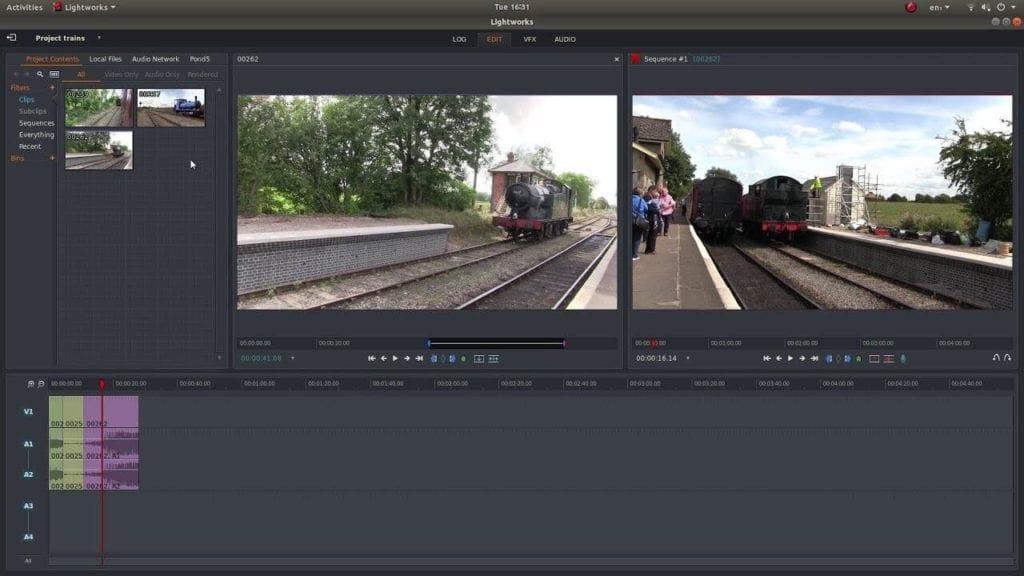
Lightworks is another reliable software to edit music videos that is equipped with a lot of useful features. The free version of this tool comes with limited features but it is sufficient for most users looking to create/edit quality music videos to share on YouTube or any social media platform. Lightworks supports a wide range of video formats and it is fairly easy to learn thanks to the video tutorials that it comes with. However, the free version does not support 4K videos. To edit 4K videos, you will need to use the paid version.
Features
- High precision video trimming.
- Multicam editing.
- Realtime effects with variety of inbuilt presets.
- Various color correction and blend modes.
Pros
- Wide variety of basic and advanced video editing
features. - Supports a wide range of video formats.
- Comes with many video tutorials.
Cons
- Free version does not support 4K video editing.
- Steep learning curve especially for Mac version.
Available on: Windows, Linux, and Mac.
3. EaseUS Video Editor
Best for: Basic editing and enhancing music videos on Windows.
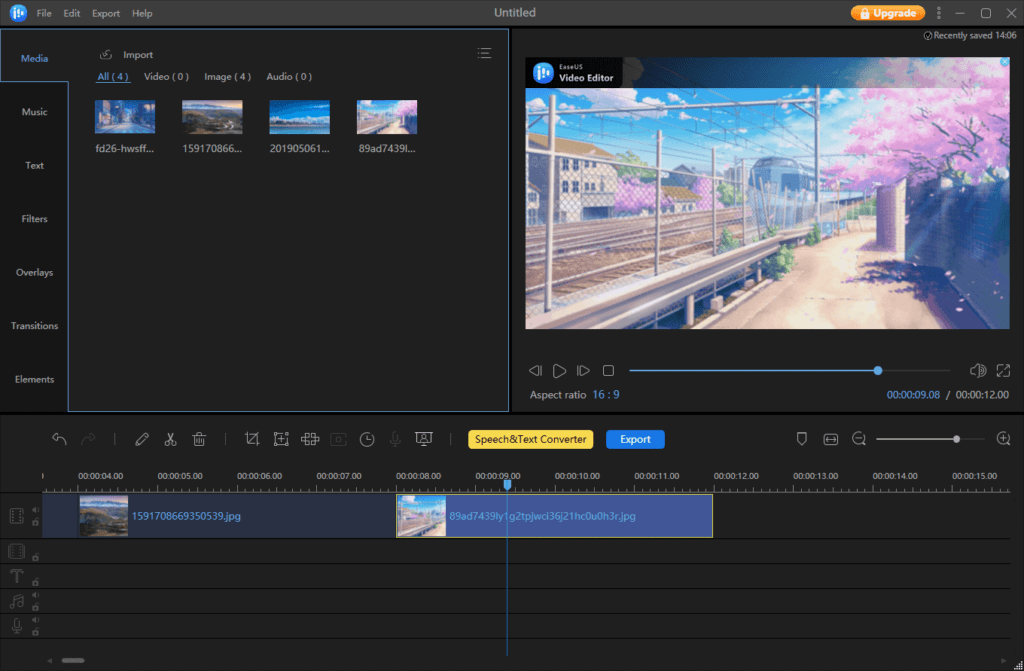
EaseUS boasts an easy-to-use and powerful music video editing platform to help you produce and edit stunning, premium-quality videos even if you don’t have any technical know-how. With 50+ visual transitions and effects, you can enhance your message in your video and give it a polished look for sharing on YouTube, social media, or your website. Keep in mind that the free version of this tool comes with limited features. You will need to upgrade to a pro plan to access all the features and modes.
Features
- All basic video editing modes are available, e.g. split, crop, freeze frame, rotate, change speed, etc.
- Real-time preview which you can use before, during, and after the completion of your project.
- Add voice narration to your videos.
- Fix color issues as well as add effects and transitions to customize videos according to your preferences.
- Save music videos in a wide range of popular formats.
Pros
- Easy to use, accessible software interface.
- Decent selection of video-enhancing effects and overlays.
- Supports most video formats.
- Suitable for beginners.
Cons
- Relatively fewer editing features as compared to most other music video editing tools.
- Text effects are low quality.
- Not available on Mac and Linux.
Available on: Windows
4. Shotcut
Best for: Advanced music video editing, particularly involving 4K projects.
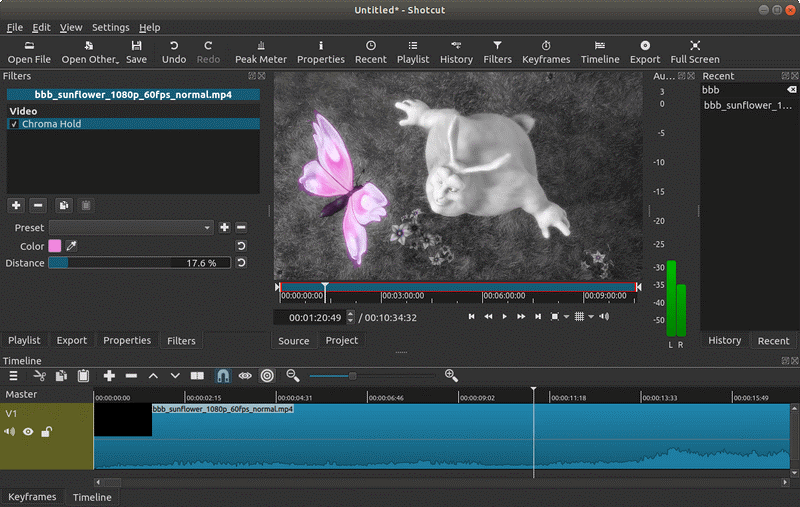
Shotcut is a feature-rich software that is suitable for anyone looking to perform professional-level editing to truly optimize and enhance their videos. The tool supports 4K resolution natively and has many advanced modes and features, e.g. counter generator, timelines, text and noise generator, and more.
It is also a powerful audio editor and has several dedicated features for enhancing any type of sound or music. It allows you to adjust various aspects of audio, e.g. reverb, pitch, notch, treble, bass, etc. It’s huge collection of visual filters and effects will help you turn your music video into a high-quality, polished piece.
Features
- Native timeline editing, no import required.
- Webcam capture, audio capture, and frame-accurate
seeking. - Color, noise, text, and counter generators.
- Wide range of video effects and filters, including
blur, fade-in/fade-out, dodge, burn, etc. - 3-point editing and multitrack timeline with waveforms
and thumbnails.
Pros
- Feature-rich tool with professional level video
editing capability. - Native 4K resolution support.
- Huge collection of tutorial videos that make learning
the tool easy and convenient. - Supports a wide range of video formats.
Cons
- User-interface is not beginner-friendly and needs
improvement. - Lots of advanced features make Shotcut a complex tool
for beginners.
Available on: Mac, Windows, and Linux.
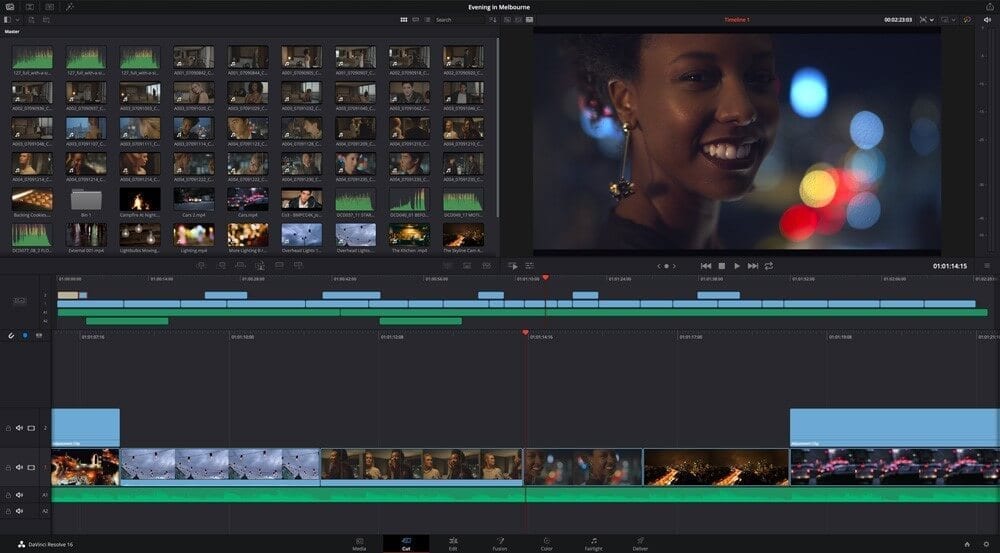
5. DaVinci Resolve
Best for: Advanced projects that involve a lot of color correction.
DaVinci Resolve is arguably the most advanced music video editing software available on the market. Even though it is packed with many advanced features, the software remains user-friendly and intuitive. Some of its key benefits include advanced video trimming and slicing, color correction, audio correction, adding 2D and 3D titles to videos, and more. All these features allow you to create and enhance your video to Hollywood style theme that is usually seen in films.
Features
- Advanced trimming, color correction, and multicam
editing support. - High-performance playback engine.
- State-of-the art color grading tools.
- 32-bit float image processing.
- Multi-user collaboration support.
- Support for 4K.
Pros
- Designed for advanced users.
- User-friendly, intuitive software interface.
- Compatible with some other popular tools for
cross-software editing. - Great community and tech support.
Cons
- The massive collection of features makes this tool a bit overwhelming for beginners.
- While the software does come with many tutorials to help you master it, not all of them are free.
Available on: Linux, Windows, and Mac.
6. HitFilm Express
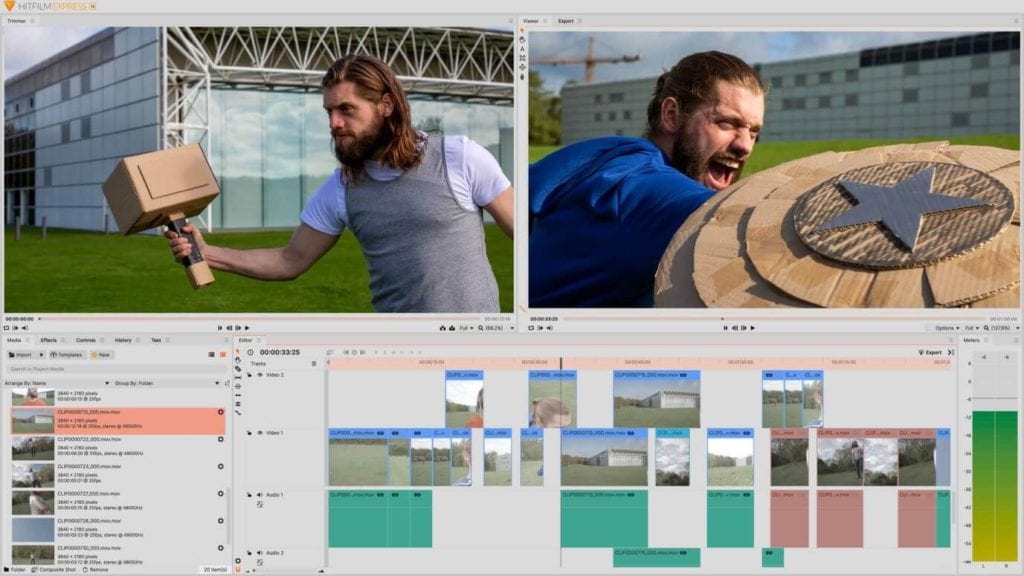
Best for: Advanced video editing for online sharing and YouTube.
HitFilm Express is another popular video editor that is more suitable for advanced users. It contains all basic video editing features, e.g. trim, splice, merge, rotate, etc. as well as tons of special effects and filters. The tutorials it comes with are very engaging and interactive, making it fun to learn and master the software. The tool also includes a store where you can buy add-ons and further enhance the capability of the software.
Features
- Advanced video trimming capability.
- 3D video support.
- 410+ effects and presets for customizing and enhancing
a video. - Supports green screen effects.
- Composting tools, masking
and layers, and more.
Pros
- Professional grade music video
editing software. - Suitable for advanced users and video editing
enthusiasts. - Comes with many tutorials to help you learn and master
the software.
Cons
- Not available on Linux.
- User-interface is a bit complex and may take some time
to learn. - The vast number of features make this tool
overwhelming for beginners.
Available on: Windows and Mac.
7. Kdenlive
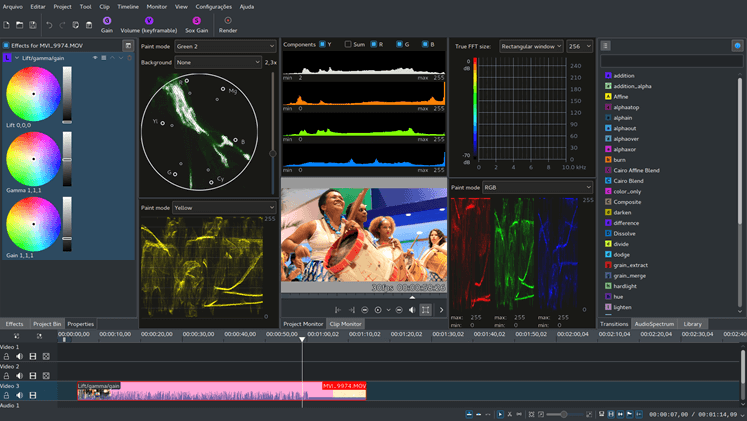
Best for: Music video editing that does not require a lot of video customization and enhancement.
Kdenlive is a decent software that was initially designed for Linux platform but then made available for Mac and Windows. Even though this open source video editor has limited features, it is still very powerful and even a bit advanced for new users. Its features are robust and include everything from keyframe effects and transitions to incorporating virtually any audio file, multi-track editing, and more.
Features
- Multi-track video editing allows you to use several
video and audio tracks simultaneously. - Customizable interface and shortcuts.
- Dozens of visual effects are available, including most
standard transform filters. - Timeline preview.
- Automatic backup of projects.
Pros
- Feature-packed tool capable of advanced video editing
and enhancement. - Light on system resources.
- Suitable for advanced users.
Cons
- The number of filters, effects, transitions, etc. is
relatively low as compared to most other video editors. - Interface is not very user-friendly.
- Complex for beginners.
Available on: Windows, Mac, and Linux.
8. OpenShot
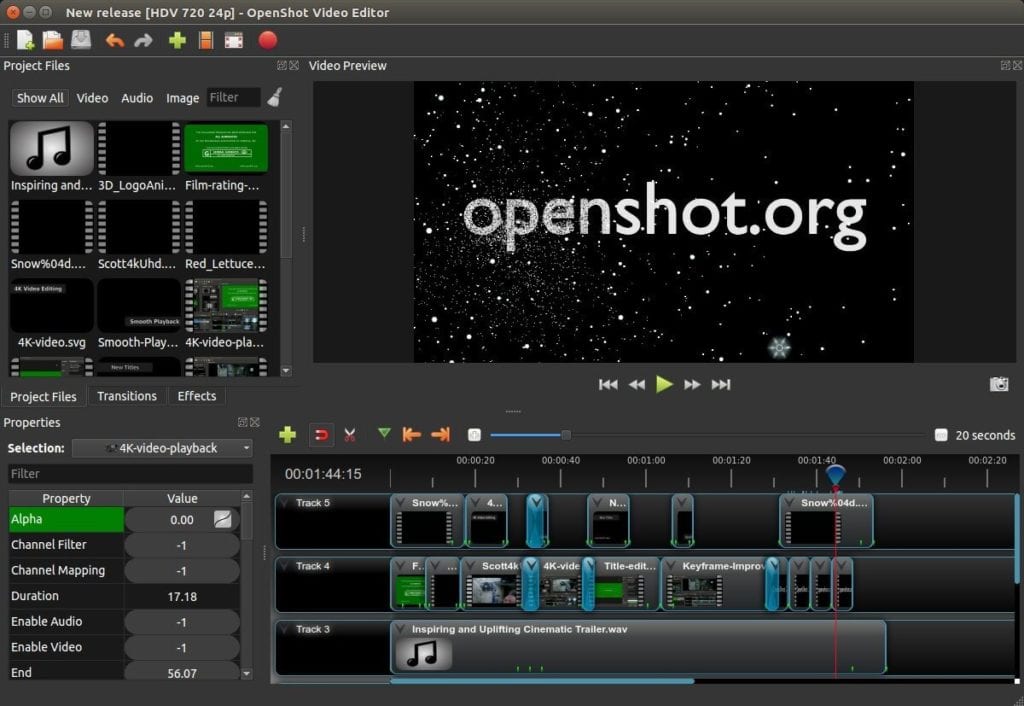
Best for: New users looking to edit music videos.
OpenShot is a powerful open-source video editor that is equipped with a wide range of useful features. It’s simple interface and drag and drop capability makes it easy to use. The software comes with many advanced features such as real-time preview, video transitions, unlimited layers, etc. Using OpenShot to cut and slice any video is extremely easy.
Features
- All basic video editing utilities are available, e.g.
cutting, trimming, rotation, snapping, scaling, resizing, etc. - Real-time preview capability.
- Image overlays, composting, and watermarks.
- Variety of visual effects, title templates, filters,
etc.
Pros
- Open source with lots of decent features.
- User-friendly interface and quick, easy navigation.
- Unlimited layers.
Cons
- Software comes with video tutorials but their number
is limited, making it a bit difficult to learn all the features quickly. - Some users have reported that the software sometimes
lags when rendering videos.
Available on: Windows, Linux, and Mac.
9. iMovie
Best for: Mac/iOS users who want to perform basic editing on their videos.
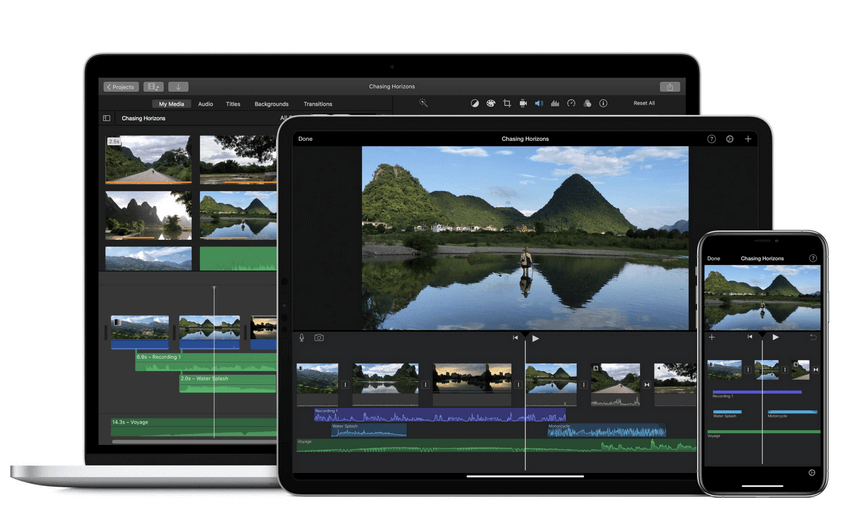
Available only for Mac and iOS users, iMovie is a popular video editing tool that natively supports 4K resolution and is equipped with various useful features of high-quality video editing. The drag and drop interface of the software is clean and minimal. You can use iMovie as a music video editing software thanks to its features that allow you to add music, titles, effects, filters, etc. to your videos.
Features
- Various high-fidelity filters that are easy to apply.
- Extra special effects, e.g. slow down/speed up video,
split screen, picture-in-picture, etc. - 4K resolution support.
- Several built-in sound effects which you can include
in your video. - Seamless Apple product integration.
Pros
- Simple drag-and-drop user interface.
- Easy to learn and master.
- Light on system resources.
- Good overall basic video editing capabilities.
Cons
- Not suitable for more advanced video editing.
- Not available on Windows and Linux.
Available on: Mac, iOS
Conclusion
In conclusion, whether you are new to music video editing or you are a seasoned video editing enthusiast looking for reliable software, there are plenty of great choices available. The above-listed music video editors are recommended because they are capable of boosting your video marketing efforts.
Dinesh Lakhwani
Author Bio:
Dinesh Lakhwani 

Dinesh Lakhwani, the entrepreneurial brain behind “TechCommuters,” achieved big things in the tech world. He started the company to make smart and user-friendly tech solutions. Thanks to his sharp thinking, focus on quality and the motto of never giving up, TechCommuters became a top player in the industry. His commitment to excellence has propelled the company to a leading position in the industry.
Popular Post
Recent Post

5 Best Data Recovery Software For Windows 11 and Windows 10
A crashed drive can ruin a whole day. One minute your photos, work files, and tax records sit safe on your PC. The next minute they are gone. A power cut, a bad update, or one wrong click can wipe out years of memories and months of work in seconds. That sinking feeling is why […]

How To Update NVIDIA Drivers On Windows 11/10 PC
Learn how to update NVIDIA drivers on Windows 11/10 with simple methods, safety tips, and easy steps for smoother gaming and better PC performance.

Top AI Features Hidden Inside Windows 11
Explore the top AI features in Windows 11, from Copilot to Recall, plus safety tips and simple steps to use each tool the right way.

Customize Your Screen Saver Settings in Windows [Easy Steps]
Learn how to customize screen saver settings in Windows 11 with easy steps, safety tips, and simple tricks to personalize your PC screen.
Driver Easy Windows Driver Updater Tool Review: Tried & Tested
In-depth information about Driver Easy’s functions and features can be found in our review. Learn how to update drivers more easily with this tool for a more seamless computer experience.

Is Avast Driver Updater Worth It? A Hands-On Analysis
A full review of Avast Driver Updater covering features, setup steps, pricing, pros and cons, and real PC results, to help you decide if it is worth buying.
IObit Driver Booster 13 (PRO) Review: [Tried & Tested]
IObit Driver Booster 13 is built for one purpose: keeping your PC drivers up to date. Well, yes! Outdated drivers can cause crashes, slowdowns, and hardware issues. This tool scans fast and updates with one click. The interface is simple. Even beginners can use it without confusion. Updates are pulled from a huge database, covering […]

Auslogics Driver Updater: A Detailed Walkthrough [2026]
This comprehensive review covers the key features, pros, and cons, pricing, and a final verdict on Auslogics’ driver update utility. Learn how it stacks up against manual driver maintenance.

5 Best Driver Updater Tools for Windows to Use (Free and Paid)
Introduction: Most people blame their PC for problems that a driver caused. A driver works like a bridge between your hardware and your operating system. When this bridge cracks, strange things start to happen. Screens flicker without reason. Printers go silent mid-task. Games freeze or crash out of nowhere. Manually finding the right driver is […]

