











A slow computer makes it hard to focus. Programs take too long to open. Free space keeps shrinking until the disk is almost full. This happens to most PC owners at some point. Even new machines can slow down after a while. That is the exact problem cleanup tools are built to solve. They comb […]
12 Best Free IPTV Player Apps for Windows 11, 10, 7 PC
Introduction:
Looking for the best IPTV player apps for Windows 11, 10, and 7 PCs? You’ve come to the right place. The Windows operating system offers an abundant selection of versatile, feature-rich IPTV apps designed to elevate your entertainment escapades to unparalleled heights. Ranging from the latest Windows 11 iteration to the steadfast Windows 10 and reliable Windows 7, here are the best IPTV apps for PC that you can put to best use.
What is IPTV?
IPTV, short for Internet Protocol Television, is a modern way to watch TV using the Internet. Instead of cables or satellites, it sends TV shows and movies as internet data to your devices, like your TV, computer, or phone. It’s like streaming videos online but with lots of TV channels and options. IPTV changes TV signals into internet data, so you can watch what you want when you want, and even pause or rewind like magic. It’s a cool way to enjoy TV on your terms!
How does IPTV work?
Okay, if you are not feasting upon digitally surged TV content, then you are probably using cable or dish TV services to broadcast content on your screened black box. But, if you get the support of IPTV, then you don’t need any cable or satellite connection to watch your favorite TV shows, you just need a stable internet connection. It enables you to watch live TV, get videos on demand, and play or pause content anytime and anywhere.
Keep IPTV Secure
However, while selecting the best player make sure to pay extra attention to the security feature because when we are using the gigantic network of the internet, then we can’t avoid online threats. Thus, check the security features of your Windows IPTV player always and use additional safety measures like VPN to add another layer of security.
So, IPTV-operated TV is something straight out of your imagination, but to truly indulge in this technology, you need to get some of the best IPTV apps for PC first.
Comparison Table: Top 5 IPTV Players
Choosing the right IPTV player can make or break your streaming experience. To help you decide, we’ve compared the top 5 IPTV players based on their key features, ease of use, and compatibility.
This comparison table highlights the strengths and weaknesses of each player, making it easier for you to pick the one that best suits your needs and technical expertise.
| IPTV Player | Price | User Interface | Setup Difficulty | EPG Support | Recording | Multi-device Sync | 4K/HD Support | Ads | Best For |
| Power DVD 23 | Paid ($99.95) | Modern, polished | Easy | Yes | Yes | No | Excellent | None | Premium users |
| VLC Media Player | Free | Simple, functional | Easy | Limited | No | No | Good | None | Beginners |
| Kodi | Free | Customizable | Moderate | Yes | Add-ons required | Yes | Good | None | Tech-savvy users |
| Tivimate | Free/Premium | Clean, TV-focused | Easy | Excellent | Yes (Premium) | Yes | Excellent | None (Premium) | Android TV users |
| Simple TV | Free | Basic, straightforward | Very Easy | Basic | No | No | Good | Some | Casual viewers |
The table reveals clear distinctions between these players. VLC Media Player and Simple TV excel in simplicity and are perfect for beginners who want a hassle-free experience. Power DVD 23 stands out as the premium option with excellent features but comes with a price tag. Kodi offers the most customization options but requires technical knowledge to unlock its full potential.
Tivimate emerges as the best balanced option, especially for users who want advanced IPTV features like excellent EPG support and recording capabilities without the complexity of Kodi.
11 Best Free IPTV Player Apps for Windows 11/10/7 PC To Use
1. Power DVD 23
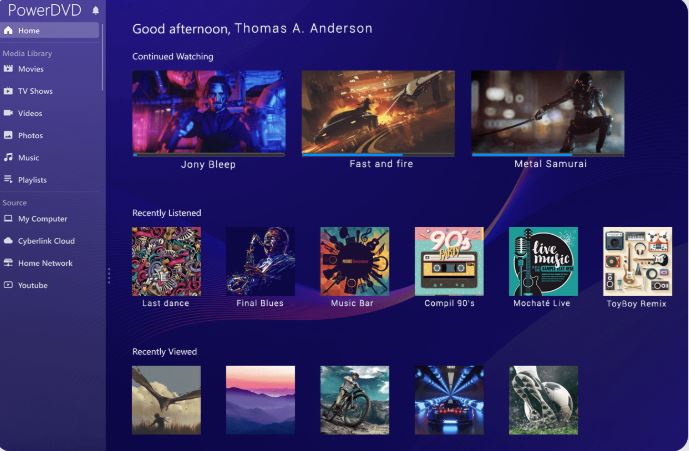
PowerDVD 23 is a top-tier media player for Windows. It offers smooth IPTV playback with advanced TrueTheater technology. Users enjoy crisp visuals and enhanced sound. This player supports 8K Ultra HD, Blu-ray, and DVDs. It works on PCs, TVs, and mobile devices. Cloud streaming lets you access content anywhere.
PowerDVD 23 also features VR and 360-degree video support. The sleek interface makes navigation easy. It’s a perfect choice for IPTV streaming.
Dynamic Features:
- 8K Ultra HD & Blu-ray Playback – Enjoy stunning high-resolution streaming.
- TrueTheater Enhancements – Get richer colors, sharper details, and immersive audio.
- Instant Karaoke Mode – Sing along with AI-powered vocal removal and customizable pitch settings
- Premium audio quality – with DTS-HD, Dolby Audio, and Hi-Res 7.1 surround sound, maximizing your home theater’s potential.
- 360° VR Support – Experience realistic video with spatial sound.
- Cloud Streaming – Access your media library anywhere.
- Optimized Interface – Designed for big screens and home theaters.
Pros:
- High-quality playback with 8K Ultra HD and Blu-ray support
- TrueTheater technology enhances video and audio experience
- Cloud sync allows access to media from multiple devices
- VR & 360 degree video support for immersive viewing
- Supports a wide range of formats including MKV, MP4, APNG, WebP and Dolby Audio.
Cons:
- Requires strong hardware for smooth performance
- Premium features need a paid subscription
- Available only for Windows, limiting cross-platform access
2. VLC Media Player
VLC Media Player can be your go-to choice for watching IPTV on Windows 11, 10, or 7. It’s like a superhero for playing videos and shows on the internet. Just open VLC and it effortlessly handles your IPTV streams, making your TV time easy and fun. It’s super easy to use, and you can even tweak how it looks and works. VLC cares about your safety too, so you can enjoy your shows without worries.
VLC IPTV app for PC doesn’t just stop at IPTV – it’s like a whole entertainment package. You can watch DVDs, listen to music, and even convert files into different formats. It’s a jack-of-all-trades media player that’s always ready to make your viewing experience better. Plus, VLC is free and keeps getting better with updates, so you’re in for a treat every time.

Compatibility: Windows, macOS, Linux, Android, iOS, ChromeOS.
Dynamic Features:
- Seamless IPTV streaming on Windows 11, 10, and 7.
- User-friendly interface for easy navigation.
- Customizable settings for personalized viewing.
- Enhanced security features for worry-free streaming.
- Versatile media player for DVDs, music, and more.
- Constant updates to ensure top-notch performance.
Pros:
- Simple and intuitive user interface.
- Extensive customization options.
- Strong focus on user security.
Cons:
- Some advanced features may require additional configuration.
- The initial setup might be slightly technical for beginners.
3. Kodi
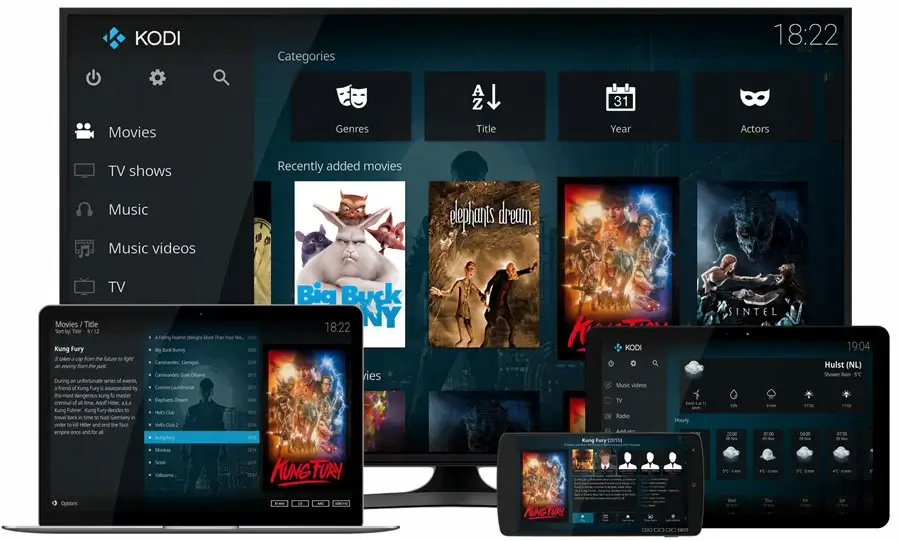
Introducing Kodi, your all-in-one home theater solution for unleashing the full potential of IPTV on your Windows 11, 10, or 7 devices. Kodi is like a personal entertainment hub that lets you stream movies, shows, and even live TV channels seamlessly. With its user-friendly interface and extensive customization options, you’re in control of your entertainment journey.
Kodi’s open-source nature empowers you to expand its capabilities with add-ons, making it a versatile platform that adapts to your preferences. Whether you’re into sports, documentaries, or international content, Kodi’s extensive library of add-ons caters to your every desire. Dive into a world of content, all neatly organized and ready for your enjoyment. However, while Kodi offers a rich multimedia experience, remember that its power comes with a bit of a learning curve.
Compatibility: Windows, Linux, Android, Raspberry Pi, macOS, iOS, tvOS
Dynamic Features:
- A vast collection of add-ons for personalized content.
- Live TV streaming and channel integration.
- Cross-device synchronization for a seamless experience.
- Expansive community support and regular updates.
Pros:
- Feature-rich platform for all-inclusive entertainment.
- Customizable interface and theme options.
- Abundant third-party add-ons for tailored content.
- Support for various file formats and streaming protocols.
Cons:
- Third-party add-ons may vary in quality and security.
- Requires a stable and fast internet connection.
4. Tivimate
Tivimate is one of the best IPTV players for Windows PC that presents an excellent opportunity for online movie and TV show streaming. Its convenience allows for use anytime and anywhere, while its boundless customization options contribute to its user-friendly nature. The swift and simple download process is further complemented by a collection of premium features available within the APK file.
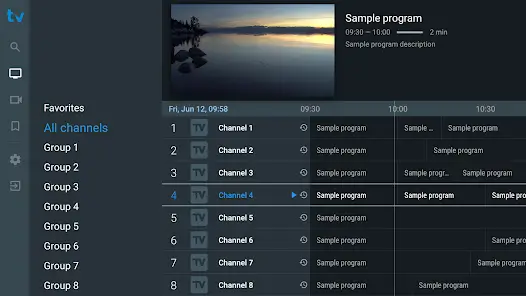
Tivimate’s intuitive design ensures easy navigation, helping you swiftly discover and watch your desired content. With features like EPG (Electronic Program Guide) integration and multi-screen support, you’re in control of your TV schedule. Tivimate also understands the importance of aesthetics, offering customizable themes to match your style.
You can also explore apps like TiViMate Here.
Compatibility: Windows, macOS, Android, iOS.
Dynamic Features:
- Streamlined and user-friendly interface.
- Quick access to favorite shows and channels.
- EPG integration for convenient scheduling.
- Multi-screen support for versatile viewing.
- Customizable themes for personalization.
- Focuses on simplicity and efficiency.
Pros:
- Straightforward setup and usage.
- Efficient and organized channel management.
Cons:
- May lack certain customization options for power users.
- Less extensive add-on support compared to other platforms.
5. Simple TV
Simple TV is your gateway to effortless entertainment on Windows 11, 10, or 7. As the name suggests, Simple TV focuses on delivering a straightforward and user-friendly IPTV experience. With its clean interface and intuitive controls, you can easily explore a world of movies and TV shows with just a few clicks.
While it may not boast the bells and whistles of more complex players, Simple TV’s charm lies in its simplicity. It’s perfect for those who want to dive into IPTV without overwhelming options. If you’re seeking a hassle-free way to enjoy your favorite content, Simple TV is a worthy contender on our list of top IPTV apps for PC.
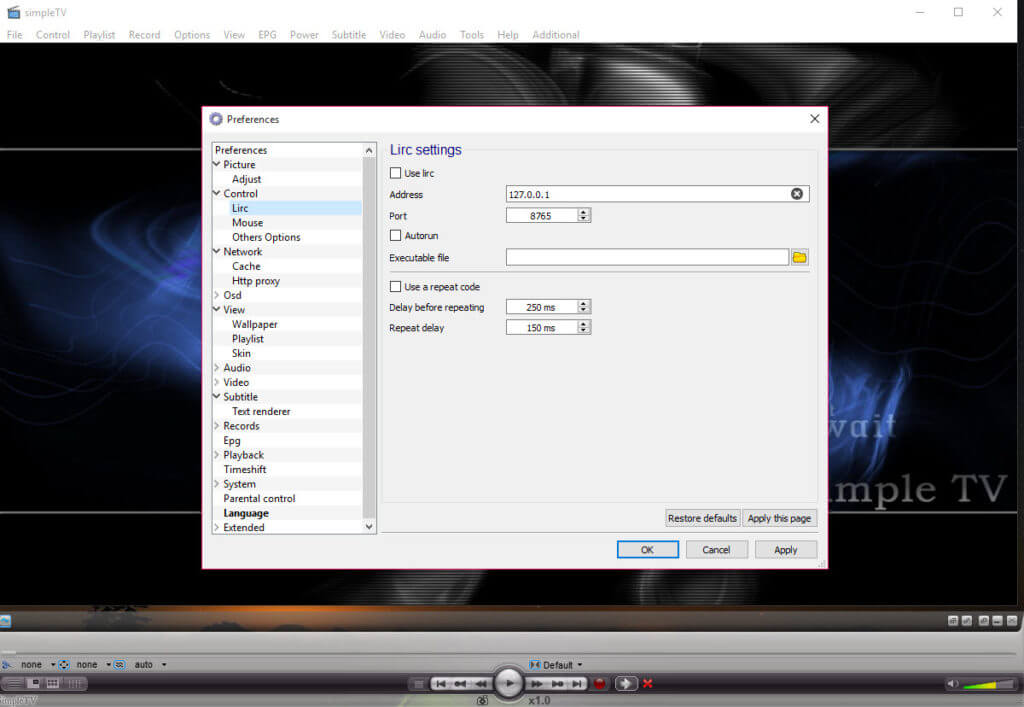
Compatibility: Windows, macOS.
Dynamic Features:
- EPG integration for easy scheduling.
- Record and watch shows at your convenience.
- Emphasis on simplicity and user-friendliness.
- Ideal for those seeking a straightforward IPTV experience.
Pros:
- Minimalist design appeals to those seeking simplicity.
- Well-suited for newcomers to IPTV technology.
Cons:
- Relatively basic compared to all-in-one media centers.
- Updates and improvements may be less frequent.
6. ProgDVB
ProgDVB is a game-changer for your TV entertainment on Windows 11, 10, or 7. ProgDVB is your gateway to a world of diverse content, seamlessly blending live TV streams, recorded shows, and multimedia files all in one place.
With its feature-rich interface, ProgDVB lets you effortlessly navigate through your playlists, record your favorite streams, and indulge in multimedia playback. Whether you’re catching up on shows or exploring new channels, ProgDVB’s versatility ensures you’re always in control of your viewing experience.
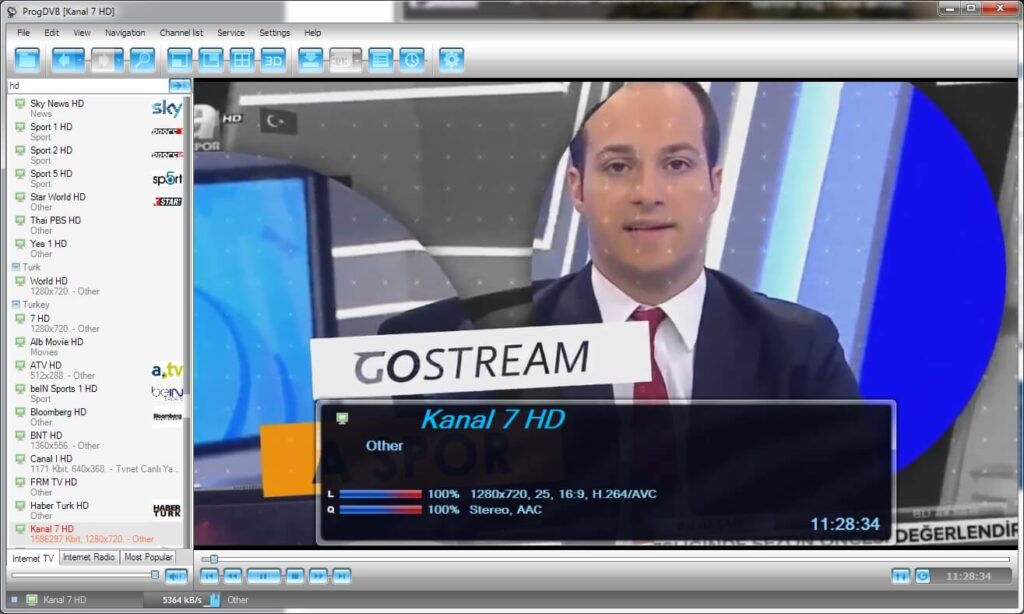
Compatibility: Windows
Dynamic Features:
- Seamless integration of live TV and multimedia playback.
- Convenient playlist organization and management.
- Robust recording capabilities for streams and shows.
- Customizable interface for personalized navigation.
- Offers a wealth of features for an enriched TV experience.
Pros:
- Diverse multimedia playback support.
- Extensive customization for tailored usage.
- Suitable for both beginners and experienced users.
Cons:
- Some advanced features may require additional guidance.
- May not be ideal for those seeking a basic, straightforward solution.
7. Free TV Player
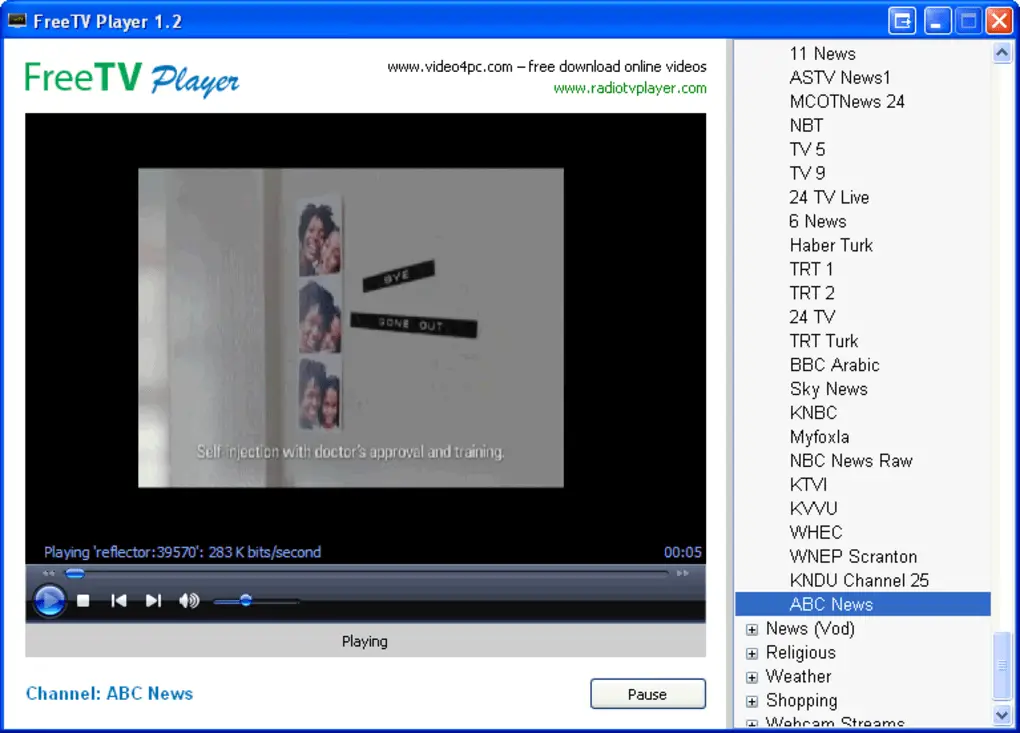
Those in search of a cost-free IPTV player for Windows PC will find their wish granted with the Free TV Player application. This elegantly designed smart IPTV app caters to Windows 10 and 11 users, offering a seamless streaming experience encompassing live TV channels, TV shows, movies, Internet radio, and much more.
With this utility at your disposal, you can curate your personalized M3U playlist to enjoy live TV content. Acquiring the app is a breeze, as you can directly download it from the Microsoft Store without incurring any expenses.
To craft an M3U playlist using this complimentary player, simply launch the app and insert the M3U playlist URL code furnished by your IPTV service provider. Allow a brief interlude as the channels load – once loaded, you can pick your favorites and indulge in live TV streaming. So, sit back and relax as you savor the live TV experience brought to you by one of the best IPTV players for Windows PC.
Compatibility: Windows
Dynamic Features:
- Graceful smart IPTV app for Windows 10 and 11.
- Live TV channels, TV shows, movie streaming, and Internet radio.
- Customized M3U playlist creation for personalized content.
- Direct download from Microsoft Store for easy accessibility.
Pros:
- Free of cost, providing budget-friendly entertainment.
- Streamlines access to live TV channels and shows.
- User-friendly interface for hassle-free navigation.
Cons:
- Limited to Windows 10 and 11, excluding other Windows versions.
- May require some familiarity with M3U playlist URLs.
- App features could be expanded for a more comprehensive experience.
8. IPTV Smarters Pro
The IPTV Smarters App stands as an impressive video streaming player, enabling your IPTV customers or end-users to access and stream an array of content – Live TV, VOD, Series, and TV Catchup, all sourced from you.
This versatile IPTV app for PCs extends its reach to Android and iOS devices, Smart TVs, and even macOS/Windows PC/Laptops, ensuring seamless entertainment delivery across various platforms.
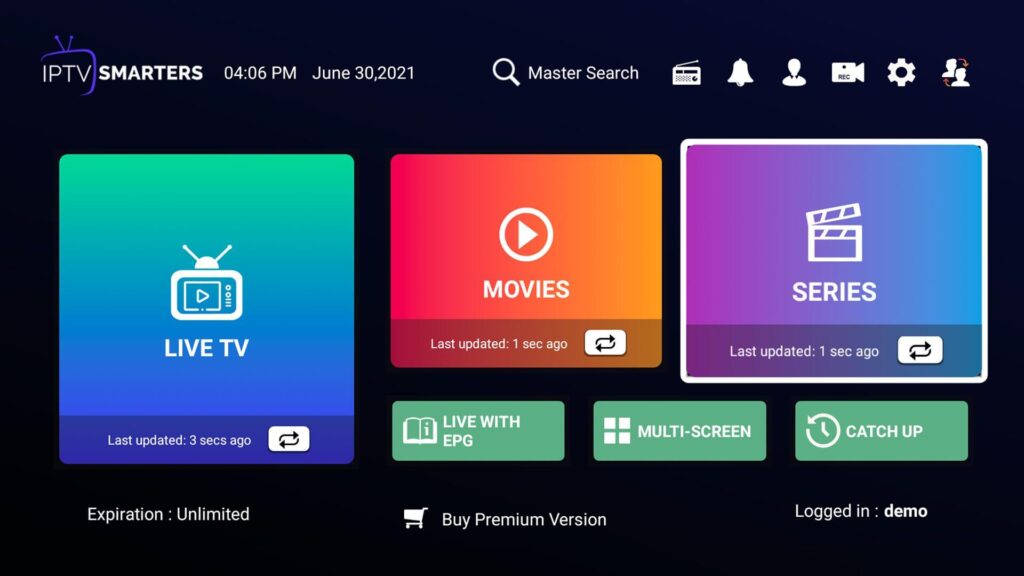
Compatibility: Windows, macOS, Android, and iOS.
Dynamic Features:
- Comprehensive video streaming player.
- Access to Live TV, VOD, Series, and TV Catchup content.
- Compatibility with Android, iOS, Smart TV, macOS, and Windows.
- Customizable interface for personalized user experience.
- EPG (Electronic Program Guide) integration for convenient scheduling.
- Multi-screen support for flexible viewing.
Pros:
- Extensive content access, including Live TV and on-demand options.
- Broad compatibility across various devices and platforms.
- User-friendly interface for easy setup and usage.
Cons:
- Availability of features and compatibility may vary based on the device.
- Dependency on a reliable internet connection for optimal performance.
9. Plex TV
Plex TV stands as a true powerhouse, one of the best IPTV players for Windows PC in the realm of media streaming, offering a remarkable and versatile platform that redefines how you experience entertainment. Regardless of your preferred device, whether it’s a Windows computer, an Android smartphone, an iOS tablet, or even a Smart TV, Plex TV has the remarkable ability to seamlessly convert these devices into your very own personalized entertainment hub.
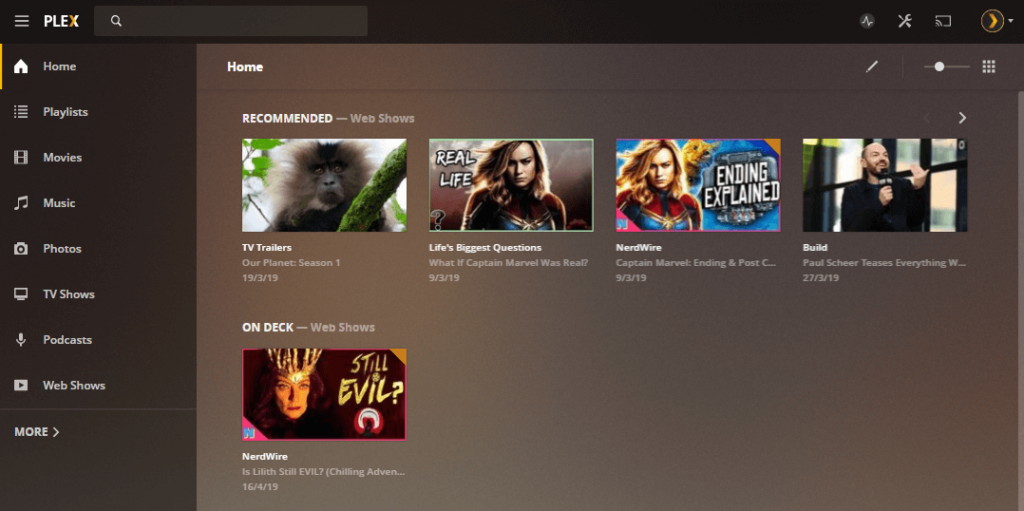
Compatibility: Windows, macOS, Linux.
Dynamic features:
- Versatile media streaming platform.
- Cross-device compatibility for Windows, Android, iOS, and Smart TVs.
- Organized library management for easy content access.
- Live TV and DVR capabilities for real-time viewing.
- On-demand content with a vast library of movies, shows, and more.
- An intuitive user interface for seamless navigation.
Pros:
- Comprehensive media streaming across diverse devices.
- Convenient library organization for efficient content discovery.
Cons:
- Certain advanced features may require a premium subscription.
- May not offer as extensive IPTV-specific functionalities as dedicated IPTV players for PC.
10. IPTV Extreme
IPTV Extreme is a dynamic player that takes your streaming endeavors to new heights. With its comprehensive features and user-friendly interface, IPTV Extreme is designed to provide a seamless and enjoyable entertainment experience.
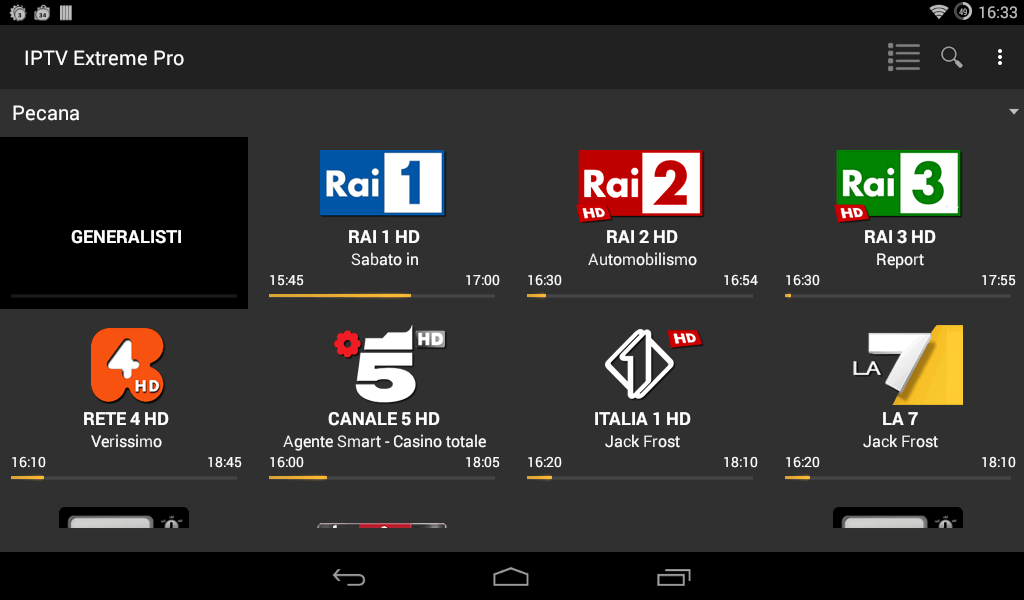
Compatibility: Windows, macOS, Android.
Dynamic Features:
- Live TV streaming with a wide range of channels.
- VOD (Video On Demand) support for on-demand content.
- EPG (Electronic Program Guide) integration for organized scheduling.
- User-friendly interface for intuitive navigation.
- Playlist management for effortless content access.
- Parental control for managed viewing permissions.
Pros:
- Compatibility with multiple devices for versatile streaming.
- EPG integration enhances content discovery and scheduling.
Cons:
- Inconsistent streaming quality.
- Compatibility concerns on some devices.
- Learning curve during setup.
11. PortPlayer For Windows
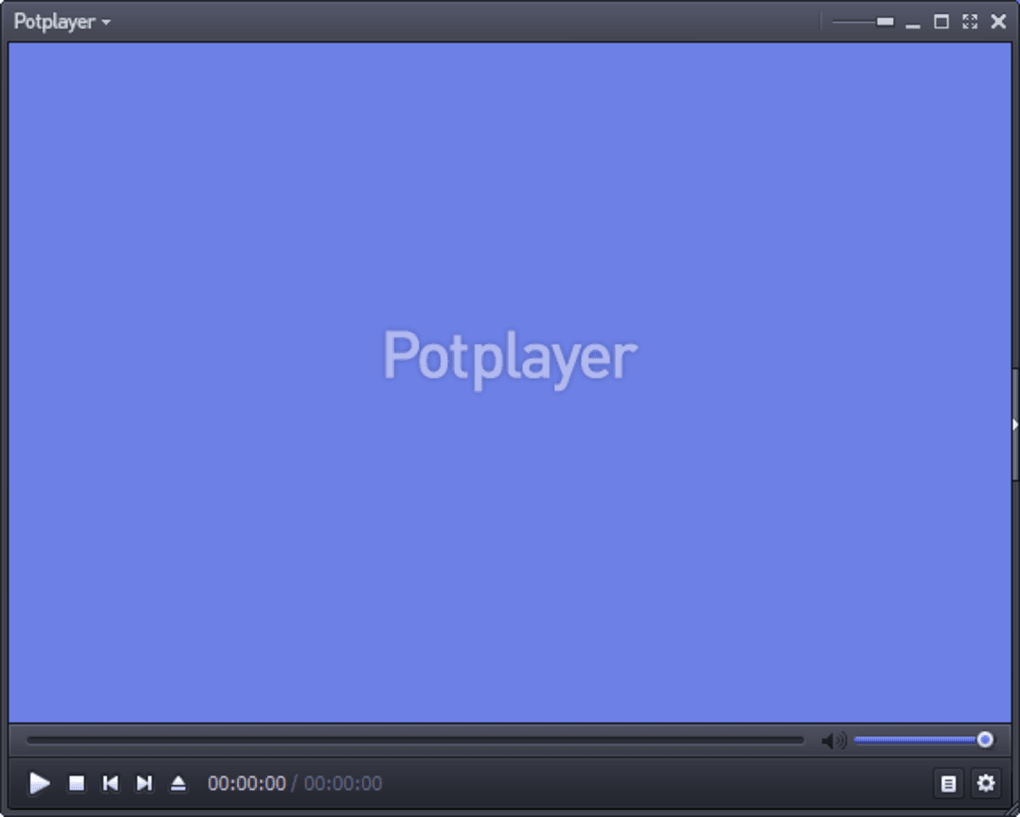
PotPlayer is a highly versatile and feature-rich media player that excels at IPTV streaming on Windows. Developed by Daum Communications, PotPlayer has gained a strong following among IPTV enthusiasts due to its comprehensive codec support and robust performance.
One of the standout characteristics of PotPlayer is its ability to handle a wide variety of media formats, including IPTV streams. The app’s extensive codec library allows users to play a vast range of video and audio files without the need for additional third-party codecs. This makes PotPlayer a reliable choice for IPTV users who may encounter different streaming protocols or container formats.
PotPlayer’s user interface is highly customizable, enabling users to tailor the app’s appearance and functionality to their preferences.
Compatibility: Windows, Android.
Dynamic Features:
- Supports a wide range of IPTV streaming protocols, including M3U, XSPF, and PLS.
- Allows users to manage and organize IPTV playlists with ease.
- Offers advanced video and audio settings, including support for various audio/video codecs.
- Provides a built-in media converter, allowing users to convert media files to different formats.
- Integrates with various online IPTV service providers, making it easy to access a vast library of live TV channels.
Pros:
- Highly customizable and feature-rich.
- Excellent codec support for various media formats.
- Smooth and stable IPTV streaming performance.
- Free and open-source software.
Cons:
- May have a steeper learning curve for beginners due to the extensive feature set.
- Occasional compatibility issues with some IPTV service providers.
12. Megacubo
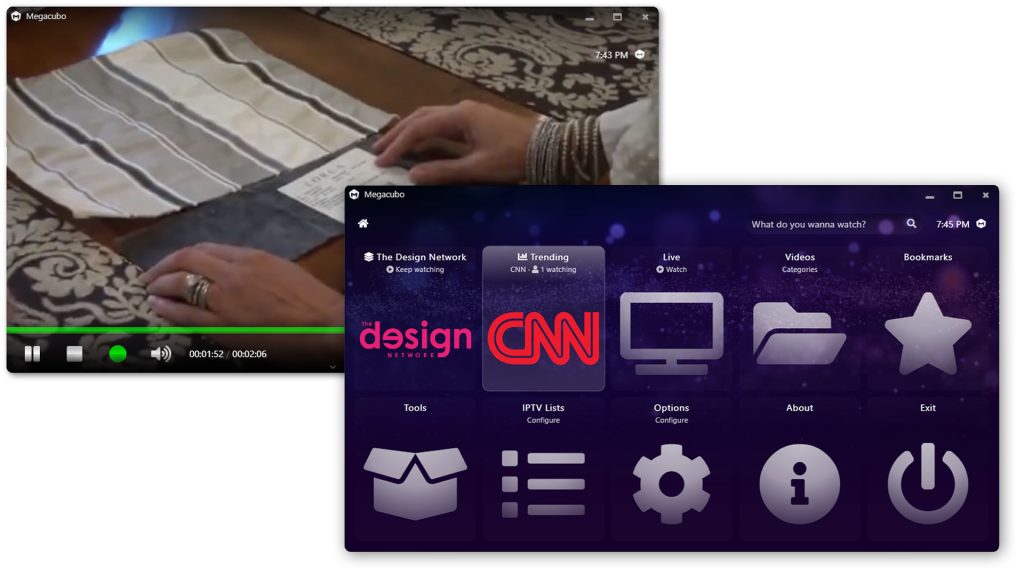
Megacubo is a dedicated IPTV player application designed specifically for Windows users. Developed by the Megacubo team, this open-source software offers a clean and intuitive user interface, making it an attractive option for those new to the world of IPTV streaming.
Megacubo’s support for a variety of IPTV playlist formats, including M3U, XSPF, and PLS, ensures that users can easily integrate their preferred IPTV service providers into the app. This flexibility allows Megacubo to cater to a wide range of IPTV users, from those with a single subscription to those managing multiple IPTV sources.
A notable feature of Megacubo is its built-in Electronic Program Guide (EPG), which provides users with valuable information about the currently airing and upcoming programs on their IPTV channels.
Compatibility: Windows, macOS, Linux, Android.
Dynamic Features:
- Supports M3U, XSPF, and PLS playlists for IPTV streaming.
- Offers a built-in Electronic Program Guide (EPG) for live TV channels.
- Allows users to create and manage multiple IPTV playlists.
- Includes a DVR function for recording live TV programs.
- Integrates with various online IPTV service providers.
Pros:
- Easy to use and navigate, even for beginners.
- Supports a range of IPTV playlist formats.
- Includes a built-in EPG for better channel navigation.
- Offers DVR functionality for recording live TV.
- Free and open-source software.
Cons:
- May have a more limited feature set compared to some other IPTV players.
- Might not offer as many customization options as some other IPTV players.
Conclusion
In the ever-evolving landscape of digital entertainment, the quest for the best IPTV player for Windows 11, 10, and 7 PC devices has led us through a range of dynamic options.
As we conclude this guide of the 11 Best IPTV apps for PC. Remember that the ideal player ultimately depends on your preferences and needs. Whether you seek simplicity, customization, or an extensive feature set, this diverse selection ensures there’s a perfect fit for every Windows user’s streaming journey. Embrace the world of IPTV and elevate your entertainment experience today!
Author’s Tip:
Start with VLC if you’re new to IPTV. VLC Media Player is the safest choice for beginners. It works right out of the box. You don’t need to configure anything complicated. Just add your M3U playlist and start watching. It’s completely free and runs on any Windows PC.
Consider your technical skills before choosing. Kodi offers the most features but needs time to set up properly. You’ll need to install add-ons and configure settings. Power DVD 23 costs money but gives you premium features without hassle. Simple TV lives up to its name – it’s perfect if you want something basic.
Test before you commit. Download 2-3 players and try them with your IPTV service. Each player handles streams differently. Some work better with certain providers. What works great for your friend might not work well for you. Spend a weekend testing different options. Your future self will thank you for taking this time.
FAQs:
FAQ 1: Are free IPTV player apps safe to use on Windows?
Yes, many free IPTV player apps for Windows can be considered safe to use, as long as they are downloaded from reputable sources. Reputable and well-established IPTV apps, especially those that are open-source or developed by trusted organizations, are generally safe to use. However, it’s always important to exercise caution, research the app’s reputation, and check for any security concerns before installing.
FAQ 2: Do I need a specific IPTV service subscription to use free IPTV apps on Windows?
No, you do not necessarily need a specific IPTV service subscription to use free IPTV player Player on Windows PC. Many of these apps are designed to be compatible with a wide range of IPTV service providers, allowing users to integrate their preferred IPTV source. However, keep in mind that the IPTV service itself may require a paid subscription, depending on the provider. The IPTV player app is simply the tool used to access and stream IPTV content.
FAQ 3: Can free IPTV player apps for Windows replace traditional cable or satellite TV?
In many cases, free IPTV apps can serve as a viable alternative to traditional cable or satellite TV, especially for users who are looking to cut costs or have a more diverse selection of channels. These IPTV players provide access to a wide range of live TV channels, and on-demand content, and often include features like electronic program guides and DVR functionality.
FAQ 4: Is Hypnotix Available For Windows?
No, Hypnotix is only available for Linux, Min, Ubuntu, and Debian.
Recommended Articles
Author Bio:
Dinesh Lakhwani 

Dinesh Lakhwani, the entrepreneurial brain behind “TechCommuters,” achieved big things in the tech world. He started the company to make smart and user-friendly tech solutions. Thanks to his sharp thinking, focus on quality and the motto of never giving up, TechCommuters became a top player in the industry. His commitment to excellence has propelled the company to a leading position in the industry.
Popular Post
Recent Post

Fortect Software Review: The Ultimate PC & Mobile Cleaning, Optimization & Security Tool
Slow computers are a common problem for almost every Windows user. Well, yes! Over time, your PC picks up junk files. These files sit quietly in the background. They take up space and slow things down. Programs open slower. Windows takes longer to boot. Even simple tasks like opening a folder can feel sluggish. There […]
CCleaner PC Optimizer Review: A Complete Guide for Windows Users
If your computer has started to feel slow, you are not alone. Most Windows PCs slow down over time. Junk files pile up. The registry gets messy. Too many apps open when you start your PC. All this adds up and makes even a good machine feel tired. This is where a PC cleaner tool […]
Auslogics Duplicate File Finder: Full Review and User Guide
A computer quietly gathers clutter over time. This includes duplicate photos, repeated downloads, and forgotten backups hiding in random folders. This buildup slowly eats away at storage and can make even a fast PC feel sluggish. Manually finding and deleting duplicates is tedious. It means checking every folder, comparing file names, and guessing which copies […]
CCleaner Duplicate File Finder: Key Features, Pricing, Step-by-Step Guide and More
Every computer collects junk over time. Right? Well, yes! Photos often get copied twice. Documents get saved in two folders by mistake. Old downloads pile up and never get deleted. This slowly eats up your storage space, and most people do not even notice until their drive is almost full. That is where a duplicate […]
Duplicate File Finder Pro: A Complete Review, Everything You Should Know
Computers collect thousands of files over time. Well, yes! Many of them end up being duplicates created by backups, downloads, or accidental copies. These extra files take up valuable storage space and make it harder to keep everything organized. Finding and removing them manually can take hours. Right? Duplicate File Finder Pro is a tool […]
Top 3 Duplicate File Finder for Windows 11 & Windows 10
If your PC storage keeps filling up even after you delete big files, duplicate files could be the real reason. Most of us save the same photo twice, download a document more than once, or copy a whole folder by mistake. Over months and years, these duplicate files pile up quietly. You do not even […]
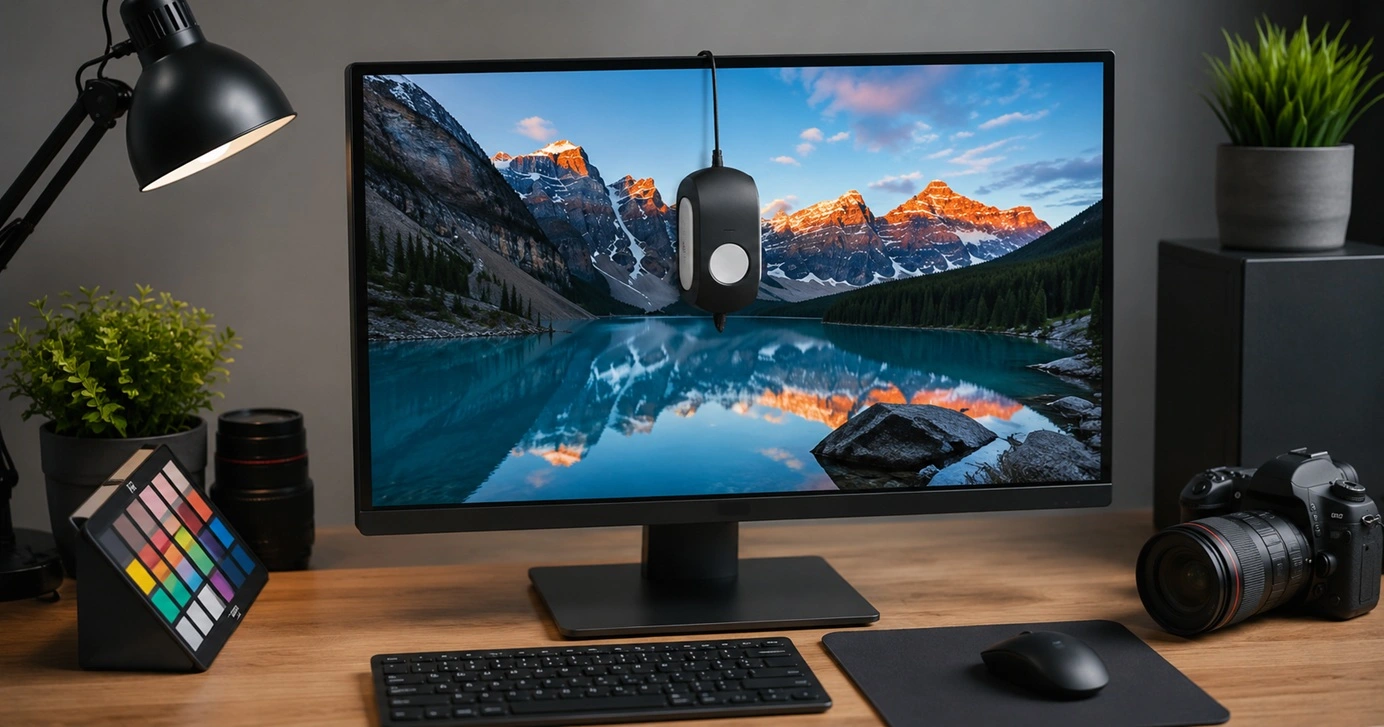
Monitor Screen Calibration Guide: Everything You Should Know
Your monitor shows colors every single day. But are those colors actually correct? Most people never stop to check this. They just use the screen as it comes out of the box. This habit can lead to wrong colors in photos, videos, and work files. Colors may look too warm or too cold without you […]
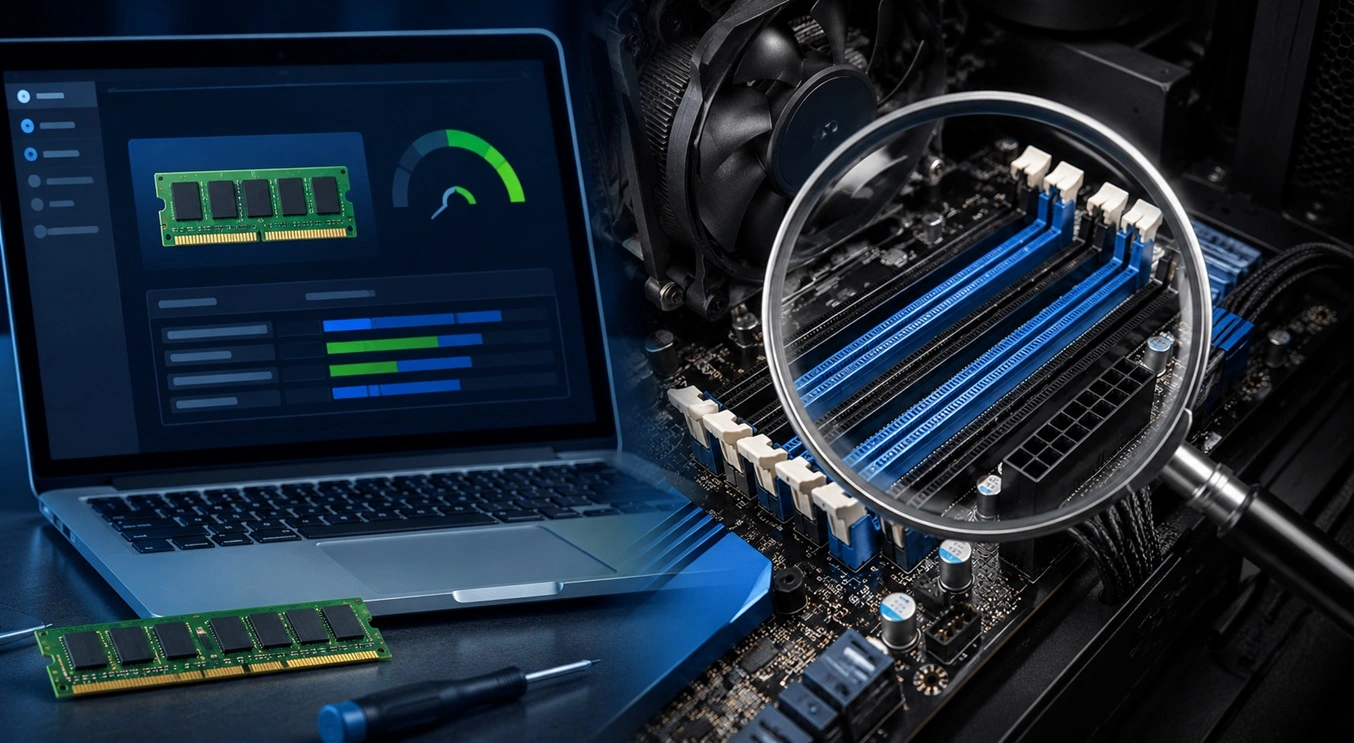
How To Check Installed RAM and RAM Slots [Complete Guide]
RAM plays an important role in how smoothly a computer runs. Short for Random Access Memory, it stores the data and instructions that Windows and active applications need at any given moment. From opening multiple browser tabs to running games and productivity software, RAM helps keep everything responsive. A system with limited memory may experience […]
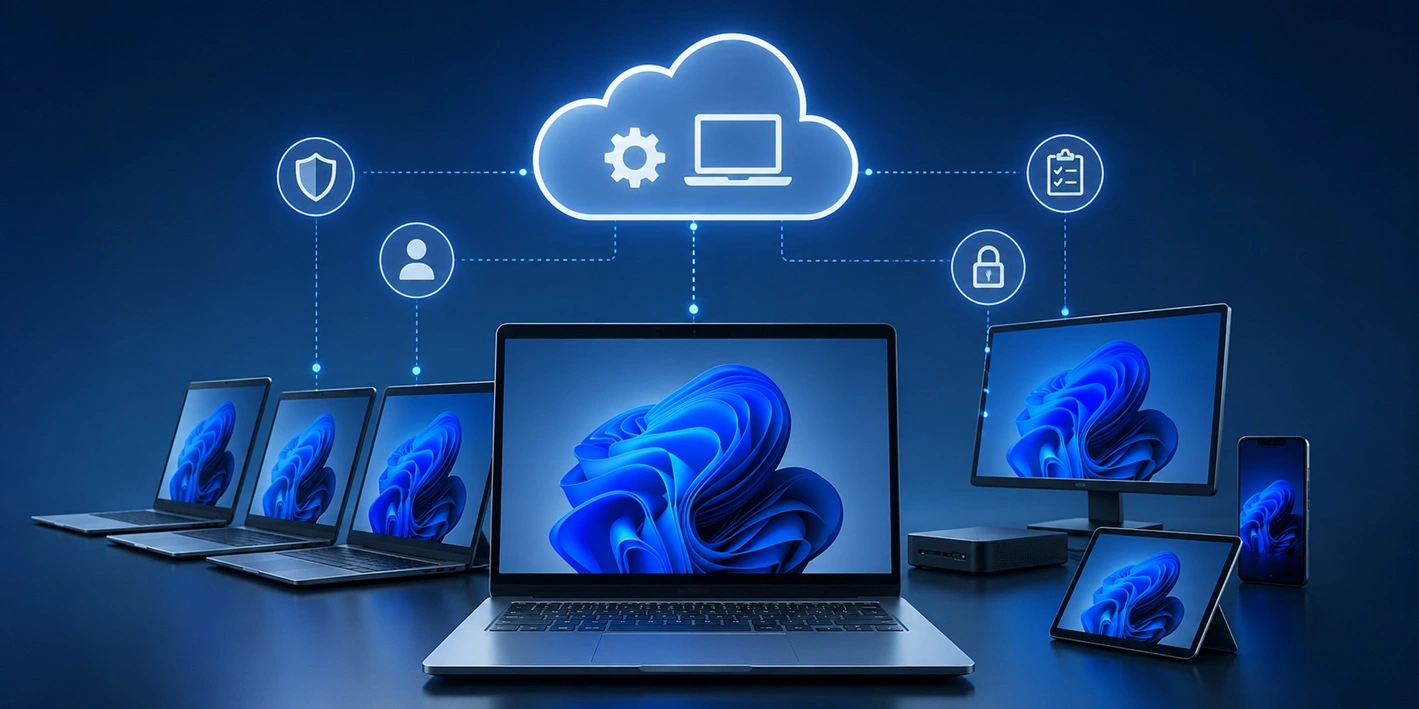
What is Microsoft Autopilot Everything You Need To Know
Technology has changed the way companies manage computers. Well, yes! Employees now work from offices, homes, and remote locations. Setting up devices manually for every worker takes time and effort. It can also create mistakes that slow down productivity. This is where Microsoft Autopilot becomes useful. It helps businesses prepare and deploy Windows devices with […]

