











So, search for a pair of shoes once online. Close the tab. By evening, those same shoes are sitting on your news site, your video app, and even your recipe blog. Nobody placed them there by chance. A cookie did. Well, yes! Cookies are small files that websites place on your device while you browse. […]
10 Best IPTV Apps for Amazon Fire TV Stick (Free and Paid)
Introduction:
Looking to transform your Amazon Fire TV Stick into a powerhouse for entertainment? Dive into the world of IPTV with the 10 best Firestick IPTV apps to elevate your streaming experience.
Whether you prefer free access to a variety of channels or seek premium content with enhanced features, these IPTV apps cater to diverse preferences. From live TV and movies to exclusive sports channels, discover a spectrum of options that bring convenience and quality to your Fire TV Stick, offering both free and paid choices for every viewer.
What is an IPTV Player App?
An Internet Protocol television (IPTV) allows you to watch live TV channels and video-on-demand content over the Internet. With an IPTV app on your Amazon Fire TV Stick, you can turn your regular TV into a smart TV and access a huge library of live and on-demand content.
Other Recommended Articles:
10 Best IPTV Apps For Samsung TV
15 Best IPTV Apps for Apple TV [Free & Paid]
11 Best Free IPTV Players Apps for Windows 11, 10, 7 PC
How We Prepared This List
We carefully reviewed many free and paid IPTV apps for Amazon Fire TV Stick to find the best ones. Our goal was to recommend apps that work smoothly, are easy to use, and suit different viewing needs. Here’s what we looked at:
- User Interface & Ease of Use: We favored apps with intuitive navigation and clean design.
- Performance & Stability: Each app was tested for buffering issues, crashes, and overall responsiveness.
- Content Compatibility: We checked support for M3U playlists, EPGs, and various streaming formats.
- Pricing & Value: Free and paid apps were assessed for their feature-to-price ratio.
- Security & Privacy: We considered how apps handle user data and whether they offer secure streaming.
- Customization & Features: Advanced settings, parental controls, and multi-screen support were key factors.
- Geographic Accessibility: We evaluated how well apps perform across different regions and ISPs.
- User Reviews & Community Support: Feedback from real users helped validate our findings.
Top 5 IPTV Apps Compared
To help you quickly assess the leading options, we’ve compiled a comparison of the top five IPTV apps based on core features, pricing, and usability. Each app offers distinct advantages, whether it’s open-source flexibility or premium-grade performance.
| App Name | Type | Playlist Support | EPG Support | Price | Best For |
| Kodi | Free/Open | Yes | Yes | Free | Power users & customization |
| Perfect Player | Free | Yes | Yes | Free | Simple UI & lightweight use |
| OTT Navigator | Free | Yes | Yes | Free | Advanced filtering & sorting |
| IPTV Smarters | Freemium | Yes | Yes | Free / Paid | Multi-screen & VOD support |
| STBEmu (Pro) | Paid | Yes | Yes | Paid | Emulating MAG set-top boxes |
10 Best IPTV for Amazon Firestick to Use in 2026
There are many IPTV apps available for Fire TV Stick, both free and paid. Here are the 10 best Fire TV Stick IPTV apps you can use:
1. Kodi
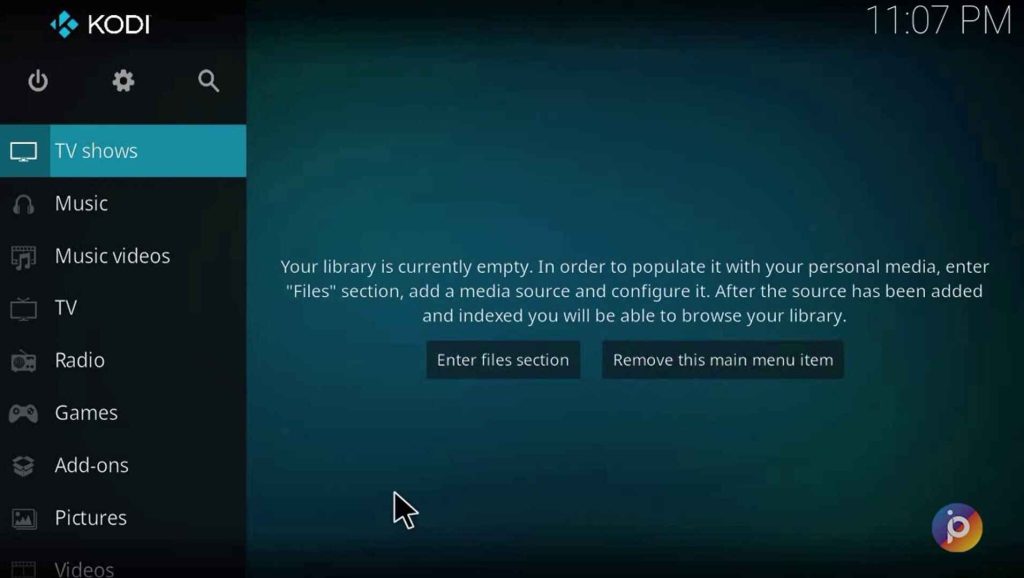
Kodi is a popular open-source media player, one of the best free IPTV for Firestick. Kodi is a completely free and open-source media player that has support for Live TV and VOD content. It supports third-party addons for streaming and has a highly customizable interface. Kodi is available for multiple platforms.
It’s super flexible because you can add extra stuff to stream and change how it looks. Plus, you can use Kodi on lots of different devices, not just Fire TV Stick.
Key Features:
- Completely free and open source.
- Support for Live TV and VOD content.
- Supports third-party addons for streaming.
- Customizable interface.
- Available for multiple platforms.
Pros:
- Free.
- Lots of add-ons and builds for IPTV.
- Highly customizable.
- Open source and constantly updated.
Cons:
- The interface can be complex for beginners.
- Addons need to be manually installed.
2. Perfect Player
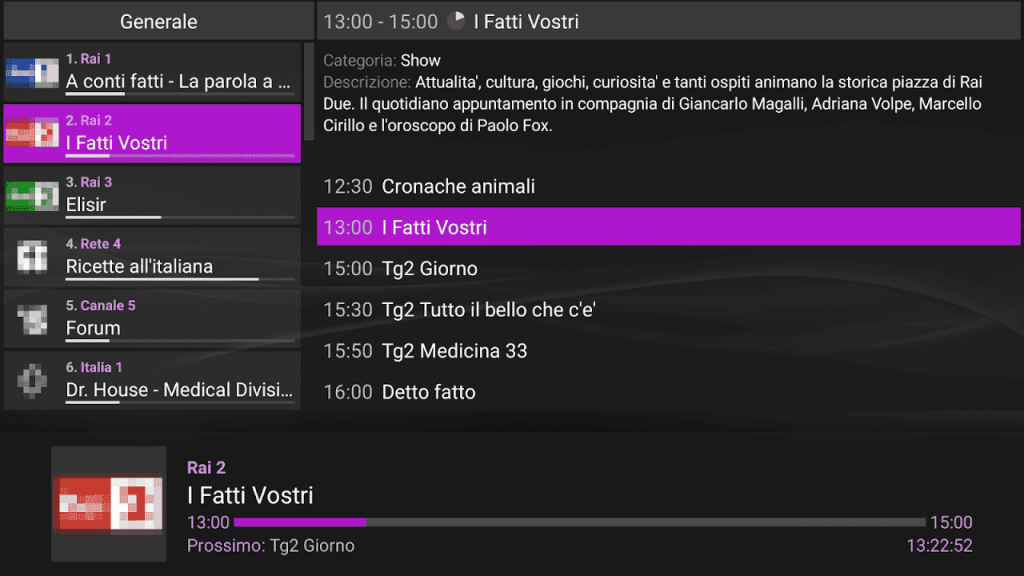
Perfect Player stands out as a specialized IPTV app, boasting a user-friendly interface and handy EPG support. Its intuitive design makes navigating a breeze, and the Electronic Program Guide (EPG) feature enhances the viewing experience.
Offering versatility, it accommodates Video-On-Demand (VOD), Live TV, Radio, and recordings, supporting multiple playlists. Plus, its customizable interface and settings allow you to tailor your preferences effortlessly.
Key Features:
- Intuitive and easy-to-use interface.
- Electronic Program Guide (EPG).
- Support for VOD, Live TV, Radio, and recordings.
- Multiple playlist support.
- Customizable interface and settings.
Pros:
- Slick and responsive interface.
- Comprehensive EPG guide.
- Support for multiple playlists.
- Works well on Fire TV Stick.
Cons:
- Paid app with no free trial
- Limited customization options
3. OTT Navigator
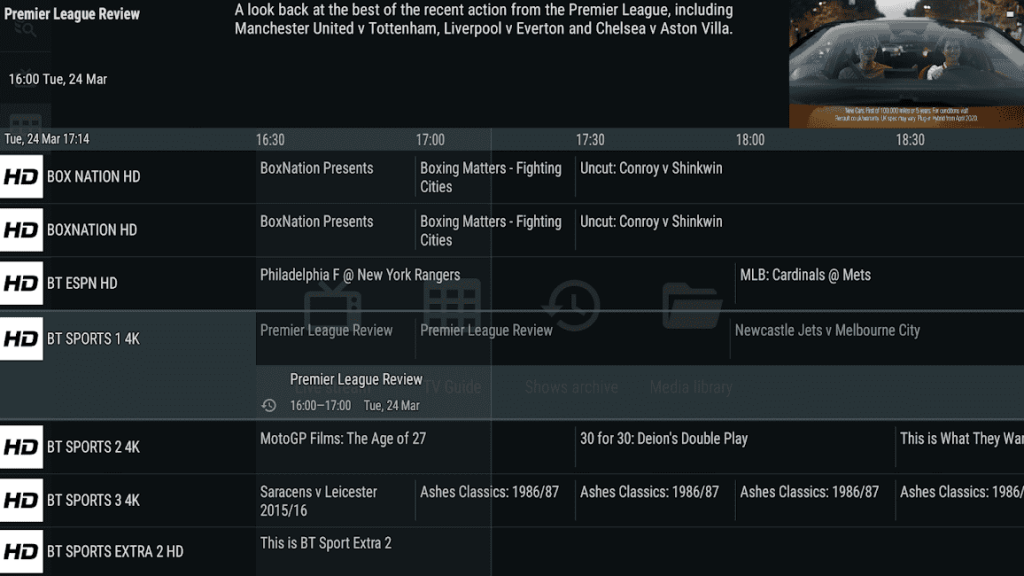
OTT Navigator delivers a fantastic IPTV journey, compatible with M3U and Xtream codes, ensuring seamless compatibility. This app boasts a comprehensive range of features, including an Electronic Program Guide (EPG), Recording, Timeshift, and Parental controls, enhancing your viewing experience.
It also facilitates Multi-language subtitles for broader accessibility. Notably, OTT Navigator supports M3U, Xtream codes, and the Stalker portal, ensuring versatile access to your preferred content sources.
Key Features:
- Support for M3U, Xtream codes, and Stalker portal.
- Electronic Program Guide.
- Recording and Timeshift.
- Parental controls.
- Multi-language subtitle support.
Pros:
- Good EPG guide.
- Recording and time-shifting.
- Support for stalker, m3u, xtream.
- Multi-lingual subtitles.
Cons:
- Confusing menu and interface.
- Costly monthly subscription.
4. IPTV Smarters
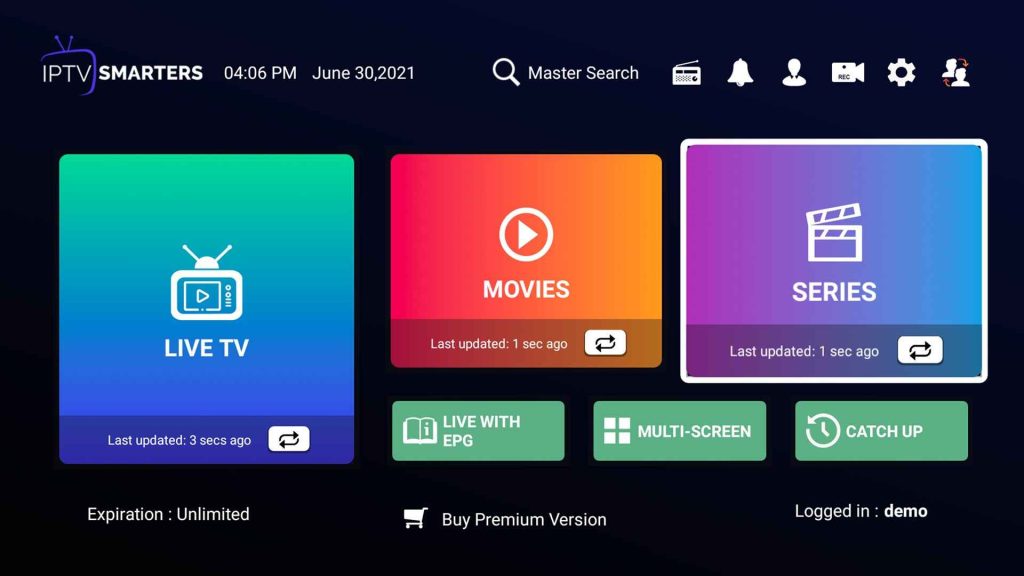
IPTV Smarters is an all-inclusive IPTV app that’s got your back with Xtream codes, M3U, and Stalker playlists. You’ll find everything you need within its feature-packed design, from an Electronic Program Guide (EPG) to Recording and playback controls. Plus, there are Parental controls, favorites, categories, and the added perk of Multi-screen with PIP mode for multitasking.
With Chromecast support and compatibility with Xtream codes, Stalker, and M3U playlists, it ensures a smooth and versatile streaming experience across various devices and preferences.
Key Features:
- Support for Xtream codes, Stalker, and M3U playlists.
- Electronic Program Guide (EPG).
- Recording and playback controls.
- Parental controls, favorites, and categories.
- Multi-screen with PIP mode.
- Chromecast support
Pros:
- Support for all major IPTV formats.
- Good EPG guide.
- Neat User Interface.
- Multi-screen and Chromecast support.
Cons:
- Some stability issues.
5. STBEmu (Pro)
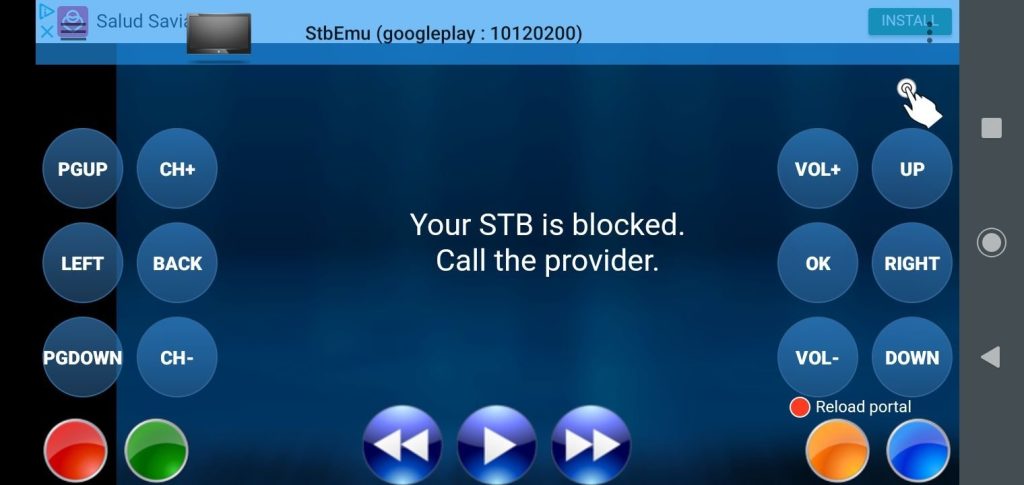
Here comes the next pick on our list of best Firestick IPTV apps. STBEmu is an IPTV app designed to mimic a Mag Set-Top Box, offering seamless compatibility with M3U/IPTV and Xtream codes.
This feature-rich app includes an Electronic Program Guide (EPG), along with Recording and Timeshift capabilities, granting greater control over your viewing experience. With added features like Parental controls, favorites, and a dedicated Remote app for managing STBEmu, it ensures a comprehensive and tailored streaming setup.
Supporting M3U/IPTV and Xtream playlists, STBEmu guarantees a smooth and familiar streaming experience across different content sources.
Key Features:
- Support for M3U/IPTV and Xtream playlists.
- Electronic Program Guide (EPG).
- Recording and Timeshift capabilities.
- Parental controls and favorites.
- Remote app for controlling STBEmu.
Pros:
- Excellent EPG guide.
- Remote control app.
- Recording and catchup.
- Solid performance and stability.
Cons:
- Dated interface.
- Complex initial setup.
6. Net IP TV
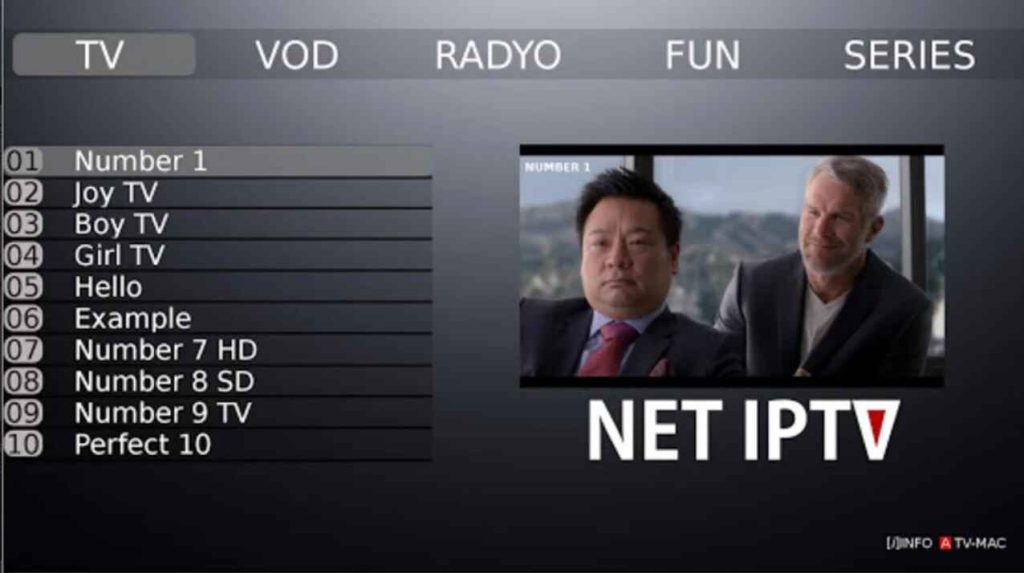
Net IP TV offers simplicity and ease of use as a straightforward IPTV app compatible with M3U and XSPF playlists on Fire TV Stick. Despite its simplicity, it covers essential features like a basic Electronic Program Guide (EPG), Live TV, Video-On-Demand (VOD), Radio, and Recording capabilities.
Additionally, it includes Parental controls for added content management. This user-friendly app ensures a hassle-free experience for users seeking fundamental IPTV functionalities on their Fire TV Stick.
Key Features:
- Support for M3U, and XSPF playlists.
- Basic EPG guide.
- Live TV, VOD, Radio and Recording.
- Parental controls.
Pros:
- Easy to set up and use.
- Basic EPG guide included.
- Recording capability.
Cons:
- Very basic interface.
- Limited features and customization.
7. Live NetTV
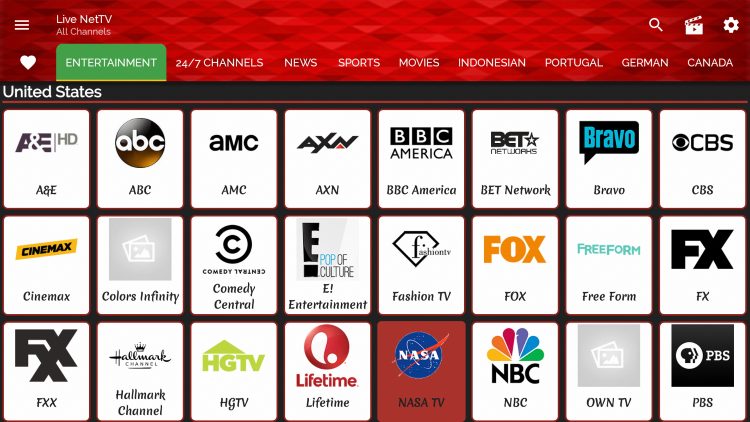
Live NetTV stands as a robust platform with over 800 free live TV channels spanning multiple categories such as Entertainment, Sports, News, and Movies. It’s a treasure trove offering Video on Demand content alongside a convenient navigation drawer for seamless channel surfing.
Additionally, users can curate their own personalized experience through a dedicated Favorites section, making it easier to access preferred channels swiftly. This diverse range of features makes Live NetTV a go-to choice for those seeking a wide variety of free live TV content across different genres and interests.
Key Features:
- 800+ free live TV channels.
- Channel categories like Entertainment, Sports, News, Movies, etc.
- Video on Demand content.
- Navigation drawer for channel surfing.
- Favorites section.
Pros:
- Entirely free live TV.
- Good channel collection across genres.
- Easy favorites section.
- Streamlined interface.
Cons:
- No EPG or customization.
- Limited to in-app channels only.
8. Redbox TV
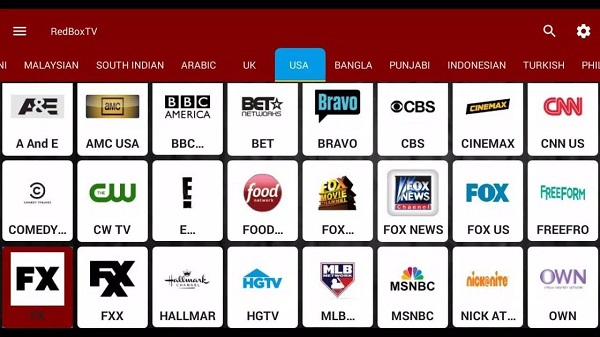
Redbox TV serves as a consolidated hub for live TV streaming, pooling content from diverse sources into one convenient app. With an impressive array of 400+ live TV channels spanning various genres, it also features a dedicated Video on Demand section for added content variety. Users benefit from an Electronic Program Guide (EPG) for seamless navigation, the capability to record programs, and the flexibility to either stream or download videos according to preference.
This comprehensive suite of features makes Redbox TV an ideal choice for those seeking a versatile and user-friendly platform for live TV and on-demand content.
Key Features:
- 400+ live TV channels across genres.
- Video on Demand section.
- EPG guide available.
- Recording programs.
- Stream or download videos.
Pros:
- EPG guide for live TV.
- Huge on-demand library.
- Recording capability.
- Ability to download videos.
Cons:
- Needs a mouse toggle for easier navigation.
- Lacks customization options.
9. Mobdro
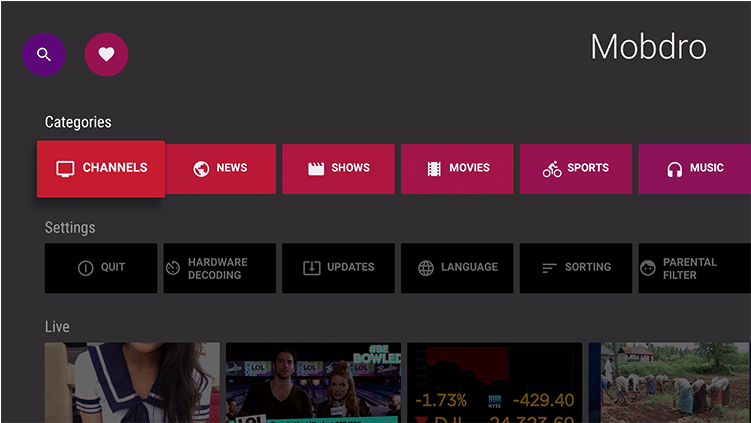
Mobdro stands out as an exceptional streaming app, delivering a plethora of live TV options, sports channels, and an array of documentaries. Within its offerings, Mobdro ensures access to live TV, sports, news, documentaries, and entertainment channels. With Chromecast support, it enables seamless streaming to larger screens and organizes content into convenient categories for effortless channel browsing.
Additionally, users can easily locate their preferred channels through a search feature, enhancing convenience and accessibility. Mobdro remains a go-to choice for those seeking diverse content and an intuitive interface for their streaming needs.
Key Features:
- Live TV and sports channels.
- News, documentary, and entertainment channels.
- Chromecast support.
- Categories for easy channel browsing.
- Search for finding channels.
Pros:
- Solid collection of live TV channels.
- Sports and news content focus.
- Easy to use interface.
- Chromecast support.
Cons:
- Needs a third-party launcher.
- Limited customization options.
- Some stability issues.
10. ONE IPTV
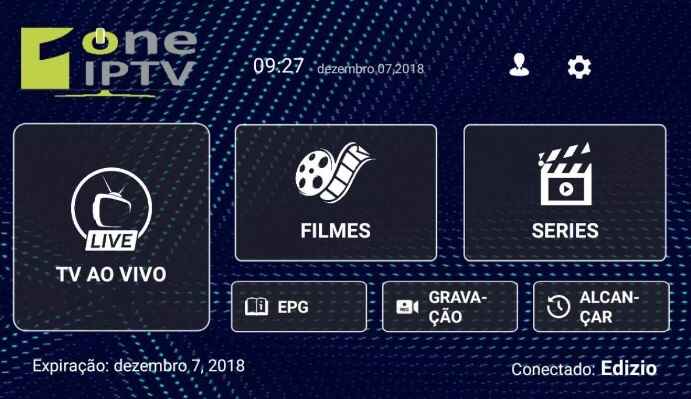
ONE IPTV presents a streamlined IPTV interface that seamlessly supports M3U playlists and Video-On-Demand (VOD) streams. With compatibility for M3U and M3U8 playlists, it ensures versatile content access. The app features a dedicated VOD section housing a variety of movies and TV shows, along with an Electronic Program Guide (EPG) for channel navigation.
Additionally, users can take advantage of its recording capability, timeshifting feature, and parental controls, providing enhanced control and flexibility over their viewing experience. ONE IPTV offers a comprehensive suite of functionalities tailored for a smooth and personalized IPTV experience.
Key Features:
- Support for M3U and M3U8 playlists.
- VOD section for movies and TV shows.
- EPG guide for channels.
- Recording shows and timeshifting.
- Parental controls.
Pros:
- Easy import of M3U playlists.
- Nice EPG guide.
- Recording and timeshift features.
- Clean and responsive interface.
Cons:
- Limited channel sources.
- No Chromecast support.
- Few customization options.
Conclusion
Many excellent IPTV apps are available for the Amazon Fire TV Stick, both free and paid. Kodi, Perfect Player, STBEmu, and Redbox TV are some of the best options available. With the right Firestick IPTV apps, you can turn your Fire Stick into an all-in-one streaming device for live TV, sports, movies, shows, and more.
The ability to add IPTV playlists and Chromecast support makes these apps extremely versatile.
FAQs:
1. What are IPTV apps, and how do they work?
IPTV apps allow users to stream television content over the internet rather than traditional cable or satellite connections. These apps gather live TV channels, movies, and series from various sources, delivering them to your device through an internet connection. They work by accessing streaming servers that transmit content in real-time, providing an alternative to conventional broadcasting methods.
2. Are there free IPTV apps available for the Amazon Fire TV Stick?
Yes, several free IPTV apps are available for the Amazon Fire TV Stick. Some popular options include Kodi, Pluto TV, and Crackle. These apps offer a selection of free-to-watch channels and content. While they might not offer as extensive a range as paid services, they can still provide access to a variety of channels and shows without a subscription fee.
3. What are the advantages of using paid IPTV apps on the Fire TV Stick?
Paid IPTV apps often provide a more comprehensive range of channels, including premium and exclusive content, sports channels, and international programming. Additionally, they tend to offer better streaming quality, fewer advertisements, and more reliable access to content compared to free apps.
Paid services usually come with customer support, ensuring a smoother user experience.
4. Can IPTV apps for Fire TV Stick be legal?
The legality of IPTV apps depends on the source and the content they provide. Some IPTV apps offer licensed content through legal means, while others might provide access to copyrighted material without proper authorization. It’s essential to use IPTV apps that comply with copyright laws and distribute content legally to avoid any potential legal issues.
Users should be cautious and verify the legality of the content provided by these apps before use.
Author Bio:
Dinesh Lakhwani 

Dinesh Lakhwani, the entrepreneurial brain behind “TechCommuters,” achieved big things in the tech world. He started the company to make smart and user-friendly tech solutions. Thanks to his sharp thinking, focus on quality and the motto of never giving up, TechCommuters became a top player in the industry. His commitment to excellence has propelled the company to a leading position in the industry.
Popular Post
Recent Post
How To Disable Background Apps In Windows: 4 Quick Methods
A slow PC rarely gives a warning. One day, it simply takes longer to start. Apps open late. The fan runs loud, even when the screen is almost empty. Most people blame old hardware. Often, that is not the real reason. The real reason is hiding in plain sight. Windows keeps many apps active in […]
How to Activate Windows with a Product Key for Windows 11 & Windows 10
It always shows up at the worst time. You are halfway through a report, or about to join a video call. Then you spot it in the bottom right corner of the screen. Activate Windows. Go to Settings to activate Windows. Initially, an unactivated copy of Windows may seem like a minor inconvenience. Over time, […]
Is Easy Duplicate Finder Worth It? Honest Review
The photos folder looked normal at first glance. Then the storage warning popped up. One trip photo appeared four times. A tax PDF sat in three different folders. Two old setup files were still in Downloads, and each one was over 500 MB. Nobody plans this mess. Copies pile up slowly. A download runs twice. […]
Wise Duplicate Finder Review: Real Results from Wise Duplicate Finder
Read my honest Wise Duplicate Finder review. See features, pricing, pros and cons, and real PC test results. Find out if this free duplicate cleaner can free up your Windows storage.
How to Recover Deleted Files from Pen drive, USB Drive, SD Card
Introduction: On tech forums, you’ll often see posts like this: “I connected my pen drive to my laptop this morning, but the folder was empty. All my college project files had vanished. I don’t have a backup. Can someone help me?” Stories like this are very common. Pen drives, USB drives and SD cards are […]

How To Recover Files Deleted from the Recycle Bin [Windows 11]
Losing a file can happen in seconds. You clear your desktop, hit Delete, and empty the Recycle Bin. Then, just when you need that file again, it seems to have vanished. This guide will walk you through ways to restore files removed from the Recycle Bin. We will begin with simple fixes, then look at […]
Disk Drill Data Recovery Tool Explained: Full Review and Guide
It happens in a split second. You delete a folder by mistake. Your drive stops showing up. A photo album from your last trip just vanishes. And your stomach drops. Lost files feel personal. They are not just data. They are memories, work hours, and sometimes years of effort packed into a few gigabytes. When […]
Recover Deleted Files In Windows 11 With Software & Without
Introduction What is the first thing that goes through your mind the second an important file vanishes from a Windows 11 PC? For most people, it is a mix of panic and disbelief, followed by a frantic click through every folder that file could possibly be hiding in. It happens in a split second: one […]
EaseUS Data Recovery Wizard: Everything To Know
Data loss does not always come from a big disaster either. Most cases start small and boring. A drive gets formatted by mistake. A laptop freezes mid-save and restarts on its own. A memory card stops showing up after being pulled out too fast. None of these feel like emergencies at first, until you realize […]

