











Imagine this. You spend hours perfecting a video project. You hit save. Then your laptop freezes, reboots, and when the screen comes back. The file is gone. Your stomach sinks. It’s not just you. Lost files happen all the time. A dropped hard drive, a bad update, an accidental delete, or a corrupted partition can […]
Top 10 PS4 Racing Games- Opt for High-Octane Racing Adventure
Racing fans still find a lot to enjoy on the PS4. The console holds a strong library of titles that cover realistic track racing, off-road adventure, and light-hearted arcade fun. Many of these games continue to feel smooth and exciting, even with newer consoles on the market.
Developers also continue to support several PS4 racing titles, so players still receive new events, seasonal content, and updated challenges.
The variety makes the PS4 a comfortable and familiar place for anyone who enjoys speed, competition, and well-designed racing experiences.
Latest Top 10 PS4 Racing Games
- Gran Turismo Sport
- F1 2021
- Dirt 5
- Project Cars 2
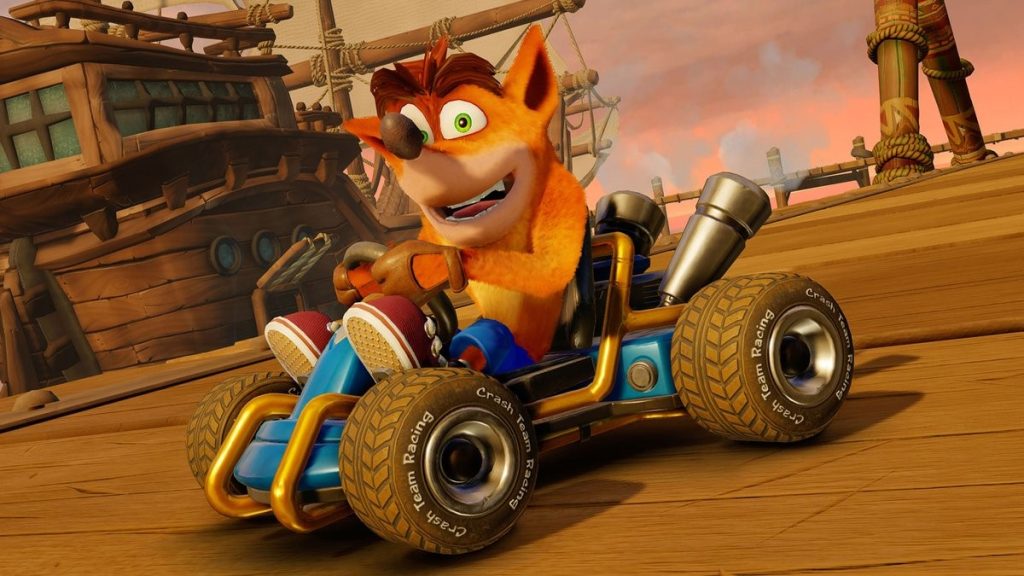
- Crash Team Racing Nitro Fueled
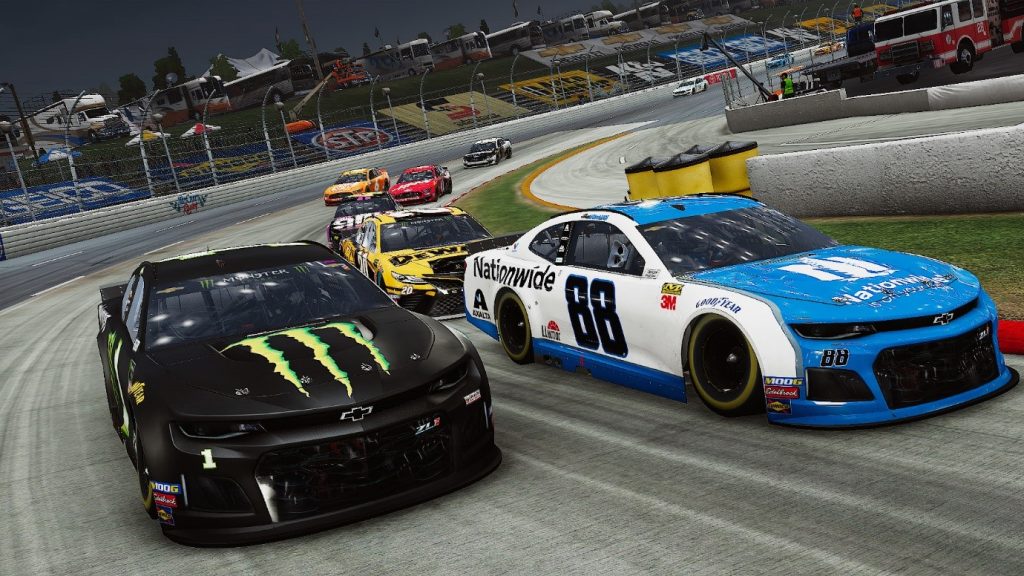
- NASCAR Heat 4
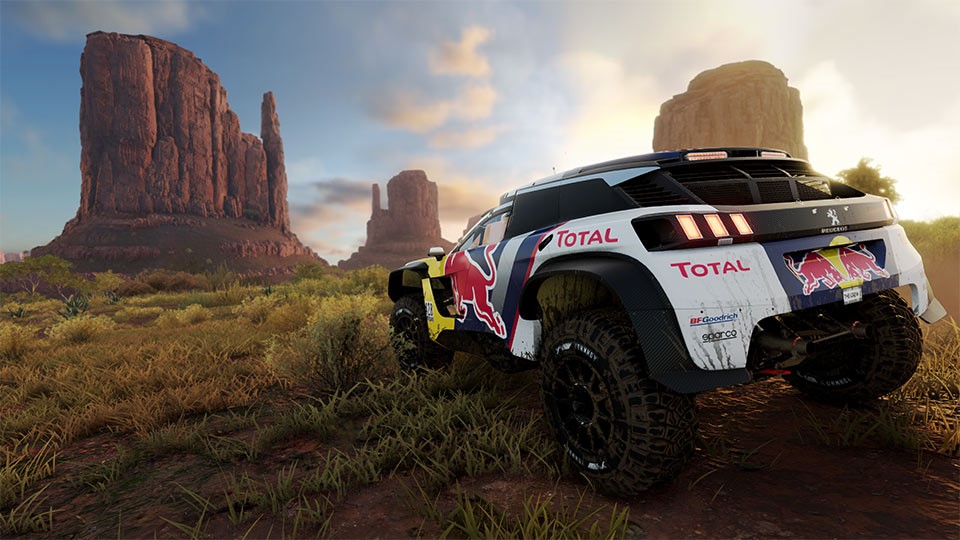
- The Crew 2
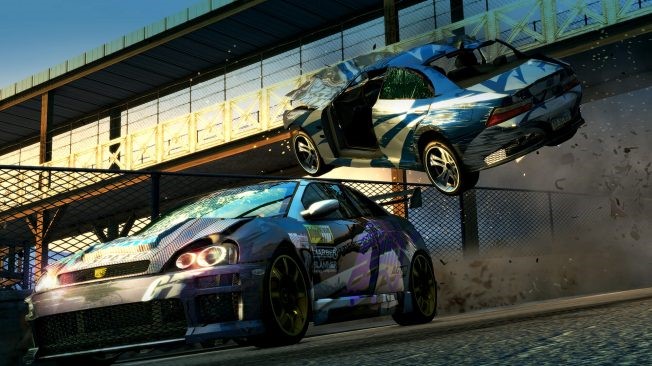
- Burnout Paradise Remastered
- Gravel
- Need for Speed Heat
Top 5 Comparison Table: Racing Games For PS4
Here is a clear view of how the five main titles differ. This helps readers decide which game suits their racing style and comfort level.
| Game | Core Style | Highlights | Overall Feel | Best For |
| Gran Turismo Sport | Realistic simulation | Authentic driving physics, large car selection, detailed track design, strong tuning features | Precise and demanding | Players who enjoy realistic racing and careful control |
| F1 2021 | Formula racing simulation | Official cars and tracks, deep career mode, strong competitive play | Fast and focused with tight steering | Fans of Formula racing and serious competition |
| Dirt 5 | Arcade off-road racing | Varied terrain, vibrant environments, fast action, easy handling | Energetic and playful | Players who enjoy offroad adventure with relaxed controls |
| Project Cars 2 | Realistic track racing | Dynamic weather, detailed handling, and large track variety | Immersive and controlled | Players who want depth without the strict learning curve of pure simulators |
| Crash Team Racing Nitro Fueled | Cartoon-style kart racing | Bright tracks, power-up items, fun multiplayer, fast pace | Light, colorful, and easy to start | Friends, families, and anyone looking for cheerful racing action |
10 Best Games for PS4
Choosing the right type of game is important for the best possible racing game experience. For that, we have looked through and tried out several prominent options in the market, studying their performance, speed, and features. Here are the top 10 PS4 racing games we found.
1. Gran Turismo Sport
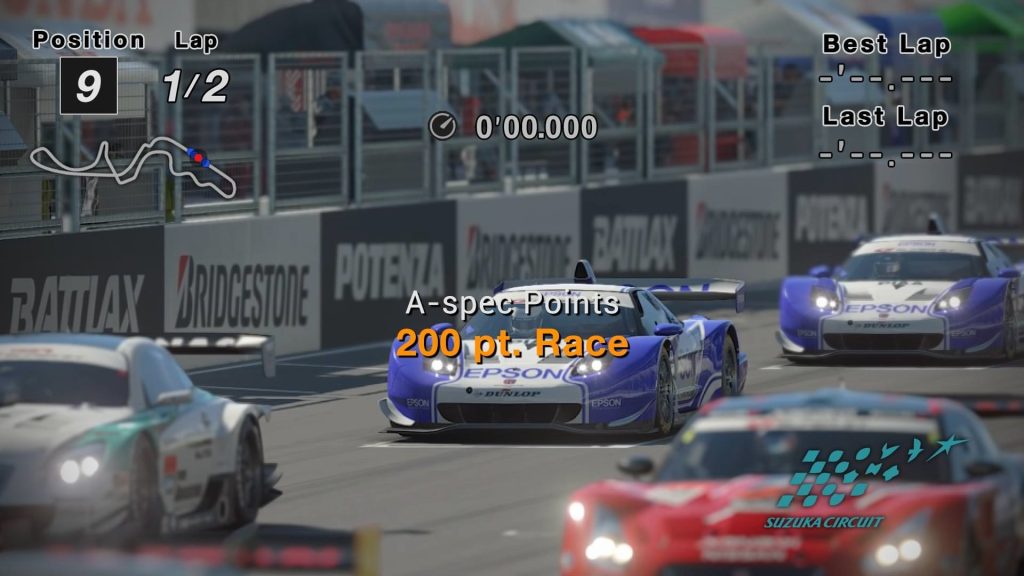
Race across the realistic landscapes across the borders between Mexico and the United States with this VR-incorporated racing game. It is one of the best PS4 racing games with high-quality driving simulation support for a realistic driving experience across the tracks.
There are different landscape choices available across different locations that you can opt to drive through. With the VR support, the gaming experience is nothing short of lifelike, which more people enjoy.
Compatibility: PS4, PC
Price: USD 19.99
Features:
- Original fantasy road-racing cars available unique to this game.
- Supports PS camera activation.
- High-quality VR experience with PS VR headsets.
- Choose between 40 courses across 17 locations.
Pros:
- Switch between online and offline gaming for races.
- Suitable for professional-level racing game enthusiasts and new racing gamers.
- Adjust standard from basic to advanced mode.
Cons:
- The gaming experience can destabilize during online gameplay.
- No free version is available at all.
2. F1- 2021
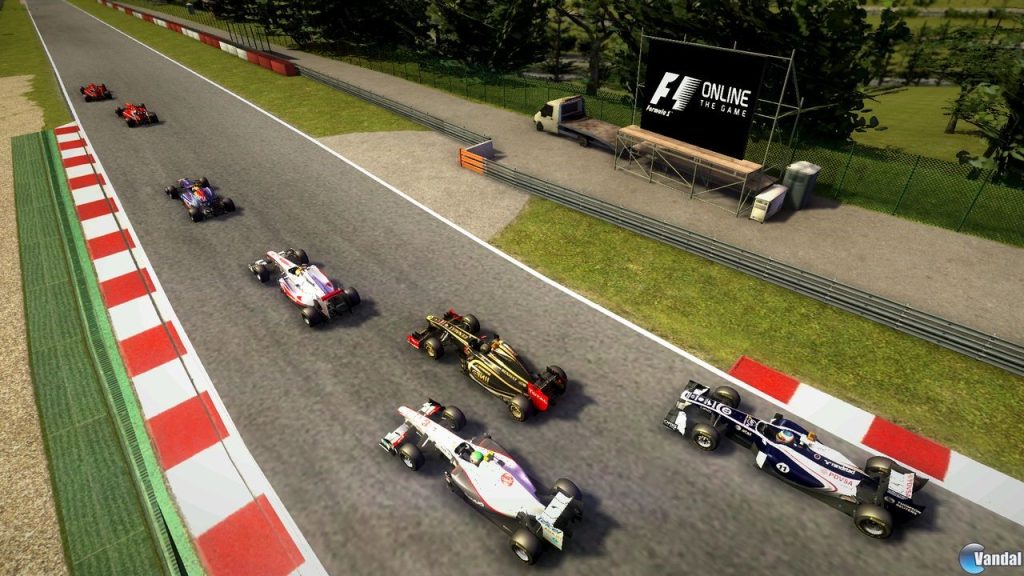
One of the best PS4 racing games to try out is F1-2022. It comes with a unique story mode for players known as Braking Point that you can opt for optimized Formula-1 racing.
Gaming enthusiasts can experience realistic motorsport racing experience here during single-play gameplay and the two-player Career mode. You can opt for racing season-based sessions like real-world racing events for a better user experience.
Compatibility: PC, PS4, PS4, PlayStation Plus
Price: USD 59.99
Features:
- Two players can opt for the Career mode gameplay.
- Use the PS4 Plus version to access online gameplay.
- Trigger effect and vibration functionality available.
- PS Plus version allows 20 players.
Pros:
- Opt for the game in both online and offline modes.
- Upgrade car styles in the garage.
- Single player with practice runs and racing modes.
Cons:
- To get the best functions, you have to make in-app purchases.
- Not best for younger users since it has mild language in the game.
3. Dirt 5
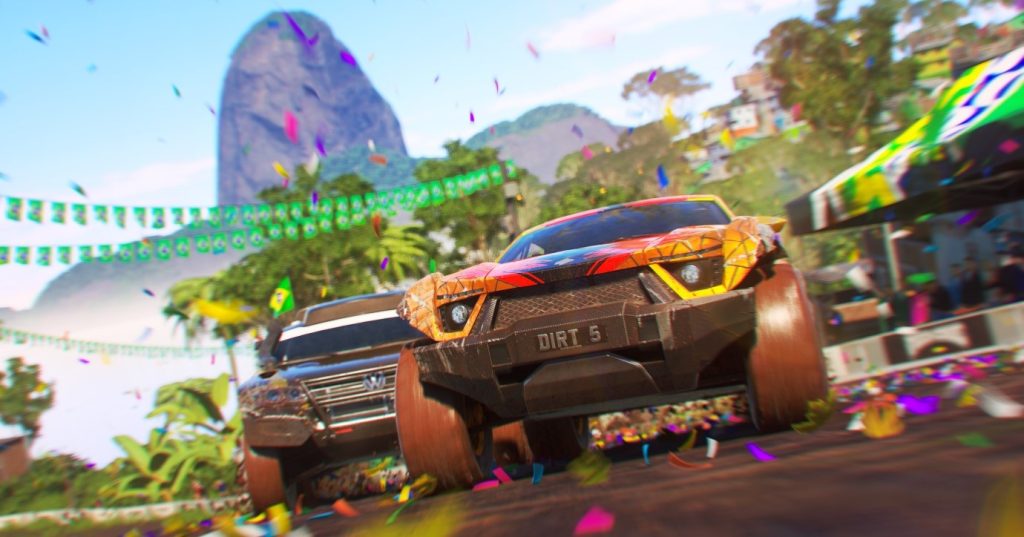
Opt for the Career plan with narrative-incorporated gameplay while trying out Dirt 5. There are different types of cars available here, like buggies, trucks, muscle cars, rallycross, and rock bouncers, to name a few.
You can choose the vehicle you want and the route for the game among 10 locations and begin your racing experience in a realistic visual landscape.
Compatibility: PS4, PC, Xbox Series, Stadia, Steam
Price: USD 7.38- USD 8.21
Features:
- Strong speed quality of visuals up to 120 FPS.
- Four players can participate in races.
- Optimized playground options with 70+ different tracks.
- High-quality events and real-world sponsors in Career mode.
Pros:
- High-quality graphics are available.
- Supports multi-player gaming here.
- Unlock multiple rewards while racing.
Cons:
- Strict age restrictions are in place.
- Cannot use it without registering for an EA account.
4. Project Cars 2
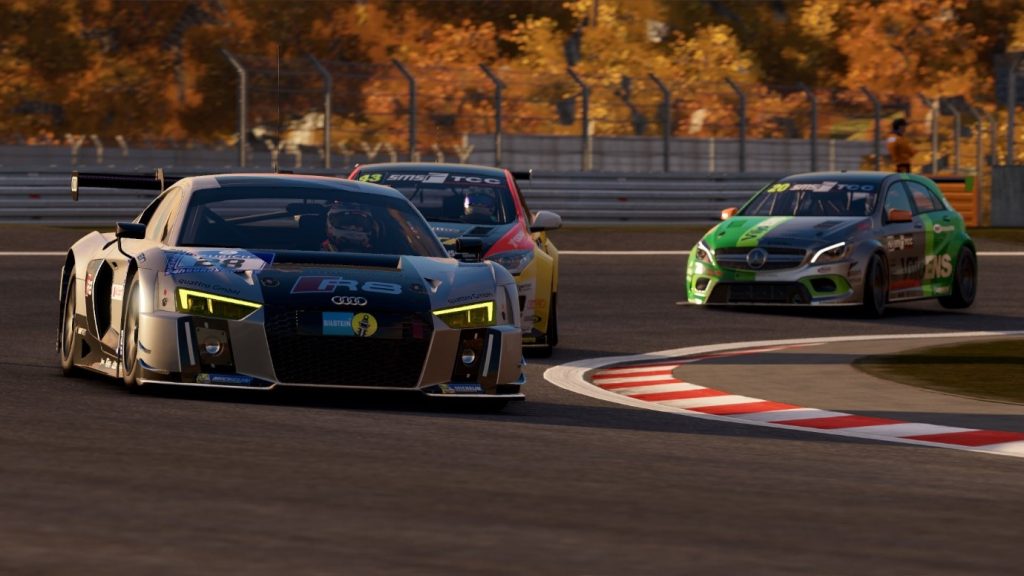
Another suitable option among the best PS4 racing games available that you should try out is Project Cars 2. Different types of routes are available for the races, and you can choose among multiple car options with realistic designs.
As for the game quality, we found this one to have a very high-quality performance with easy controls and speed adjustments.
Compatibility: PS4, PC
Price: USD 59.99+
Features:
- Wide range of racing car options, like Vintage Prototype models, G10 racing car models, and more.
- Motor-sport series and regular game types.
- Weather-based changes to visuals for optimised user experience.
- Sixty different locations with 20 additional options.
Pros:
- Smooth and extremely speedy gameplay.
- Choose out of 180 cars.
- Realistic terrains for motorsport racing.
Cons:
- Complex for complete beginners.
- Specific graphics, hardware, and tech support are needed on the PC.
5. Crash Team Racing: Nitro-Fueled
For a fun gaming experience, the Nitro-Fueled option from Crash Team Racing is one of the best choices to try. It is suitable for adults and younger children, with vibrant animated visuals. You can opt for over 40 karts available in the game from groups like CNK, CTR, and more.
Furthermore, one can easily customise the kart’s specifications and skins. As for other options, you will get 40 tracks to choose from and play as one of 56 preset characters.
Compatibility: PS4, PC
Price: USD 34.99
Features:
- Improved CTR quality for better-mastered quality of gameplay.
- Animation-based game visuals fit for younger and older players.
- Available Beenox pack material.
- Retro content is available as an exclusive package for PS4 users.
Pros:
- High-quality CTR experience.
- Full game available after opting for the Standard version.
- In-game challenges are available.
Cons:
- A strong internet connection is needed for a lot of functions.
- You can customise the cars, but options are limited.
6. NASCAR Heat 4
Among the top PS4 racing games, NASCAR Heat 4 is one of the best video games for racing enthusiasts, with high-octane performance and gaming style. The sounds and visuals are high-grade, and the game comes with many user-friendly features.
You can view the track map for gaming and experience a dynamic UI. Get unlockable paint schemes, a career mode, and more driving options to test your skills.
Compatibility: Windows 10/8/7, PS4
Price: USD 5.66, Bundle- USD 19.07
Features:
- Comes with 38 different race tracks to choose from.
- Start with practice races before multiplayer games.
- Change between view types from inside the car and out.
- Easily drift your vehicle during racing.
Pros:
- Easily see car stats.
- Supports multi-player functionality.
- High-octane graphics for racing.
Cons:
- Only three car options.
- A minimum of 18 GB of free device space is needed to use it.
7. The Crew 2
Another top racing game that people can use on PS4 game consoles is The Crew 2. It has real-world visuals of the United States, a wide-scale playground, and modern gaming features. You can choose between different vehicle types, like cars, bikes, planes, and boats.
Notably, you can customise the ride as you need and try out different tracks, including icy landscapes and coastlines.
Compatibility: PS4, PC, Xbox One, Google Stadia
Price: USD 89.99
Features:
- Visual quality upgrade for the games with Dynamic 1080p/4K support.
- Fifty tiers of extra Premium and Free rewards with the Motorpass feature.
- Icy tracks with strong FPS power for optimised visuals.
- Configure car settings as you increase in levels.
Pros:
- A free trial option is available.
- Visually realistic gaming landscapes.
- Multiple tracks to select.
Cons:
- The free version will expire from the options soon.
- Upgrading to a paid plan is necessary to experience the full features.
8. Burnout Paradise Remastered
Users can expect various events and challenges while using this game. These are different routes to try out across many locations and choose from among many vehicles. The options for cars are high-level, with many branded replicas available for digital gameplay.
Moreover, there are police car-based variations for specialised gameplay in the Paradise City landscape. You can try out the burnout bikes as well.
Compatibility: PS4, PS4 Pro, Xbox (One/One X), PC
Price: USD 3.08
Features:
- Full-throttle high-resolution graphics are noticeable.
- One hundred and fifty different vehicles, including bikes and cars.
- 4K level graphics with 60 FPS quality.
- Multi-player game for around 8 participants.
Pros:
- An official soundtrack is available with high-quality audio.
- Get 8 different DLC packs for free with 10 new tracks and 100 more cars under Year of Paradise.
- Technical upgrades are available to improve visual fidelity.
Cons:
- Native 4K video resolution is not supported on all game consoles.
- Need speciality Playlist support first.
9. Gravel
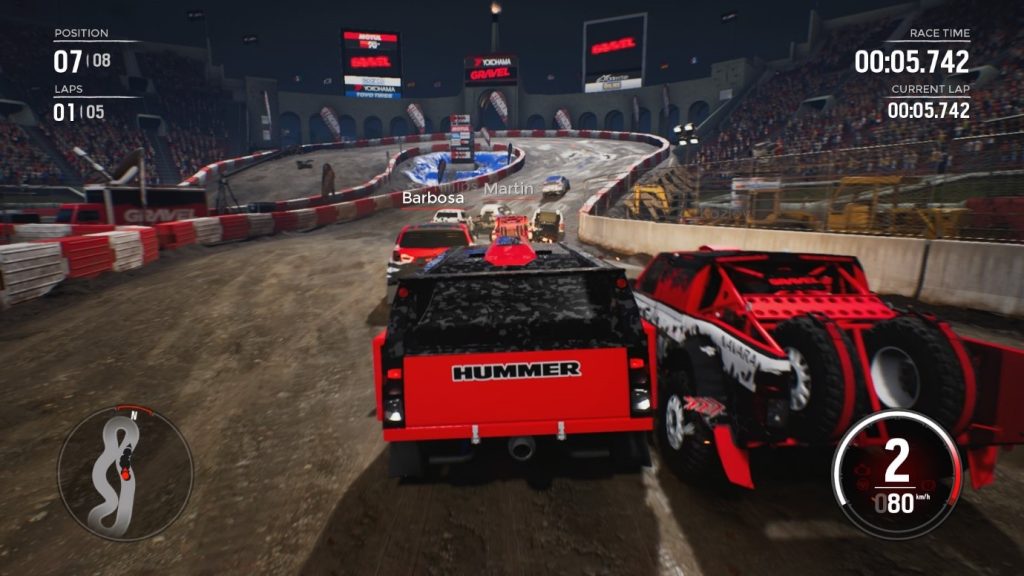
A fun game for beginners and pro-level players is Gravel. This focuses on having an arcade-like gaming style that users enjoy for thrill-seeking races. You can take different shortcuts and cross different obstacles during the game.
There are speed cross gaming routes between cities or take lap races in the Wild Rush option. Moreover, the cross-country racing and stadium circuit options are interesting to try.
Compatibility: PS4, PS5 (limited features), iOS, Android
Price: USD 2.99-3.99
Features:
- It includes high-quality, realistic vibration quality with DUALSHOCK 4.
- Supports both offline and online gameplay.
- With PS Plus, you can add 7 more players besides yourself.
- Upgrade packs and elements with in-app purchases.
Pros:
- Single-player gaming quality.
- It supports Remote Play.
- There is a demo version for free.
Cons:
- During online play, the game experience may change somewhat.
- Online-based gaming is only available if you have PS4 Plus.
10. Need for Speed Heat
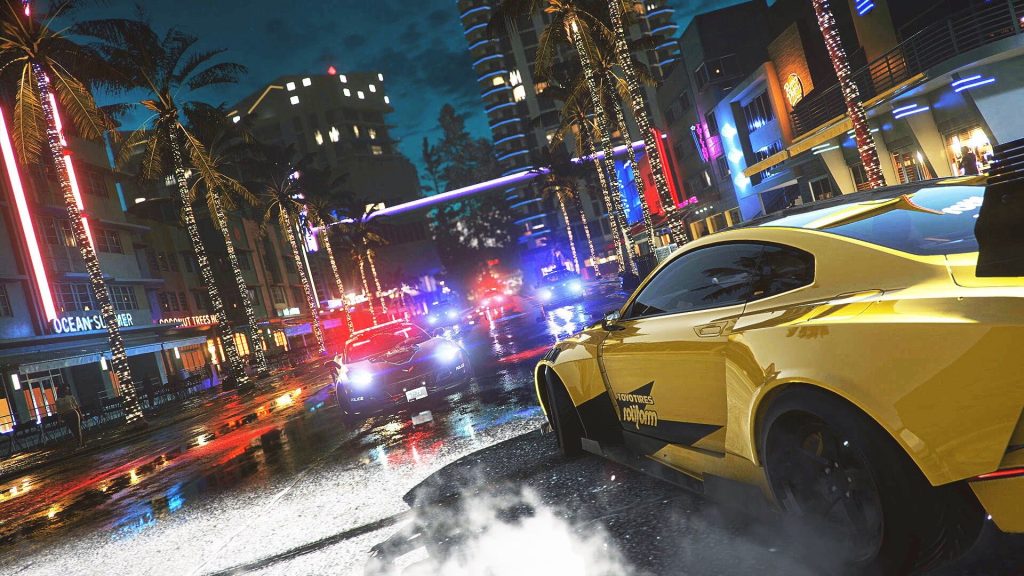
Need for Speed Heat is a high-octane game that racing experts and lovers can try out for an optimised gaming experience. You will get many types of cars on the list, including iconic branded options.
For the adrenaline-fueled competition, there are modes available that you can try. Not to mention, day and night options are available for both types of racing experiences.
Compatibility: Windows 10, PS4, Xbox, EA app, Steam gaming consoles
Price: USD 49.37
Features:
- Bank Boost and REM Boost features are available.
- Multiple racing car options from brands like Lamborghini, Mazda, Porsche, Nissan, etc.
- Speed optimisation for racing movements.
- Customise the car limits and quality with fine-tuning abilities.
Pros:
- Both female and male characters are available to choose from.
- Works on different game consoles besides PS4, like Xbox and the EA app.
- Realistic landscapes and racing car views.
Cons:
- You cannot access this game on PS4 without active online title features for PlayStation Play List.
- It would help if you upgraded your plan to get three high-grade cars of KS Edition.
Conclusion
Multiple games are available with top-grade racing simulation quality, with great speed of performance and racing cars. The ones mentioned here are some of the best in terms of software and performance quality, like Gran Turismo Sport. Use ExpressVPN for network stability and data safety while doing so with online-based racing games.
If you are curious about more such posts, check out our other topics here.
FAQs
Do I need a racing wheel to enjoy these games
No. All listed games work very well with a regular controller. A wheel can add realism for simulation titles, but casual players will enjoy the experience just fine with a standard controller.
Are PS4 racing games still worth playing
Yes. Many PS4 racing titles still run smoothly and hold active communities. Developers continue to offer updates or events for several games, which helps them stay fun and relevant.
Which racing style should I choose as a beginner
Start with an arcade or kart-style game. These are easy to learn and enjoyable from the first race. Simulation games can wait until you want a deeper and more technical challenge.
Can I race with friends on PS5 while I am still on PS4
Many PS4 racing games support play across console generations. If the game offers shared servers or mixed console access, you can join races with friends who use a PS5 without any trouble. You only need the same game version and a steady internet connection.
What should I do if realistic simulators feel too difficult
It helps to slow down and try shorter practice sessions at first. Use easier cars, simple tracks, and assist settings until you feel comfortable. After that, you can increase the challenge step by step. This approach keeps the game enjoyable instead of tiring.
How do I decide between an arcade racer and a realistic simulator
Think about the kind of experience you want. If you enjoy bright tracks, quick action, and simple controls, arcade racers will feel more fun. If you want to learn driving technique, feel the weight of the car, and improve through practice, a simulator will suit you better. Choosing the style that matches your mood and patience makes the decision much easier.
Dinesh Lakhwani
Author Bio:
Dinesh Lakhwani 

Dinesh Lakhwani, the entrepreneurial brain behind “TechCommuters,” achieved big things in the tech world. He started the company to make smart and user-friendly tech solutions. Thanks to his sharp thinking, focus on quality and the motto of never giving up, TechCommuters became a top player in the industry. His commitment to excellence has propelled the company to a leading position in the industry.
Popular Post
Recent Post

5 Best Data Recovery Software For Windows 11 and Windows 10
A crashed drive can ruin a whole day. One minute your photos, work files, and tax records sit safe on your PC. The next minute they are gone. A power cut, a bad update, or one wrong click can wipe out years of memories and months of work in seconds. That sinking feeling is why […]

How To Update NVIDIA Drivers On Windows 11/10 PC
Learn how to update NVIDIA drivers on Windows 11/10 with simple methods, safety tips, and easy steps for smoother gaming and better PC performance.

Top AI Features Hidden Inside Windows 11
Explore the top AI features in Windows 11, from Copilot to Recall, plus safety tips and simple steps to use each tool the right way.

Customize Your Screen Saver Settings in Windows [Easy Steps]
Learn how to customize screen saver settings in Windows 11 with easy steps, safety tips, and simple tricks to personalize your PC screen.

Driver Easy Windows Driver Updater Tool Review: Tried & Tested
In-depth information about Driver Easy’s functions and features can be found in our review. Learn how to update drivers more easily with this tool for a more seamless computer experience.

Is Avast Driver Updater Worth It? A Hands-On Analysis
A full review of Avast Driver Updater covering features, setup steps, pricing, pros and cons, and real PC results, to help you decide if it is worth buying.
IObit Driver Booster 13 (PRO) Review: [Tried & Tested]
IObit Driver Booster 13 is built for one purpose: keeping your PC drivers up to date. Well, yes! Outdated drivers can cause crashes, slowdowns, and hardware issues. This tool scans fast and updates with one click. The interface is simple. Even beginners can use it without confusion. Updates are pulled from a huge database, covering […]

Auslogics Driver Updater: A Detailed Walkthrough [2026]
This comprehensive review covers the key features, pros, and cons, pricing, and a final verdict on Auslogics’ driver update utility. Learn how it stacks up against manual driver maintenance.

5 Best Driver Updater Tools for Windows to Use (Free and Paid)
Introduction: Most people blame their PC for problems that a driver caused. A driver works like a bridge between your hardware and your operating system. When this bridge cracks, strange things start to happen. Screens flicker without reason. Printers go silent mid-task. Games freeze or crash out of nowhere. Manually finding the right driver is […]

