











A hard drive error brings a special kind of silence. Well, yes! The screen freezes, then a message appears saying the drive can’t be found or must be formatted. In that moment, years of photos and work files feel at risk. It never happens at a good time. Coffee spills near a laptop, a memory […]
Top 10 Best Skinny Photo Editor Apps: Features, Pros, Cons
With AI tools, users can reshape bodies and faces in seconds. Slimmer waists, longer legs, smoother skin—just a few taps away. These apps are loved by influencers, photographers, and casual users. No need for expensive software.
From light edits to bold changes, they keep results natural. The best skinny editors make every photo share-worthy.
Comparison Table: Top 5 Skinny Photo Editor Apps
Here’s a quick look at five standout apps that lead the pack in body slimming and facial retouching. Each offers unique features, pricing models, and user experiences.
| App Name | Key Features | Platforms | Pricing | Best For |
| Body Tune | Slim body parts, add muscles, skin glow, tattoos | iOS, Android | Free + Pro plans | Fitness-focused photo edits |
| FaceTune 2 | AI retouch, makeup, teeth whitening, reshape tools | iOS, Android | Free trial + Paid tiers | Selfie lovers & influencers |
| BodyApp | Curve reshaping, abs editor, tattoo overlays | iOS, Android | Free + Subscriptions | Social media body edits |
| Retouch Me | Manual + expert edits, face/body reshaping | iOS, Android | Credit-based pricing | Professional-grade touch-ups |
| YouCam Perfect | Auto body tuning, background protection, filters | iOS, Android | Free + Premium options | Quick edits with natural results |
10 Skinny Photo Editors for iOS and Android
Several types of photo editing software for desktop and mobile devices have diverse features and uses. Therefore, we looked at many of their specifications and tried the apps directly to edit images. The following is a list of the top 10 skinny photo editor apps.
1. Body Tune
Body Tune is a simplistic app for creating slimmer and toned physiques in photos in a realistic manner. You can choose out of many effects to enhance the photo look and alter curves and alignments of bodies. In addition, more than 100 muscle-based designs are available for a defined, toned look.

Compatible Platform: iOS, Android
Price: Free, Monthly Pro- USD 4.99, Body Pro- USD 29.99.
Main Features:
- Slim down various body parts, like arms, butts, waist, chest, etc.
- Create a V-like shape, irrespective of body type.
- Add skin tan and glow instantly.
- Include tattoos from a list of options in images.
Pros:
- Give a tonal definition to the abs and arms.
- Increase/decrease the width of the waist naturally.
- Make your legs look slimmer and longer.
Cons:
- Only email support is present.
- Also, editing bent figures in photos is hard.
Best App for Users: Photographers that want an intuitive photo editor with strong facial recognition functions can use this.
2. FaceTune 2
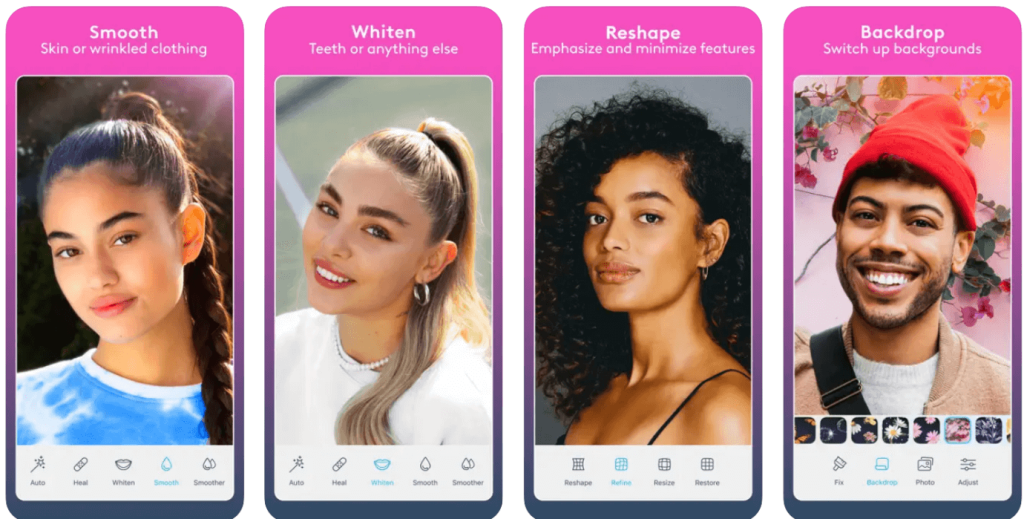
You can use FaceTune 2 as a skinny photo editor to adjust the look and style of selfies to professional quality. Here, users can retouch or airbrush their skin for a glowy look and adjust face looks by whitening teeth and covering blemishes.
You can add highlights and automatically add makeup as well.
Compatible Platform: iOS, Android
Price: USD 3.99 onwards.
Main Features:
- Darken or give highlights to hair color.
- Include photo filters and effects to change image style.
- Adjust lighting and shadows efficiently.
- Retouch puffy eyes and change colors.
Pros:
- Multiple selfies and video effects/filters are available.
- Use the app to enhance your face and hair in videos.
- Remove unwanted objects from the image.
Cons:
- Only 7 days of the free trial are available.
- Advanced functions like Denoise need payment to operate.
Best App for Users: Professionals that need an advanced AI-powered photo-tuning editor can download this.
3. BodyApp
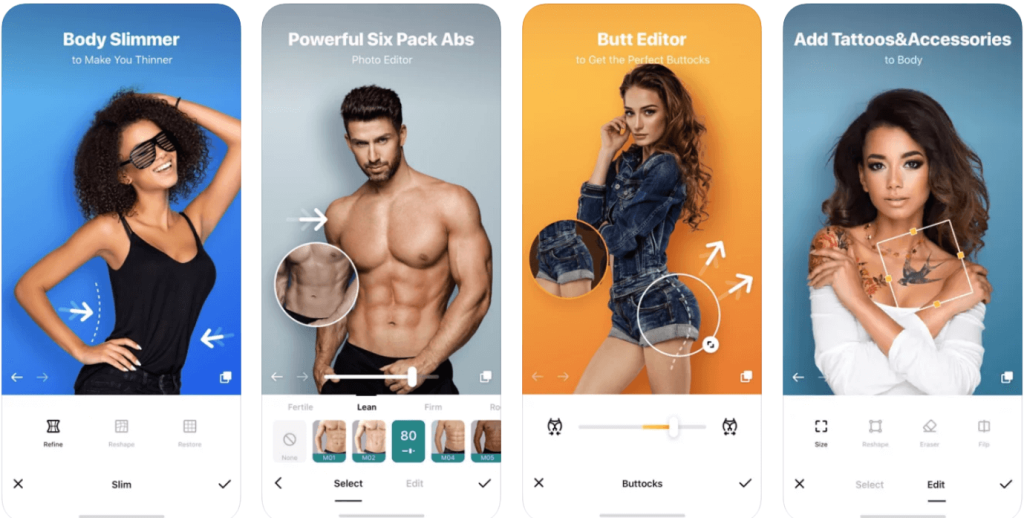
You can use BodyApp to make noticeable and good-quality body/face-based editing in images. Here, altering the size of specific body curves in images is simple, hiring the problem areas or highlighting certain sections. You can bulk the figure further and also refine the body contours.
Compatible Platform: iOS, Android
Price: Free, Weekly subscription- USD 2.99, Monthly subscription- USD 4.99, Annual subscription- USD 29.99, Permanent VIP (One-time payment)- USD 59.99.
Main Features:
- Add muscle definition with ab touch-up and arm size tuning.
- Make breasts and hips look fuller or smaller with adjustable shape controls.
- A wide range of creative filters and effects are available.
- You can add accessories or tattoos to photos.
Pros:
- You can edit realistic-looking 6-pack or 8-pack abs in images.
- Adjust the skin tone of characters in images to give a tanned appearance.
- A wide collection of tattoos is available.
Cons:
- Users are subject to all terms and conditions are given by the app, even when they change suddenly.
- Limited unique features for photo editing are available.
Best App for Users: Social media influencers or regular users who want to adjust body proportions in photos and add realistic definitions quickly can use this.
4. Retouch Me
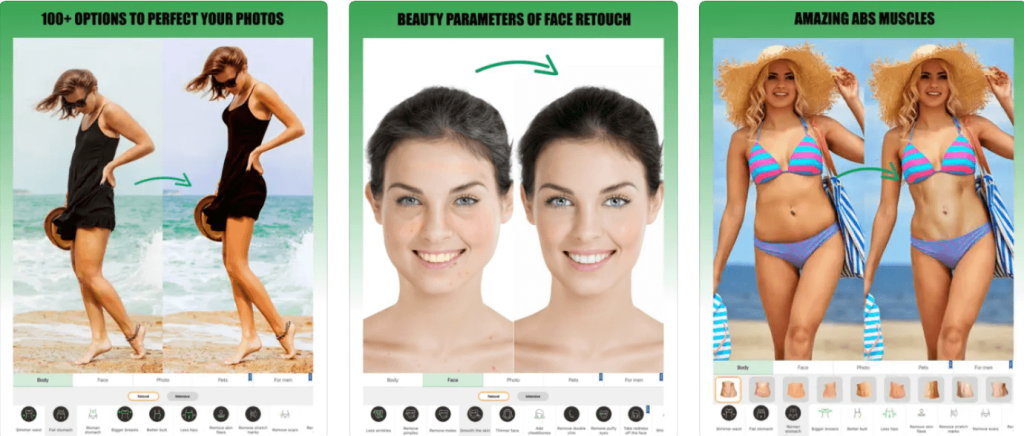
Retouch Me is another skinny photo editor that people can use to get high-quality processed face and body corrections in photos. With this app, you can increase or decrease the size of the waist, thighs, butts, and breasts in photos.
Make changes easily to faces, with benefits like HDR effect, puffy eyes removal, facial symmetry rectification, etc.
Compatible Platform: iOS, Android
Price: Free, Basic Retouching (500 credits)- USD 9.99, Standard Retouching (1000 credits)- USD 19.99, Optimal Retouching (1500 credits)- USD 29.99, Premium Retouching (2000 credits)- USD 49.99
Main Features:
- High-grade editing functions like facelift and anti-glare.
- White teeth, remove braces and shape lips for a stunning smile.
- Adjust skin tone for digital tanning.
- Refine body shape and contours.
Pros:
- You would get video examples of the body or facial tuneups you try out.
- Realistic retouching from human editing experts 24×7.
- Easily get results in minutes and share instantly via social media platforms.
Cons
- Users only get two redos for free.
- You have to pay extra to get credits to make advanced editing changes.
Best App for Users: Photographers or regular users who want retouched photos from actual editing professionals.
5. YouCam Perfect
YouCam Perfect is an easy-to-use app for editing photos and selfies using diverse beautification tools like teeth whitening. You can add effects and available templates to upgrade the photo look or add animations/stickers. Furthermore, the app allows users to collage images, add fonts, and use the HSL effect.
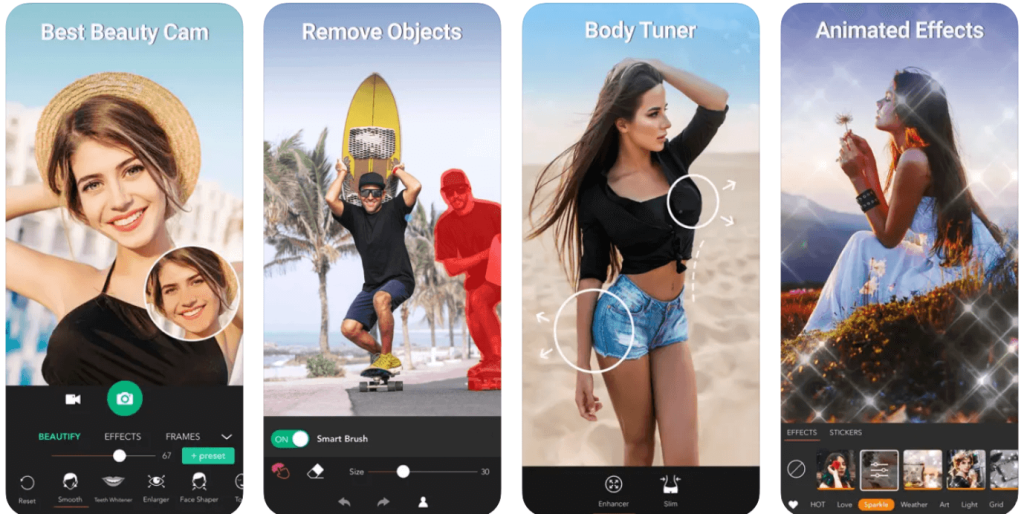
Compatible Platform: iOS, Android
Price: Free, Monthly (Premium)- USD 5.99, Yearly (Premium)- USD 29.99.
Main Features:
- Add multiple images and blend them via this editor.
- Cut out specific people in images to change the background with a green-screen part.
- Use Magic Brush to optimize colors and shapes.
- Add animation effects into pictures.
Pros:
- Over 1000 exclusive templates, effects, stickers, etc., are available.
- You can remove specific objects from images with extreme precision.
- Focus/highlight specific sections.
Cons:
- You have to upgrade to paid plans to get rid of ads.
- Advanced features like watermark removal are available for paid users only.
Best App for Users: Both basic-level users and professional photographers can use this app for photo editing.
6. FotoGenic
FotoGenic is a usable app for editing bodies and face makeup on mobile phones, with professional-quality HD results. You can add captions and texts to the photos and make standard photo edits like rotating, brightening, cropping, etc. Besides that, you can apply beautification effects to characters in photos.
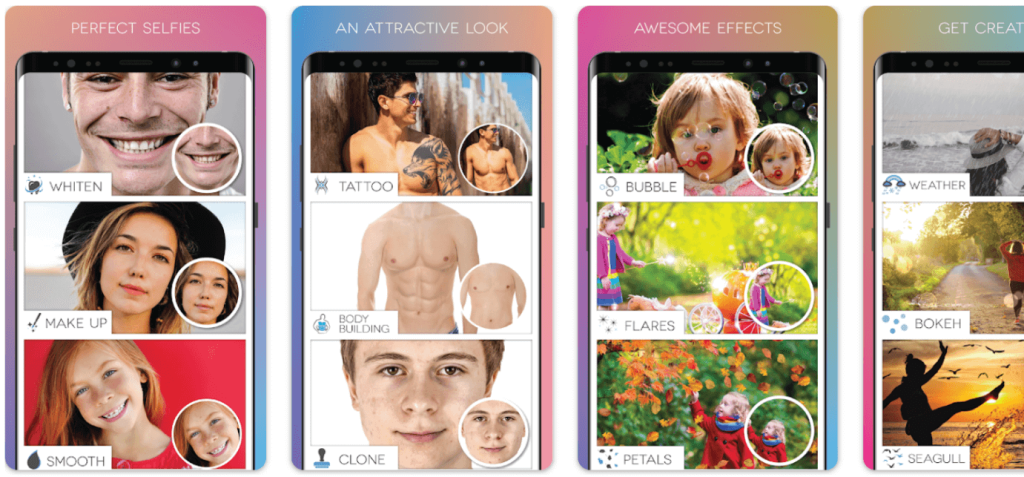
Compatible Platform: iOS, Android
Price: Free with in-app purchases costing USD 6.99 and up.
Main Features:
- You can include doodles or shapes in the images.
- Include a customized digital signature in the photo.
- Multiple options of artistic and live brushes are available in 5 categories.
- Add shadow or highlight to characters or objects.
Pros:
- You can add borders and frames to the images.
- Use multiple blending modes to join different images together.
- Add photo editing effects like grunge, flare, falling petals, and more.
Cons:
- The app size is relatively big and can slow performance in older phone models or smartphones with low space.
- Limited advanced functions are free to use.
Best App for Users: Photographers who want to create artistic professional-quality edits.
7. Peachy
Peachy is a useful skinny photo editor for iOS users to create professional-quality photo edits, altering the body shape and facial looks of users in selfies. In addition, you can do much retouching work, like creating a smooth skin effect and removing dark circles or blemishes.
With this app, you can modify body shapes, like slimming their dimensions, increasing height, adding muscle tone, and more.
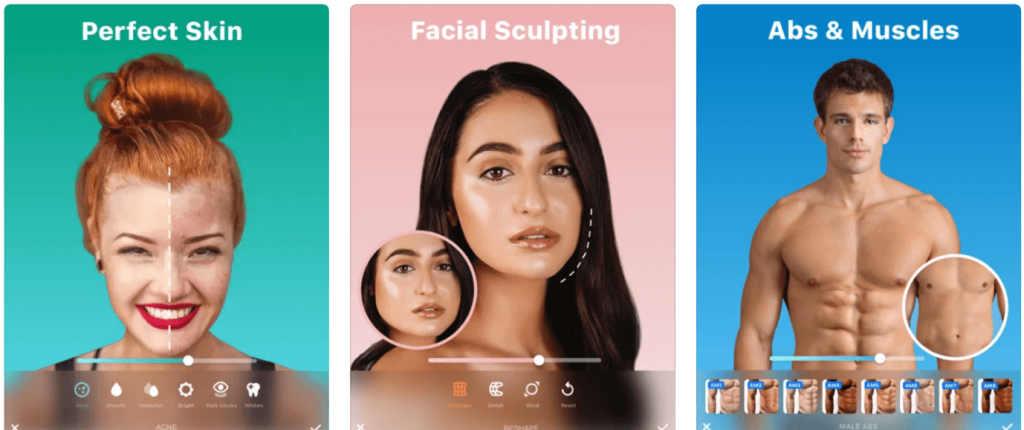
Compatible Platform: iOS
Price: Free, Pro version costs between USD 2.99 to USD 14.99.
Main Features:
- Retouch facial features like teeth whitening, eyebrow definition, etc.
- Add accessories or tattoos to the images.
- Remove or correct blemishes like pimples on faces.
- Reshape body parts by adding muscles, increasing height, etc.
Pros:
- Add tattoos to different parts of the character’s body in images.
- Easily prepare edits and share them across social media.
- You can include high-quality filters for selfies like vintage, monochrome, etc.
Cons:
- Only available for users with iOS devices with OS 12.0 or above.
- Limited options are available for contacting customer support.
Best App for Users: iOS users want a simple and low-cost skinny photo editor app for body/face reshaping, muscle toning, tattoos, and more.
8. PrettyUp – Video Body Editor
PrettyUp is a high-quality photo editing app primarily known for its body-shaping skills in running videos. You can modify the shape, size, and dimensions of moving characters in videos as the software detects the precise alignments well.
It automatically checks and makes makeup retouching or shape-changing adjustments to the detected body parts.
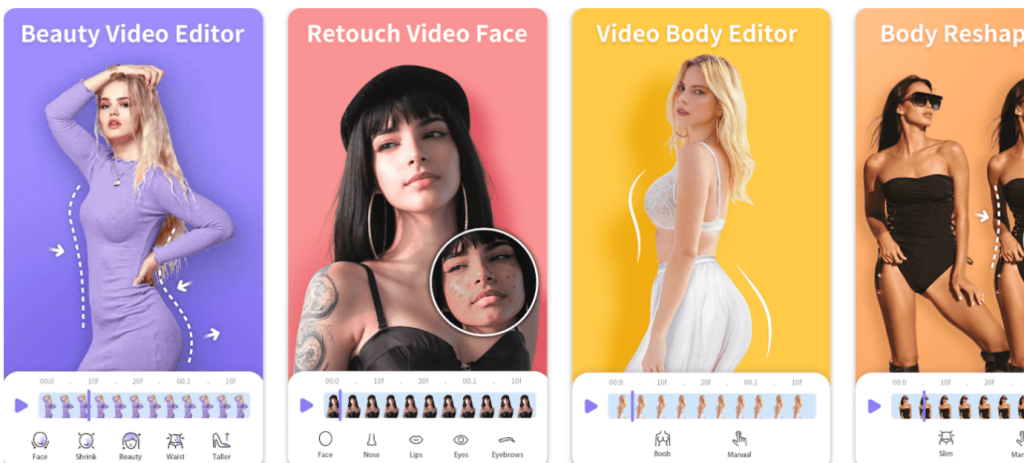
Compatible Platform: iOS, Android
Price: Free, Month- USD 7.99, Yearly- USD 34.99, One-time Purchase- USD 49.99
Main Features:
- AI-powered beautification features are available for precise makeup retouching.
- Detect and change keypoint sections of the person’s body in images/videos.
- Track facial positions during video playback and accurately detect the next movements.
- Separate the character from the video background for precise editing.
Pros:
- Make changes to characters’ body shapes in video format.
- More than 100 professional-level editing tools are available.
- You can retouch the size and appearance of faces in videos and photos.
Cons:
- Once you add information to the app, you cannot remove them.
- The data privacy settings are not standard across all regions.
Best App for Users: In videos, people who want to make body modifications, like making one look skinnier.
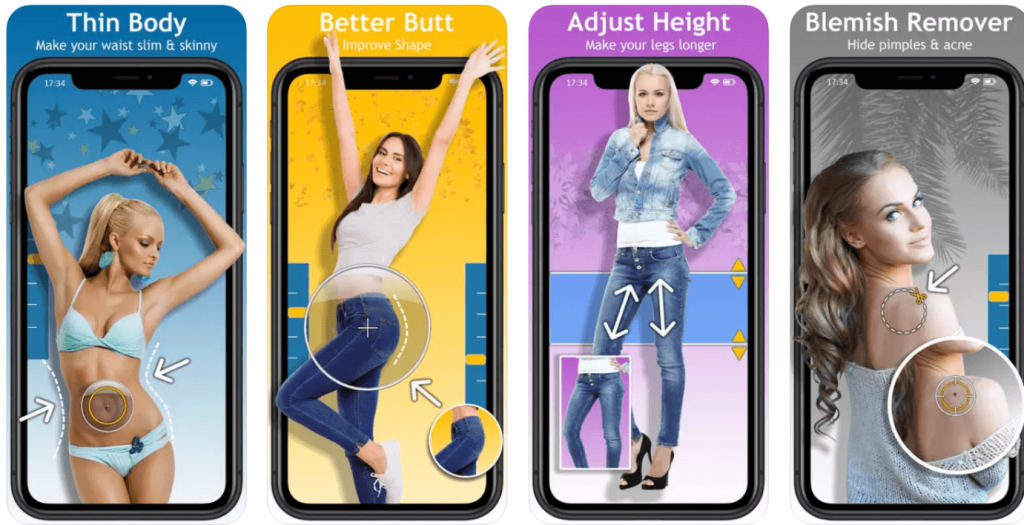
9. Body Editor Booth Skinny & Fat
Body Editor Booth is a top-grade skinny photo editor that users can opt to make body and facial adjustments in images. For example, you can make arms, thighs, butts, or waists look more toned and tighten or expand their size for a slimmer or voluptuous look.
You can remove blemishes, change the shape and look of facial parts like the mouth, eyes, nose, etc., and even give facelifts.
Compatible Platform: iOS
Price: Free with in-app purchases of USD 5.99 and up.
Main Features:
- Target and tone the arms and legs of the character in the pictures.
- Remove acne and pimples from different parts of the skin.
- Adjust the skin tone of the character.
- Emphasize or hide the size of body parts, like breasts or hips.
Pros:
- Increase or decrease the model’s height.
- Modify body and facial size to show a skinny appearance.
- Pre-set model and celebrity images are available for specialized photo editing.
Cons:
- Watermark and ads will appear on all videos if you are using the free version.
- Pre-set celebrity pictures are available for editing to paid users only.
Best App for Users: Regular users who want an app with pre-built modification features can use this.
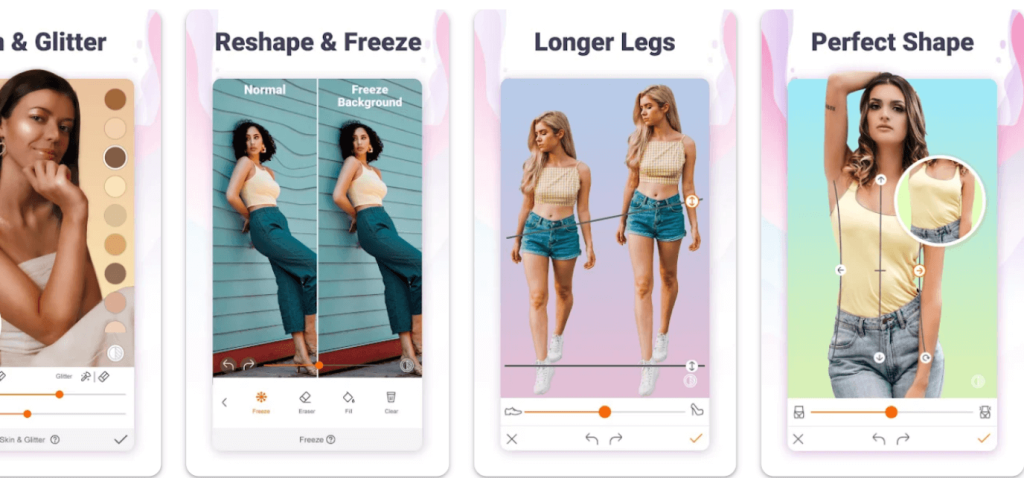
10. Hotune Body Editor & Face Slim
The Hotune app is one of the best options available that allows users to edit bodies and faces in photos with automation and manual functions. You can create professional-level photoshopping work, adding makeup and tuneup effects to the facial features.
It is easy to reshape body parts and shapes, like adjusting the waist to a slimmer look and adding ab definition.
Compatible Platform: Android
Price: Free with in-app purchases of USD 3.34 and up.
Main Features:
- Airbrushing effect is available to add a facial glitter effect.
- Use face lift or face resizing functions.
- Fix issues like nasolabial problems and eyebags in photos.
- Plump lips and increase smile size.
Pros:
- Change skin color and tone with makeup tools.
- Whiten and shape teeth of models in images.
- Remove acne and skin blemishes with some taps.
Cons:
- Data encryption can take time to complete.
- Also, this is an age-restricted app.
Best App for Users: People who want an app for manual and automatic body/face tuning benefits.
Conclusion
Overall, these apps are very valuable in adjusting the curvature and looks of people in their clicked images.
Among them, FaceTune 2 is good for its beautification functions, while Retouch Me allows many types of body and facial modifications in pictures. In addition, you can edit characters in photos and videos with the Pretty-Up app. As for cost-effectiveness, you can get the best experience for limited costs using YouCam Perfect.
Before making your final decision, try most of them out on your device and check the quality of the images. Then, choose the most user-friendly one for your needs.
FAQs:
1. Are skinny photo editor apps safe to use?
Yes, most apps are safe when downloaded from official stores. However, users should check privacy policies and avoid sharing sensitive data. Stick to well-reviewed apps with transparent permissions.
2. Do these apps distort the background while editing?
Some apps, like YouCam Perfect, include background protection features to prevent distortion. Others may warp the background if edits are too extreme. Always preview before saving.
3. Can I use these apps for video editing too?
A few apps like FaceTune 2 and Retouch Me offer basic video retouching. However, most are optimized for photo editing. For advanced video edits, consider dedicated video retouch apps.
Author Bio:
Dinesh Lakhwani 

Dinesh Lakhwani, the entrepreneurial brain behind “TechCommuters,” achieved big things in the tech world. He started the company to make smart and user-friendly tech solutions. Thanks to his sharp thinking, focus on quality and the motto of never giving up, TechCommuters became a top player in the industry. His commitment to excellence has propelled the company to a leading position in the industry.
Popular Post
Recent Post
Windows File Recovery: A Complete Review [Tried & Tested]
Imagine this. You spend hours perfecting a video project. You hit save. Then your laptop freezes, reboots, and when the screen comes back. The file is gone. Your stomach sinks. It’s not just you. Lost files happen all the time. A dropped hard drive, a bad update, an accidental delete, or a corrupted partition can […]

5 Best Data Recovery Software For Windows 11 and Windows 10
A crashed drive can ruin a whole day. One minute your photos, work files, and tax records sit safe on your PC. The next minute they are gone. A power cut, a bad update, or one wrong click can wipe out years of memories and months of work in seconds. That sinking feeling is why […]
How To Update NVIDIA Drivers On Windows 11/10 PC
Learn how to update NVIDIA drivers on Windows 11/10 with simple methods, safety tips, and easy steps for smoother gaming and better PC performance.

Top AI Features Hidden Inside Windows 11
Explore the top AI features in Windows 11, from Copilot to Recall, plus safety tips and simple steps to use each tool the right way.

Customize Your Screen Saver Settings in Windows [Easy Steps]
Learn how to customize screen saver settings in Windows 11 with easy steps, safety tips, and simple tricks to personalize your PC screen.

Driver Easy Windows Driver Updater Tool Review: Tried & Tested
In-depth information about Driver Easy’s functions and features can be found in our review. Learn how to update drivers more easily with this tool for a more seamless computer experience.

Is Avast Driver Updater Worth It? A Hands-On Analysis
A full review of Avast Driver Updater covering features, setup steps, pricing, pros and cons, and real PC results, to help you decide if it is worth buying.
IObit Driver Booster 13 (PRO) Review: [Tried & Tested]
IObit Driver Booster 13 is built for one purpose: keeping your PC drivers up to date. Well, yes! Outdated drivers can cause crashes, slowdowns, and hardware issues. This tool scans fast and updates with one click. The interface is simple. Even beginners can use it without confusion. Updates are pulled from a huge database, covering […]

Auslogics Driver Updater: A Detailed Walkthrough [2026]
This comprehensive review covers the key features, pros, and cons, pricing, and a final verdict on Auslogics’ driver update utility. Learn how it stacks up against manual driver maintenance.

