












Introduction: On tech forums, you’ll often see posts like this: “I connected my pen drive to my laptop this morning, but the folder was empty. All my college project files had vanished. I don’t have a backup. Can someone help me?” Stories like this are very common. Pen drives, USB drives and SD cards are […]
10+ Best Antimalware Software for Windows 10/11
If you have a Windows 10 or Windows 11 computer with an internet connection, you need to invest in the best antimalware for PC — no questions asked. You need antivirus software to safeguard your system and data from infinite cyber threats such as malware, ransomware, viruses and more.
Thankfully, most of the new PCs come with pre-installed antimalware programs. But default software has a limited license period that you have to renew and update after some time. Therefore, to help you find the best antivirus for Windows 10/11, we tested over 20 antimalware software and came up with the top10. So, without wasting another second, get to know the best antimalware for PC.
10+ Best Antimalware Software for Windows 10/11
A good antivirus for PC provides protection against viruses, spyware, phishing attacks, removable devices, block spams, and much more. Considering the severity of cyber vulnerabilities and modern PC users’ needs, we recommend following the 11 best antimalware for Windows 10/11 PC.
1. Fortect
Software Rating: 4.7/5
Compatible Platforms: Windows and Android
User Base: Millions of users all over the globe
Pricing: One Year Plan = $33.95/1 PC
Fortect is a complete antimalware program made to shield your computer from malware, ransomware, and viruses, among other dangers. It guarantees that your device stays safe and operates at its peak efficiency by fusing real-time protection with system optimization tools. Fortect employs cutting-edge technologies, such as machine learning and cloud intelligence, to efficiently identify and eliminate threats. Its quick, full and custom scan modes make it an excellent choice among the list of top antimalware software for Windows PCs.

Directly download using the button below-

Security Features:
- Keeps an eye on installs and downloads to stop risks before they happen.
- Prevents unwanted access, protecting private files against ransomware attacks.
- Blocks access to dangerous websites that might be infected with malware or phishing efforts.
- Protects user information by removing surfing data and other privacy traces.
Pros:
- Combines malware protection with optimization features.
- Ensures users receive the latest security patches regularly.
- Automatically creates restore points before making changes.
- Comprehensively detects and resolves potential security issues.
Cons: Not a standalone antivirus solution.
2. Norton Antivirus Plus
Software Rating: 4.1/5
Compatible Platforms: Windows, Android, iOS, macOS, Linux
User Base: 250+ million customers
Pricing: Starts at $19.99/year
Norton Antivirus is an antimalware and antivirus program developed by NortonLifeLock in 1991. It protects email spam, ransomware, phishing attacks, and more. Norton AntiVirus and Norton Internet Security’s other products have almost 60% of the US retail market share. For home users, password manager and cloud backup are very useful Norton features.

Security Features
- Real-time threat detection helps to protect your private and financial information from numerous online threats.
- Secure VPN adds bank-grade encryption to your systems, like passwords and bank details protection.
- A password manager helps to generate, store and manage your different passwords.
- Back up your improvement files on the secure cloud server to prevent data loss.
- Smart firewall for PCs to monitor communication between your computer and other computers online.
- SafeCam alerts you whenever someone attempts to access your webcam and helps to block unauthorized access.
Pros
- Easy to use.
- Intuitive interface.
- 24*7 support.
- Lightweight program.
Cons
- Slightly difficult for beginners.
- Scanning takes time on older computers.
3. Avira Prime
Software Rating: 4.5/5
Compatible Platforms: Windows, Android, iOS, macOS
User Base: 500+ million customers
Pricing: Starts at $27.84/year
Avira Prime offers three services — Security, Privacy, and Performance. It empowers individuals and companies to browse the internet, download devices, and connect with third-party removable devices without any form of infection. This antivirus program has numerous exclusive security features for PC users, such as software updates to keep OS and drivers up-to-date. Avira Prime can also work on smartphones to block phishing websites and unwanted callers. Avira Prime creates a safe working, shopping, and surfing experience with a clean dashboard and multiple device connectivity.
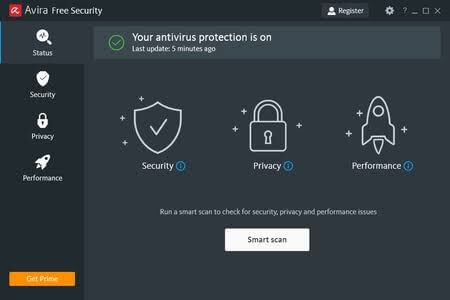
Security Features
- Offers real-time protection against malware and online vulnerabilities.
- Unlimited VPN support to secure your browsing and maintain online anonymity.
- Robust PC cleaner to remove junk files, speed up boot time and reduce lags in your system.
- Ensure to keep your Windows 10/11 software and drivers updated.
- Provides password management for all your accounts.
- Optimize privacy settings with over 200 options with a click.
Pros
- Great customer support.
- Lightweight program.
- Complete online protection.
- Fast antimalware scanning.
Cons
- Slightly hard to understand UI.
- It is a great B2C tool, but better B2B marketing is required.
4. AVG Ultimate
Software Rating: 4.5/5
Compatible Platforms: Windows (11, 10,8,7), iOS (10.3 or above), Android (5.0 or above), MacOS (10.10 or above)
User Base: 200+ million customers
Pricing: Starts at $2.99/month Billed Annually
AVG Ultimate is a solid antivirus for PC offered by Avast. It is a complete online security kit with dynamic PC Tuneup features. Within the Ultimate package, you will get a PC Tuneup that thoroughly cleans your system, including disc defragmentation. Talking about protection, the new version has lots of improvements like file and behavior shields. When programs attempt to open themselves, the behavior shield prevents programs from acting maliciously. It also has web shield scans to safeguard your system from web attacks. It is good next-gen antivirus software for domestic and commercial users.
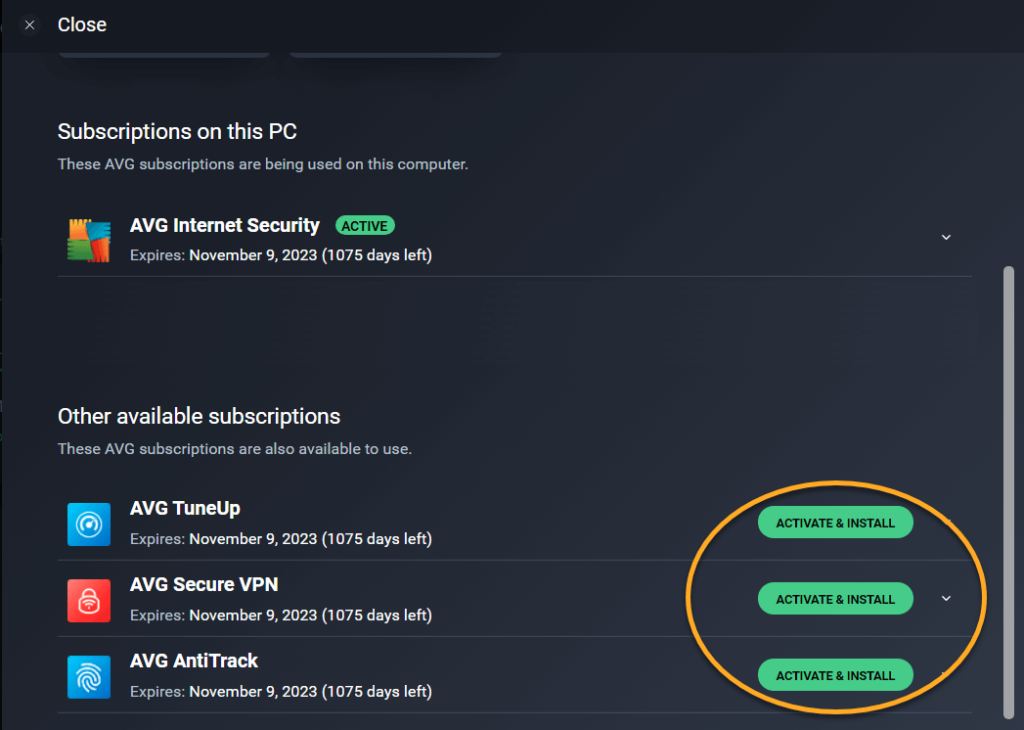
Security Features
- AVG Ultimate comes with total online security, including real-time threat detection, webcam protection, ransomware, enhanced firewalls, etc.
- PC Tuneup helps speed up your device, remove junk files, improve battery life and keep your system up-to-date.
- VPN security consists of IP address hide, network security, and data encryption options for safe and private browsing.
- It is not the Ultimate antivirus tool for namesake. The software offers payment protection, sensitive data shield, automatic maintenance, and many other features.
Pros
- Easy to use.
- Various extra security features.
- Affordable rates.
- Impressive support system.
Cons
- Documentation is technical to understand.
- A little learning curve.
5. Avast Ultimate
Software Rating: 4.4/5
Compatible Platforms: Windows (11, 10,8,7), iOS (12 or above), Android (6.0 or above), MacOS (10.12 or above)
User Base: 435+ million customers
Pricing: Starts $4.09/month Billed Annually.
Avast Ultimate is a multiple device antimalware program worth trying. The software provides defense against viruses, spyware, zero-second threats, and many other online vulnerabilities. Under the Avast Ultimate package, you will get three premium solutions — Avast Premium Security, Avast Cleanup Premium, and Avast SecureLine VPN. You can activate all of them together or independently as per your needs. Also, you can try a free trial of all these premium solutions before upgrading your membership.
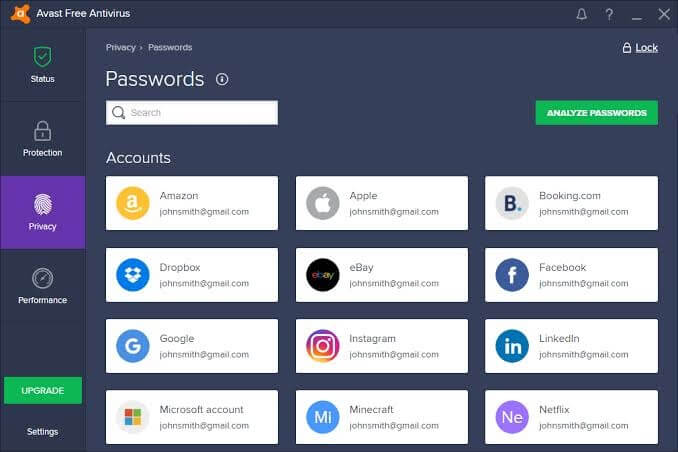
Security Features
- Avast keeps your online operations fully private with powerful encryption for performing banking activities, shopping, etc.
- It can eliminate junk files to make your device more efficient and fast.
- You can overview your device’s health with one click and check signs of bloatware, viruses, and more.
- Anti-tracking prevents snoopers from monitoring your online activities, and when someone tries to track you, it will stop them.
Pros
- Seamless security.
- Good support from Avast.
- Excellent performance.
- Offers external as well as internal security.
Cons
- A bit of a heavy program.
- Improvement in the reporting system is required.
6. IObit Malware Fighter Pro
Software Rating: 4.4/5
Compatible Platforms: Windows 11, 10, 8.1, 8, 7, Vista, XP
User Base: N/D
Pricing: Starts at $19.95
IObit Malware Fighter Pro is an antivirus and antimalware program for PCs based on Windows XP or later. It is developed to protect against malware, including Trojans, rootkits, ransomware, and others. This program was first launched in 2004 and has been frequently updated by developers since then. An elevated user interface called ‘Safe Box’ is added to protect specific folders from unauthorized access in the recent program update. With seventeen years of legacy, it is a great antivirus for your Windows 10/11 device.
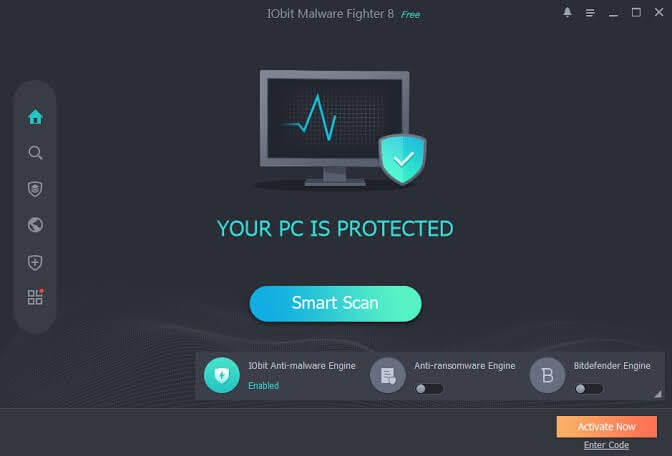
Security Features
- It is a marvelous malware fighter that can even deal with the newest malware like Ransom.Stop, Trojan.Nanocore and even Malware.Coronavirus.
- You can password lock your files with IObit Malware Fighter that no one without your permission can access.
- The anti-ransomware engine in data protection can better shield your privacy.
- Browser security ensures that you can surf online without any worry or annoying ads.
Pros
- Clean interface.
- Dual engine protection.
- Custom and smart scans.
- Free version.
Cons
- Don’t support multiple operating systems.
- Only 24*7 telephone support available.
7. Systweak Antivirus
Software Rating: 4.3/5
Compatible Platforms: Windows 11, 10, 8.1, 8, 7
User Base: N/D
Pricing: Starts at $39.95 along with a free trial and 60 days money-back guarantee.
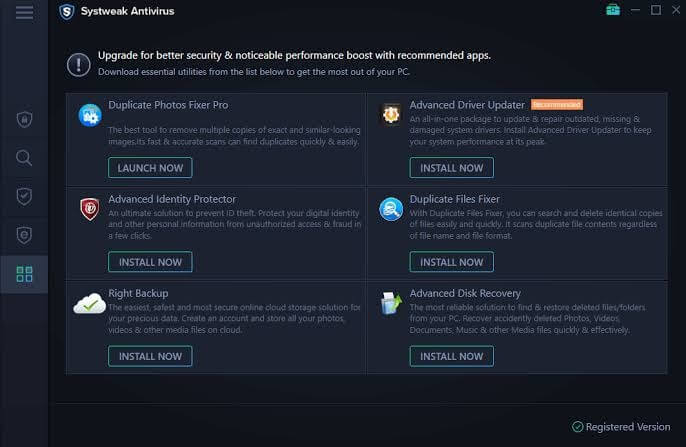
Systweak Antivirus is real-time malware protection, OS updating, and virus removal tool. It helps to keep your Windows 10/11 devices safe with the combination of advanced security features. The popup Systweak Antivirus features are like USB protection, startup manager, performance optimization, etc.
Security Features
- Its malware and exploit protection keeps your system safe from viruses, PUP, Trojan, zero-day threats, and adware.
- The program’s real-time protection detects and neutralizes cyber threats, viruses, and adware before they can sneak into your security.
- Clean unwanted startup items to safeguard your system against apps and programs that can jeopardize your security.
Pros
- User-friendly interface.
- Lightweight program.
- Protection against the latest threats.
- It has dedicated 24*7 customer support.
Cons
- Only limited to the Windows operating system.
8. Trend Micro Antivirus
Software Rating: 4.1/5
Compatible Platforms: Windows, Android, iOS, Mac
User Base: 500,000+ customers
Pricing: Starts at $29.95
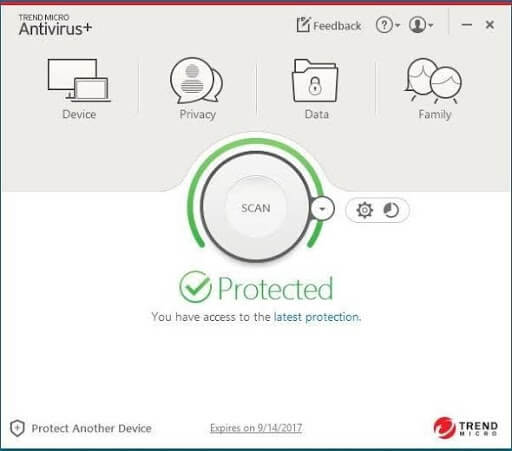
Trend Micro Antivirus is the best antimalware for Windows 10/11 developed by Trend Micro for the consumer market. For premium users, this software can protect multiple devices. Apart from the antimalware and antivirus features, the program is a great solution to prevent thefts and establish parental controls.
Security Features
- Trend Micro offers free online virus scanning and ransomware infection removal tools.
- Using advanced security technology, you can safely make online payments worldwide.
- The software uses the advanced AI learning module to provide safety against identity theft.
- One antimalware program can block over 250 million threats daily.
- Miscellaneous features include a two-way firewall, home network protection, keylogger protection, online data backup, PC cleanup, etc.
Pros
- Easy to use and update.
- Lightweight program.
- Quarantines suspicion files.
- Blocks malicious websites.
Cons
- Limited customization.
- Poor tech support.
9. McAfee Antivirus
Software Rating: 4.1/5
Compatible Platforms: Windows, Mac, Android, Linux
User Base: 500+ million customers
Pricing: Starts at $29.99/year
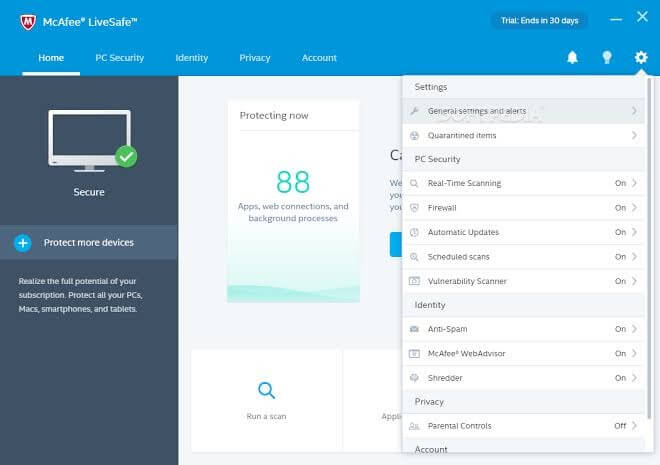
McAfee antivirus program is developed and maintained by McAfee. The software package includes McAfee LiveSafe, McAfee AntiVirus Plus, and McAfee Total Protection. McAfee helps enterprises and home users to detect network vulnerabilities. It can update and configure your system settings to establish high-end security shielding. McAfee also supports safe web browsing, password management, and 24*7 online support.
Security Features
- It is a comprehensive internet security system that secures your devices, privacy, and online identity.
- McAfee provides you an upper hand over digital identity thieves by shredding or protecting your sensitive files, removing cookies, etc.
- It’s not only antimalware for PC, but also a performance booster. It can tune-up your PC by cleaning up junk files and folders.
- McAfee WebAdvisor extension ensures safe web browsing.
Pros
- Encrypted storage.
- VPN support.
- Affordable multi-user options.
- User-friendly interface.
Cons
- No iOS support.
- Complicated pricing options.
10. Bitdefender Antimalware
Software Rating: 4/5
Compatible Platforms: Windows, Android, iOS, and macOS
User Base: 500+ million customers
Pricing: Starts at $39.98/year
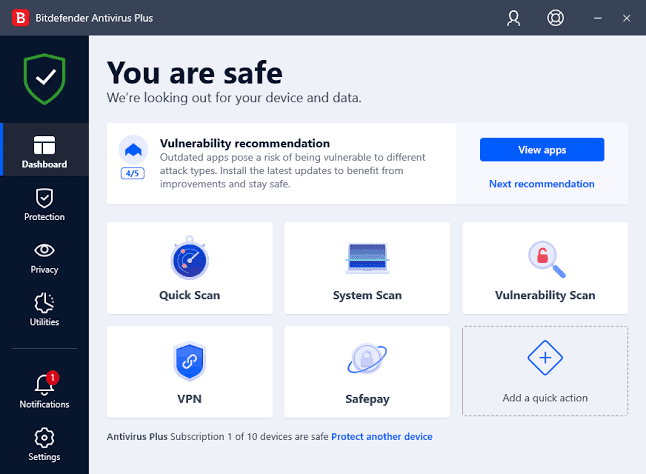
Bitdefender Antimalware is the powerful antimalware for PC and Mac devices. It uses a minimalistic approach to protect your Windows 10/11 computer against all cyber vulnerabilities. It safeguards your personal and gaming computers without time-consuming scans, ads, or sudden lags. Bitdefender is a straightforward software that runs virus scans in the background.
Security Features
- Helps to protect and optimize Windows speed.
- Complete real-time data protection that goes beyond antivirus scans.
- Improved behavior-based technology to detect and block threats and ransomware.
- Web filtering technology never lets you land on harmful websites.
- It prevents phishing and online frauds when you browse, shop, or make online payments.
Pros
- Phenomenal malware protection.
- Fast scans.
- 24*7 online support.
- Light impact on the system.
Cons
- The standard package only supports Windows OS.
11. Malwarebytes Antivirus
Software Rating: 4/5
Compatible Platforms: Windows (XP or above), macOS (10.11 or above, Android Marshmallow, iOS 11 or above
User Base: 25 to 35 million customers
Pricing: Starts at $3.33/month Billed Annually.
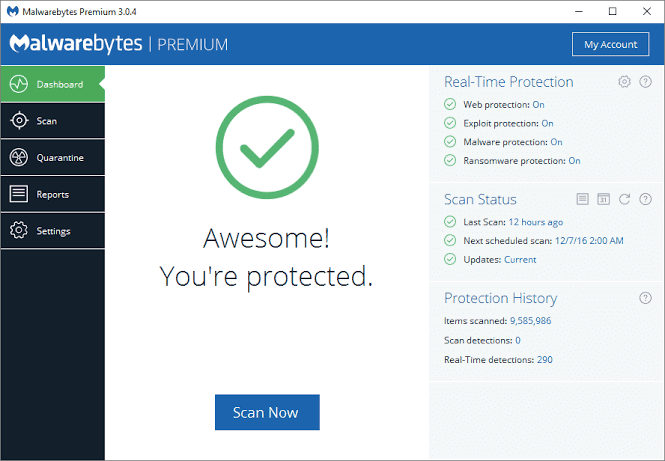
Malwarebytes Antivirus is the best antivirus for PC, macOS, and other mobile OS. It detects and removes malware when you start it. Additionally, the software lets you schedule scans, offer flash memory scanners and real-time protection. MBAM can handle different types of malicious activities such as adware, spyware, and security software.
Security Features
- The premium version can remove malware, viruses, and other cyber threats within a few seconds.
- Protect your information from hackers and ad companies with next-gen VPN technology.
- It removes spam and resources clogging your system and boosts its performance.
Pros
- Awesome web filters.
- Excellent weekly reports.
Cons
- Heavy to install and keep on your device.
Stay Secure!
Now, you are all set to protect your data, privacy and remove malware from your Windows 10/11 devices. Once you download the best antimalware for Windows 10/11 on your system, you can make online payments and browse online without any stress. Just select a best security shield for your computer and start safe online practices now. For more informative posts, keep on sharing and liking our posts.
Author Bio:
Dinesh Lakhwani 

Dinesh Lakhwani, the entrepreneurial brain behind “TechCommuters,” achieved big things in the tech world. He started the company to make smart and user-friendly tech solutions. Thanks to his sharp thinking, focus on quality and the motto of never giving up, TechCommuters became a top player in the industry. His commitment to excellence has propelled the company to a leading position in the industry.
Popular Post
Recent Post

How To Recover Files Deleted from the Recycle Bin [Windows 11]
Losing a file can happen in seconds. You clear your desktop, hit Delete, and empty the Recycle Bin. Then, just when you need that file again, it seems to have vanished. This guide will walk you through ways to restore files removed from the Recycle Bin. We will begin with simple fixes, then look at […]

Disk Drill Data Recovery Tool Explained: Full Review and Guide
It happens in a split second. You delete a folder by mistake. Your drive stops showing up. A photo album from your last trip just vanishes. And your stomach drops. Lost files feel personal. They are not just data. They are memories, work hours, and sometimes years of effort packed into a few gigabytes. When […]

Recover Deleted Files In Windows 11 With Software & Without
Introduction What is the first thing that goes through your mind the second an important file vanishes from a Windows 11 PC? For most people, it is a mix of panic and disbelief, followed by a frantic click through every folder that file could possibly be hiding in. It happens in a split second: one […]

EaseUS Data Recovery Wizard: Everything To Know
Data loss does not always come from a big disaster either. Most cases start small and boring. A drive gets formatted by mistake. A laptop freezes mid-save and restarts on its own. A memory card stops showing up after being pulled out too fast. None of these feel like emergencies at first, until you realize […]

Recuva Data Recovery Tool: Is it Actually Worth it?
When I first tried Recuva Data Recovery, I wanted to see if it could really bring back lost files. The tool is free, small in size, and promises quick recovery, which made me curious enough to test it on my own PC. The setup was fast, and the wizard guided me step by step. I […]

GetData Recover My Files Data Recovery Tool: Honest Review
A hard drive error brings a special kind of silence. Well, yes! The screen freezes, then a message appears saying the drive can’t be found or must be formatted. In that moment, years of photos and work files feel at risk. It never happens at a good time. Coffee spills near a laptop, a memory […]

Windows File Recovery: A Complete Review [Tried & Tested]
Imagine this. You spend hours perfecting a video project. You hit save. Then your laptop freezes, reboots, and when the screen comes back. The file is gone. Your stomach sinks. It’s not just you. Lost files happen all the time. A dropped hard drive, a bad update, an accidental delete, or a corrupted partition can […]

5 Best Data Recovery Software For Windows 11 and Windows 10
Introduction: A crashed drive can ruin a whole day. One minute your photos, work files, and tax records sit safe on your PC. The next minute they are gone. A power cut, a bad update, or one wrong click can wipe out years of memories and months of work in seconds. That sinking feeling is […]

How To Update NVIDIA Drivers On Windows 11/10 PC
Learn how to update NVIDIA drivers on Windows 11/10 with simple methods, safety tips, and easy steps for smoother gaming and better PC performance.

