10 Best Virtual Machine Software for Windows 10/11 in 2026

Last updated on December 28th, 2025 at 2:00 am
A virtual machine software, often known as VM software, is an application that replicates a virtual computer platform. A VM is formed on a computer’s underlying operating platform, and the VM application generates virtual CPUs, disks, memory, network interfaces, and other devices.
Virtual machine solutions are becoming more popular because of the flexibility and efficiency in testing software in a safe environment. This article will look at the best Virtual Machine software for Windows 10 and Windows 11.
How To Choose The Best VM Software for Windows 11
Picking the right VM software for Windows 11 depends on your needs. Whether you’re testing apps, running multiple OSes, or managing servers, the right tool makes a big difference. A good VM boosts performance, saves time, and keeps your system safe.
Key Factors to Consider:
- System Compatibility: Make sure it works with Windows 11 and your hardware.
- Performance Optimization: Look for fast speed and smart resource use.
- Ease of Use: A simple interface helps avoid confusion.
- Snapshot & Cloning: Save your progress and copy setups easily.
- Guest OS Support: Check which operating systems it can run.
- Security Features: Isolation and encryption protect your data.
- Licensing & Cost: Know if it’s free, paid, or open-source.
- Community & Support: Active help forums are a big plus.
Top 5 Virtual Machine Software: Comparison Table
With so many virtual machine tools available, narrowing down the best options can be tricky. Each platform offers unique strengths—some focus on speed and scalability, while others prioritize ease of use or cross-platform support.
To help you choose wisely, here’s a side-by-side comparison of the top five VM software for Windows 10/11 in 2026, highlighting their key features, compatibility, and ideal use cases.
| Feature | VMware Workstation | Parallels Desktop 14 | Microsoft Hyper-V | VirtualBox | Citrix XenServer |
| Type | Type-2 Hypervisor | Type-2 Hypervisor | Type-1 Hypervisor | Type-2 Hypervisor | Type-1 Hypervisor |
| OS Compatibility | Windows, Linux | Windows, macOS | Windows only | Windows, Linux, macOS | Windows, Linux |
| License | Paid (Free Player) | Paid | Free (Windows Pro) | Free & Open Source | Free (with paid tiers) |
| Snapshot Support | Yes | Yes | Yes | Yes | Yes |
| 3D Graphics Acceleration | Advanced | Moderate | Basic | Basic | Advanced |
| Best Use Case | Dev/Test/Enterprise | Mac-Windows Integration | Enterprise/IT | Learning/Testing | Server Virtualization |
| Ease of Use | Moderate | High | Integrated | Moderate | Moderate |
| Live Migration | No | No | Yes (Server) | No | Yes |
Top Windows 11/10 Virtualization Features In 2026
1. VMware Workstation
VM software provides a 3D solution by supporting DirectX 10 and OpenGL 3.3, eliminating picture and video compression. When the program is coupled using a third-party solution, other capabilities such as setting up and constructing virtual networks and data center architectures, are available. Workstation Player and Workstation Pro are the two different editions of this program.
Compatibility: All Windows versions
Price: $159
Features:
- This VM software program’s capabilities include snapshots and cloning.
- Expedite the process of installing multiple instances of the same VM relatively simply
- The Player edition lets the client create multiple VMs and, therefore, can accommodate up to 200 visitors, among other things.
Pros:
- Eliminates the process of video compression
- Helps in the construction of virtual networks and data centers.
Cons:
- It has a very steep learning curve.
2. Parallels Desktop 14
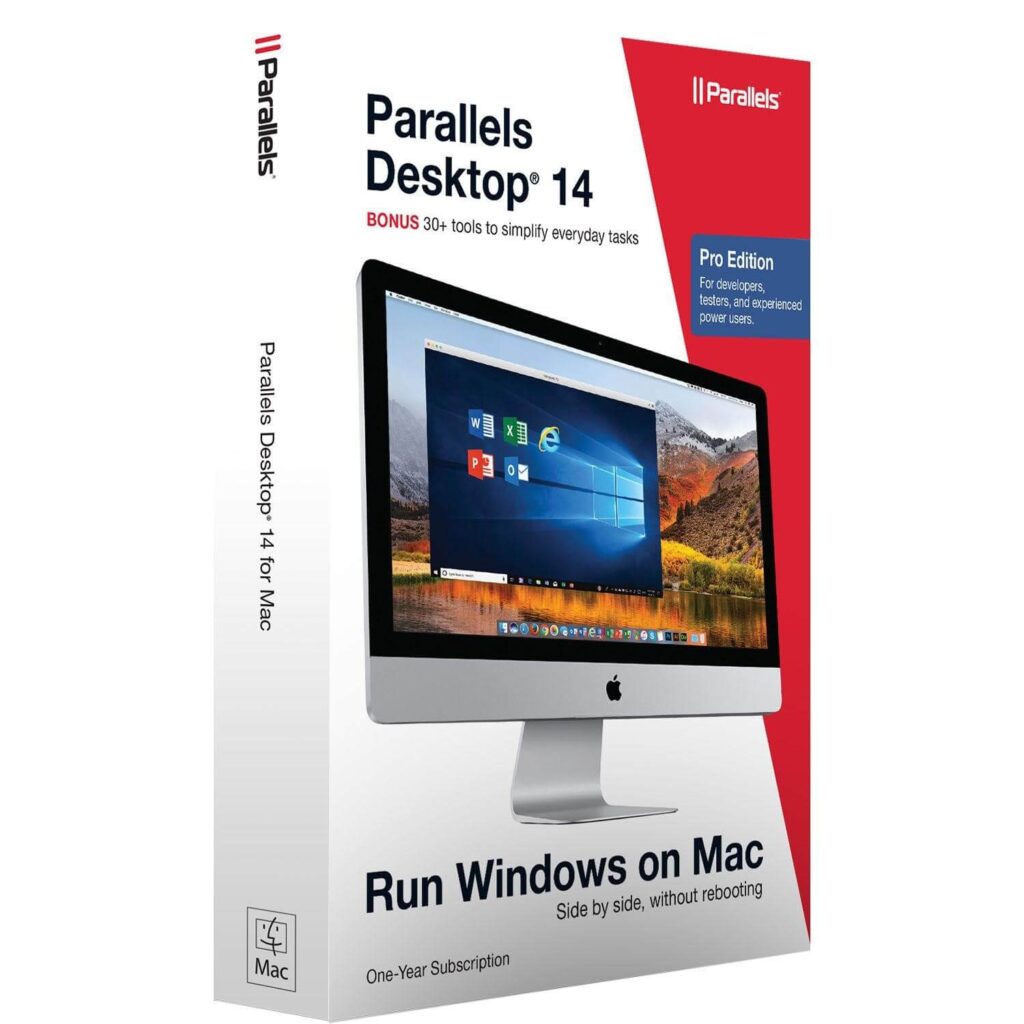
You may use the VM program to run Windows besides the native operating system. This Windows virtual machine program spares you from having to discover software that operates nicely on both iOS and Windows platforms.
Several Mac users believe that this virtual machine program is just for the Windows OS. However, it could be used with various Linux distributions, Chrome OS, and prior editions of macOS.
Compatibility: Windows & Mac
Price: $99.99
Features:
- The software’s unique features include Windows notifications in the Mac information panel.
- Ability to use a uniform clipboard.
Pros:
- Using Windows programs alongside Mac apps
- Coherence Mode enables you to conceal the Virtual Machine
- Interact exclusively well with Windows Applications
Cons:
- With time, this machine slows down
- The coherence model can be improved
3. Microsoft Hyper-V
Hyper-V is a popular free virtual machine program among IT experts. The program is compatible with 64-bit Windows Server and Windows 10 Pro, School, and Enterprise versions. In addition, the free VM program, formerly called Windows Server Virtual Machines, enables a variety of operating platforms, notably FreeBSD, Windows, and Linux. It is regarded as one of the advanced Virtual Machine software.
Compatibility: Windows, Linux, Ubuntu
Price: Free
Features:
- Fiber channel virtualization
- SR-IOV networking
- Default NAT switch
- SR-IOV networking
- Live transfer of Windows Server 2012 (R2) as well as Windows 10 Pro
- Education and Business through one server to another
Pros:
- Hyper-V is a basic VM program that creates a virtual experience on both the server and the host PC.
- High-accuracy and latency-sensitive apps that require less than 10ms might not have been compatible with the free virtualization software.
Cons:
- A failure of the core OS will cause all VMs to crash.
- For the Hypervisor Layer to function, an operating system must be installed.
4. VirtualBox
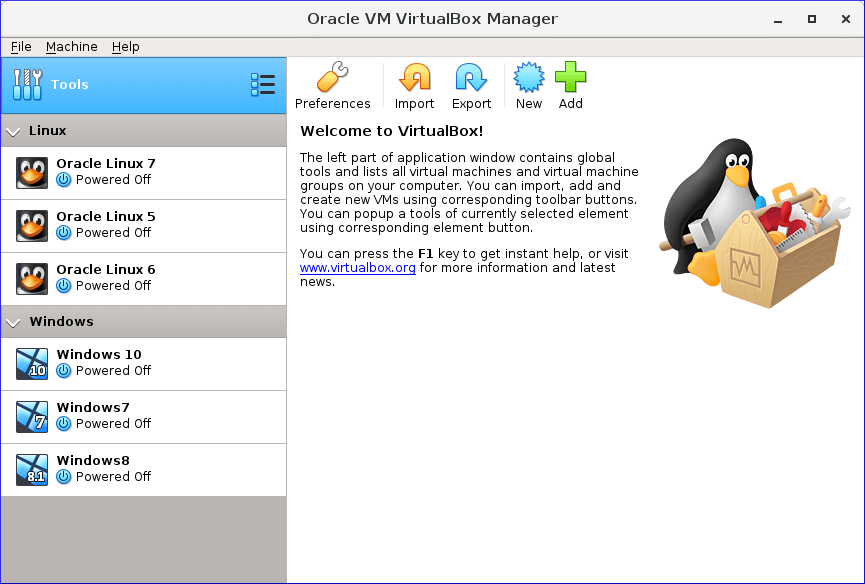
VirtualBox is a free virtual machine tool that allows for high-performance emulation. It is a program application developer may use to test their applications on various operating systems. And is counted among the best VM Software for Windows 10 and Windows 11.
Compatibility: Windows and Linux
Price: Free
Features:
- Legacy and current guest operating systems for Windows, Linux, Solaris, and Mac are supported.
- GPL license for open-source software
Pros:
- VirtualBox seems to be the only free virtualization program that fits the needs of businesses.
- All major functional systems are supported, such as Windows, Linux, Oracle, and Mac.
Cons:
- Since virtual computers access hardware remotely, they are less expensive than physical machines.
- Unless the computer’s power supply is insufficient, efficiency may suffer.
5. Citrix XenServer
Another open-source utility may be downloaded for free from the web. The fundamental edition is free. However, you must upgrade to the premium version to access further features. And it is regarded as one of the best Virtual Machine Software for Windows 10/11.
Compatibility: Windows, Linux
Price: Free
Features:
- The commercial version includes beautiful administration tools, system automation, and a vibrant atmosphere.
- It additionally has GPU functionality, allowing the client to participate in virtualized activities.
- Another fantastic characteristic of this program is constructing virtual data hubs.
- The information centres aid in the seamless management of both scheduled and unforeseen outages.
Pros:
- Gives high dependability and reliability to businesses.
- Provides a better functionality of GPS
Cons:
- Exclusively exposes hypervisor functionality that they believe is developed enough to be used in a production context.
- There is no simple method to switch between open source and commercial virtual machines.
6. Oracle VM
Oracle VM has sophisticated features, including DOMO kernel utilization, fiber channel memory, and configurable virtual CPU. Also, virtual machine compatible architecture virtual on the guest Operating system provides a hypervisor with synchronous multi-processing.
Compatibility: Windows, Linux, and Solaris
Price: Free
Features:
- Guest operating systems include Microsoft Windows, Linux, Red Hat Enterprise, Linus, and Solaris.
- Live virtual machine migration VM templates that are secure
- The VM software works without issue on the majority of hardware setups.
Pros:
- Multiprocessing that is symmetric
- Support for Windows, Linux, and Solaris host operating systems
Cons:
- The user interface is outdated.
- VM configuration is slow.
7. QEMU
Compatibility: Windows, Linux, and Solaris
Price: Free
QEMU is a free and open-source digital emulator that allows for rapid hybridization. The virtual machine software can execute programs for BSD, Linux, Windows, and other operating systems on compatible architectures. Furthermore, on supported systems, it enables complete system emulation.
Features:
- It is capable of simulating a variety of instruction sets.
- Virtualizer that is generic and open source
- Emulation in user mode
- KVM and Xen native performance support
Pros:
- QEMU is a flexible virtual machine program that supports a variety of architectures.
- Provides dynamic translation
- It is easy to use
Cons:
- It is not user-friendly.
- It is very slow
8. Red Hat Virtualization
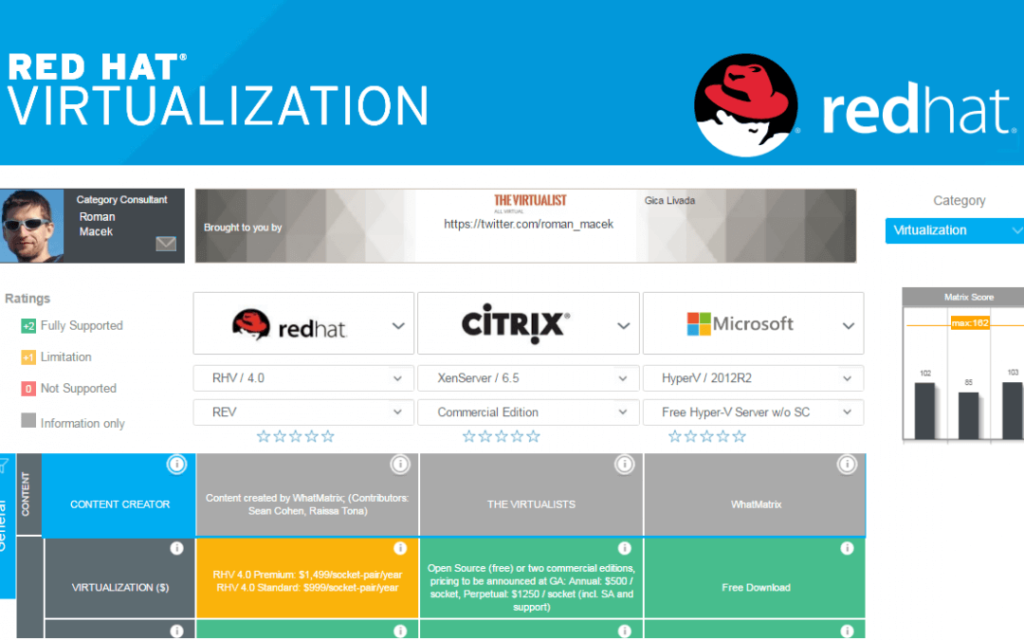
Red Hat Virtualization is a premium virtualization program with sophisticated features. The VM software allows you to create new virtual environments or replicate established versions. This is an open-sourced solution supported by the community that provides high-performance and virtual servers.
Compatibility: Windows, Linux, Ubuntu, & OS
Price: $995
Features:
- Cloud-native hosting
- Resource-intensive software can be run in a container’s framework.
- Assistance for Red Hat OpenShift
Pros:
- Red Hat Virtualization is a high-end virtualization solution
- Set up a virtualization layer.
Cons:
- Requires improvement when it comes to deploying micro and cloud servers
- The initial setup is quite complex
9. Xen Project

The Xen Project is an open-sourced virtualization solution with significant capabilities. The free VM program enables embedded security mechanisms to really be automated. It also includes strong security as well as cloud virtualization capabilities. The VM software seems to be the only type-1 virtualization that is open source.
Compatibility: Windows and Linux
Price: Free
Features:
- Customizable architecture that is automated.
- Tolerance for flaws.
- SUSE Linux, as well as Oracle Unbreakable Linux, are supported in real-time.
Pros:
- Free virtual machine (VM) program with powerful virtualization and security capabilities.
- Ideal for virtualizing many commercials.
- Open-source programs on the Windows operating system.
Cons:
- It is very slow and becomes slower over time.
10. KVM
Kernel-based Virtual Machine (KVM) seems to be an open-source virtual machine tool that may be used to virtualize x86-64 Linux systems. The software is made up of a fundamental virtualization foundation for several components. The free VM program allows you to run unrestricted Windows as well as Linux images.
Compatibility: Windows, Linux, Solaris, and OS X.
Price: Free
Features:
- It is compatible with Linux, Illumos, as well as FreeBSD.
- Windows, Solaris, FreeBSD, Linux, React OS, Plan 9, and OS X are all supported.
- KVM offers x86 architectures, which may be adapted to many CPUs.
- Live migration, host-guest interaction, as well as hot plug support are all included in the VM software.
- It is the program of choice for building virtual servers on Linux computing platforms.
Pros:
- Improved security as a result of system resource isolation
- Management of the entire virtual entity
Cons:
- Unambiguous resource allocation
- Increased time to build up a whole new business, even when automation techniques are employed
- Increased operational expenses
Conclusion
If you are looking for the best Virtual Machine Software for Windows 10/11, then VMware Workstation, Parallels Desktop 14, and Microsoft Hyper-V are the best from the list provided above.
Conclusion
Virtual machines are essential in 2026. They help run multiple systems, test software, and manage workloads. Whether you’re a student or a pro, VMs offer control and flexibility.
VMware Workstation is strong and reliable. It suits developers and IT teams. Parallels Desktop 14 is smooth and user-friendly, great for Mac users. Hyper-V works well for Windows-only setups. VirtualBox is free and flexible, ideal for learners. Citrix XenServer is built for big server tasks.
Your choice depends on your goals. Want speed and power? Go for VMware. Need simplicity? Try Parallels or VirtualBox. Running servers? XenServer fits. Match your needs with the right tool, and you’ll get the best results.
FAQs:
1. Can I run macOS on a virtual machine in Windows 11?
Yes, but it’s tricky. Tools like VMware and VirtualBox can do it. Still, Apple’s rules may not allow it unless you use a Mac. Always check the legal side first.
2. Is virtualization safe for my PC?
Yes, it’s safe. VMs are separate from your main system. If something goes wrong inside, your PC stays fine. Just keep your VM software updated.
3. Do I need a powerful PC to run virtual machines?
Not always. A strong PC helps, but it’s not required. You can adjust settings to use less RAM or CPU. Even mid-range systems can handle basic tasks.
Author Bio:
Dinesh Lakhwani 

Dinesh Lakhwani, the entrepreneurial brain behind “TechCommuters,” achieved big things in the tech world. He started the company to make smart and user-friendly tech solutions. Thanks to his sharp thinking, focus on quality and the motto of never giving up, TechCommuters became a top player in the industry. His commitment to excellence has propelled the company to a leading position in the industry.
Popular Post











Recent Post

8 Best Free Telegram Clients for Windows PC [2026]
Telegram is one of the most valuable applications available for mobile and PC usage. You can download and then install the app into Windows 11/10/8/7 OS and other varieties directly through its website link. Users continue using this application for many reasons, like encrypted messaging, fast and secure message delivery, multi-device support, and unlimited file […]

Top 10 Best Face Swap Apps for Android & iPhone In 2026
Mobile phone users get a wide range of applications that they can use for various functions, like camera and photo-sharing apps. Most of these come with advanced features, like adding filters/audio and other diverse editing options. Excited to try out one such app? Read ahead to learn about the best options there are. Top 10 […]
Top 10 Folder Lock Software For Windows 10 & 11 [2026]
Keeping private files safe on a Windows PC has become more than a convenience. With more sensitive data stored on devices every day, basic system protections are often not enough. Folder Lock software fills that gap by letting you hide, encrypt, or restrict access to specific folders without fuss. In this article, we look at […]

How to Share Your Location in Google Maps?
Google Maps is a valuable feature available for people to quickly and efficiently find locations, plan routes, and avoid traffic. The application is an essential tool for tracking delivery and movement to any place via a detailed map. However, while this application is widely used, many people do not know the real-time location sharing feature. […]

How to Create a Windows 10 Bootable USB Drive (3 Methods)
Alone the word “Windows 10 bootable USB” sounds daunting. Creating a Windows 10 installation media with lots of steps and terminal commands seems like a complicated thing. But, let’s break a myth – it is not hard to create a Windows 10 bootable flash drive. In fact, it takes up a few simple steps to […]
Let’s See How to Block Adverts and Stop Pop-ups on Chrome
Adverts and pop-ups are simply annoying. Suppose you are in the middle of searching for quick information for your project. And suddenly, adverts after pop-ups keep on appearing in your Chrome browser. You will definitely want to pull your hair in frustration after this! But, hey, don’t be dramatic when you can easily block adverts […]

Here’s How to Stop Receiving Spam Emails (Top 4 Tips)
Spam emails are simply annoying. They clutter your inbox, hide your important emails, and, importantly, threaten your privacy. But unfortunately, spam emails are something that you can’t avoid either. Whenever you subscribe to a newsletter or use your email to create an account on a third-party site or app, it is an open invitation to […]

Ways to Completely Clear Search History on Your Mac
People use their Mac devices for various reasons, one of the most prominent ones being for browsing purposes. However, after visiting any website on the device, the browser version stores cache and other records of the query in the system. This affects the performance of the system as the excess records can lag the disk […]

5 Cybersecurity Tips To Manage Your Remote Personnel Challenges
Did you know that your company’s information can unintentionally be put at risk by you and your employees when working remotely? This could possibly lead to fraud, data breaches, and a plethora of other unwanted consequences. Although remote working offers many benefits, it also comes with some risks. Continue reading if you want to learn […]

What is FileRepMalware & How to Remove It?
For the continued safety of the digital system and files, many people download a third-party antivirus program into their device. These keep the system safe from security issues after an intricate scanning process. Windows devices can install options like Norton, Avast, or AVG for quick and efficient malware/virus detection. In many cases, the tag FileRepMalware […]

