Top 8 Identity Theft Protection Software in 2026

Last updated on December 29th, 2025 at 1:26 am
Internet is the most vulnerable source of identity theft. You never know when your identity is compromised and when you become a victim of ransomware. This article has been designed to introduce best identity theft protection software to protect yourself against ID fraud and stay safe across all areas of your digital life.
These best ID theft protection services will protect you while browsing social media, web browsing, online banking, and online data transfers. Here is our roundup of the best identity theft prevention software.
8 Finest Identity Theft Protection Software 2026
1. LifeLock – (Best Data Monitoring Service)
Pros
Sends fraud alerts by text or mobile App
Monitors Dark Websites for your information
Provides support for restoring your identity
Best ID theft protection service
Cons
Bit expensive services compared to similar competitors
Monthly credit score monitors only one out of three bureaus
May not be able to monitor all transactions
Cost
LifeLock Standard – $8.99/Month
LifeLock Advantage – $17.99/Month
LifeLock Ultimate Plus – $26.99/Month
Everyone we remember has seen the commercials of LifeLock where the CEO gives out his social security number. LifeLock certainly has the best marketing campaigns compared to any of the Identity Theft protection companies we reviewed.
LifeLock services do stand-up as the best identity theft protection and credit monitoring services which should be considered by anyone who is looking forward to the best ID theft protection services.
2. Identity Guard – (Best Tool for Low Budget)
Pros
Comprehensive service at low cost
Monitors driver’s license information & other IDs for fraud
Removes personal information from junk mailing lists
Cons
Doesn’t monitor sex offender registries
Doesn’t share fraud alerts with credit bureaus
24/7 phone support not available
Cost
Identity Guard – $16.99/Month
Identity Guard is one of the best-valued products and best identity theft prevention software among its genre. This product gives you wide coverage and provides timely notification while putting the price at the forefront.
It monitors your address, Social Security number, and credit card details as well as other identity aspects such as criminal records and driver’s license information.
3. Intelius Identity Protector – (Best for Credit Reports)

Pros
Best for Public Record Monitoring
Recovery experts suggest help with suspicious activities
24/7 fraud resolution-expert service
Cons
Unable to freeze your credit reports for you
Cost
Intelius ID Protect – $29.95/Month
Intelius is the best fit for background checks and public record searches. Its ID theft protection service ‘IdentityProtect’ is one of the best identity theft protection software for tracking your personal information that appears in public records searches.
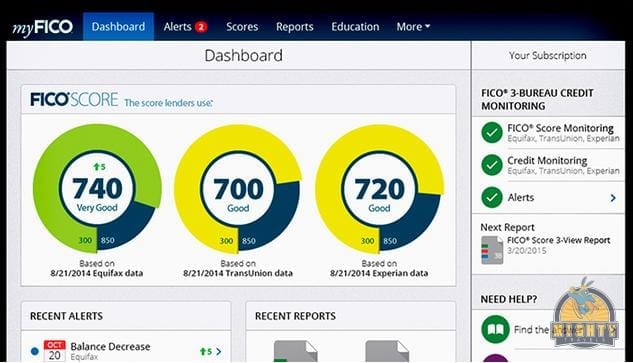
4. IDFreeze by MyFICO – (Best for Credit Report Monitoring)
Pros
IDFreeze monitors all three bureaus and sends you updated scores
Monitors Dark Web for stolen identity
Best for Credit Report Monitoring
Cons
It doesn’t look at public records
Cost
FICO Identity Ultimate 3B – $29.95/Month
IDFreeze by MyFICO comprises complete credit monitoring and shows you regular reports from all three credit bureaus: Equifax, TransUnion, and Experian. If you think it’s costly, it’s worth it!
It sends you timely alerts whenever there is any suspicious activity detected. In addition to it, FICO Identity Ultimate also includes dark web monitoring to identify if your personal information is compromised or getting misused.
5. ID Watchdog – (Best for Identity Theft Victims)

ID Watchdog, Inc. logo. (PRNewsFoto/ID Watchdog, Inc.)
Pros
Monitors Payday loan database
Best after-effect resolution and monitoring
Best restoration services among all
Cons
Doesn’t remove your identity from mailing lists
Resolution services by fraud experts
Cost
ID Watchdog Platinum – $17.95/Month
ID Watchdog has numerous tools for monitoring your identity and resolving fraud activities done by ID theft. It not only prevents your information from getting stolen but also notifies you about any suspicious activity.
ID Watchdog’s restoration services directly connect you with a specialist to work with you and resolve fraudulent problems. It also explores few features that others don’t carry, including non-credit loan databases which are rare to catch.
6. IdentityForce (Comprehensive Support)

Pros
Directly sends fraud alerts to credit bureaus
Has comprehensive 24/7 phone support
Offers credit reports from all three bureaus
Cons
Only tracks one bureau’s score a month
All suspicious activities are not guaranteed monitored
Cost
IdentityForce UltraSecure – $14.95/Month
IdentityForce UltraSecure + Credit – $19.95/Month
This is an effective & the best ID theft protection services which alert you as soon as your identity is compromised and being used anywhere. IdentityForce is one of the best identity theft prevention software we have reviewed as it also monitors your Social Security Number, Name, Street Address, and Credit Card Details for signs of fraudulent activities.
7. ID Shield – Best for Families
Pros
24/7 access to licensed private investigators
Personal, financial and credit information monitoring
Social media and online credentials screening
Free Mobile App for Android and iOS
Password manager
Cons
One-bureau monitoring only
No online membership cancellation option (must be done in writing)
No free trial period
Cost
IDShield – 1 Bureau Monitoring – $12.95/Month
IDShield – 3 Bureau Monitoring – $17.95/Month
IDShield is best to monitor personal and financial information and offers various utilities like a mobile App, password manager, prepaid legal help through licensed investigators and updated credit score. Its basic plan lags behind competitors by just monitoring one credit bureau whereas other plan monitors all 3 bureaus.
8. Credit Sesame – Best Free ID Theft Service
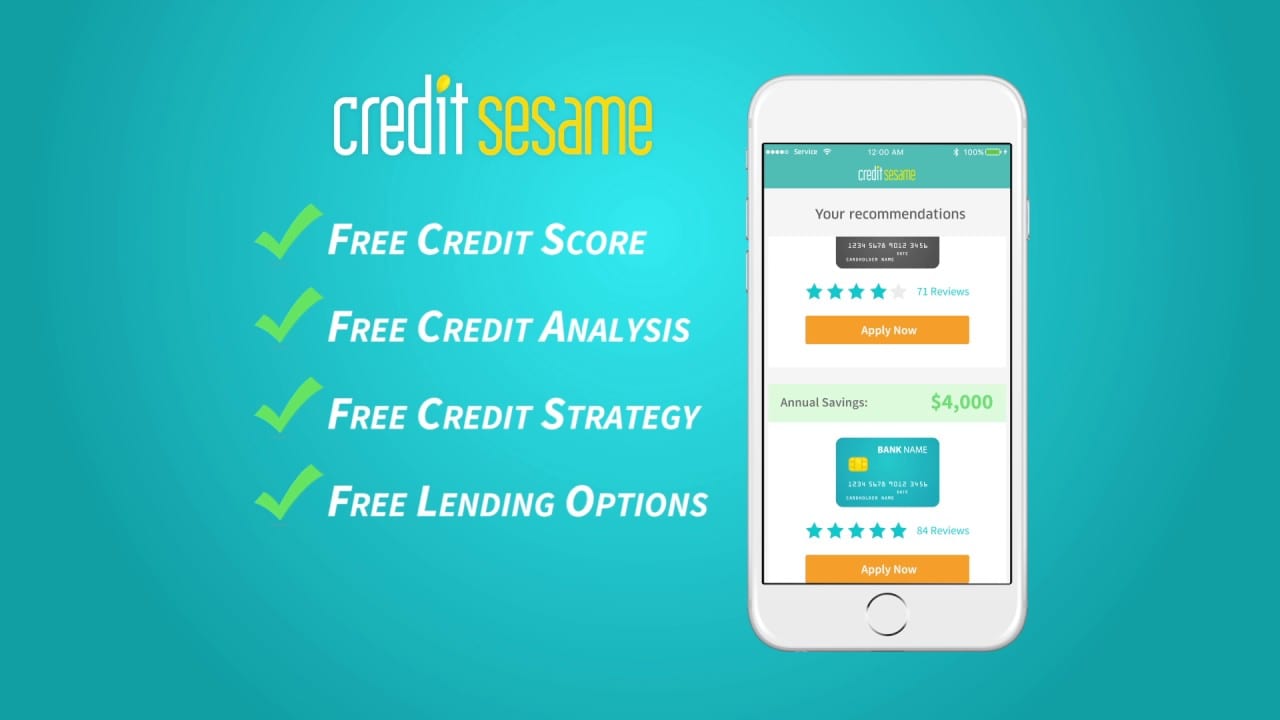
Credit Sesame became popular as they allowed users to check their credit score for free. They have been offering free services since the beginning of the innovation. They also have paid premium services however as a regular consumer, you can relish their services for free.
Product Features
Free credit score, credit report card, and credit monitoring
Find out what is affecting your credit score and how to improve it
Personalized and easy service to avail products based on your credit scores
Safeguard your credit with free credit monitoring and ID theft protection
Protect your identity with $50,000 theft insurance for Free
1 Bureau Credit Monitoring with Alerts for Free
3 Bureau Credit Monitoring with Alerts with Pro Credit & Platinum Protection Plans
Plans
Free Membership Plan
Advance Credit – $9.95/Month
Pro Credit – $15.95/Month
Platinum Protection – $19.95/Month
Pro Credit and Platinum Protection comprise of multiple premium services including 24/7 Live Experts support, Credit Report Inaccuracies, Stolen/Lost Wallet Protection, Black Market Website Monitoring, Public Records Monitoring, and Social Security Number Monitoring.
Wrapping Up
We have reviewed and compared most of the best identity theft protection services in the list to choose from in 2026. If you want to protect your sensitive information such as username, passwords, social security number or credit card information protected, then you must choose one of the best identity theft protection software listed here in this article.
Author Bio:
Dinesh Lakhwani 

Dinesh Lakhwani, the entrepreneurial brain behind “TechCommuters,” achieved big things in the tech world. He started the company to make smart and user-friendly tech solutions. Thanks to his sharp thinking, focus on quality and the motto of never giving up, TechCommuters became a top player in the industry. His commitment to excellence has propelled the company to a leading position in the industry.
Popular Post











Recent Post

How to Upgrade Computer RAM: Complete Guide
Upgrading RAM is one of the simplest ways to improve a computer. It helps the system feel faster and smoother. Apps open quicker. Browsers handle more tabs. Games and tools run with less delay. Many users search for how to upgrade computer RAM because it gives real results without high cost. You do not need […]

How To Clean Your Computer Keyboard: Complete Guide
A computer keyboard is touched more than almost any other device you own. It is used during work, study, gaming, and casual browsing. Fingers carry natural oils, sweat, and dirt. Small food crumbs fall between keys without notice. Dust settles each day slowly. Over time, this creates a hidden layer of grime. Many users do […]

Computer Mouse Buying Guide for Beginners and Advanced Users
Buying a mouse looks easy at first. Many people think all mouse work the same way. Well, that idea often leads to regret later. A mouse affects comfort, speed, and daily work. It matters for office tasks, gaming, design, and study. The right choice reduces strain and improves control. The wrong one feels annoying every […]

How To Overclock a Computer: A Complete Guide
Overclocking is the process of making your computer run faster than its factory settings. It mainly affects the processor, graphics card, and sometimes memory. Many people choose this method to improve performance without buying new hardware. It is popular among gamers, video editors, and users who run heavy software. When done properly, overclocking can give […]
How To Find Password Saved on This Computer: Complete Guide
Many people forget their login details at some point. It happens often. We create many accounts every year. Each one needs a username and a password. Over time, it becomes hard to remember all of them. That is why computers offer ways to store login details. These saved details help users sign in faster. They […]
How To Open/Access Computer Management & Advanced Tips
Every Windows computer has many hidden tools. Most users never see them. They only use basic settings. They change wallpapers. They install apps. They adjust sound and display. That is enough for daily work. But problems still happen. The system slows down. Storage fills up. Errors appear without warning. At this stage, normal settings do […]

How To Transfer Photos From Android Phone To PC/Laptop [2026]
Moving photos from a phone to a computer is something most people need to do often. Phones fill up fast. Photos also matter more than apps. You may want a safe backup. You may want to edit images on a bigger screen. This guide explains how to transfer photos from Android to PC without stress. […]
Top 9 Browsers With Built-In VPN – VPN Browser
Online browsing is no longer private by default. Every website collects data in some form. This includes location details, device information, and browsing habits. Over time, this data builds a clear picture of user behavior. Many people are now uncomfortable with this level of tracking. A VPN browser helps reduce this exposure. It adds a […]

AI In Cyber Security: Who is Winning, Hackers or Security Companies
Cybersecurity once followed clear rules. Companies built firewalls. Users created passwords. Antivirus tools scanned files and removed known threats. When an attack happened, security teams studied it and added new rules. This method worked for many years. It created a sense of control and stability. That sense is gone today. Artificial intelligence has changed how […]

The Biggest AI-Run Cyber Attacks Of All Time
Artificial intelligence is now part of everyday technology. It helps people search faster. It improves medical research. It supports businesses in making better choices. But AI is not used only for good purposes. Cyber criminals have also learned how to use it. This has changed the nature of cyber attacks across the world. In the […]

