15 Best Disk Partition Software for Windows 11 and 10 [2026]

Last updated on December 23rd, 2025 at 4:22 pm
Introduction:
The digital world has grown beyond comprehension in the past two decades. Gone are the days of having a paper trail. Everything you could possibly need is stored on your computer today. Insane amount of data can be fit into hard disks with utmost ease. But just like the filing system needed in the times of paperwork, a proper disk partition manager is required to manage your data on the computer in 2026.
Be it at home or at the office, with the best disk partition software for Windows 11/10/8/7, it becomes easy to create partitions on your hard drive and this in turns lets you proficiently arrange & manage files, folders, applications, and other kinds of data.
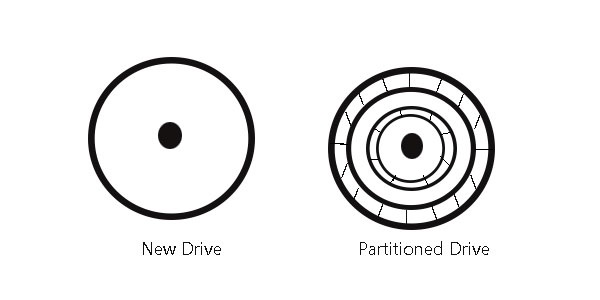
What is disk partitioning?
To set up a filing system or save any data on a hard drive, one needs to create a partition on the drive. Many computers come with a single partition on their drives but the storage devices in general are whole containers of empty unallocated space that needs to be partitioned before put to use. You cannot start writing files on a blank drive.
At least one container or partition with a file system needs to be created first. You can then create twenty partitions if need be but at least one is a necessity. Each of these partitions in your list of 20 can easily be separated from the others and have an independent file system as well. There are plenty of free partition manager software and disk management tools available for Windows 11, 10, 8, 7, and alike.
Why is disk partitioning needed?
Keeping all your data, files, applications and operating system on one partition might end up badly for you if something were to happen to the partition’s index file (the file keeping a list of where all the data is).
Partitioning basically makes your computer treat the sections as separate units. If the operating system and the rest of the data are kept separately on different units, you can easily back up your data (documents, files, music and alike). This would be the case as the backup utility won’t even copy the system, and apps can easily be downloaded again.
So, you will not lose any data in case something happens or you reformat or reinstall Windows. A good disk partition manager will help you achieve your goals with the utmost ease.
How to do disk partitioning?
There are two ways to partition a disk. You can either use the Windows’ Disk Management Tool or get a disk partition software for Windows. It can be a free partition manager or a paid one.
With partition management software programs, you can easily create, delete, shrink, expand, or combine the endless number of partitions on the hard drive and storage devices alike.
Now, let’s look at 15 of the best disk partition software for Windows 11, Windows 10 or below.
Best Disk Partition Software for Windows 11/10/8/7 in 2026
1. EaseUS Partition Master
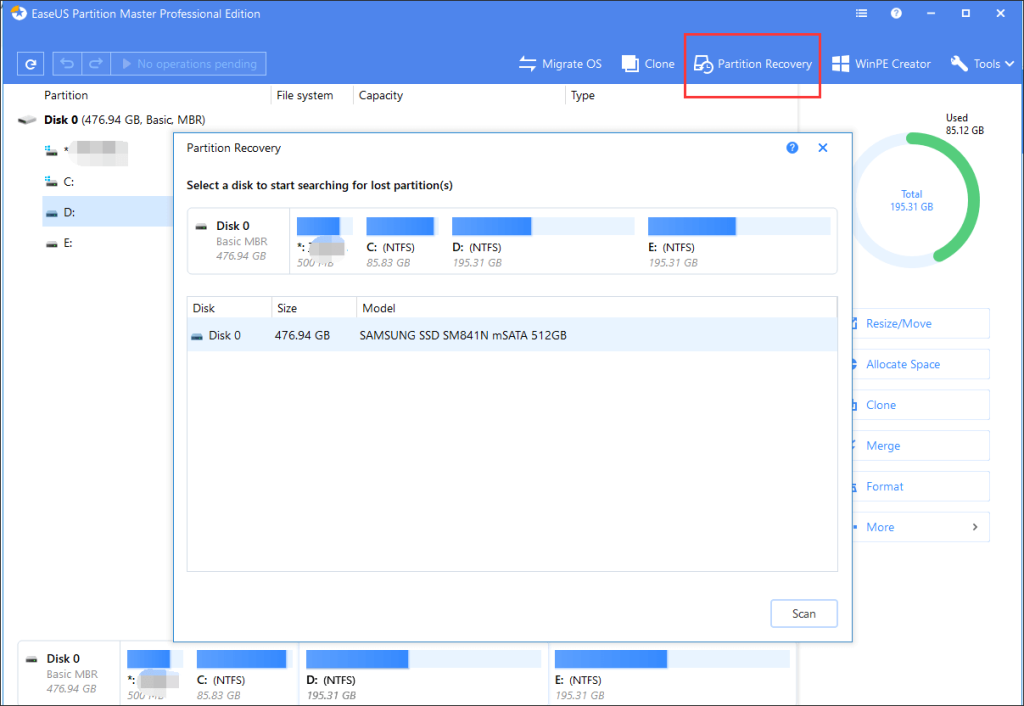
The EaseUS Partition Master can format, copy, resize, move, clone, and manage disk partitions in the most convenient way possible. The software has three main features: Partition Manager, Partition Recovery Wizard and Disk & Partition Copy to solve all kinds of problems. It also supports Hardware RAID, MBR & GPT disks.
Significant Features:
- Supported Unlimited Hard Disk Capacity
- Resize/clone/merge/format/delete
- wipe/check partitions
- WinPE bootable disk
- Partition Recovery
- Migrate OS
- Manage Dynamic Volumes
- Intelligent partition adjustment
- Command Line Supported
- Business Usage
- Supports Windows 11, 10, 8, 7, Vista, XP
2. MiniTool Partition Wizard Pro
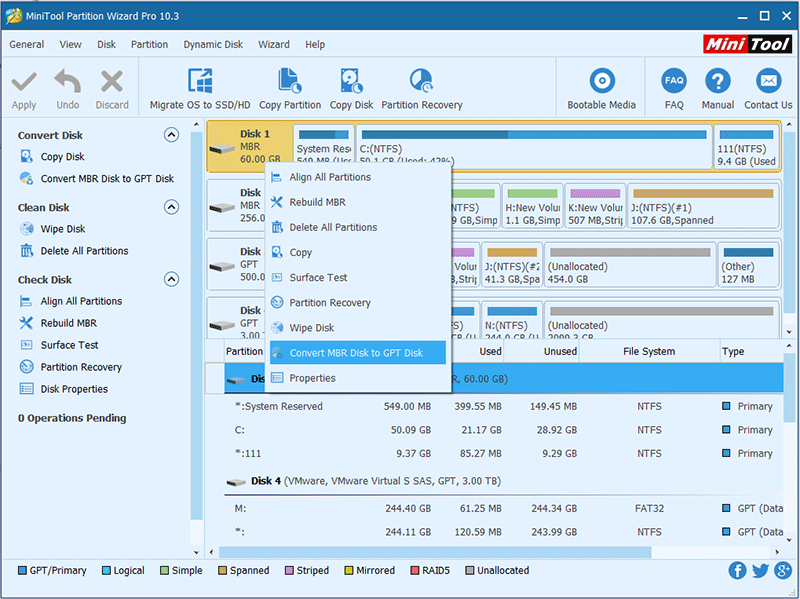
The MiniTool Partition Wizard Pro is an advanced Windows partition manager that is great for disk conversion, system migration and even for data recovery works for basic and dynamic disks alike. The pro version is perfect for professionals and experienced users who want their partitions and conversions to run seamlessly. The supported hardware includes HDD, SSD, SSHD, External Hard drive, USB Flash drive, SD card, Dynamic disk, and Hardware RAID.
Significant Features:
- Migrate OS to SSD
- Convert System Disk from MBR to GPT
- Convert NTFS to FAT
- Convert dynamic to basic disk
- Manage dynamic volume
- Partition recovery
- Data recovery
- WinPE bootable media
- License type 1-PC
3. Paragon Partition Manager
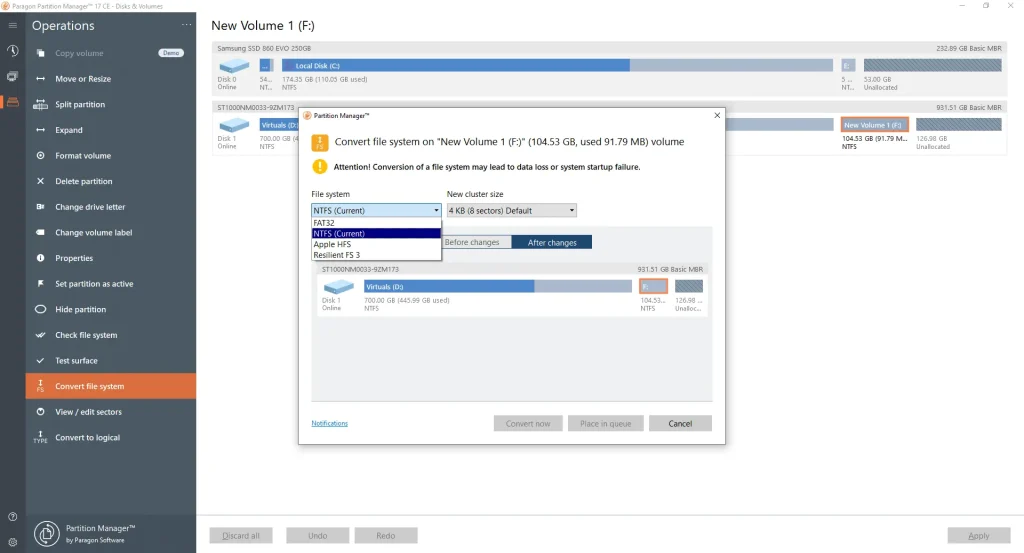
Paragon Partition Manager is the best free disk partition software for Windows that is best suited for those who are looking for an all in one product. The Professional Edition of this software can offer a solution to any virtual problem that may come your way. This is also the only product in the market that will get you partitioning functions for both physical and virtual drives. With the Paragon VD technology, you can work on virtual hard drives as you work on physical ones. It adapts to all current hardware as well.
Significant Features:
- Create partition, format partition, assign drive letter
- Move, resize, delete, split, merge partitions
- Convert dynamic to basic MBR disks
- Boot management and boot corrector3
- Resume operations on major virtual volumes and VD technology
- Supports Windows 11, 10, 8.1, 8 & 7
- Supports MBR, GPT, Windows Storage Spaces, Microsoft Dynamic Disk4 (simple, spanned, striped, mirrored, RAID-5)
4. AOMEI Partition Assistant
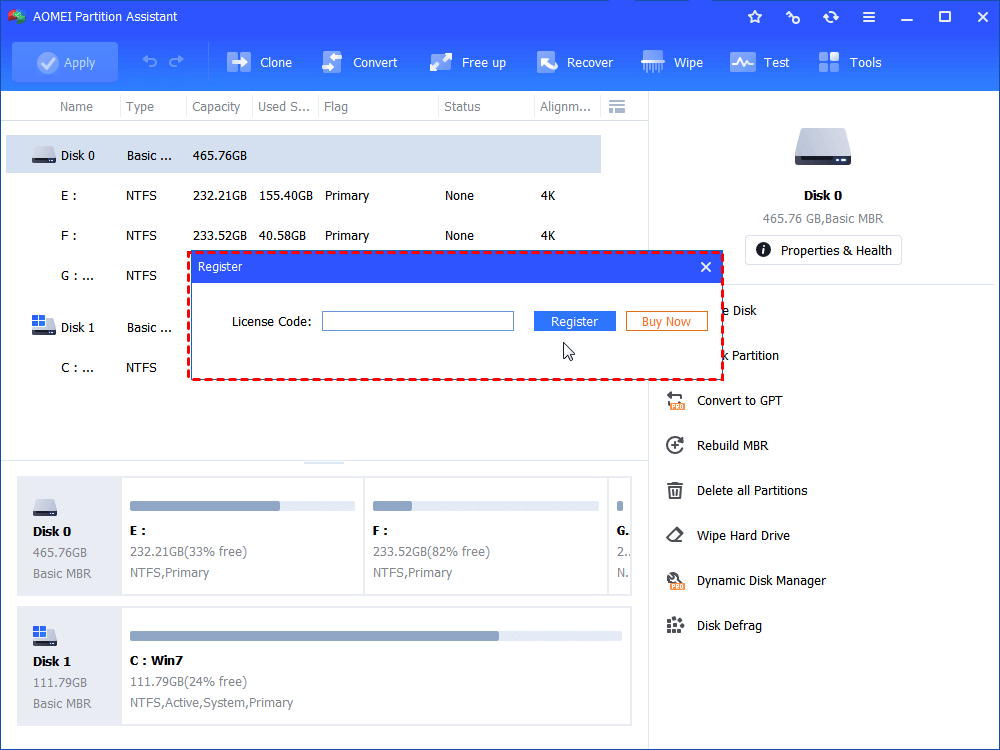
With more than 30 valuable functions, AOMEIN Partition Assistant fulfills the needs of home, business, server users, and enterprise and service providers with the same quality. The most advanced edition of this Windows partition manager gives users lifetime free upgrades. With it, you are provided with profitable technical service for unlimited PCs and servers. You can use this software for unlimited companies and individuals.
Significant Features:
- Resize, Move, Create, Delete, Format, Split, Align and Merge partitions
- Extend Partition Wizard, Disk Copy Wizard, Partition Copy Wizard, Partition Recovery Wizard, Make Bootable CD Wizard
- Migrate OS to SSD or HDD
- Wipe Hard Drive
- Rebuild MBR
- Windows to Go Creator
- Integrate to Recovery Environment
5. Active@ Partition Manager
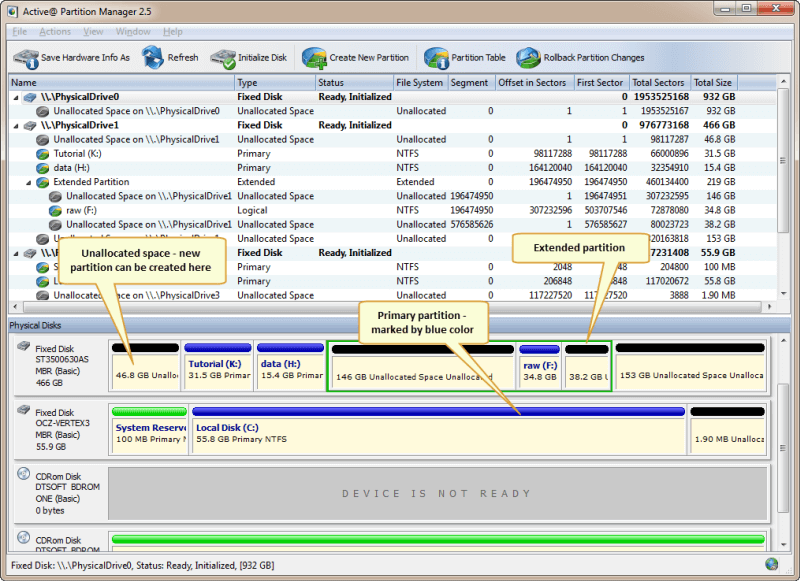
The Active@ Partition Manager deserves to be in the list of best disk partition software not just because of the features it provides but also because it is absolutely free. With this free partition manager software, you can easily create, delete, format and name the partitions on your device without having to shut down the system.
Significant Features:
- Adopted for HiDPI (high resolution displays)
- GPT volume management and formatting
- Intensive GUI
- Restore deleted or damaged partitions
- Recover deleted files or files from deleted or damaged partitions
- Create and open disk images
- Recover data from damaged RAIDs
- Low-level disk editing
6. Tenorshare Partition Manager
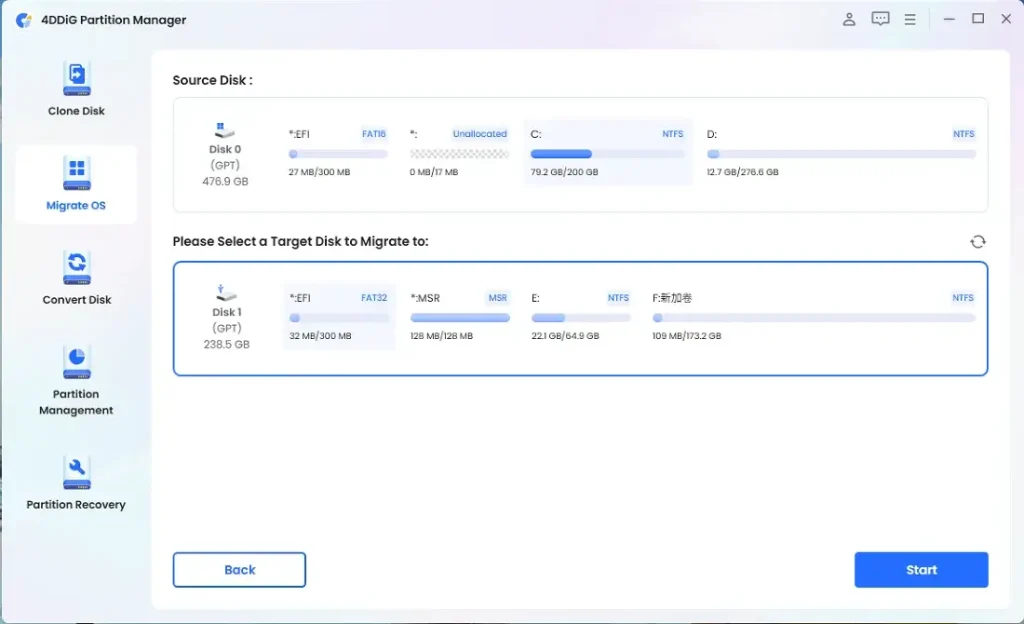
This is yet another great addition to the list of best disk partition software. From optimizing your hard drive and taking control of your disk space from one dashboard, with Tenorshare HDD partition tool, users can simply change partition properties and capabilities (like drive letter or volume label) to make the partitions more recognizable.
Significant Features:
- Compatible with Windows 11, 10, 8, 7, XP, Vista
- Supports external hard drives and USBs
- Conversion between FAT, EXT, NTFS, HFS
- Changes applied virtually post conversion
- Convert from MBR to GPT disk and vice versa without data loss
- HDD interface- SATA, SCSI, SSSD, IEEE and USB 3.0
- Create, delete, format, resize any partition
7. GParted
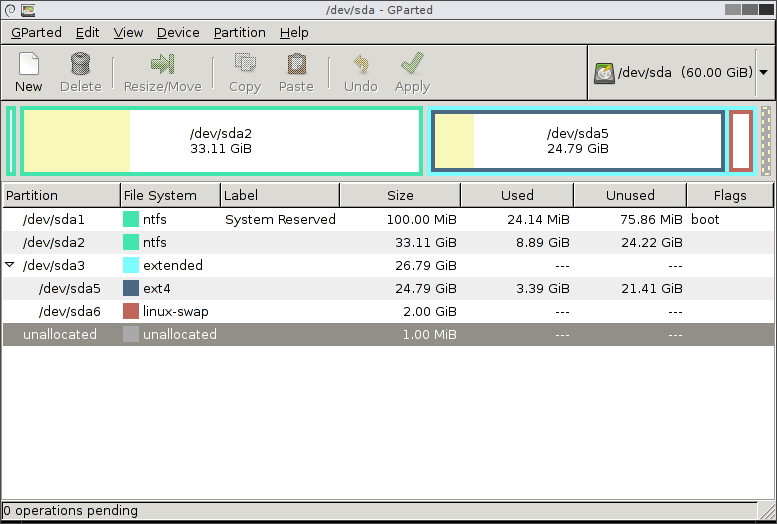
This disk partition software for Windows can be run entirely without an existing OS on the computer. All one needs to do is burn the partition editor onto a CD or USB to run the software. Shut down the system, boot it from the USB drive and you are done. It is that easy.
Significant Features:
- Remove, format, expand, shrink, clone or hide partition
- Changes applied instantly
- Hide partitions easily
- Supports file systems NTFS, EXT, HFS, FAT, F2FS, JFS, XFS
- Change volume level of a drive for easy recognition
- Works with any or no operating system
Also Read: Top 10 Disk Defragmenter for Windows
8. Cute Partition Manager
Cute Partition is an efficient disk management tool for Windows 10 and alike. It can be run remotely without an existing OS. The software has to be installed on a bootable device like a CD or a flash drive first. It is completely text-based which means, it cannot be worked upon with a mouse. It’s all about the keyboard here.
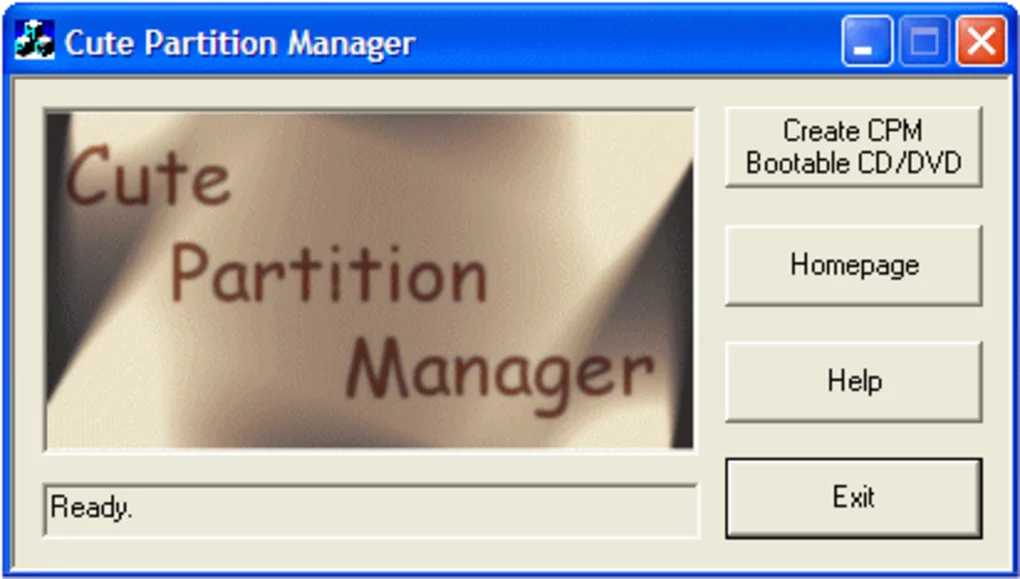
Significant Features:
- Create or delete partitions
- Download size quite small
- Format a drive to any file system
- Changes get queued up first and can be undone easily. Applied upon saving
- Runs on any computer, with or without OS
- Available for free download
9. Macrorit Partition Expert
This disk partition software for Windows is simply neat and hassle-free. With no hidden menus and a list of functions on the side, Macrorit is a decent partition manager. The partition manager doesn’t apply any changes on its own until and unless the user saves the changes with the ‘Commit’ button.
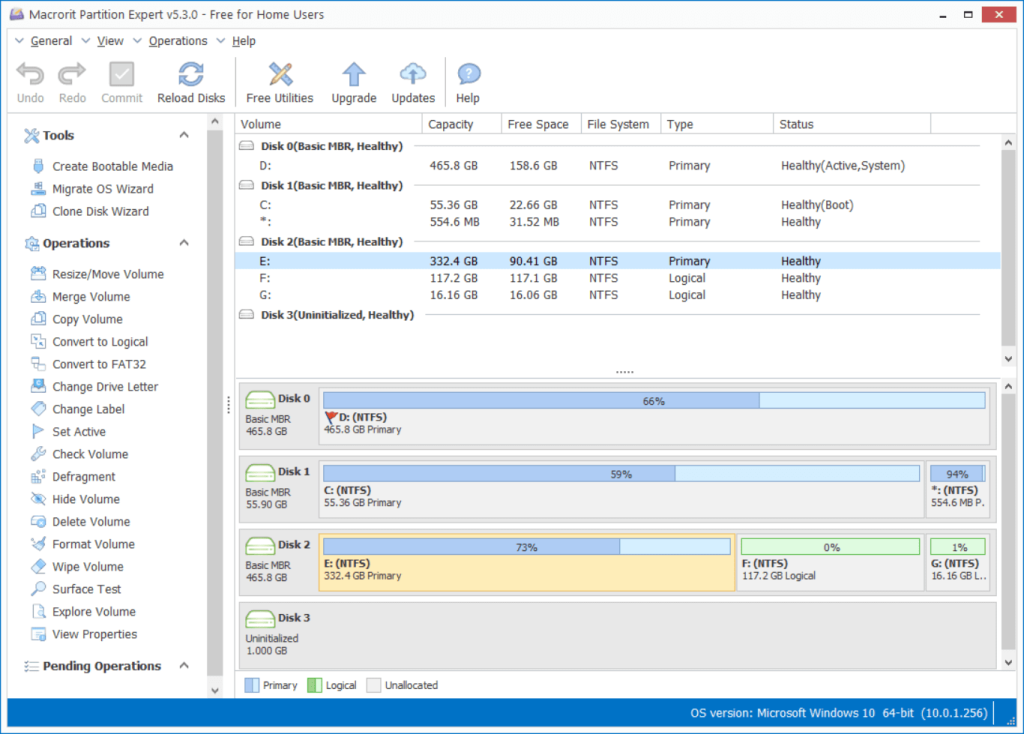
Significant Features:
- Good program interface
- Portable option available
- Resize, remove, copy, delete, and format partitions
- Wipe a volume or change the volume’s label
- Convert between a primary and logical volume, run a surface test
- 4K Alignment
10. IM-Magic Partition Resizer
This free partition manager installs quickly and is user-friendly. The functions are easy to perform and all you have to do is right-click the device you want to make changes in. A real-time update will be reflected to show how the changes would look when applied. Just click ‘Apply Changes’ and you are done.
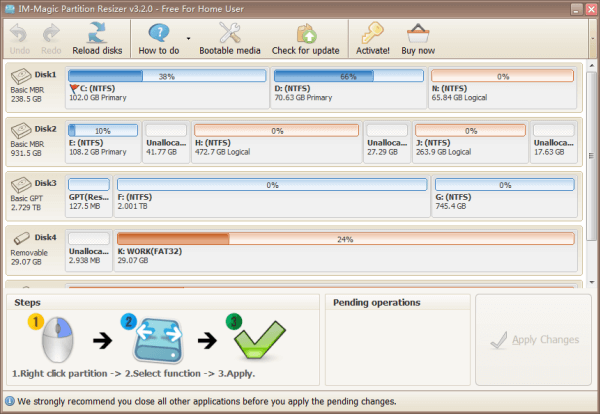
Significant Features:
- Redistribute, copy, resize, move, convert partitions
- Supports Windows 10, 8, 7, XP, Vista
- Support UEFI/EFI boot
- Support MBR disk and GPT disk
- All storage devices recognized by Windows, such as RAID and alike
- Traditional hard disk drives, solid-state drives (SSD), SSHD
11. Macrium Reflect
Macrium Reflect is primarily a disk imaging and cloning tool that can also perform basic partitioning operations. It allows you to resize, move, create, delete, and format partitions. Key features include intuitive wizards, space reclamation capabilities when resizing partitions, and the ability to explore and mount partition images. Its backup and recovery-focused design makes it well-suited for integration with disk partitioning tasks.
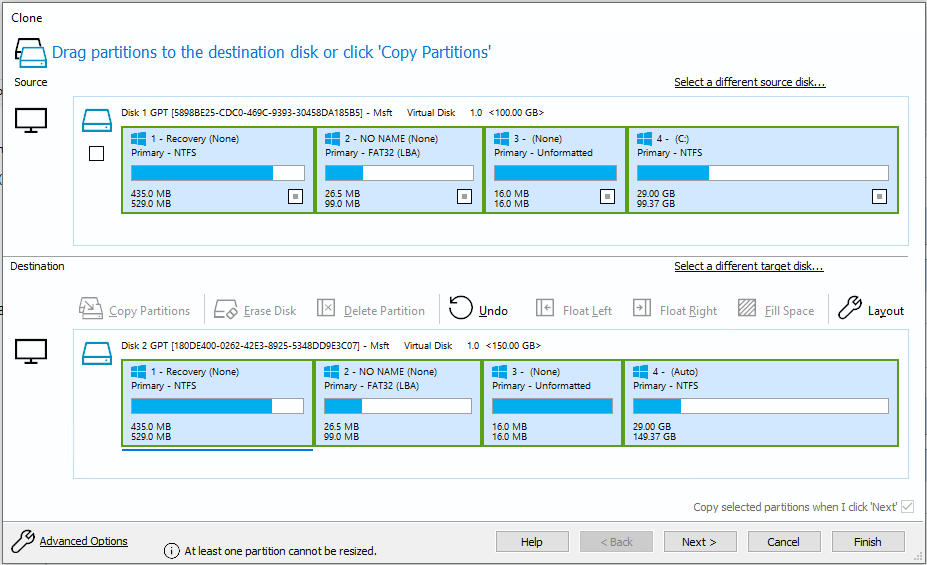
Significant Features:
- Intuitive wizards for easy partitioning operations.
- Resize, move, create, delete, format partitions.
- Explore and mount partition images.
- Integrates with backup and recovery capabilities.
12. Clonezilla
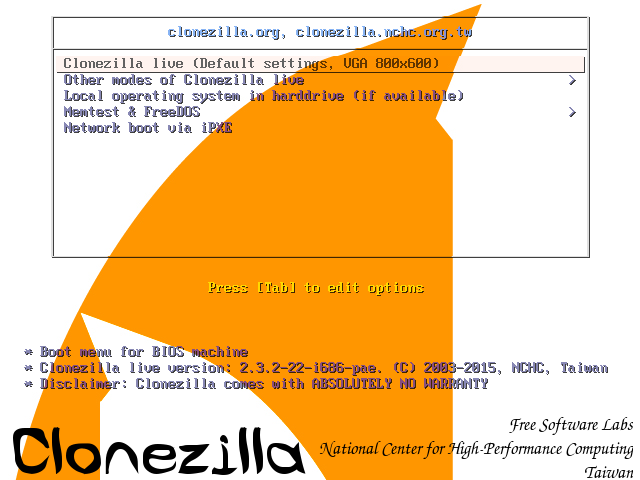
Clonezilla is an open-source disk imaging and cloning tool that can also be used for partition management. It allows partitioning operations like create, delete, format, and resize partitions. Key features include support for a wide number of file systems, the ability to save and restore images over a network, and flexibility to run from a live CD/USB. Its batch mode makes it suitable for automated partitioning tasks.
Significant Features:
- Supports a wide number of file systems.
- Save and restore images over network.
- Flexibility to run from live CD/USB.
- Batch mode for automation.
13. DiskGenius
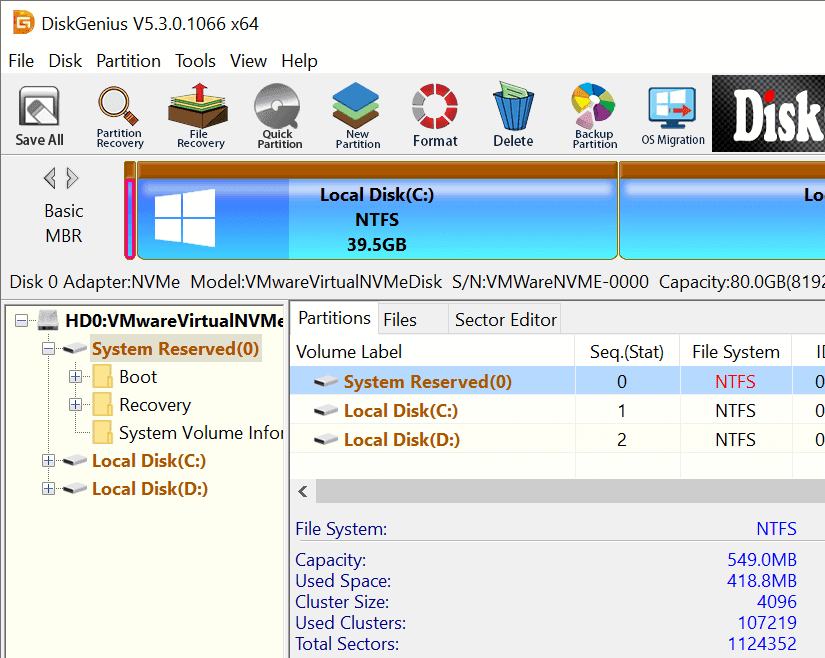
DiskGenius provides an intuitive graphical interface for creating, deleting, formatting, resizing, hiding, unhiding, and exploring partitions. Key features include partition recovery capabilities, support for multiple file systems, batch partition operations, partition encryption, partition backup and restore, and integrated tools like disk clone, wipe disk, disk health, and bootable USB creator.
Significant Features:
- Intuitive graphical interface.
- Partition recovery capabilities.
- Supports multiple file systems.
- Batch partition operations.
- Partition encryption and backup tools.
14. O&O Partition Manager
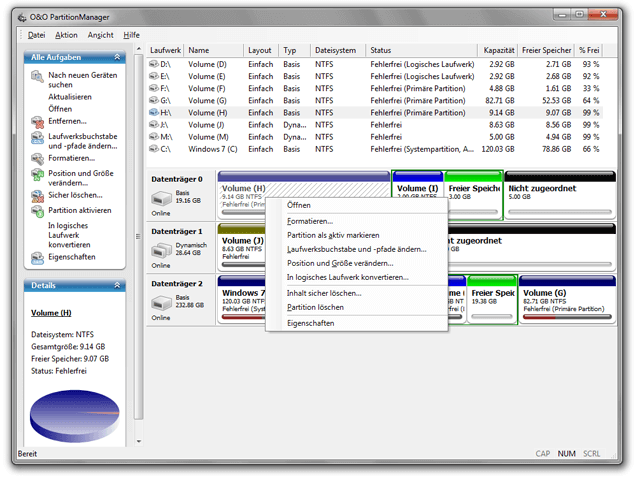
O&O PartitionManager provides extensive features for managing your disk partitions. It allows you to easily resize, move, create, format, delete, split, and merge partitions without data loss. Key features include comprehensive partition management, customizable layouts, partition conversion, boot manager, copy of entire disks or partitions, and integration with O&O DiskImage for backup.
Significant Features:
- Comprehensive partition management.
- Customizable partition layouts.
- Partition conversion capabilities.
- Copy entire disks and partitions.
- Integrates with disk imaging software.
15. Acronis Disk Director
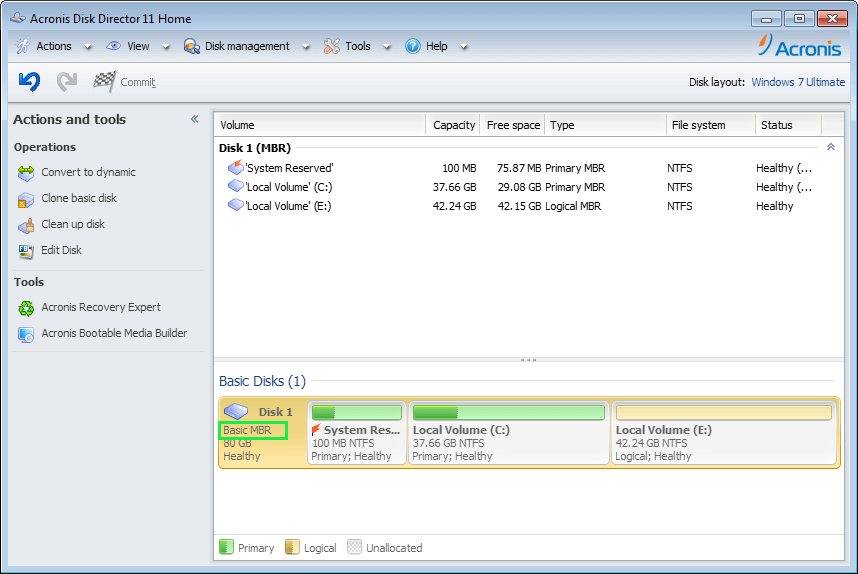
Acronis Disk Director provides an easy-to-use interface for resizing, copying, moving, deleting, formatting partitions and modifying their attributes. Key features include comprehensive partitioning capabilities, the ability to recover lost and deleted partitions, clone entire disks, integrate with Acronis backup tools, bootable media for off-line partitioning, and a command line interface for automation.
Significant Features:
- Easy-to-use interface.
- Resize, copy, move, delete, format partitions.
- Recover lost and deleted partitions.
- Disk cloning capabilities.
- Bootable media for offline partitioning.
- Command line interface available.
Conclusion
The way one needs to organize books, notes, or even recipes, the same way one needs to organize data on a computer. With the best options for Partition Software for Windows 11/10/8/7 in 2026 to choose from, one can never go wrong. But still, pick out the one that suits your needs and budget. There are plenty of freeware software listed too. Get started from there and work your way up. Or just buy the best one. Your data is important and it should be safeguarded and filed with a good disk partition manager.
Choose wisely!
FAQs:
Q: Why do I need disk partition software?
Disk partition software allows you to efficiently organize and manage the space on your hard drive by creating separate partitions. This enables you to run multiple operating systems, logically separate data, optimize drive performance, and securely erase partitions when needed.
Q: What are some key features to look for in partition software?
Key features include the ability to resize, move, create, delete, format, split, and merge partitions without data loss. Also look for an intuitive user interface, partition recovery tools, support for multiple file systems, and extra features like encryption, backup, and disk health checks.
Q: Is disk partitioning risky and can I lose data?
The partitioning process does carry a risk of potential data loss if not done properly. To minimize risks, always backup your data first before partitioning. Opt for a reliable partition manager that provides data recovery abilities, and safety features and allows undoing partitioning operations. Be cautious of operations like resizing and moving the partition with your OS or critical data.
Let us know what you think of our list.
Leave a comment! Let’s talk!
Author Bio:
Dinesh Lakhwani 

Dinesh Lakhwani, the entrepreneurial brain behind “TechCommuters,” achieved big things in the tech world. He started the company to make smart and user-friendly tech solutions. Thanks to his sharp thinking, focus on quality and the motto of never giving up, TechCommuters became a top player in the industry. His commitment to excellence has propelled the company to a leading position in the industry.
Popular Post









Recent Post

10 Best Mac Game Boosters & Optimizers for 2026
Mac has never been a machine to play hardcore games. Mac games have always been on the sophisticated and graphic-rich side. However, to play top-rated games, gamers require a powerful and simple platform, which Apple proudly offers. Therefore, Mac might not be designed to play games, but it can become one with a little tweaking. […]
How to Bypass FRP and Android Screen Lock
Do you have an idea about Google’s Factory Reset Protection feature? Ever encountered the message, “This device was reset. To continue, sign in with a Google account that was previously synced on this device.” I hope you can relate to it, right? Generally, this problem occurs when you are using a second-hand phone or have […]

Unleash Your Inner Gamer: 10 Best PC Games In 2026
Introduction: As the gaming landscape continues to evolve and expand, it’s crucial to stay ahead of the curve and discover the crème de la crème of PC gaming, right? In this blog, we’ve curated a handpicked selection of the 10 best PC games that will redefine your gaming experience. From adrenaline-fueled battles to mind-bending puzzles, […]
Intego Mac Premium Bundle X9 Review
For Mac users, the idea of a security tool is not that common. But looking at the increase in the number of attacks targeting Mac machines, many companies have started offering compact versions of security tools that miss out on the essential features. Looking at this and understanding the pain of Mac users Intego has […]
10 Best Mac Games in 2026: Elevate Your Gaming Experience
Introduction: Over time, the Mac gaming scene has undergone significant evolution. Gaming has become an integral part of our modern lives, offering a multitude of benefits beyond mere entertainment. As technology advances, the significance of gaming has grown exponentially. From heart-pounding action to strategic masterpieces, and indie gems to RPG blockbusters, Mac gaming now offers […]

10 Best GPS Tracker Apps for Android & iOS in 2026
When you have to meet up with your friend, know your teenager’s whereabouts or find your lost or stolen phone, you only need to get GPS tracker apps. The navigation and tracking apps facilitate parents, educational institutions, and friends—in short, help every smartphone phone user to retrieve all devices’ real-time locations. Therefore, today, we are […]

10 Cool Streaming Apps for YouTube To Go Live in 2026
Whether you wish to perform live music concerts, interact with your audience, or share breaking news, YouTube can help you with everything. You just need to activate live streaming on your YouTube channel, and you are ready to go live. However, to stream live on YouTube, you also need a streaming app that can help […]
5 Best Streaming Apps for YouTube for Android in 2026
What is a Streaming App for YouTube? A streaming app for YouTube is a mobile tool that lets you broadcast live videos to YouTube directly from your Android phone. These apps make it easy to share your screen, games, or camera feed with viewers in real-time. You can stream gameplay, tutorials, or any content without […]
10 Best GPU Benchmark Software for Windows 11/10/8/7 in 2026
GPU benchmark software helps you understand how well your graphics card performs under real workloads. For gamers, creators, and everyday users, these tools offer clear scores that reflect rendering power, stability, and overall system balance. In 2026, benchmarking has become more reliable and easier to run, even on older versions of Windows. This guide covers […]

10 Best Xbox 360 Games Of All Time [Updated 2026]
The Xbox 360 has been dominating the gaming world since 2005. It has been one of the remarkable gaming inventions by far. Even after 15 years, Xbox 360 is the first preference of many gamers—simply because some of the ever best games are developed for Xbox 360 devices. Therefore, in this list, we are going […]

