











Imagine this. You spend hours perfecting a video project. You hit save. Then your laptop freezes, reboots, and when the screen comes back. The file is gone. Your stomach sinks. It’s not just you. Lost files happen all the time. A dropped hard drive, a bad update, an accidental delete, or a corrupted partition can […]
10 Best Meditation Apps for Android [Complete Guide]
Are you feeling more anxious lately? Is your focus and productivity degrading?
Then, you need to relax your mind and practice meditation to reduce your stress level. Today, you don’t need to attend a class or visit a professional to practice mindfulness; you just need to download the best meditation apps on your smartphones and relax. We have rounded up the top meditation apps for Android. So, let’s breathe in and out…
10 Best Meditation Apps for Android to Get a Relaxed Mind
Stress and anxiety are two common acronyms of the modern lifestyle. To reduce your stress, increase focus and improve your sleep quality, we have picked the best mindfulness apps for Android users.
1. Serenity
Play Store Rating: 4.9/5
Compatible Android OS: Android 4.1 or higher
Number of Installs: 500,000+
In-app Purchase: Yes
Price: Free with in-app purchases.
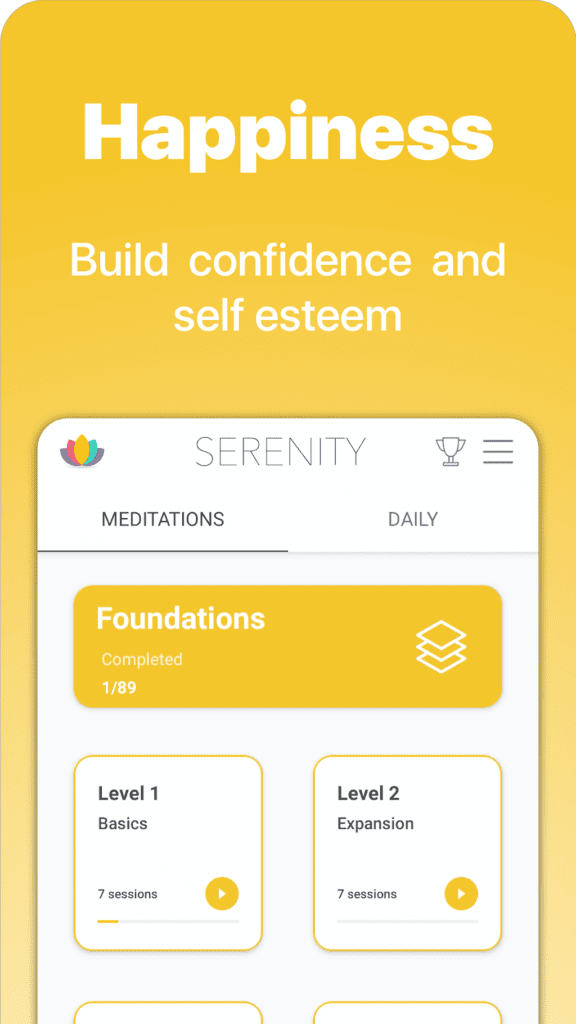
Serenity is a complete meditation and mindfulness guide that teaches you various techniques to stay calm and relaxed. With the best meditation app for Android, you can expand your meditation knowledge with seven-days free courses and multiple different guides. You can learn basic mindfulness, self-improvement, values, and numerous meditation techniques with Serenity. The beginners can deeply understand meditation and mindfulness secrets with 2 hours long audio.
Relaxing Features
- Serenity offers a complete sleep guide, including relaxation techniques, peaceful music, and tranquil sounds.
- The app shares a variety of anxiety and mind-calming techniques and activities.
- You can practice different meditation exercises daily.
- Quick meditation sessions help to stay calm and collected throughout the day.
Pros
- No sign-up or subscription is required.
- Good for beginners.
- Easy to learn meditation.
Cons
- Too many in-app purchases.
- The app often crashes.
2. Let’s Meditate
Play Store Rating: 4.8/5
Compatible Android OS: Android 4.4 or higher
Number of Installs: 1,000,000+
In-app Purchase: Yes
Price: Free with in-app purchases.
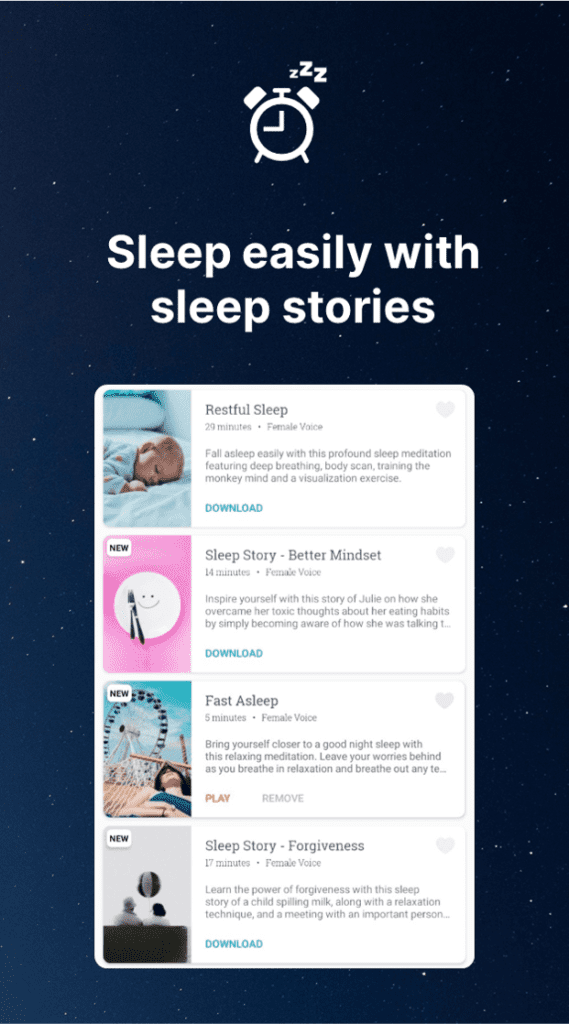
Let’s Meditate is a straightforward mindfulness and meditation app for android users. You can simply download meditation tracks on your device, record your meditation sessions and relax your soul anytime and anywhere. You can recharge within 5 minutes using Let’s Meditate and heal your anxiety, sleep, stress, and other mental disorders. Moreover, the app is free from ads and annoying sign-up popups. It is a simple app to meditate and relax.
Relaxing Features
- You just need to pick a meditation track and start your relaxation journey.
- The app contains a variety of content to treat anxiety, body scan, healing, sleep, and many more.
- From quick 5 minutes meditation sessions to full 40 minutes mindfulness class, you can meditate anytime and anywhere.
- To save your phone’s battery and data usage, you can download meditation tracks and play them offline.
Pros
- No ads or sign-up.
- Clean user interface.
- Downloadable tracks.
Cons
- Slow buffering speed.
- Content quality is poor.
3. Sadhguru
Play Store Rating: 4.8/5
Compatible Android OS: Android 4.4/5
Number of Installs: 100,000+
In-app Purchase: No
Price: Free
You can connect with Isha and Sadhguru through your mobile phone now. Sadhguru is a spiritual meditation app for Android users where they can read the latest articles, listen to podcasts, and watch motivational videos by Sadhguru. You can explore different topics on the app like business success, relationship improvement, stress-free life tips, healthcare, and fitness. The app can also provide direct access to Sadhguru’s daily Mystic Quotes, new yoga lessons, and the weekly Sadhguru Spot.

Relaxing Features
- The app is available in 8 regional languages—Hindi, Tamil, Telugu, Kannada, Malayalam, Marathi, and Gujarati.
- You can receive all the latest Sadhguru content directly on your smartphone.
- There is an array of self-improvement, stress-relieving, and other topics available on the app.
Pros
- It helps to stay up to date with Sadhguru’s schedule and Isha Center events.
- The virtual map for Isha temple visitors.
Cons
- The app only shares Sadhguru and Isha Center-related information.
4. Keep Yoga – Removed From Google Play
Play Store Rating: 4.7/5
Compatible Android OS: Android 4.1 or higher
Number of Installs: 1,000,000+
In-app Purchase: Yes
Price: Free with in-app purchases.
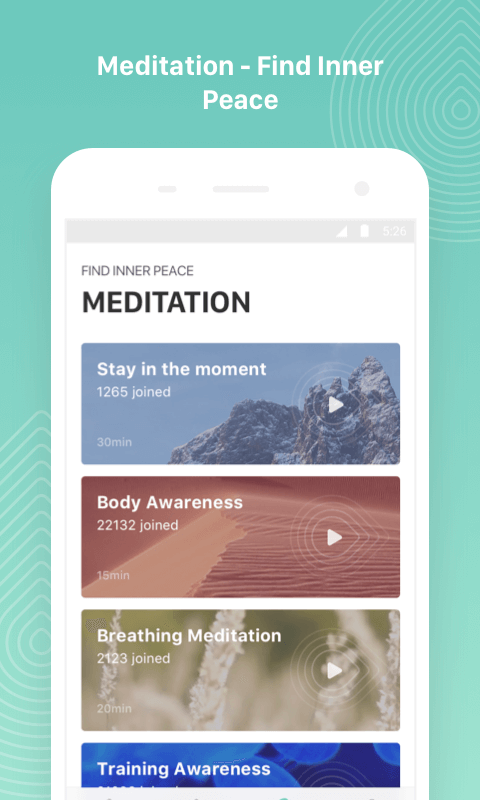
With 400+ asanas, 10+ yoga session plans, and seven meditation courses, the Keep Yoga app can keep your mind and body healthy. You can gain all the yoga benefits with this app, like better immune health, sleep quality, calm mind, body flexibility, and so much more. It doesn’t matter whether you are a beginner or pro-level yogi; you can set your own pace with the app and perform various asanas.
Relaxing Features
- Multiple level yoga lessons are available on Keep Yoga—Beginners, Intermediate and Advanced.
- Using voice guidance, detailed descriptions, and professional video guidance, you can receive personalized yoga training.
- You just have to spend 15 minutes with the app daily to learn how to control your mind and body.
- You can set your personal goals using different filters such as weight loss, mental health improvement, etc.
- Keep Yoga can maintain the log history that you can share with your friends and even check your progress.
Pros
- Easy to set personal goals.
- Complete yoga app.
- Good for beginners.
Cons
- Doesn’t support Android TV.
- Poor UI.
5. Simple Habit
Play Store Rating: 4.7/5
Compatible Android OS: Android 4.4 or higher
Number of Installs: 1,000,000+
In-app Purchase: Yes
Price: Free. Premium access costs $89.99 per year.
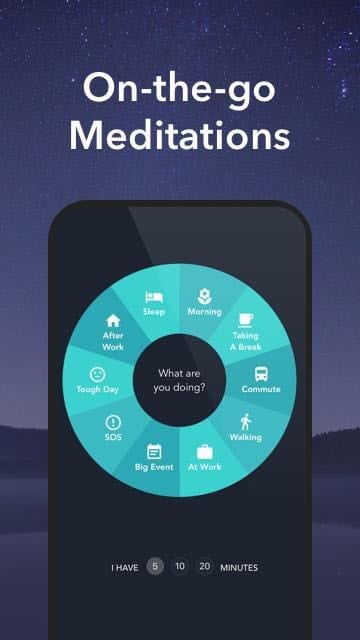
Simple Habit is an award-winning mindfulness app for Android that has received “2018 Google Play Awards Stand Out Well-Being App”, “2018 Google Material Design Awards,” and “2017 Google Play’s Best Apps”. Whether you have 5 minutes or 20 minutes, you can quickly receive wellness and sleep training from renowned psychologists, therapists, and mental health professionals. With Simple Habit, you can improve your sleep quality by practicing various meditation and mindfulness activities.
Relaxing Features
- Quick 5 minutes meditation guides from the professionals to practice anytime and anywhere.
- With Simple Habit’s On-the-Go feature, you can easily calm your anxiety and achieve a sense of mindfulness.
- The Health and Relaxation option allows you to Sleep better, Relieve stress, Manage anxiety and depression and more.
- You can always stay motivated with special inspirational coaching and mindfulness minute tracking.
Pros
- Daily track your mindfulness report.
- Quick meditation sessions.
- Interactive UI.
Cons
- Some usability issues.
6. Headspace
Play Store Rating: 4.6/5
Compatible Android OS: Android 5.0 or higher
Number of Installs: 100,000,000+
In-app Purchase: Yes
Price: Free with in-app purchase. The premium for $12.99 per month.
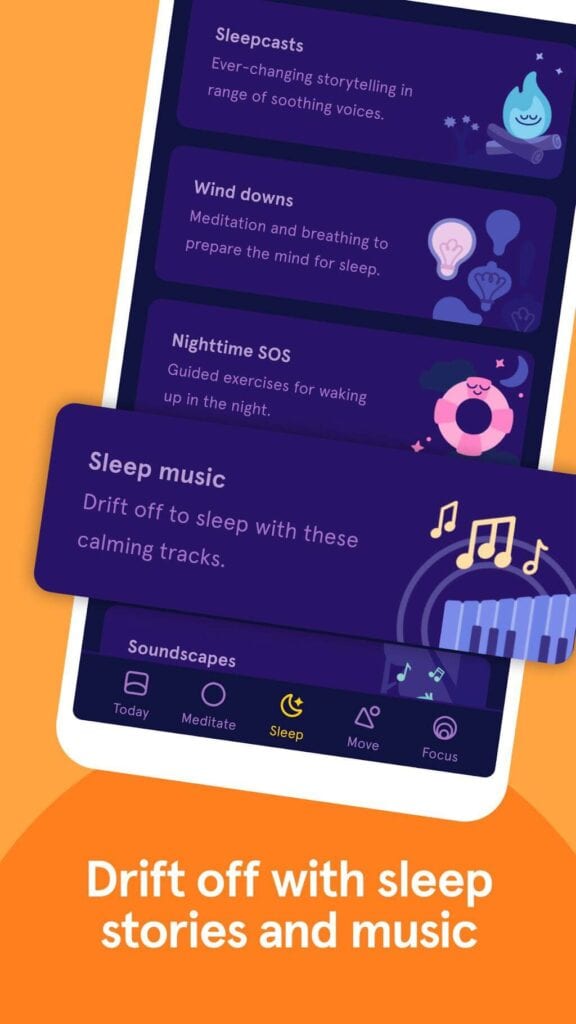
Headspace is a leading mindfulness app for Android. The app contains all the right tools to welcome happiness, stability, and better sleep in your life, such as stress management, anxiety control programs, and numerous masterclasses. Headspace meditation and mindfulness classes are hosted by professionals like Headspace co-founder Andy Puddicombe. You can practice breathing exercises, control your anxiety, and so much more with one tool.
Relaxing Features
- Headspace has courses on a variety of topics such as stress management, pregnancy, coping with cancer, leaving home, restlessness, and more.
- The new focus tab allows you to boost your productivity with soul-soothing music.
- You can release stress and burn calories from home with Move Mode and train with Olympian trainers Kim Glass and Leon Taylor.
- The Wake-Up features can make your mornings happy with inspiring stories and animated videos.
- With Sleepcast, Wind downs, and Sleep music, Headspace can improve your sleep quality.
Pros
- Seven days free trial.
- Hundreds of courses.
- Meditation and workout sessions with experts.
- Numerous productivity-boosting tracks.
Cons
- Slow buffering.
- App crashes while loading long sessions.
7. MyLife Meditation – Removed From Google Play Store
Play Store Rating: 4.5/5
Compatible Android OS: Android 5.0 or higher
Number of Installs: 1,000,000+
In-app Purchase: Yes
Price: Free with in-app purchases. Premium version for $9.99 per month.
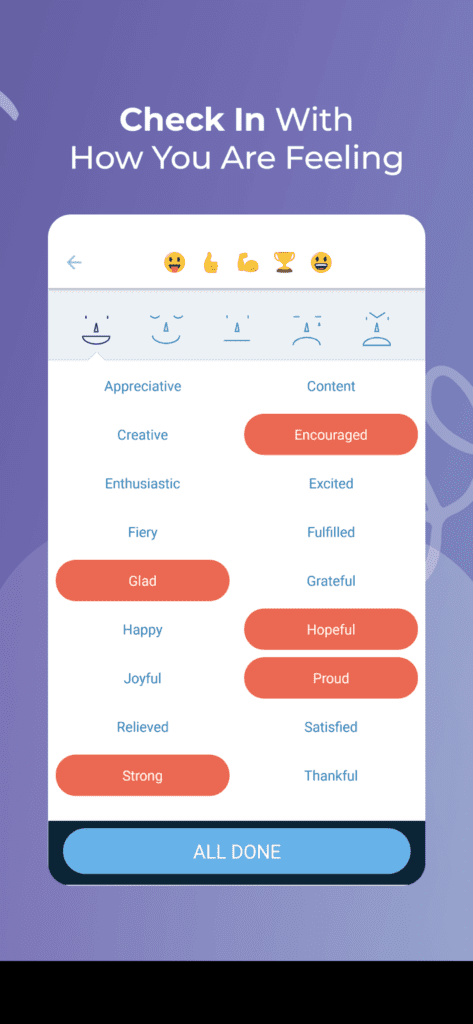
MyLife Meditation is an acclaimed meditation and mindfulness app for Android users to dwell on their feelings. You can develop simple habits, learn to maintain perspective, and better tune your emotions with the app. Whether you are feeling angry, anxious, or sleepless, you can realign your mind and body with numerous relaxation and meditation exercises. With a sleep and relaxation guide, you can give a better shape to your emotions.
Relaxing Features
- Multiple level mindfulness practices to relax your body and mind.
- Track your mental health constantly and journalize your feelings.
- You can learn breathing exercises and count your breaths with a meditation timer.
- With sleep sounds and wind-down series, you can effortlessly improve your sleeping pattern.
Pros
- Great meditation timer.
- Good for anxiety relief.
- Simple to use.
Cons
- The Premium version is very expensive.
- Limited features.
8. Daily Meditation
Play Store Rating: 4.4/5
Compatible Android OS: Android 4.0.3 or higher
Number of Installs: 10,000+
In-app Purchase: Yes
Price: Free
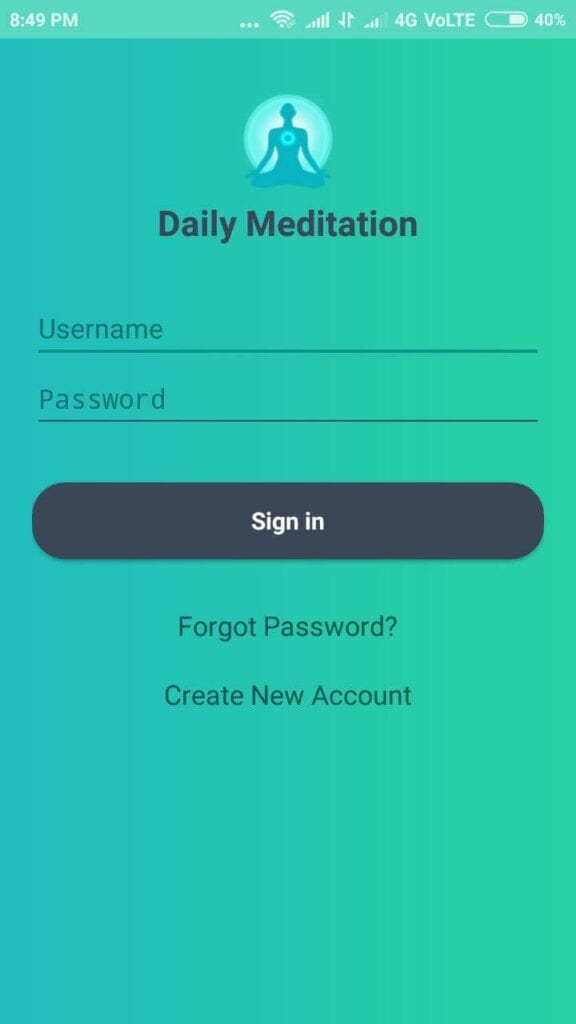
Daily Meditation app preaches lessons of Saint Dr. Gurmeet Ram Rahim Singh Ji Insan. It is a simple meditation app that helps you set a daily meditation schedule and send meditation reminders. You can submit your daily meditation report and analyze your progress with the simple and interactive user interface.
Relaxing Features
- You can submit your daily meditation time and receive reminders to meditate at the same time.
- You can view your today’s meditation report and compare it with previous reports.
- The app lets you connect with other yogis and meditation users worldwide and compare your daily meditation report with them.
Pros
- It is a meditation community.
- Great app for building meditation habits.
- Easy to use.
Cons
- Limited features.
- The app only adds manual meditation minutes.
9. Calm
Play Store Rating: 4.1/5
Compatible Android OS: Varies with device.
Number of Installs: 100,000,000+
In-app Purchase: Yes
Price: Free. Calm Premium for $69.99 per year or lifetime membership for $399.99.
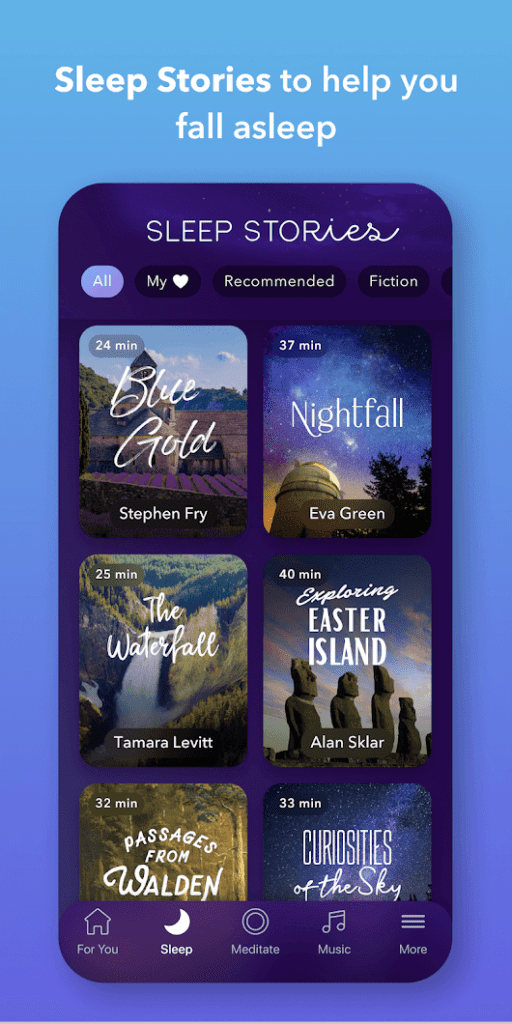
Calm is an Editorial Choice meditation app for Android devices. It helps with meditation, sleep, and relaxation therapies. You can find various sleep stories, breathing exercises, relaxing music, and mindfulness classes by top psychologists, mental health experts, and therapists on Calm. The app offers simple mindfulness activities for beginners along with intermediate and advanced level meditation programs for pro users.
Relaxing Features
- Calm app helps in controlling anxiety, managing stress, improving concentration, full-body scan, and developing better behavior traits among kids.
- The special daily 10 minutes Calm program can ease your day.
- 100+ adult bedtime stories to improve your sleep quality.
- The advanced 7 to 21 days mindfulness program for beginners and advanced users.
- Calm Masterclasses hosted by renowned experts.
- 30+ soothing sounds to use during yoga and meditation sessions.
Pros
- Daily streaks.
- Expert Masterclasses.
- Easy to use.
- Soothing UI.
- Complete mindfulness solution.
Cons
- Too expensive.
- Most of the features are paid.
10. Aware – Remove From Google Play Store
Play Store Rating: 3.5/5
Compatible Android OS: Android 4.1 or higher
Number of Installs: 100,000+
In-app Purchase: Yes
Price: Free with in-app purchases. Subscription starts from $3.99 per month.
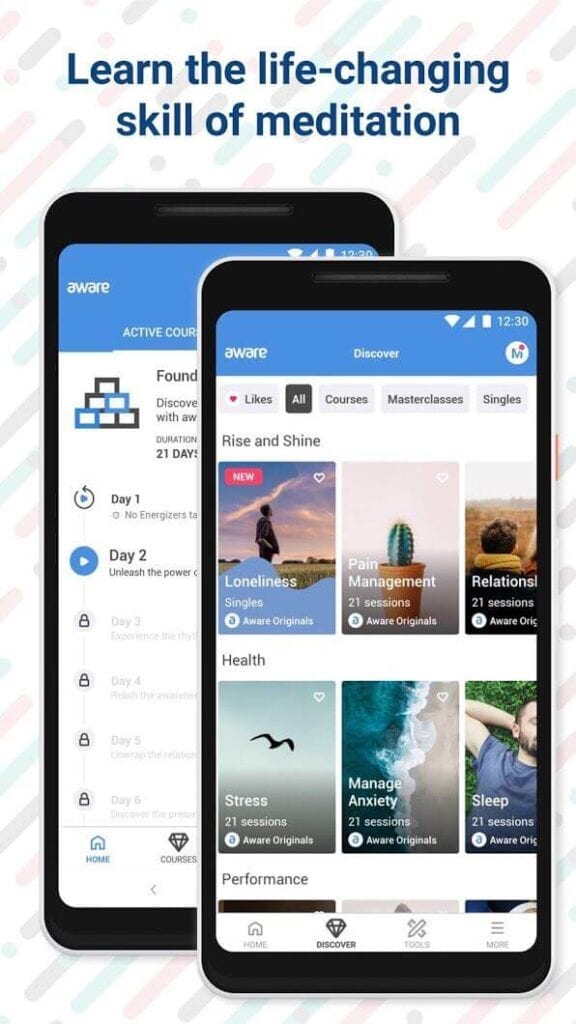
Aware mindfulness app for Android trains your mind and body for a healthier lifestyle within a 21-day Foundation Course. You can relieve stress, sleep better, calm your mind and increase self-esteem with the program. After completing Foundation Course, you can unlock numerous stress, anxiety, focus, sleep, happiness, and other courses. With each course, you will receive a short session called Energisers to calm your mind throughout the day. You will also receive practice exercises after completing each course.
Relaxing Features
- Aware meditation and mindfulness guides are crafted by expert psychologists and mental healthcare professionals.
- You can meditate on different topics, including stress, happiness, and focus.
- It can easily control anxiety attacks with special breathing tools.
- You can daily practice mindfulness with a single session for waking up, sleeping, walking, and more.
- They provide 24*7 personal support and assistance.
Pros
- Special 21 day curated program.
- Quick single one-off meditation sessions.
- Meditation masterclasses and single courses.
Cons
- Login glitches.
- Users have to purchase everything in the free app.
Be Calm!
Whenever your work or personal life stress burdens your mind, just download the best meditation apps for Android and unwind yourself. With the mindfulness apps, you can welcome calmness and serenity in your life. So, go and download the top-rated ten mindfulness apps on your Android devices now!
Dinesh Lakhwani
Author Bio:
Dinesh Lakhwani 

Dinesh Lakhwani, the entrepreneurial brain behind “TechCommuters,” achieved big things in the tech world. He started the company to make smart and user-friendly tech solutions. Thanks to his sharp thinking, focus on quality and the motto of never giving up, TechCommuters became a top player in the industry. His commitment to excellence has propelled the company to a leading position in the industry.
Popular Post
Recent Post

5 Best Data Recovery Software For Windows 11 and Windows 10
A crashed drive can ruin a whole day. One minute your photos, work files, and tax records sit safe on your PC. The next minute they are gone. A power cut, a bad update, or one wrong click can wipe out years of memories and months of work in seconds. That sinking feeling is why […]

How To Update NVIDIA Drivers On Windows 11/10 PC
Learn how to update NVIDIA drivers on Windows 11/10 with simple methods, safety tips, and easy steps for smoother gaming and better PC performance.

Top AI Features Hidden Inside Windows 11
Explore the top AI features in Windows 11, from Copilot to Recall, plus safety tips and simple steps to use each tool the right way.

Customize Your Screen Saver Settings in Windows [Easy Steps]
Learn how to customize screen saver settings in Windows 11 with easy steps, safety tips, and simple tricks to personalize your PC screen.

Driver Easy Windows Driver Updater Tool Review: Tried & Tested
In-depth information about Driver Easy’s functions and features can be found in our review. Learn how to update drivers more easily with this tool for a more seamless computer experience.

Is Avast Driver Updater Worth It? A Hands-On Analysis
A full review of Avast Driver Updater covering features, setup steps, pricing, pros and cons, and real PC results, to help you decide if it is worth buying.

IObit Driver Booster 13 (PRO) Review: [Tried & Tested]
IObit Driver Booster 13 is built for one purpose: keeping your PC drivers up to date. Well, yes! Outdated drivers can cause crashes, slowdowns, and hardware issues. This tool scans fast and updates with one click. The interface is simple. Even beginners can use it without confusion. Updates are pulled from a huge database, covering […]

Auslogics Driver Updater: A Detailed Walkthrough [2026]
This comprehensive review covers the key features, pros, and cons, pricing, and a final verdict on Auslogics’ driver update utility. Learn how it stacks up against manual driver maintenance.

5 Best Driver Updater Tools for Windows to Use (Free and Paid)
Introduction: Most people blame their PC for problems that a driver caused. A driver works like a bridge between your hardware and your operating system. When this bridge cracks, strange things start to happen. Screens flicker without reason. Printers go silent mid-task. Games freeze or crash out of nowhere. Manually finding the right driver is […]

