












Read my honest Wise Duplicate Finder review. See features, pricing, pros and cons, and real PC test results. Find out if this free duplicate cleaner can free up your Windows storage.
Shells – Your Personal Workspace on Cloud
The concept of cloud computing, virtual machines is not new, yet Shell’s new entry in this market is gaining a lot of attention. Using this virtual desktop environment, driven by a cloud computer you can access data from anywhere, anytime. But what makes it different from others in the market?
To know more and get an answer read further. In this post today we will do an in-depth review of Shells – virtual desktop cloud computers.
Why Shells?
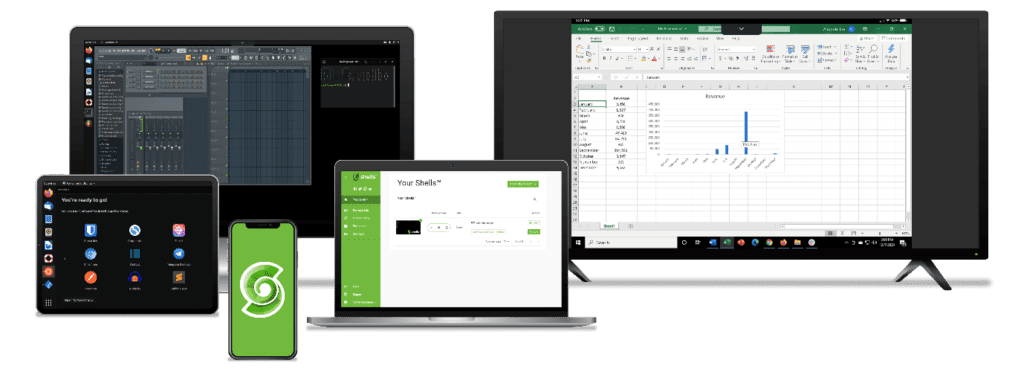
Unlike other cloud platforms, Shells give users the freedom to code and create anything on a web-enabled device. It is easy to use and customizable. Moreover, with Shells in just a few minutes anyone can make their own virtual cloud computer.
Also, the company offers a solution compatible with Windows, iOS, Oculus, Chrome, and more.
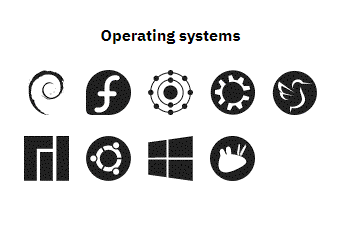
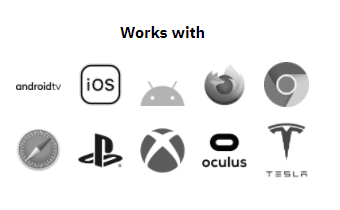
This means you can turn any screen into a fully functioning computer. Not only this, with Shells you can give a new life to a dying system.
How Shells Make This possible?
Shells the US-based startup to send processing power to your devices operating on actual computers with Intel processors and top-of-the-line components. This means when the Shell account is accessed by the user, they see the computer screen being hosted in the cloud.
Also, Shells is regularly updated to ensure speed and security.
Moreover, it works around the clock. This means regardless of the time zone or country you are accessing the data from you can compile large jobs and finish them on time. Shells also let you take snapshots, allowing the user to revert to older times and dates.
Note: These snapshots only lasts for 7 days
Highlights
- Allows downloading, storing, and editing files on any device.
- Helps access Excel, PC-games, and other applications on any device or operating system.
- Shells automatically backs up data and encrypt it to keep it safe from attacks.
- Transform an old device with Shells.
Benefits of Using Shells
Complete Desktop Control – As discussed Shells is an Intel-powered cloud computing. This means you will never miss your desktop machine or any notifications. This virtual desktop environment will give full control over everything.
Run Desktop Applications – Run all the desktop applications on cloud restriction-free and enjoy photos editing, word editing, and a lot more.
Multi-Tasking – Be a multi-tasker and access any app from anywhere on any device. There are no rules or restrictions, you can run anything and everything you want.
Security and Privacy – Shells uses end-to-end encryption to secure data and protects the physical device from malware and virus attacks. However, we suggest keeping personal cloud computer safe with software to prevent malicious attacks.
Helps Save Money – Shells allow using any system as a modern-day cloud. This means even if you have an old machine you can use it to connect with Shells and then can access data from any device. You can also play games, watch movies and resume work without being in front of the same machine.
Instant Data Access – Shells is a desktop as a service (DaaS) that provides a virtual desktop environment by cloud computers. This means you have your cloud desktop started in minutes.
Easy Team Collaboration – When using Shells since everything is sync on the cloud, team collaboration becomes easy. This comes in handy when a team needs to work on a project and increase productivity. The best part about using Shells is even without being physically together the team is digitally connected and can collaborate from any part of the world easily.
Work-Life Balance – Working from anywhere gives you comfort and peace of mind. Of course, you won’t be able to enjoy places while working yet will be able to work in a different environment.
Decreased Carbon Emission – Shells are also environmentally friendly; this virtual desktop will eliminate tons of gas emission devices that will help the planet breathe.
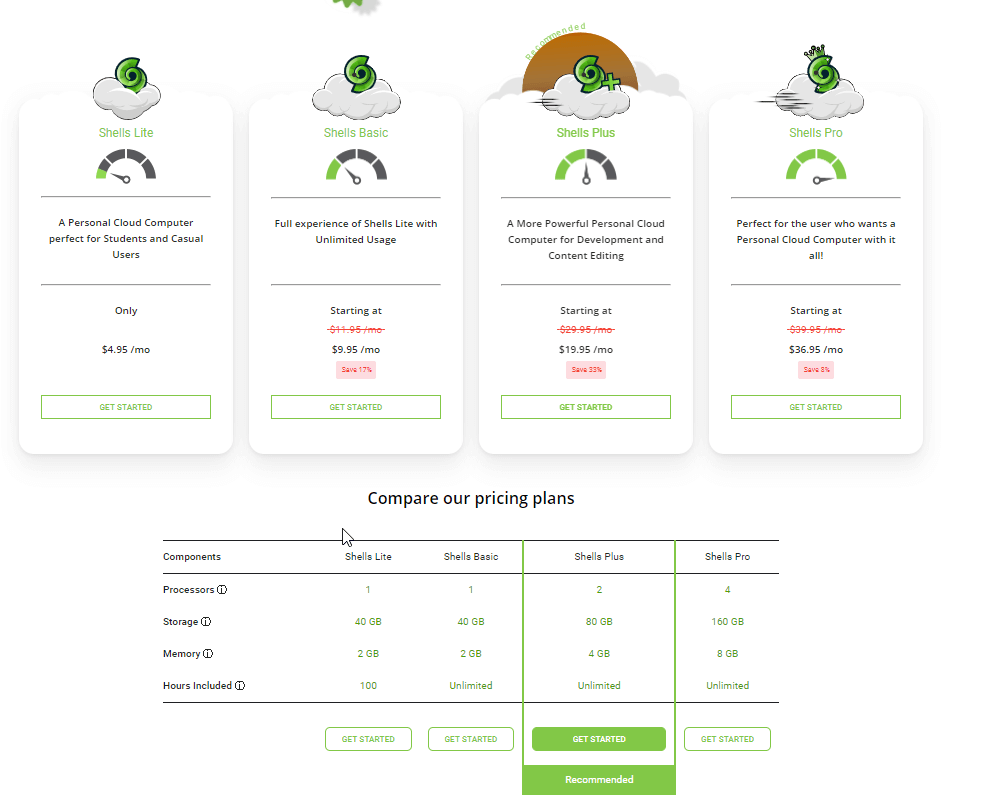
Pricing – To make this cloud solution accessible by all, Shells offer different plans, you can pick any based on your needs. Also, it comes with a risk-free 7-day money-back guarantee. But trust me once you use Shells you will never want to go back to old methods.
What can you do with Shells?
Shells can be used by everyone including students, professionals, businesses, developers, and more.
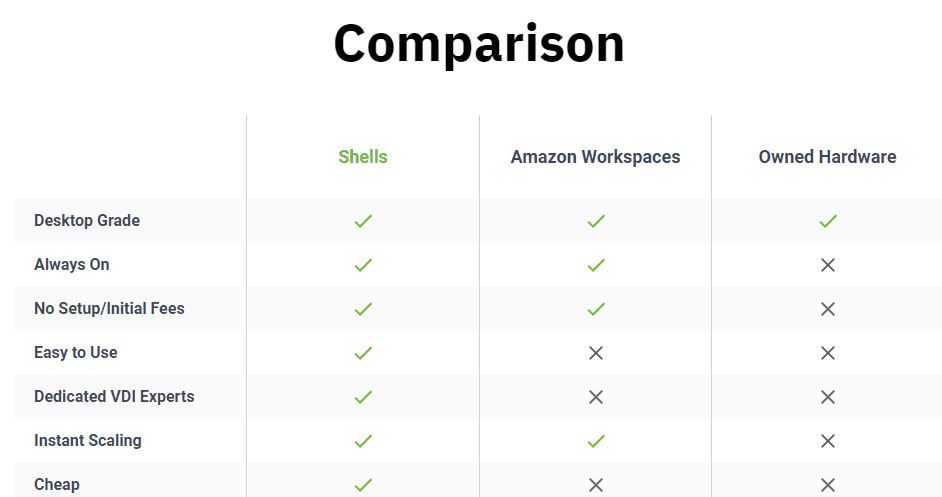
Development – As Shells use Cloud Integrated Development Environment (IDE) developers can code, test and deploy a full desktop environment with any device. Also, a device that is web-enabled, be it a Tablet, iPhone, Smart TV, or anything that can be connected to Shells, means there’s no need to carry the laptop wherever you go. Furthermore, Shells provide a terminal with different tools that helps maintain workflow, test and deploy from one place.
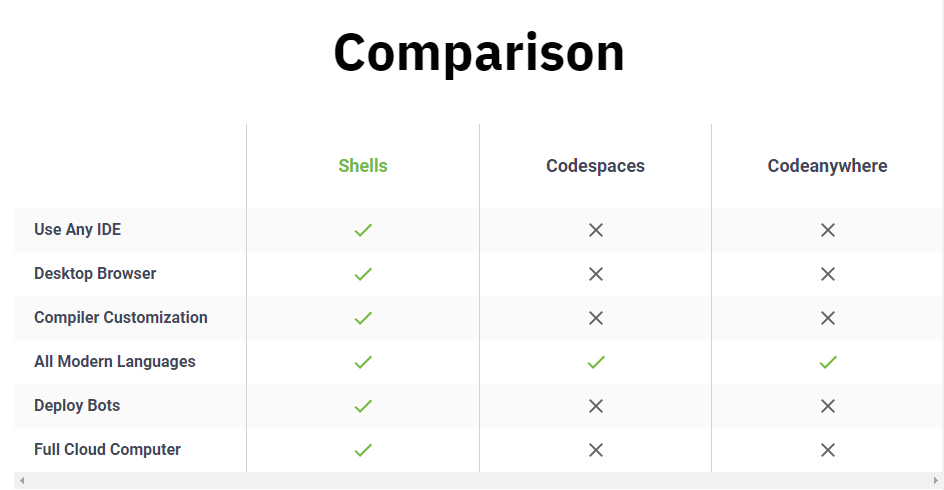
Audio Editing – Professional audio editing applications like FL Studio, Mixxx, Audacity, and more can be used with Shells. This gives a complete Digital Audio Workstation (DAW) in the cloud. Using it you can compose music, produce songs, edit, mix any music. Moreover, can convert to any file format without installing a separate program.
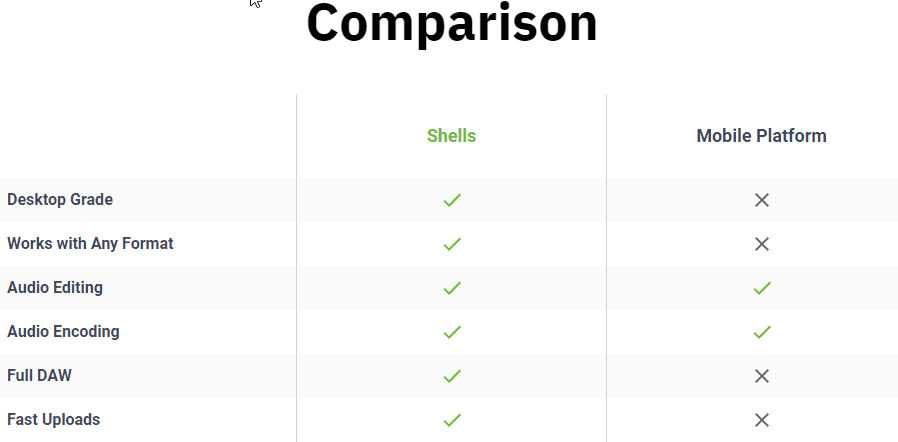
Enhance Remote Workforce – Since Shells offer Virtual Desktop Infrastructure you can reduce the hardware cost and get started with things. Also, it allows employees to “bring your own device” (BYOD) to avoid any policy breaches. Moreover, Shells is capable of scaling instantly from 0-100 machines and collaborates at a light speed.
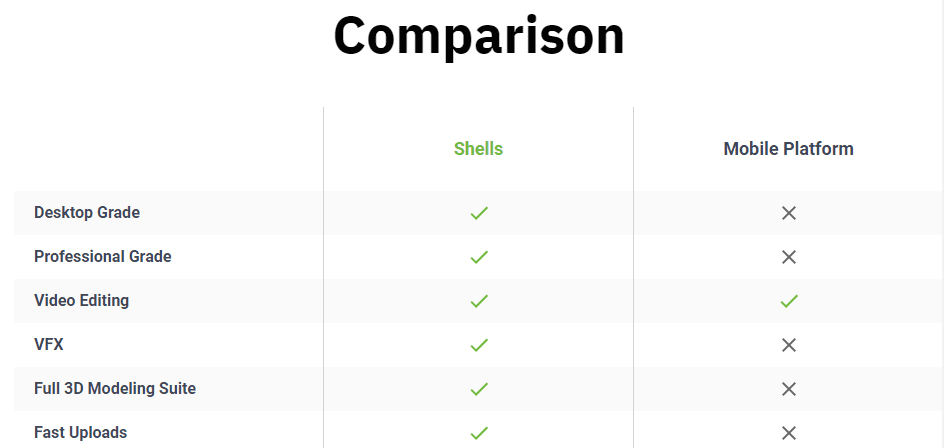
Video Editing – Get access to powerful video editing tools and render videos with real-time previews. Also, you can create, edit and transform your sculpted masterpiece all with the same software. You can also use the same tools for production and add effects to videos.
How to Use Shells?
Using Shells is very easy, you just need to buy the plan of your choice, connect the device and that is it.
Once you have your device over there, you can access all your documents, photos, videos, and more.
Wrap Up
So, this is the comprehensive review on Shells the virtual desktop platform that you can use to create documents, presentations, edit video, music, and more. Using this amazing cloud-integrated environment, you can code, test, and deploy. Also, it allows skipping dual booting and helps access web-enabled devices or apps from anywhere. The best part about Shells is that there is no hidden pricing or add-ons. The apps come with monthly and yearly pricing and give you a server, bandwidth, IP, and backups without any additional cost.
Overall, it is a great tool to collaborate, increase productivity and work remotely without paying anything extra.
Author Bio:
Dinesh Lakhwani 

Dinesh Lakhwani, the entrepreneurial brain behind “TechCommuters,” achieved big things in the tech world. He started the company to make smart and user-friendly tech solutions. Thanks to his sharp thinking, focus on quality and the motto of never giving up, TechCommuters became a top player in the industry. His commitment to excellence has propelled the company to a leading position in the industry.
Popular Post
Recent Post

How to Recover Deleted Files from Pen drive, USB Drive, SD Card
Introduction: On tech forums, you’ll often see posts like this: “I connected my pen drive to my laptop this morning, but the folder was empty. All my college project files had vanished. I don’t have a backup. Can someone help me?” Stories like this are very common. Pen drives, USB drives and SD cards are […]

How To Recover Files Deleted from the Recycle Bin [Windows 11]
Losing a file can happen in seconds. You clear your desktop, hit Delete, and empty the Recycle Bin. Then, just when you need that file again, it seems to have vanished. This guide will walk you through ways to restore files removed from the Recycle Bin. We will begin with simple fixes, then look at […]

Disk Drill Data Recovery Tool Explained: Full Review and Guide
It happens in a split second. You delete a folder by mistake. Your drive stops showing up. A photo album from your last trip just vanishes. And your stomach drops. Lost files feel personal. They are not just data. They are memories, work hours, and sometimes years of effort packed into a few gigabytes. When […]

Recover Deleted Files In Windows 11 With Software & Without
Introduction What is the first thing that goes through your mind the second an important file vanishes from a Windows 11 PC? For most people, it is a mix of panic and disbelief, followed by a frantic click through every folder that file could possibly be hiding in. It happens in a split second: one […]

EaseUS Data Recovery Wizard: Everything To Know
Data loss does not always come from a big disaster either. Most cases start small and boring. A drive gets formatted by mistake. A laptop freezes mid-save and restarts on its own. A memory card stops showing up after being pulled out too fast. None of these feel like emergencies at first, until you realize […]

Recuva Data Recovery Tool: Is it Actually Worth it?
When I first tried Recuva Data Recovery, I wanted to see if it could really bring back lost files. The tool is free, small in size, and promises quick recovery, which made me curious enough to test it on my own PC. The setup was fast, and the wizard guided me step by step. I […]

GetData Recover My Files Data Recovery Tool: Honest Review
A hard drive error brings a special kind of silence. Well, yes! The screen freezes, then a message appears saying the drive can’t be found or must be formatted. In that moment, years of photos and work files feel at risk. It never happens at a good time. Coffee spills near a laptop, a memory […]

Windows File Recovery: A Complete Review [Tried & Tested]
Imagine this. You spend hours perfecting a video project. You hit save. Then your laptop freezes, reboots, and when the screen comes back. The file is gone. Your stomach sinks. It’s not just you. Lost files happen all the time. A dropped hard drive, a bad update, an accidental delete, or a corrupted partition can […]

5 Best Data Recovery Software For Windows 11 and Windows 10
Introduction: A crashed drive can ruin a whole day. One minute your photos, work files, and tax records sit safe on your PC. The next minute they are gone. A power cut, a bad update, or one wrong click can wipe out years of memories and months of work in seconds. That sinking feeling is […]

