












Read my honest Wise Duplicate Finder review. See features, pricing, pros and cons, and real PC test results. Find out if this free duplicate cleaner can free up your Windows storage.
10 Best Duplicate Photos Remover for iOS Users
Usually, when you experience a beautiful family moment or a candid scene, you immediately use your iPhone to click countless photos to capture a perfect one. However, when you take multiple high-resolution shots from your fantastic iOS camera, it is going to clog your device’s memory and eventually slows down its speed. On the top, you don’t have time to delete duplicate photos on your iPhone!
If you are going through the same problem, you gotta open the App Store on your iPhone and search for the best duplicate photos remover apps. The search will confuse you further with a herd of powerful and robust duplicate photos finder app options!
10 Duplicate Photos Cleaner Apps — Easily Sort your Photo Gallery
The process to delete photos on iPhone one by one is super time consuming and boring. Thus, based on ranking, popularity, and real users’ feedback, we have created a narrow list of the best ten duplicate photos finder for iOS.
1. BeatleCam Gallery Cleaner
App Store Rating – 5/5
Compatible iOS – iOS 8.1
In-app Purchases – No
Multilingual Support – Yes, 21 Languages
Price – $3.99
BeetleCam Gallery Cleaner is a smart tool to automatically detect unwanted photos from your iPhone and iCloud. According to the development company, users have a saved 1.83 GB of space on their devices. If you have clicked photos in burst mode and then retouched them, BeetleCam can even then identify modified photos and list them in groups. It is a charming app for people who often end up with full iPhone memory.
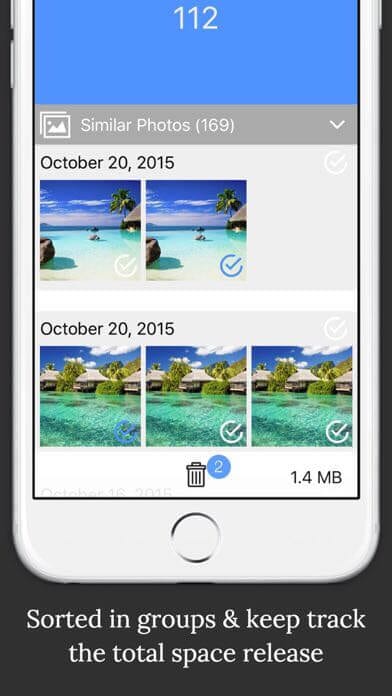
Captative Features
- It can scan photos captured in burst mode and help you select the perfect click.
- BeetleCam cleanup process is super fast; it can swiftly analyze and compare a large number of photos within a fraction of seconds.
- The app will send you weekly cleanup notifications so you can always keep your phone storage clean.
Pros
- Simple scanning system.
- Fast scanning process.
Cons
- Not free.
- The app isn’t often updated.
2. Slidebox
App Store Rating – 4.8/5
Compatible iOS – iOS 9.0 or higher
In-app Purchases – Yes
Multilingual Support – Yes
Price – Free with upgrade option worth $49.99/year.
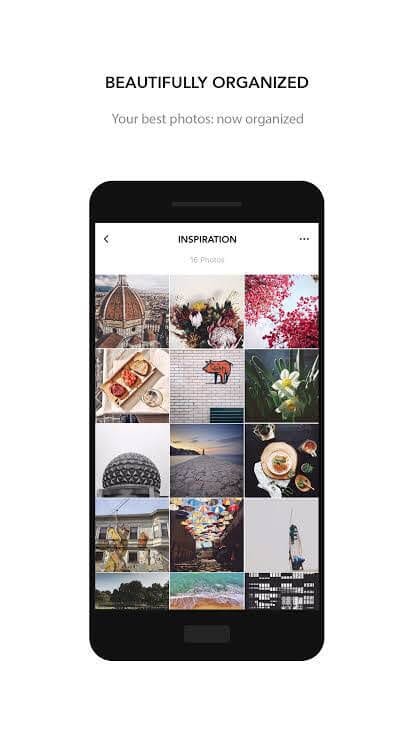
Whether your iPhone is stuffed with your travel photos or your spontaneous inspirational notes, you can organize all kinds of content with Slidebox. With simple gestures, you can easily manage photos and screenshots stored on your Apple device. The app directly interacts with third-party photo apps—providing a seamless interface to delete photos from iPhone or iCloud.
Captative Features
- With a swipe of your finger, you can delete unwanted photos from your iPhone.
- A single tap can organize your photo albums.
- You can swipe back and forth to compare similar photos.
- You can mark your special photos as your Favourites.
Pros
- Simple to use.
- GIF support.
- Easily undo the last action.
- Print to Walgreens (in some US cities)
Cons
- Too many in-app purchases.
- Expensive yearly subscription.
3. Ducl Duplicate Photo Cleaner
App Store Rating – 4.8/5
Compatible iOS – iOS 9.0 or higher
In-app Purchases – Yes
Multilingual Support – No
Price – Free with multiple in-app purchase options.
Ducl duplicate photos cleaner can help you scan your selfies, screenshots, and all other types of photos and find similarities between them. Once you have scanned all the duplicate photos, you can delete unnecessary photos from your gallery and free up sufficient space in your device. Ducl is one of the most appreciated and top-rated duplicate photos finder and cleaner apps that you can find on the App Store, and we approve it as well.
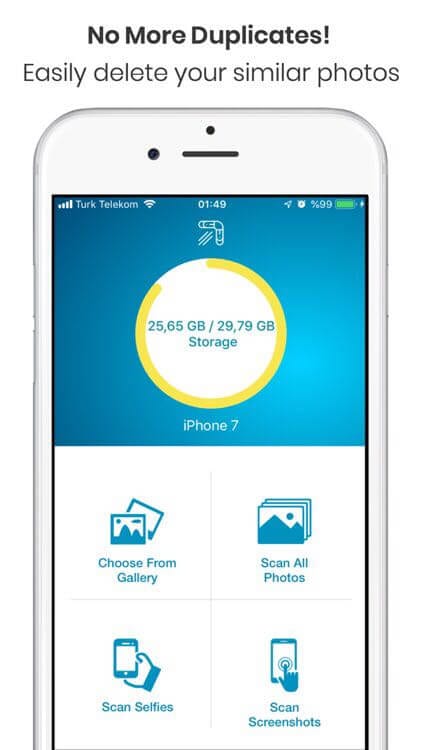
Captative Features
- You can scan and search for multiple copies of the same photo on your iPhone.
- Meanwhile, Ducl is scanning your photos; you can delete the already scanned photos to speed up the phone cleaning process.
- Based on the similarity ratio, you can effectively filter similar looking photos.
Pros
- Accidentally deleted photos can be easily recovered.
- Capable of freeing up large space.
- Interactive user interface.
Cons
- For some iOS versions, it doesn’t work.
- Too many paid features.
4. Remo Duplicate Photos Remover
App Store Rating – 4.5/5
Compatible iOS – iOS 9.1 or higher
In-app Purchases – No
Multilingual Support – No, just English
Price – Free
Remo Duplicate Photos Remover is a top-rated duplicate photos cleaner for the iPhone that makes the wearisome task of locating and deleting duplicate photos in your iGallery a lot easier. The tool can smoothly recognize the exactly replicating images and delete them with one click. However, the best photos’ copy will be automatically preserved for you. For a fast and free iPhone photo gallery cleaning task—Remo Software company has just developed a perfect app.
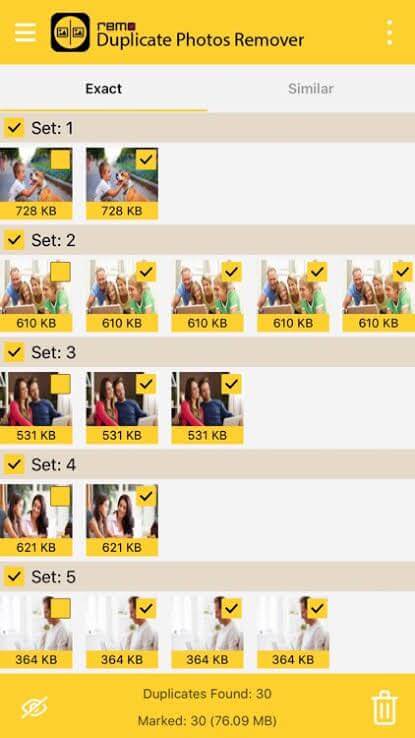
Captative Features
- Remove the same looking images irrespective of their name.
- Remo can mark or unmark duplicate images in all the image groups.
- Provides a preview of duplicate images before you delete them from your iPhone.
- Receive photos’ detailed information like resolution, size, date, etc.
Pros
- User-friendly interface.
- Robust scanning algorithm.
- Simple drag option to start the scan.
- Works well with bulk photos.
- Totally free.
Cons
- Bulk scanning has some glitches.
- Only scans—doesn’t delete or anything else.
5. Clean Master
App Store Rating – 4.4/5
Compatible iOS – iOS 10.0 or higher
In-app Purchases – No
Multilingual Support – Yes
Price – Free
To delete duplicate photos from your iPhone and organize your photo gallery, you can install Clean Master from the App Store. With the one-click trigger smart cleaning, the app can scan similar photos, screenshots, continuous images, and even videos. The tool can help in arranging your photos and videos in the different albums for easy access.
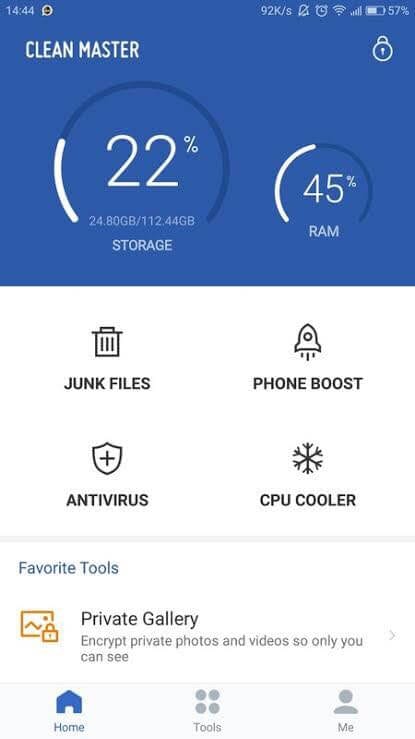
Captative Features
- It can delete similar photos and clean up your messy albums.
- It can scan all types of photos, from photos clicked through your iPhone or iPad camera to screenshots.
- The app can clean up your video albums by the rule ordering more convenient management.
- Bulk video content can be scanned and organized.
Pros
- Multiple cleaning filters.
- Easy to use.
- Free to install.
- Scans all types of photos.
Cons
Bulk video content scanning is less powerful.
Limited features.
6. Cleaner — Clean Duplicate Item
App Store Rating – 4.4
Compatible iOS – iOS 11.2 or higher
In-app Purchases – Yes
Multilingual Support – No
Price – Free and can be upgraded to Cleaner Pro for $34.99/year.
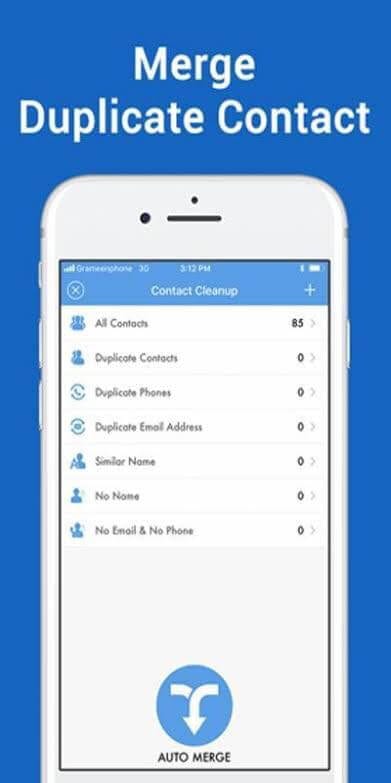
Cleaner is an impressive duplicate photos cleaner by Brain Craft Ltd., with ultimate cleaning powers. The software can clean up photos, contacts, and unwanted files from your iPhone. Further, the Cleaner can compress photos and video size to realize your device’s storage space. When you want an app that can offer more than duplicate photos finding and deleting features, this app won’t disappoint you.
Captative Features
- Easily recognize similar photos and screenshots and delete them.
- Contact Cleanup can merge duplicate contacts, clean contacts without numbers, and effectively manage them.
- Unwanted files can be removed with one click.
- Quickly compress photo and video size to save memory without losing resolution.
- Also, check your iPhone battery details.
Pros
- Auto duplicate photos and videos cleanup.
- Nice contact merger features.
- Compressing feature enables you to store more content on your iPhone.
Cons
- Expensive paid version.
- Only deletes up to 12 pictures without in-app purchase.
7. Phone Cleaner
App Store Rating – 4.4/5
Compatible iOS – iOS 10.3 or higher
In-app Purchases – Yes
Multilingual Support – No
Price – 7 days free trial. Full subscription for $2.99/month.
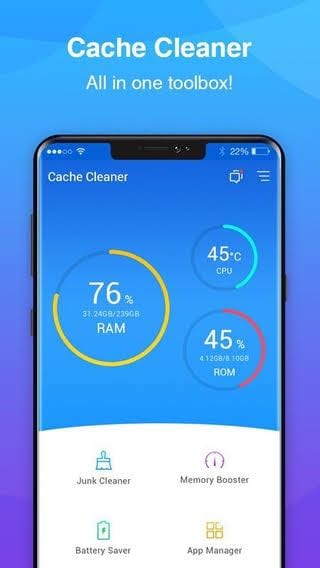
Phone Cleaner is an intelligent duplicate photo cleaner by Inturnex. This app can smartly optimize storage space on your smart iPhone by organizing your media gallery and help you remove unwanted content. Phone Cleaner offers four different modes to clean your iPhone junk—file size filter, advance filter, duplicate photos remover, and browser cleanup.
Captative Features
- Based on the file size filter, you can view all the bulky files present in your system and make a decision to remove them.
- Using the advanced filters, you can sort media files as per type, creation date, modification date, and more.
- Find duplicate and similar photos and easily delete them from your iPhone.
- With Extra Mode, you clean browser ads history.
Pros
- Simple to use.
- Stunning user interface.
- Thoroughly scans iOS media files.
Cons
- Limited free trial.
- Not frequent software updates.
8. Cleen Photos
App Store Rating – 3/5
Compatible iOS – iOS 9.1 or higher
In-app Purchases – No
Multilingual Support – Yes
Price – Free
Cleen is one swipe-based duplicate photo remover; you can pick a photo and swipe down to delete it. The app can syncs with third-party photo rating apps so you can easily access your best candid moments. If you are tired of photo clutter present in your device, you can use simple UI and smart features—Cleen to quickly clean your iPhone and turn your favorite photos into personalized photo books.

Captative Features
- Once you mark your favorite photos, the app will automatically create a photo book to preserve your moments.
- Cleen lets you customize page layout from hundreds of designs with one simple swipe.
- You can print out a hard copy of your photo book and explore every inch of your images.
Pros
- Perfect to clean photos.
- Smart features.
- Good user interface.
- One touch-swipe feature.
Cons
- It’s more inclined toward creating photo books rather than scanning duplicate images.
- Limited features.
9. Duplicate Photo Video Remover
App Store Rating – 2.3/5
Compatible iOS – iOS 10.0 or higher
In-app Purchases – Yes
Multilingual Support – No
Price – Free with $10 worth in-app purchases.
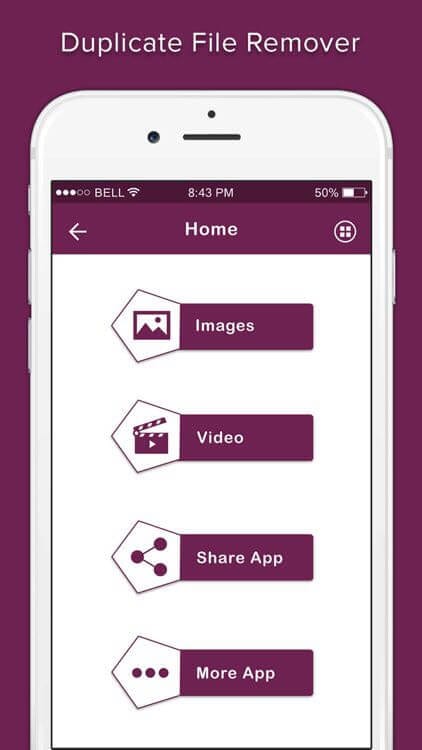
Duplicate Photo Video Remover is a master duplicate photos, videos, and audio file finder and remover. The tool has a powerful algorithm that scans similar multimedia files from iPhone and facilitates deleting them all with just one click. This app can thoroughly scan your iPhone’s internal memory and free up loads of space for your important files, from duplicate photos to contact numbers.
Captative Features
- With the ultra-smart mode, you can identify duplicate and similar photos from your photo gallery.
- The app will send daily notifications related to new duplicate files.
- It can also manage your contact list.
- All kinds of multimedia can be scanned and deleted, including audio, photos, videos, and files.
Pros
- Easy to use interface.
- Good free features.
- Intelligent algorithm.
Cons
- The video scan shows some errors.
- Too many in-app purchases.
10. Album Cleaner
App Store Rating – 1/5
Compatible iOS – iOS 8.0 or higher
In-app Purchases – No
Multilingual Support – No
Price – Free
To sort your photo albums, you should install Album Cleaner. With one click, you can view, sort, and delete your photos and videos. The report generation feature is very helpful that shows analytical results based on the number of duplicates and sizes of photos and videos available in the album. For saving your iPhone’s limited memory, it is an awesome app.
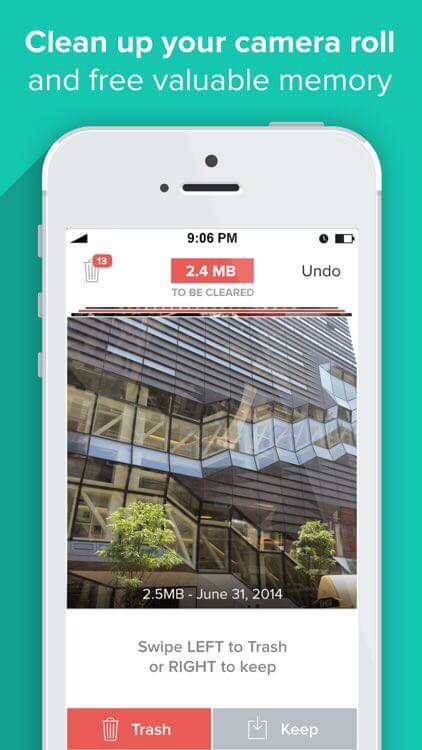
Captative Features
- Sort photos and videos by size and distinguish them into groups to easily manage and delete them.
- The app helps save and reduce memory size.
- It is a very safe app as it can run offline.
Pros
- Photos and videos can be sorted on a size basis.
- It can be used offline.
Cons
- The older version doesn’t contain a delete feature.
- The app isn’t frequently updated.
Bottom Line
iPhones are premium quality smartphones, but their internal memory can’t be expanded. Therefore, you have to find innovative ways to save your iPhone’s memory, and by using a duplicate photos remover, you can save and reduce a huge amount of space. To keep your photo gallery clutter-free, pick the best duplicate photos finder from our listicle today and make your iPhone efficient.
Author Bio:
Dinesh Lakhwani 

Dinesh Lakhwani, the entrepreneurial brain behind “TechCommuters,” achieved big things in the tech world. He started the company to make smart and user-friendly tech solutions. Thanks to his sharp thinking, focus on quality and the motto of never giving up, TechCommuters became a top player in the industry. His commitment to excellence has propelled the company to a leading position in the industry.
Popular Post
Recent Post

How to Recover Deleted Files from Pen drive, USB Drive, SD Card
Introduction: On tech forums, you’ll often see posts like this: “I connected my pen drive to my laptop this morning, but the folder was empty. All my college project files had vanished. I don’t have a backup. Can someone help me?” Stories like this are very common. Pen drives, USB drives and SD cards are […]

How To Recover Files Deleted from the Recycle Bin [Windows 11]
Losing a file can happen in seconds. You clear your desktop, hit Delete, and empty the Recycle Bin. Then, just when you need that file again, it seems to have vanished. This guide will walk you through ways to restore files removed from the Recycle Bin. We will begin with simple fixes, then look at […]

Disk Drill Data Recovery Tool Explained: Full Review and Guide
It happens in a split second. You delete a folder by mistake. Your drive stops showing up. A photo album from your last trip just vanishes. And your stomach drops. Lost files feel personal. They are not just data. They are memories, work hours, and sometimes years of effort packed into a few gigabytes. When […]

Recover Deleted Files In Windows 11 With Software & Without
Introduction What is the first thing that goes through your mind the second an important file vanishes from a Windows 11 PC? For most people, it is a mix of panic and disbelief, followed by a frantic click through every folder that file could possibly be hiding in. It happens in a split second: one […]

EaseUS Data Recovery Wizard: Everything To Know
Data loss does not always come from a big disaster either. Most cases start small and boring. A drive gets formatted by mistake. A laptop freezes mid-save and restarts on its own. A memory card stops showing up after being pulled out too fast. None of these feel like emergencies at first, until you realize […]

Recuva Data Recovery Tool: Is it Actually Worth it?
When I first tried Recuva Data Recovery, I wanted to see if it could really bring back lost files. The tool is free, small in size, and promises quick recovery, which made me curious enough to test it on my own PC. The setup was fast, and the wizard guided me step by step. I […]

GetData Recover My Files Data Recovery Tool: Honest Review
A hard drive error brings a special kind of silence. Well, yes! The screen freezes, then a message appears saying the drive can’t be found or must be formatted. In that moment, years of photos and work files feel at risk. It never happens at a good time. Coffee spills near a laptop, a memory […]

Windows File Recovery: A Complete Review [Tried & Tested]
Imagine this. You spend hours perfecting a video project. You hit save. Then your laptop freezes, reboots, and when the screen comes back. The file is gone. Your stomach sinks. It’s not just you. Lost files happen all the time. A dropped hard drive, a bad update, an accidental delete, or a corrupted partition can […]

5 Best Data Recovery Software For Windows 11 and Windows 10
Introduction: A crashed drive can ruin a whole day. One minute your photos, work files, and tax records sit safe on your PC. The next minute they are gone. A power cut, a bad update, or one wrong click can wipe out years of memories and months of work in seconds. That sinking feeling is […]

