












So, search for a pair of shoes once online. Close the tab. By evening, those same shoes are sitting on your news site, your video app, and even your recipe blog. Nobody placed them there by chance. A cookie did. Well, yes! Cookies are small files that websites place on your device while you browse. […]
Cleaner One Pro Review – Clean & Optimize Mac
If you are struggling with questions like do Mac machines need cleaning? Aren’t they powerful enough to work seamlessly? This post is just for you.
Here, we are going to review a Mac Cleaner offered by Trend Micro which explains why Mac machines need to be optimized.
For no reason, we all clutter our Mac machines and store enormous data, thinking it will handle it all by itself. But trust me Mac machines aren’t that powerful, because they too generate their own junk, for example cache files, duplicate files, etc. These files over time not only slow down Mac’s performance, but also consume unnecessary space. Now to keep your Mac working flawlessly, optimizing and cleaning them is a must.
But, what is it? And why use it? To get an answer read this review.
What is Cleaner One Pro?
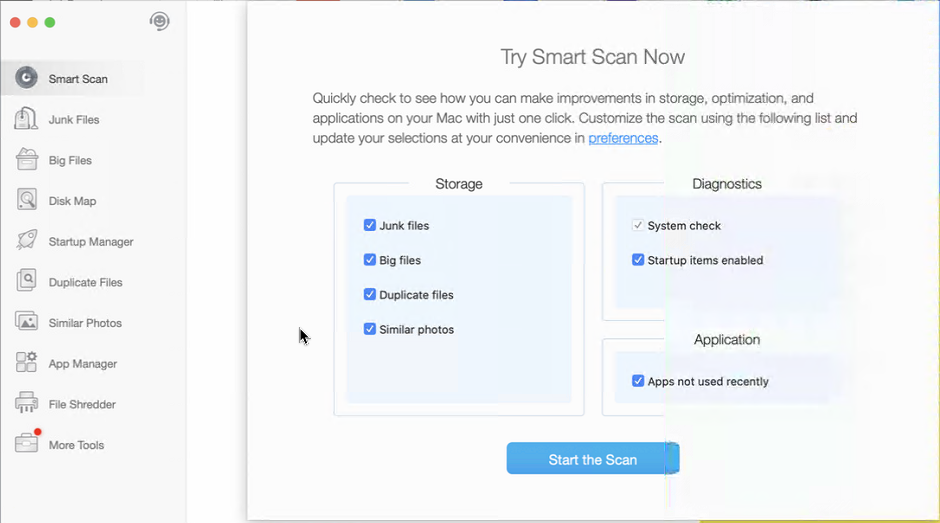
As the name suggests Cleaner One Pro is an all-inclusive cleaning and optimization software for your Mac machines. With an easy-to-use interface, this app helps clean junk files, delete sensitive data, browser history, passwords, tracking cookies, and much more. Using its advanced features like startup manager, application manager, file shredder, duplicate file cleaner, and others you can enhance your Mac’s performance in no time.
Also, the tool is intelligently designed so that no file is ever deleted accidentally. This means, the user has full control and they can decide which files to keep or delete. Moreover, using it you can identify big files, junk files, duplicates, the common reason for unnecessary storage consumption.
To sum up it is a complete Mac tweaking and cleanup tool.
Pros
- Centralized dashboard for ease of use
- The cleaning process works in the background with no notifications or pop-up messages
- Wide range of features all of which are essential for improving performance
- Intuitive interface
- Nicely categorized section
Cons
- No built-in malware cleaner
Highlights
- Duplicate and similar photo cleaner
- Faster scan speeds
- No longer restricted to Apple Sandbox limitations
- Deep cleaning to detect and remove all junk files
- File Shredder to securely delete file making them unrecoverable
Cleaner One Pro – Mac – Review
Before we move into details, one thing that makes Cleaner One Pro the best Mac cleaner and optimizer is its features. Unlike other cleanup utilities, all the features explained in Cleaner One Pro are self-explanatory. This means even if you are not tech-savvy, just by reading the name you will understand what the feature will help perform.
Interface
With an interesting minimalist interface, Cleaner One Pro is an easy-to-use Mac optimization tool. Using this tool, you can check your system status and can run a scan in just a single click. Its dashboard offers all the information related to the detected errors. This helps decide whether to clean errors or not.
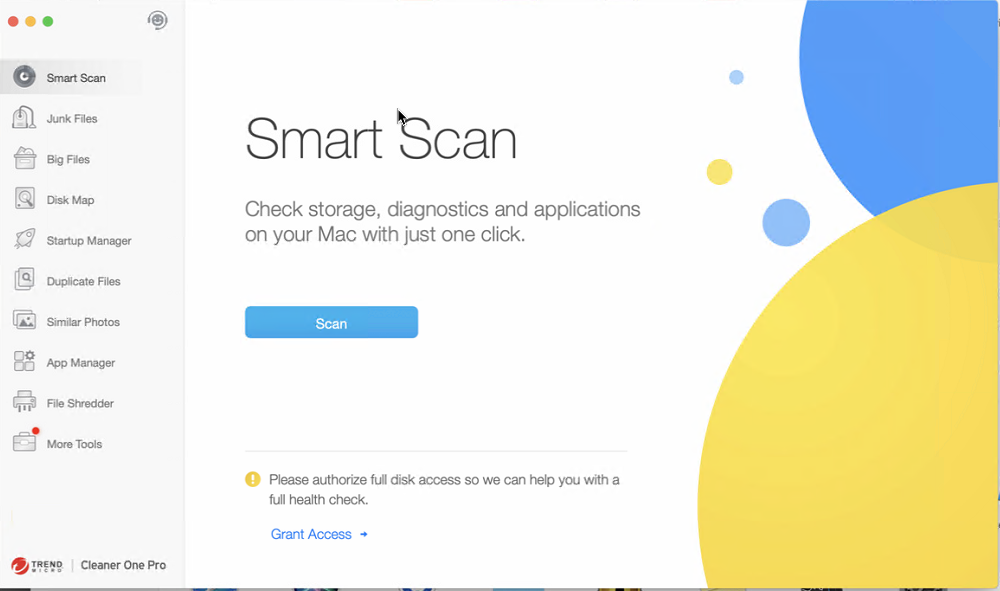
Also, the theme used by Trend Micro is subtle and well designed. The scanning is quick and the buttons are nicely placed. This helps easily perform all the operations without moving here and there.
Junk Files
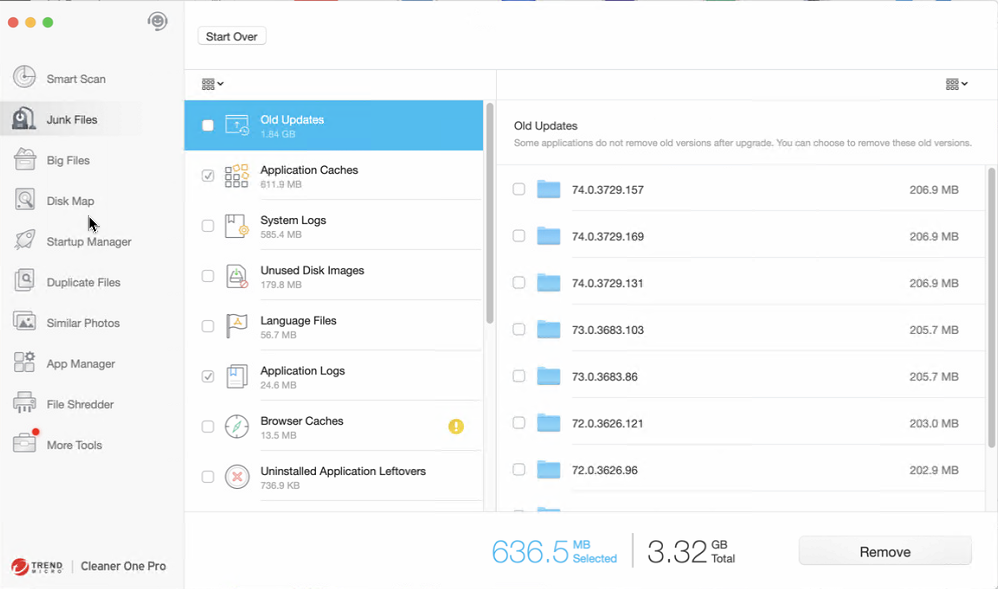
This feature helps detect and clean temporary files, hidden files, leftovers of uninstalled apps, and other trash data that clutters hard disk drives.
Big Files
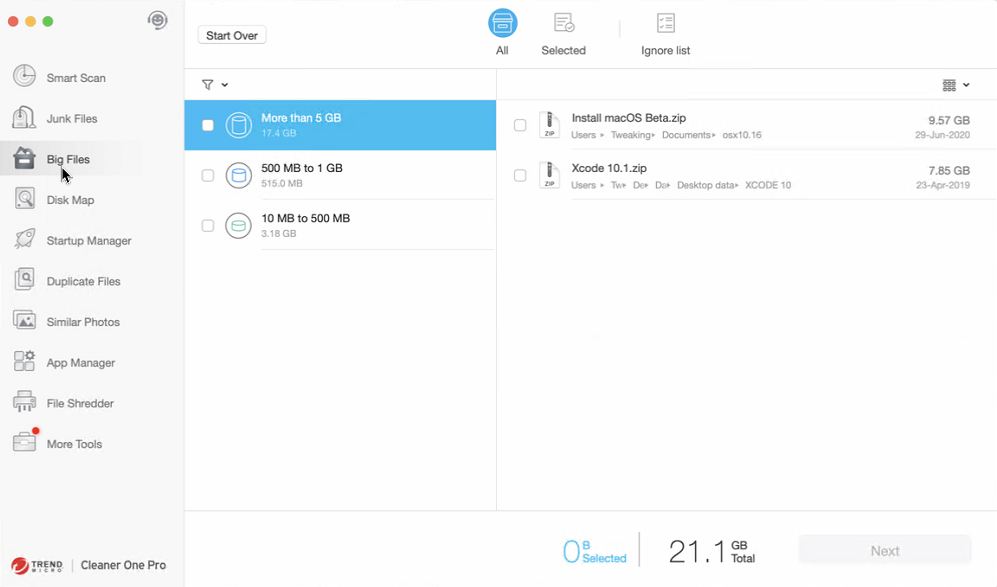
Using this feature, you can easily detect large files that take unnecessary storage space. Also, the files are filtered and organized by size, name, date, and type. For those who forget about the data, this feature is very helpful. Using it they can find old and big files and can remove them if not required.
Disk Map
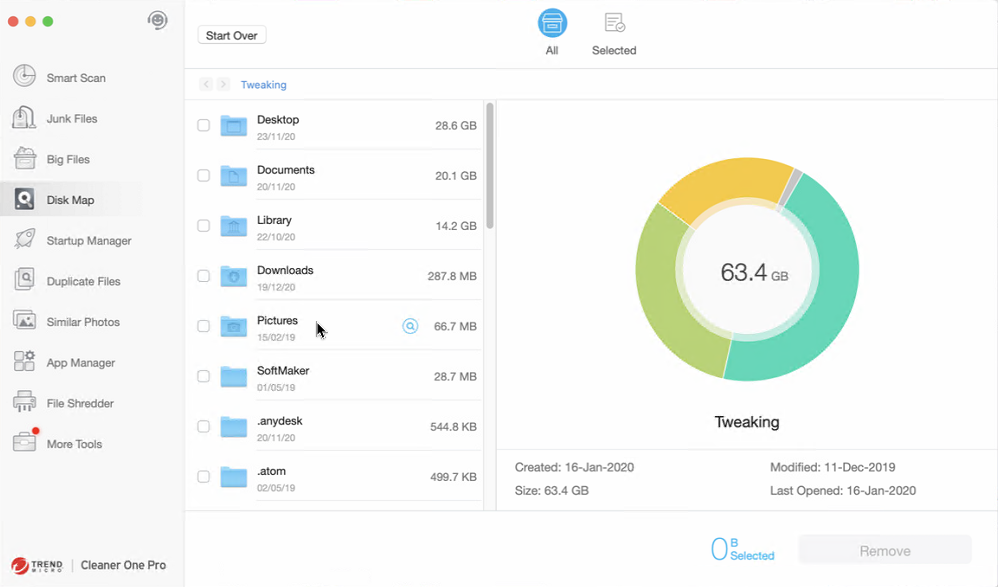
Want to get detailed information about the storage and the disk space? Using the Disk Map, you can get all the information. This feature analyzes storage and shows a breakdown of all files and folders in a colorful way. Using it you can easily manage files and can navigate through each file and folder.
Startup Manager
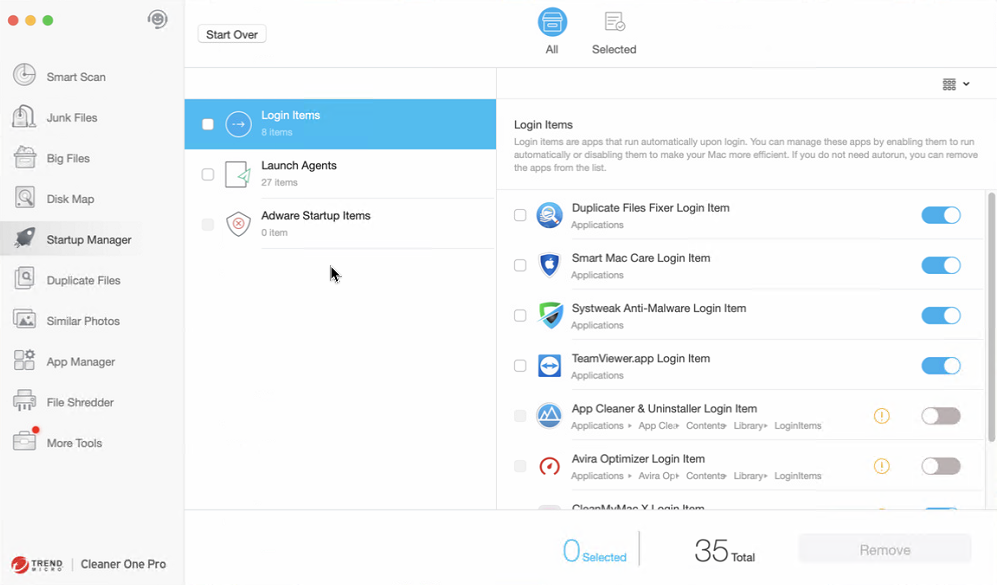
Facing slow boot time issues? No worries using Startup Manager you can easily review, configure, and control programs that run at the boot time. This makes Cleaner One Pro stand out as it helps manage startup items too. Generally, to manage startup items Mac users need to use Activity Manager, and using it for everyone is not easy. So, with the help of the Startup Manager feature, you can skip the Activity Manager and make things simple. This will improve the bootup speed of your PC.
Duplicate Files
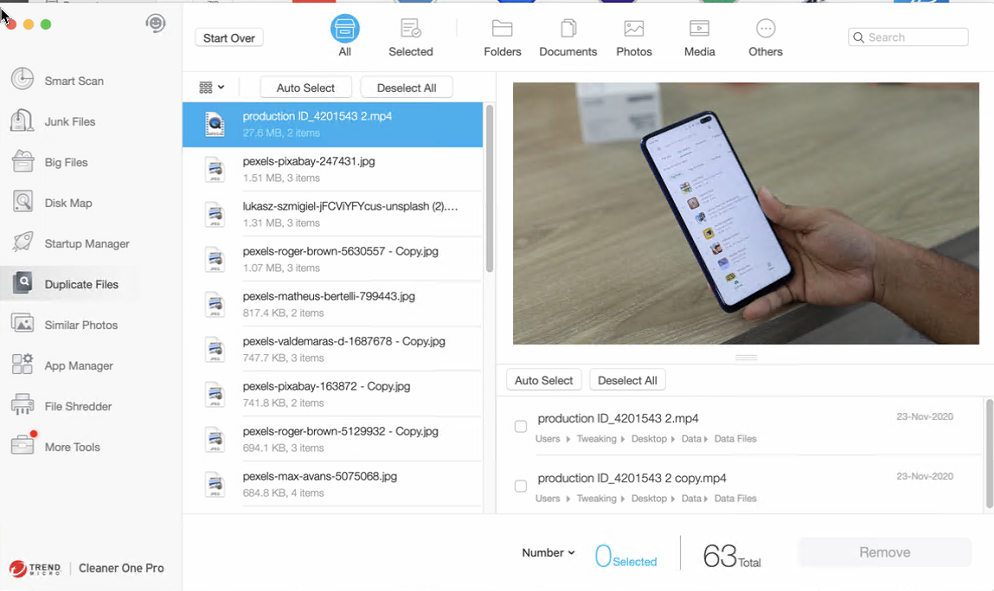
Filter out the duplicate files in just a click with Duplicate Files feature. Using this advanced duplicate finder tool, you can perform a customizable folder search and can filter out the unused file copies in seconds. This not only helps free up disk space but also organizes and manages photo libraries. Moreover, using this feature you can scan and delete duplicate music files and can have a duplicate free music library to enjoy your music collection.
Similar Photos
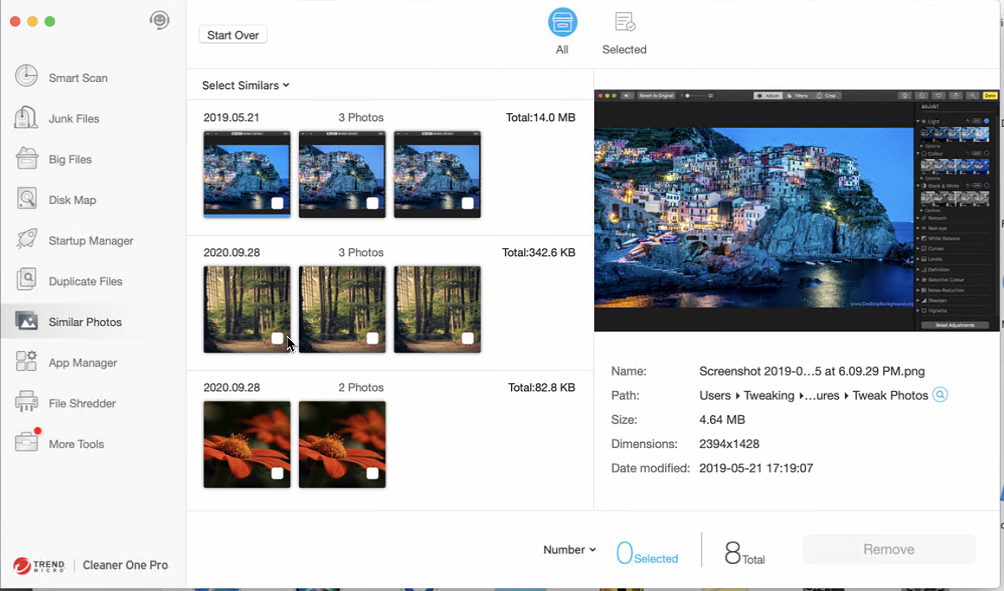
We all have been hearing people say duplicate take unwanted space hence we need to clean them, but what about similar photos? Are they not to be taken care of? Certainly, they also create a lot of junk and occupy unwanted space. Trend Micro understands this; hence it has added a Similar Photos feature in Cleaner One Pro. Using this feature, you can easily detect similar photos. These photos with slight variations like in size or EXIF data will be detected by this module.
This will help tidy up the albums and remove all types of duplicate content.
App Manager
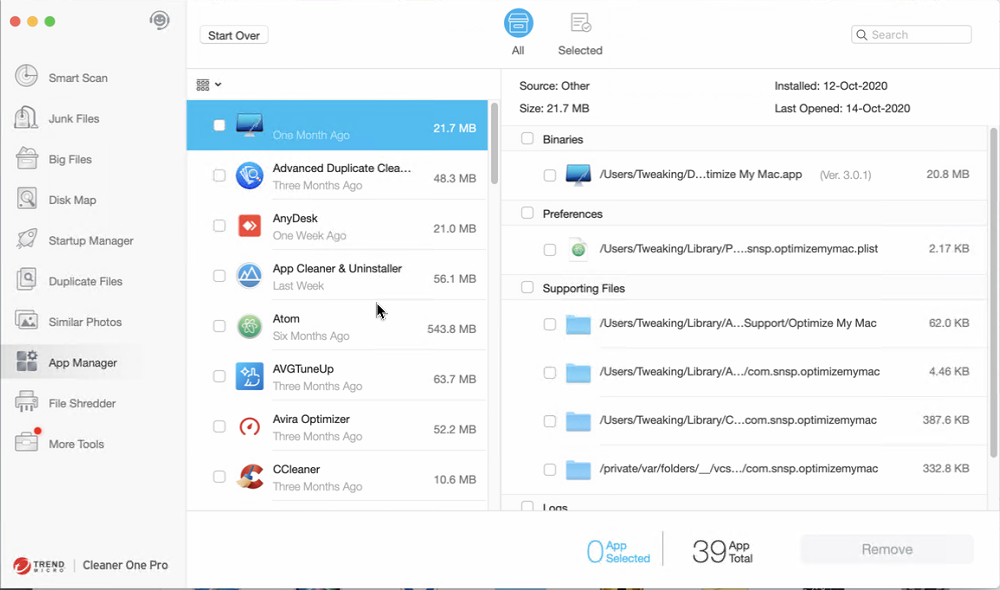
Uninstalling apps without leaving leftovers isn’t easy, due to this people look for uninstall managers. But with Cleaner One Pro this problem is also resolved. Using it you can uninstall third-party apps and associated files easily. Also, you can view all installed apps in one place categorized by name, date, and size. This helps identify unwanted apps and remove them.
Nonetheless, you can delete multiple apps at a time, a feature that no other app offers.
File Shredder
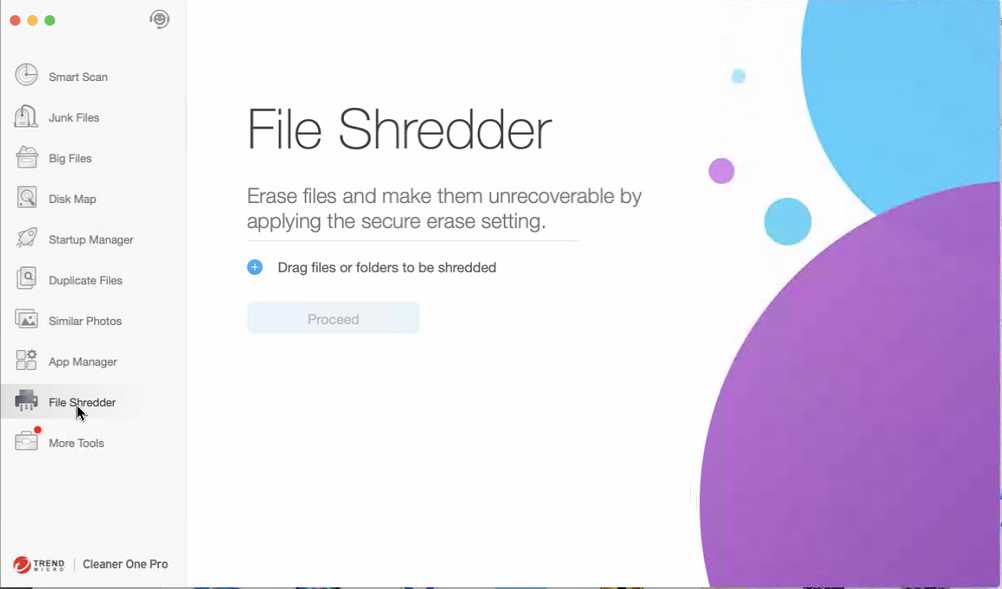
Don’t want anyone to recover the deleted data? Use the File Shredder feature. As the name suggests this feature makes sure no data recovery software can restore deleted files. This means once the data is deleted using this feature it is gone forever and all the chances of data recovery are nullified. Hence, while using this feature please be careful.
More Tools
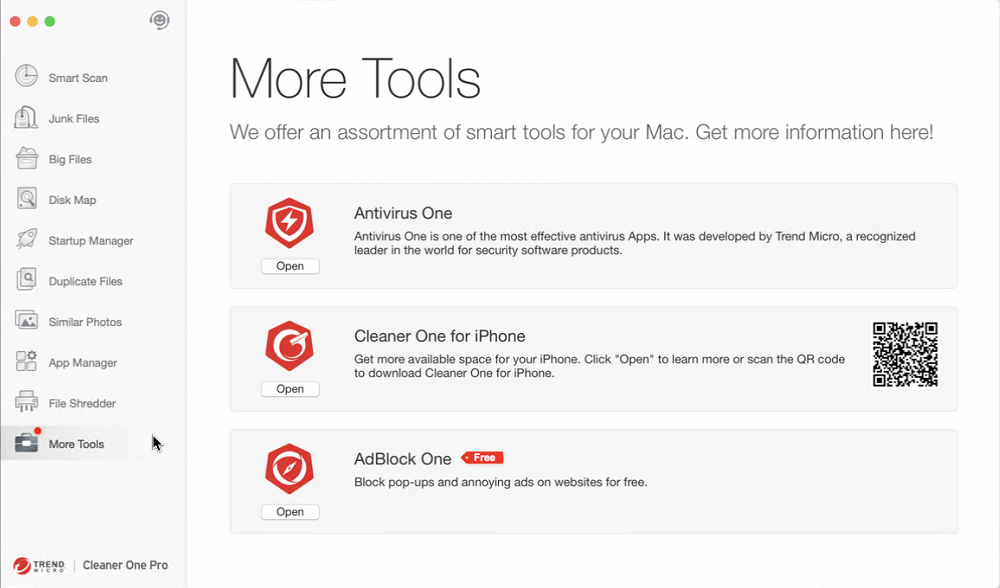
There’s more to Cleaner One Pro by clicking More Tools you can access Antivirus One, Cleaner One for iPhone – that will help free up storage space and optimize device and AdBlock One.
Final Words
All these features and the fast-scanning engine makes Cleaner One Pro the ultimate app for cleaning junk files, unwanted data. It won’t be a hyperbole if we say this program is truly a complete optimization tool. It eradicates the need for other cleaning tools and is light on system resources too. Although the company has put in all the efforts to make Cleaner One Pro effective, you may miss the malware detection feature. If that too is added, then Cleaner One Pro is a win-win deal.
Although, you can check their Premium Security Suite that offers antivirus and malware protection features across all devices, in addition to providing ID and Password security. Whatever the case be still we found this tool to be very effective and a good Mac optimizer and cleaner. Try Cleaner One Pro today and do share your feedback in the comments below.
Author Bio:
Dinesh Lakhwani 

Dinesh Lakhwani, the entrepreneurial brain behind “TechCommuters,” achieved big things in the tech world. He started the company to make smart and user-friendly tech solutions. Thanks to his sharp thinking, focus on quality and the motto of never giving up, TechCommuters became a top player in the industry. His commitment to excellence has propelled the company to a leading position in the industry.
Popular Post
Recent Post

How To Disable Background Apps In Windows: 4 Quick Methods
A slow PC rarely gives a warning. One day, it simply takes longer to start. Apps open late. The fan runs loud, even when the screen is almost empty. Most people blame old hardware. Often, that is not the real reason. The real reason is hiding in plain sight. Windows keeps many apps active in […]

How to Activate Windows with a Product Key for Windows 11 & Windows 10
It always shows up at the worst time. You are halfway through a report, or about to join a video call. Then you spot it in the bottom right corner of the screen. Activate Windows. Go to Settings to activate Windows. Initially, an unactivated copy of Windows may seem like a minor inconvenience. Over time, […]

Is Easy Duplicate Finder Worth It? Honest Review
The photos folder looked normal at first glance. Then the storage warning popped up. One trip photo appeared four times. A tax PDF sat in three different folders. Two old setup files were still in Downloads, and each one was over 500 MB. Nobody plans this mess. Copies pile up slowly. A download runs twice. […]

Wise Duplicate Finder Review: Real Results from Wise Duplicate Finder
Read my honest Wise Duplicate Finder review. See features, pricing, pros and cons, and real PC test results. Find out if this free duplicate cleaner can free up your Windows storage.

How to Recover Deleted Files from Pen drive, USB Drive, SD Card
Introduction: On tech forums, you’ll often see posts like this: “I connected my pen drive to my laptop this morning, but the folder was empty. All my college project files had vanished. I don’t have a backup. Can someone help me?” Stories like this are very common. Pen drives, USB drives and SD cards are […]

How To Recover Files Deleted from the Recycle Bin [Windows 11]
Losing a file can happen in seconds. You clear your desktop, hit Delete, and empty the Recycle Bin. Then, just when you need that file again, it seems to have vanished. This guide will walk you through ways to restore files removed from the Recycle Bin. We will begin with simple fixes, then look at […]

Disk Drill Data Recovery Tool Explained: Full Review and Guide
It happens in a split second. You delete a folder by mistake. Your drive stops showing up. A photo album from your last trip just vanishes. And your stomach drops. Lost files feel personal. They are not just data. They are memories, work hours, and sometimes years of effort packed into a few gigabytes. When […]

Recover Deleted Files In Windows 11 With Software & Without
Introduction What is the first thing that goes through your mind the second an important file vanishes from a Windows 11 PC? For most people, it is a mix of panic and disbelief, followed by a frantic click through every folder that file could possibly be hiding in. It happens in a split second: one […]

EaseUS Data Recovery Wizard: Everything To Know
Data loss does not always come from a big disaster either. Most cases start small and boring. A drive gets formatted by mistake. A laptop freezes mid-save and restarts on its own. A memory card stops showing up after being pulled out too fast. None of these feel like emergencies at first, until you realize […]

