










Imagine this. You spend hours perfecting a video project. You hit save. Then your laptop freezes, reboots, and when the screen comes back. The file is gone. Your stomach sinks. It’s not just you. Lost files happen all the time. A dropped hard drive, a bad update, an accidental delete, or a corrupted partition can […]
10 Best Internet Boosters & Optimizers for Android: With Comparison Table
Slow Internet speed not only wastes your time, but it also annoys users. If you need to wait ages before your favorite video downloads or you are facing performance lags while playing games, then it is time to boost Internet speed using best Internet boosters for Android.
How Do Internet Booster Apps Work?
Internet booster apps optimize network settings to enhance speed. They clear background processes that consume bandwidth. Some adjust the device’s TCP/IP parameters for better data transmission.
Many apps use algorithms to manage network traffic. They prioritize active apps and limit bandwidth-hogging tasks. This helps reduce lag and improves loading times.
Some boosters offer DNS optimization and cache management. Switching to faster DNS servers speeds up browsing. Clearing the cache prevents slow loading caused by stored data.
How To Choose An Internet Booster App?
A reliable internet booster app can enhance your browsing and streaming experience by optimizing your network settings. Since various apps offer different functionalities, it’s essential to select the one that suits your needs. Here’s what to consider:
- Network Optimization – Look for apps that fine-tune TCP/IP parameters, optimize DNS settings, or manage bandwidth allocation for improved connectivity.
- Background Process Management – Some apps automatically halt unnecessary apps running in the background to free up data and improve speed.
- Bandwidth Prioritization – A good booster prioritizes critical applications like video calls or gaming, ensuring seamless performance.
- Compatibility – Ensure the app is designed for your operating system (Android, iOS, Windows, etc.) and works with your network type (Wi-Fi, mobile data).
- User Reviews – Check feedback from other users to assess reliability, effectiveness, and any potential drawbacks before installing.
- Security Features – Choose apps that prioritize privacy and avoid those requesting excessive permissions or exposing personal data.
- Ease of Use – A simple, user-friendly interface makes adjusting settings and optimizing your connection hassle-free.
- No Unnecessary Permissions – Avoid apps that demand access to unrelated phone features, as this may compromise your security.
By analyzing these factors, you can pick an app that improves your internet connection without slowing down your device or compromising security.
Top 5 Comparison Table: Best Internet Boosters for Android
Here’s a comparison table for the top five internet booster apps:
| App Name | Features | Pros | Cons |
| Net Optimizer | Optimizes DNS settings for faster browsing | Easy one-tap optimization, supports major DNS servers | Limited impact on overall internet speed |
| Connection Stabilizer Booster | Stabilizes mobile data connections, keeps alive | Works with all networks, reconnects lost connections | May drain battery due to constant monitoring |
| 1.1.1.1 Faster & Safer Internet | Encrypts internet traffic, improves privacy | Enhances security, prevents ISP tracking | Doesn’t significantly boost speed |
| Wifi Analyzer | Analyzes Wi-Fi networks, suggests best channels | Helps optimize Wi-Fi signal strength | Doesn’t directly boost internet speed |
| Hspa+ | Improves mobile data connection stability | Works well with 3G/4G networks | Limited effectiveness in weak signal areas |
Each app has unique strengths, so the best choice depends on your specific needs!
10 Best Internet Speed Boosters and Optimizers for Android
The best Internet booster & optimizer apps work on advanced technologies to optimize your network for better speed. While a lot of these apps are available online, here we have tested & reviewed the best apps.
1. Net Optimizer
Downloads: 1 Million+
Ratings: 4.5
Price: Free- offers in-app purchases
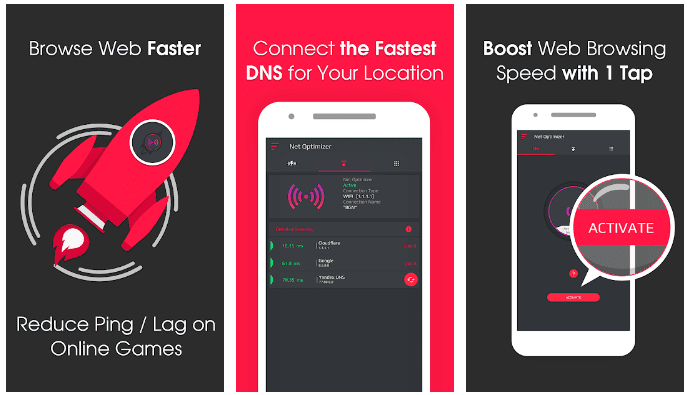
Net Optimizer is one of the best Internet speed boosters for Android that helps you find & connect the fastest DNS server based on your network and location. You can use this powerful app to improve web surfing speed with faster response time. You can enjoy your favorite game lag-free while reducing latency (ping time).
Features of Net Optimizer
- You can connect to the fastest DNS server with a one-click to boost the connection.
- It optimizes the network while automatically detecting connection changes
- You can also try to scan DNS servers manually to see details.
- It supports all major DNS servers.
2. Connection Stabilizer Booster
Downloads: 5 Million+
Ratings: 4.2
Price: Free- offers in-app purchases
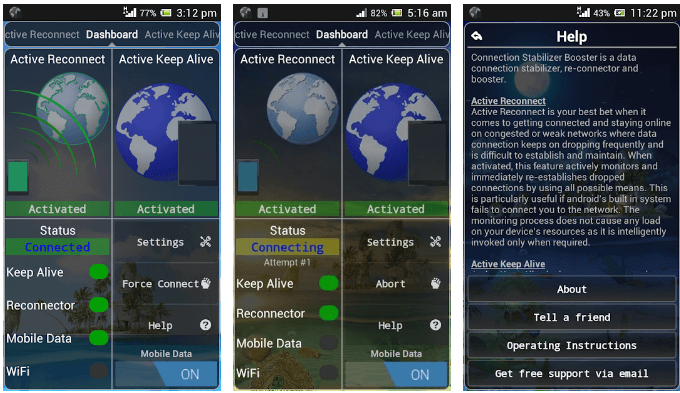
If you are looking for the best mobile data connection stabilizer, reconnector, and speed booster, then you should download this powerful Internet optimizer app for Android. It works well with 2G, EDGE, GPRS, HSPA, and 4G LTE. It also works as a Wi-Fi booster to boost the overall network connection. If you are having trouble with your cellular data connection, then this is the app for you.
Features of Connection Stabilizer Booster
- It supports multiple language options.
- It works well with all networks and connections.
- It offers an active reconnect module to help you fix problems where your connection is lost automatically
- The active keep alive module keeps you connected to the network all the time.
3. 1.1.1.1 Faster & Safer Internet
Downloads: 10 Million+
Ratings: 4.1
Price: Free- offers in-app purchases
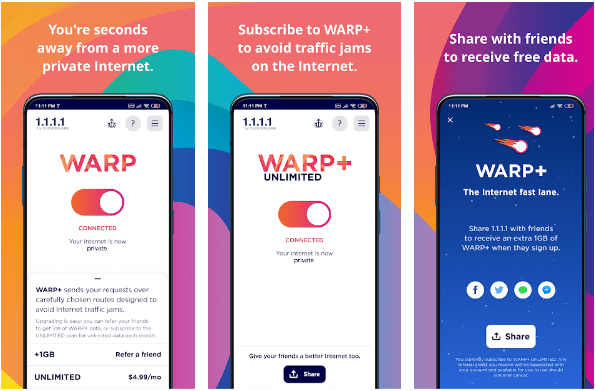
This powerful Internet booster not only makes your network run faster, but it also makes it safer to use. With this Internet optimizer, you are seconds away from a more private network. You can easily turn on/off this app with one tap. You can subscribe to this app to avoid traffic jams on the Internet. You can even share this app with your friends to receive free data.
Features of 1.1.1.1 Faster & Safer Internet
- It works on advanced algorithms to make your network more private and secure.
- It replaces the connection between your phone and the Internet with a modern and optimized protocol.
- It encrypts our network to provide better security.
- It offers a one-touch setup for instant results.
4. WiFi Analyzer
Downloads: 10 M+
Ratings: 3.5
Price: Free- offers in-app purchases
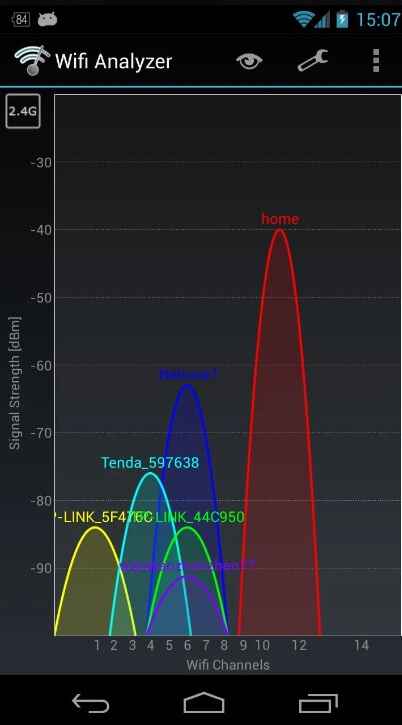
Transform your Android phone into a powerful Wi-Fi analyzer with this innovative app! Gain valuable insights into the Wi-Fi channels surrounding you, enabling you to identify the least crowded and most optimal channel for your wireless router.
By using this app, you can easily visualize and understand the Wi-Fi landscape in your vicinity. It scans and presents a comprehensive overview of all nearby Wi-Fi networks, their respective channels, and signal strengths. This information empowers you to make data-driven decisions about your network configuration, avoiding channel congestion and interference with other networks.
With the ability to see the Wi-Fi channels around you, you can strategically select a channel that offers better performance and reduced interference.
Features of WiFi Analyzer App:
- Graphical visualization of Wi-Fi network coverage and signal distribution.
- Interference detection to identify potential sources of signal disruption.
- Network speed test to assess Wi-Fi performance and internet connectivity.
- Detailed network information, including MAC addresses and manufacturer data.
- History of Wi-Fi network scans for trend analysis and troubleshooting.
5. HSPA+
Downloads: 1M+
Ratings: 3.6
Price: Free- offers in-app purchases.
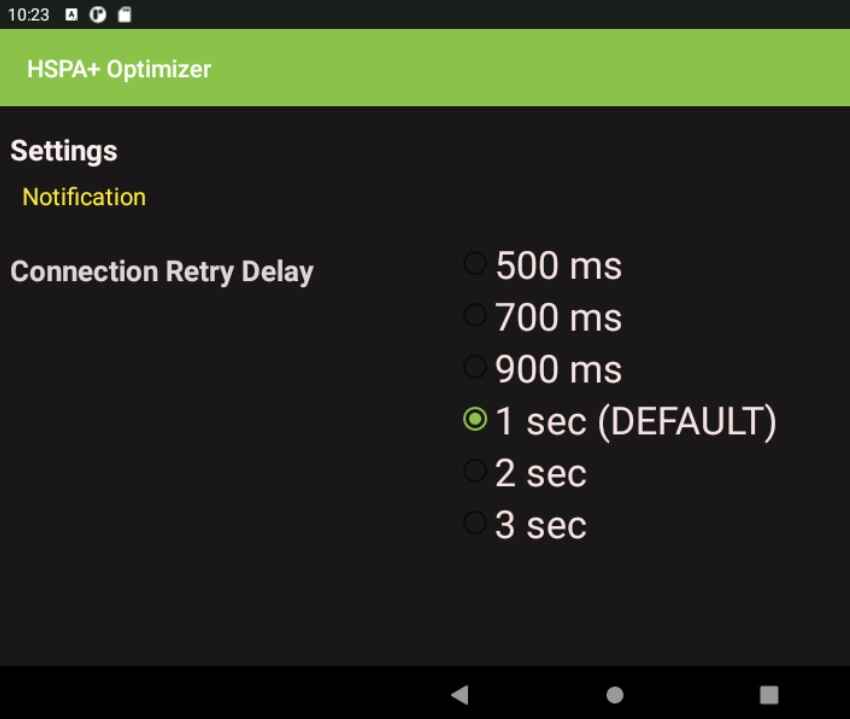
HSPA+, an acronym for High-Speed Packet Access, represents cutting-edge wireless broadband technology that elevates your mobile data experience to new heights. This remarkable technology operates on both GSM and CDMA networks, enabling you to access data at impressively high speeds without compromising on connectivity or convenience.
With HSPA+, the possibilities are endless. You can now stream music seamlessly, effortlessly download apps and data, enjoy your favorite movies and videos without any buffering issues, grab files and games on the fly, and browse the web with incredible speed and responsiveness. The best part? You can indulge in all these online activities without worrying about consuming excessive amounts of your cellular data allotment.
Features of HSPA+:
- Uses Wireless broadband technology for high-speed data access.
- Compatible with GSM and CDMA networks.
- Seamless streaming, downloading, and web browsing.
- No excessive use of cellular data allotment.
- Supports voice calls without relying on Wi-Fi hotspots.
6. Speedify
Downloads: 10M+
Ratings: 3.7
Price: Free- offers in-app purchases.
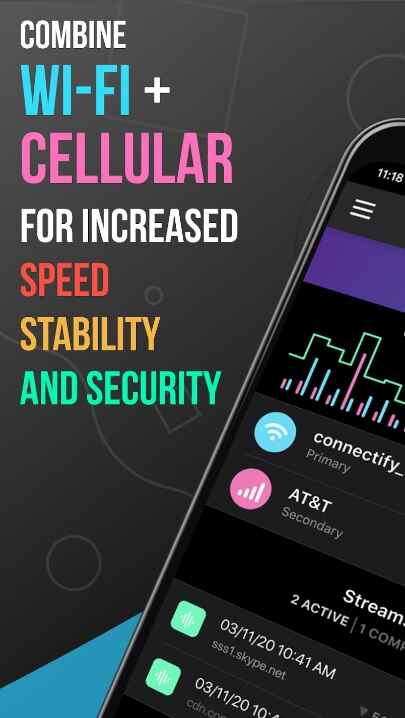
Speedify is a powerful mobile internet speed booster designed specifically for Android devices. This app works wonders in enhancing internet speed and network connectivity within mere seconds. Professionals and travelers alike rely on Speedify to locate and connect to the fastest available network.
One standout feature of this app is its ability to combine both Wi-Fi and cellular data connections, resulting in maximum internet speed and reliability. Users can also perform speed tests to gauge the quality of their internet connection directly through the app.
Furthermore, the Speedify Internet speed booster and optimizer app offers a flexible subscription plan that enables users to install and use the app on one or multiple devices, providing convenient access to its performance-boosting capabilities across various devices.
Features of Speedify:
- Mobile internet speed booster for Android.
- Improves internet speed and network connectivity.
- Connects to the fastest networks, including Wi-Fi and cellular data.
- Built-in speed test for internet connection evaluation.
- Flexible subscription plan for multiple devices.
7. Open Signal
Downloads: 10M+
Ratings: 3.8
Price: Free- offers in-app purchases.
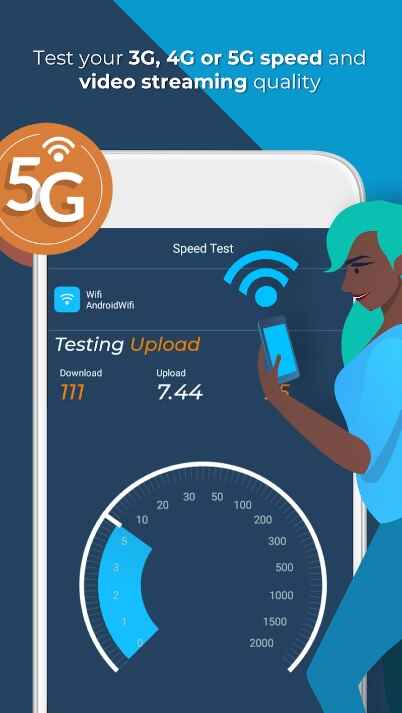
Open Signal stands as a top-tier app, proficiently aiding users in detecting and resolving network errors with utmost effectiveness. As a reliable internet booster, the app empowers users to assess the signal intensity of 2G, 3G, 4G, and 5G networks in their vicinity swiftly and accurately.
By comparing the strengths of these spectrums, users gain valuable insights, allowing them to make informed decisions and select the most optimal network for seamless connectivity.
The app’s detailed analysis and troubleshooting features enable users to delve deeper into network intricacies, facilitating timely and precise solutions to any encountered issues. Moreover, Open Signal enhances the user experience by offering a convenient map view feature, allowing users to monitor network conditions in any desired area.
This comprehensive approach to network management ensures a reliable and efficient internet experience, making Open Signal an indispensable tool for optimizing connectivity.
Features of Open Signal:
- Effective network error detection and resolution.
- Internet booster for assessing 2G, 3G, 4G, and 5G network intensity.
- A quick comparison of network strengths for informed decision-making.
- Seamless connection to fast Wi-Fi and networks.
- Detailed analysis and troubleshooting for network problem-solving.
8. Network Signal Speed Booster
Downloads: 1 Million+
Ratings: 4.4
Price: Free contains ads
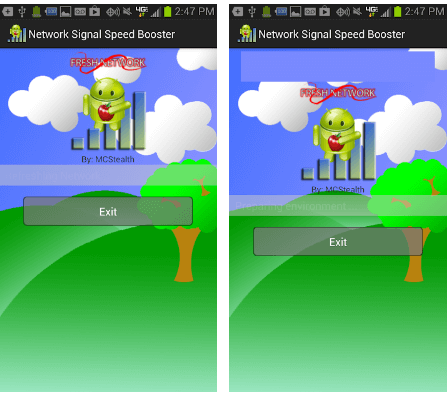
You can run a quick network scan to check your network speed and optimize it if needed. The app works on a simple & intuitive interface and delivers instant results. It helps you kill unnecessary tasks to boost overall Internet speed. It works well with all Android devices,
Features of Network Signal Speed Booster
- It sends quick alerts in the notification bar.
- It offers multiple background themes.
- It offers multiple Icon animation themes.
- You will find a home screen widget for instant results.
9. Internet Optimizer Pro
Removed From Play Store
Downloads: 100K+
Ratings: 3.9
Price: Free- offers in-app purchases.
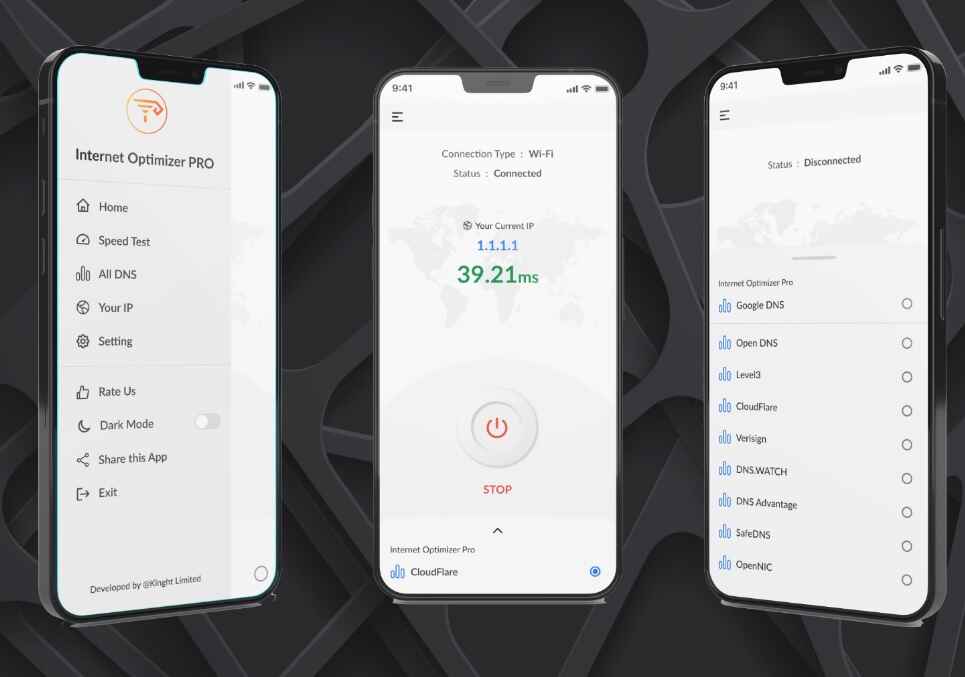
Here comes the next pick on our list of best Internet speed booster and optimizer apps. Experience an enhanced internet connection with Internet Optimizer Pro – DNS Changer, a powerful mobile tool app tailored to optimize your internet experience on your Android device. This application empowers you to boost internet performance by efficiently changing the DNS server.
With Internet Optimizer Pro – DNS Changer, you gain the ability to customize and fine-tune your DNS settings. By selecting alternative DNS servers, you can potentially improve the speed and responsiveness of your internet connection.
The app provides you with a list of reliable and fast DNS servers to choose from, ensuring a smooth online experience. One of the key advantages of using this app is that it allows you to bypass certain DNS-related issues, such as DNS hijacking or filtering. This means you can access websites and services that might be restricted or blocked by your default DNS servers.
Features of Internet Optimizer Pro:
- Optimizes internet connection by changing the Android DNS server.
- Provides a selection of reliable and fast DNS servers.
- Bypass DNS-related restrictions and filtering.
- User-friendly interface for easy DNS customization.
- Enhances internet performance for smoother browsing, streaming, and gaming.
10. Speed Booster
Downloads: 500K+
Ratings: 3.3
Price: Free- offers in-app purchases.
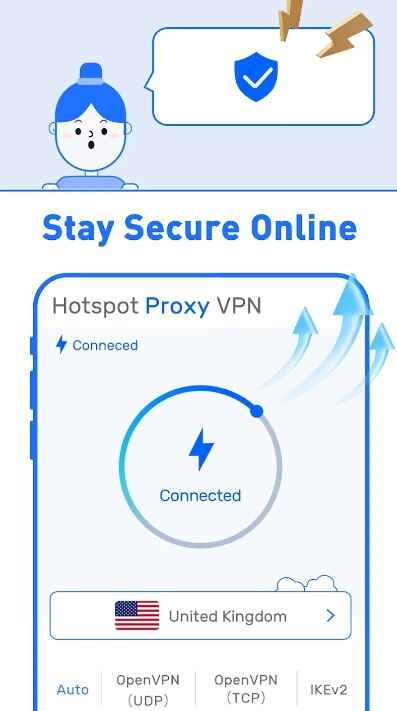
Introducing Speed Ifly Booster – your ultimate solution for a better internet experience! With this Internet speed booster and optimizer app, you can watch your favorite videos and movies seamlessly, all while enjoying secure WiFi connections and added privacy.
Worried about online privacy? Don’t be! Speed Booster ensures your browsing is safe and anonymous, keeping your personal information protected. And when you’re on public WiFi hotspots, our app acts as a shield, safeguarding your data from potential threats.
But that’s not all! Need to connect securely to other networks over the internet? Speed Booster has got you covered there too! Speed Ifly Booster provides a secure pathway for your data, making sure your information remains safe and sound.
Features of Speed Booster:
- Enhance online privacy and browse safely.
- Protect data on public WiFi hotspots.
- Securely connect to other networks over the internet.
- Extensive server selection with high-speed bandwidth.
- Compatibility with Android 5.0 and higher.
Conclusion
So, this was a quick discussion of the best Internet booster & optimizer apps for Android you should try. Do try any of these apps and share your experience in the comments below.
FAQs:
Do internet speed boosters work?
Yes, Internet speed boosters, such as apps or software, may offer minor improvements in specific scenarios, but they generally don’t significantly increase overall internet speeds. Genuine speed enhancements typically require ISP upgrades or improving your network infrastructure.
What does a net optimizer do?
A network optimizer analyzes and fine-tunes network settings to improve efficiency and performance. It optimizes data flow, reduces latency, and minimizes packet loss, resulting in a smoother and more responsive internet experience.
How can I speed up my internet for free?
To boost internet speed for free, try these methods: (1) Close unnecessary apps and browser tabs, (2) Clear browser cache and cookies, (3) Use a wired connection instead of Wi-Fi, (4) Ensure your router is up-to-date and in an optimal position.
How can I get full internet speed through Wi-Fi?
To maximize Wi-Fi speed, ensure your router is placed centrally and away from obstructions, reduce interference from other electronic devices, use the latest Wi-Fi standards, and consider a mesh network or Wi-Fi extender if needed.
Dinesh Lakhwani
Author Bio:
Dinesh Lakhwani 

Dinesh Lakhwani, the entrepreneurial brain behind “TechCommuters,” achieved big things in the tech world. He started the company to make smart and user-friendly tech solutions. Thanks to his sharp thinking, focus on quality and the motto of never giving up, TechCommuters became a top player in the industry. His commitment to excellence has propelled the company to a leading position in the industry.
Popular Post
Recent Post
5 Best Data Recovery Software For Windows 11 and Windows 10
A crashed drive can ruin a whole day. One minute your photos, work files, and tax records sit safe on your PC. The next minute they are gone. A power cut, a bad update, or one wrong click can wipe out years of memories and months of work in seconds. That sinking feeling is why […]
How To Update NVIDIA Drivers On Windows 11/10 PC
Learn how to update NVIDIA drivers on Windows 11/10 with simple methods, safety tips, and easy steps for smoother gaming and better PC performance.

Top AI Features Hidden Inside Windows 11
Explore the top AI features in Windows 11, from Copilot to Recall, plus safety tips and simple steps to use each tool the right way.

Customize Your Screen Saver Settings in Windows [Easy Steps]
Learn how to customize screen saver settings in Windows 11 with easy steps, safety tips, and simple tricks to personalize your PC screen.
Driver Easy Windows Driver Updater Tool Review: Tried & Tested
In-depth information about Driver Easy’s functions and features can be found in our review. Learn how to update drivers more easily with this tool for a more seamless computer experience.
Is Avast Driver Updater Worth It? A Hands-On Analysis
A full review of Avast Driver Updater covering features, setup steps, pricing, pros and cons, and real PC results, to help you decide if it is worth buying.
IObit Driver Booster 13 (PRO) Review: [Tried & Tested]
IObit Driver Booster 13 is built for one purpose: keeping your PC drivers up to date. Well, yes! Outdated drivers can cause crashes, slowdowns, and hardware issues. This tool scans fast and updates with one click. The interface is simple. Even beginners can use it without confusion. Updates are pulled from a huge database, covering […]
Auslogics Driver Updater: A Detailed Walkthrough [2026]
This comprehensive review covers the key features, pros, and cons, pricing, and a final verdict on Auslogics’ driver update utility. Learn how it stacks up against manual driver maintenance.

5 Best Driver Updater Tools for Windows to Use (Free and Paid)
Introduction: Most people blame their PC for problems that a driver caused. A driver works like a bridge between your hardware and your operating system. When this bridge cracks, strange things start to happen. Screens flicker without reason. Printers go silent mid-task. Games freeze or crash out of nowhere. Manually finding the right driver is […]

