












A slow PC rarely gives a warning. One day, it simply takes longer to start. Apps open late. The fan runs loud, even when the screen is almost empty. Most people blame old hardware. Often, that is not the real reason. The real reason is hiding in plain sight. Windows keeps many apps active in […]
CleanMyMac X Versus CCleaner for Mac – Review
Both CleanMyMac X and CCleaner are offered by renowned publishers and are well known for their advanced features and Mac optimization capabilities. Yet they differ from one another where CCleaner works on (Windows, Mac, Android) CleanMyMac X is built for macOS only.
Alongside the trial version of CleanMyMac X only cleans up to 500 MB of the junk while the free version of CCleaner offers unlimited cleaning. After reading this you might think CCleaner is better as you can use its trial version without any restriction. But trust us a Mac optimization tool is more than a free version. What makes it best is its features, the way it optimizes your Mac and notarization from Apple.
But which of the tools offers all this?
To know more about both the tools and what makes CleanMyMac X different from CCleaner here we will do a quick comprehensive comparison of both tools.
CleanMyMac X versus CCleaner for Mac
CCleaner’s compatibility with Android, Windows, and Mac while CleanMyMac’s X compatibility with the only macOS makes your fall for CCleaner. But CleanMyMac’s notarization by Apple makes it more trustworthy. Besides this, there are several other features that make CleanMyMac X better than CCleaner free unlimited trial version compatible with various platforms.
Feature Wise Comparison CleanMyMac X vs CCleaner for Mac
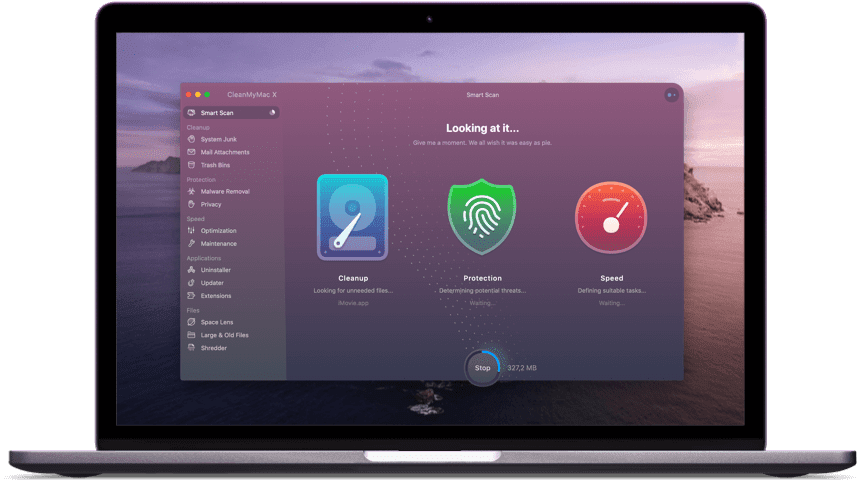
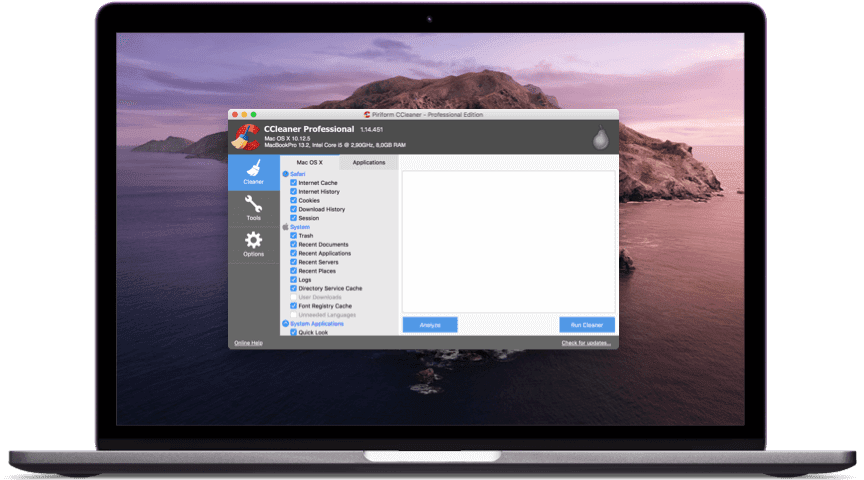
| Key features | CleanMyMac X | CCleaner |
| Overwriting of unused space | No | Yes |
| Login items removal | Yes | Yes |
| Malware Removal | Yes | No |
| Custom folders cleanup | No | Yes |
| Hung applications | Yes | No |
| Time machine thinning | Yes | No |
| Space visualization | Yes | No |
| Browser cleanup | Yes | Yes |
| Uninstaller | Yes | Yes |
| Personalized cleanup tips | Yes | No |
| Large & Old files cleaner | Yes | No |
| Updater | Yes | No |
| Application reset | Yes | No |
| Notarization Apple Notarization process confirms that an app is free from malicious files and is therefore safe to use. | Notarized by Apple | N/A |
| Reasons to choose | Helps recover enough storage space by cleaning junk files, offers Mac speedup tools. Besides, it offers malware removal and cleaning tools | Offers trial version using which you can delete browser junk and displays detailed folder wise information |
After looking at the above table you must have understood some of the features offered by both Mac optimization tools are similar. Yet there’s a difference and CleanMyMac focuses on every nook and corner of Mac. This means the tool is designed to thoroughly optimize Mac. Certainly, CCleaner has earned a name but for Windows, it does not specialize in Mac cleaning. To understand it better let’s look at a detailed comparison below:
CleanMyMac X VS CCleaner for Mac
CleanMyMac X:
System Requirements: macOS 10.10 and higher, 145 MB
Overall rating: 4.9/5
Starting Price: $34.95
Latest version: 4.6.2
Last update date: April 2020
CCleaner for Mac:
System Requirements: OS X 10.8 to 10.14 Mojave
Overall rating: 4.5/5
Starting Price: $19.95
Latest version: v1.17.603
Last updated date: Aug 2019
Optimization Features: CleanMyMac X VS CCleaner
Safety & Security
The free version of CleanMyMac X does not offer privacy protection but this does not mean it cannot optimize Mac. Using its trial version, you can scan your system for junk files and know how much space they occupy and you can reclaim after cleaning those junk files while the free version of CCleaner is unable to scan every corner of Mac for junk files. Although it comes with privacy protection that helps clean sensitive and confidential information stored in cookies.
Multi-functional
CleanMyMac X offers a full range of optimization features while CCleaner focuses more on privacy protection. Using CleanMyMac X you can optimize RAM, clean junk files perform customize scan, uninstall applications without removing any traces, shred files, manage browser privacy, and do a lot more.
CCleaner lets you purge leftovers of deleted files, manage startup, clean cache, log files, and speed up Mac.
Ease of Use
Though CleanMyMac offers extensive optimization features its interface is complex due to which most of the time useful features are overlooked. While CCleaner offers a neat interface, which is best for beginners.
Pros and Cons of CleanMyMac X VS CCleaner
Advantages of CleanMyMac X Over CCleaner
| Pros – CleanMyMac X | Cons – CCleaner |
| Offers Optimization module under Speed to deal with startup items and Smart Scan to clean and optimize complete Mac | Although it works on Mac, but is not as efficient as Windows version and it offers lesser optimization options |
| Allows managing installed and uninstalled applications via Uninstaller and Updater | Less configuration options |
| Using Shredder, you can delete files permanently without leaving a trace | |
| Junk file cleaner helps reclaim valuable storage and speed up Mac’ |
Advantages of CCleaner Over CleanMyMac X
| Pros – CCleaner | Cons – CleanMyMac X |
| Cleans unused, unnecessary files thereby speeding up Mac | 500 MB Limitations for the trial version. |
| Available on multiple platforms – Android, Mac, Windows | |
| Offers free version to delete browser junk and cache | |
| Helps clean system and monitor browser activities |
Benefits of CleanMyMac X
- Helps clean malware
- Removes privacy exposing traces
- One button Smart scan
- Swiftly deletes system junk
- Sorts out unused, hidden large files take unnecessary space
- Shreds sensitive data
- Manages startup items
- Reclaims gigabytes of disk space
Benefits of CCleaner
- Manages startup items
- Easy uninstallation of unwanted programs
- Cleans up old macOS update files
- Cleans cookies, Javascript that are a threat to data privacy
FAQs: CleanMyMac X VS CCleaner
Is CCleaner for Mac safe to use?
Unfortunately, CCleaner for Windows became a victim of cyberattack due to which people have doubts about CCleaner for Mac. But trust us this state-of-art solution is trusted by millions and is designed to keep your system sage and optimized. It is one of the best cleaning tools.
Is CleanMyMac X safe?
As this tool is notarized by Apple, we can surely say it is safe to use. Rest after using the free version of CleanMyMac X you can see it yourself. Further, it removes malware and helps recover gigabytes of space on Mac.
Does CleanMyMac X clean duplicates?
No, it does not offer a module to clean duplicate files however, using the Photo Junk module you can discover the amount of space Photo app is taking. Once you remove them you can recover valuable disk space.
Which Mac cleaner is best?
Both CleanMyMac X and CCleaner are excellent Mac cleaner tools and they work exactly in the same manner as they claim. Based on your requirement you can pick any of the tools. However, if you ask us to suggest one then CleanMyMac X is our choice.
Verdict
Deciding which tool is best to keep your Mac optimized is difficult where one works as a maid for your Mac (CleanMyMac X) the other (CCleaner) works as a speed booster.
CleanMyMac X removes junk, unwanted files, and malware. CCleaner only focuses on privacy and junk file cleaning, it does not shield your Mac from malware threat. Not only this, CCleaner is not notarized by Apple. Now, it’s up to you which tool you pick. Do let us know which tool you choose to use and why.
Author Bio:
Dinesh Lakhwani 

Dinesh Lakhwani, the entrepreneurial brain behind “TechCommuters,” achieved big things in the tech world. He started the company to make smart and user-friendly tech solutions. Thanks to his sharp thinking, focus on quality and the motto of never giving up, TechCommuters became a top player in the industry. His commitment to excellence has propelled the company to a leading position in the industry.
Popular Post
Recent Post

How to Activate Windows with a Product Key for Windows 11 & Windows 10
It always shows up at the worst time. You are halfway through a report, or about to join a video call. Then you spot it in the bottom right corner of the screen. Activate Windows. Go to Settings to activate Windows. Initially, an unactivated copy of Windows may seem like a minor inconvenience. Over time, […]

Is Easy Duplicate Finder Worth It? Honest Review
The photos folder looked normal at first glance. Then the storage warning popped up. One trip photo appeared four times. A tax PDF sat in three different folders. Two old setup files were still in Downloads, and each one was over 500 MB. Nobody plans this mess. Copies pile up slowly. A download runs twice. […]

Wise Duplicate Finder Review: Real Results from Wise Duplicate Finder
Read my honest Wise Duplicate Finder review. See features, pricing, pros and cons, and real PC test results. Find out if this free duplicate cleaner can free up your Windows storage.

How to Recover Deleted Files from Pen drive, USB Drive, SD Card
Introduction: On tech forums, you’ll often see posts like this: “I connected my pen drive to my laptop this morning, but the folder was empty. All my college project files had vanished. I don’t have a backup. Can someone help me?” Stories like this are very common. Pen drives, USB drives and SD cards are […]

How To Recover Files Deleted from the Recycle Bin [Windows 11]
Losing a file can happen in seconds. You clear your desktop, hit Delete, and empty the Recycle Bin. Then, just when you need that file again, it seems to have vanished. This guide will walk you through ways to restore files removed from the Recycle Bin. We will begin with simple fixes, then look at […]

Disk Drill Data Recovery Tool Explained: Full Review and Guide
It happens in a split second. You delete a folder by mistake. Your drive stops showing up. A photo album from your last trip just vanishes. And your stomach drops. Lost files feel personal. They are not just data. They are memories, work hours, and sometimes years of effort packed into a few gigabytes. When […]

Recover Deleted Files In Windows 11 With Software & Without
Introduction What is the first thing that goes through your mind the second an important file vanishes from a Windows 11 PC? For most people, it is a mix of panic and disbelief, followed by a frantic click through every folder that file could possibly be hiding in. It happens in a split second: one […]

EaseUS Data Recovery Wizard: Everything To Know
Data loss does not always come from a big disaster either. Most cases start small and boring. A drive gets formatted by mistake. A laptop freezes mid-save and restarts on its own. A memory card stops showing up after being pulled out too fast. None of these feel like emergencies at first, until you realize […]

Recuva Data Recovery Tool: Is it Actually Worth it?
When I first tried Recuva Data Recovery, I wanted to see if it could really bring back lost files. The tool is free, small in size, and promises quick recovery, which made me curious enough to test it on my own PC. The setup was fast, and the wizard guided me step by step. I […]

