











So, search for a pair of shoes once online. Close the tab. By evening, those same shoes are sitting on your news site, your video app, and even your recipe blog. Nobody placed them there by chance. A cookie did. Well, yes! Cookies are small files that websites place on your device while you browse. […]
How to Stop PS5 from Turning on With TV
The PlayStation 5 (PS5) is a powerful gaming console that offers an immersive gaming experience. However, one common issue that many users face is the console turning on automatically when they turn on their TV. This can be frustrating, especially if you’re not planning to use your PS5 at that moment. Here, we will explore different methods to stop your PS5 from turning on with your TV. By following these methods to stop PS5 from turning on with the TV, you can regain control over when your console powers on and enjoy a hassle-free gaming experience.
Reasons Why Your PS5 Might be Turning on With Your TV
There are several possible reasons why your PS5 might be turning on with your TV. Some of the possible reasons why this situation might be occurring are discussed below:
1. HDMI-CEC Interference
HDMI-CEC interference may be one reason for a PS5 coming on when connected to a TV. Devices linked using HDMI may control one another thanks to a function called HDMI-CEC. The PS5 may turn on when the TV turns on or vice versa if the HDMI-CEC settings are not set correctly on both the TV and the PS5.
Furthermore, if there are any other devices nearby that are also connected via HDMI-CEC, it’s possible that they are transmitting signals that unintentionally cause the PS5 to turn on.
2. Firmware or Software Glitch
Software or firmware bugs might be another reason why the PS5 is turned on when connected to a TV. The PS5 is controlled by a sophisticated firmware and software system, much like any other electronic device. The PS5 may switch on unexpectedly when the TV is turned on if there is a problem or flaw in the system. A recent system update, a corrupted file, or an incompatibility between software might be the cause of this.
3. Power Surgeor Electrical Interference
The PS5 is only one of several electronic gadgets that can suffer greatly from power spikes and electrical interference. The PS5 may turn on when the TV is switched on if its power source is erratic or if other appliances or gadgets in the vicinity are causing electrical interference. Inadequate grounding or defective wiring may also be contributing factors to this problem.
4. Remote Control Signal
The PS5 may have suddenly turned on due to interference from the TV’s remote control signal or other nearby devices. It could unintentionally turn on the PS5 if the remote control signals overlap or if there is interference from other radio frequency or infrared sources. If the PS5’s remote control settings are not adjusted correctly, this might get worse.
5. Network Connectivity
The PS5’s surprising power-on behavior may potentially be related to its network connectivity. It may be possible to turn on the PS5 remotely if it is linked to a network with other devices that support wake-on-LAN.
Furthermore, the PS5 and TV may switch on simultaneously if there are problems with the network settings or if there are efforts by unauthorized users to get access.
6. Environmental Factors
Electronic device performance can be impacted by environmental conditions such as dust collection, humidity, and temperature variations.
The PS5 may exhibit irregular behavior, including sudden turning on if it is subjected to severe temperatures or heavy dust accumulation. In a similar vein, exposure to wetness or excessive humidity levels may exacerbate this problem.
7. Hardware Malfunction
A possible explanation for the PS5 going on with the TV might possibly be a hardware failure. Problems with the PS5’s power button, internal circuitry, or other hardware elements might result in the device turning on automatically. Additionally, unpredictable behavior could be the outcome of broken or loose parts.
8. System Settings
The PS5’s unusual power-on behavior may have anything to do with its system settings and configurations. The PS5 may turn on when the TV is switched on if the power-saving settings, automatic update settings, or other system options are not correctly configured. Similarly, this problem may arise from conflicts between several system settings.
9. User Error
The PS5 turning on with the TV might also be caused by user mistakes or inadvertent acts. It is possible for the PS5 to switch on unexpectedly if the user accidentally presses the power button through an error in the user interface, a remote control input, or other interactions. Similarly, unintentional power-on occurrences may occur if there are several users or if unauthorized users get access to the PS5.
Tips To Avoid This Problem from Occurring In The Future
There are some precautionary steps you can take to stop this problem from occurring in the future. Here are some tips to avoid this problem in the future:
1. Disable HDMI-CEC Functionality for the PS5
One of the primary strategies to prevent the PS5 from turning on when the TV is powered on, it involves disabling the HDMI-CEC functionality specifically for the console. By accessing the settings menu on the PS5, users can navigate to the HDMI-CEC options and selectively disable the feature, thereby decoupling the console from the automated commands issued by the TV.
This approach provides a direct and targeted solution to circumvent the unintended power-on behavior exhibited by the PS5.
2. Adjust HDMI-CEC Settings on the TV
For users who prefer to retain the convenience of HDMI-CEC features while avoiding the issue of the PS5 turning on with the TV, adjusting the HDMI-CEC settings on the TV represents a viable strategy. Depending on the TV model and manufacturer, users can access the settings menu to customize MDMI-CEC preferences, such as disabling device control or power synchronization for specific connected devices.
3. Firmware Updates for the PS5 and TV
To address potential compatibility issues stemming from outdated firmware versions, users are advised to regularly check for and install there are the latest updates for both the PS5 and the TV. Firmware updates often include bug fixes, performance improvements, and enhanced compatibility with external devices, thereby mitigating the likelihood of erratic behavior related to HDMI-CEC functionalities.
4. Utilize Dedicated Power Management
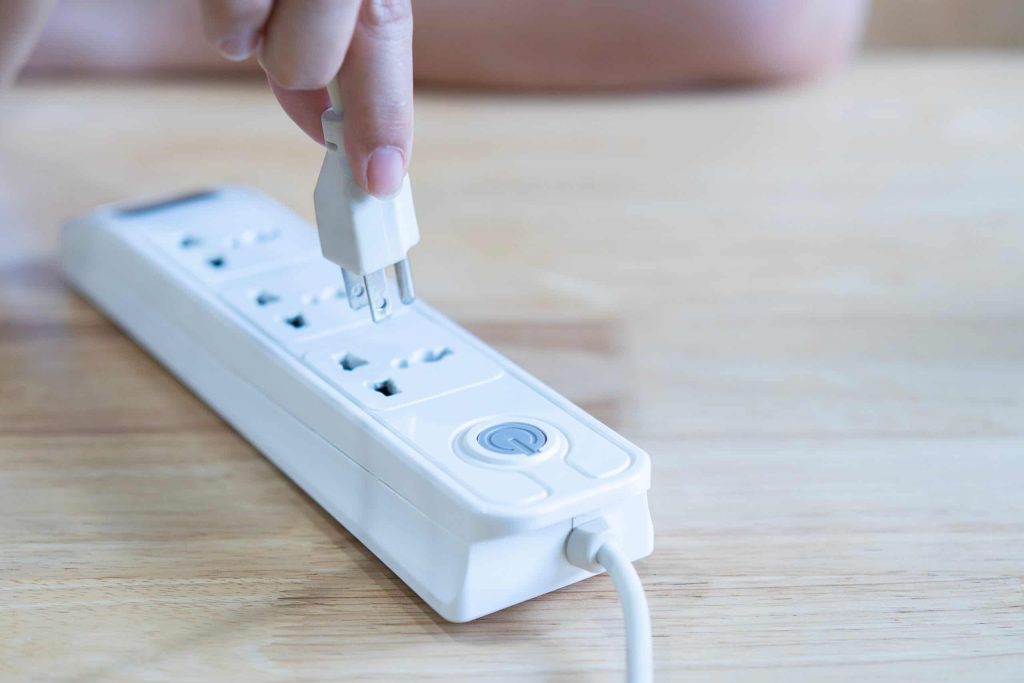
In scenarios where the aforementioned strategies may not fully resolve the issue of the PS5 turning on with the TV, leveraging dedicated power management solutions can offer a supplementary approach to circumvent intended power activations. By utilizing power strips or smart plugs with individual control capabilities, users can physically disconnect the PS5 from power when not in use, effectively preventing any external stimuli, such as TV power signals, from triggering the console to turn on.
How to Stop PS5 from Turning on With TV
There are many methods that can help you prevent your PS5 from turning off with your TV. Some of the most effective methods to stop PS5 from turning on with TV are discussed below:
Method 1: Disable HDMI Device Link
The first method to stop PS5 from turning on with the TV is by disabling the HDMI Device Link feature. This feature allows your TV to control the power and input selection of connected devices, including your PS5. By disabling this feature, your TV will no longer have control over your PS5, preventing it from turning on automatically. To disable it, follow these steps:
Step 1: On your PS5, go to Settings from the main menu.
Step 2: Select System.
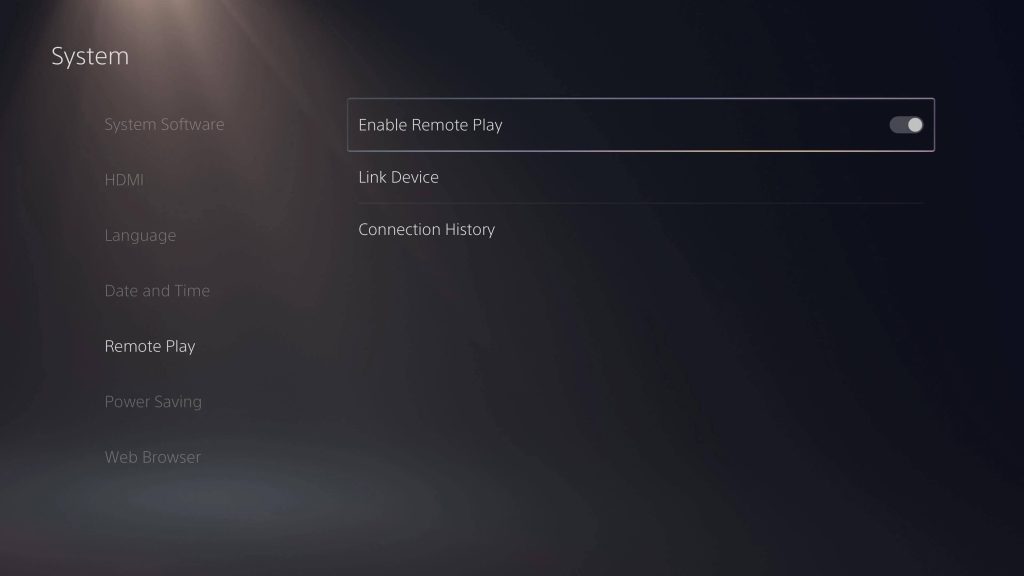
Step 3: Choose HDMI.
Step 4: Turn off the HDMI Device Link option.
Method 2: Adjust Power Settings
Another way to stop PS5 from turning on with TV is by adjusting the power settings on your console. By default, the PS5 is set to enter Rest Mode when you turn off your TV. With this setting, your PS5 will remain in an off state when you turn off your TV, eliminating the possibility of it turning on unexpectedly. To change this setting, follow these steps:
Step 1: On your PS5, go to Settings.
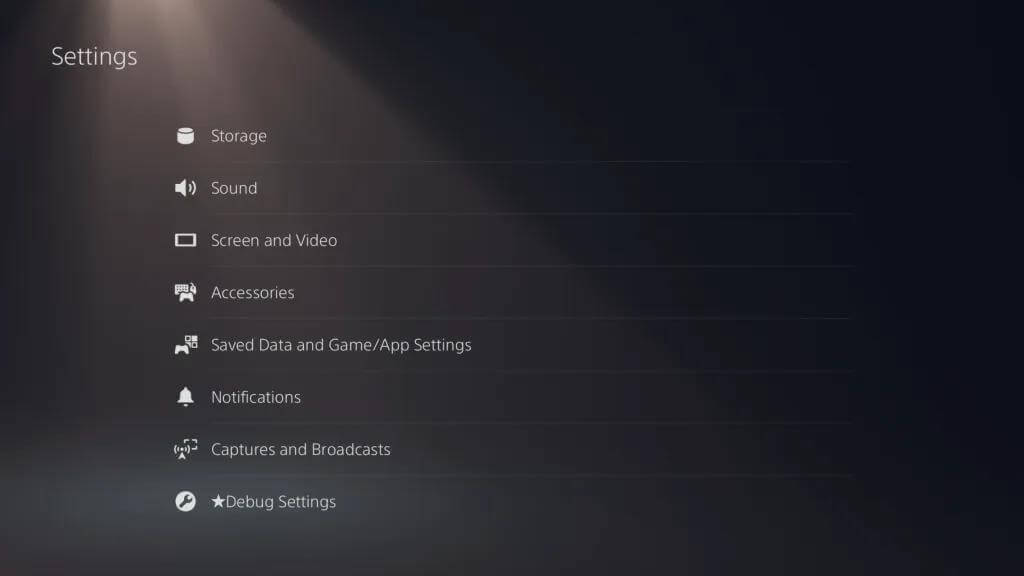
Step 2: Select System.
Step 3: Choose Power Saving.
Step 4: Change the When TV is Off option to Do Nothing.
Method 3: Disconnect the HDMI Cable
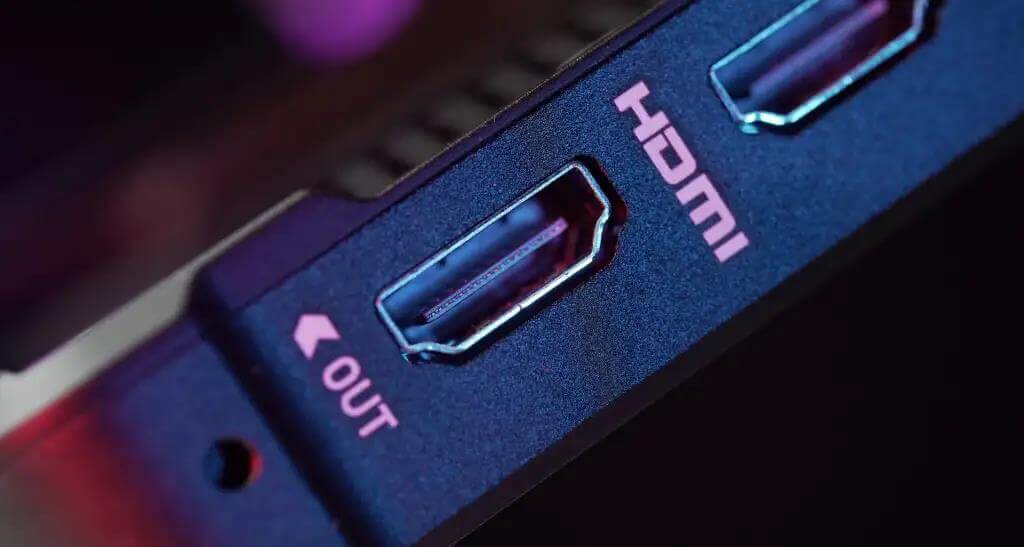
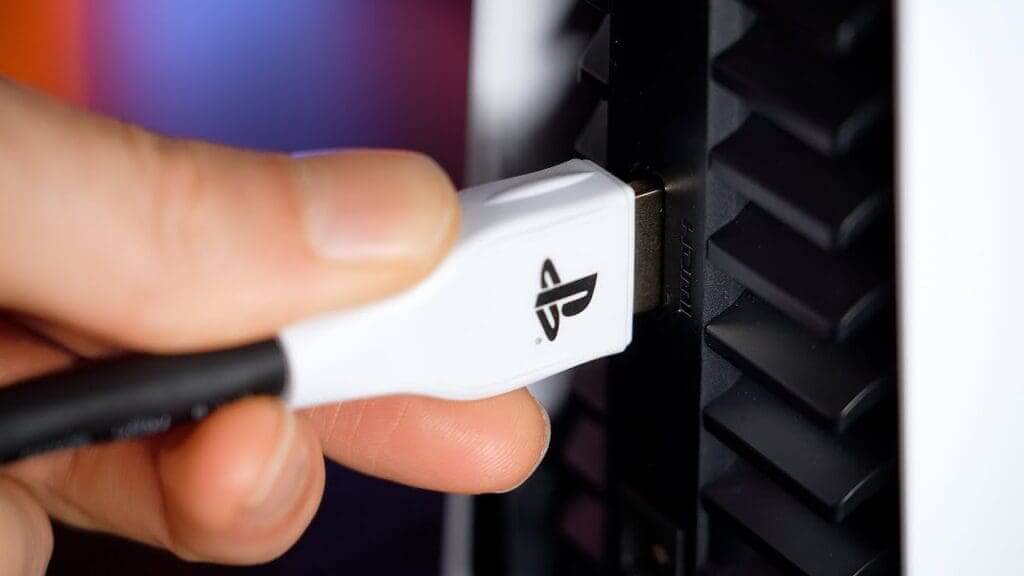
If the previous methods don’t work, you can try disconnecting the HDMI cable from your PS5 when you’re not using it. This will physically prevent the console from receiving any signals from your TV, effectively stopping it from turning on. However, keep in mind that this method requires manually connecting and disconnecting the HDMI cable each time you want to use your PS5.
Method 4: Use a Separate HDMI Input
If your TV has multiple HDMI inputs, you can assign a separate input exclusively for your PS5. By doing so, your TV won’t automatically switch to the PS5 input when it’s turned on. Now, when you turn on your TV, it won’t automatically switch to the input assigned to your PS5. This method allows you to have better control over when your console powers on.
To set this up, follow these steps:
Step 1: On your TV, navigate to the input settings.
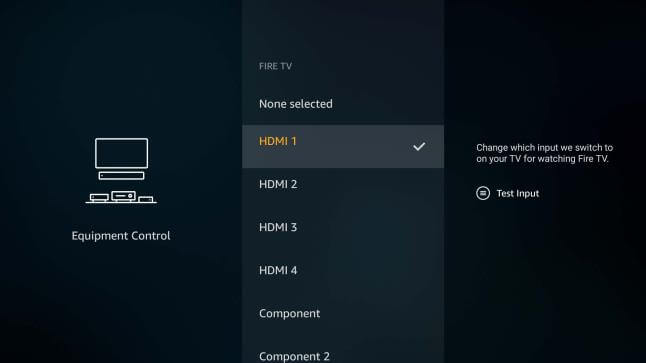
Step 2: Assign a specific HDMI input for your PS5.
Step 3: Save the changes.
Method 5: Use a Smart Power Strip
A smart power strip is a convenient solution that can help you stop PS5 from turning on with TV. These power strips have individual outlets that can be controlled remotely or manually. By plugging your PS5 into a separate outlet, you can turn it off completely when you’re not using it, regardless of the TV’s power state.
Method 6: Unplug the PS5
The last method to stop PS5 from automatically turning on with your TV is simply unplugging the console when you’re not using it. This is a straightforward solution that guarantees your PS5 won’t turn on unexpectedly. However, it may not be the most convenient option, especially if you frequently switch between gaming and other activities.
Conclusion
Experiencing your PS5 turning on automatically with your TV can be frustrating, but with the right methods, you can regain control over when your console powers on. By following the methods discussed here, you can stop PS5 from automatically turning on with your TV. Choose the method that suits your preferences and enjoy a hassle-free gaming experience with your PS5.
FAQs
1. Why does my PS5 turn on when I turn on my TV?
The automatic powering on of the PS5 when the TV is turned on can be attributed to the HDMI-CEC feature. HDMI-CEC allows devices connected via HDMI to control each other, and in the case of the PS5 and the TV, it can cause the console to power on when the TV is activated.
2. Is the issue of the PS5 turning on with the TV common?
Yes, this issue is commonly reported by users who have their PS5 connected to their TV via HDMI. The HDMI-CEC feature, while designed to provide convenience, can lead to unintended interactions between the PS5 and the TV, resulting in the console powering on when the TV is turned on.
3. How can I prevent my PS5 from turning on when I turn on my TV?
There are several troubleshooting steps and solutions that can help address this issue. One approach is to adjust the settings related to HDMI-CEC on both the TV and the PS5. Additionally, using alternative connection methods or devices can also mitigate the problem.
4. Can I disable HDMI-CEC to stop the PS5 from turning on with the TV?
Yes, disabling HDMI-CEC on either the TV or the PS5 can prevent the automatic powering on of the console. However, it is important to note that disabling HDMI-CEC may limit the functionality of certain features that rely on this communication protocol.
Author Bio:
Dinesh Lakhwani 

Dinesh Lakhwani, the entrepreneurial brain behind “TechCommuters,” achieved big things in the tech world. He started the company to make smart and user-friendly tech solutions. Thanks to his sharp thinking, focus on quality and the motto of never giving up, TechCommuters became a top player in the industry. His commitment to excellence has propelled the company to a leading position in the industry.
Popular Post
Recent Post
How To Disable Background Apps In Windows: 4 Quick Methods
A slow PC rarely gives a warning. One day, it simply takes longer to start. Apps open late. The fan runs loud, even when the screen is almost empty. Most people blame old hardware. Often, that is not the real reason. The real reason is hiding in plain sight. Windows keeps many apps active in […]
How to Activate Windows with a Product Key for Windows 11 & Windows 10
It always shows up at the worst time. You are halfway through a report, or about to join a video call. Then you spot it in the bottom right corner of the screen. Activate Windows. Go to Settings to activate Windows. Initially, an unactivated copy of Windows may seem like a minor inconvenience. Over time, […]

Is Easy Duplicate Finder Worth It? Honest Review
The photos folder looked normal at first glance. Then the storage warning popped up. One trip photo appeared four times. A tax PDF sat in three different folders. Two old setup files were still in Downloads, and each one was over 500 MB. Nobody plans this mess. Copies pile up slowly. A download runs twice. […]

Wise Duplicate Finder Review: Real Results from Wise Duplicate Finder
Read my honest Wise Duplicate Finder review. See features, pricing, pros and cons, and real PC test results. Find out if this free duplicate cleaner can free up your Windows storage.
How to Recover Deleted Files from Pen drive, USB Drive, SD Card
Introduction: On tech forums, you’ll often see posts like this: “I connected my pen drive to my laptop this morning, but the folder was empty. All my college project files had vanished. I don’t have a backup. Can someone help me?” Stories like this are very common. Pen drives, USB drives and SD cards are […]

How To Recover Files Deleted from the Recycle Bin [Windows 11]
Losing a file can happen in seconds. You clear your desktop, hit Delete, and empty the Recycle Bin. Then, just when you need that file again, it seems to have vanished. This guide will walk you through ways to restore files removed from the Recycle Bin. We will begin with simple fixes, then look at […]
Disk Drill Data Recovery Tool Explained: Full Review and Guide
It happens in a split second. You delete a folder by mistake. Your drive stops showing up. A photo album from your last trip just vanishes. And your stomach drops. Lost files feel personal. They are not just data. They are memories, work hours, and sometimes years of effort packed into a few gigabytes. When […]
Recover Deleted Files In Windows 11 With Software & Without
Introduction What is the first thing that goes through your mind the second an important file vanishes from a Windows 11 PC? For most people, it is a mix of panic and disbelief, followed by a frantic click through every folder that file could possibly be hiding in. It happens in a split second: one […]

EaseUS Data Recovery Wizard: Everything To Know
Data loss does not always come from a big disaster either. Most cases start small and boring. A drive gets formatted by mistake. A laptop freezes mid-save and restarts on its own. A memory card stops showing up after being pulled out too fast. None of these feel like emergencies at first, until you realize […]

