












So, search for a pair of shoes once online. Close the tab. By evening, those same shoes are sitting on your news site, your video app, and even your recipe blog. Nobody placed them there by chance. A cookie did. Well, yes! Cookies are small files that websites place on your device while you browse. […]
Ashampoo Driver Updater Complete Review: Everything to Know
Introduction:
Keeping your computer’s drivers updated is really important for it to work its best and stay safe. Outdated or corrupted drivers can lead to crashes, slowdowns, hardware issues, and vulnerability to malware. Manually checking and updating individual drivers can be extremely tedious and time-consuming. That’s where a dedicated tool to update drivers like Ashampoo Driver Updater comes in handy.
In this comprehensive review, we’ll take an in-depth look at Ashampoo Driver Updater to help you determine if it’s the right driver updater for your needs.
Overview of Ashampoo Driver Updater
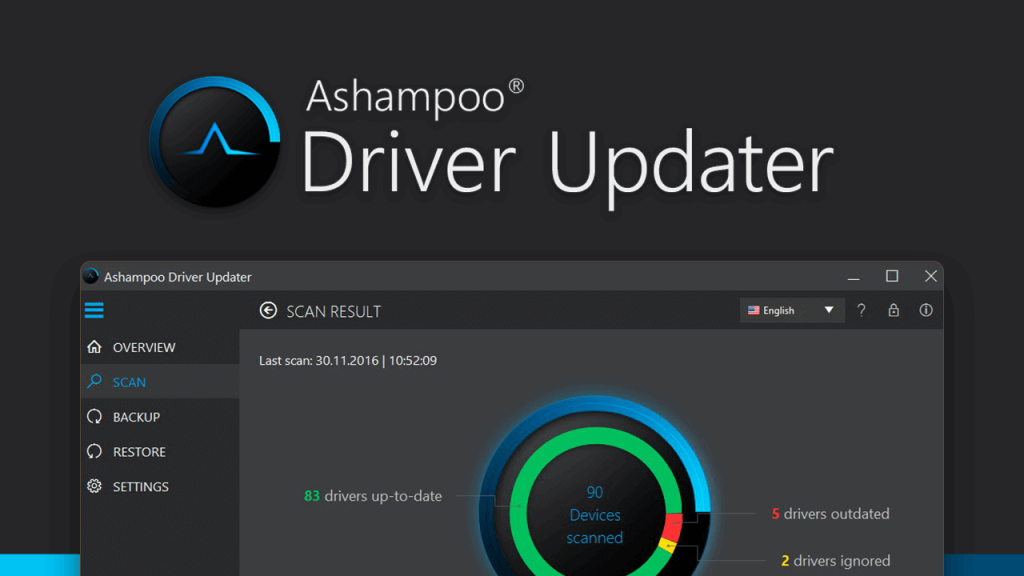
Ashampoo Driver Updater is a driver management utility by Ashampoo, a well-known German software company. It aims to automate the driver updating process so you don’t have to deal with hunting down driver updates yourself.
The software maintains a constantly updated database of over 1,200,000 drivers for various hardware components and devices. It scans your PC to detect outdated, missing, or problematic drivers and allows you to download and install the latest driver versions with a single click.
In addition to keeping your drivers up-to-date, Ashampoo Driver Updater can also backup and restore drivers and uninstall problematic drivers. The software works on both Intel and AMD-based Windows PCs.
Key Features of Ashampoo Driver Updater
Here are some of the most notable features provided by Ashampoo Driver Updater:
- Scans the system and detects outdated, corrupted, and missing drivers.
- One-click download and update of drivers from an extensive database.
- Ability to backup and restore drivers for safekeeping.
- Scheduled automatic scans and updates option.
- Multi-lingual interface (over 20 languages supported).
- Uninstall the utility to remove unwanted drivers.
- Detailed hardware information and driver version history.
- Gaming mode to update gaming drivers and boost performance.
- Dark mode support.
Ashampoo Driver Updater: A Thorough Review
Driver Scanning and Updating
The core functionality of Ashampoo Driver Updater is scanning your system for outdated drivers and updating them. The initial scan is pretty quick, depending on your system’s hardware. It gives you an overview of your PC’s drivers, highlighting those that are outdated or problematic.
The software integrates with a vast online database containing over 1.2 million device drivers. When you click update, it fetches the latest matching driver from the database for your hardware and allows you to download and install it seamlessly.
For gamers, there is a dedicated gaming mode that scans for outdated gaming drivers and game components to update them for improved gaming performance.
Backup and Restore
Ashampoo Driver Updater enables you to back up your current driver configuration for any hardware device. This protects you from losing drivers that are hard to find in case you need to reinstall Windows or swap out hardware.
The backup module takes a snapshot of your current drivers and stores it locally or on external media. You can then restore these backup drivers if necessary. This is an essential feature for a driver updater utility.
Scheduled Scans and Updates
Staying on top of driver updates can be tedious with manual checks. Ashampoo Driver Updater provides the ability to schedule automatic scans and updates on a daily, weekly, biweekly, or monthly basis.
This way your system’s drivers can be kept up-to-date effortlessly without any input from you. The scheduled tasks can run even when the software is not actively open. You can also specify for it to check for driver database updates before running scans.
Uninstall Utility
Over time, some faulty drivers may get installed on your system and cause problems. Manually removing them can be challenging for average users.
Ashampoo Driver Updater offers an uninstall utility that lets you cleanly remove any problematic drivers from your PC if they are causing crashes or conflicts. This helps resolve driver-related issues.
Interface and Usability
The Ashampoo Driver Updater interface is clean, intuitive, and user-friendly. The main dashboard neatly displays an overview of your drivers, updates, and hardware information.
Buttons and menus are sensibly laid out for updating, backing up, and managing drivers. Things are kept simple for novice users while still offering advanced configuration options for techies.
The software supports over 20 interface languages including English, German, Spanish, Italian, Dutch, and Russian among others. A portable version is also available that does not require installation and can run off a USB drive.
Gaming Features
To better cater to gamers, Ashampoo Driver Updater offers some specific gaming-related capabilities. There is a dedicated gaming mode that when activated scans for any outdated drivers related to gaming hardware and games.
It checks components like graphics cards, gaming keyboards & mice, headsets, and other peripherals. The goal is to keep gaming drivers updated for the best performance and stability when playing games.
Pricing and Plans
Ashampoo Driver Updater is available as a free trial that lets you scan your system and view results. To update drivers, you need to purchase a license.
Here are the pricing options:
- 1-Year License: $19.99 (3 PCs).
- Lifetime License: $39.99 (3 PCs).
The lifetime licenses come with free updates and support for life. There are often discounts available on the official website and reseller stores.
Additionally, a fee of $4.95 is applicable for premium email support, extending over two years. This pricing structure stands relatively higher when compared to competitors such as IObit Driver Booster Pro, which is priced at $11.47.
While a free tier exists, its functionality is limited. However, there is one more catch. The free version takes more time to scan and update drivers compared to the paid version.
Pros and Cons
Here is a summary of some of the key advantages and disadvantages of using Ashampoo Driver Updater:
Pros:
- Keeps all drivers up-to-date with one-click updates.
- Huge driver database of over 1.2 million drivers.
- Backup and restore drivers for safety -Scheduled scans and updates -Gaming mode improves gaming performance -Simple, user-friendly interface -Bloat-free and lightweight utility.
Cons:
- May sometimes detect false positives for updates.
- Limited configuration preferences for advanced users.
- Occasional bugs with some new drivers.
- The pricing model could be cheaper.
How to Use Ashampoo Driver Updater Tool?
Here’s a concise step-by-step guide to using Ashampoo Driver Updater:
Step 1: Get the software from Ashampoo’s website and install it on your PC.
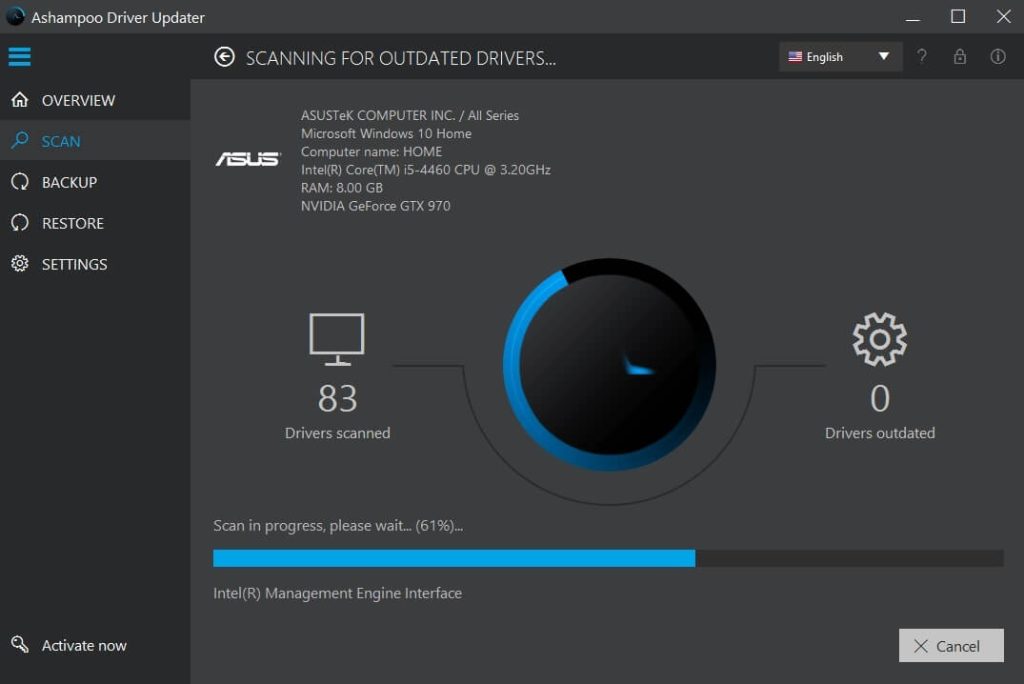
Step 2: Open the program, and perform a system scan to identify outdated drivers.
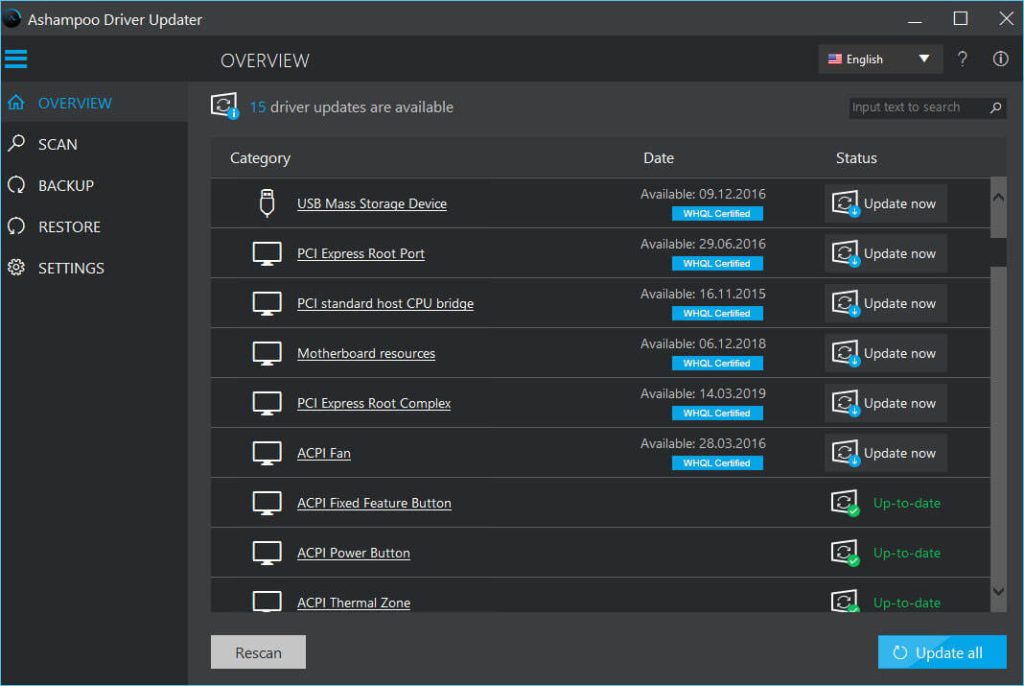
Step 3: Check the list of outdated drivers and choose which ones to update. Click the Update button to download and install the selected driver updates.
Step 4: Customize scan schedules or backup options in the program settings.
Periodically use the tool to ensure your drivers stay up to date for optimal performance.
Final Verdict
Ashampoo Driver Updater strives to simplify and automate the driver updating process for both average and power users. Though not perfect, it succeeds in taking the hassle out of hunting down and installing driver updates manually.
The large database, backup capability, and gaming mode provide added value. If you are looking for an automated driver management solution, Ashampoo Driver Updater is definitely worth considering. Just be aware that no software can be 100% accurate in detecting driver updates. But overall, it delivers on making driver maintenance much easier.
Author Bio:
Dinesh Lakhwani 

Dinesh Lakhwani, the entrepreneurial brain behind “TechCommuters,” achieved big things in the tech world. He started the company to make smart and user-friendly tech solutions. Thanks to his sharp thinking, focus on quality and the motto of never giving up, TechCommuters became a top player in the industry. His commitment to excellence has propelled the company to a leading position in the industry.
Popular Post
Recent Post

How To Disable Background Apps In Windows: 4 Quick Methods
A slow PC rarely gives a warning. One day, it simply takes longer to start. Apps open late. The fan runs loud, even when the screen is almost empty. Most people blame old hardware. Often, that is not the real reason. The real reason is hiding in plain sight. Windows keeps many apps active in […]

How to Activate Windows with a Product Key for Windows 11 & Windows 10
It always shows up at the worst time. You are halfway through a report, or about to join a video call. Then you spot it in the bottom right corner of the screen. Activate Windows. Go to Settings to activate Windows. Initially, an unactivated copy of Windows may seem like a minor inconvenience. Over time, […]

Is Easy Duplicate Finder Worth It? Honest Review
The photos folder looked normal at first glance. Then the storage warning popped up. One trip photo appeared four times. A tax PDF sat in three different folders. Two old setup files were still in Downloads, and each one was over 500 MB. Nobody plans this mess. Copies pile up slowly. A download runs twice. […]

Wise Duplicate Finder Review: Real Results from Wise Duplicate Finder
Read my honest Wise Duplicate Finder review. See features, pricing, pros and cons, and real PC test results. Find out if this free duplicate cleaner can free up your Windows storage.

How to Recover Deleted Files from Pen drive, USB Drive, SD Card
Introduction: On tech forums, you’ll often see posts like this: “I connected my pen drive to my laptop this morning, but the folder was empty. All my college project files had vanished. I don’t have a backup. Can someone help me?” Stories like this are very common. Pen drives, USB drives and SD cards are […]

How To Recover Files Deleted from the Recycle Bin [Windows 11]
Losing a file can happen in seconds. You clear your desktop, hit Delete, and empty the Recycle Bin. Then, just when you need that file again, it seems to have vanished. This guide will walk you through ways to restore files removed from the Recycle Bin. We will begin with simple fixes, then look at […]

Disk Drill Data Recovery Tool Explained: Full Review and Guide
It happens in a split second. You delete a folder by mistake. Your drive stops showing up. A photo album from your last trip just vanishes. And your stomach drops. Lost files feel personal. They are not just data. They are memories, work hours, and sometimes years of effort packed into a few gigabytes. When […]

Recover Deleted Files In Windows 11 With Software & Without
Introduction What is the first thing that goes through your mind the second an important file vanishes from a Windows 11 PC? For most people, it is a mix of panic and disbelief, followed by a frantic click through every folder that file could possibly be hiding in. It happens in a split second: one […]

EaseUS Data Recovery Wizard: Everything To Know
Data loss does not always come from a big disaster either. Most cases start small and boring. A drive gets formatted by mistake. A laptop freezes mid-save and restarts on its own. A memory card stops showing up after being pulled out too fast. None of these feel like emergencies at first, until you realize […]

