












It always shows up at the worst time. You are halfway through a report, or about to join a video call. Then you spot it in the bottom right corner of the screen. Activate Windows. Go to Settings to activate Windows. Initially, an unactivated copy of Windows may seem like a minor inconvenience. Over time, […]
Top 10 Best MP3 Volume Changers: Features, Pros, Cons
Introduction
Audio files do not always play at a comfortable or consistent level. Some MP3 tracks sound too quiet even at full volume, while others peak suddenly and distort the listening experience. This problem shows up often in podcasts, voice recordings, downloaded music, and old audio files created on basic hardware.
MP3 volume changers help fix these issues by raising or balancing sound levels without forcing listeners to adjust their devices constantly. These tools range from simple online boosters to advanced desktop editors. The right choice depends on how much control you need and how often you work with audio.
How to Choose the Best MP3 Volume Changer
Choosing the right MP3 volume changer starts with understanding how much control and precision you need. Some users only want a quick loudness boost, while others need detailed editing to avoid distortion. The points below will help narrow down the best option for your workflow.
- Audio Quality Preservation
A good volume changer increases loudness without adding noise or distortion. Look for tools that normalize audio instead of simply amplifying it. - Control Over Gain Levels
Adjustable gain lets you fine-tune volume rather than applying a fixed boost. This is important for spoken audio and music with quiet sections. - Support for MP3 and Other Formats
Even if MP3 is your main format, support for WAV or AAC helps when converting or editing mixed libraries. - Ease of Use
Clear sliders, previews, and simple layouts save time, especially for beginners or quick edits. - Batch Processing
If you handle multiple files, batch processing allows you to adjust volume across many tracks at once. - Clipping Protection
Built-in peak control or limiter tools prevent audio from breaking when the volume increases. - Platform Compatibility
Some tools work on Windows, macOS, browsers, or even as extensions. Choose what fits your setup best. - Export Quality Options
Control over bitrate and output quality ensures the final file matches your listening or publishing needs.
Top 5 MP3 Volume Changers Comparison
The tools below represent different approaches to MP3 volume adjustment, from professional editors to quick online and browser-based solutions. Each serves a specific type of user.
| Tool Name | Platform | Best For | Volume Control Level | Extra Features |
| TwistedWave | macOS, iOS | Professional audio editing | High precision gain and normalization | Non-destructive editing, waveform view |
| Online Converter | Web-based | Quick one-time edits | Basic volume increase | No install, fast processing |
| Audacity | Windows, macOS, Linux | Detailed audio control | Advanced amplification and normalization | Free, open-source, batch processing |
| Filmora | Windows, macOS | Video creators with audio needs | Simple but effective audio gain | Timeline editing, noise control |
| Chrome Volume Booster | Browser extension | Boosting playback sound | Playback amplification only | Works on streaming and websites |
Questions People Ask Before Using MP3 Volume Changers
Does increasing MP3 volume reduce audio quality?
It can if the tool only amplifies sound without managing peaks. Good volume changers use normalization or limiters to raise loudness while keeping distortion under control.
Is normalization better than amplification?
Normalization is often safer because it raises overall volume while respecting maximum sound limits. Amplification pushes volume directly and can cause clipping if overused.
Are online MP3 volume changers safe to use?
Most reputable tools are fine for basic files, but sensitive or private audio is better handled offline. Online tools also offer less control than desktop software.
10 Best MP3 Volume Changers Online
The following are the top MP3 volume editor apps with simple usability and strong performance rates. We looked through multiple choices before narrowing the list down to these top 10 choices.
1. TwistedWave
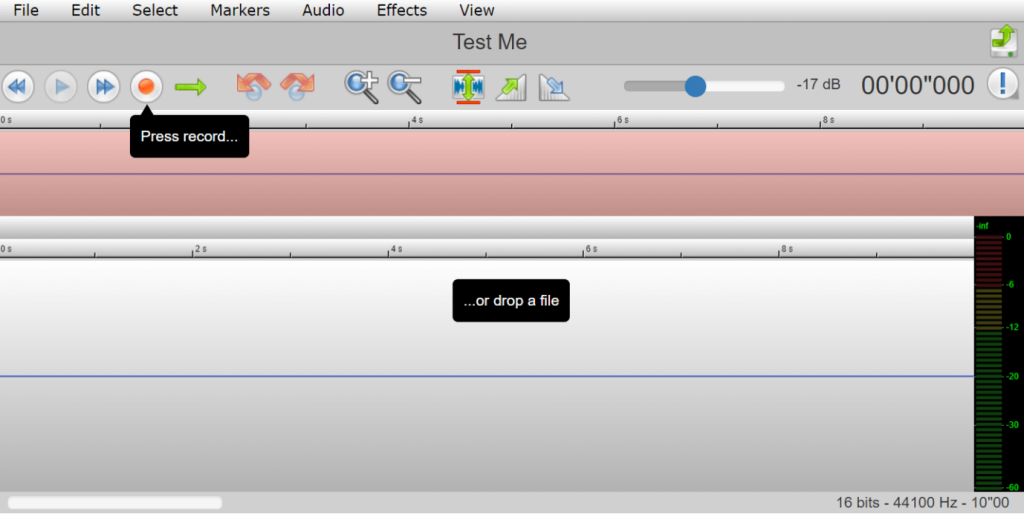
With TwistedWave, it is simple for people to insert audio files from their desktops, create new sounds, or upload via Cloud. Then, you can easily adjust the sound elements like the volume, filter, pitch, and output format. Additionally, use this MP3 volume editor to normalize sound bites or remove background noise directly.
Price: Demo- Free, Basic- USD 5 per month, Advanced- USD 10 per month, Pro- USD 30 per month.
Compatibility: web-based, Mac, iOS
Features:
- Users can add VST effects to their songs.
- It is simple to learn the Noise profile of audio files.
- Add effects like loop crossfade, fade-in, fade-out, and more.
- Convert the audio’s sampling rate and pitch.
Pros:
- You can adjust the volume of songs between -39 decibels to +12 decibels.
- You can directly begin recording the audio and then edit.
- It is simple to add/remove markers.
Cons:
- Users can come across unauthorized third-party links to other sites that can contain unfiltered/offensive content.
- You have to pay to increase the limit of storage hours.
2. Online Converter
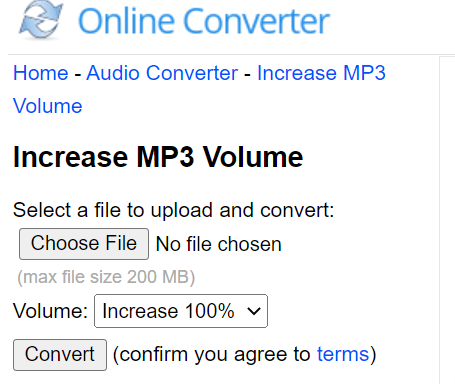
The Online Converter is a highly simplified online MP3 volume changer that you can use to upload and boost your audio volume instantly. Here, you can choose between decibels and percentage-based filters and quickly click the “Convert” button to begin processing.
Price: Free
Compatibility: web-based
Features:
- You can adjust the volume of audio files between 1-30 decibels.
- Users can combine more than two audio files seamlessly.
- Add files from the local device library.
- Change the volume by percentage, between 1% to 200%.
Pros:
- Quick conversion after agreeing to the site’s T&C regulations.
- Convert audio files within 200 MB size.
- The one-click volume boost is possible.
Cons:
- File uploading can take a long time- cancel it and try multiple times.
- It does not support encrypted audio files.
3. Audacity
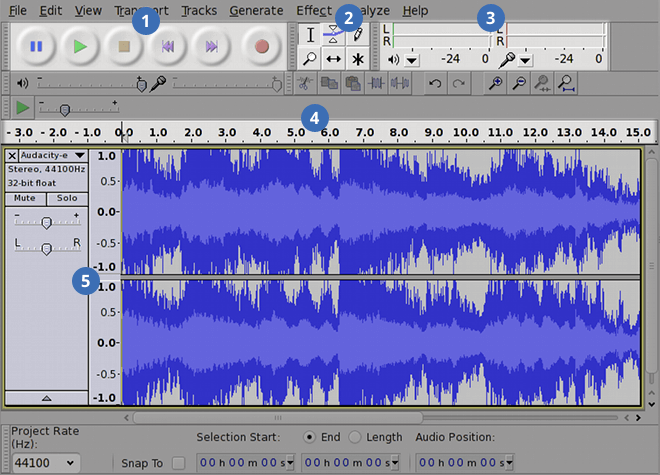
Audacity is one of the easiest MP3 volume editor software options for different users. With this, you can easily cut, trim, and speed up different audio files at varying levels. Moreover, managing all modifications on this platform is simple, especially through features like Plugin Manager.
Price: Free
Compatibility: Windows, Mac, Linux
Features:
- It is simple to convert the song files and samples during resampling and dithering functions.
- You can add effects via LV2, VST, Nyquist, LADSPA, and Audio Unit plugins.
- Supports audio editing in many sound qualities, i.e., 32-bit, 24-bit, and 16-bit.
- Use keyboard shortcuts for edits.
Pros:
- You can visualize the audio frequency.
- Export and import audio files in varying formats, including MP3 and WAV.
- Customer support is available in documentation formats, like how-to’s, FAQs, and tutorials.
Cons:
- The multi-channel recording feature is hard to handle for Windows version users.
- Simultaneous recordings cannot occur here.
4. Filmora
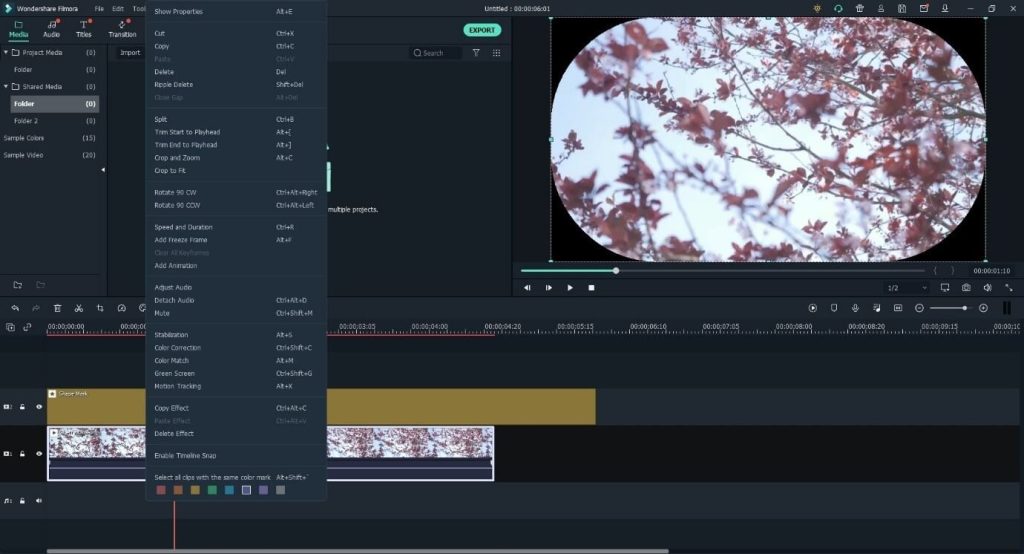
Filmora is a highly robust MP3 volume and sound editor that allows users to make different video and audio modifications. The editing software shows the aspect ratio, pitch, volume, and other tune-based settings. In addition, you can easily merge audio files with videos, use equalizer settings, and more.
Price: Perpetual Plan- USD 79.99, Annual Plan- USD 49.99, Monthly Plan- USD 9.99.
Compatibility: Windows, Mac
Features:
- Synchronize the beats in audio files with the videos.
- Adjust vocal and instrumental sounds after Audio Visualizer-based details.
- Reduce background sound to highlight voiceover vocals.
- Detect and remove silence from audio files.
Pros:
- Standard-level audio and video editing functions are available.
- Wide range of effects and filters to add.
- Royalty-free music is present for optimizing video edits.
Cons:
- Not available for browser-based online audio editing and conversion.
- Wondershare-based cloud storage has a 1 GB limit.
5. Chrome Volume Booster
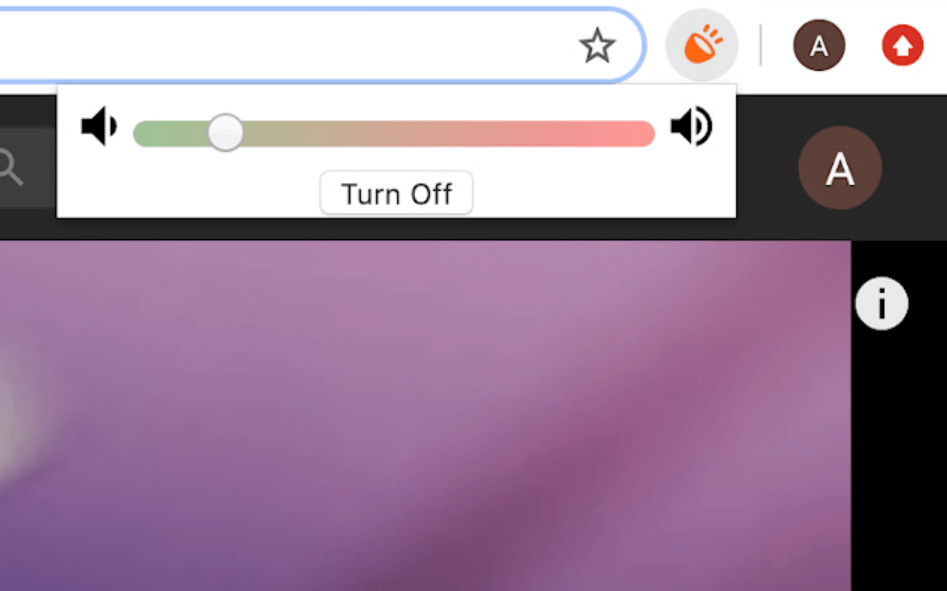
This Chrome-based extension is simple to activate on different systems and is accessible through the Chrome browser. You can open audio files on different tabs and adjust the volume to high levels. Here, users can extend to almost 1000% of the original sound level.
Price: Free
Compatibility: Chromebook, Windows, Mac.
Features:
- Allows users to increase audio file volume by 1000%.
- Get high volume regardless of headphone or speaker type.
- Move the slider to control the audio volume.
- High-definition sound quality even at high volume range.
Pros:
- Make sound changes for files in each tab one by one.
- Works with both Windows and Mac devices.
- It is very lightweight and simple to connect.
Cons:
- No variety when it comes to features.
- Moving the extension slider into the red area can get highly tricky.
6. Vidmore
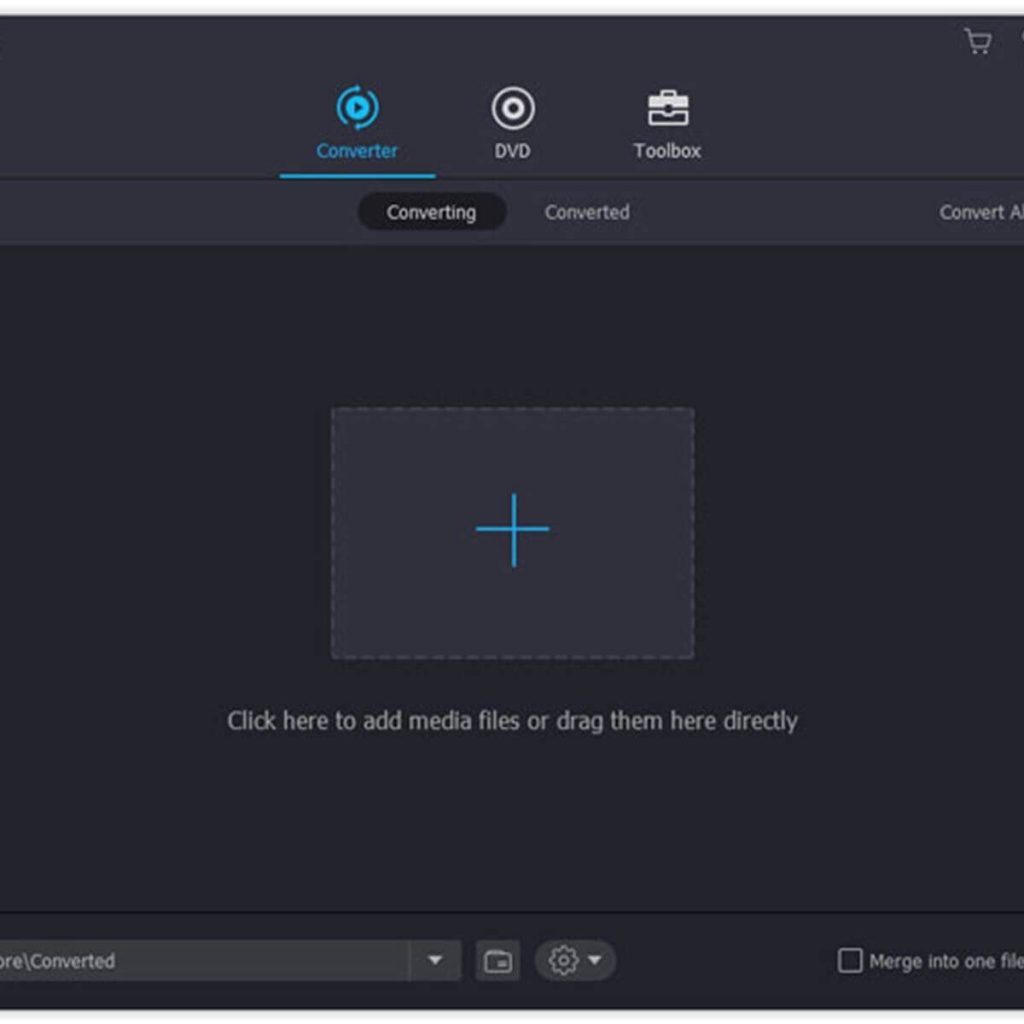
Vidmore is another useful video editor that users can operate to adjust sound and audio quality. You can adapt the sound effects of the videos with zero data loss issues and change volume levels. The application supports more than 200 audio/video editing formats with diverse features.
Price: USD 19.95 onwards.
Compatibility: Windows, Mac
Features:
- The app allows 100+ presets for different devices and models.
- The app supports various audio formats for input/output, like MP3, M4R, M4A, WMA, WAV, and more.
- Users can add photos, videos, and sound clips together for editing.
- Normalizing sound quality, speed, and volume are possible during editing.
Pros:
- It supports the MPEG Audio codec for MP3 files during input and output.
- Users can edit and share diverse audio/video files easily.
- Create collage videos and add a soundtrack to them.
Cons:
- Software downloads and upgrades cannot work without any internet connection.
- Mainly centered around video editing.
7. MP3Cut- Volume Changer
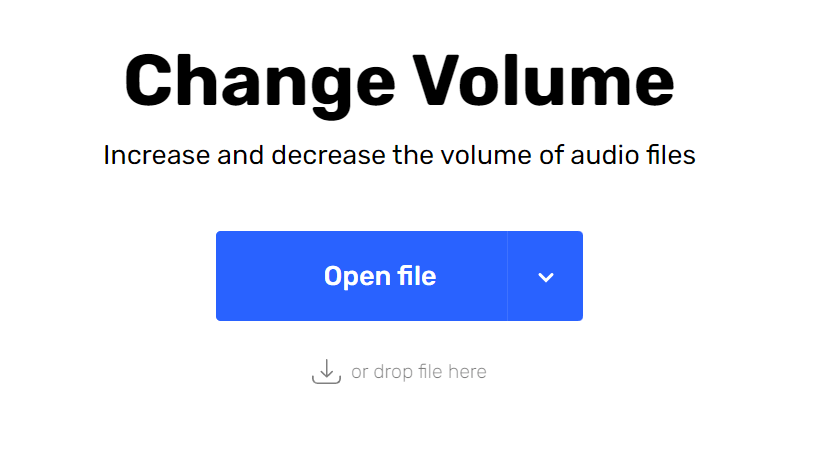
MP3Cut is another easy-to-operate software that you can utilize to change the sound and volume of audio clips. You can easily add one from Cloud, your local device, and copy the URL link. Use the slider to adjust volume and save the file in your chosen format.
Price: Free, Premium- USD 4.80.
Compatibility: web-based.
Features:
- Users can upload files upto 10 GB in length to edit.
- Edit and save audio files in different formats.
- Allows multi-device and multi-OS access.
- Drag-and-drop file to change the volume level.
Pros:
- Simple to use for beginners and professionals.
- SSL certification is available as a safety guarantee.
- No file compression is necessary.
Cons:
You can save only 35 files each day.
High number of ads.
8. MP3 Louder
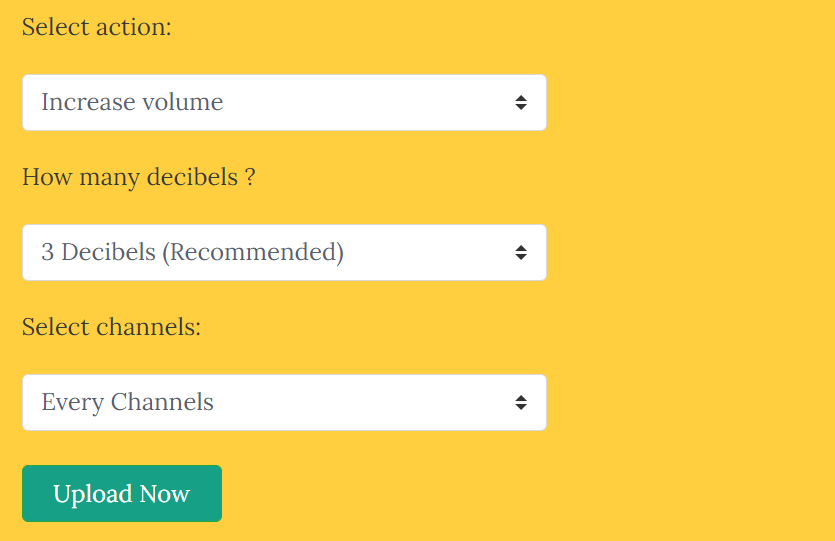
This free service can quickly cut audio files into smaller sections through online browser-based software. This is mainly used to boost or reduce the volume levels in any sound files without excessive or complex steps. You can easily upload the file, make sound-level changes, and download the altered version.
Price: Free
Compatibility: web-based.
Features:
- You can change the volume of audio from 1 to 50 decibels.
- Browse and insert MP3 files from the device library.
- You can manually set up the right/left audio channels.
- Multiple languages are supported.
Pros:
- Easily choose to lessen or enhance audio sound.
- Boost audio volume without complex steps.
- Audio conversion occurs in seconds.
Cons:
- Closing the browser during the encoding/uploading processes can cause errors.
- All uploaded audio files delete some hours after the time of upload from the app history.
9. Equalizer Pro
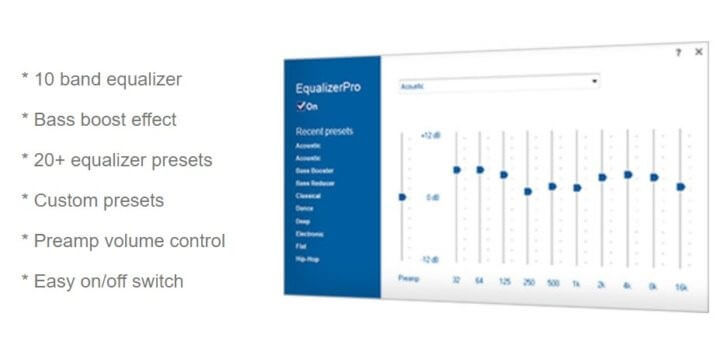
Equalizer Pro is one of the best choices available in this list of MP3 volume changer applications. It contains a 10-band equalization tool to adjust the pitch and tone of the music, either with new customizations or the 20+ presets.
Price: For 1 PC device- USD 29.95, 3 PC devices- USD 39.95, 5 PC devices- USD 49.95
Compatibility: Windows
Features:
- Boost the low audio tones and get enhanced output with the preamp volume controlling feature.
- Users can prepare customized presets for varying programs.
- Control the pitch, tone, and volume with equalizer settings.
- Improve the sound’s bass without any masking for cleaner enhanced sound quality.
Pros:
- Technical support is available for all users.
- Free upgrades to the software are accessible.
- Simple ON and OFF toggles are available to control the program’s active status.
Cons:
- None of the software benefits are free to use.
- In addition, links may be available to unverified third-party sites.
10. MP3 Cutter
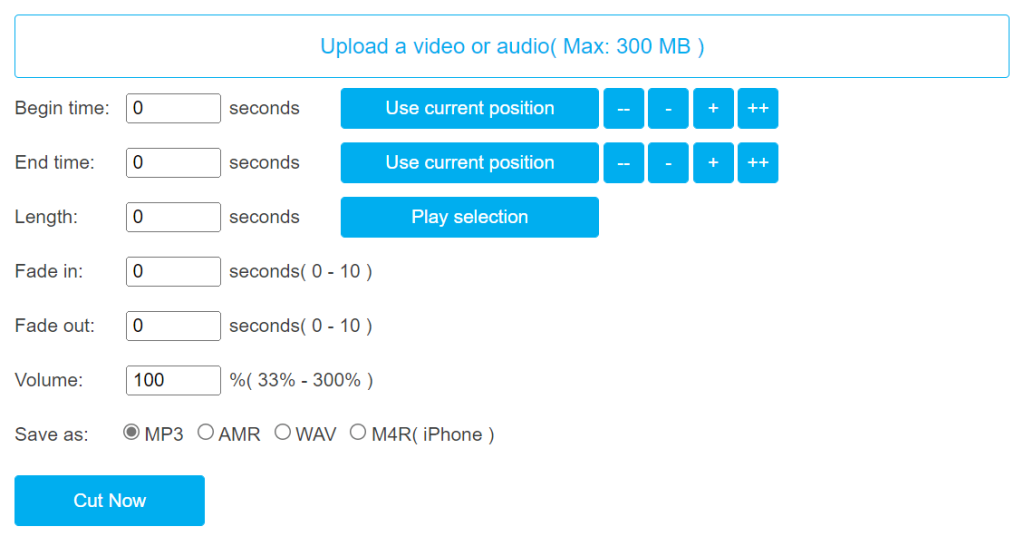
MP3 Cutter is a notable MP3 volume changer that users can access through online browsers to cut audio files into ringtones. It is easy to insert pre-recorded files into MP3 Cutter, trim its length, add fading effect, and adjust volume levels easily.
Price: Free
Compatibility: web-based.
Features:
- You can adjust the volume change between 33% to 300% of the original sound level.
- It is possible to add a fade-in/fade-out effect to selected audio sections for some seconds.
- Set specific beginning/end times for the audio cutting.
- Quick, shortened edit of long tracks.
Pros:
- Supports AMR, MP3, WAV, and M4R audio formats in output and input.
- Trim audio tracks to form short ringtones.
- Decide the length to be cut and then play the selection section’s preview.
Cons:
- The maximum size of files can be 300 MB only.
- In addition, the M4R format is only available for iPhone users to try out.
Conclusion
MP3 volume changers solve a common problem that affects music, voice recordings, and digital content. Whether you are fixing a quiet podcast, preparing audio for a video, or balancing a playlist, the right tool can improve clarity and listening comfort without extra effort.
For professional control and accuracy, desktop editors like Audacity or TwistedWave work best. If speed and convenience matter more, online tools or browser boosters are enough for casual use. Choosing the right solution depends on how often you edit audio and how much control you need over the final sound.
FAQs
Can I increase MP3 volume without losing quality?
Yes, if you use tools that normalize audio and prevent clipping. Avoid pushing gain too high, and always preview the result before exporting.
What is clipping in audio files?
Clipping happens when sound peaks exceed the maximum limit, causing harsh or broken audio. Good volume changers include peak control to avoid this issue.
Is Audacity good for beginners?
Audacity has a learning curve, but basic volume adjustment is straightforward. It also provides more control as your editing needs grow.
Author Bio:
Dinesh Lakhwani 

Dinesh Lakhwani, the entrepreneurial brain behind “TechCommuters,” achieved big things in the tech world. He started the company to make smart and user-friendly tech solutions. Thanks to his sharp thinking, focus on quality and the motto of never giving up, TechCommuters became a top player in the industry. His commitment to excellence has propelled the company to a leading position in the industry.
Popular Post
Recent Post

Is Easy Duplicate Finder Worth It? Honest Review
The photos folder looked normal at first glance. Then the storage warning popped up. One trip photo appeared four times. A tax PDF sat in three different folders. Two old setup files were still in Downloads, and each one was over 500 MB. Nobody plans this mess. Copies pile up slowly. A download runs twice. […]

Wise Duplicate Finder Review: Real Results from Wise Duplicate Finder
Read my honest Wise Duplicate Finder review. See features, pricing, pros and cons, and real PC test results. Find out if this free duplicate cleaner can free up your Windows storage.

How to Recover Deleted Files from Pen drive, USB Drive, SD Card
Introduction: On tech forums, you’ll often see posts like this: “I connected my pen drive to my laptop this morning, but the folder was empty. All my college project files had vanished. I don’t have a backup. Can someone help me?” Stories like this are very common. Pen drives, USB drives and SD cards are […]

How To Recover Files Deleted from the Recycle Bin [Windows 11]
Losing a file can happen in seconds. You clear your desktop, hit Delete, and empty the Recycle Bin. Then, just when you need that file again, it seems to have vanished. This guide will walk you through ways to restore files removed from the Recycle Bin. We will begin with simple fixes, then look at […]

Disk Drill Data Recovery Tool Explained: Full Review and Guide
It happens in a split second. You delete a folder by mistake. Your drive stops showing up. A photo album from your last trip just vanishes. And your stomach drops. Lost files feel personal. They are not just data. They are memories, work hours, and sometimes years of effort packed into a few gigabytes. When […]

Recover Deleted Files In Windows 11 With Software & Without
Introduction What is the first thing that goes through your mind the second an important file vanishes from a Windows 11 PC? For most people, it is a mix of panic and disbelief, followed by a frantic click through every folder that file could possibly be hiding in. It happens in a split second: one […]

EaseUS Data Recovery Wizard: Everything To Know
Data loss does not always come from a big disaster either. Most cases start small and boring. A drive gets formatted by mistake. A laptop freezes mid-save and restarts on its own. A memory card stops showing up after being pulled out too fast. None of these feel like emergencies at first, until you realize […]

Recuva Data Recovery Tool: Is it Actually Worth it?
When I first tried Recuva Data Recovery, I wanted to see if it could really bring back lost files. The tool is free, small in size, and promises quick recovery, which made me curious enough to test it on my own PC. The setup was fast, and the wizard guided me step by step. I […]

GetData Recover My Files Data Recovery Tool: Honest Review
A hard drive error brings a special kind of silence. Well, yes! The screen freezes, then a message appears saying the drive can’t be found or must be formatted. In that moment, years of photos and work files feel at risk. It never happens at a good time. Coffee spills near a laptop, a memory […]

