












Read my honest Wise Duplicate Finder review. See features, pricing, pros and cons, and real PC test results. Find out if this free duplicate cleaner can free up your Windows storage.
MP3 Editor App- Top 10 Audio Editing Apps for Android and iOS
Introduction
Audio editing has become more accessible than ever. With smartphones getting smarter, users can now edit music, podcasts, and voiceovers right from their devices. Whether you’re a beginner or a seasoned creator, there’s an app for every skill level. These apps offer features like trimming, mixing, adding effects, and exporting in multiple formats. You no longer need a studio to produce high-quality sound.
The market is flooded with MP3 editor apps for Android and iOS. This article highlights the top 10 audio editing apps, with a deep dive into the top 5. These apps stand out for their performance, user experience, and unique features.
Top 5 MP3 Editor Apps Compared
These five apps are leading the audio editing space. Each offers something different—some are great for music production, others for quick edits or vocal effects. Here’s a side-by-side comparison to help you decide which one suits your needs best:
| App Name | Key Features | Best For | Platform | Price Model |
| FilmoraGo | Multi-track editing, effects, filters | Video + audio editing | Android, iOS | Freemium |
| Voloco | Real-time vocal effects, auto-tune | Vocal processing | Android, iOS | Freemium |
| BandLab | Cloud-based DAW, loops, mastering | Music production | Android, iOS | Free |
| WavePad | Professional tools, batch processing | Detailed audio editing | Android, iOS | Freemium |
| Splice | Royalty-free samples, beat maker | Beat creation | iOS only | Subscription-based |
10 Best MP3 Editor Apps for Android and iOS
Indeed, we found multiple app options available for MP3 editor iPhone and Android users can use for their needs. After carefully looking through their usability, performance quality, and features, we have compiled a list of the top 10 versions. Here, we present the apps for you.
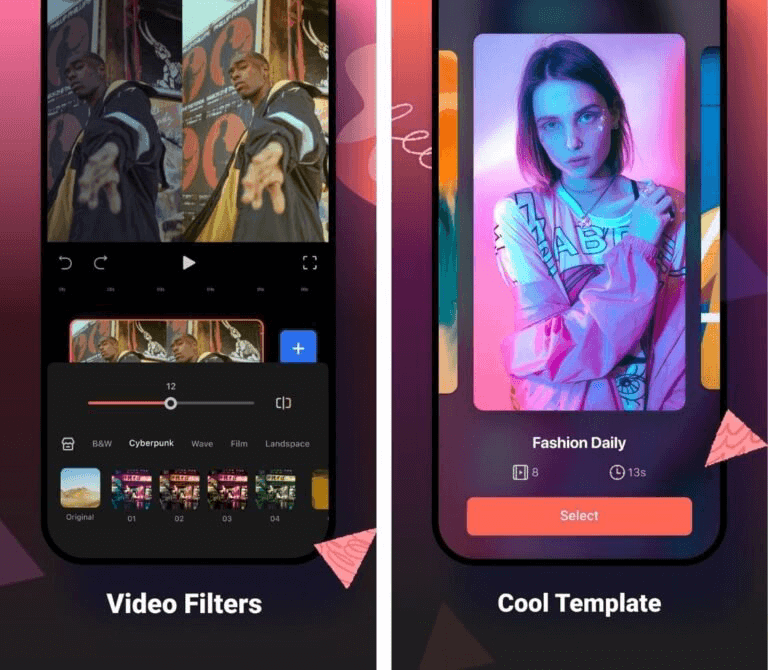
1. FilmoraGo
FilmoraGo is one of the most dynamic and feature-rich audio and video editors available. It is easy to cut, trim, adjust, and add different voice clips to videos and separately edit both.
Composers can use this app to create new sounds and recordings and edit their sound quality and effects.
Compatible platforms: Android, iOS
Ratings: 4.5 stars out of 5 (Android)/4.7 stars out of 5 (iOS)
Price: Free, in-app purchases start at USD 1.99.
Main Features:
- Multiple royalty-free kinds of music are available to use for editing.
- Add voiceovers after recording to videos.
- Easily adjust pitch, volume, background static, etc.
- Cut audio clips and include sound effects in the files.
Pros:
- Import MP3 and other format files from the device, stock library, or iTunes.
- Use the text-to-speech feature during video editing.
- Sync the song beats with the video.
Cons:
- Some functions, like background noise omission, are only available for paid users.
- Privacy and security policies can differ in some regions.
Best for: High-level professionals can use this app for dynamic audio/video editing work.
How to Download: Google Play Store, Apple App Store
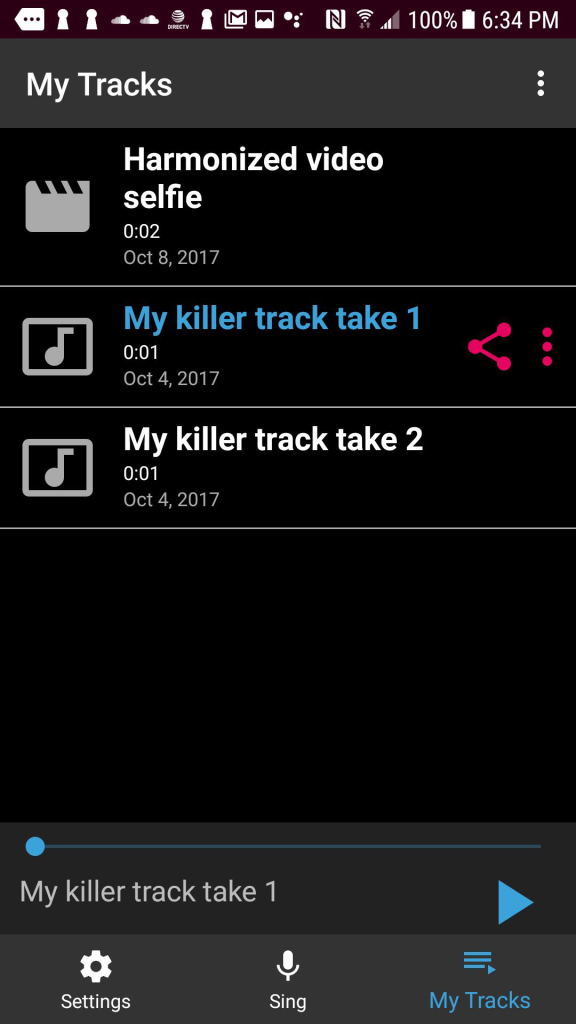
2. Voloco
Voloco is useful for iPhone and Android users to import audio files for editing or recording new tracks. You can create new sounds with intuitive effects, tools, and preset beats. It is possible to record demos and tracks and even create voiceovers for video files. It automatically omits unnecessary background sounds as well.
Compatible platforms: Android, iOS
Ratings: 4.2 stars out of 5 (Android)/4.8 stars out of 5 (iOS)
Price: Free, Monthly- USD 9.99, Annual- USD 49.99.
Main Features:
- Intuitive effect-rich personalized feature packs like Bon Hiver, Duft Pank, and Sitar Hero.
- Add lyrics in the app for karaoke recording.
- Record songs and use editing feature like autotune/reverb.
- Create remixes with pitch correction, vocal remover, and other features.
Pros:
- You can include heft, thickness, and stereo width to vocals with some features, like Modern Rap I.
- Humorous effects are available, like vocal fry.
- Over 50 different effects are available in 12 packs.
Cons:
- Many advanced functions like modern effects and auto-tine are available for paid subscribers only.
- Adult-oriented warnings are available, so it is not fit for younger audiences.
Best for: Songwriters and composers who want to record new songs/beats and voiceovers.
How to Download: Google Play Store, Apple App Store
3. BandLab
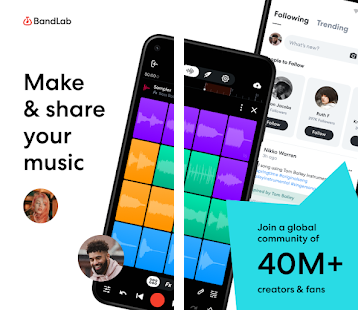
BandLab is a free MP3 editor app for iOS and Android users to try out for beat-making and song recording. You can add creative filters and effects to the songs, use the royalty-free songs available in sound packs, and integrate preset samples and loops.
It is possible to remix songs with practically no limits while using this app.
Compatible platforms: Android, iOS
Ratings: 4.4 stars out of 5 (Android)/4.8 stars out of 5 (iOS)
Price: Free
Main Features:
- Add reverb, synth, and loops to songs or freestyle new beats.
- Include effects into videos while editing them with audio tracks.
- Master new recordings and songs with built-in mastering software.
- More than 180 instrumental and vocal presets and effects are available.
Pros:
- Modern Metronome and Tuner tools are available for tune/beat production.
- Create new tracks and remix older audio files in one place.
- Available library of other songs from different artists for inspiration.
Cons:
- Age restrictions are in place for usage.
- It can get complex for total beginners to understand initially.
Best for: Singers, producers, and beat makers can use this MP3 editor app to create audio in different genres like rap and dubstep while remixing tracks.
How to Download: Google Play Store, Apple App Store
4. WavePad
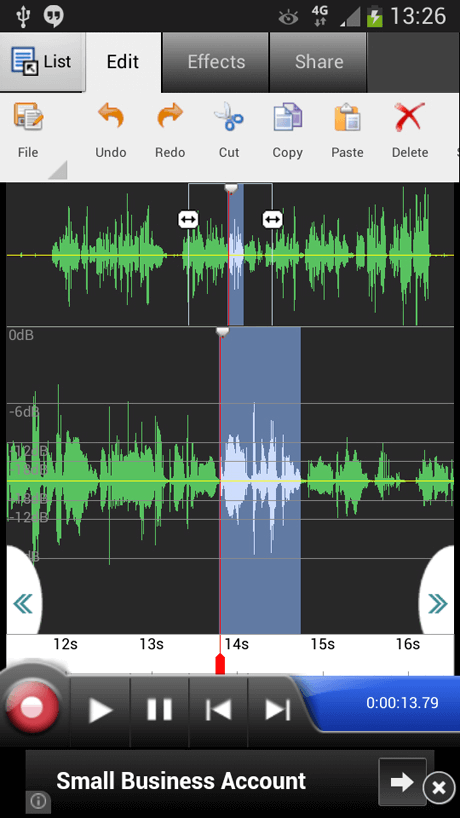
WavePad is suitable for video/audio editing and comes with diverse tools like auto-trim, silence, insert, pitch shifting, compression, etc. In addition, it supports VST and DirectX, which music producers can use to directly access many effects and tools.
You can search, scrub, and bookmark your audio files for extra editing and even edit video-based audio.
Compatible platforms: Android, iOS, Windows, Chrome, Mac
Ratings: 3.7 stars out of 5 (Android)/4.6 stars out of 5 (iOS)
Price: Free with in-app purchases starting at USD 0.99.
Main Features:
- Use image visualization, FFT, and waveform features to export the audio as video files.
- Supports different types of audio formats like MP3, VOX, WAV, WMA, and more.
- Create regions and bookmarks for faster browsing and recall.
- Batch processing is available for quick multi-track editing.
Pros:
- Fast editing functions like compression, auto-trim, cup/copy/paste and more are available.
- Integrates with multi-track MixPad audio mixer without issues.
- A wide library of royalty-free sound clips and sound effects.
Cons:
- Not available for complex commercial-based use.
- People in many regions cannot use it since it only supports English.
Best for: Music composers at home can use this MP3 mixer Android app/iOS app to edit diverse audio files and add to video files quickly.
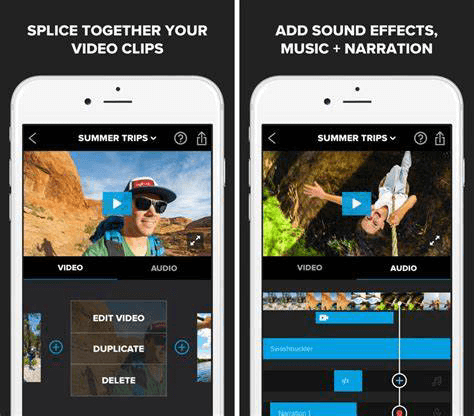
5. Splice
Splice is a strong Mp3 editor Android and iOS users can try out to create new music projects and sounds. It is a lightweight and free app that users can operate to find new sounds, even by genre type or instrument.
You can create new beats using the in-built Sequencer and Beatmaker functions.
Compatible platforms: Android, iOS
Ratings: 3.3 stars out of 5 (Android)/3.0 stars out of 5 (iOS)
Price: Free
Main Features:
- Use the Studio section to collaborate with new artists on tracks.
- Store unlimited tracks and project files for free in the cloud.
- Plugin support of Astra and Beatmaker allows users to create new beats and music directly on the app.
- Filter the available audio files by genre or instrument type.
Pros:
- Use Rent-to-Own financing services to get plugins and then pay them month-by-month.
- Learn how to use the app and mix audio tracks from experts via expert tutorials.
- Save any royalty-free sound you like for later usage.
Cons:
- You have to first register on the Splice website to use this software on mobile apps.
- Only the English language is used on this app.
Best for: Music composers can use this app to create movie soundtracks, club hits, etc.
How to Download: Google Play Store, Apple App Store
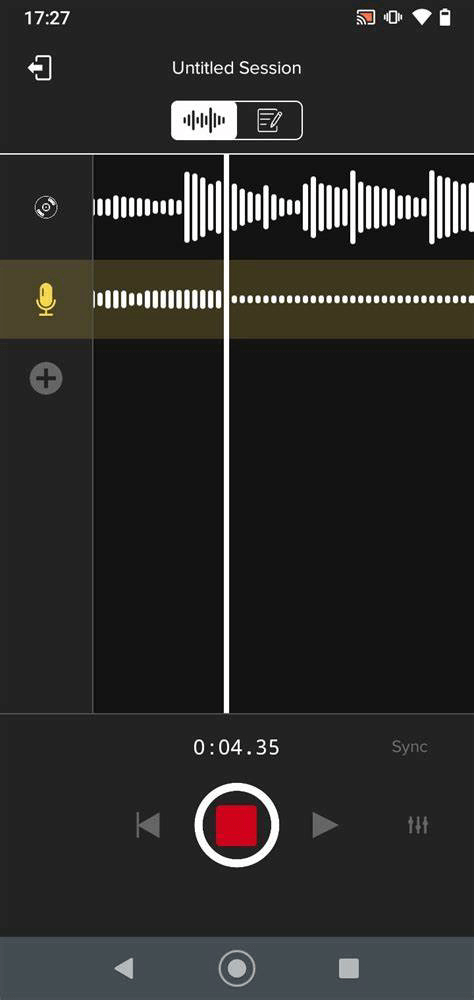
6. OffTop: Auto-Tune Music Studio
OffTop is another user-friendly music mixing, recording, and editing app for mobile users. One can get various strong vocal effects and editing functions for full-scale sound editing. In addition, there is strong community support here for collaborating and sharing newly composed music with other artists.
Compatible platforms: Android, iOS
Ratings: 4.6 stars out of 5 (Android)/4.7 stars out of 5 (iOS)
Price: Tier 1- USD 5.99 per month, Tier 2- USD 9.99 per month, Tier 3- USD 14.99 per month.
Main Features:
- Free daily updates of new beats and alerts on newly uploaded compositions from artists you follow.
- Automatically detects instrumental key changes for voice recording syncing.
- More than 15 vocal effects are available, like AutoTune, compression, reverb, etc.
- Users can record acapella or beats after adding new lyrics, tunes, raps, etc.
Pros:
- An interactive community for artists and songwriters to collaborate, interact, and participate in contests.
- In-built library of graphic designs and visuals for social media-based sharing.
- Get feedback on your created music in the community.
Cons:
- The official site is not available for registration or customer support.
- The free trial is only available for the initial 7 days.
Best for: Musicians, producers, and artists can use this app for collaborations and music-making.
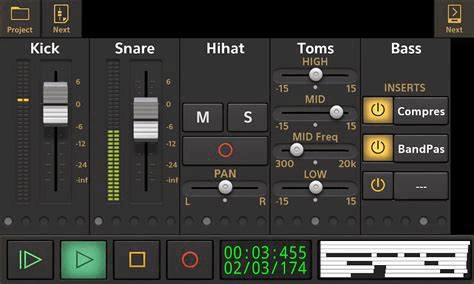
7. Audio Evolution Mobile Studio
Audio Evolution Mobile Studio is an intuitive and dynamic MP3 editor app for mobile users. You can record MIDI songs and use the MPE and piano roll editing function to sequence the tracks. Here, users can mix, do unlimited redos and undos during editing, and add real-time effects.
Compatible platforms: Android, iOS
Ratings: 4.2 stars out of 5 (Android)/ 4.1 stars out of 5 (iOS)
Price: USD 10.99.
Main Features:
- Many editing effects are available for offline use, like normalize, fade-in/out, time stretch, etc.
- Render all audio tracks to different stems/audio files and export to varying DAWs.
- Unlimited access to groups and tracks in this app.
- Many grid options to change sample settings like time signature and tempo.
Pros:
- Function Loops come in multiple loop packs.
- It supports cloud storage and sharing via DropBox and Google Drive.
- In addition, you can use the media service to find files on the app, even via a desktop computer.
Cons:
- The Pro version is not available for users with version 2.0 or newer versions.
- The ToneBoosters packs are present in paid versions.
Best for: Professionals that want a robust music editing app with an organized interface and modern tools, like grid-based editing.
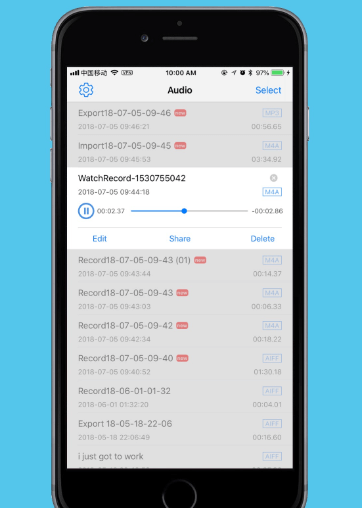
8. EZAudioCut
EZAudioCut is a powerful and easy-to-use app for music editing, especially MP3 files. It allows the export of the final files in different formats like MP3, M4A, AIFF, AAC, etc. The MP3 editor iPhone version offers iCloud support to users.
It is simple to make multiple audio modifications for time stretch, reverb, and pitch.
Compatible platforms: Android, iOS
Ratings: 4.9 stars out of 5 (iOS)
Price: Free, Premium (Zero ads) version- USD 3.99.
Main Features:
- Automatically record calls an unlimited number of times.
- Various settings enhance audio, like pitch, tempo, time stretch, gain, chorus, etc.
- It supports different media file formats for importing and exporting, like Mp3, MP4, MP2, M4A, AIF, MOV, etc.
- Precise zooming of files to cut, redo, and undo edits multiple times.
Pros:
- You can import audio files from EZAudio Lib, other types of apps, and local videos.
- A noise reduction feature is available.
- Share the edited video/audio file by messages, email, Instagram, YouTube, or Snapchat.
Cons:
- If you do not have enough storage space on your phone, the app will lag during recording.
- Most usable for iOS device users, with features like Airpod support.
Best for: Music producers and experts in this field for a simple and easy-to-use platform with multiple recording and editing functions.
9. FL Studio Mobile
FL Studio Mobile is a comprehensive app with multiple audio recording and mixing features. You can import WAV/STEM stacks and even look through available presets and samples for editing, getting a preview.
Multiple effects are available for high-quality audio editing and advanced tools like drum kits and synthesizers.
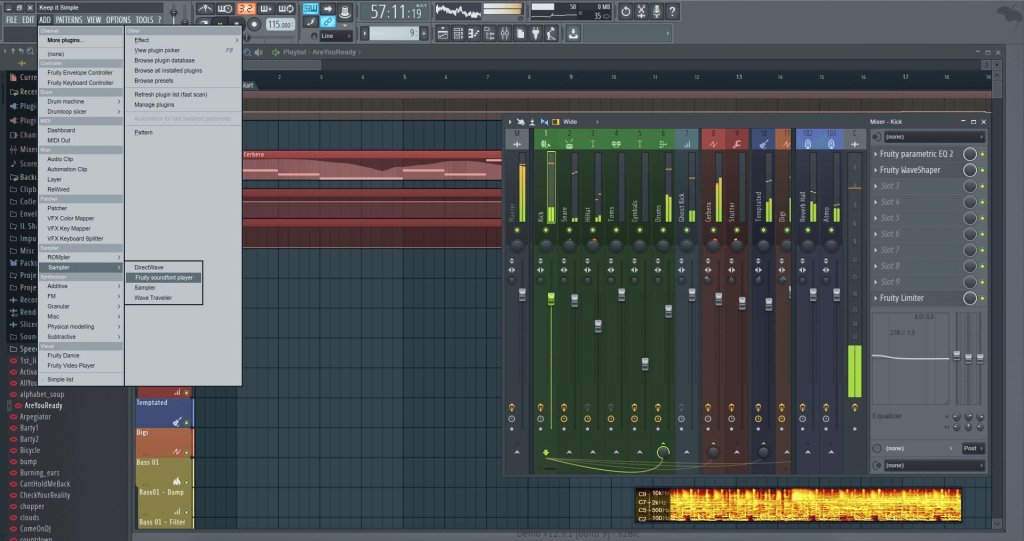
Compatible platforms: Android, iOS, Mac, Windows, Huawei
Ratings: 4.1 stars out of 5 (Android)
Price: USD 13.99, and other in-app purchases.
Main Features:
- Load and save Mp3, WAV, MIDI, and FLAC audio file formats.
- See presets and samples in the preview setting and find audios.
- Import/export multiple tracks and solo tracks in MIDI audio file format.
- Strong editor settings like a sampler, synthesizer, and slided-loop beats.
Pros:
- It allows easy song sharing via three synced mobile devices.
- Intuitive features like Step Sequencer and virtual drum pads/piano-keyboard.
- WiFi access is available for Mp3 file sharing.
Cons:
- You have to get an image-line account to access these software services separately.
- Users must pay the additional cost to use DMS, DirectWave Sample Player, and other benefits.
Best for: Music composers who want high-quality tools for music-making and mixing, like virtual drum pads.
10. edjing Mix
This app makes it easy to create strong DJ sets and beats, even for beginner-level composers and DJs. You can use the available Pro DJ FX effects and auto-sync specific songs with Beatmatch. In addition, the Sampler feature is available for real-time beat remixing and exporting files in high quality.
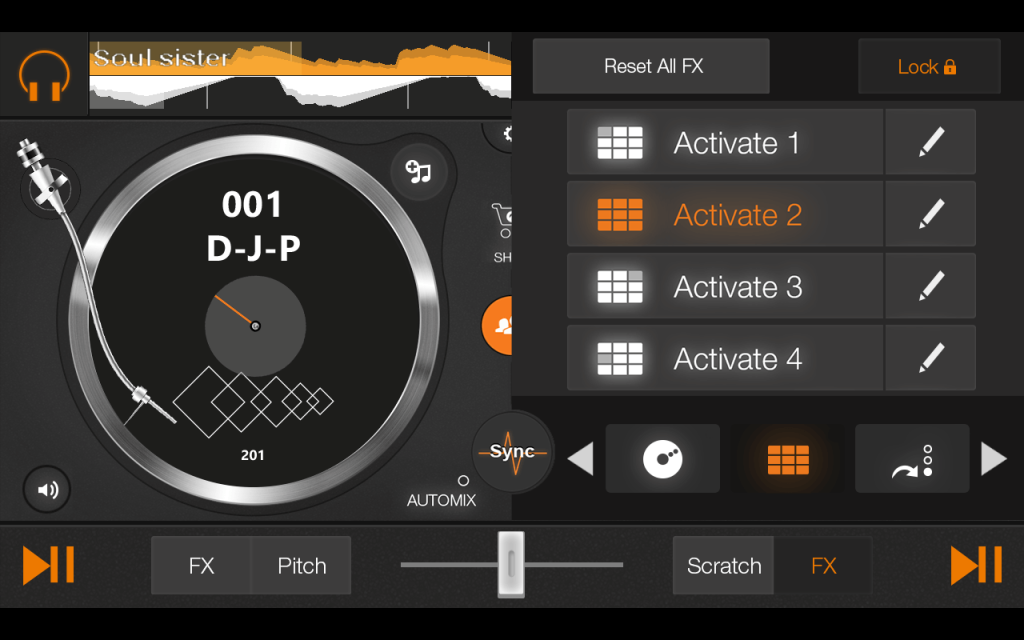
Compatible platforms: Android, iOS
Ratings: 4.4 stars out of 5 (Android)/4.5 stars out of 5 (iOS)
Price: Free with in-app purchases starting at USD 7.99.
Main Features:
- There are 8 hot cutes that you can set up across every deck.
- Automixing feature available for automatic track transitioning.
- Slip mode is useful for adding Scratch and Loops.
- More than 20 different sample packs are available.
Pros:
- You can manage and compose using 4 different DJ effects in Android wear.
- You can reorder your available FX lists for panel customization.
- Tutorials/lessons are available for learning audio mixing skills.
Cons:
- Four skins are available for turntables customization but at an add-on cost.
- It would be best to have Android 4.3 and Bluetooth LE support for Mixfader.
Best for: DJs can use this MP3 editor app to mix and create diverse beats and audio tracks.
Conclusion
Audio editing apps have evolved to meet the needs of mobile users. From casual edits to full-scale music production, these tools offer flexibility and power. You can record, edit, and publish—all from your phone. The top apps are designed to be intuitive and efficient.
Choosing the right app depends on your goals. If you’re into vocals, Voloco is a great pick. For music producers, BandLab and Splice offer robust features. WavePad suits users who want precision, while FilmoraGo is perfect for combining audio with video. Try a few and see which one fits your creative style.
FAQs
1. Can I use these apps without prior audio editing experience?
Yes, most of these apps are beginner-friendly. They offer tutorials, simple interfaces, and preset tools to help you get started. You can learn as you go and gradually explore advanced features.
2. Are these apps suitable for professional audio work?
Some apps like BandLab and WavePad offer professional-grade features. They support multi-track editing, mastering, and high-quality exports. While mobile apps may not replace full desktop DAWs, they are powerful enough for serious projects.
3. Do I need to pay to use these apps?
Most apps follow a freemium model. You can access basic features for free and pay for premium tools or content. Splice is subscription-based, while BandLab is completely free. Always check the pricing before committing.
Author Bio:
Dinesh Lakhwani 

Dinesh Lakhwani, the entrepreneurial brain behind “TechCommuters,” achieved big things in the tech world. He started the company to make smart and user-friendly tech solutions. Thanks to his sharp thinking, focus on quality and the motto of never giving up, TechCommuters became a top player in the industry. His commitment to excellence has propelled the company to a leading position in the industry.
Popular Post
Recent Post

How to Recover Deleted Files from Pen drive, USB Drive, SD Card
Introduction: On tech forums, you’ll often see posts like this: “I connected my pen drive to my laptop this morning, but the folder was empty. All my college project files had vanished. I don’t have a backup. Can someone help me?” Stories like this are very common. Pen drives, USB drives and SD cards are […]

How To Recover Files Deleted from the Recycle Bin [Windows 11]
Losing a file can happen in seconds. You clear your desktop, hit Delete, and empty the Recycle Bin. Then, just when you need that file again, it seems to have vanished. This guide will walk you through ways to restore files removed from the Recycle Bin. We will begin with simple fixes, then look at […]

Disk Drill Data Recovery Tool Explained: Full Review and Guide
It happens in a split second. You delete a folder by mistake. Your drive stops showing up. A photo album from your last trip just vanishes. And your stomach drops. Lost files feel personal. They are not just data. They are memories, work hours, and sometimes years of effort packed into a few gigabytes. When […]

Recover Deleted Files In Windows 11 With Software & Without
Introduction What is the first thing that goes through your mind the second an important file vanishes from a Windows 11 PC? For most people, it is a mix of panic and disbelief, followed by a frantic click through every folder that file could possibly be hiding in. It happens in a split second: one […]

EaseUS Data Recovery Wizard: Everything To Know
Data loss does not always come from a big disaster either. Most cases start small and boring. A drive gets formatted by mistake. A laptop freezes mid-save and restarts on its own. A memory card stops showing up after being pulled out too fast. None of these feel like emergencies at first, until you realize […]

Recuva Data Recovery Tool: Is it Actually Worth it?
When I first tried Recuva Data Recovery, I wanted to see if it could really bring back lost files. The tool is free, small in size, and promises quick recovery, which made me curious enough to test it on my own PC. The setup was fast, and the wizard guided me step by step. I […]

GetData Recover My Files Data Recovery Tool: Honest Review
A hard drive error brings a special kind of silence. Well, yes! The screen freezes, then a message appears saying the drive can’t be found or must be formatted. In that moment, years of photos and work files feel at risk. It never happens at a good time. Coffee spills near a laptop, a memory […]

Windows File Recovery: A Complete Review [Tried & Tested]
Imagine this. You spend hours perfecting a video project. You hit save. Then your laptop freezes, reboots, and when the screen comes back. The file is gone. Your stomach sinks. It’s not just you. Lost files happen all the time. A dropped hard drive, a bad update, an accidental delete, or a corrupted partition can […]

5 Best Data Recovery Software For Windows 11 and Windows 10
Introduction: A crashed drive can ruin a whole day. One minute your photos, work files, and tax records sit safe on your PC. The next minute they are gone. A power cut, a bad update, or one wrong click can wipe out years of memories and months of work in seconds. That sinking feeling is […]

