












Read my honest Wise Duplicate Finder review. See features, pricing, pros and cons, and real PC test results. Find out if this free duplicate cleaner can free up your Windows storage.
Top 11 Best Multiplayer Games for iOS: Complete Guide
Mobile gaming has grown beyond simple solo play. In 2026, iOS devices run multiplayer experiences that once belonged only to consoles. Whether you want quick matches or deep cooperative sessions, this year’s lineup offers a mix of styles, themes, and competitive thrills.
We looked at games that bring people together, whether through head-to-head action, team battles, or shared worlds. These titles shine not just for graphics and performance but for how they support social play, progression, and replay value.
Before You Start, Know The Answer To These Questions
1. Why does my multiplayer match lag even on good Wi-Fi
Even strong Wi-Fi can struggle if your network has many active devices or background downloads. Try moving closer to the router, pausing heavy downloads, or switching to a less crowded frequency band. Reducing in-game graphics settings can also lower network load.
2. It keeps showing connection errors during matches. What should I check
Connection errors often come from unstable mobile data or Wi-Fi drops. Restart your network, switch to another connection type, or toggle airplane mode briefly to reset your link. Also, close other apps that might be using bandwidth in the background.
3. How do friend invites work in these games
Most titles let you add friends through in-game IDs or linked social accounts. Once added, you can invite them directly to matches or shared sessions. Check each game’s friend list menu for exact steps, as they vary slightly but follow a similar flow.
Top 5 Multiplayer Games Comparison Table
Below is a snapshot of five standouts in the iOS multiplayer space. This table highlights core traits that matter most for mobile players: how fun the multiplayer feels, how easy it is to jump in with friends, and how steady the online experience remains.
| Game | Multiplayer Mode | Social/Friends Support | Competitive Balance | Best For |
| 8 Ball Pool | Real-time duels | Easy friend challenges | Solid match pacing | Quick matches |
| PUBG Mobile: Aftermath | Battle royale squads | Voice chat and teams | High skill ceiling | Tactical team play |
| Shadowgun Legends: Online FPS | Co-op and PvP | Clan support | Strong balance | Shooter fans |
| Minecraft | Shared worlds | Cross-play with friends | Open world | Creativity with others |
| FIFA Football | Online matches | Club and friend leagues | Fair competitive play | Sports competition |
Top 11 Multiplayer Games for iOS
There are multiple online games accessible for iOS devices like iPads and iPhones. We looked through many of the top options available and selected the best 11 multiplayer iPhone games available. Here, we compiled this list.
1. 8 Ball Pool
One of the most popular and well-liked multiplayer iPhone games is 8 Ball Pool due to its easy-to-use gameplay. You can take part in 3D multiplayer matches or join tournaments. The winner would get exclusive trophies and items like pool cues.
Players can participate in PvP matches with friends and increase their level after winning different rounds.

Compatibility: iOS 10.0 and up
Price: Free with in-app purchases
Features:
- 3D challenges in multiplayer or PvP modes
- Get more pool tables after going up in levels
- Challenge friends to matches
- Win pool coins and earn exclusive items
Pros:
- Free gaming
- Easy to play
- Simple game rules
Cons:
- Huge app size
- Internet connection necessary
2. PUBG Mobile: Aftermath
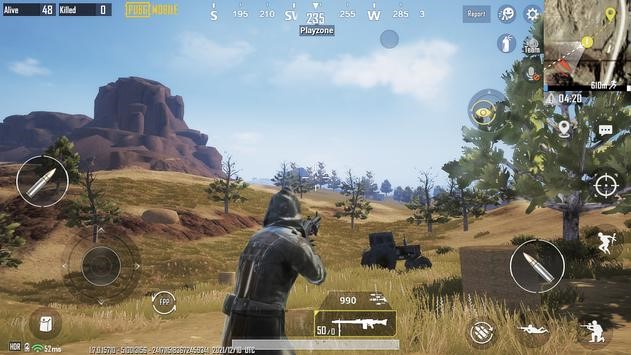
PUBG Mobile: Aftermath is a high-intensity multiplayer game available on iOS and Android. After jumping down in the locations, take part in battles within a 10-minute timeline with other players in the Classic mode. Acquire tools, weapons, and medication while fighting to stay as the last survivors. You can participate in different events and play as teams with other friends.
Compatibility: iOS 9.0 and up
Price: Free with in-app purchases
Features:
- 100- player epic battles
- 4×4 player team-oriented Deathmatch Mode
- Many firearms and avatars to choose from
- Chat with other players while going on missions
Pros:
- Best for older players (beginners and pro players)
- Advanced RFG setting and features
- Multiple languages supported
Cons:
- 1.9 GB size is huge
- Functionality issues for many users
3. Shadowgun Legends: Online FPS
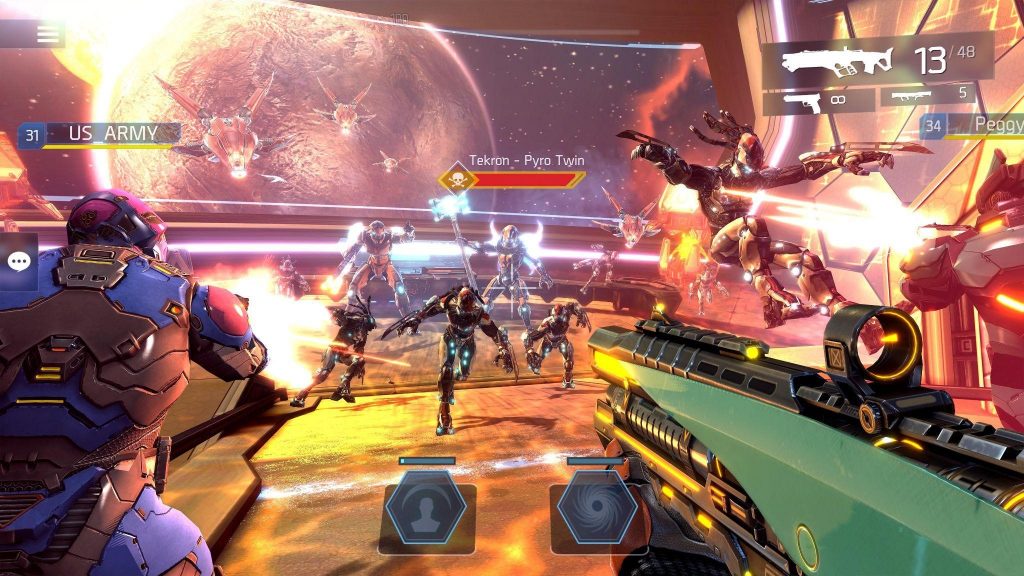
In this FPS game, you can participate in the Shadowgun Legends world and save the world from alien invaders. Customize your Shadowgun warrior avatar and take part in the thrilling Story Campaign. There are more than 200 missions to complete on 4 planets. Or, you can battle against other players in PvP arenas.
Take part in raids or co-op missions with friends and even interact in the Social Hub, chat with other players, and go to vendors.
Compatibility: iOS 10.0 and up
Price: Free with in-app purchases
Feature:
- Increase game to lead a luxurious lifestyle
- Improve shooting skills
- Interact with other players easily
- Acquire skins, weapons, and items
Pros:
- High-quality visuals
- The free features are high-quality
- Intuitive controls
Cons:
- 1.4 GB in size
- Many age restrictions in place
4. Minecraft
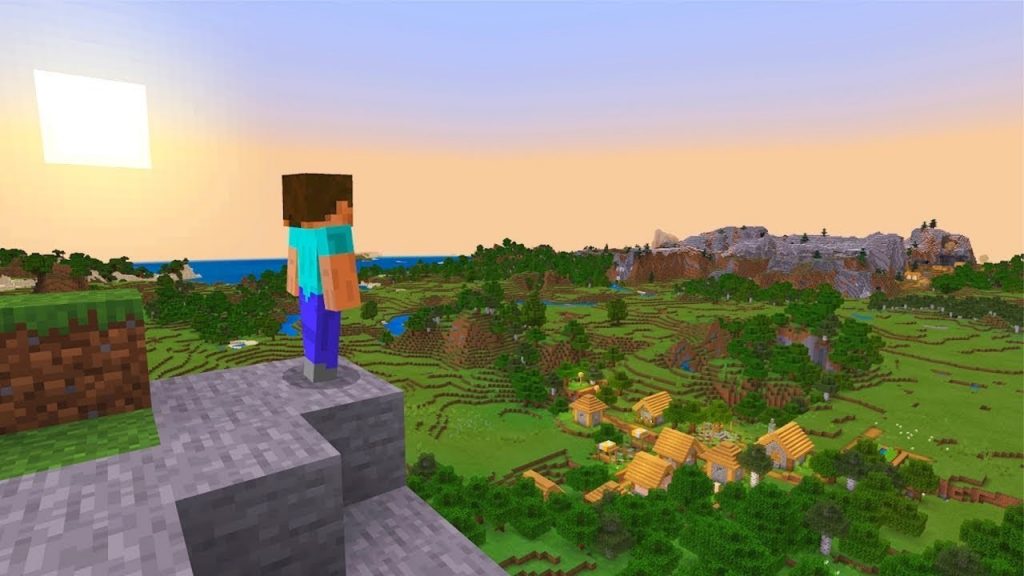
Minecraft is popular among the best multiplayer games iOS users download and access. Players can develop new buildings like houses or castles and explore different worlds of Minecraft. Game modes are available like Survival Mode, where you have to create weapons and fight mobs, or the Creative Mode, where you must mine for resources or build.
You can play multiplayers matches with friends or choose a single-player experience.
Compatibility: iOS 10.0 and up
Price: USD 6.99
Features:
- Slash commands for gaming choices like summoning mobs
- Customize aspects of the game like time of the day
- Free add-ons to customize the game
- Purchase new skins, maps, and texture packs from the in-app marketplace
Pros:
- Relatively mediocre size
- Multiple languages are support
- Available in many global regions
Cons:
- Not available for free
- No refund is available if you delete it in the middle of the subscription period.
5. FIFA Football
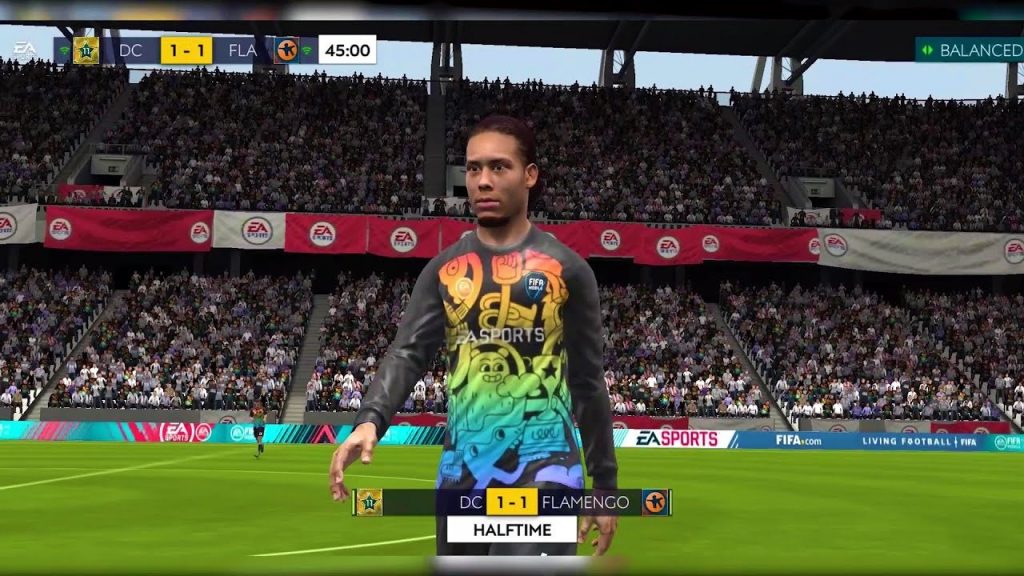
Major football fans can use the FIFA Football Mobile game for a realistic gaming experience. In addition, you can create your customized Ultimate team with other notable football stars. There are more than 15,000 players to select from and more than 600 teams.
Players can take part in live events simultaneously as real-time tournaments, like FIFA World Cup. Dribble the ball through the realistic stadium, do different moves, and score goals to gain points.
Compatibility: iOS 11.0 and up
Price: Free and with In-App Purchases
Features:
- Build Teams with 100+ football Heroes to choose from
- ICONS like Paolo Maldini, David Beckham, and Ronaldinho are available to use in the lineup
- More than 30+ league game options
- Realistic stadium looks that you can customize (e.g., weather, time of day, etc.)
Pros:
- Relatively less app size
- Free to use
- Multiple languages are support
Cons:
- Strict regulation rules
- Requires an active internet connection all the time
6. Clash of Clans
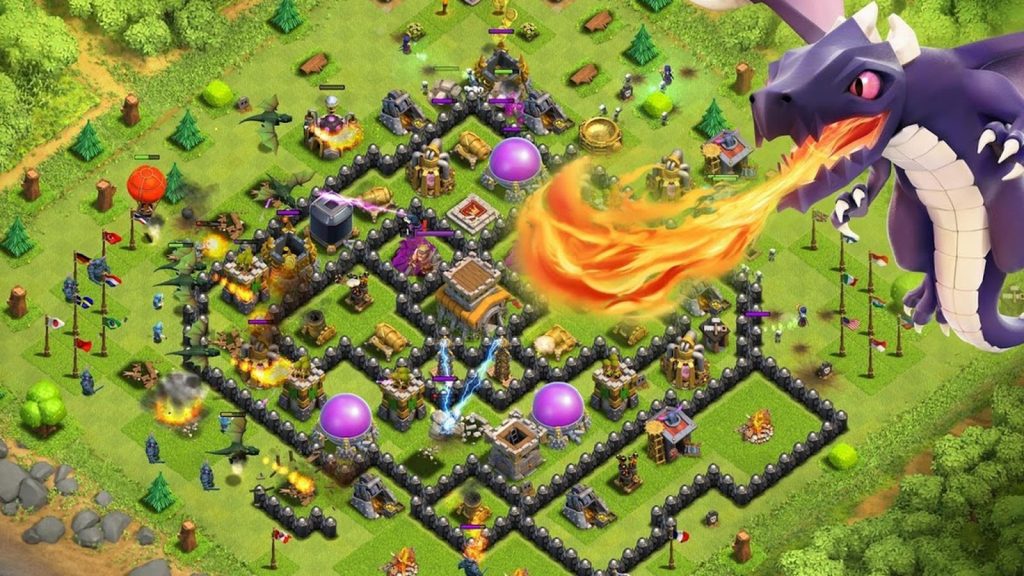
This is one of the most popular multiplayer iOS games that even Android users like. The players have to build a village, create a clan, and fight against other players in clan wars. There are different troops available for you to win, like wizards, barbarians, and more; do so to strengthen your team.
Attack other clans, even twice, one after the other, and increase your power and clan size.
Compatibility: iOS 11.0 and up
Price: Free with in-app purchases
Features:
- Steal loot and acquire resources
- Customize the village with exclusive scenarios and Hero Skins
- Uncover new characters and buildings while journeying to the in-game Builder Base
- Take part in Friendly Challenges, special events (Live), and Friendly Wars
Pros:
- Multiple languages/regions supported
- Global chat
- Relatively reasonable size
Cons:
- In-app gems cost USD 449 and higher
- Functionality issues in some devices
7. Forgotten Anne
Forgotten Anne is one of the most popular games available for iOS users that takes a cinematic approach to adventure and clue-finding. The players are present in the fictional magic-based world of Forgotten Lands. As the titular character, you have to win against rebellions and manage the peace in the world before returning to your original realm.
The game focuses on your choices in a pre-planned story, integrated with animated cutscenes that add to the game experience.

Compatibility: iPhone 6S, 6S Plus, 7, 7 Plus, 8, 8 Plus, X, XS, XR; iPad Air 2, 3, Pro; iPad Mini 4, 5; iPod Touch 7th Gen
Price: Free, Full game available for $6.99
Features:
- Immersive and realistic-looking theme world
- Uncover clues
- Hand-animated visuals
- Action/word choice-based game
Pros:
- Best for mystery game enthusiasts
- Intriguing storyline
- Smooth gameplay
Cons:
- Big file size at 1.6 GB
- Only supports English
8. Highway Rider
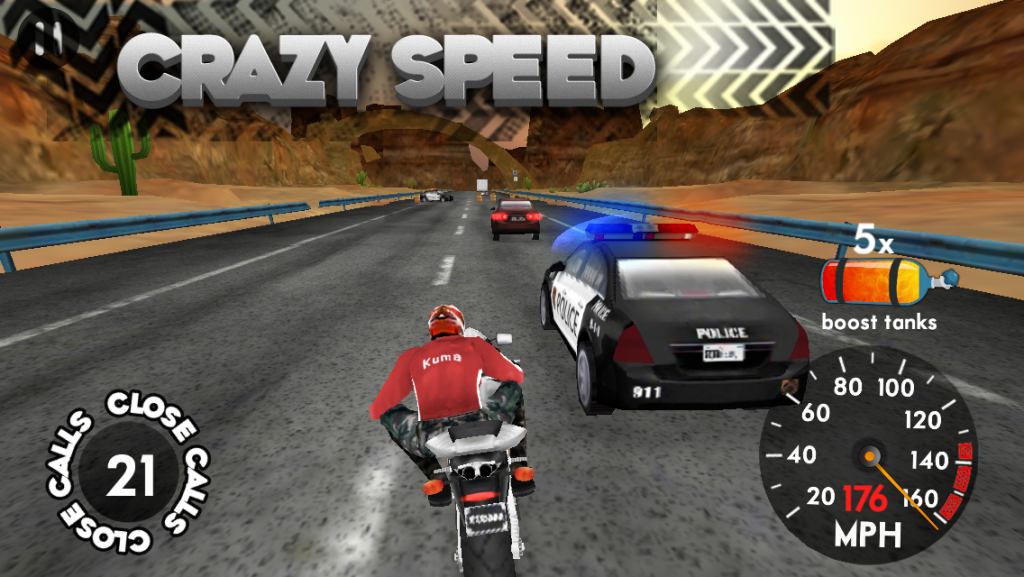
During this free racing game, players can participate in battles with other players or participate in tournaments. The game involves the primary racer, i.e., you, dodging cars through heavy traffic at very high speed. Then, you have to escape the police cars that chase you after the speed violation until you finish the final line.
Users can share their game photos and collect new unlockable racers across different platforms.
Compatibility: iOS 11.0 and up
Price: Free with in-app purchases
Features:
- Fugitive mode
- Real-time races with multiple players participating
- Battle games available
- 5 motorcycles and characters each to acquire
Pros:
- Small size compared to many others
- Suitable for players aged 12 and more
- Easy to use gameplay
Cons:
- In-app purchases are high (USD 49- 1,099 for items)
- Only supports English
9. Asphalt 8: Airborne
Asphalt 8: Airborne is one of the most popular multiplayer iPhone games available for users to play online. Many vehicle options with high-speed limits like Ferrari, Mercedes, Bugatti, Ducati, Ford, and more. This list includes both car and bike versions.
Create your personalized avatar with costumes, styles, and accessories. Level your vehicle up as well with 2,300+ decals available. Cross-play across different iOS devices with the same game.

Compatibility: iOS 10.0 and up
Price: Free with in-app purchases
Features:
- Arcade-styled gameplay
- More than 50 high-speed tracks available for multiplayer users
- Stunning 60-FPS graphics
- High-quality content like 6 game modes, 15000 mystery challenges, and more than 400 career-based events
Pros:
- Supports many languages
- Best for speed racing fans
- Many languages supported
Cons:
- In-App purchases are very high (USD 89- 1,799)
- Huge size at 3.3 GB
10. Hill Climb Racing
Hill Climb Racing comes with many levels to play, and it is free to play for beginner-level and pro players. In addition, this is one of the best multiplayer games IOS that is available for offline gaming.
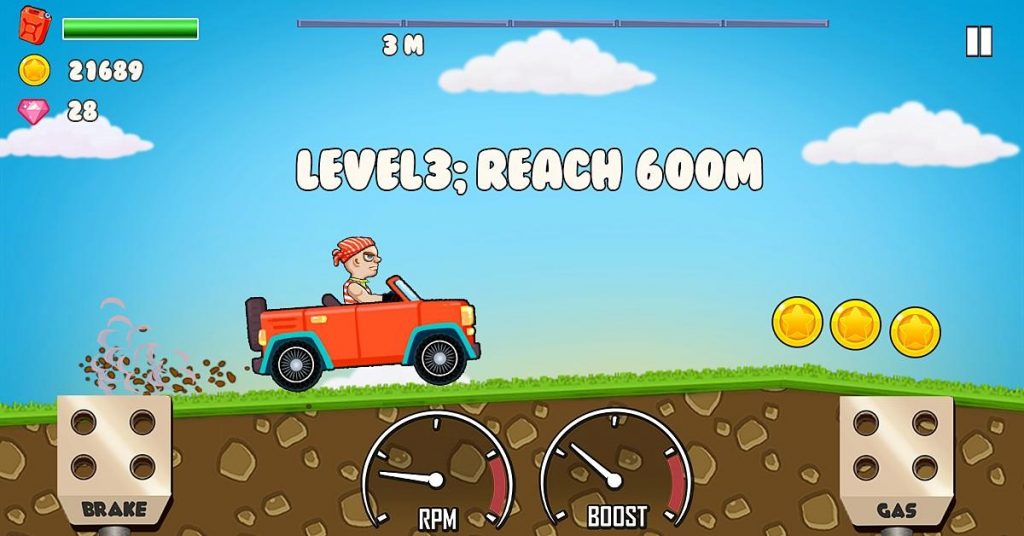
The gameplay focuses on the physics-based principle of driving upward, and players get multiple challenges. In addition, you can collect coins and do daring tricks to earn bonuses that you can use to upgrade the vehicle.
Compatibility: iOS 10.0 and up
Price: Free with in-app purchases
Features:
- Vehicle choices like hippie van, monster truck, motocross bike, one-wheeler, etc., other than the Hill Climber
- Turbo-like sound during engine upgrades
- Playable offline
- Customize vehicles in Garage Mode
Pros:
- Low in size
- In-app purchases are relatively low, starting at USD 1.99
- Suitable for kids aged 9 years and up
Cons:
- Not best for older versions
- Can show performance issues sometimes
11. Solitaire Bliss
Solitaire Bliss offers a vast variety of Solitaire games such as Freecell, Klondike, Scorpion, and Pyramid in single and multiplayer modes. The app features customizable options such as custom cards, backgrounds, and a variety of unique features such as hints and undo options. Additionally, you can play their solitaire games online too.

Compatibility: Requires iOS 11.0 or later.
Price: Free with in-app purchases
Features:
- Unlimited undos and hints
- Daily challenges
- How to play, rules and tips sections
- Personal records
Pros:
- Available offline
- Automatic save upon exit of game
- Portrait and landscape modes available
Cons:
- Some harder games can be challenging for new players
Conclusion
The best multiplayer games for iOS offer more than just button presses. They build worlds where players interact, compete, and cooperate. Some games reward skill and strategy. Others let you drop into short sessions with friends. The variety means there is something for every kind of gamer, whether you want casual fun or serious competition.
What stands out this year is how smoothly these titles balance depth and accessibility. You don’t need hours of practice to enjoy a good match, yet each game grows richer as you invest time. From sports sims to creative worlds and tactical shooters, these games show how far mobile multiplayer has come.
FAQs
1. Do these games require a constant internet connection
Most of the multiplayer modes listed need an active online connection. Solo creative modes may work offline, but head-to-head or co-op play relies on stable network access.
2. Can I play with friends on different devices
Many titles, like Minecraft or 8 Ball Pool, support cross-platform play so you can join friends on other devices. It depends on the game’s design and platform support.
3. Are these games free to play
Several games offer free download and basic multiplayer. Some include in-app purchases or season passes for extra content. Core multiplayer features remain accessible without paying.
Author Bio:
Dinesh Lakhwani 

Dinesh Lakhwani, the entrepreneurial brain behind “TechCommuters,” achieved big things in the tech world. He started the company to make smart and user-friendly tech solutions. Thanks to his sharp thinking, focus on quality and the motto of never giving up, TechCommuters became a top player in the industry. His commitment to excellence has propelled the company to a leading position in the industry.
Popular Post
Recent Post

How to Recover Deleted Files from Pen drive, USB Drive, SD Card
Introduction: On tech forums, you’ll often see posts like this: “I connected my pen drive to my laptop this morning, but the folder was empty. All my college project files had vanished. I don’t have a backup. Can someone help me?” Stories like this are very common. Pen drives, USB drives and SD cards are […]

How To Recover Files Deleted from the Recycle Bin [Windows 11]
Losing a file can happen in seconds. You clear your desktop, hit Delete, and empty the Recycle Bin. Then, just when you need that file again, it seems to have vanished. This guide will walk you through ways to restore files removed from the Recycle Bin. We will begin with simple fixes, then look at […]

Disk Drill Data Recovery Tool Explained: Full Review and Guide
It happens in a split second. You delete a folder by mistake. Your drive stops showing up. A photo album from your last trip just vanishes. And your stomach drops. Lost files feel personal. They are not just data. They are memories, work hours, and sometimes years of effort packed into a few gigabytes. When […]

Recover Deleted Files In Windows 11 With Software & Without
Introduction What is the first thing that goes through your mind the second an important file vanishes from a Windows 11 PC? For most people, it is a mix of panic and disbelief, followed by a frantic click through every folder that file could possibly be hiding in. It happens in a split second: one […]

EaseUS Data Recovery Wizard: Everything To Know
Data loss does not always come from a big disaster either. Most cases start small and boring. A drive gets formatted by mistake. A laptop freezes mid-save and restarts on its own. A memory card stops showing up after being pulled out too fast. None of these feel like emergencies at first, until you realize […]

Recuva Data Recovery Tool: Is it Actually Worth it?
When I first tried Recuva Data Recovery, I wanted to see if it could really bring back lost files. The tool is free, small in size, and promises quick recovery, which made me curious enough to test it on my own PC. The setup was fast, and the wizard guided me step by step. I […]

GetData Recover My Files Data Recovery Tool: Honest Review
A hard drive error brings a special kind of silence. Well, yes! The screen freezes, then a message appears saying the drive can’t be found or must be formatted. In that moment, years of photos and work files feel at risk. It never happens at a good time. Coffee spills near a laptop, a memory […]

Windows File Recovery: A Complete Review [Tried & Tested]
Imagine this. You spend hours perfecting a video project. You hit save. Then your laptop freezes, reboots, and when the screen comes back. The file is gone. Your stomach sinks. It’s not just you. Lost files happen all the time. A dropped hard drive, a bad update, an accidental delete, or a corrupted partition can […]

5 Best Data Recovery Software For Windows 11 and Windows 10
Introduction: A crashed drive can ruin a whole day. One minute your photos, work files, and tax records sit safe on your PC. The next minute they are gone. A power cut, a bad update, or one wrong click can wipe out years of memories and months of work in seconds. That sinking feeling is […]

