











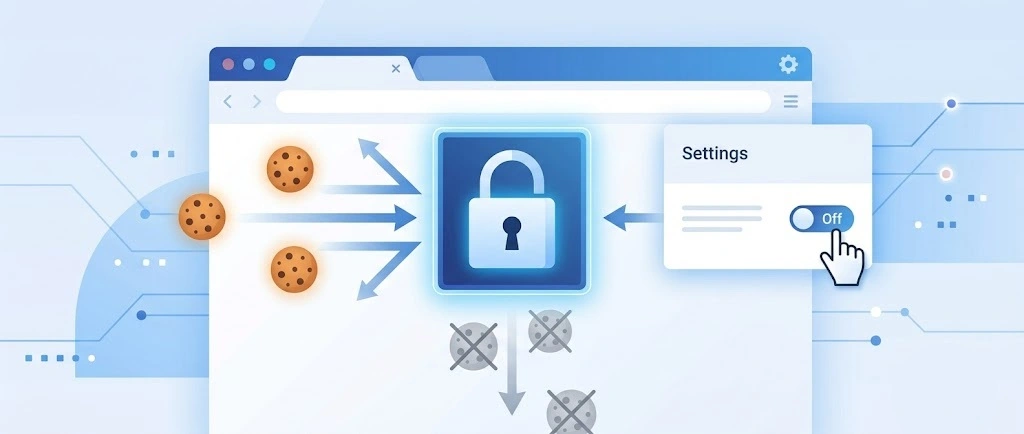
So, search for a pair of shoes once online. Close the tab. By evening, those same shoes are sitting on your news site, your video app, and even your recipe blog. Nobody placed them there by chance. A cookie did. Well, yes! Cookies are small files that websites place on your device while you browse. […]
10 Best Free & Paid YouTube Intro Maker
Social networks and video streaming services enhance the video content on the internet. With customers spending their maximum hours viewing YouTube videos every day, the marketplace is becoming more competitive. Therefore, YouTube producers require all the assistance to stand forth in the market.
This is where a highly produced video introduction can make a huge difference. You must employ a video intro while developing compelling video content and strengthening brand trust and recognition. A YouTube video intro is a brief introduction short video. This short video is added at the opening of every video you publish to your channel.
If you also want to create an appealing video intro, try using the best YouTube intro maker for better outcomes. This article will tell you about the top 10 intro makers for your YouTube videos.
Best YouTube Intro Makers for Creation of Interesting Intros
If you are looking for an easy approach to creating a YouTube intro video clip, you are at the right place. Here, we will discuss the best ten platforms to help you create stellar-looking videos. So, without any further hesitations, let’s dive into each of the YouTube intro maker solutions:
1. Adobe Creative Cloud Express
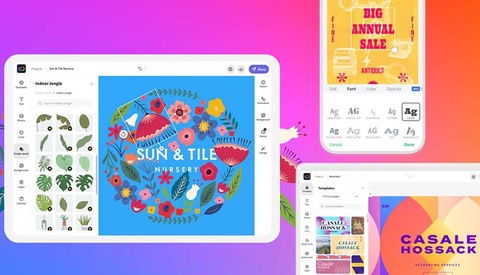
Adobe Creative Cloud Express is a rapid intro creator from the Photoshop programs. You can access this video intro maker on both desktop and mobile platforms. Spark is aimed at social networking artists who want to make a good video clip without working for hours. It’s simple to put your introduction together by dragging and dropping videos and symbols before inserting dramatic music.
Compatibility: Desktop and Mobile phones
Pricing: $9.99/month
Features:
- It is a basic visual design and content development tool suite that is user-friendly and geared for the masses.
- Adobe Creative Cloud Express is ideal for small businesses since it is accessible in both a free and premium edition and web and mobile apps.
Pros:
- Focus on saving time by having fast access to your Artistic Cloud Collections.
- The maker is simple to use and does not require any technical knowledge.
- Simple photo editing and features, such as background removal and animation.
Cons:
- There seem to be no extensions or apps available to help you advertise your page.
2. Wondershare Filmora
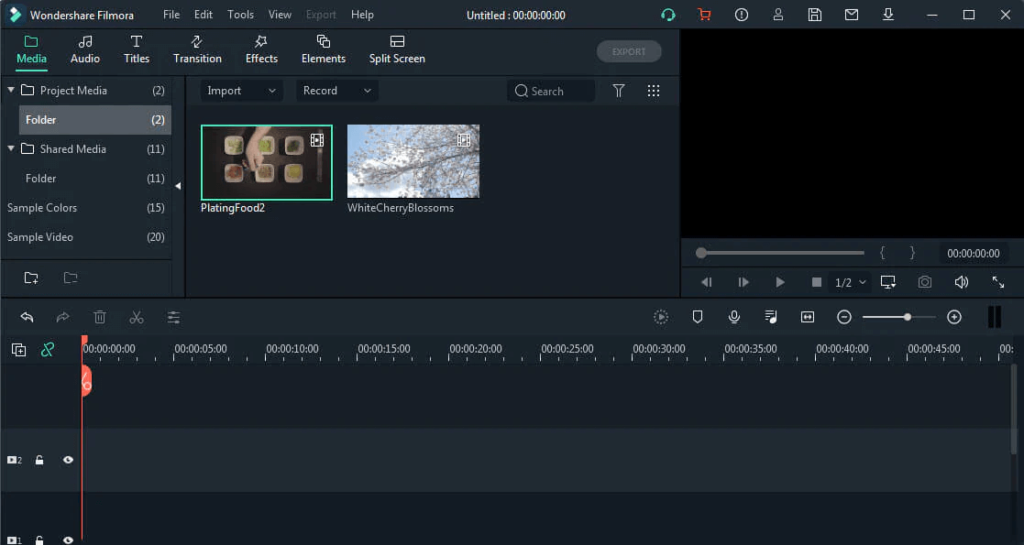
WonderShare’s Filmora has a complete array of tools to assist you in creating a great video intro. Creators receive a filled video editing package with Filmora, featuring motions and graphics. It also includes a wide choice of audio clips to start with the audio input of the video introduction. In addition, this Wondershare intro builder program can provide you with a plethora of capabilities, such as intriguing transitions, filters, and customizable titles.
Compatibility: Desktop-based software
Pricing: $61.99/annual
Features:
- Preserves your time and effort with its sophisticated functions.
- Make your animations to increase visual attention.
- Improve your editing with simple target tracking that everyone can use.
Pros:
- The program has a perfect combination of quality and ease of use.
- Filmora includes a ton of wonderful video lessons.
Cons:
- More choices are needed to increase audio quality.
3. MiniTool MovieMaker
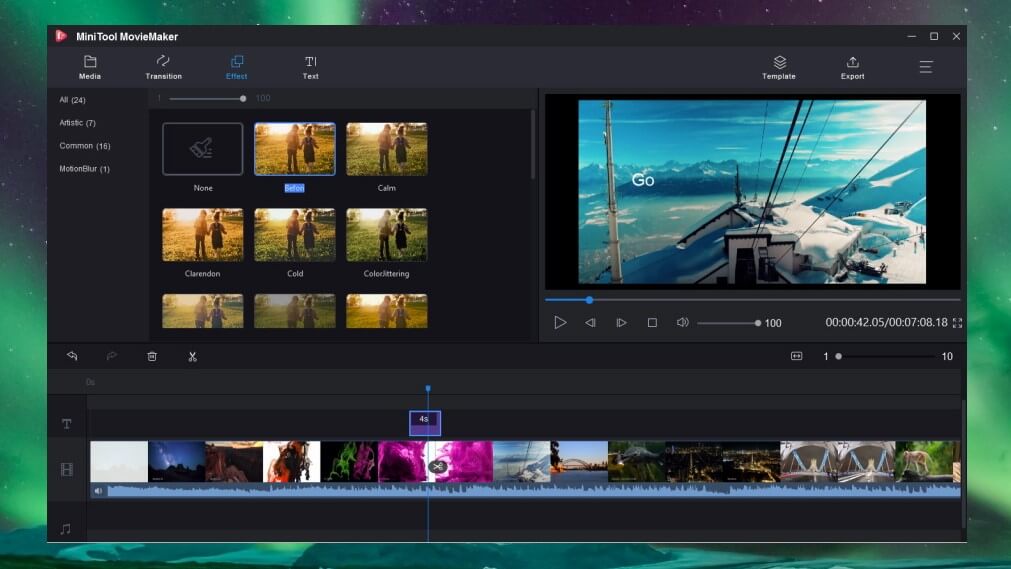
To begin with, Minitool moviemaker is our first choice for creating an exciting intro clip. It is a free tool used for creating short video clips that drive engagements to your YouTube channel. MiniTool MovieMaker is a basic and convenient video editing program with several pre-made titles.
Compatibility: Mac, Linux and Windows
Price: Free
Features:
- MiniTool MovieMaker 3.0 has three options: a fade-in/fade-out feature, muting, and an audio volume control system.
- It allows users to change the length and type of a single transition and transmit the changes to all new transitions.
- Effects and mobility can be applied to all video or picture segments on the timeline with a single click.
Pros:
- The software is quite simple to set up.
- Ideal for beginners and newcomers.
- There are several possibilities for effects and transitions.
Cons:
- While editing, you may encounter some little glitches.
4. Panzoid
Panzoid provides a free platform for developing unique content. This free YouTube intro maker site is 100% free and has a significant population of developers that publish layouts that other individuals can alter. In addition, there are several free customizable YouTube video intro templates available. To alter a design, you need to open it in Clipmaker. Then, personalize by adding your photographs, graphics, and soundtracks.
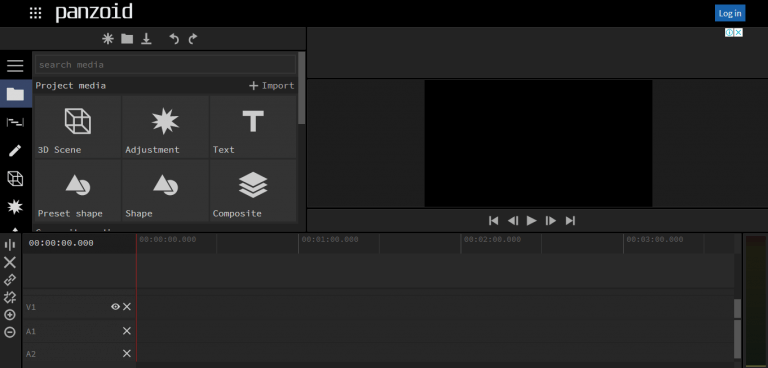
Compatibility: Windows devices
Pricing: Free
Features:
- It features sophisticated and extremely effective editing capabilities.
- Panzoid creates the greatest intro designs for YouTube videos or other media.
- It also features specialist audio capabilities.
Pros:
- Panzoid’s design is straightforward.
- Cost a minimal charge for beginners.
Cons:
- Little complex for new users.
5. Offeo
Offeo is a freeware intro creator for those who want to be designers. The thousands of themes and graphical components you can implement to improve your entrance pop are its biggest appeal. In addition, their design pieces have a true aesthetic appeal to them, from passionate drawings to high-quality stock pictures, anything you require to build a great beginning film.

Compatibility: iOS devices
Features:
- Make captivating videos from the comfort of your online browser.
- It offers an easy-to-use interface and requires no designing or video editing experience.
Pros:
- Easily customizable
- Convenient in using.
Cons:
- It does not have any mobile app.
6. Biteable
Biteable is a free YouTube intro maker and video creator that can produce studio-quality clips. It offers an easy-to-use interface that allows you to produce high-quality intro films. In addition, Biteable offers a variety of video styles to choose from, all of which are organized thematically depending on the sort of clip you want to create and submit to your YouTube channel.
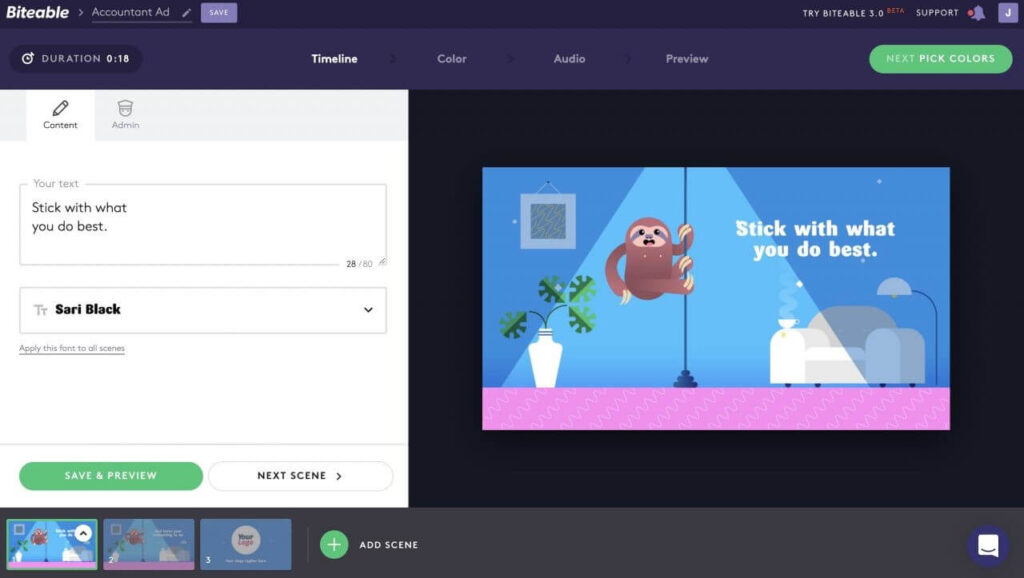
Compatibility: web-based, mostly compatible with chrome and Firefox.
Pricing: Free
Features:
- Create stunning, entertaining films by modifying current themes’ layouts, text, etc.
- Easy editing and video production for advertising and branding reasons.
Pros:
- It has been a fantastic program and valuable addition to a company’s marketing approach.
- Has a high success rate, with customer support reacting swiftly.
Cons:
- Instagram videos in square shape are not supported.
7. Animaker
Animaker is a freemium intro maker that millions of users and companies utilize worldwide. It has the greatest animations collection globally and allows you to produce vertically oriented videos for mobile viewers. The convenient, easy, and user-friendly design makes this an excellent intro creator for inexperienced filmmakers.
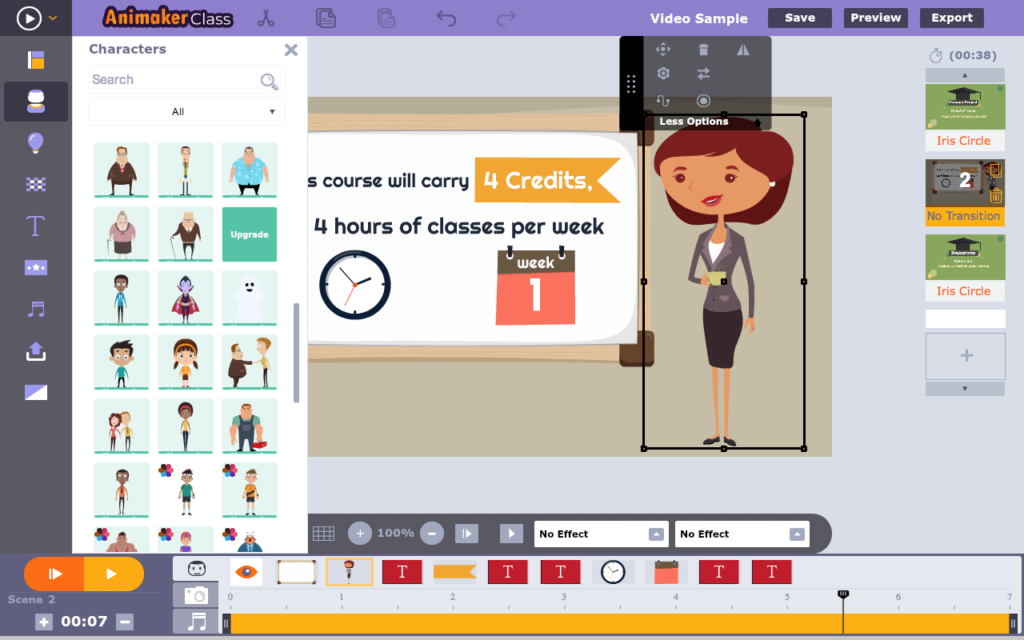
Compatibility: Web-based
Pricing: Free
Features:
- Animaker is powered by a robust HTML5 engine, ensuring smooth performance in optimized browsers.
- It provides professionally made templates.
Pros:
- It may be used by more than a single individual simultaneously.
- It provides instructions that simplify and expedite the design process.
Cons:
- There are few possibilities for working comfortably within the constraints of the timeframe.
8. Flixpress
Flixpress is a video-making program designed specifically for creating intro videos. It is a web-based application with multi-layout customizable and completely adjustable templates. It is a tool with several features and functionalities intro movie maker. Thus, it enables 3D objects and includes a library of 3D elements such as animations, pictures, typography, and color.

Compatibility: Web-based
Pricing: Free
Features:
- Flixpress allows you to produce video previews that may be layered with royalty-free audio.
- It is compatible with a wide range of devices and systems.
Pros:
- User-friendly interface
- Affordable for beginners.
Cons:
- The entire appearance of their themes and the website itself is a little old.
9. Renderforest
Renderforest offers a wide range of themes and templates. You may easily modify the clips to make your intro video more unique. Because it is a web-based application, you can make films from any device or operating system. You can get a broadcast-quality video within a couple of minutes even if you don’t know any design skills for professional result!
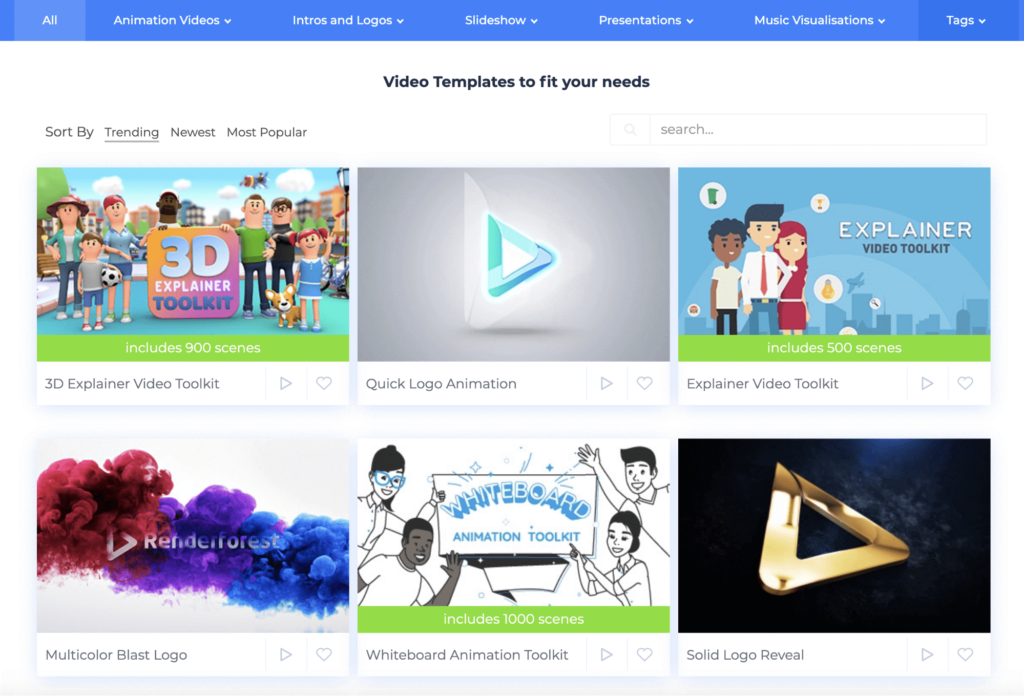
Compatibility: Web-based
Pricing: Free
Features:
- In minutes, you’ll have a basic yet high-quality product.
- While using the video maker, you select a template, upload the images you want, and the program does the rest.
Pros:
- You have the option of uploading your photos.
- Software that is easy and convenient to use.
Cons:
- It provides a predetermined space to place the image.
10. Crello
Crello is a multi-functional tool available. With Trello, you can create graphics, logos, posters, social media material, and YouTube video intros. It offers a strong and user-friendly interface that is ideal for novices. You may get started quickly with no assistance. Select intro or outro template from over 25000 available, apply animations, edit it, modify the backdrop, adjust objects, and your video clips are sorted.
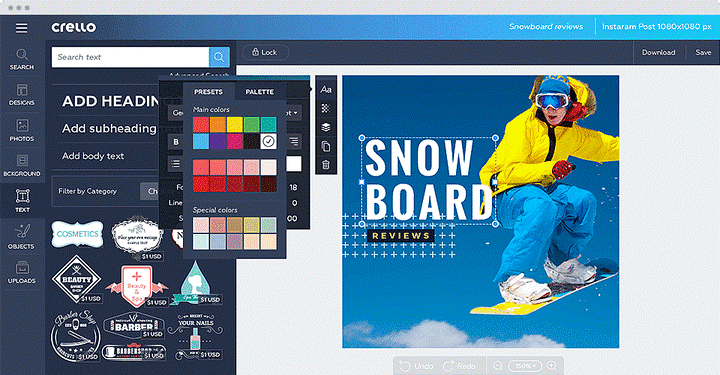
Compatibility: Web-based
Pricing: Free
Features:
- Crello makes video and picture processing a breeze.
- Overall, it’s an excellent pick for a small marketing division or individual use.
Pros:
- It includes 30 distinct formats and several free and ready-to-use graphical layouts.
- Crello is best suitable for the creation of animated visuals.
Cons:
- Requires more standard fonts.
Conclusion
We have offered the best ten YouTube intro maker that helps you to create exciting YouTube intro videos. You can try these intro builders and get the best outcomes by driving more viewers to your channel.
If you are a novice in this field, try using the free plans first and start making your videos more interesting. Then, we recommend you download and install the Adobe software to create a video intro for your YouTube Channel.
Author Bio:
Dinesh Lakhwani 

Dinesh Lakhwani, the entrepreneurial brain behind “TechCommuters,” achieved big things in the tech world. He started the company to make smart and user-friendly tech solutions. Thanks to his sharp thinking, focus on quality and the motto of never giving up, TechCommuters became a top player in the industry. His commitment to excellence has propelled the company to a leading position in the industry.
Popular Post
Recent Post
How To Disable Background Apps In Windows: 4 Quick Methods
A slow PC rarely gives a warning. One day, it simply takes longer to start. Apps open late. The fan runs loud, even when the screen is almost empty. Most people blame old hardware. Often, that is not the real reason. The real reason is hiding in plain sight. Windows keeps many apps active in […]
How to Activate Windows with a Product Key for Windows 11 & Windows 10
It always shows up at the worst time. You are halfway through a report, or about to join a video call. Then you spot it in the bottom right corner of the screen. Activate Windows. Go to Settings to activate Windows. Initially, an unactivated copy of Windows may seem like a minor inconvenience. Over time, […]

Is Easy Duplicate Finder Worth It? Honest Review
The photos folder looked normal at first glance. Then the storage warning popped up. One trip photo appeared four times. A tax PDF sat in three different folders. Two old setup files were still in Downloads, and each one was over 500 MB. Nobody plans this mess. Copies pile up slowly. A download runs twice. […]
Wise Duplicate Finder Review: Real Results from Wise Duplicate Finder
Read my honest Wise Duplicate Finder review. See features, pricing, pros and cons, and real PC test results. Find out if this free duplicate cleaner can free up your Windows storage.
How to Recover Deleted Files from Pen drive, USB Drive, SD Card
Introduction: On tech forums, you’ll often see posts like this: “I connected my pen drive to my laptop this morning, but the folder was empty. All my college project files had vanished. I don’t have a backup. Can someone help me?” Stories like this are very common. Pen drives, USB drives and SD cards are […]
How To Recover Files Deleted from the Recycle Bin [Windows 11]
Losing a file can happen in seconds. You clear your desktop, hit Delete, and empty the Recycle Bin. Then, just when you need that file again, it seems to have vanished. This guide will walk you through ways to restore files removed from the Recycle Bin. We will begin with simple fixes, then look at […]
Disk Drill Data Recovery Tool Explained: Full Review and Guide
It happens in a split second. You delete a folder by mistake. Your drive stops showing up. A photo album from your last trip just vanishes. And your stomach drops. Lost files feel personal. They are not just data. They are memories, work hours, and sometimes years of effort packed into a few gigabytes. When […]
Recover Deleted Files In Windows 11 With Software & Without
Introduction What is the first thing that goes through your mind the second an important file vanishes from a Windows 11 PC? For most people, it is a mix of panic and disbelief, followed by a frantic click through every folder that file could possibly be hiding in. It happens in a split second: one […]
EaseUS Data Recovery Wizard: Everything To Know
Data loss does not always come from a big disaster either. Most cases start small and boring. A drive gets formatted by mistake. A laptop freezes mid-save and restarts on its own. A memory card stops showing up after being pulled out too fast. None of these feel like emergencies at first, until you realize […]

