












So, search for a pair of shoes once online. Close the tab. By evening, those same shoes are sitting on your news site, your video app, and even your recipe blog. Nobody placed them there by chance. A cookie did. Well, yes! Cookies are small files that websites place on your device while you browse. […]
10 Best Download Manager for Windows 11 [With Comparison]
Downloading files on your Windows 11 system is one of the common functions for different users. Hence, many people look for dedicated download manager software for Windows 11 that facilitates error-free and quick downloads.
While all Windows 11 browsers come with an in-built download manager, not all are as effective as they are marketed to be.
How We Made This List
Choosing the right download manager for Windows 11 is not just about speed. It also depends on stability, ease of use, and how well the software fits modern system needs. To create this list, we tested popular tools across different file types, browsers, and network conditions. We also looked at user feedback and long term reliability to ensure practical results.
- Download speed performance
We checked how well each tool handles large files, segmented downloads, and unstable connections. - Compatibility with Windows 11
Only tools that work smoothly with Windows 11 system updates and security features were considered. - Browser integration
We tested support for Chrome, Edge, Firefox, and other common browsers. - Resume and recovery support
Managers who could pause, resume, and recover broken downloads scored higher. - File format handling
Support for videos, documents, archives, and torrents was carefully reviewed. - User interface simplicity
Clean layouts and easy controls mattered more than extra but confusing features. - System resource usage
We observed how much CPU and RAM each tool consumed during active downloads. - Pricing and value
Free tools and paid options were compared based on the features offered for the cost.
3 Things People Rarely Ask but Should
Is a download manager really necessary on Windows 11?
Windows 11 has a built-in downloader, but it is basic. A download manager improves speed, handles interruptions better, and gives more control over files. For frequent or large downloads, the difference is noticeable.
Can download managers affect system performance?
Yes, poorly optimized tools can slow down your system. Good download managers balance speed with low resource usage. Choosing a reliable option prevents lag during multitasking.
Are free download managers safe to use?
Many free tools are safe if downloaded from official sources. Problems usually come from bundled ads or unofficial installers. Always choose verified software and custom install when possible.
Top 5 Download Manager Comparison
Before picking a download manager, it helps to compare key features side by side. The table below highlights the strengths and limitations of the most popular tools used on Windows 11. This makes it easier to match your needs with the right software.
| Download Manager | Speed Acceleration | Browser Support | Resume Downloads | Torrent Support | Free or Paid |
| Download Accelerator Plus (DAP) | Good | Limited | Yes | No | Free and Paid |
| Free Download Manager (FDM) | Very Good | Wide | Yes | Yes | Free |
| Internet Download Manager (IDM) | Excellent | Wide | Yes | No | Paid |
| Ninja Download Manager | Very Good | Wide | Yes | No | Paid |
| Xtreme Download Manager (XDM) | Good | Wide | Yes | Yes | Free |
10 Best Download Managers for Windows 11
These are certain options in the download managers that significantly overcome the issues of the in-built tools. All these software products are effective in saving all forms of files like documents, music, videos, movies, etc. So today, we bring you a dedicated list of the top and best software to manage downloads on Windows 11.
1. Download Accelerator Plus (DAP)
It comes as a popular download manager that comes with an easy-to-use interface. It is used on multiple Windows systems and is compatible with all leading browsers.
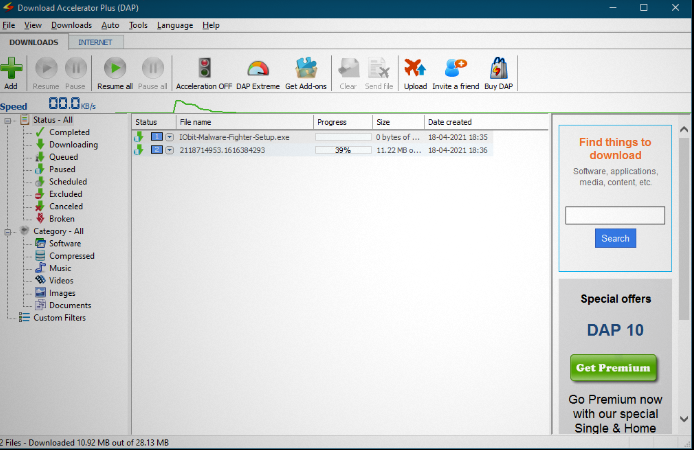
Compatibility: Windows XP to Windows 11
Price: $24.95 for 1 DAP premium license
Features:
- It can increase download speed by 400%.
- It supports all famous browsers, including Opera, Safari, Firefox, Internet Explorer, Google Chrome, etc.
- It segregates downloads into specific categories- music, videos, documents, images, compressed, software, etc.
Pros:
- It is ideal download manager software for multiple file types.
- It has a minimalist control user interface.
- It offers a preview of audio and video files.
Cons:
- The free version is full of advertisements.
2. Free Download Manager or FDM
It is another top choice for the leading download manager for Windows 11. It supports almost all Windows versions and is available totally free to all global users.
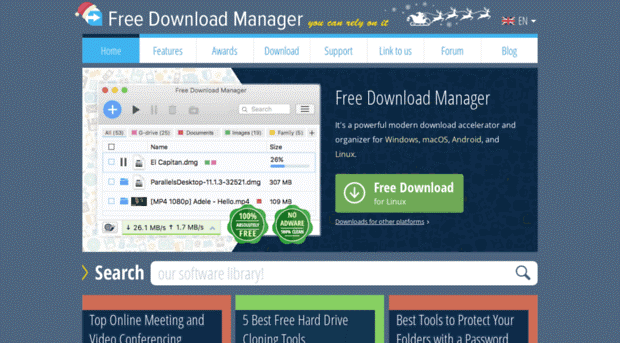
Compatibility: AllWindows OS
Price: Free
Features:
- It offers an increased download speed of up to 600%.
- It offers quick management of multiple downloads.
- It supports HTTP/ HTTPS/BitTorrent.
Pros:
- It comes with a user-interactive Graphical User Interface (GUI).
- It can download multimedia from all popular websites.
- It can also help adjust website traffic and offer scheduled downloads.
Cons:
- Its full version is heavy.
3. Internet Download Manager or IDM
It is a top-ranking download manager for Windows 11 that comes with a powerful download engine. It comes with innovative, dynamic file segmentation and offers quick reusing of available connections.
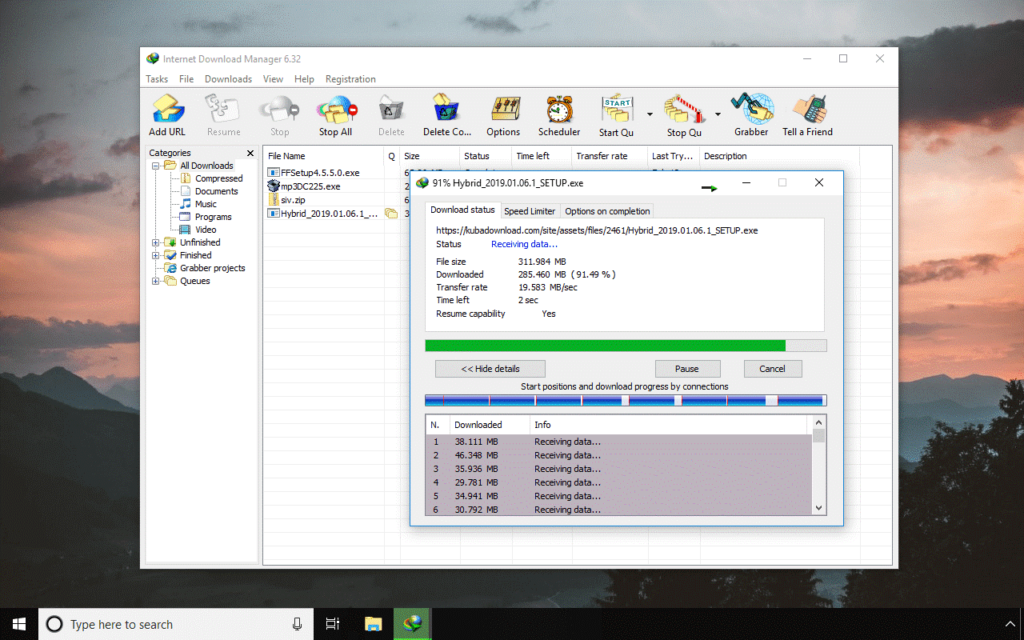
Compatibility: Windows 11
Price: $11.69 for a one-year license
Features:
- It repairs broken links and resumes interrupted downloads.
- It is compatible with Firefox, Opera, Internet Explorer, MSN, AOL, Maxthon, Safari, Microsoft Edge, Google Chrome, etc.
- It offers one-click downloads.
Pros:
- It has a simple-to-use interface that is fully customizable.
- It offers scheduled downloads with periodic file synchronization.
- It offers multiple download categories.
Cons:
- UI could be improved.
4. Ninja Download Manager
It is a popular download manager for Windows that offers twenty times faster downloads than an in-built tool. It is loaded with multiple features and comes with options for Mac systems.
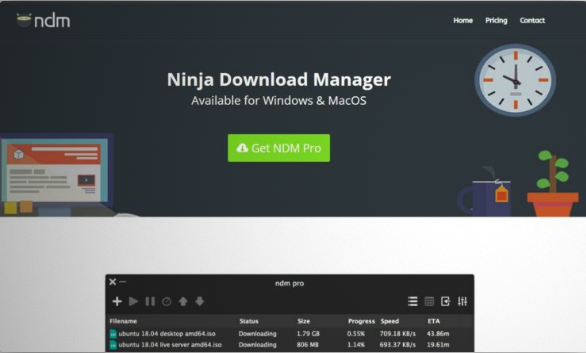
Compatibility: Windows 11
Price: $19 for one system
Features:
- It can use multiple simultaneous connections.
- It can resume downloads after stopping.
- It offers to save downloading for later.
Pros:
- Users benefit from the drag-and-drop feature to start new downloads.
- It is easy to import a download list.
- It further helps secure multiple website logins.
Cons:
- It offers free video downloading only.
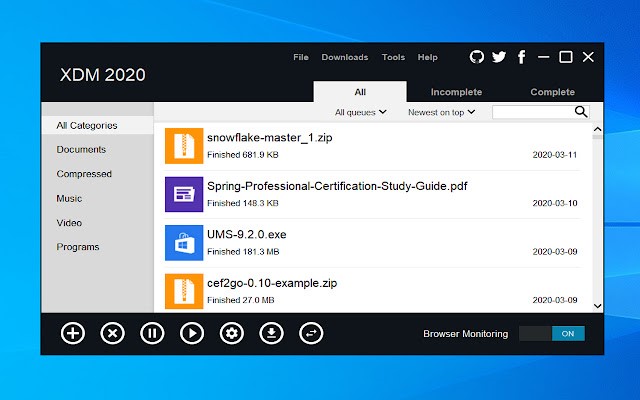
5. Xtreme Download Manager or XDM
It is a powerful software to manage downloads on Windows 11 that is compatible with Windows 11 systems. It is loaded with powerful features that give it a cutting edge over the built-in download manager and comes as an extension.
Compatibility: Windows 11
Price: Free
Features:
- It offers five times quicker downloading speeds.
- It can download online streaming content from multiple websites.
- It is compatible with Firefox Quantum, Opera, Google Chrome, etc., and other Linux system browsers.
Pros:
- It is easy to convert videos to different formats using XDM.
- It doesn’t affect the browsing speed while downloading.
- It is an ideal software for downloading from proxy servers.
Cons:
- Limited language support.
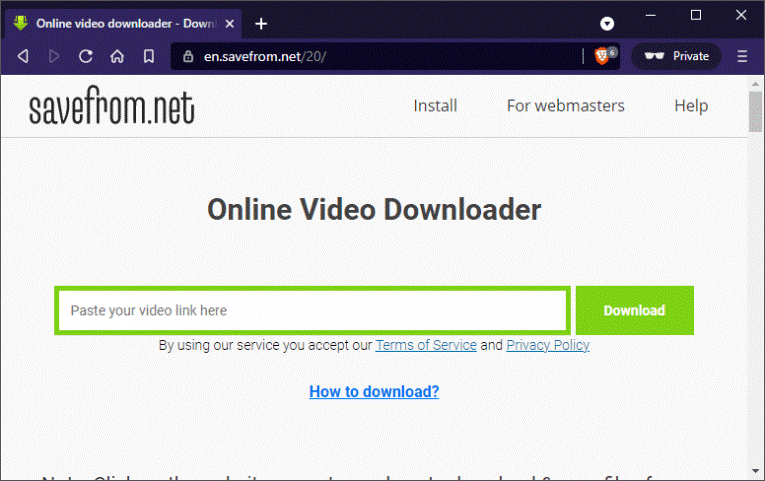
6. Savefrom.net
It is ideal for downloading YouTube videos and hence is a popular download manager for Windows 11 PCs. It can download video files from multiple other platforms like Instagram, Dailymotion, Facebook, etc.
Compatibility: Windows 11
Price: Free
Features:
- It can download videos from any format- full HD, HD, SQ, mp3, and mp4.
- It supports all recent versions of Windows including, 11.
- It offers one common tab for pasting the links of videos.
Pros:
- It is an easy-to-use platform by simply copying and pasting the download links.
- It can be easily used on Windows 11 remote devices.
- It helps save videos from other web pages also.
Cons:
- It is a dedicated video downloader only.
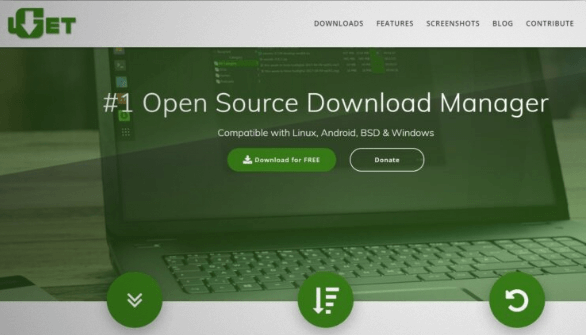
7. UGet
It is an open-source download management tool for Windows 11 that is widely used by Windows, Linux, BSD, and Android systems. It is feature-rich software that facilitates pausing and resuming downloads.
Compatibility: Windows 11
Price: Free
Features:
- It offers simultaneous downloads for sixteen videos in one row and offers queue downloads.
- It can automatically adjust its user interface according to the color scheme and icon of the Windows 11 systems.
- It offers dedicated support to Vivaldi, Opera, Chromium, Google Chrome, and Firefox.
Pros:
- Users can add the downloaded files at any time to the clipboard using clipboard monitors.
- There is no limit to adding a number of downloading files using batch downloads.
- It is available in more than 30 languages globally.
Cons:
- It misses some important features.
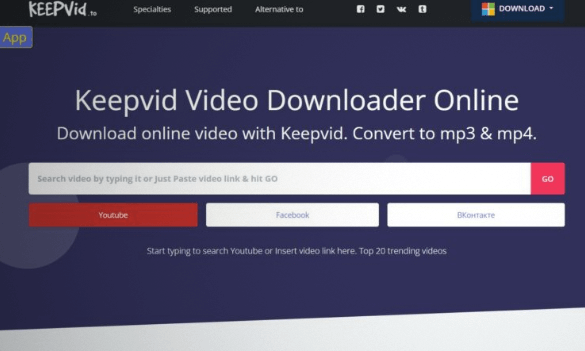
8. Keepvid.to
It is another dedicated video download manager for Windows. It offers high-quality video downloads and comes with application support for eliminating website logins.
Compatibility: Windows 11
Price: Free
Features:
- It offers high-quality video downloads of up to 1080p.
- It works on all leading platforms including, Dailymotion, and Twitch.TV, Facebook, YouTube, etc., including 28 websites.
- It offers video editing and video conversion also.
Pros:
- It is an easy-to-use download manager platform.
- It can be accessed on any Windows 11 system.
- It is one of the preferred choices of global users.
Cons:
- It doesn’t offer batch downloads.
9. Speedbit
If you’re looking for download manager software for Windows 11 PC that allows quick previews, Speedbit is the ideal product for your requirements. Also called DAP, it is equipped with all the features that make it a desirable product over the in-built download managers.
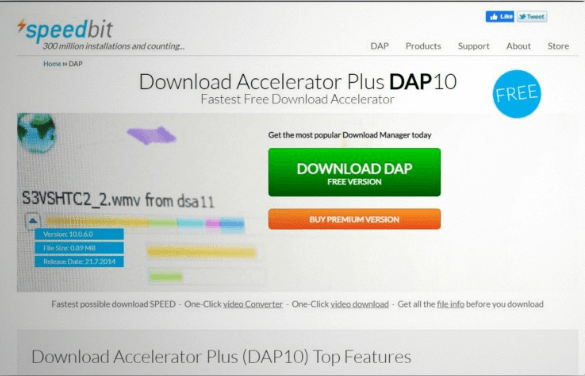
Compatibility: Windows 11
Price: $24.95 for 1 premium license
Features:
- It works on multichannel technology that eliminates possible download issues.
- It avoids download breaks and reconnection issues while downloading multiple files.
- It is ideal for quick downloads from busy servers.
Pros:
- Users find it as one of the fastest and most effective solutions for Windows 11 downloads.
- It effectively overcomes the internet issues as the user can pause the download and resume it at any time.
- It is a stable and highly useful platform.
Cons:
- It is full of advertisements when not upgraded to the premium version.
10. Y2Mate
It is a perfect download manager for Windows 11 if the users are looking to download videos from YouTube only. To improve its features and functionality, it also supports video downloading from other popular platforms.
Compatibility: Windows
Price: Free
Features:
- It can download videos from YouTube, Dailymotion, Youku, Facebook, Instagram, etc.
- It offers quick conversion of YouTube videos to MP3.
- It has a simple-to-paste link on Y2mate.
Pros:
- It is the one-stop solution for YouTube video downloading.
- It has a simple-to-use interface and is a quick video downloader.
- It can quickly convert videos without any integration to third-party apps.
Cons:
- It lacks basic features for other file downloads.
Author’s Tip
If you download files only once in a while, a lightweight free tool is often enough. You do not need advanced scheduling or video grabbers for simple tasks. Focus on stability and clean installation rather than speed claims alone.
Power users should look beyond download speed. Features like queue management, file organization, and error recovery save time in the long run. A paid tool makes sense if it fits your daily workflow and reduces repeated manual work.
Conclusion
A good download manager can change how you handle files on Windows 11. Faster speeds are only part of the benefit. Better control, reliable resumes, and smoother browser integration matter just as much.
There is no single best option for everyone. Free tools suit casual users, while paid software works better for heavy downloads. Choose a manager that matches your habits instead of chasing extra features you may never use.
FAQs
Which download manager is best for Windows 11 overall
Internet Download Manager is often considered the best for speed and reliability. It integrates well with browsers and handles large files smoothly. However, it is a paid tool.
Is Free Download Manager a good alternative to IDM
Yes, Free Download Manager is a strong free option. It supports torrents, offers good speed, and works well on Windows 11. It is ideal for users who want features without paying.
Do download managers work with video streaming sites
Many download managers can detect video files, but results vary by site. Some platforms block direct downloads. Always respect platform rules and copyright guidelines.
Author Bio:
Dinesh Lakhwani 

Dinesh Lakhwani, the entrepreneurial brain behind “TechCommuters,” achieved big things in the tech world. He started the company to make smart and user-friendly tech solutions. Thanks to his sharp thinking, focus on quality and the motto of never giving up, TechCommuters became a top player in the industry. His commitment to excellence has propelled the company to a leading position in the industry.
Popular Post
Recent Post

How To Disable Background Apps In Windows: 4 Quick Methods
A slow PC rarely gives a warning. One day, it simply takes longer to start. Apps open late. The fan runs loud, even when the screen is almost empty. Most people blame old hardware. Often, that is not the real reason. The real reason is hiding in plain sight. Windows keeps many apps active in […]

How to Activate Windows with a Product Key for Windows 11 & Windows 10
It always shows up at the worst time. You are halfway through a report, or about to join a video call. Then you spot it in the bottom right corner of the screen. Activate Windows. Go to Settings to activate Windows. Initially, an unactivated copy of Windows may seem like a minor inconvenience. Over time, […]

Is Easy Duplicate Finder Worth It? Honest Review
The photos folder looked normal at first glance. Then the storage warning popped up. One trip photo appeared four times. A tax PDF sat in three different folders. Two old setup files were still in Downloads, and each one was over 500 MB. Nobody plans this mess. Copies pile up slowly. A download runs twice. […]

Wise Duplicate Finder Review: Real Results from Wise Duplicate Finder
Read my honest Wise Duplicate Finder review. See features, pricing, pros and cons, and real PC test results. Find out if this free duplicate cleaner can free up your Windows storage.

How to Recover Deleted Files from Pen drive, USB Drive, SD Card
Introduction: On tech forums, you’ll often see posts like this: “I connected my pen drive to my laptop this morning, but the folder was empty. All my college project files had vanished. I don’t have a backup. Can someone help me?” Stories like this are very common. Pen drives, USB drives and SD cards are […]

How To Recover Files Deleted from the Recycle Bin [Windows 11]
Losing a file can happen in seconds. You clear your desktop, hit Delete, and empty the Recycle Bin. Then, just when you need that file again, it seems to have vanished. This guide will walk you through ways to restore files removed from the Recycle Bin. We will begin with simple fixes, then look at […]

Disk Drill Data Recovery Tool Explained: Full Review and Guide
It happens in a split second. You delete a folder by mistake. Your drive stops showing up. A photo album from your last trip just vanishes. And your stomach drops. Lost files feel personal. They are not just data. They are memories, work hours, and sometimes years of effort packed into a few gigabytes. When […]

Recover Deleted Files In Windows 11 With Software & Without
Introduction What is the first thing that goes through your mind the second an important file vanishes from a Windows 11 PC? For most people, it is a mix of panic and disbelief, followed by a frantic click through every folder that file could possibly be hiding in. It happens in a split second: one […]

EaseUS Data Recovery Wizard: Everything To Know
Data loss does not always come from a big disaster either. Most cases start small and boring. A drive gets formatted by mistake. A laptop freezes mid-save and restarts on its own. A memory card stops showing up after being pulled out too fast. None of these feel like emergencies at first, until you realize […]

