











Introduction: Antivirus software helps protect Windows PCs from digital threats. It detects viruses, blocks ransomware, and alerts users about unsafe websites. However, some security tools consume too much RAM and CPU power. This can make everyday tasks feel slow. Older laptops and low-end PCs often face this problem. The computer may take longer to start. […]
Bitdefender Internet Security Review
As the cybersecurity needs of users are growing, Bitdefender has come up with comprehensive Internet security software that is designed to keep you safe 24/7. Bitdefender Internet Security is a one-stop solution for all your security needs.
We’ve got a chance to test this powerful tool and to check its compatibility with other security solutions available on the market.
Let’s discuss its features, pros, cons, and why you should or shouldn’t try Bitdefender Internet Security.
Meanwhile, Bitdefender has kicked off its Cybersecurity Awareness Month campaign, which addresses some of the most common cybersecurity issues and their effective solutions. During the month long awareness drive, you’ll come to know how some basic steps to good security, such as how creating a strong password could help you keep your data secure from various cyber threats. The campaign also discusses more advanced cybersecurity solutions to keep your data safe 24/7.
Bitdefender makes cyber security very easy to understand by using cute cartoon mascots to showcase common issues. They’ve also made an Insta filter for you to try and have fun with: https://www.instagram.com/bitdefender/.
How to get started using Bitdefender Internet Security?
Step 1: Get the right plan and download the software.
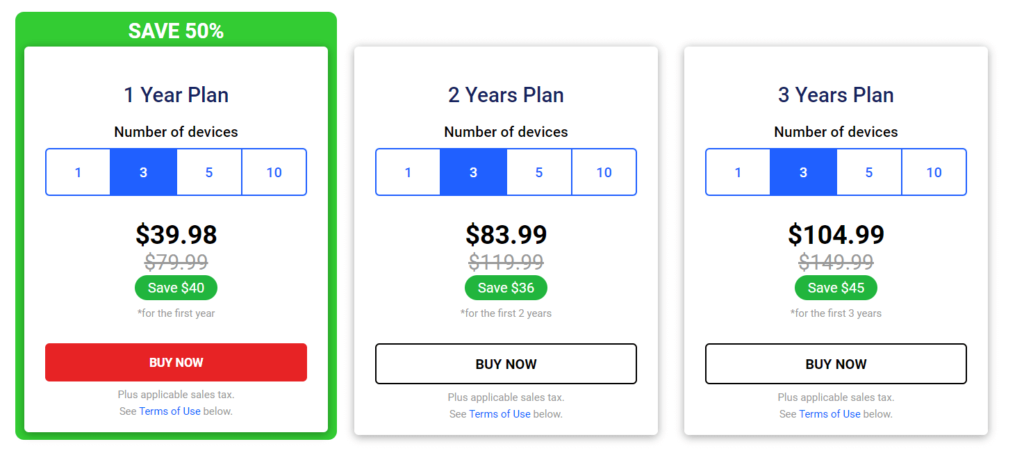
Step 2: Download the software and use the license key to activate it. The good news is, you can check the 30-day trial to see how effective Bitdefender Internet Security is.
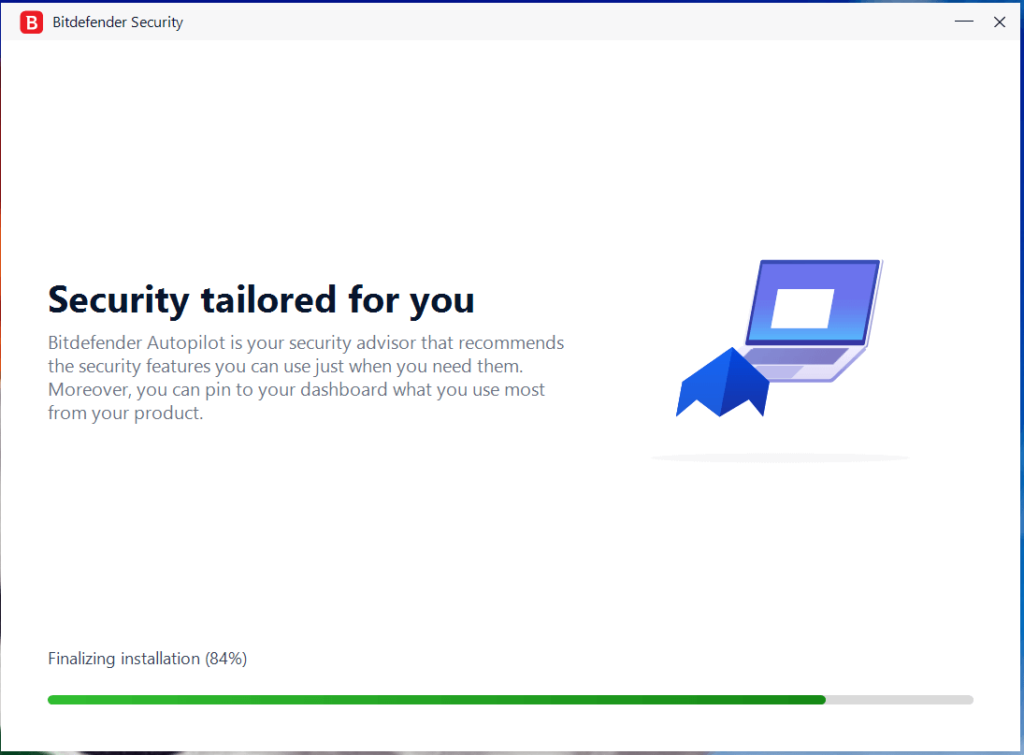
Step 3: You’ll run through a product tour to check all effective features of the software.
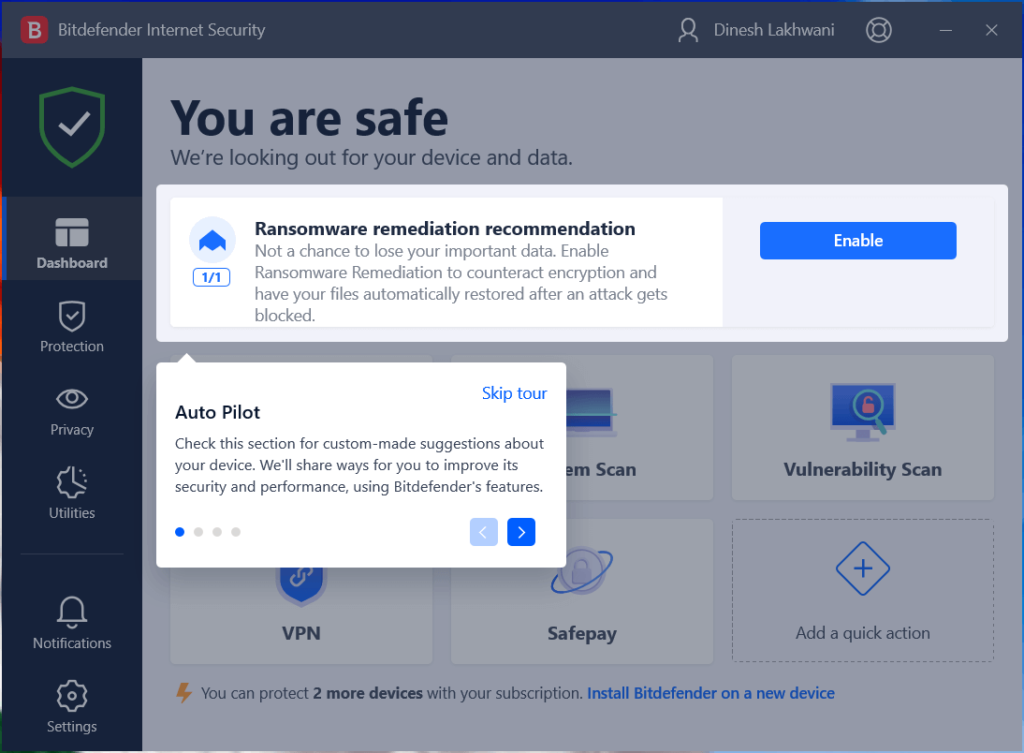
Step 4: You’re ready to secure your device using Bitdefender Internet Security.
Product tour:
Ransomware remediation recommendation
It helps you block ransomware attacks and restore data automatically. It counteracts encryption effectively to keep your files safe. We recommend enabling this feature for better security.
Shield
Shield in the upper-left corner of the dashboard helps you quickly track the security status of your system. If the shield is red, then it suggests it has found a potential security threat or protection feature is inactive.
Quick Actions
You can add your favorite features on the dashboard as quick action cards to perform certain tasks quickly.
How to use Bitdefender Internet Security?
- Dashboard
On the dashboard, you can set multiple quick cards. It helps you run certain tasks quickly. For example, you can run a quick scan, deep system scan, check VPN features or perform other tasks.
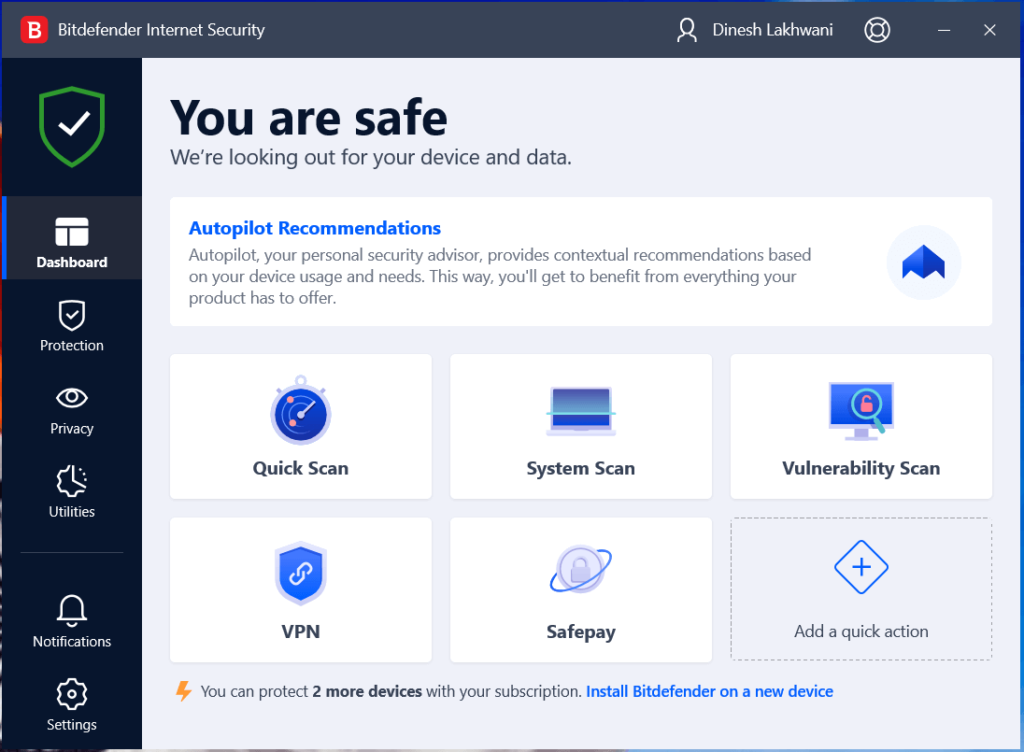
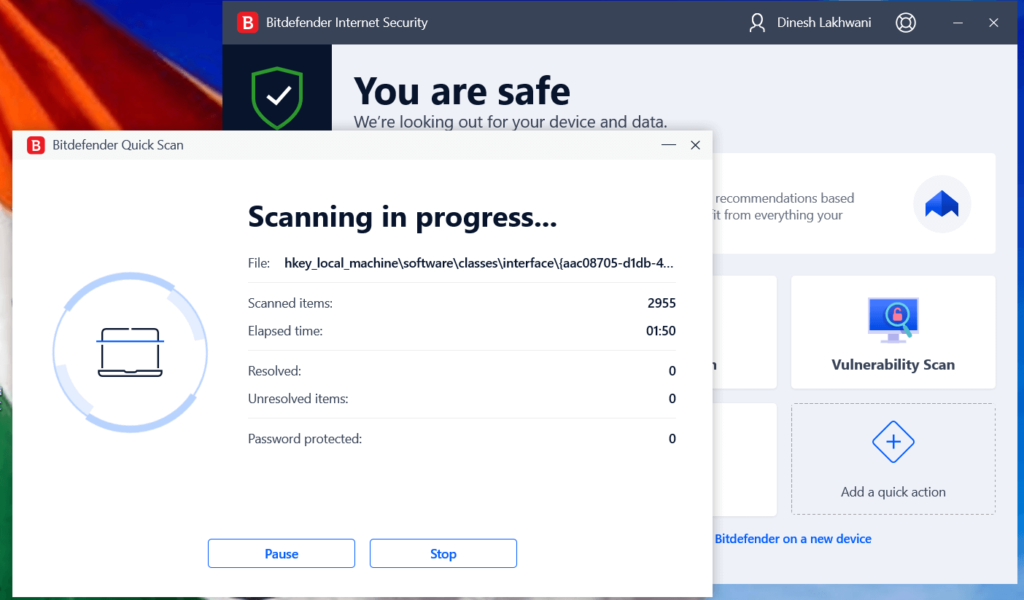
Quick Scan in action: Once it completes quick scan, it displays all scanned items with all resolved or unresolved items. You can also view logs for better tracking.
System Scan: System Scan helps you deep scan your system to find and fix all security issues. For the first time scan it might take a while, but subsequently it’ll start taking less time.
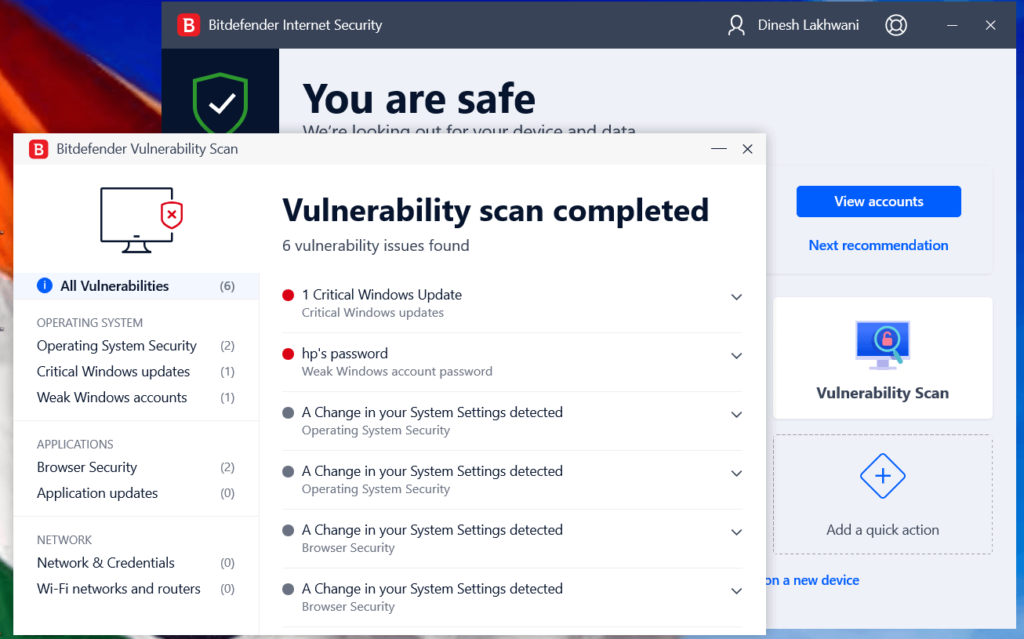
Vulnerability Scan: It helps you scan your system to find all possible vulnerabilities that could cause trouble for you and data security. You can check all these vulnerabilities here and fix them to avoid security issues.
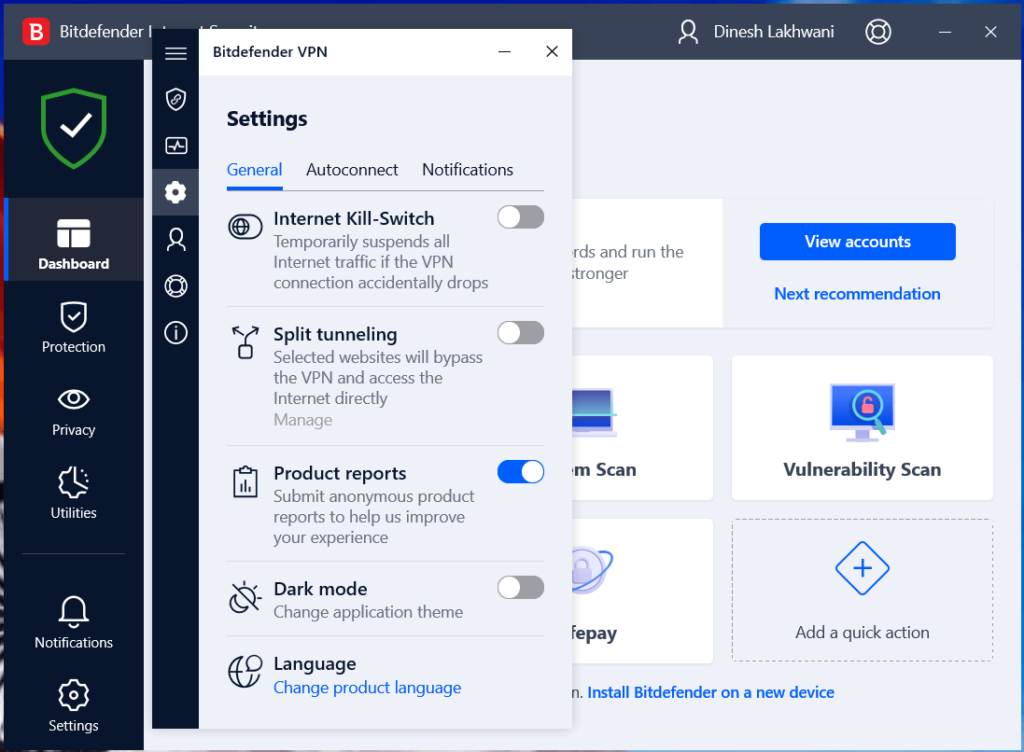
VPN: Bitdefender VPN helps you encrypt your internet connection to keep your activities anonymous while being online. This is one of the most powerful features of Bitdefender Internet Security software that helps you keep privacy and data security intact.
Initially it offers 200 MB of data which you can upgrade according to your usage. It offers features like Internet kill-switch, split tunneling, product reports, dark mode, and more.
- Protection Features
This section comprises a collection of protection features that help keep your system secure. You can enable/disable various security features here for seamless protection.
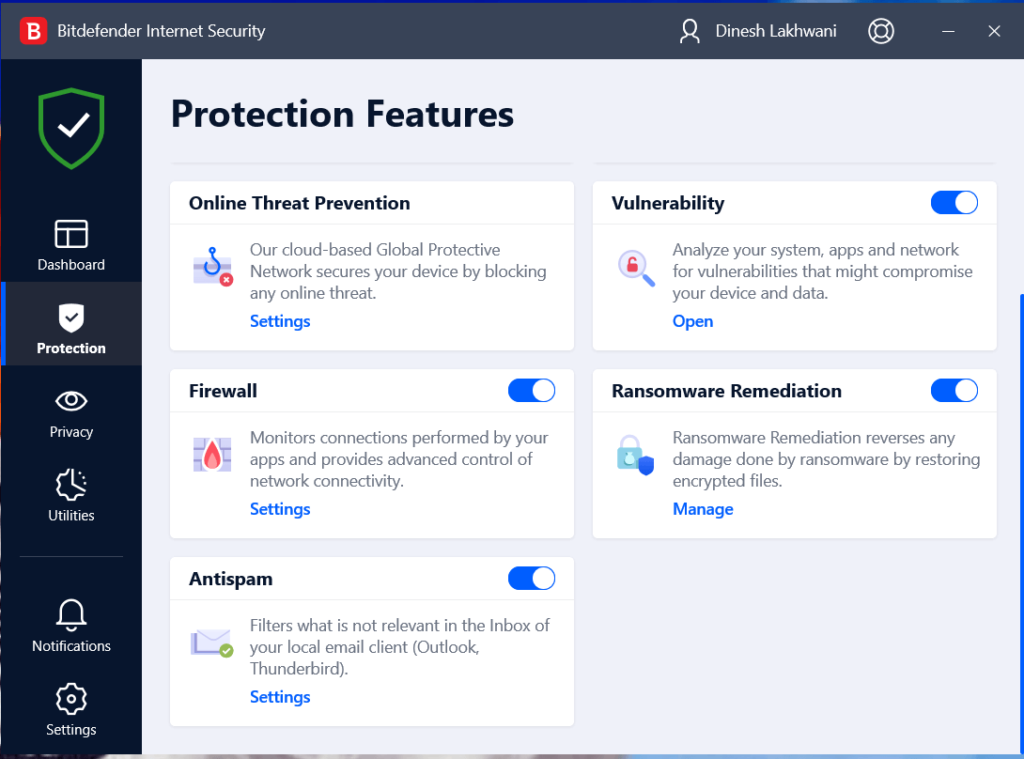
Protection features include:
- Antivirus feature blocks threats in real time preventing malicious content running on your device.
- Advanced threat defense identifies suspicious behaviour and blocks even zero-day attacks.
- The advanced cloud-based Global Protective Network offers online threat prevention.
- Vulnerability feature deep scans your system, apps and network to find all vulnerabilities and fix them.
- Firewall monitors and secures connections performed by your apps in real time. You get advanced controls of network connectivity.
- Ransomware remediation as name suggests helps you reverse any negative effects caused by ransomware attack. It is a useful feature to restore encrypted files.
- Antispam is another useful feature of Bitdefender Internet Security that is designed to keep your inbox spam free.
- Privacy Features
Privacy features of Bitdefender Internet Security include advanced solutions to privacy threats. It includes protection against cyber attacks, keeps online activities anonymous, secures passwords, and more.
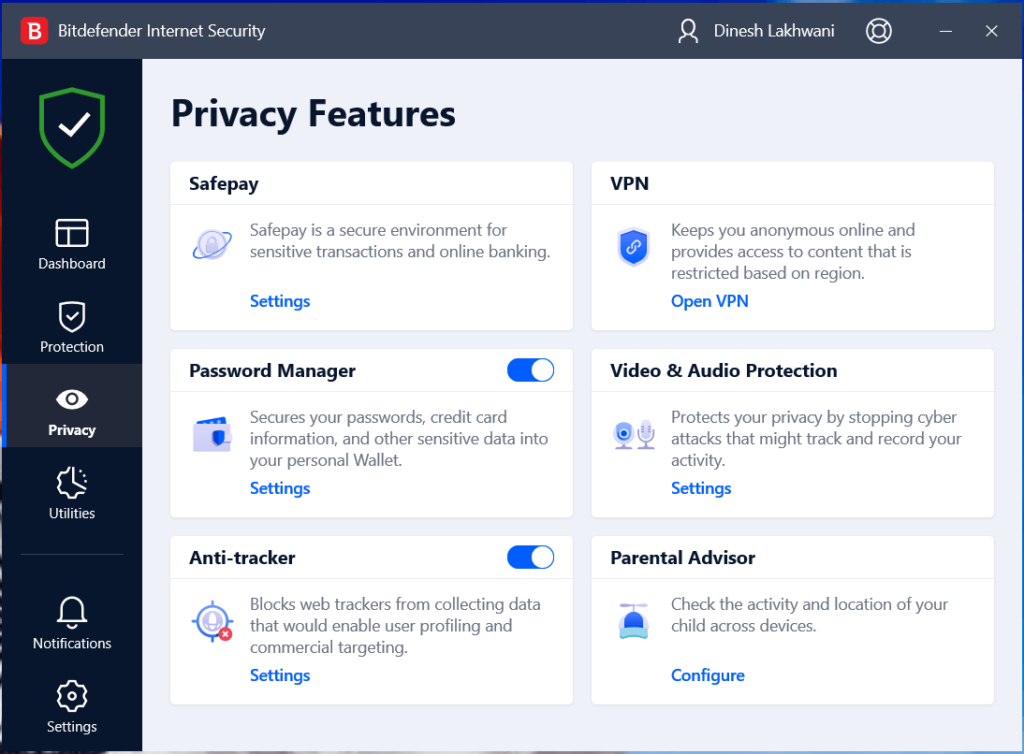
Privacy features include:
- Safepay offers a secure browsing environment to keep online banking, e-shopping and other sensitive activities private and secure.
- Bitdefender VPN is a useful addition to the software. It offers 200 MB of data for free which you can upgrade as per your needs.
- With Password Manager, you can keep your credentials and passwords secure against various online threats.
- It offers audio & video protection by blocking cyber attacks.
- While user profiling and commercial targeting is a serious issue these days, Anti-tracker feature of the software blocks web trackers from collecting your personal data.
- With the Parental Advisor feature of the software, you can track the online activities of your kids across devices and control them when needed.
- Utilities
It offers various profiles to select from based on your activities or apps you use. You can select from work profile, movie profile, game profile, public Wi-Fi profile, or battery mode profile. Once you select any of these profiles, it’ll change different settings to provide you the best user experience.
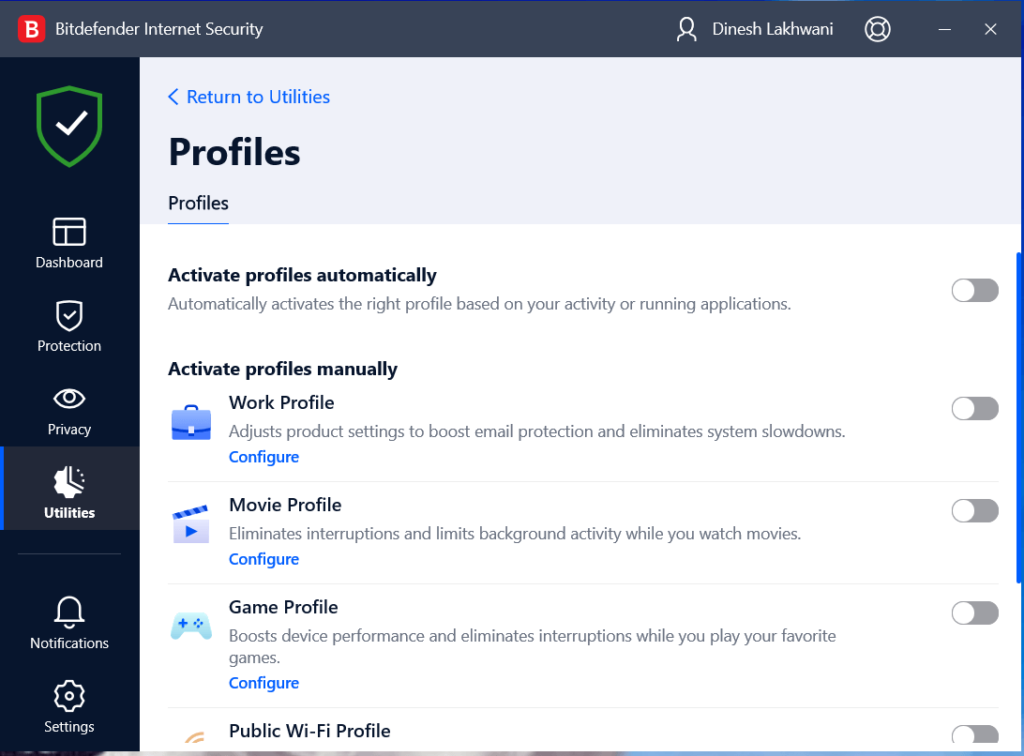
Another useful feature under utilities is file shredder that helps you delete files or folders permanently. You can simply add items or drag & drop files to shred them immediately.
- Notifications
You get regular notifications for all the activities that are happening on your system. It shares critical notifications, warnings, and notifications based on their severity level.
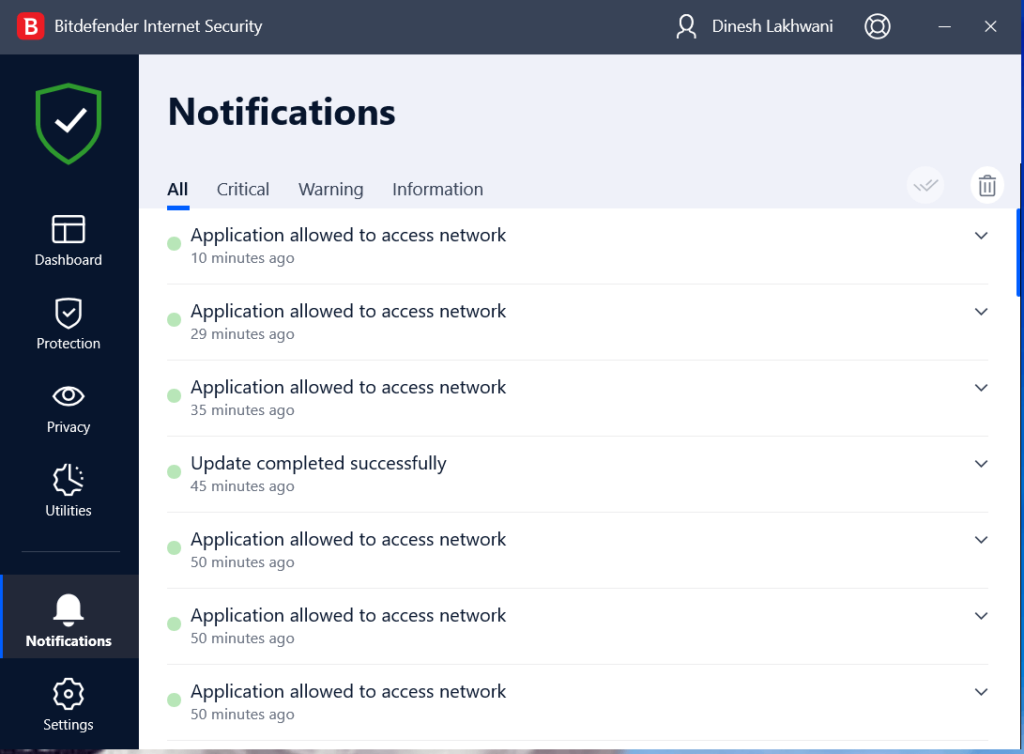
- Settings
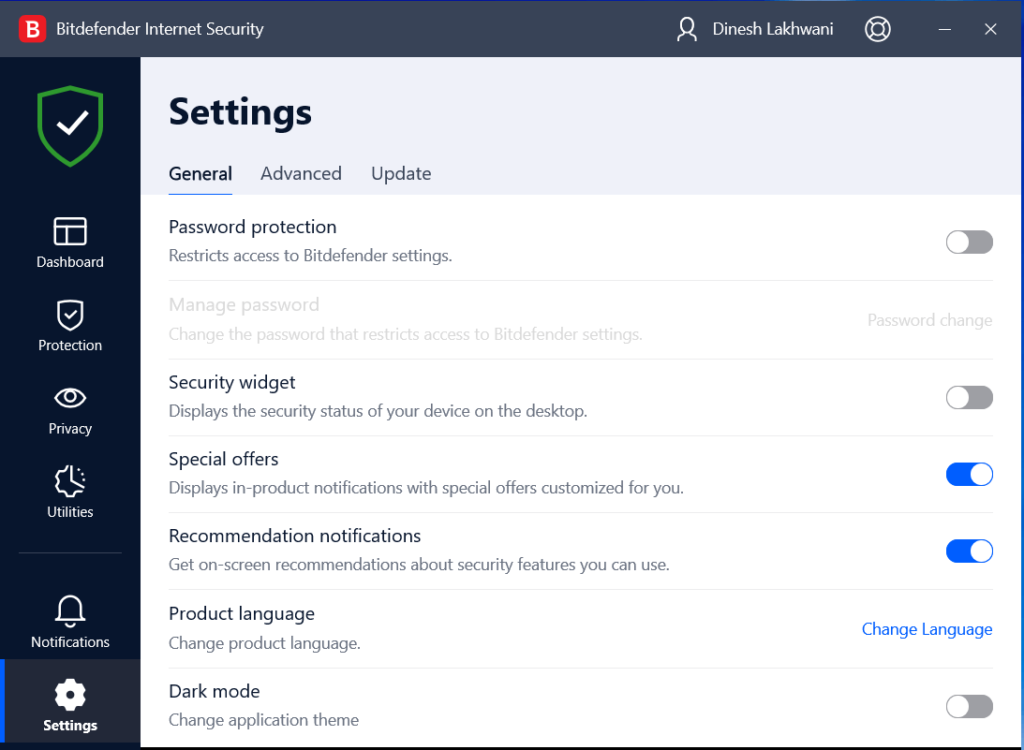
From this section, you can check or update general, advanced, or update related settings of the software. In advanced settings, you can enable proxy servers, send cyber threat reports, and scan hosts files to prevent DNS hijack attacks.
Pros
- Unbeatable threat detection to offer complete security across devices
- Webcam and microphone protection to prevent eavesdropping
- Perfect pricing plans for budget and power users
- Lowest impact on device performance
- Various profile options for different user needs
Cons
- Limited feature access in free trial plan
- Limited VPN access 200 MB/day/device in ad-on plan
- Parental control feature could be improved
Final words about Bitdefender Internet Security
Bitdefender Internet Security is a comprehensive solution that is designed to keep your system and online activities secure. While the software offers features on par with its competition, still you can expect better security plans for your family where you can manage the best features from one dashboard. It asks you to remove your existing security software (if you’ve got one installed), so you should be ready for that.
As we’ve suggested already, Bitdefender Internet Security is a one-stop solution for all your security & privacy needs. It offers features like antivirus, antispam, anti-fraud, anti-phishing, anti-tracker, and more to secure multiple devices. The best part of the software is that it’s light on system resources and keeps your device secure while running in the background.
Do try Bitdefender Internet Security and share your experience with us!
Author Bio:
Dinesh Lakhwani 

Dinesh Lakhwani, the entrepreneurial brain behind “TechCommuters,” achieved big things in the tech world. He started the company to make smart and user-friendly tech solutions. Thanks to his sharp thinking, focus on quality and the motto of never giving up, TechCommuters became a top player in the industry. His commitment to excellence has propelled the company to a leading position in the industry.
Popular Post
Recent Post

How To Disable Cookies in Browser [Complete Guide]
So, search for a pair of shoes once online. Close the tab. By evening, those same shoes are sitting on your news site, your video app, and even your recipe blog. Nobody placed them there by chance. A cookie did. Well, yes! Cookies are small files that websites place on your device while you browse. […]

How To Disable Background Apps In Windows: 4 Quick Methods
A slow PC rarely gives a warning. One day, it simply takes longer to start. Apps open late. The fan runs loud, even when the screen is almost empty. Most people blame old hardware. Often, that is not the real reason. The real reason is hiding in plain sight. Windows keeps many apps active in […]

How to Activate Windows with a Product Key for Windows 11 & Windows 10
It always shows up at the worst time. You are halfway through a report, or about to join a video call. Then you spot it in the bottom right corner of the screen. Activate Windows. Go to Settings to activate Windows. Initially, an unactivated copy of Windows may seem like a minor inconvenience. Over time, […]

Is Easy Duplicate Finder Worth It? Honest Review
The photos folder looked normal at first glance. Then the storage warning popped up. One trip photo appeared four times. A tax PDF sat in three different folders. Two old setup files were still in Downloads, and each one was over 500 MB. Nobody plans this mess. Copies pile up slowly. A download runs twice. […]

Wise Duplicate Finder Review: Real Results from Wise Duplicate Finder
Read my honest Wise Duplicate Finder review. See features, pricing, pros and cons, and real PC test results. Find out if this free duplicate cleaner can free up your Windows storage.

How to Recover Deleted Files from Pen drive, USB Drive, SD Card
Introduction: On tech forums, you’ll often see posts like this: “I connected my pen drive to my laptop this morning, but the folder was empty. All my college project files had vanished. I don’t have a backup. Can someone help me?” Stories like this are very common. Pen drives, USB drives and SD cards are […]

How To Recover Files Deleted from the Recycle Bin [Windows 11]
Losing a file can happen in seconds. You clear your desktop, hit Delete, and empty the Recycle Bin. Then, just when you need that file again, it seems to have vanished. This guide will walk you through ways to restore files removed from the Recycle Bin. We will begin with simple fixes, then look at […]

Disk Drill Data Recovery Tool Explained: Full Review and Guide
It happens in a split second. You delete a folder by mistake. Your drive stops showing up. A photo album from your last trip just vanishes. And your stomach drops. Lost files feel personal. They are not just data. They are memories, work hours, and sometimes years of effort packed into a few gigabytes. When […]

Recover Deleted Files In Windows 11 With Software & Without
Introduction What is the first thing that goes through your mind the second an important file vanishes from a Windows 11 PC? For most people, it is a mix of panic and disbelief, followed by a frantic click through every folder that file could possibly be hiding in. It happens in a split second: one […]

