EaseUS Data Recovery Wizard – Review
Last updated on February 7th, 2025 at 12:43 pm
EaseUS Data Recovery Wizard comes as an effective solution to help you recover all your files on Windows and Mac. It comes loaded with tons of useful features to help you perform task seamlessly. Let’s review this powerful tool here.
Highlights Of EaseUS Data Recovery Wizard
- Lightweight software that runs on bare minimum hardware resources.
- Easy to install and much easier to use, making it a beginner-friendly program.
- Comes with two scan modes, Quick Scan and Deep Scan.
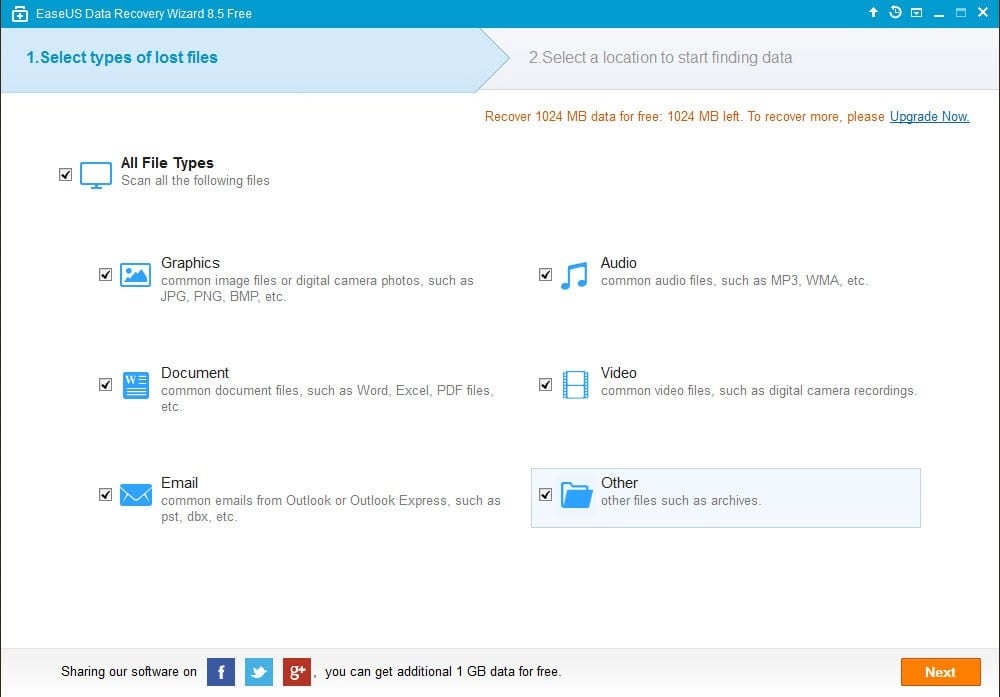
- Recovers over 1000 types of files.
- Download Link
Features of EaseUS Data Recovery Wizard
To know how a data recovery program works, it’s better to start with the list of features and what they do. To assist you with that, here are the main features of EaseUS Data Recovery Wizard:
Accidentally Deleted Files Recovery:
While using computer, you may sometimes delete some important files by accident. In such situations, many people panic and think that the data is gone forever. But, here comes the data recovery program to assist you with such troublesome scenarios. T
his program can recover any type of deleted files that you’ve removed by mistake. With just a few clicks, you can recover all the accidentally deleted files seamlessly.
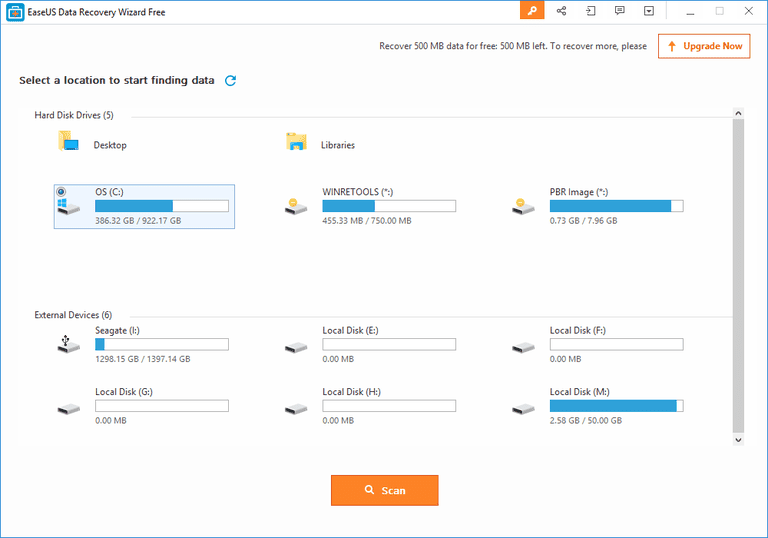
Formatted Recovery:
For various reasons, we may have to format a disk of your computer’s hard drive. The reasons may vary from slow performance to a virus attack. But, if you don’t backup the files on that disk before formatting, you may lose those files.
Usually, there would be no option in your computer settings that could bring back those files. But, with this recovery program, you can easily recover those files that are deleted after formatting that disk.
Recycle Bin Empty Data Recovery:
We all know what Recycle Bin is and what it does. When you delete a file in your computer, it goes to the Recycle Bin. To delete those files permanently, you have to erase the bin.
But, what if you need those files sometime after you’ve erase those permanently? Well, with this advanced recovery program, you can bring back those files which you’ve deleted by erasing your recycle bin.
Lost Partition Recovery:
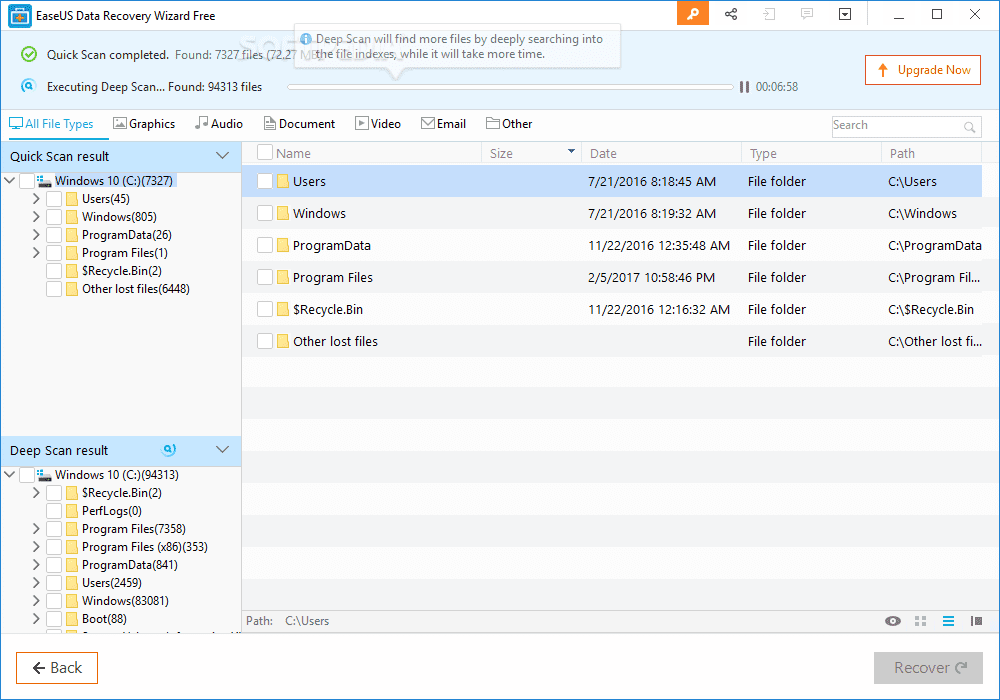
Your hard drive is divided into several partitions. This is usually done when you’re installing the operating system on your computer. Sometimes, due to several possible reasons, a partition of your hard drive may go missing.
While you face such tricky situations, don’t panic. With a great recovery tool like EaseUS Data Recovery Wizard, you can effortlessly recover all the data from any missing partition. This type of feature is rare to find and only a few programs offer it.
Hard Drive Damage Recovery:
Hard drive is one of the core parts of a computer and we all know that. Each and every file is stored on your hard drive. But the problem happens when the hard drive is damaged. There are several reasons for that. When a hard drive is corrupted, you can’t access your files.
But, with this recovery software, you can recover all your files from a corrupted drive. It just takes a few clicks and you’ll have the files recovered.
Virus Attack Recovery:
Recently, there have been many cyber attacks on the computers all over the world. Most of these involve viruses that affect your computer and hijack your files making them inaccessible. In such situations, you have to make the right decision in order to stop any type of data loss.
By using, EaseUS Mac data recovery program, you can retrieve the files that are affected by the virus attack and access them again without any hassle.
OS Crash Recovery:
Well, we know that Operating System is the most important component of a computer. After all, without it your computer wouldn’t be up and running. Due to several possible reasons, your OS can crash and make it very difficult to open your computer and access your files.
But, this recovery tool can make it easy for you. EaseUS lets you start your device by offering a WinPE media file. Not only that, you can also recovery all of your files after starting your computer this way.
RAW Partition Recovery:
There are a few problems related to your hard drive that makes it difficult accessing your files. One of such problems is RAW partition. When the file system of your hard disk gets corrupted or damaged, your partition becomes RAW and makes it inaccessible to the operating system. In such cases, using the recovery program can help you by leaps and bounds, as you can easily recover files from a RAW partition.
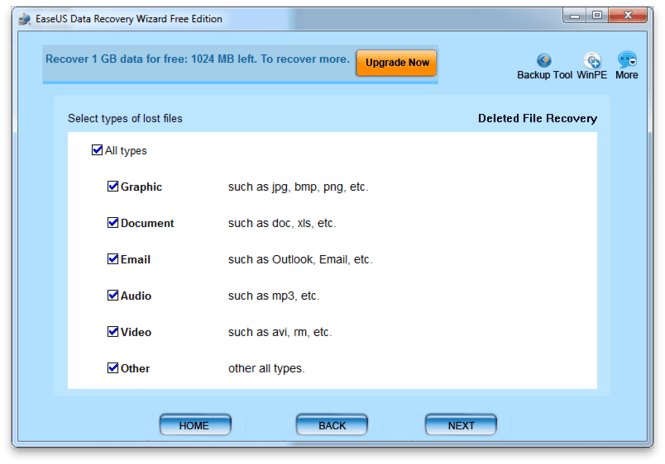
Pros & Cons
Here’s a look at the key pros and cons of this data recovery software:
Pros:
- Available for both Windows and Mac.
- A clean interface making it extremely easy to use.
- About 8 types of recovery systems making suitable for almost all data loss situations.
- Availability of Preview option before recovering the files.
- Three types of subsections options which includes a Free version as well.
- Runs on minimal hardware resources.
- Supports more than 10 types of devices ranging from PC to pen drive.
- Compatible with 7 types of file systems.
Cons:
- Not many features available with the free version.
- Pro version can be a bit expensive if you’re on a budget.
Final Verdict
EaseUS Data Recover Wizard has already garnered thousands of fans all over the world with its effective and efficient working mechanism. The program is extremely easy to use, which you can do without any prior recovery experience. Furthermore, you can also try the pro versions with the trial on offer. Since it’s available for both Mac and Windows, you can easily recover files seamlessly.
Author Bio:
Dinesh Lakhwani 

Dinesh Lakhwani, the entrepreneurial brain behind “TechCommuters,” achieved big things in the tech world. He started the company to make smart and user-friendly tech solutions. Thanks to his sharp thinking, focus on quality and the motto of never giving up, TechCommuters became a top player in the industry. His commitment to excellence has propelled the company to a leading position in the industry.
Popular Post











Recent Post

How to Switch Windows 10 to a Local Account: Complete Guide
Windows 10 allows users to sign in with either a Microsoft account or a local account. When you set up a new computer, the system often suggests using a Microsoft account. This account connects your device to Microsoft services such as Outlook, OneDrive, and the Microsoft Store. It also syncs settings, themes, and passwords across […]

How To Change Default Apps For File Types In Windows
Windows is designed to make using your computer easy. One way it does this is by assigning default apps to different file types. This means when you open a file, Windows automatically opens it with a specific program. For example, photos may open with Photos, music with Groove Music, and PDFs with Edge. These default […]

How To Adjust The Mouse Pointer Speed: Complete Guide
Using a computer every day means you use the mouse a lot. The mouse pointer moves on the screen and helps you click, scroll, and select items. Many people never think about the speed of the mouse pointer. They have used the default setting for years. This can cause small problems over time. A slow […]

How to Change Mouse Scrolling Settings In Windows
A mouse is one of the most used computer tools. People use it every day. They scroll through emails. They scroll through documents. They scroll through websites and images. The movement becomes automatic. Most users do not notice it. That is why problems often go unnoticed. Scrolling problems show up slowly. At first, it feels […]

Keyboard Light Settings: Keyboard Lighting Control [Complete Guide]
Keyboards are no longer simple typing tools. Well, yes! Over time, they have evolved to include features that improve comfort, visibility, and overall experience. One of the most useful features today is keyboard lighting. It helps users work comfortably in low-light conditions. It also reduces strain when typing for long hours. Many users first notice […]

Customizing Pointer Appearance: Complete Guide
The way your mouse pointer looks on your computer may seem like a small detail. But customizing pointer appearance can make using your PC more comfortable and visually appealing. Many users do not realize that they can change the pointer size, color, and style to fit their needs. Whether you want a bigger pointer for […]

How To Choose a Computer Monitor: Monitor Buying Guide
Buying a monitor looks easy. Many people think all screens are the same. That belief causes regret later. A monitor is not just a display. It is a daily tool. You read on it. You work on it. You relax with it. Small problems become big over time. Poor brightness hurts eyes. Bad size causes […]

How To Get Help With File Explorer in Windows 11 [Complete Guide]
File Explorer is one of the most important tools in Windows 11. It is used to open folders, view files, and manage stored data. Almost every action on a Windows computer depends on it in some way. When users open documents, save downloads, or organize photos, File Explorer is always involved. Because it is used […]

How To Fix A Frozen Computer: Complete Guide [Windows 11/10]
A frozen computer is one of the most common problems Windows users face. The screen stops responding. The mouse pointer does not move. Keyboard inputs do nothing. You may hear the fan running loudly. Sometimes the system looks alive, but nothing works. This situation often happens when you are busy or working on something important. […]

How to Upgrade Computer RAM: Complete Guide
Upgrading RAM is one of the simplest ways to improve a computer. It helps the system feel faster and smoother. Apps open quicker. Browsers handle more tabs. Games and tools run with less delay. Many users search for how to upgrade computer RAM because it gives real results without high cost. You do not need […]

