












A slow PC rarely gives a warning. One day, it simply takes longer to start. Apps open late. The fan runs loud, even when the screen is almost empty. Most people blame old hardware. Often, that is not the real reason. The real reason is hiding in plain sight. Windows keeps many apps active in […]
Business VPN By KeepSolid – A Complete Review
What is a VPN?
VPN is a type of encrypted connection between a computer and the server. VPN for PC not only blocks hackers or data trollers from peeping on your online activities or confidential files but also creates a secured shield for your server. It skins your IP address so that these intruders can’t track down your geographical location or get hold of your identity.
It is highly recommended to use a VPN service especially when you connect to a public Wi-Fi network. We have reviewed and compared the most popular VPN services available for 2019 and determined that Business VPN by KeepSolid is the Best VPN for businesses.
Business VPN by KeepSolid
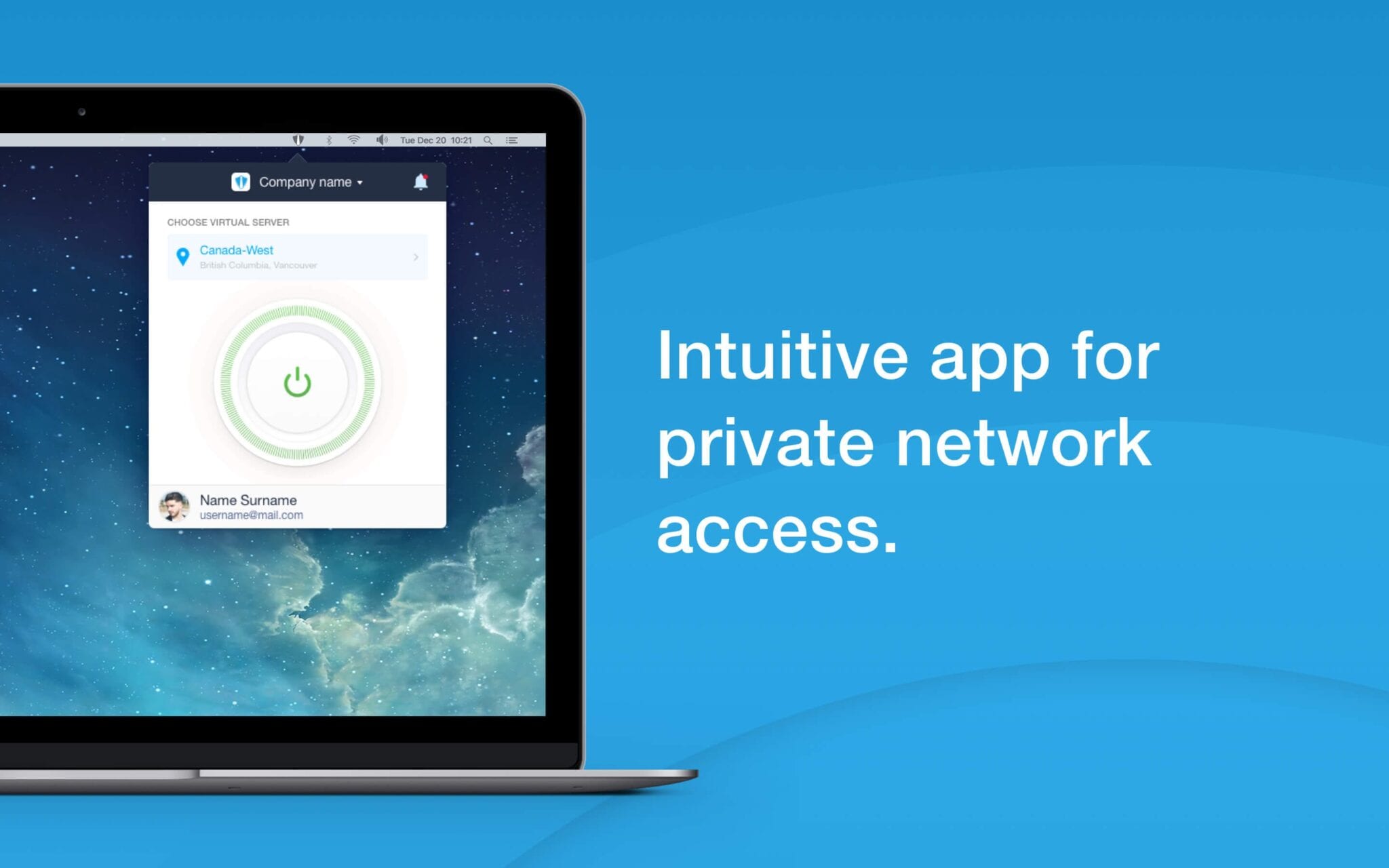
VPNs are not only destined for cyberpunk or private users. Every small or medium-sized organization also needs VPN services to ensure that their data is safe and secured. Business VPN by KeepSolid delivers small-medium businesses and organizations reliable, secure, and affordable VPN (virtual private network) services for a small or large network. Business VPN by KeepSolid not only serves SMBs but also caters to companies with offsite offices, PR and Advertising firms, and employees who travel frequently and require a secured remote connection to their network.
This is an essential VPN service to safeguard sensitive information, your business data, client’s information, database, and communications. Business VPN by KeepSolid is definitely one of the best VPN clients for PCs to enhance security level and overall business productivity.
Highlights of the Software
- Free Trial for 7 days with money back guarantee
- List of 400+ available VPN servers in 70+ locations
- Fast and easy installation, configuration & deployment
- Examine online resources from clients’ perspectives through respective VPN servers
- 24/7/365 premium and professional customer support confirming zero downtime
Features of Business VPN by KeepSolid
Corporate Data Protection – Military grade 256-bit encryption helps you to secure your business information, clients’ data, and the whole organization’s online operations.
Enhanced Remote Collaboration – Best fit for SME Companies having remote offices, PR & Advertising profiles & Employees traveling across the globe.
Circumventing geo-restrictions – Business VPN allows you to access any online tools or Gmail, Google, or local services that your organization needs to process business regardless if they are unavailable in your business location.
Secure Business Trips – While using public WiFi networks or hotspots at the airport or some hotel, Business VPN safeguards your personal and business communications and attachments.
Protection for BYOD – Business VPN security measures keep business information and corporate data secured even on personal devices.
Flexible Business Growth – It allows you to scale your business without limits. Whenever you need to grow infrastructure, add services, or use corporate servers, you can anytime count on Business VPN.
Award Winning Tool

Why Business VPN by KeepSolid is The Best VPN?
- Reasonable pricing compared to rival companies
- High-level of data encryption for added security
- User-friendly interface, best for a non-technical user
- Saves Time, Money, and Efforts for organizational growth
- Hassle-free Integration and easy to configure VPN Network
| Full Specifications | |||
| GENERAL | |||
| Publisher | KeepSolid | ||
| Publisher Website | https://www.keepsolid.com/business-vpn/ | ||
| Release Date | 1/16/2018 | ||
| Date Added | 9/27/2018 | ||
| Version | 1.2 | ||
| CATEGORY | |||
| Category | Security Software | ||
| Subcategory | Privacy Software | ||
| OPERATING SYSTEMS | |||
| Operating Systems | Windows 9x, Windows 10 64-bit, Windows XP, Windows Vista 64-bit, Windows 2008 64-bit, Windows Vista, Windows 8 64-bit, Windows 10, Windows 2008 R2, Windows 7 64-Bit, Windows 2000, Windows 2008, Windows 2012, Windows 7, Windows 8, Windows 2003, Windows XP 64-bit | ||
| Other Platforms | Windows, Mac, Android, iOS, and more | ||
| DOWNLOAD INFORMATION | |||
| File Size | 32.49MB | ||
| File Name | Business_VPN_v1.3.exe | ||
| PRICING | |||
| License Model | Paid | ||
| Limitations | |||
| Price | $9.99 / User / Mo | ||
Business VPN Plans & Pricing
Small Business {$1199.99/Year} – 10 Users | Medium Business {$3399.99/year} – 30 Users |
You Get
| You Get
|
Note: For bigger teams, you can add more individual/bulk subscriptions to meet your requirements.
Payment Methods
KeepSolid Business VPN offers adequate payment methods like Credit Card, NetBanking, Bitcoin, PayPal, and Amazon, and purchases through the app on their official site with a 7-day money-back guarantee.
Technical Details
Devices Supported | Windows |
| Android | |
| iPhone/iPad | |
| Mac | |
| Pricing Model | Monthly Payment |
| 1/2/3 Year Subscriptions | |
| Customer Types | Small Business |
| Medium Business | |
| Large Organizations | |
| Language Support | English |
| Deployment | Onsite |
Pros
- Offers a 7 Day Free Trial feature
- List of 400+ available VPN servers in 70+ locations
- 24/7 efficient Customer Support feature including Email & Live Chat
- GDPR Compliant Account – Allows you to delete the account, manage Emails, and download data
- Multi-login – Secure up to 50 devices with a single account
- 256-Bit Military Grade Encryption for additional security
- Offers DNS Leak benefit
Cons
- Compatibility with Linux is yet to be discovered
Conclusion
KeepSolid Business VPN is a new B2B solution for small-medium size businesses and we liked its different benefits like multi-logins, GDPR compliance, money-back guarantee, compatibility with multiple platforms, and others.
For some people, VPN plans may come into the category of expensive VPNs as their plans and pricing are not so budget-friendly. A trending software solution like NordVPN may have millions of customers, but it doesn’t prove that it fits your requirements as well. Considering that fact, do not blindly invest in popular systems as it is location and traffic-specific.
As of now, KeepSolid Business VPN has turned out to be the Best VPN for businesses as it will surely work properly as a VPN for Mac, VPN for Windows, and all other devices. It offers the best VPN service for small and mid-size organizations being B2B providers. This VPN for Windows private servers will give you access to your confidential data securely and will manage tasks and transactions professionally.
Author Bio:
Dinesh Lakhwani 

Dinesh Lakhwani, the entrepreneurial brain behind “TechCommuters,” achieved big things in the tech world. He started the company to make smart and user-friendly tech solutions. Thanks to his sharp thinking, focus on quality and the motto of never giving up, TechCommuters became a top player in the industry. His commitment to excellence has propelled the company to a leading position in the industry.
Popular Post
Recent Post

How to Activate Windows with a Product Key for Windows 11 & Windows 10
It always shows up at the worst time. You are halfway through a report, or about to join a video call. Then you spot it in the bottom right corner of the screen. Activate Windows. Go to Settings to activate Windows. Initially, an unactivated copy of Windows may seem like a minor inconvenience. Over time, […]

Is Easy Duplicate Finder Worth It? Honest Review
The photos folder looked normal at first glance. Then the storage warning popped up. One trip photo appeared four times. A tax PDF sat in three different folders. Two old setup files were still in Downloads, and each one was over 500 MB. Nobody plans this mess. Copies pile up slowly. A download runs twice. […]

Wise Duplicate Finder Review: Real Results from Wise Duplicate Finder
Read my honest Wise Duplicate Finder review. See features, pricing, pros and cons, and real PC test results. Find out if this free duplicate cleaner can free up your Windows storage.

How to Recover Deleted Files from Pen drive, USB Drive, SD Card
Introduction: On tech forums, you’ll often see posts like this: “I connected my pen drive to my laptop this morning, but the folder was empty. All my college project files had vanished. I don’t have a backup. Can someone help me?” Stories like this are very common. Pen drives, USB drives and SD cards are […]

How To Recover Files Deleted from the Recycle Bin [Windows 11]
Losing a file can happen in seconds. You clear your desktop, hit Delete, and empty the Recycle Bin. Then, just when you need that file again, it seems to have vanished. This guide will walk you through ways to restore files removed from the Recycle Bin. We will begin with simple fixes, then look at […]

Disk Drill Data Recovery Tool Explained: Full Review and Guide
It happens in a split second. You delete a folder by mistake. Your drive stops showing up. A photo album from your last trip just vanishes. And your stomach drops. Lost files feel personal. They are not just data. They are memories, work hours, and sometimes years of effort packed into a few gigabytes. When […]

Recover Deleted Files In Windows 11 With Software & Without
Introduction What is the first thing that goes through your mind the second an important file vanishes from a Windows 11 PC? For most people, it is a mix of panic and disbelief, followed by a frantic click through every folder that file could possibly be hiding in. It happens in a split second: one […]

EaseUS Data Recovery Wizard: Everything To Know
Data loss does not always come from a big disaster either. Most cases start small and boring. A drive gets formatted by mistake. A laptop freezes mid-save and restarts on its own. A memory card stops showing up after being pulled out too fast. None of these feel like emergencies at first, until you realize […]

Recuva Data Recovery Tool: Is it Actually Worth it?
When I first tried Recuva Data Recovery, I wanted to see if it could really bring back lost files. The tool is free, small in size, and promises quick recovery, which made me curious enough to test it on my own PC. The setup was fast, and the wizard guided me step by step. I […]

