











A computer quietly gathers clutter over time. This includes duplicate photos, repeated downloads, and forgotten backups hiding in random folders. This buildup slowly eats away at storage and can make even a fast PC feel sluggish. Manually finding and deleting duplicates is tedious. It means checking every folder, comparing file names, and guessing which copies […]
Top 11 Best Budget Smartwatches [Latest List]
Here we are going to discuss the most economical and best budget smartwatches for you.
The smartwatch has become many people’s personal sidekick or even a personal assistant: Not only can your smartwatch wake you up in the morning, but it also notifies you when you receive a new email or the like. Many models are suitable for sports activities, counting steps, and calories burned.
On top of all the features packed into these amazing tech devices you have to check out some of the 11 best waterproof smartwatches that are even giving diving watches a run for their money.
So there are many different smartwatches today that you can buy. But many of their new features and properties and we are going to look at the most popular ones for 2026.
11 Most Economical Smartwatches – Budget-Friendly Smartwatches
1. Willful Smartwatch
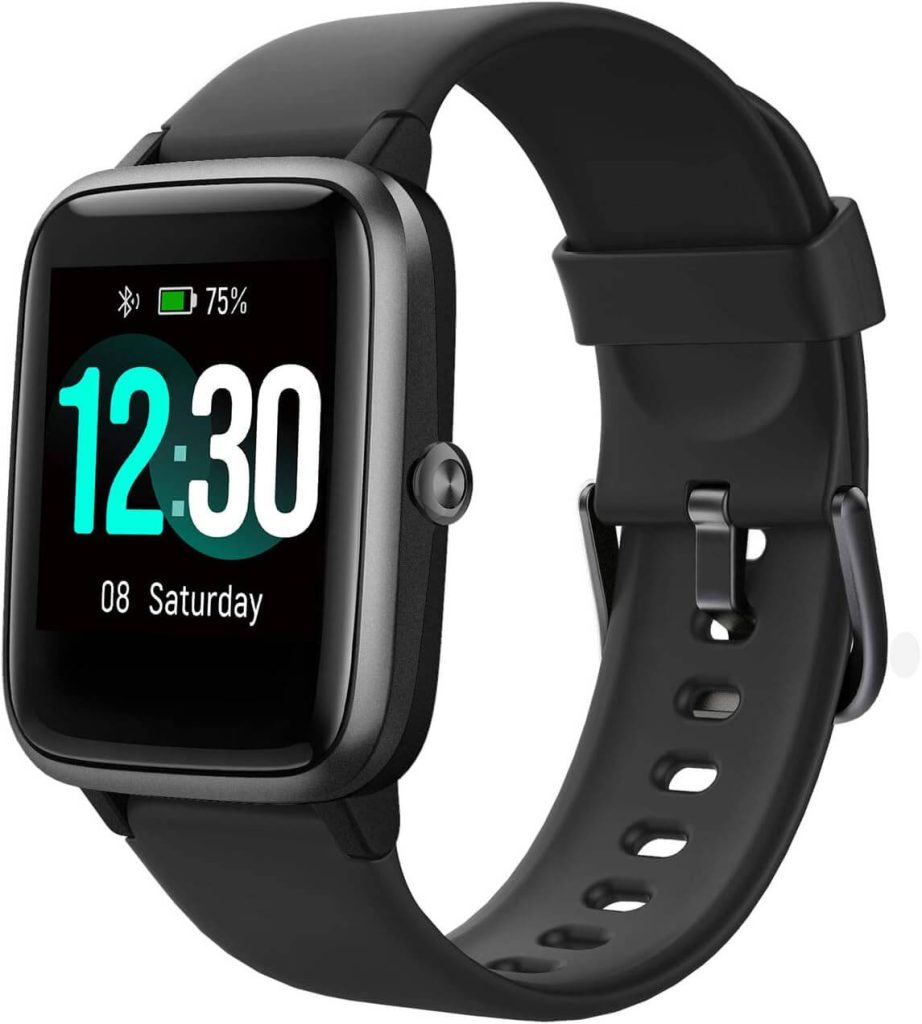
The design of the Willful Smartwatch is very reminiscent of the Apple Watch. However, due to the low price at which this model is offered for sale to you, it is clear that you cannot expect the same processing as from Apple.
Nevertheless, the Willful Smartwatch is a solid alternative for you, for example, if you are looking for an inexpensive model for your offspring or for testing.
This device has all the standard functions that you would expect from a good smartwatch. This way, you can not only count all the steps are taken but also the calories burned. If you have also connected the Willful Smartwatch to the smartphone, it is no problem that all notifications are displayed on the watch.
Pros:
- Nice look
- Inexpensive
Cons:
- Apple is much better than this watch
2. Samsung Gear S3
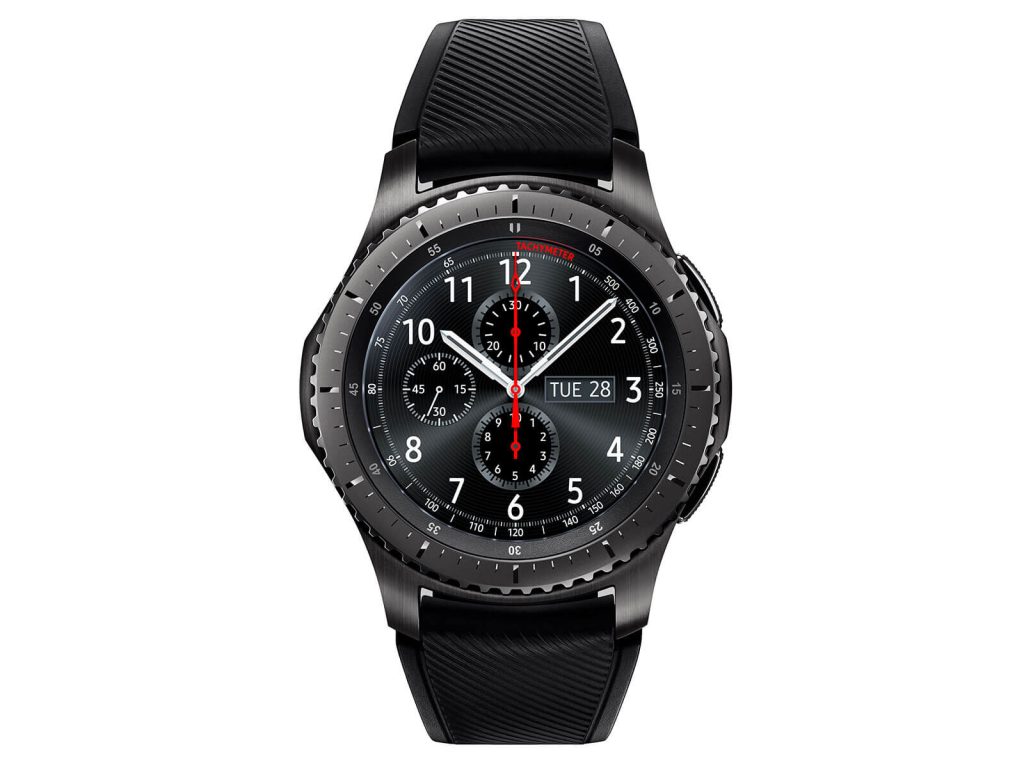
Also, Samsung offers several budget smartwatches, which currently mainly the model Gear S3 is recommended. The Samsung Gear S3 has a 1.3-inch display and can be easily connected to a smartphone via Bluetooth. Thanks to the IP68 standard, you as the user are assured that this smartwatch is both dust and waterproof.
Tizen OS is used as the operating system. So you can easily install all your apps and adjust the system comfortably. So if you would like to track running and leisure activities smartly, this is easily possible.
Due to its classic design, the Samsung Gear S3 is reminiscent of a conventional wristwatch. Nevertheless, all modern functions are on board that you would expect from a good smartwatch. For example, just turn the bezel or press one of the buttons. Completely without a smartphone, you can access many great functions on the Samsung Gear S3.
Pros:
- Great features
- Easy app installation
- Inexpensive
Cons:
- Few malfunctions reported on Amazon
3. Apple Watch Series 3
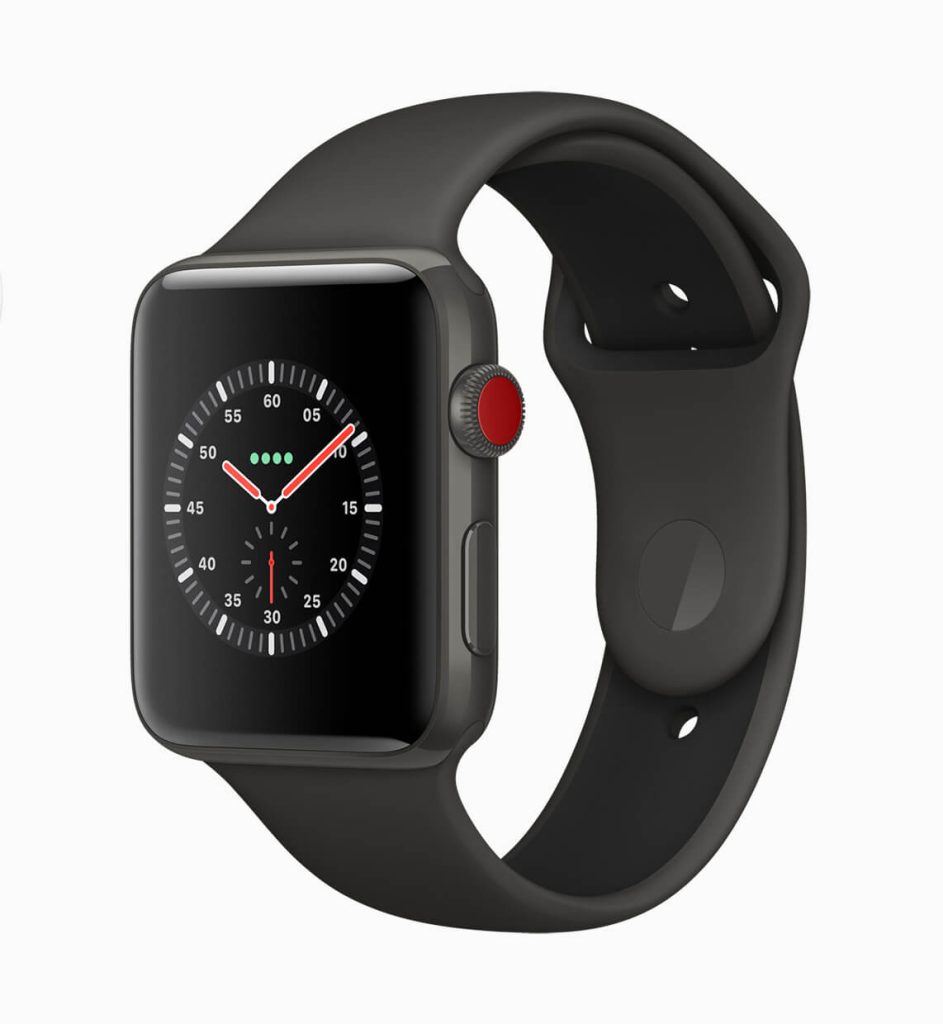
For all athletes for whom the latest Apple Watch Series 3 is a little too expensive, the Apple Watch Sport is particularly suitable. This smartphone is still one of the expensive models – but you can also look forward to good build quality and much more.
The Apple Watch Sport is equipped with a GPS module and is therefore ideal for you to record all results while jogging. Thanks to the aluminum case, the Apple Watch Sport looks much fancier than other smartwatches and you can also look forward to some good features.
The functions of the heart rate monitor, acceleration sensor, and gyro sensor are particularly impressive. If you have fully charged this model, you will benefit from an 18-hour battery life. You can also adjust the power reserve and simply maximize battery life.
Pros:
- Long battery life
- reasonably priced
- Nice look
Cons:
- Needs a reset when a malfunctioning
4. Apple Watch Series 5
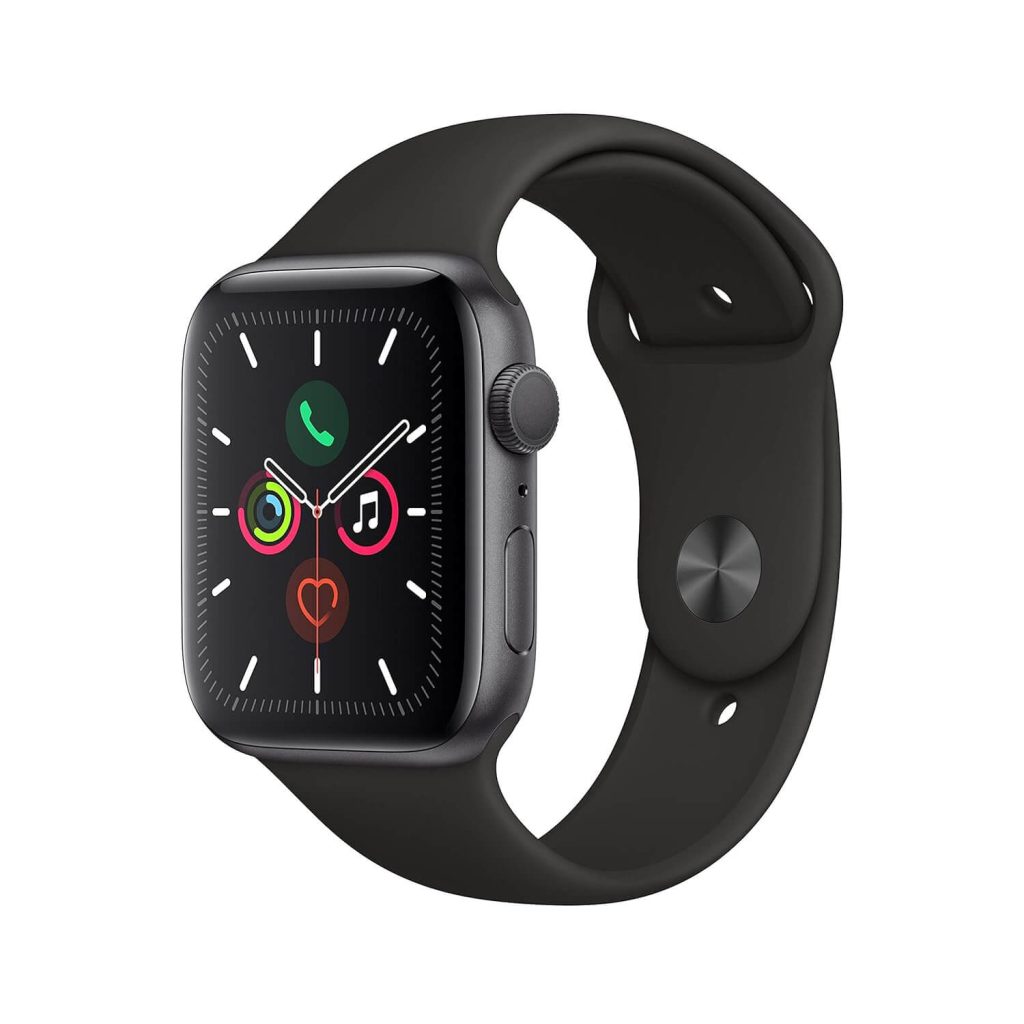
The Apple Watch Series 5 is particularly suitable for sports. So take your training to the next level easily and stay connected during your sporting activities.
The Apple Watch Series 5 has a GPS module and an altimeter, which is particularly interesting for joggers. You can also conveniently stream more than 45 million songs via Apple Music with this high-quality processed smartwatch.
An intelligent activity tracker is also available as the other Apple Watch models. So you can easily celebrate your success and take on new challenges. The connection with the iPhone is of course still useful and recommended to expand the range of functions immensely.
Pros:
- Renowned brand
- Interactive design
Cons:
- Complex setup
5. Fitbit Versa 4
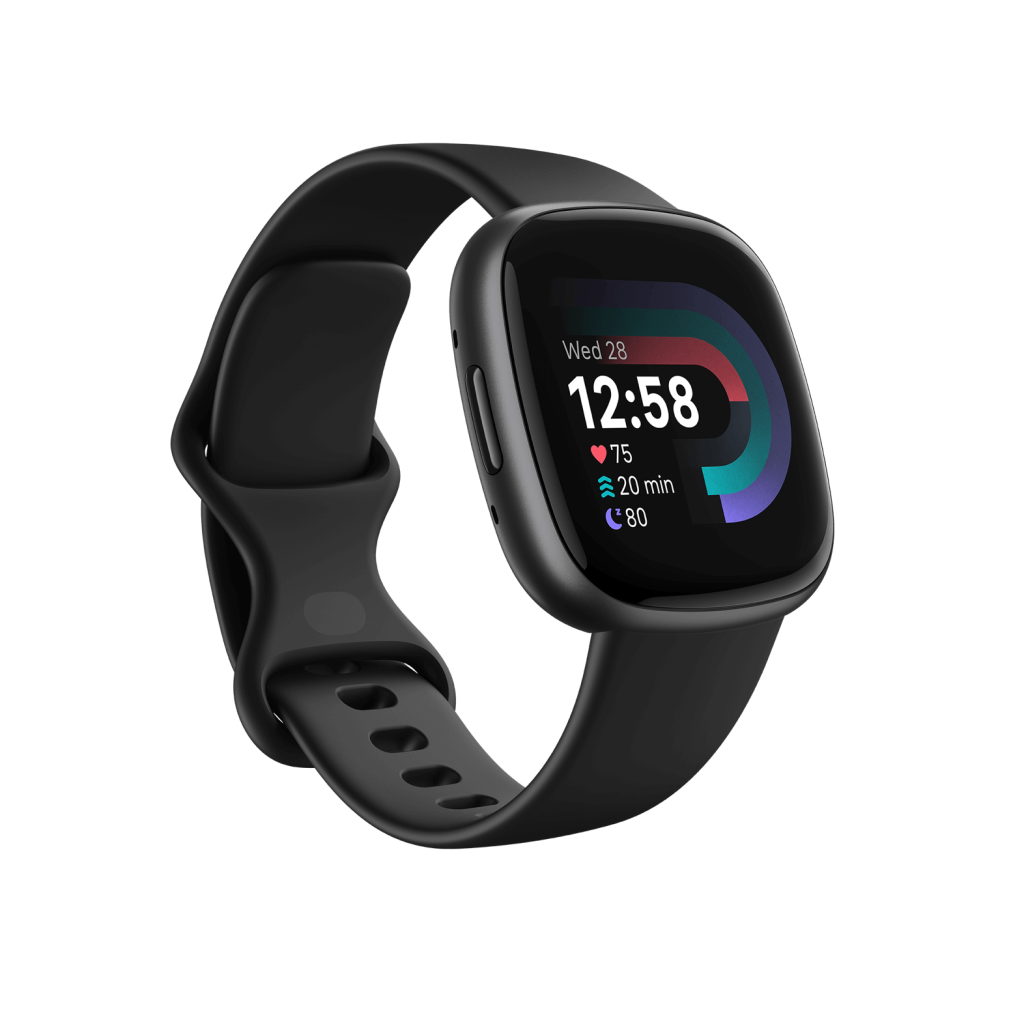
The Fitbit Versa 4 strikes an ideal balance of features and affordability. It offers up to 6 days of battery life on a single charge, allowing you to track sleep and activity data seamlessly. The built-in GPS enables accurate pace and distance tracking during outdoor workouts without carrying a phone.
Key health features include heart rate monitoring, SpO2 for blood oxygen levels, and the Fitbit App’s holistic fitness/wellness dashboard. While the smartwatch lacks support for third-party apps, it includes convenient features like Fitbit Pay, quick replies (Android only), and music control. The streamlined, lightweight design is comfortable for all-day wear.
Pros:
- Long battery life.
- Built-in GPS, SpO2 sensor.
- Fitbit Pay.
- Activity/sleep tracking.
Cons:
- Occasional syncing issues.
- Limited notification support.
- No third-party apps.
6. Withings ScanWatch
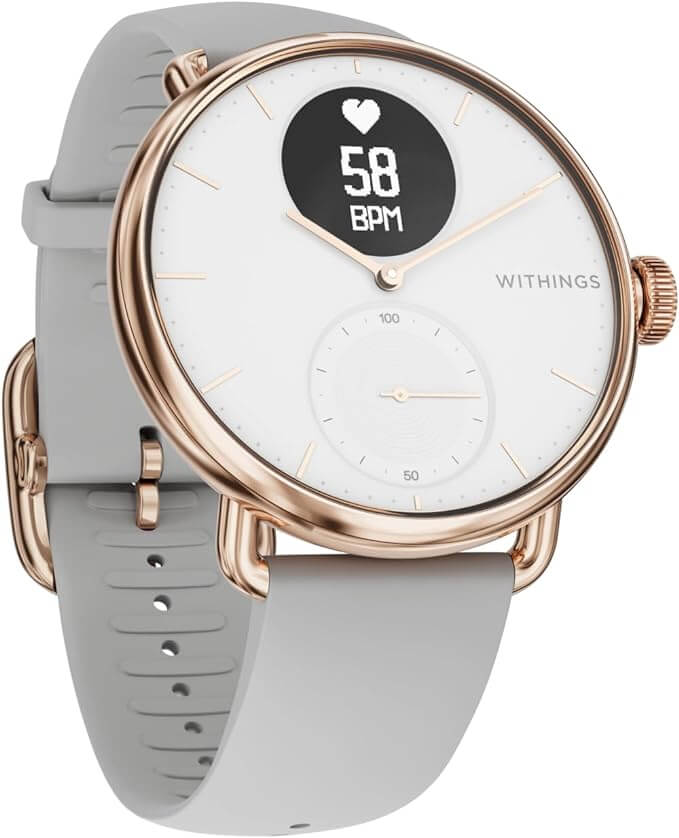
With its classy analog watch design, the Withings ScanWatch doesn’t look like a typical smartwatch. It features advanced health sensors like a medical-grade ECG and SpO2 to detect heart health issues and breathing disturbances during sleep. The long-lasting battery provides up to 30 days of use before needing a recharge.
The PMOLED display shows notifications, daily steps, and other data while complementing the analog hands. While the Withings Health Mate app provides sleep, activity, and heart health analysis, the watch lacks a diverse app ecosystem. Without a built-in GPS, it relies on a connected phone for mapping outdoor workouts.
Pros:
- Stylish design.
- ECG and SpO2 sensors.
- Long battery life.
- Sleep apnea detection
Cons:
- Slightly Expensive
- Limited app ecosystem.
- No built-in GPS
7. Garmin Vivoactive 4
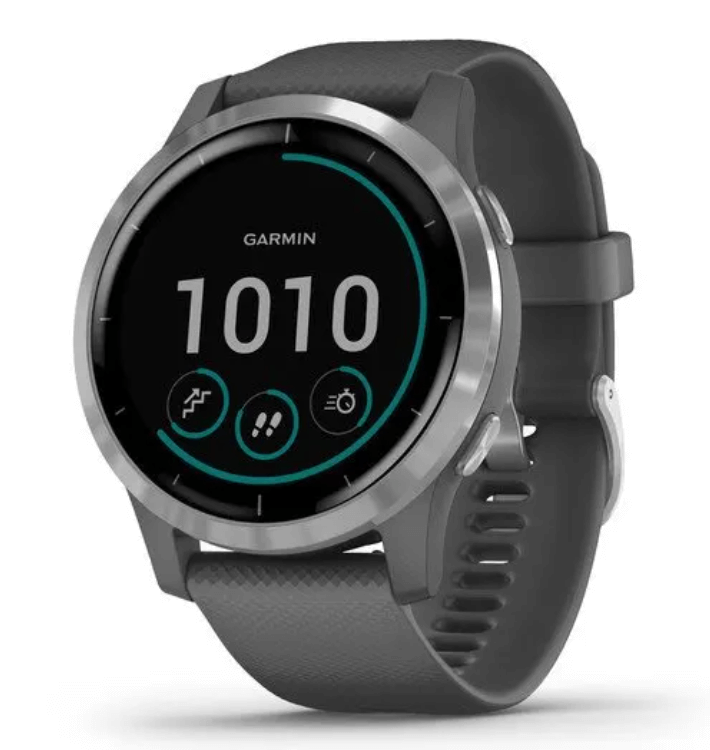
Garmin packs lots of value into the Vivoactive 4, with built-in GPS, heart rate monitor, pulse ox sensor, and over 20 preloaded sports apps. The lightweight, swim-proof design is comfortable for all-day wear, while the touchscreen display is easy to operate even mid-workout.
In addition to the robust fitness tracking features, it offers Garmin Pay, music storage, and some smart notifications. Battery life maxes out at 8 days in smartwatch mode or 6 hours in GPS mode.
Pros:
- Built-in GPS.
- Heart rate monitoring.
- Many sports modes.
- Garmin Pay
Cons:
- Shorter battery life.
- No third-party app support.
- Small display
8. Amazfit GTR 4
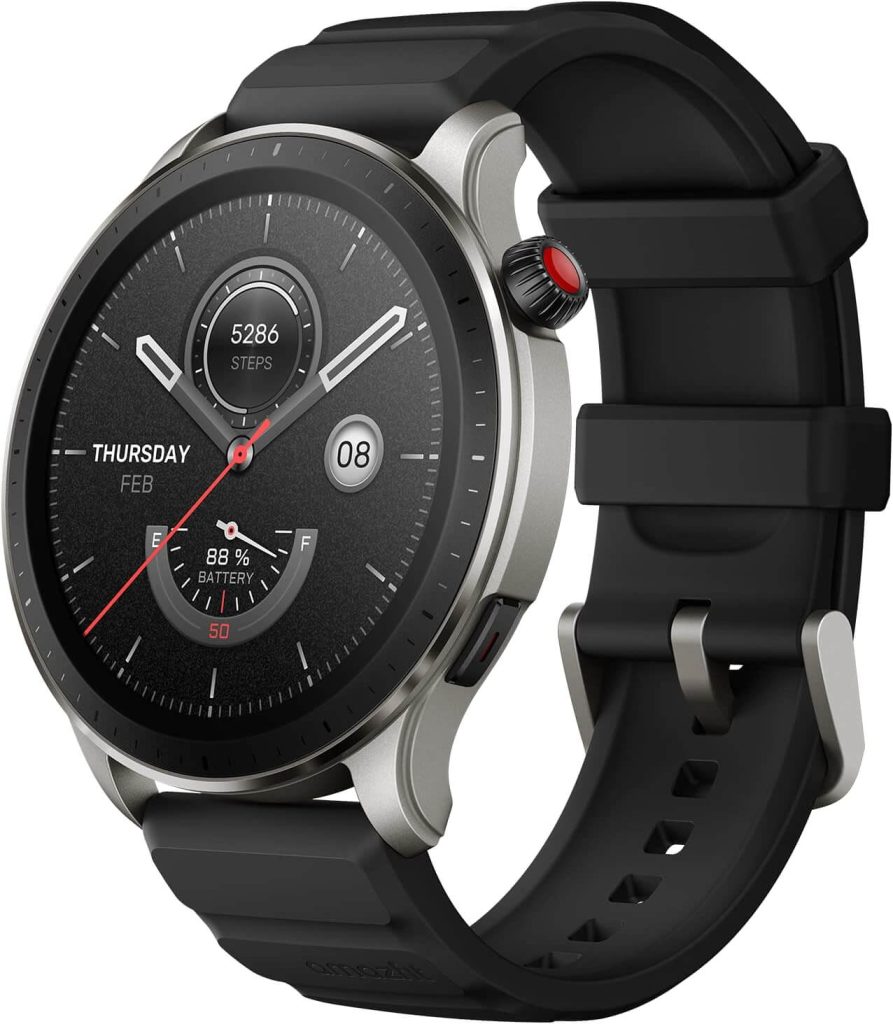
With its large and vivid 1.39” AMOLED display, the Amazfit GTR 4 is one of the most affordable smartwatches with an advanced screen. It can operate for up to 12 days on a single charge and includes GPS, Alexa built-in, heart rate monitoring, blood oxygen tracking, and over 150 sports modes.
The companion Zepp app scores your sleep and fitness while allowing you to customize watch faces. However, the app is not available on iOS. The mediocre build quality and limited notification capabilities on Android are additional limitations.
Pros:
- Large AMOLED display.
- 12-day battery life.
- Alexa built-in.
- Good and intuitive app.
Cons:
- Limited notification support.
- Mediocre build quality.
9. Huawei Watch 2
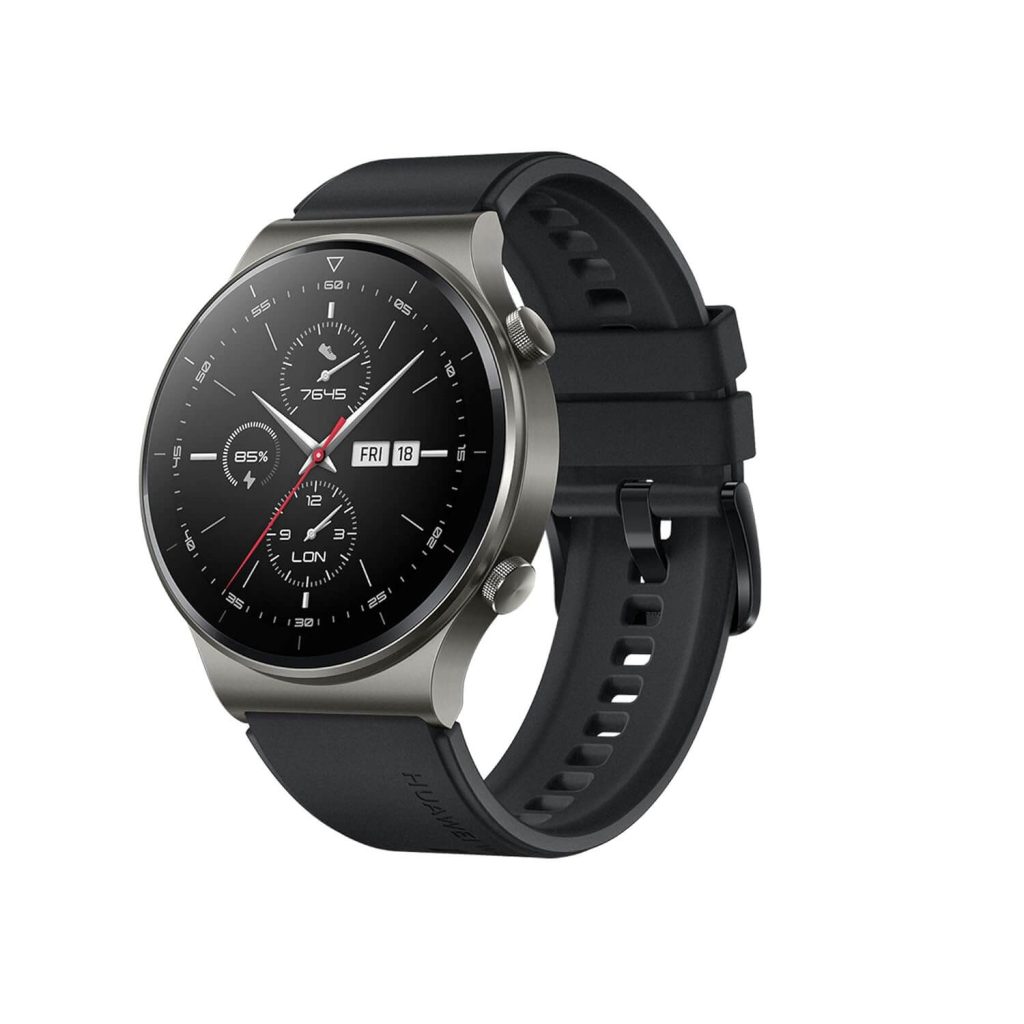
The manufacturer Huawei is known for solidly manufactured smartphones that score with a good price-performance ratio. You can also expect similar benefits from the Huawei Watch 2. This model is equipped with the OS Android Wear 2.0, which is easy to use and can be easily adjusted.
Thanks to the integrated GPS and GLONASS, the Huawei Watch 2 enables you to easily track all values. Even a heart rate measurement is no problem for this wrist device.
If you attach great importance to an always ergonomic design, you will not make a mistake with the Huawei Watch 2. The manufacturer relies on a high-quality ceramic surround. The battery life is also really impressive. You can use the Huawei Watch 2 with one charge for more than two days.
Pros:
- GPS and Glonass integrated
- Good looking design
- Inexpensive
Cons:
- Cannot compete with expensive products
10. Fossil Q Explorist Smartwatch
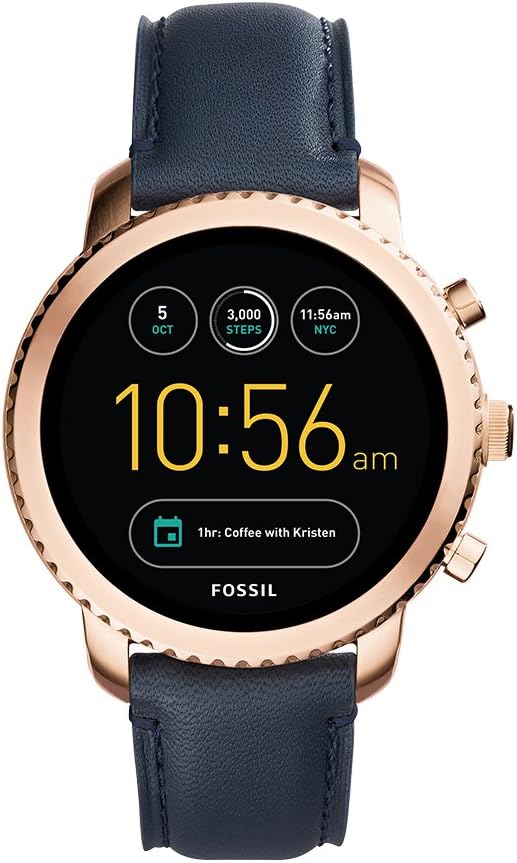
The Fossil brand primarily stands for stylish fashion accessories, such as jewelry, purses, and bags. But Fossil also offers economical and budget smartwatches. A good model is the Fossil Q Explorist Smartwatch, which is available for just under € 200.
The Fossil Q Explorist Smartwatch is equipped with a black stainless steel case. Fossil also comes with a silicone bracelet so that you can wear this smartwatch quite comfortably. Fossil also ensures everything necessary for the Explorist Smartwatch to be waterproof.
The different functions that the Explorist Smartwatch by Fossil offers the user are also very interesting. Not only can you set the current clock face individually, but you can also conveniently control music and use Google Voice control. Smart activity tracking and an LED lamp are also available for you.
Pros:
- Unique design
- Great tracking system
- Stainless steel material
Cons:
- A superior version is available
11. QIN II Smartwatch
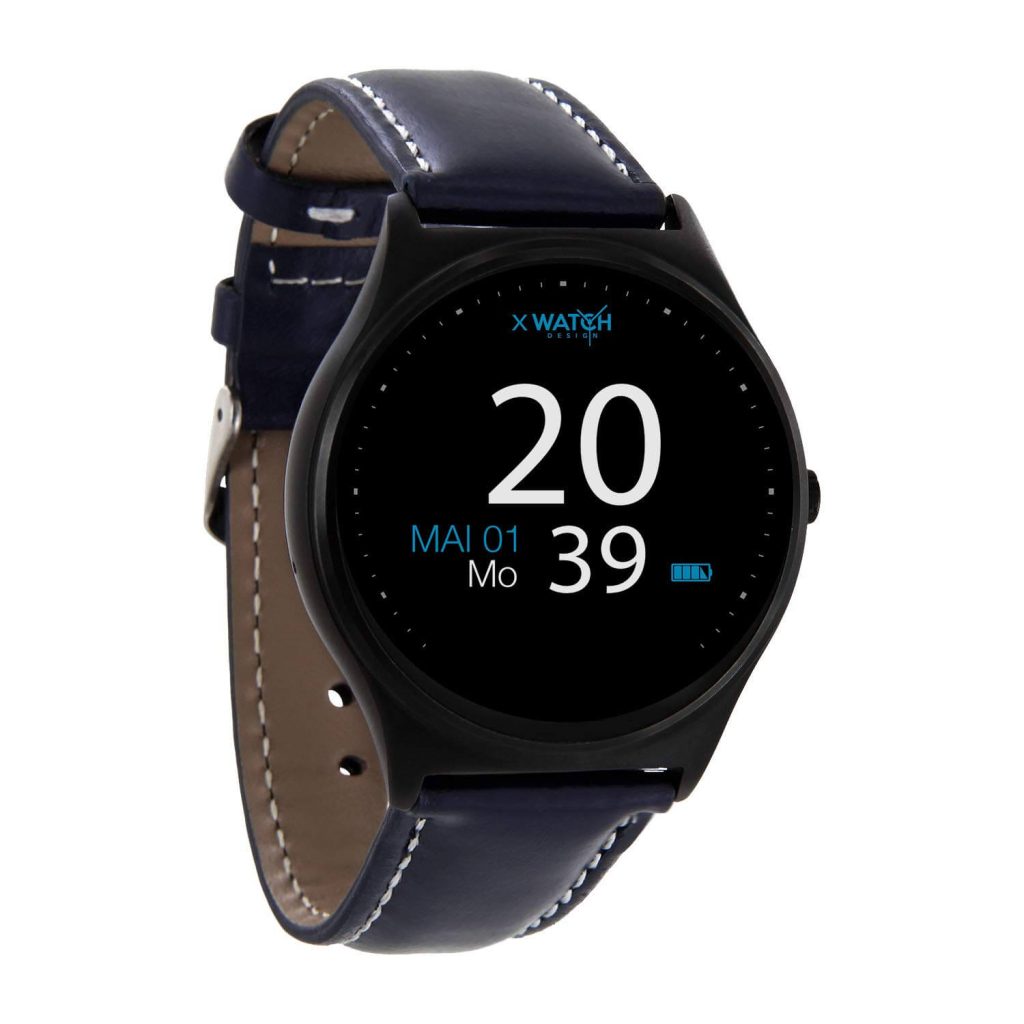
You can use this mode of economical bud wristwatch from the brand QIN with both an Android smartphone and an Apple iPhone. Thanks to Bluetooth, the connection to your phone is easy so that the data collected by the smartwatch can be conveniently saved and analyzed.
Due to the 4G option, you can also make independent calls with the QIN II Smartwatch. It is also easy to transfer your messages from WhatsApp. In addition to a pedometer that can be operated very easily, you can analyze your sleep.
Above all, the design scores with style and elegance, so this smartwatch is also ideal for you if you want to benefit from a classic timepiece after a smartwatch.
Pros:
- Fine appearance
- Easy setup
- Inexpensive
Cons:
- Not so impressive battery life
FAQS
Why is a smartwatch with an AMOLED display recommended?
This special display technology has numerous advantages, which are particularly notable for the smartwatches that can be used on the go. Devices with an AMOLED panel offer good viewing angle stability and good color reproduction, which is particularly important when the sun is shining directly on the display.
Does a smartwatch work without a smartphone?
Yes. a smartwatch has an analog display that shows the time regardless of whether the watch is connected to a smartphone. The watch requires a smartphone and the app to offer all the functions of a smartwatch, such as notifications and activity tracking. The watch cannot be used with a tablet.
Are the smartwatches waterproof?
Most smartwatches are tested for water resistance according to international standards. Check the technical data of the watch to determine its water resistance. However, you should not immerse the watch in water or allow the contact pins to get wet. you should avoid it to dip in the water.
So this was a quick list of the 11 best budget smartwatches. Do try any of these smartwatches and share your experience in the comments below.
Author Bio:
Dinesh Lakhwani 

Dinesh Lakhwani, the entrepreneurial brain behind “TechCommuters,” achieved big things in the tech world. He started the company to make smart and user-friendly tech solutions. Thanks to his sharp thinking, focus on quality and the motto of never giving up, TechCommuters became a top player in the industry. His commitment to excellence has propelled the company to a leading position in the industry.
Popular Post
Recent Post

CCleaner Duplicate File Finder: Key Features, Pricing, Step-by-Step Guide and More
Every computer collects junk over time. Right? Well, yes! Photos often get copied twice. Documents get saved in two folders by mistake. Old downloads pile up and never get deleted. This slowly eats up your storage space, and most people do not even notice until their drive is almost full. That is where a duplicate […]

Duplicate File Finder Pro: A Complete Review, Everything You Should Know
Computers collect thousands of files over time. Well, yes! Many of them end up being duplicates created by backups, downloads, or accidental copies. These extra files take up valuable storage space and make it harder to keep everything organized. Finding and removing them manually can take hours. Right? Duplicate File Finder Pro is a tool […]
Monitor Screen Calibration Guide: Everything You Should Know
Your monitor shows colors every single day. But are those colors actually correct? Most people never stop to check this. They just use the screen as it comes out of the box. This habit can lead to wrong colors in photos, videos, and work files. Colors may look too warm or too cold without you […]
How To Check Installed RAM and RAM Slots [Complete Guide]
RAM plays an important role in how smoothly a computer runs. Short for Random Access Memory, it stores the data and instructions that Windows and active applications need at any given moment. From opening multiple browser tabs to running games and productivity software, RAM helps keep everything responsive. A system with limited memory may experience […]

What is Microsoft Autopilot Everything You Need To Know
Technology has changed the way companies manage computers. Well, yes! Employees now work from offices, homes, and remote locations. Setting up devices manually for every worker takes time and effort. It can also create mistakes that slow down productivity. This is where Microsoft Autopilot becomes useful. It helps businesses prepare and deploy Windows devices with […]

Enable Automatic Device Locking Feature Windows: Complete Guide
Introduction: Your computer stores important information such as emails, documents, passwords, and personal photos. Leaving it unlocked can put that data at risk. Thankfully, Windows includes built-in features that can automatically lock your device when you are away. Setting up automatic device locking is quick and does not require any extra software. In this guide, […]
How to Update Wireless Network Driver in Windows 11 and 10
Your Wi-Fi keeps dropping. Pages load slowly. The connection feels unstable? Well, you are not alone. Most of the time, the problem is not with your internet plan. It is with your wireless network driver. A driver is a small piece of software that helps your computer talk to its hardware. When it gets outdated, […]

Common Windows 11 Problems and Solutions (2026 Version)
Windows 11 has become more polished over the years, but it is still not completely free from problems. Even after regular updates from Microsoft, many users continue to face issues like lagging performance, failed updates, audio troubles, random crashes, and network errors. Some problems appear after installing new features, while others develop gradually as the […]

Fortect Driver Updater Review: Features, Steps, Pros, and Cons.
A new PC usually feels quick and responsive. Applications open instantly, games run smoothly, and everything works as expected. As time passes, however, you may notice slower performance, system crashes, hardware glitches, or devices that stop working properly. While many people assume malware or low storage space is to blame, outdated drivers are often the […]

