












The photos folder looked normal at first glance. Then the storage warning popped up. One trip photo appeared four times. A tax PDF sat in three different folders. Two old setup files were still in Downloads, and each one was over 500 MB. Nobody plans this mess. Copies pile up slowly. A download runs twice. […]
5 Duplicate Photo Finder Tools to Delete Duplicate Photos
If you are in the mood of cleaning your PC, laptop, smartphone, and other smart devices by deleting duplicate photos from your library, then folks manually checking and deleting every photo is going to be a very time-consuming task. However, the easiest and quickest way to deal with your photo clutter is by using duplicate photo finder tools.
These tools will help you in deleting duplicate photos instantly which have unnecessarily stored in your device’s memory. Photo finder tools only take a few minutes to scan your photo gallery and identify similar looking photos. If you haven’t yet downloaded duplicate photo finder software to increase the performance of your gadget, then do it the right way because these tools are packed with advantages.
Why Use Duplicate Photo Finders?
- You can keep your device well organized.
- You can increase the memory of your gadget by clearing unnecessary occupied space.
- By clearing duplicate data, you can boost the major part of your PCs, phones and other gadgets performance. The redundant data is a big block in front of your smart device speed.
- When you have organized your photo library, then you can easily locate your favorite photos from the gallery.
- You can store other important files easily when unwanted data clears the space.
- Removing duplicate photos or data will keep you organized and make you competent in your work.
- When your cleaning task is handled by the tool, then you can save lots of time and efforts that you have to put in the manual process.
- This process overall helps in magnifying your productivity.
5 Powerful Duplicate Photo Finder Tools to Instantly Delete Duplicate Photos
Now, let’s pop up your bubble of eagerness by presenting 5 Duplicate Photo Finder apps that has immense potential to identify and delete duplicate photos from your system within a fraction of seconds.
1. Duplicate Photos Fixer Pro
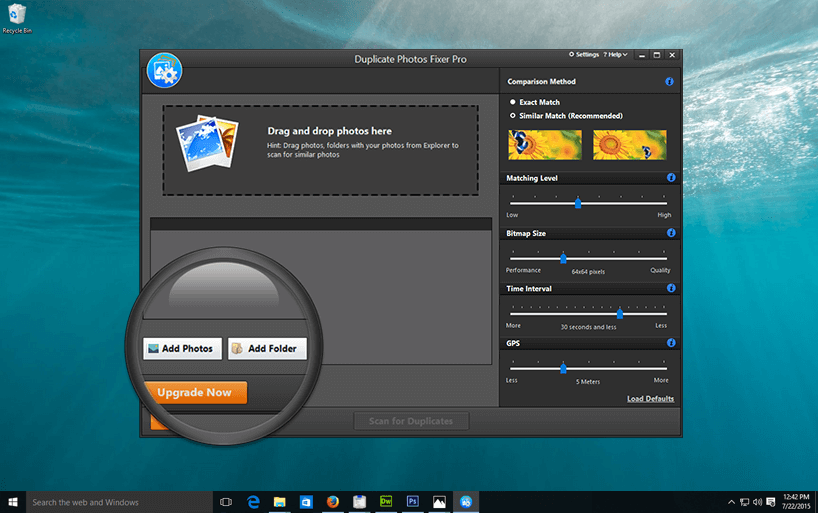
Okay, if you are a Windows user, then you can get rid of your duplicate media files instantly and can free huge chunk of space with this tool. This tool is available in two versions – free trial version and pro version for purchase. It is compatible with Windows 10/8.1/7/Vista and XP. It is a neat and organized tool which has dynamic potential such as;
- It can manage and organize your photo library by removing similar photos.
- The app will increase free space in your system.
- By clearing duplicate photos you can reduce redundancy by 99%.
- The group duplicate feature of the tool can scan and delete mountainous similar databases from your drive.
How Does the tool work?
Step 1: Add a folder or group of images to the scan list and software will start looking for similar photos.
Step 2: You can set different criteria to identify duplicate photos. You can tweak with multiple options available in the Duplicate Photos Fixer Pro.
Step 3: After adding the filter click on the duplicate button to start the search for similar photos.
Step 4: Once the scan is complete, you can select Auto Mark option to mark all duplicate photos and by clicking on Delete Marked get rid of similar images.
Available for: Windows, Mac, iOS, Android
2. Remove Duplicate Files
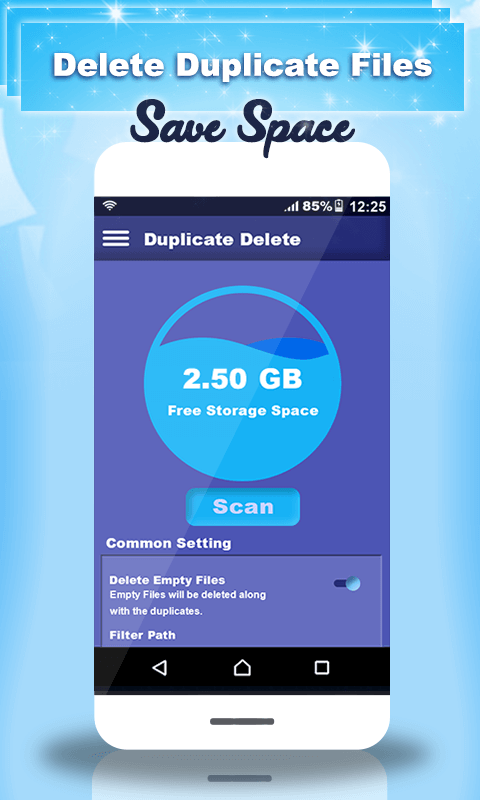
It is a complete functional app that can display duplicate photos, audios, and videos. You can organize your photo gallery easily with the help of various scan options available in the app. This app allows you to delete duplicate files all together or you can remove specific photos.
Remove Duplicate Files gives you option to delete all the duplicate photos by selecting the entire set of images. The best feature of this app is that even if you delete entire set of duplicate images at once, still one copy of the image will be safely preserved in your system. Now, with just one app you can clean the storage of your phone by removing duplicate photos, videos, audios and other media files.
Available for: Android
3. Remo Duplicate Photos Remover
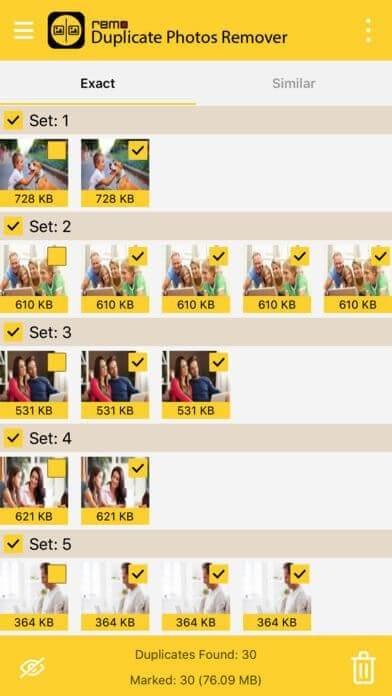
This app is specially featured to delete duplicate photos from your iPhone. This tool has a feature of finding and deleting duplicate pictures from your iPhone library in an easier way. You can save a huge space on your iPhone by using this tool. Remo Duplicate Photos Remover is jammed with following features:
- Prominently deletes similar looking images.
- Remove photos which looks similar irrespective of names.
- It can quickly mark and unmark Duplicate images.
- Automatically stores one copy of the original photo.
- Provides you a clean photo gallery.
- Swiftly recover enormous free space on your iPhone.
Available for: Windows, Mac, Android, iPhone
4. Gallery Doctor – Photo Cleaner
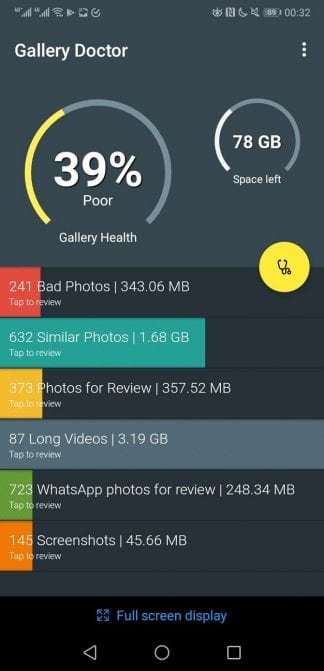
This doctor cleaner is a complete package tool with a comprehensive photo management tool. It can help you in deleting images, screenshots, and poor quality images. This is a very incredible app if you want to get excellent services from one tool as it is a smooth photo organizer as well. The app creates a batch of similar looking images on the basis of similar features or they have poor quality issues.
You have to follow up the created list by the app to make sure that you won’t delete anything important from your system. That’s because the app can detect low-quality images, but can’t detect emoticons behind them. So, the final decision is in your hands whether to delete or keep the photo.
Available for: Android
5. Clean Master
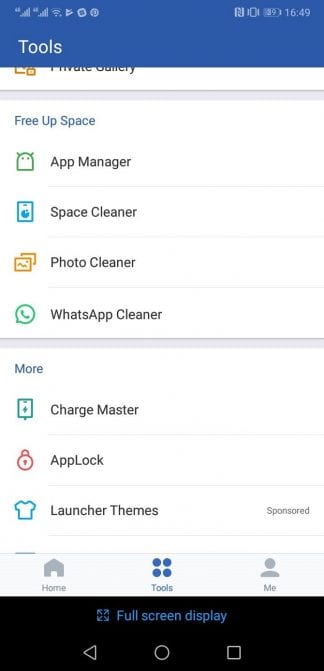
This app has magnificent photo sorting ability which numerous people haven’t recognized yet. This app offers a general storage management solution that can create free space in your Android device. Clean Master is a simple app without any hidden ads and locked features. In this tool, duplicate photo finder app is located in it through which similar photos, identical portraits and blurry images can be identified.
This is one of the awesome duplicate photo finder tools as it has WhatsApp cleaning tool also with which you can get rid of the duplicate photos present in WhatsApp media folder. Another cool feature of the app is that it also suggests which image is the best out of similar images. App gives you guidelines on what to delete or keep. It is a fully functional tool with a truckload of other cleaning features.
Available for: Android
All of these duplicate photo finder tools will help you in making your system powerful by reducing redundant data. So, if you are interested in salvaging your devices performance and memory, then get your photo gallery sorted out asap.
Author Bio:
Dinesh Lakhwani 

Dinesh Lakhwani, the entrepreneurial brain behind “TechCommuters,” achieved big things in the tech world. He started the company to make smart and user-friendly tech solutions. Thanks to his sharp thinking, focus on quality and the motto of never giving up, TechCommuters became a top player in the industry. His commitment to excellence has propelled the company to a leading position in the industry.
Popular Post
Recent Post

Wise Duplicate Finder Review: Real Results from Wise Duplicate Finder
Read my honest Wise Duplicate Finder review. See features, pricing, pros and cons, and real PC test results. Find out if this free duplicate cleaner can free up your Windows storage.

How to Recover Deleted Files from Pen drive, USB Drive, SD Card
Introduction: On tech forums, you’ll often see posts like this: “I connected my pen drive to my laptop this morning, but the folder was empty. All my college project files had vanished. I don’t have a backup. Can someone help me?” Stories like this are very common. Pen drives, USB drives and SD cards are […]

How To Recover Files Deleted from the Recycle Bin [Windows 11]
Losing a file can happen in seconds. You clear your desktop, hit Delete, and empty the Recycle Bin. Then, just when you need that file again, it seems to have vanished. This guide will walk you through ways to restore files removed from the Recycle Bin. We will begin with simple fixes, then look at […]

Disk Drill Data Recovery Tool Explained: Full Review and Guide
It happens in a split second. You delete a folder by mistake. Your drive stops showing up. A photo album from your last trip just vanishes. And your stomach drops. Lost files feel personal. They are not just data. They are memories, work hours, and sometimes years of effort packed into a few gigabytes. When […]

Recover Deleted Files In Windows 11 With Software & Without
Introduction What is the first thing that goes through your mind the second an important file vanishes from a Windows 11 PC? For most people, it is a mix of panic and disbelief, followed by a frantic click through every folder that file could possibly be hiding in. It happens in a split second: one […]

EaseUS Data Recovery Wizard: Everything To Know
Data loss does not always come from a big disaster either. Most cases start small and boring. A drive gets formatted by mistake. A laptop freezes mid-save and restarts on its own. A memory card stops showing up after being pulled out too fast. None of these feel like emergencies at first, until you realize […]

Recuva Data Recovery Tool: Is it Actually Worth it?
When I first tried Recuva Data Recovery, I wanted to see if it could really bring back lost files. The tool is free, small in size, and promises quick recovery, which made me curious enough to test it on my own PC. The setup was fast, and the wizard guided me step by step. I […]

GetData Recover My Files Data Recovery Tool: Honest Review
A hard drive error brings a special kind of silence. Well, yes! The screen freezes, then a message appears saying the drive can’t be found or must be formatted. In that moment, years of photos and work files feel at risk. It never happens at a good time. Coffee spills near a laptop, a memory […]

Windows File Recovery: A Complete Review [Tried & Tested]
Imagine this. You spend hours perfecting a video project. You hit save. Then your laptop freezes, reboots, and when the screen comes back. The file is gone. Your stomach sinks. It’s not just you. Lost files happen all the time. A dropped hard drive, a bad update, an accidental delete, or a corrupted partition can […]

