The Best Ultraportable 13 Inch Gaming Laptops for 2026

Last updated on December 29th, 2025 at 1:35 am
The 13-inch gaming laptop offers a balance between portability and excellent performance. It is suitable for travelers because of its light weight and smaller size. It can easily fit into bags and briefcases enabling you to play your favorite PC games or work anywhere at any time. The other advantage of the 13-inch gaming laptop is long battery life. You can use this laptop for at least 8 hours when unplugged. It also has an excellent display that would never make a serious gamer bored.
Best ultraportable 13-inch gaming laptops to buy in 2026
1. AlienWare 13
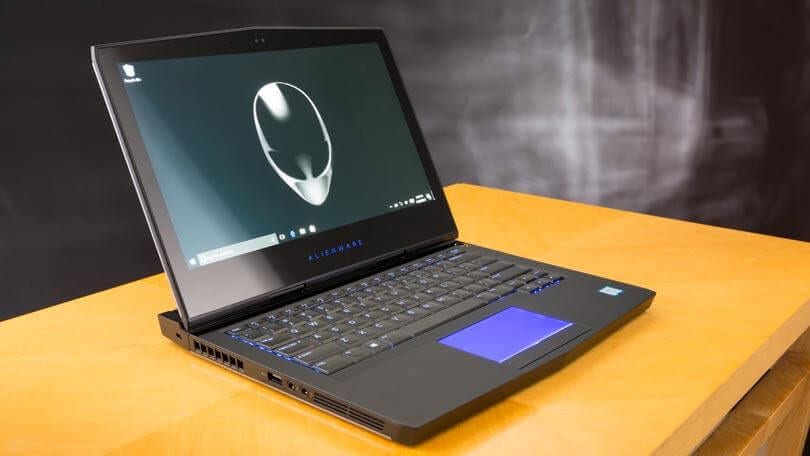
This gaming laptop is crafted with premium features to give its users a seamless gaming experience. It comes with a high-power audio system that takes gaming to the next level. It also has a great display providing stunning graphics that a true gamer deserves.
Design
The most striking feature of the Alienware 13 gaming laptop is its display. It is the only 13-inch gaming laptop that offers 2560 x 1440p touch-enabled OLED display instead of the usual IPS and TN LCD. The OLED display has a higher resolution making your gaming experience even more interesting. AlienWare weighs 5.8 pounds.
It has a Killer Network made Ethernet port that ensures you get the gaming packets and videos anytime. It also has a metal reinforced backlit keyboard to ensure the gamer has excellent experience playing his favorite PC games. It has a dual microphone array and a 2.0 MP Full HD webcam.
Performance
It GPU is NVIDIA GeForce GTX 1060 with 6 GB which is VR-ready and is capable of producing impressive frame rates. You can also hook up your Rift or Vive headset up for a mobile plug and play VR experience. It has a CPU of Core i7-7700HQ, with 16 GB RAM.
Battery Life
Alien Ware 13 gaming laptop has a battery life of 7 hours and 30 minutes which is much better than other gaming systems.
2. Razer Blade Stealth 13”
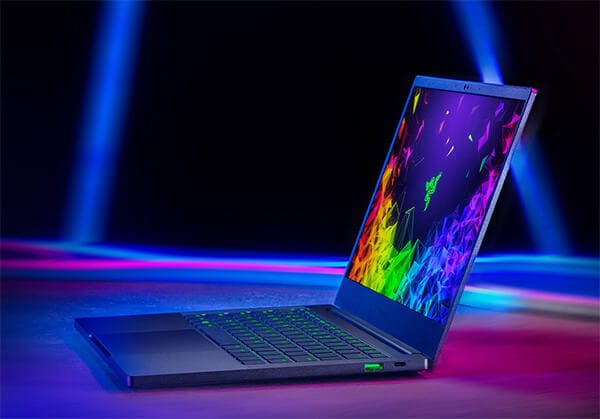
This Ultrabook comes with a notable graphical edge of GeForce MX150 which is much faster than most of the gaming laptops. It has a 720 HD WebCam and has an array of microphones. It is touchpad-enabled making the gaming experience seamless and exciting.
Design
Razer Blade Stealth 13 inch laptop has a 4K UHD touch screen display of (3840 x 2160) pixels. The brightness and contrast ratio is also above average and much better than other competing models. Uneven backlight bleeding is minimal with the Razor Blade Sheath. The only disadvantage with the keyboard is that its keys are too shallow and light for a gaming laptop; most of its competitors have much firmer keys.
Performance
Razer Blade Stealth has a full-power GeForce MX150 GPU that gives it a greater graphical edge that gamers find appealing. It has CPU of Core i7-8565U with 8 GB RAM; a 256 GB M.2 SATA SSD and 1080 display. It is by far one of the best 13-inch gaming laptops in terms of performance.
Battery Life
It has a battery life of 13 hours which is longer than most of the other laptops.
3. Aorus X3 Plus v7
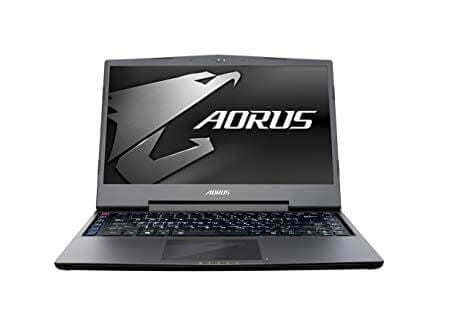
Aorus X3 has a smaller chassis and a display of 13.9 inches. It is notably light, thin and well crafted. Even though its internal components are greatly designed, it presents with thermal and noise problems.
Design
Aorus X3 Plus v7 has a high-resolution display of (3200 x 1800) ensuring that gamers have an immersive gaming experience. Its main body is much thinner compared to other 13-inch gaming laptops. Aorus’ connectivity options include SD card slot, Gigabit Ethernet, a Mini-Display port, HDMI 2.0, 3 USB 3.0 Type-A ports and a single USB 3.1 Type-C port. It also features audio ports for use with gaming headsets. However, Aorus lacks Thunderbolt 3 which means that high-end storage and eGPUs are no options with this gaming laptop.
Performance
Aorus X3 uses software that enables its users to overclock the GPU and CPU using a simple slider. It has a processor of Intel Core i7-7820HK with a processor speed of 3.9 GHz. It also uses NVIDIA GeForce GTX 1060 to power its games.
Battery life
Aorus X3 has a battery life of 4 hours. This is one of its weak points because most of its competitors have a much longer battery life.
4. Asus ZenBook -13
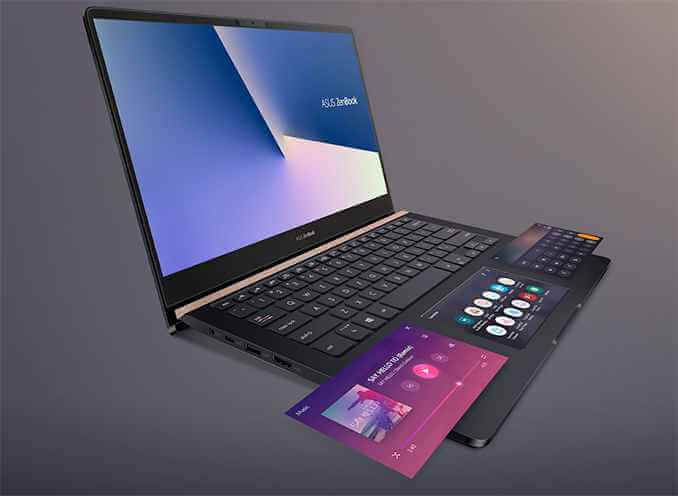
This ultraportable gaming laptop has magnificent graphics that appeal to most gamers. The outstanding feature of this product is its low price, yet it beats many of its competitors in design and performance. It is the perfect gaming laptop for students and travelers not only because of its portability, but also its impressive battery life. It is the best laptop to get on a budget.
Design
Asus ZenBook 13 has a 13.3-inch touch screen 1080p display. The ZenBook has a thin bezel which makes it more compact compared to a typical 13-inch laptop. Zenbook also has a gorgeous and glossy lid which makes it iconic and pleasing to the eye. Its keyboard is beautifully designed having slightly concave keys that have a solid feel. The trackpad is responsive although it may require a little pressure to click. Despite its speakers being above average, its webcam is poor. It weighs 3 pounds.
Performance
Even though it may not be the fastest laptop ever created, ZenBook brags of great graphics adapter: NVIDIA GeForce MX150. Its processor is Intel Core i7 8550U. Its performance is much higher than most gaming laptops. It also has an excellent cooling system.
Battery Life
Zenbook has a battery life of 10 hours making it suitable for travelers who love gaming.
5. HP Spectre x360 13
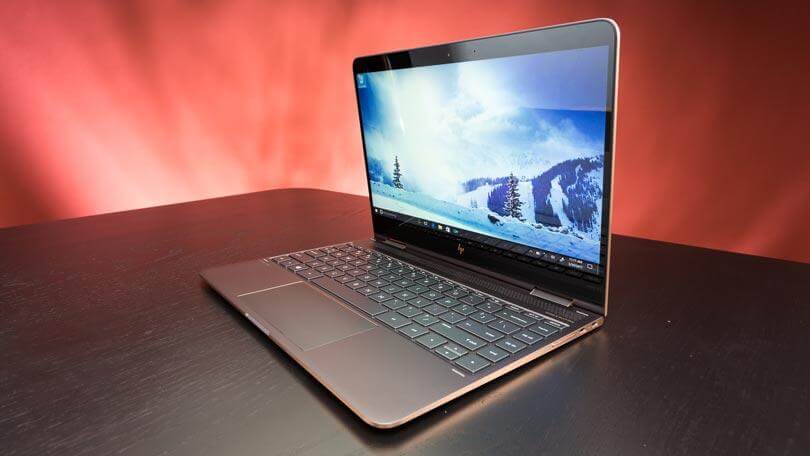
This 13-inch gaming laptop is beautifully designed and portable due to its lightweight.
Design
HP Spectre 13 has a13.3-inch touch screen display of 1920x 1080 pixels. It has a nice keyboard that has a backlight making gaming a great experience. Its touchpad is also responsive and easy to use.
Performance
HP Spectre has a processor of Core i7-8550U and speed of 1.87GHz. It has Intel UHD Graphics 620 to ensure a powerful display of images during play. Its high performance makes it suitable for most PC games.
Battery life
HP Spectre has a battery life of 10 to 12 hours.
So, there you go with the best ultraportable 13 Inch Gaming Laptop for 2026. Your comments about other laptops for gamers that can make it to this list are much welcomed.
Author Bio:
Dinesh Lakhwani 

Dinesh Lakhwani, the entrepreneurial brain behind “TechCommuters,” achieved big things in the tech world. He started the company to make smart and user-friendly tech solutions. Thanks to his sharp thinking, focus on quality and the motto of never giving up, TechCommuters became a top player in the industry. His commitment to excellence has propelled the company to a leading position in the industry.
Popular Post











Recent Post

21 Advanced Windows Security Settings: Latest Updates
Introduction: Your computer holds a lot of important data. From personal photos to work files, everything sits on your Windows system. That is why protecting it properly matters more than ever. Windows security settings have come a long way. Microsoft keeps adding stronger layers of protection with every update. Most users never go beyond the […]

Security Upgrades of Microsoft Windows in This Decade [Complete Guide]
Introduction Microsoft has been working hard to make Windows safer every year. Cyberattacks are growing fast. Hackers are smarter now. They target millions of Windows users every single day. That is why Microsoft has added many powerful new security upgrades of Microsoft Windows since 2020. These upgrades protect your data, your identity, and your device […]

How To Link a Microsoft Account to a Digital License on Windows [2026]
Most people never think about Windows activation until it suddenly stops working. Something as simple as replacing hardware or reinstalling Windows can cause the system to lose its activated status. Linking your Microsoft account to your digital license beforehand helps prevent unnecessary trouble and makes activation recovery much easier later on. Many people using Windows […]
Monthly Round Up: All Big Incidents Happened for Windows Users in The Month of April 2026
Windows users had a turbulent April 2026. On April 14, Microsoft rolled out its scheduled Patch Tuesday security updates, a routine release meant to close vulnerabilities and resolve known issues. What followed was anything but routine. Rather than strengthening systems, the updates triggered a cascade of fresh problems across Windows 10, Windows 11, and Windows […]
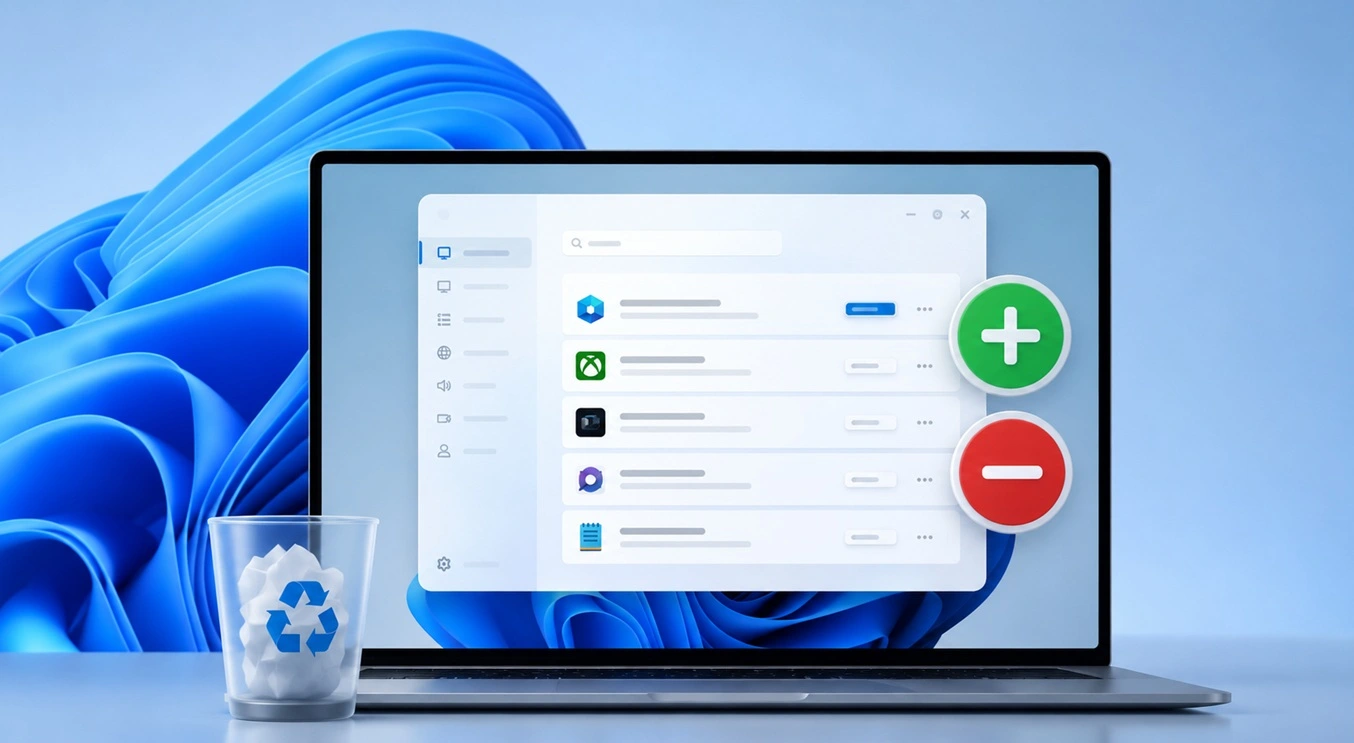
How To Add Or Remove Programs On Windows 11: 4 Quick Methods to Try.
Introduction: Managing software on your computer is something every Windows user should know. Whether you want to install a useful new app or remove programs you no longer need, understanding how to add remove programs can help your PC stay clean, organized, and fast. It also helps free up storage space, reduce clutter, and improve […]

Monthly Round-up: All big cybersecurity incidents happened in the Month of April 2026
April 2026 was one of the most eventful months in recent cybersecurity history. Well, yes. Attackers did not just target one industry or one country. They went after hospitals, government bodies, travel platforms, water utilities, education companies, and healthcare technology firms. The scale and variety of these attacks made it clear that no organization is […]
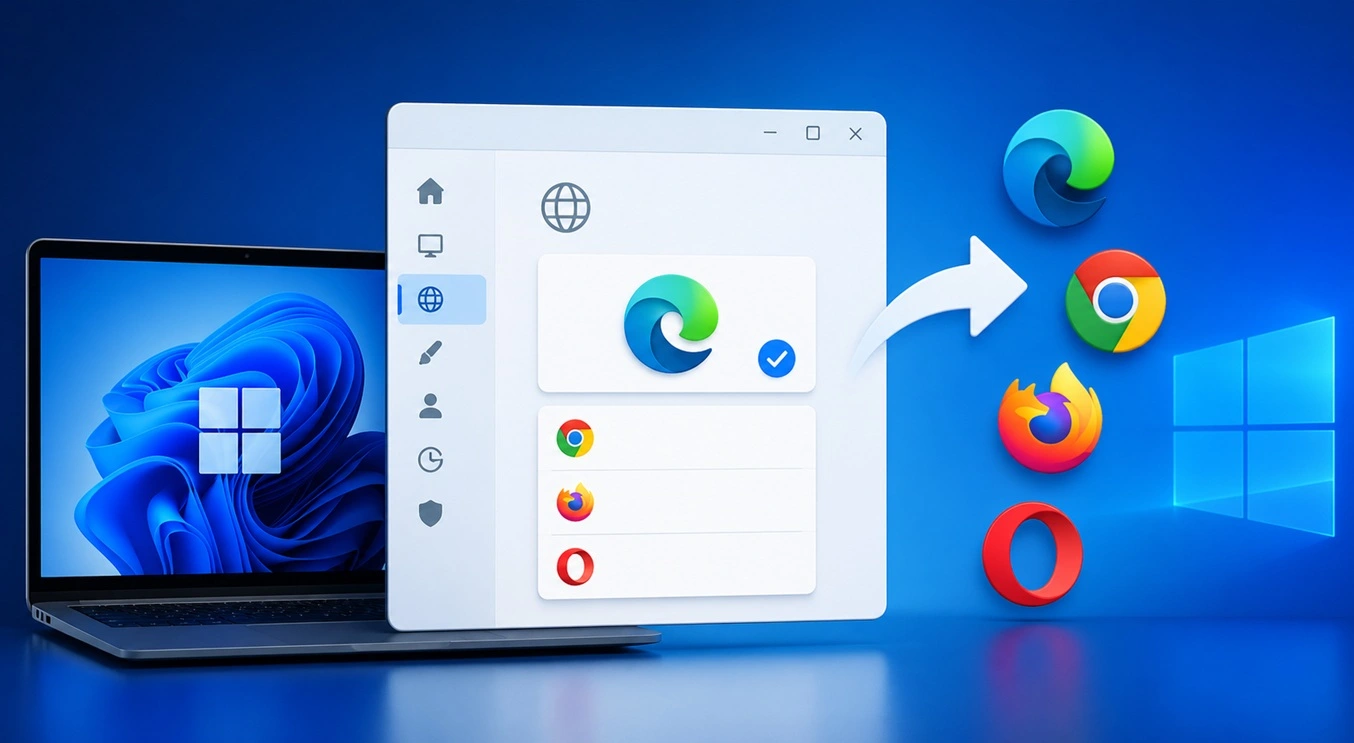
How To Change Your Default Web Browser Windows 11 And 10 [Complete Guide]
Your web browser is the gateway to everything you do online. It opens your emails, plays your videos, and loads your favorite websites. But what if the browser that opens every time is not the one you like? That is a small problem with a very easy fix. You can change your default web browser […]
Change Time Format On Windows: Complete Guide
Windows show time in different ways. Some people prefer the 12-hour clock with AM and PM. Others like the 24-hour format, also called military time. Knowing how to change time format on your Windows PC is a simple but useful skill. It helps you stay comfortable with your display and avoid confusion. Many users never […]
How To Get Help With Paint In Windows [2026]
Microsoft Paint has been around for decades. It comes with every version of Windows and is one of the easiest tools to use. But even simple tools can cause trouble. If you have ever felt stuck while drawing or editing an image, you are not alone. Many people look for help with Paint in Windows […]
How To Toggle Bluetooth Settings Easily on Windows [2026]
Bluetooth is a key feature on any Windows computer. It allows you to connect devices like headphones, keyboards, mice, and speakers without using wires. Many users rely on it daily, so it helps to know how to switch Bluetooth on or off quickly whenever needed. Sometimes you just want to turn Bluetooth on or off […]

