











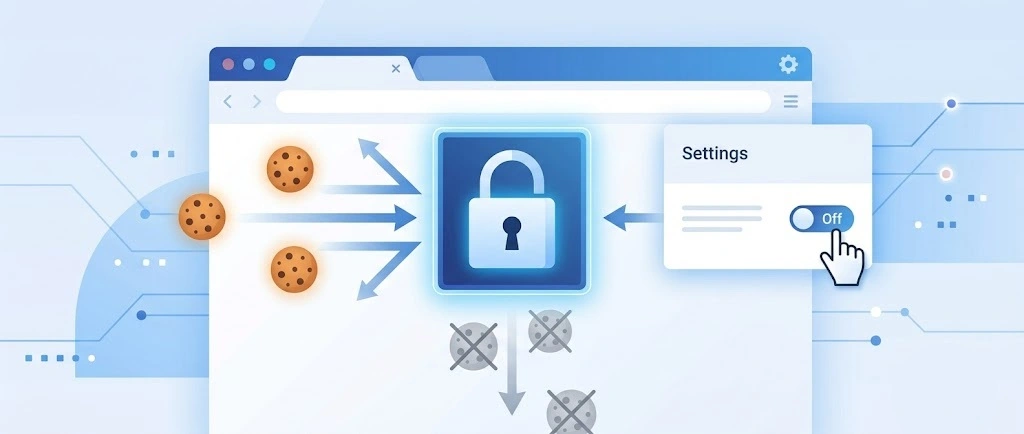
So, search for a pair of shoes once online. Close the tab. By evening, those same shoes are sitting on your news site, your video app, and even your recipe blog. Nobody placed them there by chance. A cookie did. Well, yes! Cookies are small files that websites place on your device while you browse. […]
Supercharge Your Productivity: A Solopreneur’s and SMB’s Guide to Mastering Google Workspace with Gemini’
Picture this. It’s Monday morning. You open your laptop.
Email notifications flood your screen. Your to-do list has 47 items. Three clients need proposals by Friday. Your spreadsheet crashed yesterday. The presentation for tomorrow’s meeting is half-finished.
Sound familiar?
Most small business owners live this reality. They jump between apps. They lose files. They spend hours on tasks that should take minutes.
But what if there was a better way? What if one system could handle everything? What if AI could work as your silent business partner?
This is where Google Workspace with Gemini changes the game.
The Old Way vs. The New Way
The Old Way: Chaos and Confusion
Small business owners typically use:
- Gmail for emails (but no smart sorting)
- Random word processors for documents
- Excel sheets that don’t sync
- PowerPoint files scattered everywhere
- Sticky notes for reminders
- Multiple apps that don’t talk to each other
Result? You waste 2-3 hours daily just finding and organizing stuff.
The New Way: One Smart System Google Workspace with Gemini
Google Workspace with Gemini gives you:
- One login for everything
- Files that sync across all devices
- AI that learns your work style
- Smart suggestions that save time
- Tools that work together seamlessly
Part 1: Why Choose Google Workspace (With Gemini)?
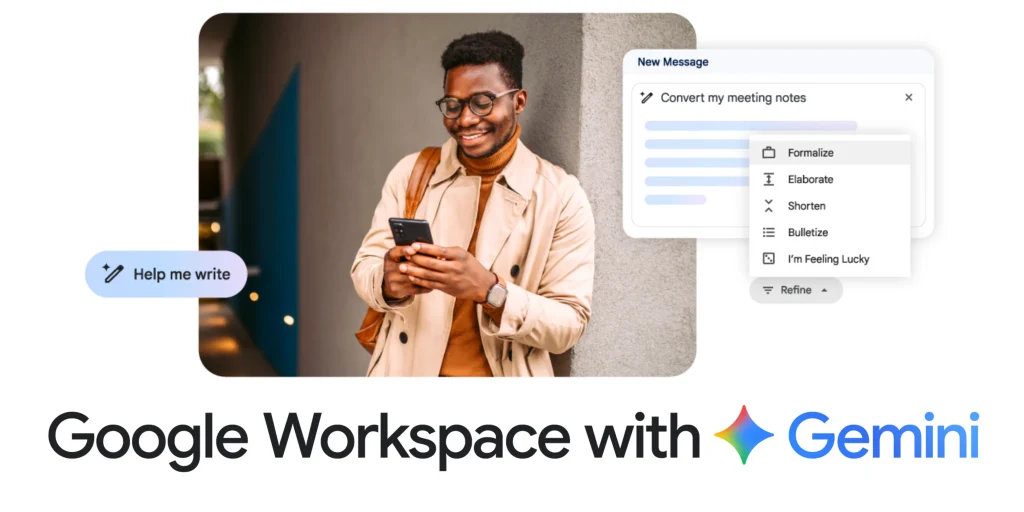
Ready to Work Smarter, Not Harder?
Google Workspace with Gemini is your all-in-one solution to get things done faster, better, and with less stress. Whether you’re working solo or juggling different tasks, this smart platform gives you everything you need—powered by helpful AI that makes a real impact.
✅ One Platform, All Your Work
Everything you need—email, calendar, documents, spreadsheets, meetings—right at your fingertips. Seamless, streamlined, stress-free.
🤖 Built-In AI That Actually Helps
Gemini, Google’s AI assistant, isn’t just a flashy feature—it’s a practical powerhouse. From smart suggestions to seamless email drafting and data support, it gets things done.
⏳ Save Time, Every Day
With AI doing the small tasks—like scheduling, formatting, and writing—you can finish work faster and focus on what matters.
📊 Make Smarter Decisions
Gemini helps analyze data, spot trends, and create clear reports. That means you can make good choices with better info.
💼 Designed for Solo Hustlers
Whether you’re freelancing or running a small business, Google Workspace gives you powerful tools that are simple to use and make you look professional.
Part 2: Why AI Matters More Than Ever for Small Businesses?
The Reality of Running Small
Small businesses face unique challenges:
- Limited budgets
- Tight deadlines
- Wearing multiple hats
- Competing with bigger companies
- No room for mistakes
AI as Your Secret Weapon
AI turns solo players into full-stack dynamos. Design, write, plan, and execute—no need for a whole department.
- Content Creation: Write like you hired a professional copywriter.
- Data Analysis: Spot trends like you have a data scientist.
- Customer Service: Respond quickly and professionally.
- Project Management: Never miss deadlines or follow-ups.
- Market Research: Understand your competition better.
Part 3: How Google Workspace Supercharges Productivity?
Google Workspace makes work easier. Its apps help you organize, share, and collaborate fast. Gemini AI adds smart automation and insights. You save time. You stay focused. You get more done—without the stress.
Gmail: Smart Email Management
What it does normally:
- Send and receive emails
- Organize your inbox
- Manage email threads
What Gemini adds:
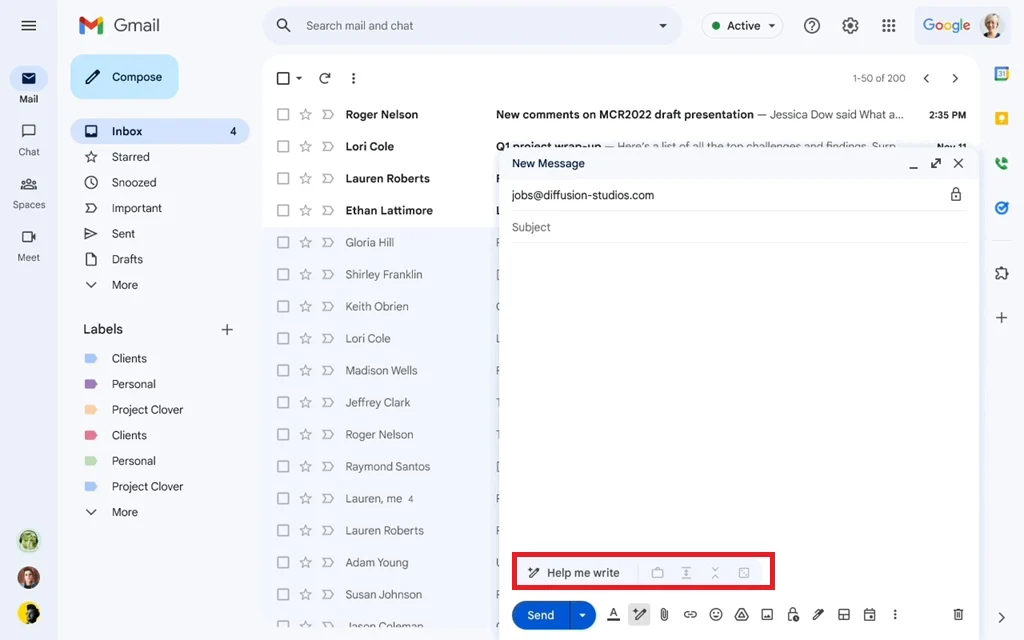
- Auto-Draft Emails: Use Gemini’s Help Me Write Button. Gemini generates professional responses, follow-ups, and outreach with just a brief prompt.
- Thread Summarization: Long email chains become digestible insights with action items surfaced instantly.
- Priority Sorting: AI flags important messages and recommends next steps.
- Smart Suggestions: Need a reply but not sure what to say? Gemini proposes phrasing and tone based on context.
- Contextual Scheduling: Gemini scans emails for meeting cues and can suggest calendar slots or create invites for you.
Real example: Need to follow up with a client? Tell Gemini “write a friendly follow-up about the project timeline.” It creates a polished email in seconds.
Google Docs: Your Writing Assistant
What it does normally:
- Create documents
- Edit and format text
- Share with others
What Gemini adds:
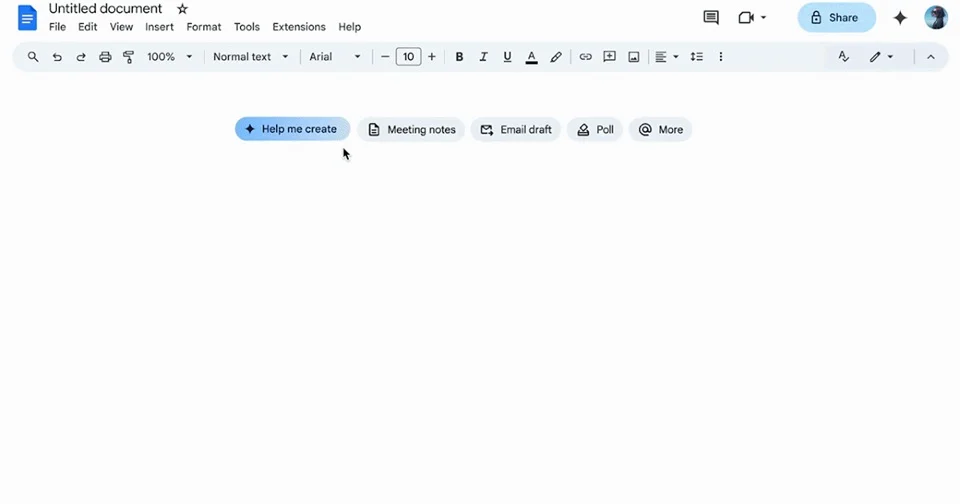
- Content Generation: Drafts blog posts, proposals, and reports with minimal input.
- Tone Refinement: Adapts its tone, professionalism, and clarity to suit who you’re speaking to.
- Contextual Suggestions: Spot gaps and propose additions aligned with your communication goals.
- Goal-Based Optimization: Tailors content depending on intent—persuasive, informative, or engaging.
- Real-Time Feedback: Evaluates drafts instantly for grammar, clarity, and impact.
Real example: Writing a business plan? Give Gemini your key points. It creates a full draft. You just review and tweak.
Google Sheets: Smart Data Analysis
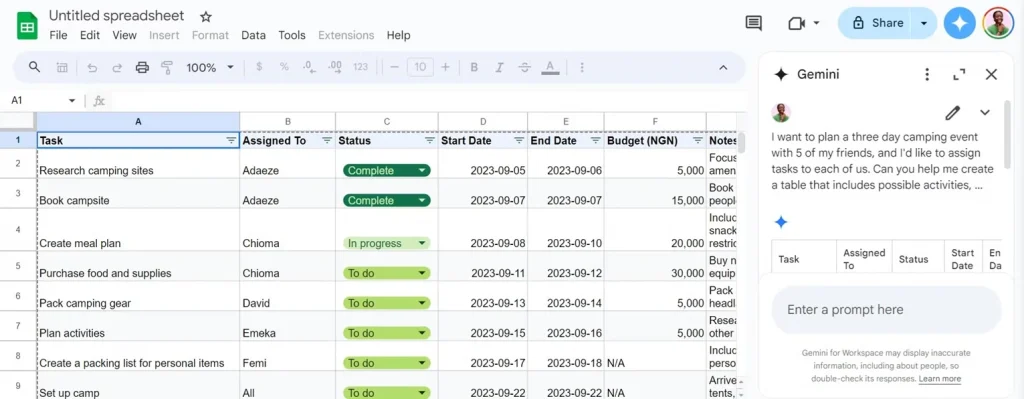
What it does normally:
- Track numbers and data
- Create budgets
- Make basic charts
What Gemini adds:
- Formula Auto-Suggestions: Recommends useful calculations you may not have considered.
- Trend Insights: Detects anomalies, growth patterns, and forecasts key metrics.
- Summary Generation: Converts raw data into clear, stakeholder-ready reports.
- Data Cleanup Assistance: Suggests corrections, fills missing values, and flags inconsistencies.
- Visualization Prompts: Proposes charts or formats to best represent your data story.
Real example: Upload your sales data. Gemini shows which months performed best. It even predicts next quarter’s revenue.
Google Slides: Instant Presentations
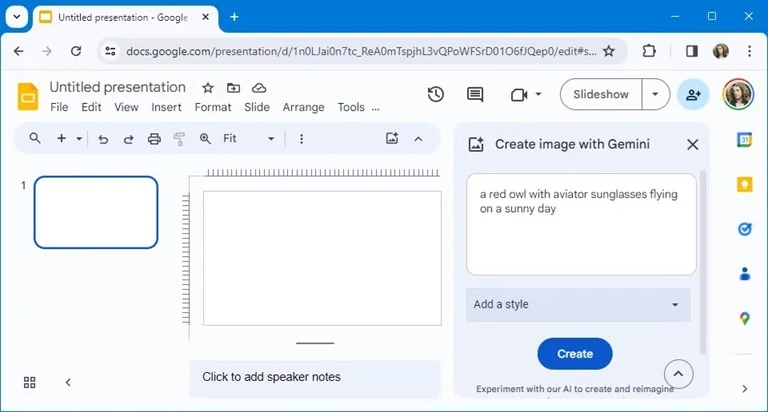
What it does normally:
- Create slide presentations
- Add images and charts
- Present to others
What Gemini adds:
- Auto-Created Decks: You give a prompt—Gemini builds a polished slide deck in seconds.
- Design Recommendations: Suggests layout improvements, fonts, and color palettes for visual impact.
- Speaker Notes: Drafts presenter commentary based on slide content for live or recorded delivery.
- Slide Summarization: Converts complex content into concise bullet points for easier communication.
- Real-Time Editing Support: Suggests phrasing, visuals, and transitions as you build your presentation.
Real example: Need a pitch deck? Tell Gemini “create 5 slides about my consulting service.” It builds the entire presentation.
Google Calendar: AI Schedule Manager
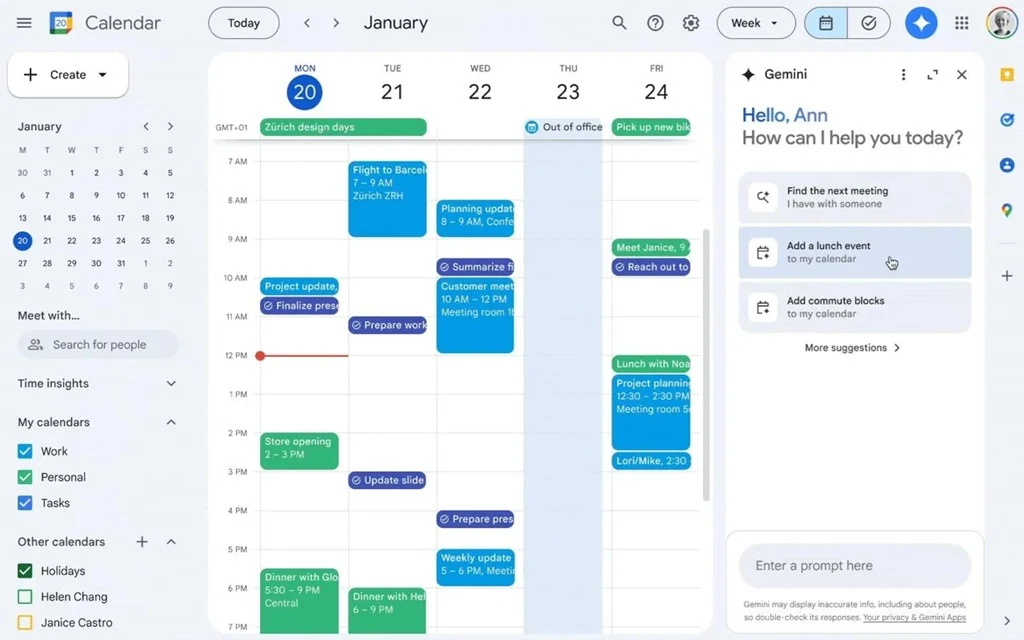
What it does normally:
- Schedule meetings
- Set reminders
- Track events
What Gemini adds:
- Smart Suggestions: Finds optimal meeting times by analyzing availability, workload, and preferences.
- Auto Summaries: Recaps past meetings and prepares agendas or briefings for upcoming ones.
- Follow-Up Reminders: Tracks conversations and nudges you with actionable next steps.
- Task Assignment Support: Suggests task owners based on roles and meeting discussion.
- Calendar Conflict Resolution: Flags overlapping events and proposes alternative slots.
Real example: After every client call, Gemini reminds you to send the proposal. It even drafts the email.
Part 4: Real-Life Use Cases: How Google Workspace + Gemini Changed My Workflow?
Managing work can be messy. Emails pile up. Calendars overflow. Documents go untouched.
Whether you’re writing blogs, emailing clients, or managing meetings, Gemini learns how you work and helps you stay ahead. It goes beyond just helping—it improves how you get things done. With smart tools and useful tips, you’ll spend less time figuring things out and more time focusing on what matters.
✉️ Fast Email Replies
No more staring at blank screens or overthinking replies. Gemini reads through your emails, understands the tone and context, and proposes thoughtful responses that sound like you. Whether it’s a quick confirmation or a longer reply, it’s ready in seconds—helping you stay professional without burning out.
📝 Instant Blog Drafts
Whether you’re creating content for marketing or internal updates, Gemini speeds up the process. Feed it a topic, rough outline, or even scattered thoughts, and it generates a draft with structure and clarity. Inside Docs, you can edit collaboratively, add visuals, or refine tone—all starting from a smart first draft.
📊 Smarter Data Tracking
Messy spreadsheets? No problem. Gemini interprets your data, creates dynamic tables, builds formulas on request, and even generates insights. Want to know which product performed best last month? Ask it directly. It’s like having a data-savvy teammate who speaks fluent Excel.
📥 Manages Inbox Smartly
Your inbox doesn’t have to be a black hole. Gemini auto-sorts messages by priority, identifies action items, and highlights anything time-sensitive. Long threads? It gives you crisp summaries so you don’t have to scroll endlessly. It keeps your inbox under control—like a proactive email assistant.
📆 Links to Your Calendar
No need to manually hunt for dates and times. Gemini spots meeting requests, deadlines, and follow-ups within emails and messages. With one tap, it adds them to your calendar, complete with reminders and locations. Suddenly, everything syncs effortlessly—no double-bookings or missed appointments.
🔁 Suggests Follow-Ups
Staying on top of conversations is tricky. Gemini remembers who you haven’t replied to, suggests when to follow up, and even crafts polite check-in messages. Whether it’s a lead, a vendor, or a colleague waiting on you, it helps you close the loop and nurture those connections with ease.
Part 5: Google Workspace with Gemini: Troubleshooting Common Issues
“Gemini Doesn’t Understand My Business”
Problem: AI responses feel generic or off-brand.
Solutions:
- Provide more context in prompts
- Create style guides Gemini can reference
- Use specific industry terminology
- Give examples of your preferred tone
“AI Suggestions Are Too Basic”
Problem: Responses lack depth or sophistication.
Solutions:
- Ask for more detailed output
- Request specific expertise levels
- Provide background information
- Use follow-up prompts to expand
“Integration Isn’t Working Smoothly”
Problem: Tools don’t seem connected.
Solutions:
- Check permission settings
- Verify account synchronization
- Use consistent naming conventions
- Update to latest versions
“Team Adoption Is Slow”
Problem: Employees resist using AI features.
Solutions:
- Start with simple, obvious benefits
- Provide hands-on training
- Share success stories
- Address concerns directly
Conclusion: Bringing It All Together: One Unified AI System
Google Workspace with Gemini isn’t just about tools. It’s about transformation. You’ll work faster. You’ll make better decisions. You’ll have more time for what matters.
The future of small business is here. It’s powered by AI. It’s simpler than you think.
Your competition is already using these tools. Don’t get left behind.
Start today. Pick one tool. Try one AI feature. See the difference. Your more productive future is just one click away.
FAQs:
1. Do I need to be tech-savvy to use Google Workspace with Gemini?
Not at all. Gemini is designed to be simple and intuitive, even for non-tech users. It works inside familiar tools like Gmail, Docs, and Sheets—no coding, no setup stress. You just type what you need, and it responds. The AI handles the complexity behind the scenes, so you can focus on the work, not the technology.
2. Is Gemini included automatically in Google Workspace?
Gemini is part of Google Workspace, but what you get depends on your pricing plan. With Business Starter, you can use Gemini in Gmail and chat with it in the Gemini app. Business Standard gives you more features, like using Gemini in Docs and Meet, and better tools in the Gemini app and NotebookLM. Business Plus has the same Gemini features as Standard, but adds extra security and admin tools instead of more AI features. To check which features come with each plan and see pricing, go to https://workspace.google.com/pricing.html.
3. Can Gemini really save time for solo entrepreneurs or small teams?
Absolutely. Gemini streamlines daily tasks—like replying to emails, scheduling meetings, and writing content—so small teams can focus on growth. For solo entrepreneurs, it’s like having a virtual assistant that handles busywork instantly. Less time spent on routine tasks means more energy for ideas, clients, and creative thinking.
Author Bio:
Dinesh Lakhwani 

Dinesh Lakhwani, the entrepreneurial brain behind “TechCommuters,” achieved big things in the tech world. He started the company to make smart and user-friendly tech solutions. Thanks to his sharp thinking, focus on quality and the motto of never giving up, TechCommuters became a top player in the industry. His commitment to excellence has propelled the company to a leading position in the industry.
Popular Post
Recent Post
How To Disable Background Apps In Windows: 4 Quick Methods
A slow PC rarely gives a warning. One day, it simply takes longer to start. Apps open late. The fan runs loud, even when the screen is almost empty. Most people blame old hardware. Often, that is not the real reason. The real reason is hiding in plain sight. Windows keeps many apps active in […]
How to Activate Windows with a Product Key for Windows 11 & Windows 10
It always shows up at the worst time. You are halfway through a report, or about to join a video call. Then you spot it in the bottom right corner of the screen. Activate Windows. Go to Settings to activate Windows. Initially, an unactivated copy of Windows may seem like a minor inconvenience. Over time, […]
Is Easy Duplicate Finder Worth It? Honest Review
The photos folder looked normal at first glance. Then the storage warning popped up. One trip photo appeared four times. A tax PDF sat in three different folders. Two old setup files were still in Downloads, and each one was over 500 MB. Nobody plans this mess. Copies pile up slowly. A download runs twice. […]
Wise Duplicate Finder Review: Real Results from Wise Duplicate Finder
Read my honest Wise Duplicate Finder review. See features, pricing, pros and cons, and real PC test results. Find out if this free duplicate cleaner can free up your Windows storage.
How to Recover Deleted Files from Pen drive, USB Drive, SD Card
Introduction: On tech forums, you’ll often see posts like this: “I connected my pen drive to my laptop this morning, but the folder was empty. All my college project files had vanished. I don’t have a backup. Can someone help me?” Stories like this are very common. Pen drives, USB drives and SD cards are […]

How To Recover Files Deleted from the Recycle Bin [Windows 11]
Losing a file can happen in seconds. You clear your desktop, hit Delete, and empty the Recycle Bin. Then, just when you need that file again, it seems to have vanished. This guide will walk you through ways to restore files removed from the Recycle Bin. We will begin with simple fixes, then look at […]

Disk Drill Data Recovery Tool Explained: Full Review and Guide
It happens in a split second. You delete a folder by mistake. Your drive stops showing up. A photo album from your last trip just vanishes. And your stomach drops. Lost files feel personal. They are not just data. They are memories, work hours, and sometimes years of effort packed into a few gigabytes. When […]
Recover Deleted Files In Windows 11 With Software & Without
Introduction What is the first thing that goes through your mind the second an important file vanishes from a Windows 11 PC? For most people, it is a mix of panic and disbelief, followed by a frantic click through every folder that file could possibly be hiding in. It happens in a split second: one […]
EaseUS Data Recovery Wizard: Everything To Know
Data loss does not always come from a big disaster either. Most cases start small and boring. A drive gets formatted by mistake. A laptop freezes mid-save and restarts on its own. A memory card stops showing up after being pulled out too fast. None of these feel like emergencies at first, until you realize […]

