










You turn on your PC and wait. And wait. The same laptop that once opened apps in a snap now feels tired. This is not bad luck. It just happens over time. Files pile up. The registry gets messy. Old drivers stay installed long after they are useful. Junk data quietly eats up space on […]
11 Best IPTV Player For Mac [Free & Paid]
An Overview Of IPTV
IPTV stands for Internet Protocol Television. It is the latest technology that employs the Internet or a broadband connection to transmit television content. This platform enables users to stream their preferred content in high quality. It delivers digital television consistently to subscribers through the Internet.
FLUQs: Before You Start Know The Answers To These Questions
FLUQ 1: Which IPTV player is best for beginners on Mac
VLC and FreeIPTV Player are the easiest for beginners. They open quickly. The interface feels familiar. You paste a playlist and start watching. There are a few settings to manage. Errors are rare. These players focus on playback only. They suit users who want instant results.
FLUQ 2: Is Kodi better than dedicated IPTV players
Kodi offers more control than most IPTV apps. It supports add-ons. Layouts are fully customizable. It handles live TV, movies, and local files together. Setup takes more time. New users may feel lost at first. Power users benefit the most. It works best if you enjoy tweaking software.
FLUQ 3: Do paid IPTV players improve streaming quality
Paid players do not change the stream quality itself. Quality depends on your IPTV provider. Paid apps improve comfort and control. You get better guides. You get profile support. You may get faster updates. Playback remains source dependent. The value comes from features, not video clarity.
Top 5 IPTV Players for Mac Compared
Mac users have several strong IPTV players to choose from. Some focus on simplicity, while others offer deep control and media management. The table below compares five popular IPTV players based on usability, format support, and overall flexibility. This helps you spot what fits your viewing habits before you install anything.
| Feature / Player | VLC Media Player | IPTV Smarters | Kodi | Plex IPTV Player | FreeIPTV Player |
| Price | Free | Free / Paid | Free | Free / Paid | Free |
| macOS Support | Yes | Yes | Yes | Yes | Yes |
| Playlist Support (M3U) | Yes | Yes | Yes | Yes | Yes |
| EPG Support | Limited | Yes | Yes | Yes | Limited |
| Ease of Use | High | High | Medium | High | High |
| Customization | Low | Medium | Very High | Medium | Low |
| Add-ons and Plugins | No | No | Yes | Yes | No |
| Best Use Case | Simple playback | IPTV focused | Power users | Media library | Quick viewing |
List of the Best IPTV Apps for Mac
When it comes to the best Mac IPTV app, there are a few options from which you can choose the best one. Now, let’s take a look.
1. VLC Media Player:
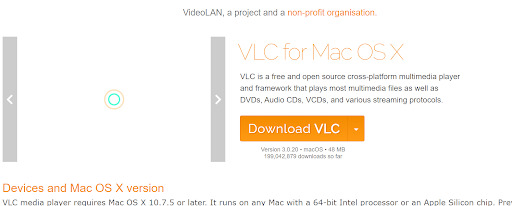
VLC Player stands out as the premier IPTV player on the market. It not only offers excellent media file playback but also allows advanced IPTV streaming. Also, the multimedia player is free and open-source, offering the ability to handle many file formats, including M3U.
VLC Player ensures an advanced, hassle-free experience without advertisements, spyware, or excellent user tracking. It also offers hardware decoding and some advanced control features. You can even quickly access the VLC.dmg file directly from the official website.
Key Features:
- This app is available for free
- It comes with an intuitive interface
- This supports different video formats
- It is available in cross-platform
- This supports the 4K quality
- It even offers PIP mode
Pros
- VLC Media Player is available for multiple operating systems
- VLC is free to download and use, and it is open-source software
Cons
- Limited EPG support
- Lack of dedicated IPTV features
2. IPTV Smarters:
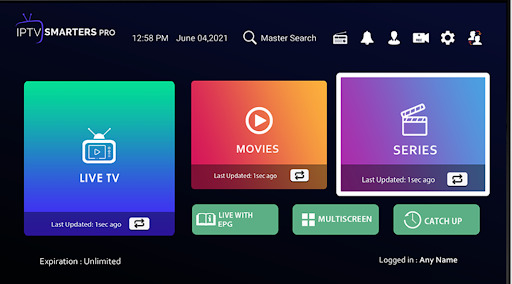
IPTV Smarters stands out as another top IPTV player compatible with both the Windows and Mac operating systems. However, if you want to run it on your Mac system, you can easily install it using the.dmg file.
This IPTV player also offers a very straightforward, user-friendly interface. Also, the IPTV Smarters supports various content formats, such as the Xtream Codes and M3U. These formats have made this app versatile for watching your favorite content.
Key Features:
- 4k quality support
- Provide the airplay option
- Shows content with subtitles
- Support both the Xtream codes and M3U
- Provide parental controls
- Supports XSPF playlist file
Pros
- It helps to customize the video buffer size
- Profile creation and advanced switching to some great features for personalized content
Cons
- There are very limited features on the basic version, and a subscription is required for premium features.
- There is no pre-built playlist genre; you must start it from scratch.
3. Kodi:
Kodi is another noteworthy open-source media player capable of handling a wide range of video files. As a free and open-source video player, it offers many advanced features.
Though Kodi doesn’t natively support the IPTV content playing, it assists the IPTV playback through some add-ons specifically designed for computers. This feature has earned it a place on the list of the finest IPTV players for Mac.

Key Features:
- It is available for free
- This comes with an easy-to-use interface
- It comes with multi-device support
- This supports lots of functionalities as add-ons.
- Support the XSPF Playlist file
- This offer provides parental controls
Pros
- A feature-rich UI helps turn your smartphone into a smart remote and helps control the Kodi app.
- This is an open-source, free, and easy-to-use one.
Cons
- Some functionalities and features have made the app laggy
- There are no single steps to secure the app, which is vulnerable to hackers and snoopers.
4. Plex IPTV Player:
Plex is an excellent Mac IPTV app that can be downloaded directly from the website. With the Plex app on Mac, you can easily download the M3U Playlist files using Plex and can even stream the IPTV videos with ease. Plex also has excellent video content and you will get the chance to watch 300+ Live TV channels along with 20000+ titles of some on-demand content without any additional pay. However, to experience more features, you need a Plex Pass subscription.

Key Features:
- This supports both the M3U/M3U8 support
- It supports up to 4k quality
- It supports Xtream codes
- It supports parental controls
- Offers the EPG guide
- Very easy-to-use
Pros
- Plex offers a sleek and user-friendly interface, making it easy to navigate and access your IPTV channels.
- Plex supports a wide range of devices and platforms including Windows, macOS, Linux, iOS, Android, smart TVs.
Cons
- Setting up IPTV within Plex can be complex for users who are not familiar with the process.
- Plex streams content over the internet, so your viewing experience may be affected by the quality and stability.
5. FreeIPTV Player:
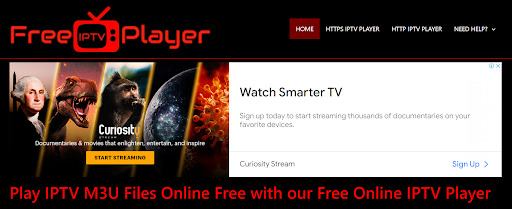
It is an excellent web-based service. This allows you to enjoy IPTV content on your devices, and a subscription option is available. Also, this browser-based IPTV player can be utilized on different devices if you use it with a web browser installed.
With this free IPTV player, you can easily watch many live IPTV streams on your Macbook by pasting the M3U URL. Or, you can even upload the M3U playlist files. It even offers a much more convenient and accessible way to access IPTV content on your Mac.
Key Features:
- It is an excellent browser-based Mac IPTV player
- This offers excellent streaming quality
- Very user-friendly
- Provides an advanced scrolling channel bar for seamless navigation
- Support the M3U format
Pros
- Just as the name suggests, this is very cost-effective
- A variety of channels are available in this IPTV player.
Cons
- Sometimes, there are some quality concerns
- This Free IPTV player may pose some security risks.
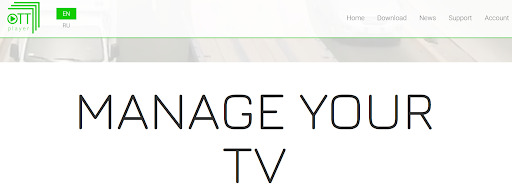
The OTT Player is a trustworthy IPTV app for MacBook. This is readily accessible on the App Store and compatible with devices such as iPads, iPhones, and Macs. Also, this particular app exclusively supports the Xtream Codes.
6. OTT Player:
If you plan to utilize this OTT IPTV Player, choose a provider that uses the Xtream Codes API and offers IPTV credentials. This player also enables you to enjoy some high-quality streaming IPTV content.
Key Features:
- Superior streaming quality
- Support the Xtream Codes
- Support some external players
- Provides a seamless and easy navigation
- Very, very intuitive user interface
- Offers excellent parental controls
Pros
- This supports on-demand content besides allowing users to watch their favorite shows and movies at their convenience.
- This IPTV player is very compatible with various devices, including smartphones, tablets, and smart TVs.
Cons
- Users might face some technical issues while using this.
- Here, some premium channels or add-ons may come with additional costs.
7. Mega IPTV:
Mega IPTV is another IPTV app for MacBook. It is also known for its user-friendly interface, ensuring effortless navigation. Notably, besides enhancing the versatility, this IPTV player also boasts excellent support for both AirPlay and Chromecast.
It is also exceptionally user-friendly on all MacBook devices, offering an easy and seamless user- experience. Users just need to enter the credentials to access the IPTV channels via this player.

Key Features:
- This supports the Chromecast
- This event provides high-quality content
- Available with an excellent user-friendly interface
- Provide an advanced AirPlay support
- Provides the M3U/M3U8 support
- Offers an advanced Electronic Program Guide (EPG) integration
Pros
- This allows users to access television content on a variety of devices
- In some cases, this is much more cost effective than traditional cable or satellite TV subscriptions.
Cons
- This tool sometimes offers some unauthorized content, which can raise legal issues for both providers and users.
8. Web IPTV Player:
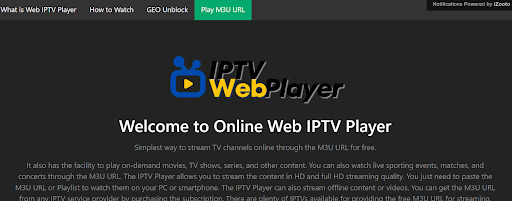
This excellent web-based IPTV player for Mac allows you to enjoy diverse content, including some on-demand movies, TV series, live sports events, various concerts, and more. And you can enjoy those in HD or full HD quality.
Also, though it is not an advanced tool, it streams a vast range of IPTV content provided by your leading IPTV service provider.
Key Features:
- This player supports 4K quality
- Dynamic language support
- Provides a closed caption support
- Very much User-friendly
- This is available for free
- M3U/M3U8 format is supported
Pros
- This app offers much more flexible TV viewing.
- You can have much-improved picture quality compared to the traditional TV.
Cons
- It requires a high-speed internet connection.
- This might lag at times and can even show outages.
9. IPTV Smart Purple Player
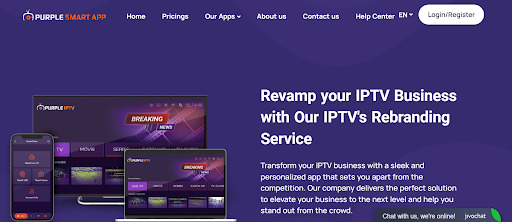
IPTV Smart Purple Player is an excellent and reliable IPTV Player present in the App Store and this is used in iPhone, iPad, and Apple TV. Though it is not available in the Mac App Store, you can easily sideload the .dmg file to install the great app on Mac. It is also very user-friendly and you can add the M3U URL and Xtream Codes of your IPTV Provider.
Key Highlights:
- This player is very Intuitive to use
- This offers excellent parental controls
- It supports airplay
- This provider provides Electronic Program Guide (EPG) integration
- Xtream Codes Support
- This player supports 4K quality
- M3U/M3U8 support
Pros
- This offers access to a vast range of channels, including live TV, movies, sports, TV shows, and international content.
- They provide huge, convenient access to television content, eliminating the need for traditional cable or satellite TV subscriptions.
Cons
- Using this IPTV app from such unverified sources will expose users to security risks, including malware, spyware, and even data theft.
10. GOM Player:
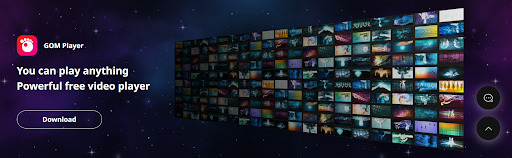
When it comes to a Mac IPTV player, the GOM Player is another great one. Using this, you can seamlessly navigate through the diverse channel offerings provided by your IPTV service provider. This even enables you to enjoy some excellent content on your computer.
GOM Player also offers greater compatibility with different IPTV formats and even permits users to include custom IPTV playlists. Though the application is unavailable on the Mac App Store, you can download the.dmg file using the official website and even install it on your Mac computer.
Key Highlights:
- This offers effortless channel browsing
- Get customized and advanced IPTV playlist support
- This app supports high-quality video playback
- This IPTV player is compatible with multiple operating systems
- It offers excellent parental control.
- It supports M3U/M3U8 format.
Pros
- It has a user-friendly interface and is very easy to navigate. This is why it is accessible to a wide range of users.
- GOM player even supports a wide variety of codecs so that users can easily use various media file formats
Cons
- The app lacks advanced features for different media players, such as advanced streaming options, DVR functionality, or multiple playlist support.
Related Article: 10 Best IPTV Apps For Samsung TV
11. Megacubo
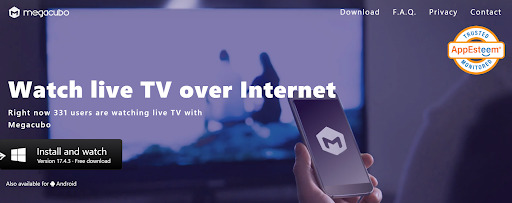
When it comes to a free and open-source IPTV player, this tool Megacubo is very much compatible with Macs. This app has many innovative features and is very simple to use. You can easily enjoy the TV series and many films from different regions by including the playlists in a certain format. Also, the preferred films and television programs can easily be recorded for a greater and subsequent viewing.
Megacubo, with its great feature of blocking some intrusive advertisements, assists in streaming without interruption. Additionally, you may watch your favorite shows in mini-player mode besides browsing on the PC. Another good part of using Megacubo is that it may be downloaded using a Mac system.
Key features:
- Megacubo is a free, intuitive, multi-language, and cross-platform IPTV player; it supports greater history and bookmarks and even offers EPG-based recommendations.
- You can even add the IPTV lists in the case of Mini Player mode; you can even easily work or navigate while watching any broadcast.
- Megacubo can be installed easily on different computers and in different versions.
Pros
- Megacubo offers a vast selection of different channels from various countries and genres.
- The interface of this Megacubo app is designed to be very intuitive and user-friendly.
Cons
- Since Megacubo is a free application, users may encounter some limited customer support options.
Benefits Of Using An IPTV App On Mac:
IPTV player for Mac provides many advantages that offer an easy option to all individuals searching for an excellent, user-friendly, and reliable IPTV player. Below, we have outlined lots of primary benefits of using an IPTV on Mac:
1. User-Friendly Experience:
One prime benefit of utilizing these IPTVs on Mac is their advanced and intuitive user interface. This usually simplifies the overall process of locating, and you can easily play your favorite programs on your preferred channels.
2. Broad Compatibility:
IPTV for Mac is very much compatible with almost every Apple device, such as iPhone, iPad, Macbook, etc. This guarantees even some uninterrupted access to your favored channels, and there will be no compatibility issues.
3. Dependable Performance:
Another advantage of using the IPTV on Mac is its reliability. The user can use those smoothly, even during periods of high network activity, and even have uninterrupted access.
4. Freedom of Content Access:
IPTV apps even allow users to watch their preferred content at their convenience.
5. Versatile Viewing Possibilities:
IPTV also offers viewers a range of diverse methods for tuning in to their favorite shows.
6. Enhanced Media Variety:
IPTV gives users the perfect media entertainment choices compared to traditional television.
Wrapping It Up
Undoubtedly, the IPTV industry is continuously evolving, and with streaming services getting more popular, it has become very crucial to have the best IPTV program for your Mac. In this article, we have discussed the top 11 IPTV apps, and each of them comes with a variety of features along with some easy-to-use user interfaces.
These apps even offer a quick and immersive streaming experience so that you will not miss any preferred entertainment. These advanced IPTV apps have emerged as a pinnacle of perfection in this industry, with vast channel libraries, high-quality playback, and highly configurable features. So, use these and get involved in this nonstop entertainment right at your fingertips.
FAQs
1. Is IPTV Legal?
Yes, using the IPTV Players is entirely legal. Using those is valid and considered within the bounds of the law. These even offer some authentic and legitimate content.
2. Can I Access IPTV for Free?
Yes, numerous applications are available in the market, and all of them allow you to stream online televisions over the Internet without additional costs. You can even use the IPTV applications, which are available for free.
3. Is Free IPTV Safe to Use?
Yes, it’s safe, but it actually depends on the IPTV service provider. Also, it is advisable to use a safe VPN when streaming with low-cost or free IPTV applications. This is applicable if you don’t know where these apps are operating or what they are logged into.
4. Is VLC a good IPTV player for Mac
Yes, VLC works well for basic IPTV streaming. It supports M3U playlists easily. Setup is quick and simple. There is no built-in guide view. Channel switching is basic. It suits users who want no extras. It stays light and stable on macOS.
5. Do IPTV players include channels by default
Most IPTV players do not include channels. They only act as players. You must add your own IPTV service or playlist. Some apps promote providers but do not bundle content. This keeps them legal as software tools. Always check your service source.
6. Can I use IPTV players on multiple Mac devices
Yes, most IPTV players allow installation on multiple Macs. Free apps have no limits. Paid versions may tie features to accounts. Playlists can be reused across devices. Settings may not sync automatically. Manual setup is often needed.
Author Bio:
Dinesh Lakhwani 

Dinesh Lakhwani, the entrepreneurial brain behind “TechCommuters,” achieved big things in the tech world. He started the company to make smart and user-friendly tech solutions. Thanks to his sharp thinking, focus on quality and the motto of never giving up, TechCommuters became a top player in the industry. His commitment to excellence has propelled the company to a leading position in the industry.
Popular Post
Recent Post
Avast Cleanup PC Cleaner and Optimizer: Everything You Need to Know
A slow computer makes it hard to focus. Programs take too long to open. Free space keeps shrinking until the disk is almost full. This happens to most PC owners at some point. Even new machines can slow down after a while. That is the exact problem cleanup tools are built to solve. They comb […]

Fortect Software Review: The Ultimate PC & Mobile Cleaning, Optimization & Security Tool
Slow computers are a common problem for almost every Windows user. Well, yes! Over time, your PC picks up junk files. These files sit quietly in the background. They take up space and slow things down. Programs open slower. Windows takes longer to boot. Even simple tasks like opening a folder can feel sluggish. There […]
CCleaner PC Optimizer Review: A Complete Guide for Windows Users
If your computer has started to feel slow, you are not alone. Most Windows PCs slow down over time. Junk files pile up. The registry gets messy. Too many apps open when you start your PC. All this adds up and makes even a good machine feel tired. This is where a PC cleaner tool […]

5 Best PC Cleaners for Windows 11 & 10 | Top PC Optimizers
Remember when your PC felt fast? Every click was quick. Every app opened in seconds. Now it feels like a different machine. Windows takes forever to boot. Programs freeze for no reason. Even opening a browser feels like a chore. You are not alone in this. Almost every PC slows down over time. Files pile […]
Auslogics Duplicate File Finder: Full Review and User Guide
A computer quietly gathers clutter over time. This includes duplicate photos, repeated downloads, and forgotten backups hiding in random folders. This buildup slowly eats away at storage and can make even a fast PC feel sluggish. Manually finding and deleting duplicates is tedious. It means checking every folder, comparing file names, and guessing which copies […]
CCleaner Duplicate File Finder: Key Features, Pricing, Step-by-Step Guide and More
Every computer collects junk over time. Right? Well, yes! Photos often get copied twice. Documents get saved in two folders by mistake. Old downloads pile up and never get deleted. This slowly eats up your storage space, and most people do not even notice until their drive is almost full. That is where a duplicate […]
Duplicate File Finder Pro: A Complete Review, Everything You Should Know
Computers collect thousands of files over time. Well, yes! Many of them end up being duplicates created by backups, downloads, or accidental copies. These extra files take up valuable storage space and make it harder to keep everything organized. Finding and removing them manually can take hours. Right? Duplicate File Finder Pro is a tool […]
Top 3 Duplicate File Finder for Windows 11 & Windows 10
If your PC storage keeps filling up even after you delete big files, duplicate files could be the real reason. Most of us save the same photo twice, download a document more than once, or copy a whole folder by mistake. Over months and years, these duplicate files pile up quietly. You do not even […]
Monitor Screen Calibration Guide: Everything You Should Know
Your monitor shows colors every single day. But are those colors actually correct? Most people never stop to check this. They just use the screen as it comes out of the box. This habit can lead to wrong colors in photos, videos, and work files. Colors may look too warm or too cold without you […]

