












A slow PC rarely gives a warning. One day, it simply takes longer to start. Apps open late. The fan runs loud, even when the screen is almost empty. Most people blame old hardware. Often, that is not the real reason. The real reason is hiding in plain sight. Windows keeps many apps active in […]
Top 10 CCleaner For Mac Alternatives: Features, Pros, Cons
In the ever-evolving landscape of Mac optimization tools, the search for the perfect CCleaner alternative continues to be a quest for users seeking efficiency, reliability, and a range of features. As we delve into 2026, the demand for top-notch system cleaning and performance enhancement remains as crucial as ever.
This article presents a comprehensive roundup of the top 10 CCleaner for Mac alternatives exploring their unique offerings, user-friendly interfaces, and effectiveness in keeping your system running smoothly.
10 Best CCleaner Alternatives for Mac to Use
CCleaner for Mac lacks some useful features present in the Windows version. If you are looking for a full-featured Mac cleaner and optimizer that is similar to or better than CCleaner, this article lists the top 10 Programs like CCleaner For Mac for you to consider.
1. CleanMyMac X
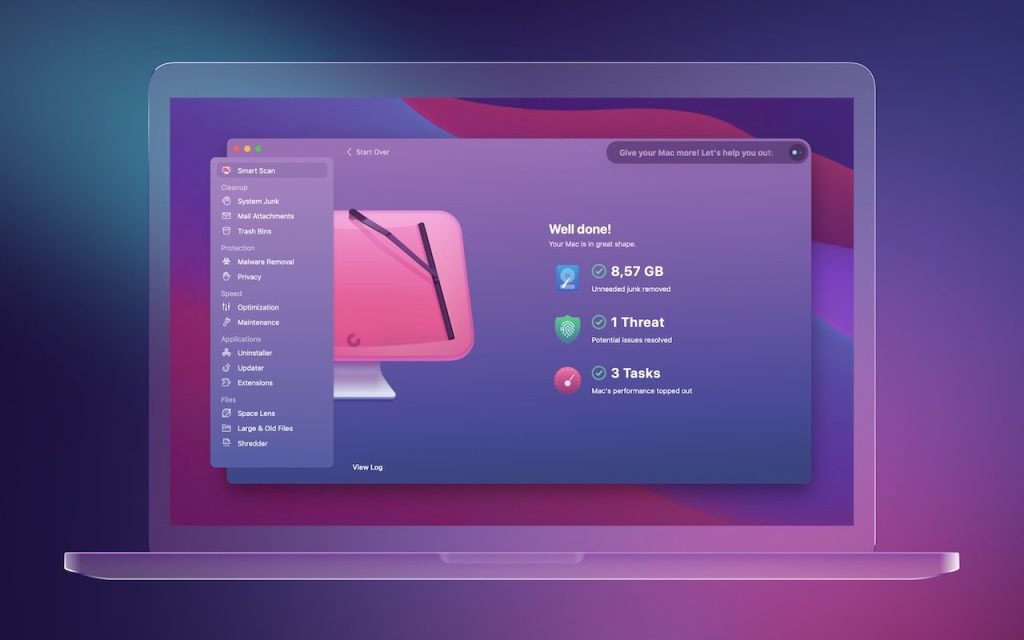
CleanMyMac X is one of the most popular all-in-one cleaning and optimization tools designed exclusively for Mac. It is developed by MacPaw – a reputable software company known for its efficient Mac apps. This cleaner comes packed with multiple useful modules like a smart scanner, uninstaller, shredder, speed optimizer, privacy tools, and software updater all in one place.
With its beautiful and easy-to-use interface, it makes scanning and cleaning your Mac a breeze.
Key Features:
- Quickly identifies and removes unnecessary files like caches and temporary data, optimizing your Mac’s storage.
- Uninstalling apps, extensions, and files.
- Securely erases sensitive files, ensuring they’re unrecoverable for enhanced privacy.
- Enhances system performance for a faster and smoother Mac experience.
- Protecting privacy by controlling access.
- Updating software.
Pros:
- Very easy-to-use interface and cleaning process.
- Multiple useful modules for various optimization tasks.
- Provides detailed scan reports.
- Better cleaning capabilities than CCleaner.
Cons:
- On the more expensive side.
- Some advanced features require a paid subscription.
Compatibility: macOS 10.10 or later including Ventura, Both Intel and M-series chip Macs
2. OnyX
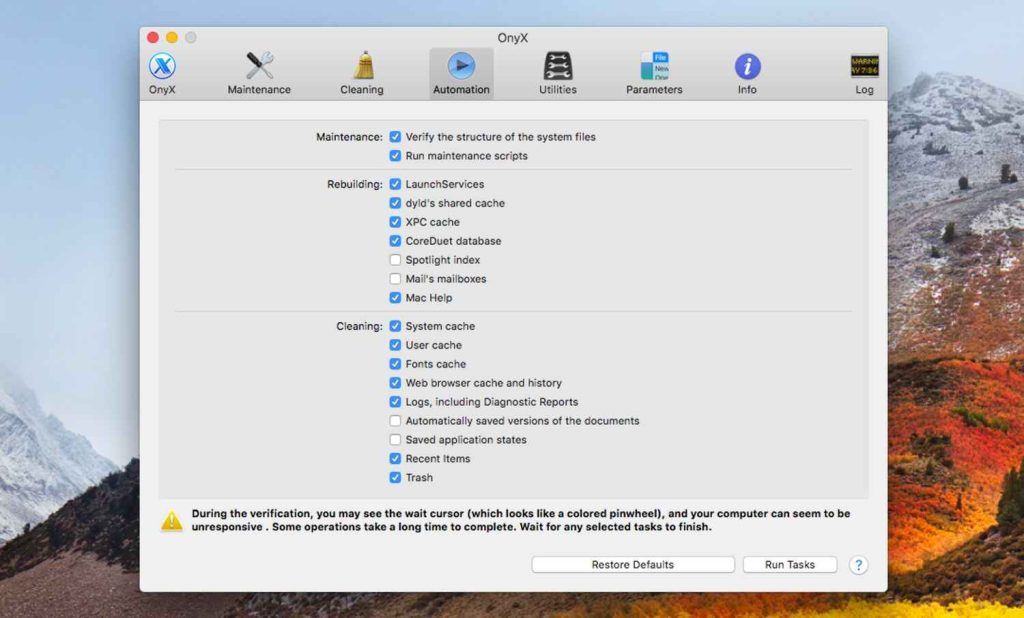
OnyX is a free and open-source CCleaner for Mac alternative and a maintenance utility bundled with an array of useful system tools for optimization. Despite its archaic interface, OnyX is extremely lightweight yet powerful enough to validate system files, run miscellaneous cleanup and deletion tasks, configure hidden settings, etc. It can automate various management tasks in the background as well.
With efficient coding and a focus on Mac experts, OnyX proves you don’t need to pay for a good Mac cleaner if you don’t mind complex interfaces.
Key Features:
- Disk cleaning.
- Streamlines the deletion process, ensuring secure and complete removal of unwanted files from your system.
- Allows for easy management and control of startup items, optimizing boot time and system performance.
- Clears caches to free up storage and improve system responsiveness.
- Session restoration.
- Permissions/ACLs repair.
- Hidden options configuration.
Pros:
- Completely free to use.
- Lightweight and fast cleaner.
- Ability to automate tasks.
- Highly customizable cleaning options.
Cons:
- Follow the manual approach instead of a one-click scan and clean.
- Terminal required for some advanced features.
- Sparse interface lacking visual appeal.
Compatibility: Intel-based Mac or Mac with Apple silicon using macOS Sonoma 14.
3. AVG TuneUp Utilities Mac
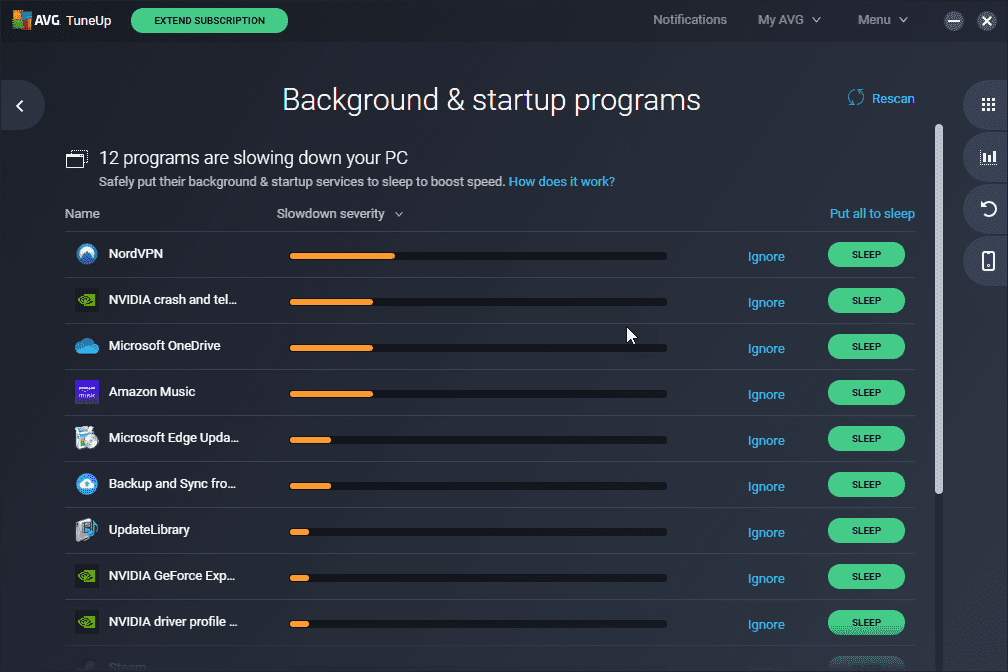
Bringing its Windows optimization expertise to the Mac platform, AVG TuneUp Utilities CCleaner for Mac alternative can speed up your device with its disk cleaner, memory optimizer, battery optimizer, and handy tools like live optimization monitor, usage trends tracker uninstaller, etc. The well-designed interface makes the cleaning and administration intuitive.
Backtracking malicious changes and secure file shredding help safeguard your Mac. Being away from updates for long remains a concern, but still an above-average contender.
Key Features:
- Disk space cleaner and defragmentation.
- Tracking resource usage trends.
- Power plans for battery life.
- Uninstall manager.
- Startup items organizer.
- Live optimization widget.
Pros:
- Advanced and basic optimizers in one suite.
- Excellent historical usage tracking.
- Intuitive and clean interface.
Cons:
- Last updated in 2020.
Compatibility: MacOS 10.10 (Mavericks) or above.
4. Stellar Speedup Mac
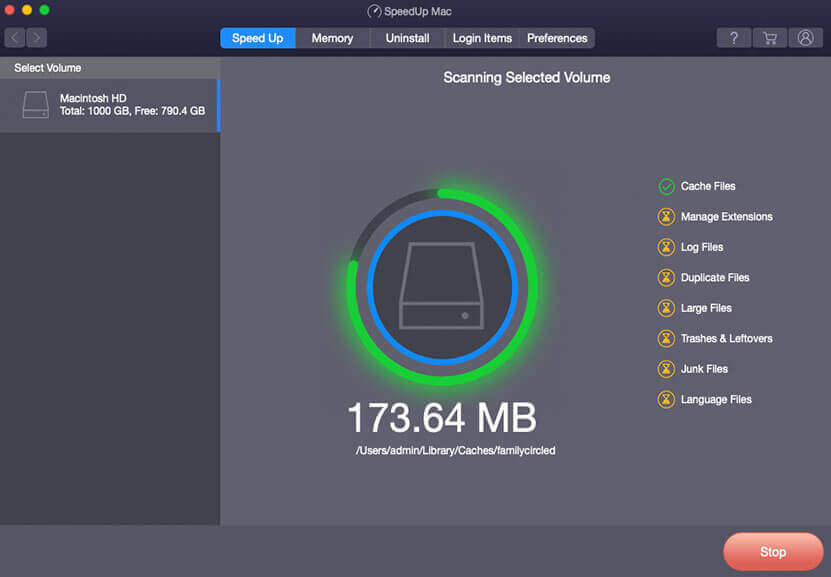
Stellar Speedup Mac is an easy-to-use cleaner brought by the well-known data recovery solutions company Stellar. It optimizes your Mac by removing gigabytes of junk files and duplicates in minutes with quick and deep scan modes.
The dashboard neatly displays the scanning and cleaning details. Other useful utilities offered by this CCleaner for Mac alternative include a shredder for secure deletion without recovery, a startup items organizer, and a duplicate file finder.
Key Features:
- Quick and deep scan modes.
- Simple clean-up dashboard.
- Shredder to permanently erase confidential files.
- Duplicate finder.
- Secure data deletion.
- Startup optimizer.
Pros:
- Very simple interface, ideal for beginners.
- Unique features like duplicate file finder.
- Secure Delete feature protects privacy.
Cons:
- The free version has limited cleaning capabilities.
- Not many advanced configuration options.
Compatibility: macOS X 10.8 onwards, Both Intel and M-series chipsets supported
5. TechTool Pro
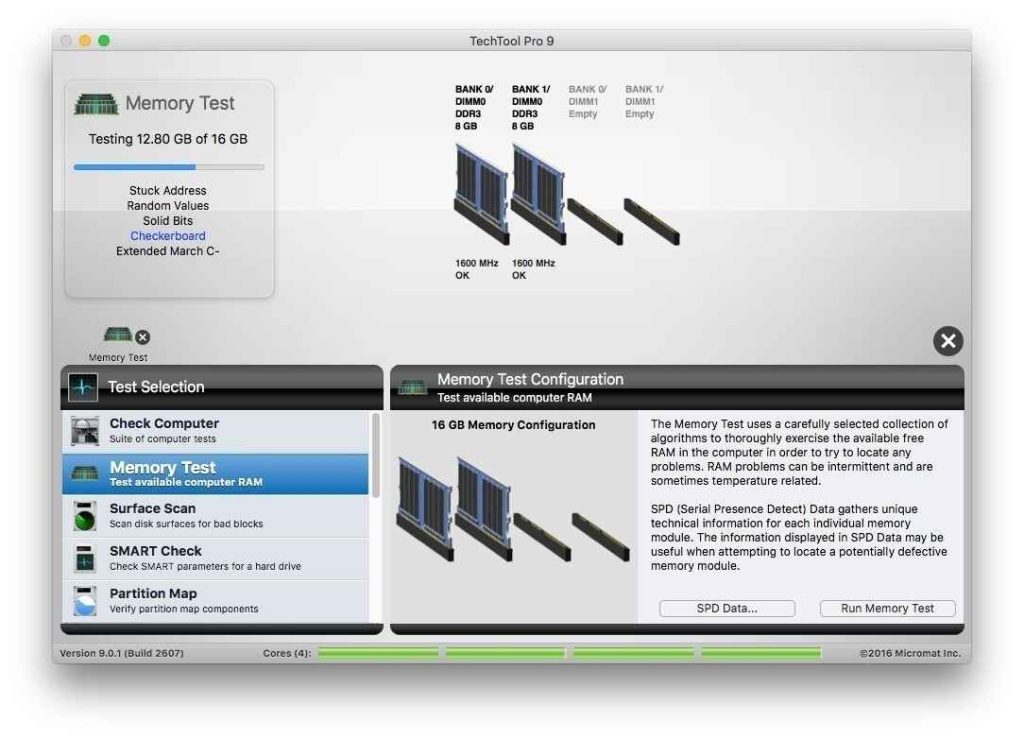
TechTool Pro is one of the earliest and most trusted Mac diagnostics and repair tools designed to keep your Mac healthy. It thoroughly analyzes drives/volumes, system memory, sensors, files, boot process, and more to spot issues affecting performance. Post diagnosis, the finely tuned tools repair and optimize various components for peak operation.
Despite the dated interface, no Mac cleaner gets more technically advanced than TechTool Pro.
Key Features:
- Volume optimization.
- Decoding and repairing Mac volumes.
- Memory testing.
- Surface scan.
- Sensors monitor.
- Conditional tests.
- File structures repair.
Pros:
- Advanced diagnostics and repair for volumes, drives/SSDs, and system files.
- Best data recovery support.
Cons:
- No simplified cleaning interface, and a steep learning curve.
- Very expensive, subscriptions mandatory.
Compatibility: macOS 10.9 and later.
6. iBoostUp
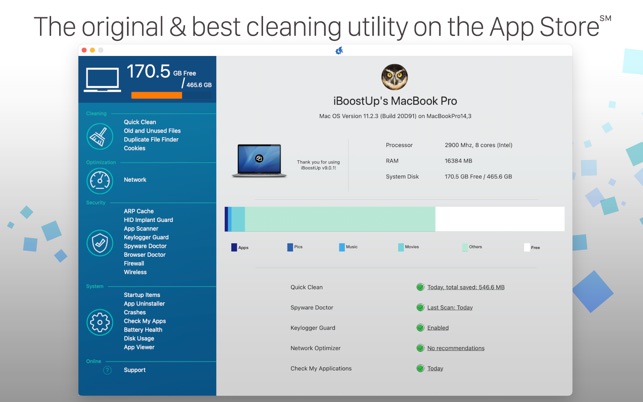
With its focus on speed, LionApps’ iBoostUp aims to make your Mac’s performance roar like a lion. It thoroughly analyzes CPU, Apps, and RAM usage to spot bottlenecks. One-click solutions for fixing 100+ common Mac problems make troubleshooting easy.
Other utilities like battery optimizer, macro recorder, and phone mirroring enhance the overall Mac experience. Despite being relatively new, iBoostUp CCleaner for Mac alternative’s efficient approach has garnered positive feedback so far.
Key Features:
- In-depth Mac optimizer.
- App analytics to free up RAM.
- Easy fixes for common Mac issues.
- Battery life extender.
- Smart macro recorder.
Pros:
- Unique analytics and monitoring capabilities.
- 100+ pre-set solutions for Mac issues.
- Battery optimizer.
- Affordable pricing.
Cons:
- Fewer customer reviews due to the new app
- More focus on speed over cleaning
Compatibility: macOS 10.10 onwards.
7. MacBooster 8
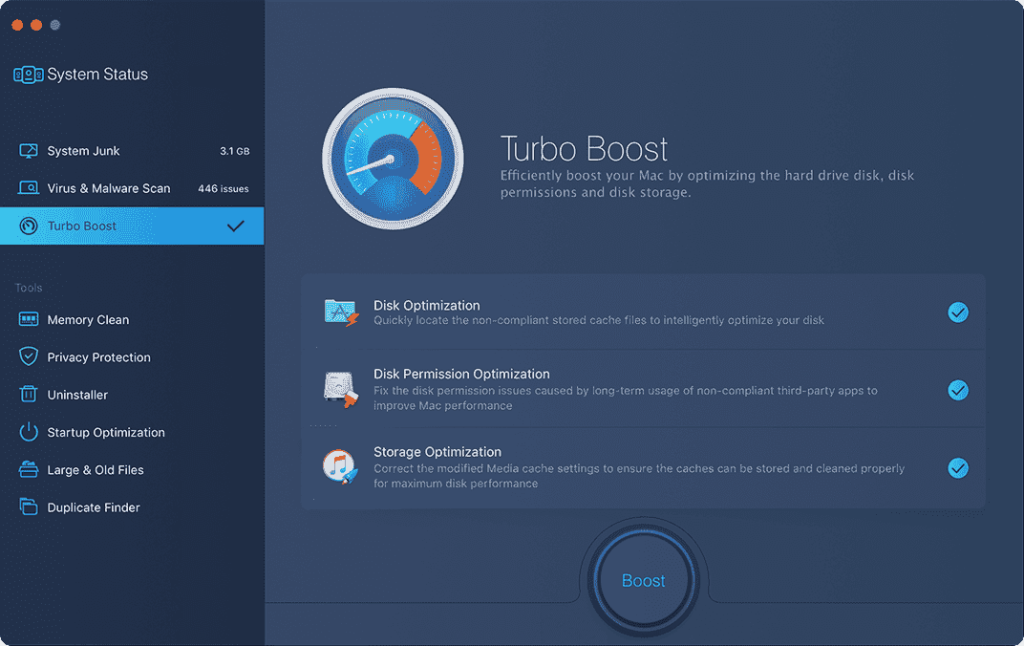
MacBooster 8 from respected brand IObit comes equipped with all the tools you need for complete Mac optimization. It deeply scans system clutter like junk files, unwanted apps, large unused media, duplicates, etc., and allows cleaning of them to reclaim space.
Useful utilities like malware scanners, privacy tools, performance monitors, and speed boosters all act together to ensure peak Mac efficiency. Despite controversies over bundling, MacBooster’s comprehensive capabilities make it a worthwhile option.
Key Features:
- Junk cleaner and duplicate finder.
- Large files manager.
- Privacy protection tools.
- Malware remover.
- Speed booster.
- Performance monitor.
Pros:
- Excellent value for money.
- Lots of useful tools for all-round optimization.
- Decent user guides and support.
Cons:
- Confusing subscription models.
- Related software bundles are offered.
Compatibility: macOS 10.12 onwards.
8. Omni Disk Sweeper
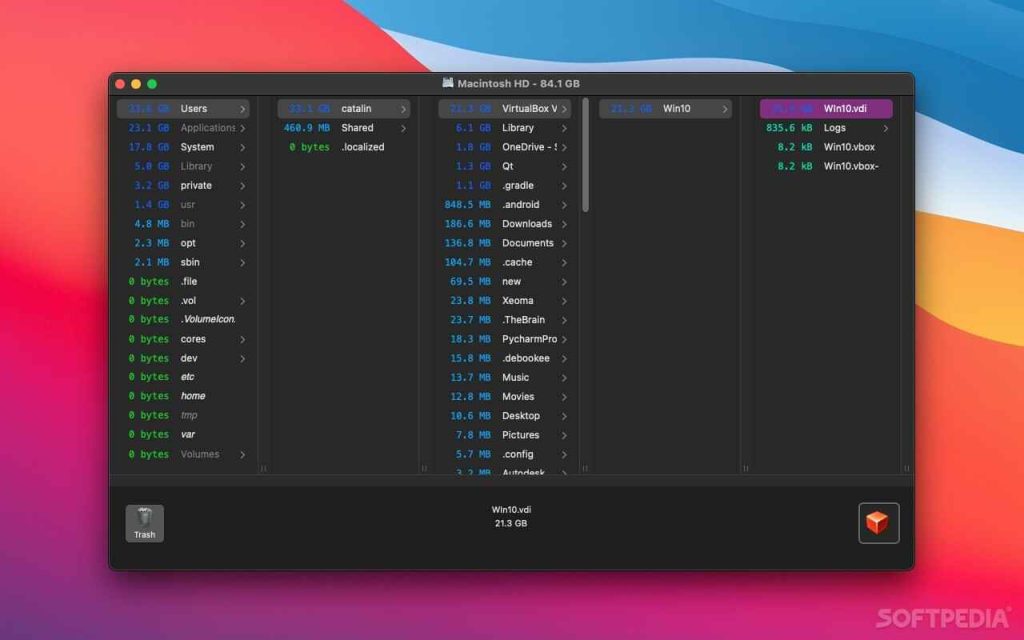
Omni Disk Sweeper offers a basic yet efficient way to clean common junk from cache, downloads, system logs, etc. in one click without dealing with confusing settings or interfaces. Brought to you by the well-known productivity app developers Omni Group as an experimental utility, Omni Clean Up may lack advanced configuration but gets the basic cleaning job done reliably.
If you want a clutter-free simple cleaner that sits conveniently in the menu bar for occasional use, this Free utility warrants a try.
Key Features:
- One-click scan and clean.
- Detailed scan selections and reports.
- Cache, downloads, logs cleaning.
Pros:
- Extremely simple cleaning options.
- Lightweight and lag-free.
- Free from reputed provider Omni Group.
Cons:
- Lacks advanced tools or settings customization options.
- Irregular app updates.
Compatibility: macOS 10.14 and later.
9. MacKeeper
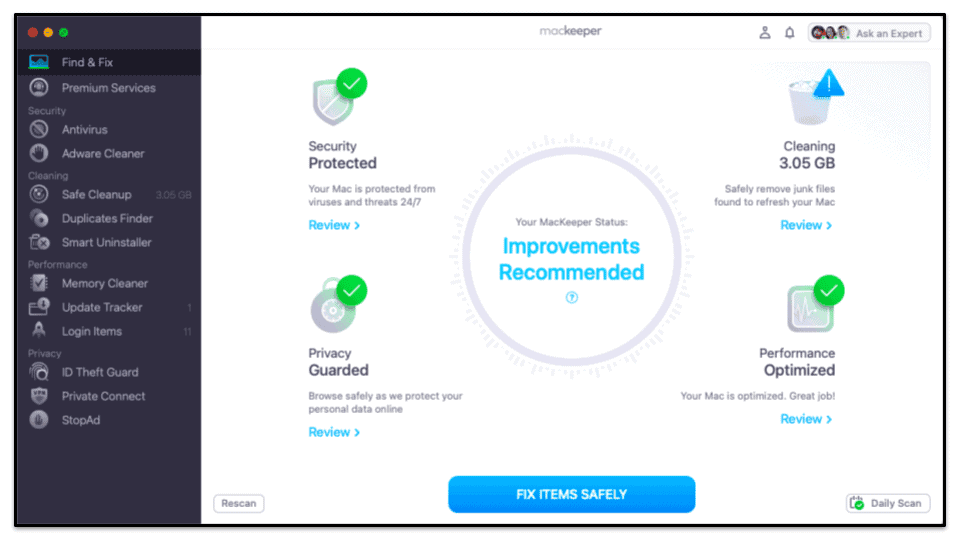
For over 15 years, the much-debated MacKeeper continues to be among the longest-standing all-in-one optimization suites for Mac. Packed to the brim with essential utilities like cleaners, antivirus, duplicate finders, performance monitors, file encryption, etc, MacKeeper leaves no area of Mac optimization unattended.
While controversies related to its marketing approach remain, the extensive capabilities of the app continue to appeal to many users. Regular updates and decent customer support add to the package.
Key Features:
- One-click full optimization suite.
- Anti-virus protection.
- Memory cleaner.
- Duplicate file removal.
- Disk analyzer.
- Data encryption.
Pros:
- All-in-one solution with almost every useful Mac utility.
- Regular app updates.
- Decent customer support.
Cons:
- Still notorious for aggressive advertising.
- Controversies over data collection.
Compatibility: macOS 10.8 and above.
10. iMyMac PowerMyMac
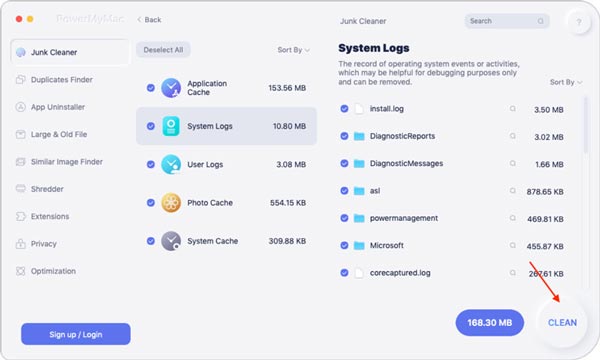
As a lightweight yet powerful Mac cleaner and optimizer, iMyMac PowerMyMac aims to make your Mac’s performance shine. It comes packed with all the essential utilities like junk cleaner, speed booster, battery optimizer, and uninstaller neatly bundled in a beautiful interface. Regular updates ensure compatibility with the latest MacOS versions.
For an affordable price, PowerMyMac offers reliable cleaning capabilities in a fuss-free package.
Key Features:
- Junk Files Cleaner.
- Speed Booster.
- Battery Optimizer.
- Uninstaller.
- Real-time Resource Monitor.
- Menu Bar App.
Pros:
- Lightweight and easy to use.
- Affordable pricing.
- Regular app updates.
- Reliable cleaning performance.
Cons:
- Fewer tools compared to all-in-one competitors.
- Limited free trial version.
Compatibility: macOS 10.13 onwards
Conclusion
So which CCleaner alternative for Mac turns out to be the best after evaluating the top 10 options? CleanMyMac X makes an excellent all-round choice packed with useful features. For the best free tools, OnyX, Stellar Speedup, and Omni Clean Up are great. TechTool Pro leads advanced diagnostics while iBoostUp takes Mac speed optimization to the next level. MacBooster, MacKeeper, and MagicMac Optimizer provide a Swiss army knife approach with their all-in-one toolsets.
Evaluate your specific needs before picking the right CCleaner alternative to tune up your Mac.
FAQs:
Do I need a cleaner app for my Mac or the inbuilt tools are enough?
While Macs are generally optimized better than Windows, using a good cleaner can further enhance performance by removing clutter and fixing issues the built-in tools may miss. So a third-party cleaning app is recommended.
What Mac cleaner has the best cleaning capabilities?
CleanMyMac X offers the best overall junk cleaning and performance optimization capabilities. It scans deeply to find various types of useless files and privacy risks to remove them for a faster Mac
Is CleanMyMac X worth the price?
Yes, CleanMyMac X offers excellent value for money considering its versatile utility modules like uninstaller, shredder, speed booster, etc. bundled in one package that works better than free standalone tools. The pricing is competitive for the convenience it provides.
Can Mac cleaners damage my computer?
Reliable Mac cleaners from reputed developers like the ones discussed in this article are designed not to damage your data or system integrity. However, some third-party apps may be risky. Stick to well-known, positively reviewed cleaners for guaranteed safety. Also, take backups before cleaning just to be double sure.
Author Bio:
Dinesh Lakhwani 

Dinesh Lakhwani, the entrepreneurial brain behind “TechCommuters,” achieved big things in the tech world. He started the company to make smart and user-friendly tech solutions. Thanks to his sharp thinking, focus on quality and the motto of never giving up, TechCommuters became a top player in the industry. His commitment to excellence has propelled the company to a leading position in the industry.
Popular Post
Recent Post

How to Activate Windows with a Product Key for Windows 11 & Windows 10
It always shows up at the worst time. You are halfway through a report, or about to join a video call. Then you spot it in the bottom right corner of the screen. Activate Windows. Go to Settings to activate Windows. Initially, an unactivated copy of Windows may seem like a minor inconvenience. Over time, […]

Is Easy Duplicate Finder Worth It? Honest Review
The photos folder looked normal at first glance. Then the storage warning popped up. One trip photo appeared four times. A tax PDF sat in three different folders. Two old setup files were still in Downloads, and each one was over 500 MB. Nobody plans this mess. Copies pile up slowly. A download runs twice. […]

Wise Duplicate Finder Review: Real Results from Wise Duplicate Finder
Read my honest Wise Duplicate Finder review. See features, pricing, pros and cons, and real PC test results. Find out if this free duplicate cleaner can free up your Windows storage.

How to Recover Deleted Files from Pen drive, USB Drive, SD Card
Introduction: On tech forums, you’ll often see posts like this: “I connected my pen drive to my laptop this morning, but the folder was empty. All my college project files had vanished. I don’t have a backup. Can someone help me?” Stories like this are very common. Pen drives, USB drives and SD cards are […]

How To Recover Files Deleted from the Recycle Bin [Windows 11]
Losing a file can happen in seconds. You clear your desktop, hit Delete, and empty the Recycle Bin. Then, just when you need that file again, it seems to have vanished. This guide will walk you through ways to restore files removed from the Recycle Bin. We will begin with simple fixes, then look at […]

Disk Drill Data Recovery Tool Explained: Full Review and Guide
It happens in a split second. You delete a folder by mistake. Your drive stops showing up. A photo album from your last trip just vanishes. And your stomach drops. Lost files feel personal. They are not just data. They are memories, work hours, and sometimes years of effort packed into a few gigabytes. When […]

Recover Deleted Files In Windows 11 With Software & Without
Introduction What is the first thing that goes through your mind the second an important file vanishes from a Windows 11 PC? For most people, it is a mix of panic and disbelief, followed by a frantic click through every folder that file could possibly be hiding in. It happens in a split second: one […]

EaseUS Data Recovery Wizard: Everything To Know
Data loss does not always come from a big disaster either. Most cases start small and boring. A drive gets formatted by mistake. A laptop freezes mid-save and restarts on its own. A memory card stops showing up after being pulled out too fast. None of these feel like emergencies at first, until you realize […]

Recuva Data Recovery Tool: Is it Actually Worth it?
When I first tried Recuva Data Recovery, I wanted to see if it could really bring back lost files. The tool is free, small in size, and promises quick recovery, which made me curious enough to test it on my own PC. The setup was fast, and the wizard guided me step by step. I […]

