












So, search for a pair of shoes once online. Close the tab. By evening, those same shoes are sitting on your news site, your video app, and even your recipe blog. Nobody placed them there by chance. A cookie did. Well, yes! Cookies are small files that websites place on your device while you browse. […]
10 Best IPTV Apps For Samsung Smart TV With Comparison Table
Introduction:
IPTV means Internet TV, delivering videos through the Internet. It’s different from cable or satellite TV because you don’t need extra equipment or installations. All you need is a Samsung TV, the internet, and an IPTV app.
But, which IPTV app is the right pick for your Samsung Smart TV? Samsung’s Content Store is flooded with IPTV apps, but not all of them are dependable or easy to use. Some might even clash with different Samsung TV models. To make your search easier, we’ll check out the top ten IPTV apps for Samsung TVs in 2026.
How To Choose The Best IPTV Apps?
Choosing the best IPTV apps for Samsung Smart TV in 2026 requires careful evaluation. We focus on performance, compatibility, and user experience. With dozens of apps available, only a few deliver consistent quality and reliability. Our selection process is based on real-world testing, user feedback, and feature depth.
- Compatibility with Samsung’s Tizen OS
- Support for popular IPTV formats like M3U and Xtream Codes
- Ease of installation and setup
- User interface design and navigation
- Streaming quality and stability
- Availability of EPG and catch-up features
- Parental control and security options
- Value for money and subscription flexibility
Comparison Table: Top 5 Best IPTV Apps for Samsung Smart TV
To help you make a quick decision, we’ve compared the top five IPTV apps side by side. These apps stand out for their features, reliability, and user satisfaction. Each offers something unique, whether it’s multi-screen support or advanced parental controls.
| IPTV App | Key Features | Subscription Model | Samsung TV Compatibility | Pros | Cons |
| IPTV Smarters Pro | Multi-screen, EPG, parental control | Freemium | Tizen OS 2.4+ | Highly customizable, supports many formats | Occasional bugs |
| Quzu TV IPTV | EPG, recording, web browser, parental control | Paid (6€/month) | Tizen OS | Stable, elegant UI, 24/7 support | Premium-only content |
| IBOXX IPTV | Fast streaming, VOD, live TV, multi-device sync | Paid | Tizen OS | High-quality streams, simple interface | Limited free features |
| Set IPTV | Easy playlist upload, MAC activation | Paid | Tizen OS | Quick setup, good performance | No built-in EPG |
| Flix IPTV | Advanced EPG, subtitle support, VOD | Paid (one-time fee) | Tizen OS | Smooth playback, subtitle options | No live channel guide |
10 Best IPTV Player Apps for Samsung Smart TV in 2026
Try these top Samsung Smart TV IPTV apps from 2026.
1. IPTV Smarters Pro
IPTV Smarters Pro features and the app itself make IPTV Smarters Pro Pros a fully customized app for you to access IPTV content quickly and securely. You can view live TV, catch-up TV, VOD, series, and more with this app.
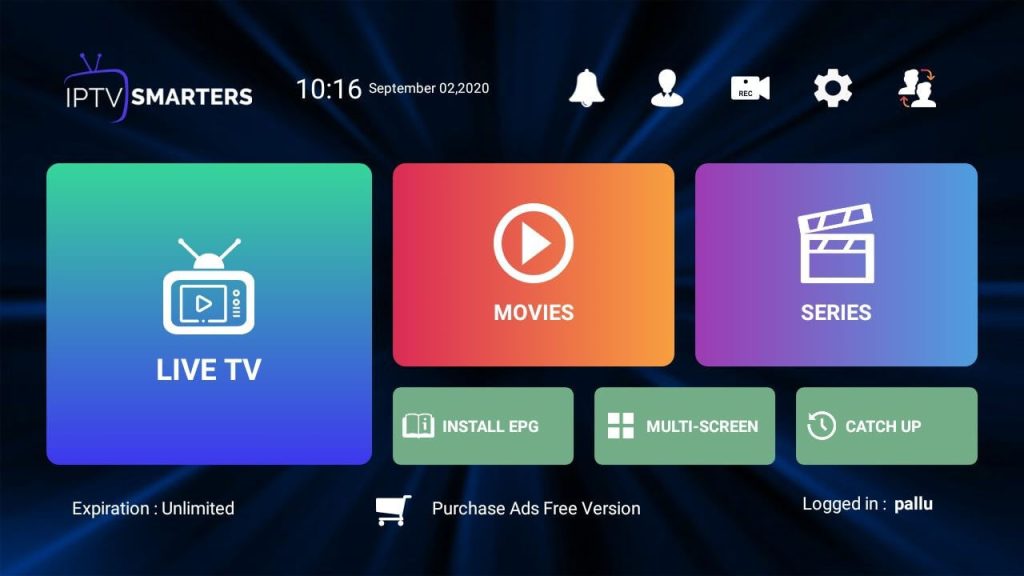
Features
- It supports multiple playlists and Xtream API.
- You can watch up to four channels simultaneously due to its multi-screen feature.
- Any channel you will be watching will have an EPG, which will display the program guide and schedule of the channel.
- It comes up with parental control where you can block some channels or categories and assign them a PIN code.
- The app is freemium, i.e., supported by ads. However, you can buy it free from such ads and unlock premium features like Chromecast support.
Pros:
- Easy to use and has a user-friendly interface.
- Offers a lot of functionality and customization options.
- Supports a wide range of IPTV formats and providers.
- Has a high-quality video and audio output.
Cons:
- Have some bugs or glitches that affect the performance.
Compatibility: Samsung TV models that run on Tizen OS 2.4 or higher.
2. Quzu TV IPTV
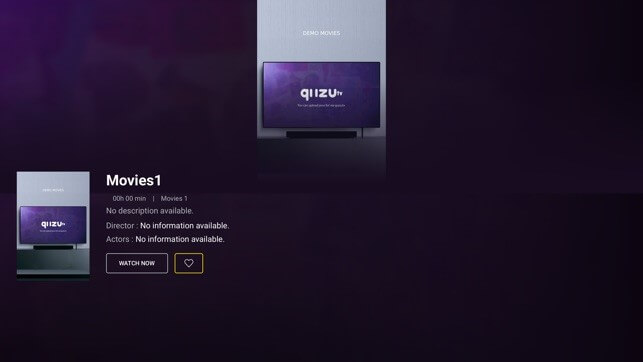
Quzu TV IPTV is another popular premium IPTV application that works flawlessly on Samsung TVs. This is a subscription-based app, and one looks to pay 6 Euros monthly against it to continue the subscription. With the help of this app, one can stream a variety of content like live TV, interactive TV, and video on demand.
Features
- It supports several playlists and formats like M3U, Xtream Codes, or Stalker Portal.
- An inbuilt web browser that allows streaming of IPTV content from any site.
- An EPG showing program guide and schedule for the channels.
- It offers a feature for parental control that lets you lock some channels or categories using a PIN code.
- It also provides a recording feature to save your favorite shows.
Pros:
- A reliable and stable app that offers high-quality streaming.
- Has a simple and elegant interface that is easy to navigate.
- Offers a lot of content and channels from different countries and genres.
- Has a customer support service that is available 24/7.
Cons:
- Content is subscriber-only in this premium app.
- Samsung TV models and locations may not be compatible.
- Depending on internet speed, it may buffer or freeze.
Compatibility: Samsung TV models that run on Tizen OS 3.0 or higher.
3. IBOXX IPTV
IBOXX IPTV is a feature-rich free IPTV application. It is a one-stop tool that will let you use various IPTV formats from multiple IPTV providers. With this application at your discretion, you can watch live TV, catch-up TV, VOD, series, and more.
Features
- Supports playlists and formats like M3U, Xtream Codes, or Stalker Portal.
- An inbuilt IPTV player supports various video and audio codecs.
- It comes with an EPG that shows the program guide and schedule of the channels.
- It is featured with a search facility that distinctly helps you trace your favorite channels or shows.
- The software might let users choose favorite categories or channels for easy access.
Pros:
- No subscription or registration is needed for this free app.
- Content and channels from different nations and genres are available.
- Fast and smooth with no advertising or distractions.
- Its user-friendly interface is sleek and intuitive.
Cons:
- It may work better with particular Samsung TV models or areas.
- Bugs or problems may impair functionality.
- It may lack parental oversight and recording.
Compatibility: Samsung TV models that run on Tizen OS 4.0 or higher.
Recommended Articles:
10 Best IPTV Apps for Amazon Fire TV Stick (Free and Paid)
11 Best Free IPTV Players Apps for Windows 11, 10, 7 PC
4. Set IPTV
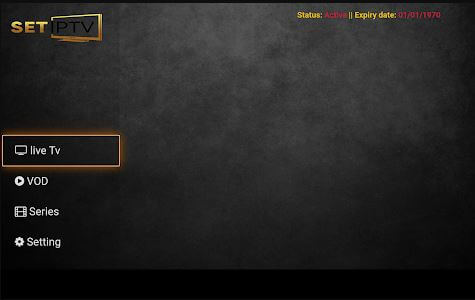
Set IPTV app is a premium app that makes it simple for users to watch IPTV on their Samsung Smart TV. It is subscription-based at 14.99 Euros for lifetime access. It harbors tons of content and offers live TV, VOD, series, and lots more.
Features
- Supports various playlists and formats such as M3U, Xtream Codes, or Stalker Portal.
- Supports many codecs of videos and audio with a built-in IPTV player.
- Displays the program guide and schedule of the channels as it has an EPG.
- It saves your well-liked channels or categories so you can remember them easily.
- The remote control feature lets you control the app with your smartphone.
Pros:
- This software is straightforward to set up and configure.
- Has many international and genre-specific channels.
- Produces high-quality video and audio without buffering or lagging.
- It offers lifetime app access for one price.
Cons:
- Samsung TV models and locations may not be compatible.
- It may lack parental control, recording, and search.
Compatibility: Samsung TV models that run on Tizen OS 2.4 or higher.
5. Flix IPTV
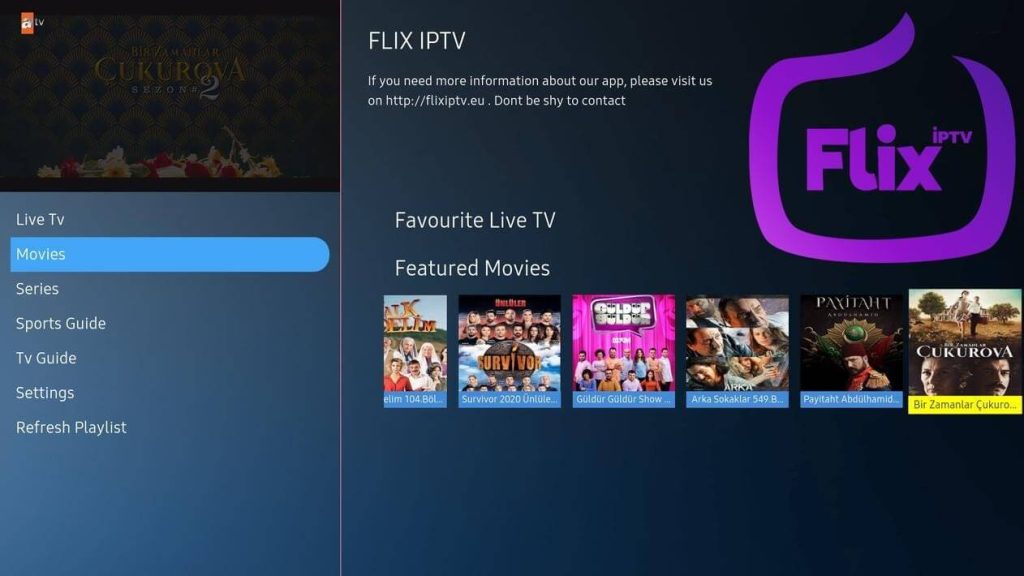
Flix IPTV is a free IPTV app for Samsung TV with many features and functionality. It’s an all-in-one as it empowers video playback of virtually all IPTV formats, including the Xtream codes. Here, you’ll stream live TV, VOD, series, and many more.
Features
- It supports multiple playlists and formats, for instance – M3U, Xtream Codes, or Stalker Portal.
- It comes with a built-in player playing various video and audio codecs.
- It displays the EPG, wherein one can glimpse the guide and schedule of the channels’ television program.
- It has a search feature that enables one to find his favorite channels or shows quickly.
- It has a recording capability where they can record and save their favorite show.
Pros:
- This free app requires no subscription or login.
- It has many international and genre channels.
- There is no advertising or interruptions.
- Its interface is simple and modern.
Cons:
- It may require improved compatibility with specific Samsung TV models or areas.
- It may have errors that impede functionality.
- It may lack parental control and favorites.
Compatibility: Samsung TV models that run on Tizen OS 3.0 or higher.
6. OTT+ Player
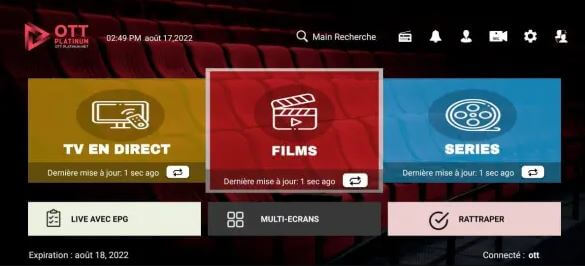
OTT+ Player is a Samsung TV IPTV premium app that eases and simplifies the process of watching IPTV on your Samsung TV. It’s an annual subscription-based, and the price is 9.99 Euros. It provides more content such as live TV, VOD, series, and others.
Features
- Some of the characteristics that subscribe to this OTT+ Player application include:
- Supports various playlists and formats, for instance, M3U, Xtream Codes, or Stalker Portal.
- It has an in-built IPTV player that supports many codecs for both video and audio.
- An EPG accompanies the app to portray the program guide and schedule of the channel.
- A remote control feature helps you control the app using your smartphone.
- There is a parental control option as well to block off some channels or an entire category using a PIN code.
Pros:
- Content and channels from different nations and genres are available.
- Fast and smooth with no advertising or distractions.
- Its user-friendly interface is sleek and intuitive.
- A low-cost membership gives you app access.
Cons:
- This app is paid and requires a membership for content access.
- Samsung TV models and locations may not be compatible.
- It may not support favorites or multi-screen.
Compatibility: Samsung TV models that run on Tizen OS 3.0 or higher.
7. Smart IPTV
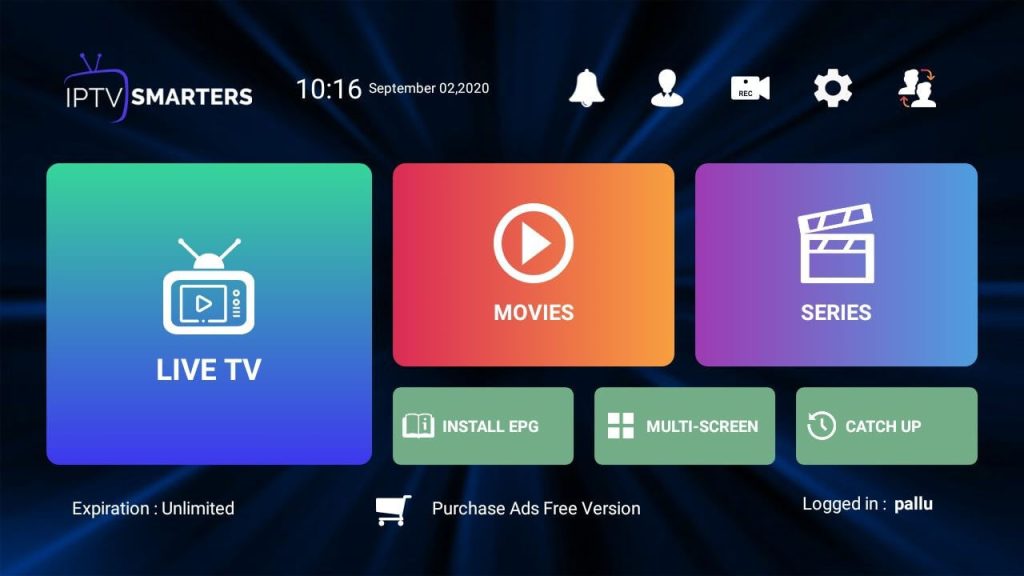
Smart IPTV is an ad-free IPTV app provided for free on Samsung Smart TV, and it is straightforward to use, which allows you to access your IPTV content efficiently. This one is the earliest and best IPTV app for Samsung Smart TV. Like all other applications, this app provides live TV, VOD, series, and more facilities.
Features
- It supports multi-playlist and multi-format, including M3U, Xtream Codes, or Stalker Portal.
- It offers a built-in IPTV player that also supports not only images but also video and audio codecs.
- It has an EPG, which will display the program guide and schedule of the channels.
- Allows saving to your favorite channels or categories for quick access.
- Plus, the feature remote control lets you control the app using a smartphone.
Pros:
- No subscription or registration is needed for this free app.
- Content and channels from different nations and genres are available.
- It produces high-quality video and audio without buffering or lagging.
- The UI is simple and easy to use.
Cons:
- Require improved compatibility with certain Samsung TV models or areas.
- Bugs or problems may impair functionality.
- It may lack parental control, recording, and search.
Compatibility: Samsung TV models that run on Tizen OS 2.4 or higher.
8. Duplex IPTV
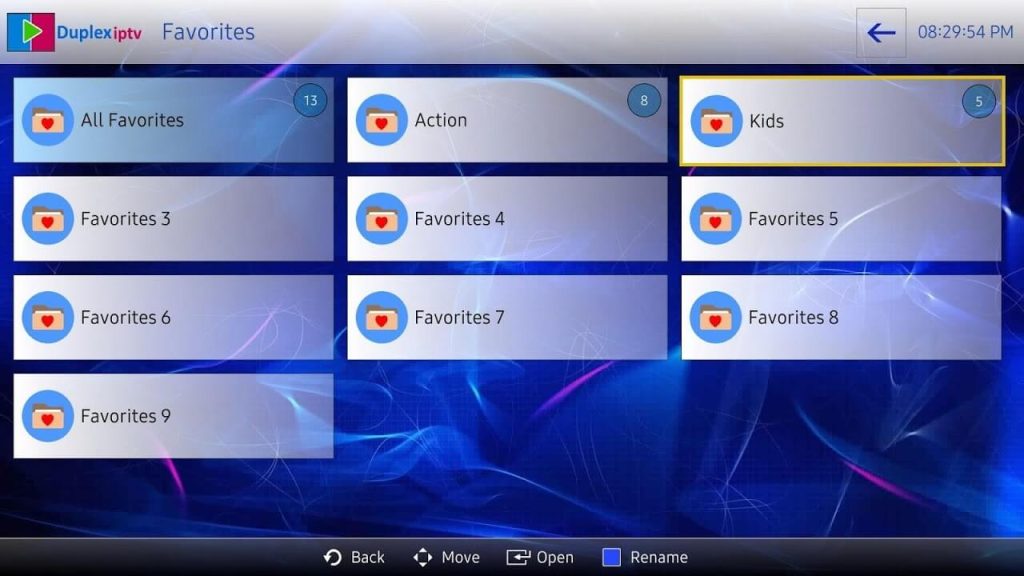
Duplex IPTV is a premium IPTV that offers outstanding features and functionality. It is an app based on subscriptions available at 0.99 Euros per month. It will offer tons of content, including live TV, VOD, series, etc.
Features
- It supports numerous playlists and formats like M3U, Xtream Codes, or Stalker Portal.
- It has a playlist re-arranged, and it’s easy to manage using the scroll-down menus.
- The box has an EPG whereby the program guide and schedule of the channels played from the box are displayed.
- It features a search to help you find your best channels or shows quickly.
- It also features a recording system to help you record and save all your best shows.
Pros:
- Content and channels from different nations and genres are available.
- Fast and smooth with no advertising or distractions.
- Its user-friendly interface is sleek and intuitive.
- A low-cost membership gives you app access.
Cons:
- Samsung TV models and locations may not be compatible.
- It may not support favorites or parental control.
Compatibility: Samsung TV models that run on Tizen OS 3.0 or higher.
9. GSE Smart IPTV
GSE Smart IPTV is freeware made especially for use on Android smartphone devices. Weighing in at only 77MB, it dwarfs most other freeware on offer and offers one of the most versatile applications that can establish connections amongst diverse IPTV formats and providers. With this app, customers can access live TV, VOD, and series, among many others.
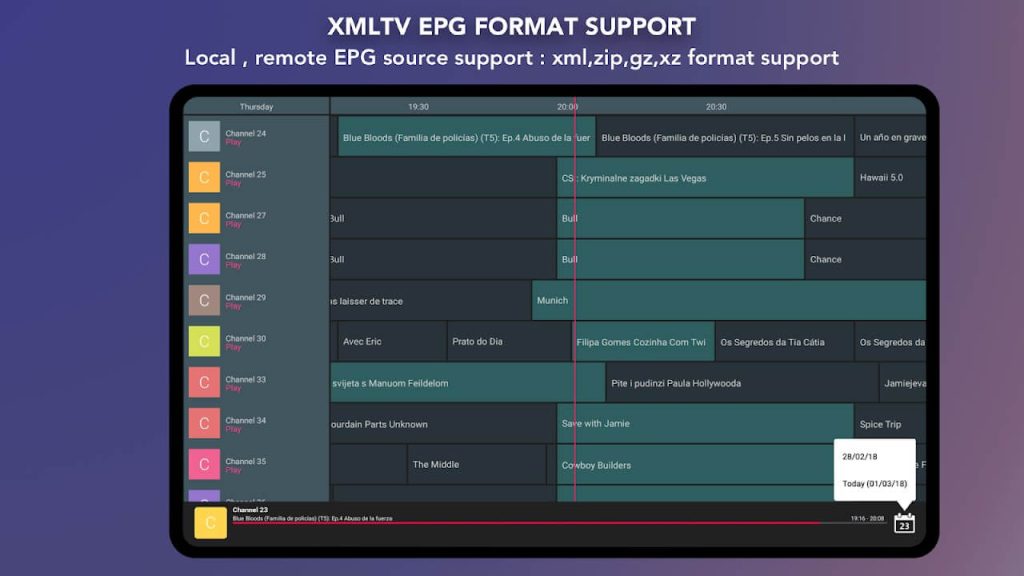
Features
- It supports multiple playlists and formats like M3U, Xtream Codes, or Stalker Portal.
- It shipped with a built-in IPTV player, which supports the various video and audio codecs.
- The EPG is displayed as a program guide and schedule of the channels.
- It contains a search feature to help quickly find the required channel or show.
- It contains a parental control feature which, with a PIN code, enables one to block off specific channels or categories.
Pros:
- Free app without subscription or registration.
- It has international and genre-specific material and channels.
- Without advertisements or interruptions, it runs smoothly.
- It offers a simple, modern UI.
Cons:
- Could be more compatible with certain Samsung TV models or areas.
- It may have functionality-affecting bugs.
- A recording or favorites feature may be missing.
Compatibility: Samsung TV models that run on Tizen OS 4.0 or higher.
10. SS IPTV
SS IPTV is a free application for IPTV, with the help of which it becomes possible to watch IPTV on your Samsung TV in an easy and simplified way. It is one of the oldest and most modern IPTV applications designed especially for Samsung TVs. It allows live TV, VOD, series, and much more with its unique features.
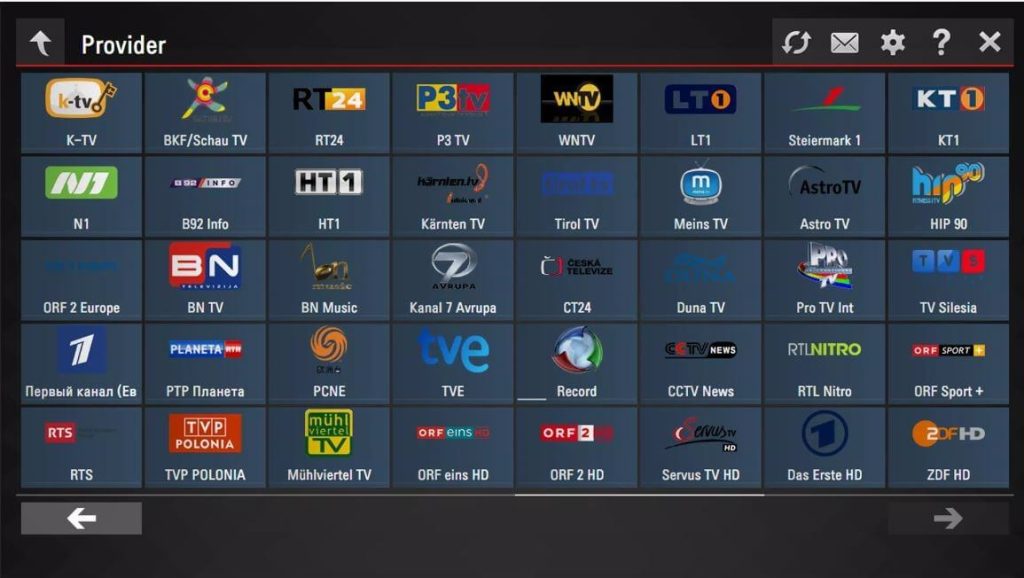
Features
- It supports several playlists and formats like M3U, Xtream Codes, or Stalker Portal.
- It has an in-built IPTV player, which works with more than 10 video and audio codecs.
- It includes an EPG that shows the channel’s program guide next to its schedule.
- The favorites help you to include your highly wanted channel or category for a quicker reference.
- It comes with a remote controlling feature that lets you access the app with the assistance of your smartphone.
Pros:
- The app is free and requires no registration.
- It covers many countries and genres with material and networks.
- The video and audio output is high-quality and buffer-free.
- Simply put, its UI is simple.
Cons:
- However, it may not operate well with certain Samsung TV models or areas.
- There may be bugs that affect functioning.
- It may not record, search, or set parental controls.
Compatibility: Samsung TV models that run on Tizen OS 2.4 or higher.
Conclusion
IPTV apps have changed how we watch TV. With Samsung’s Tizen OS, users can stream thousands of channels and shows without cable. A good IPTV app makes it fast and easy.
IPTV Smarters Pro and Quzu TV IPTV lead the pack. Smarters Pro offers flexibility and multi-screen support. Quzu TV IPTV stands out for its clean design and reliable service.
As IPTV grows, apps are getting better and more stable. Whether you stream occasionally or daily, these apps will keep your Samsung Smart TV ready for what’s next.
FAQs
1. What is IPTV, and how does it work?
Internet Protocol Television or IPTV distributes video material online. IPTV requires no additional equipment or installation, unlike cable or satellite TV. An IPTV app, Samsung TV, and internet connection are enough. IPTV lets you view live TV, movies and shows on your Samsung TV. IPTV offers content and channels from many nations and genres.
2. How do you install IPTV apps on Samsung TV?
Installing IPTV apps on Samsung TV requires the following steps:
- Start your Samsung TV and connect to the internet.
- Go to Apps by pressing Home on your remote.
- Choose the IPTV app you want to install.
- Wait for the program to download and install after clicking Install.
- Start the app and enter your IPTV playlist or log in.
- Enjoy IPTV on Samsung TV.
3. How do you troubleshoot IPTV apps on Samsung TV?
If your Samsung TV has IPTV app troubles, try these:
- Assess your internet speed.
- Check your IPTV playlist or log in.
- Review your IPTV app choices.
- Configure your IPTV app settings and options for your Samsung TV model and area.
- Check Samsung TV updates and settings.
Author Bio:
Dinesh Lakhwani 

Dinesh Lakhwani, the entrepreneurial brain behind “TechCommuters,” achieved big things in the tech world. He started the company to make smart and user-friendly tech solutions. Thanks to his sharp thinking, focus on quality and the motto of never giving up, TechCommuters became a top player in the industry. His commitment to excellence has propelled the company to a leading position in the industry.
Popular Post
Recent Post

How To Disable Background Apps In Windows: 4 Quick Methods
A slow PC rarely gives a warning. One day, it simply takes longer to start. Apps open late. The fan runs loud, even when the screen is almost empty. Most people blame old hardware. Often, that is not the real reason. The real reason is hiding in plain sight. Windows keeps many apps active in […]

How to Activate Windows with a Product Key for Windows 11 & Windows 10
It always shows up at the worst time. You are halfway through a report, or about to join a video call. Then you spot it in the bottom right corner of the screen. Activate Windows. Go to Settings to activate Windows. Initially, an unactivated copy of Windows may seem like a minor inconvenience. Over time, […]

Is Easy Duplicate Finder Worth It? Honest Review
The photos folder looked normal at first glance. Then the storage warning popped up. One trip photo appeared four times. A tax PDF sat in three different folders. Two old setup files were still in Downloads, and each one was over 500 MB. Nobody plans this mess. Copies pile up slowly. A download runs twice. […]

Wise Duplicate Finder Review: Real Results from Wise Duplicate Finder
Read my honest Wise Duplicate Finder review. See features, pricing, pros and cons, and real PC test results. Find out if this free duplicate cleaner can free up your Windows storage.

How to Recover Deleted Files from Pen drive, USB Drive, SD Card
Introduction: On tech forums, you’ll often see posts like this: “I connected my pen drive to my laptop this morning, but the folder was empty. All my college project files had vanished. I don’t have a backup. Can someone help me?” Stories like this are very common. Pen drives, USB drives and SD cards are […]

How To Recover Files Deleted from the Recycle Bin [Windows 11]
Losing a file can happen in seconds. You clear your desktop, hit Delete, and empty the Recycle Bin. Then, just when you need that file again, it seems to have vanished. This guide will walk you through ways to restore files removed from the Recycle Bin. We will begin with simple fixes, then look at […]

Disk Drill Data Recovery Tool Explained: Full Review and Guide
It happens in a split second. You delete a folder by mistake. Your drive stops showing up. A photo album from your last trip just vanishes. And your stomach drops. Lost files feel personal. They are not just data. They are memories, work hours, and sometimes years of effort packed into a few gigabytes. When […]

Recover Deleted Files In Windows 11 With Software & Without
Introduction What is the first thing that goes through your mind the second an important file vanishes from a Windows 11 PC? For most people, it is a mix of panic and disbelief, followed by a frantic click through every folder that file could possibly be hiding in. It happens in a split second: one […]

EaseUS Data Recovery Wizard: Everything To Know
Data loss does not always come from a big disaster either. Most cases start small and boring. A drive gets formatted by mistake. A laptop freezes mid-save and restarts on its own. A memory card stops showing up after being pulled out too fast. None of these feel like emergencies at first, until you realize […]

