












A slow PC rarely gives a warning. One day, it simply takes longer to start. Apps open late. The fan runs loud, even when the screen is almost empty. Most people blame old hardware. Often, that is not the real reason. The real reason is hiding in plain sight. Windows keeps many apps active in […]
iOS 17 Troubleshooting: Fixes for Common Problems
Introduction
Apple has been steadfast in its efforts to improve user experience and introduce cutting-edge functionality. The efforts have resulted in a great accomplishment with the release of iOS 17. In this article, we’ll go in-depth on the iOS 17 issues and iOS 17 bugs that customers frequently experience and offer solutions to fix iOS 17 issues. This article can help you if your device is running slowly, your battery is running low, or you’re having trouble connecting to the internet.
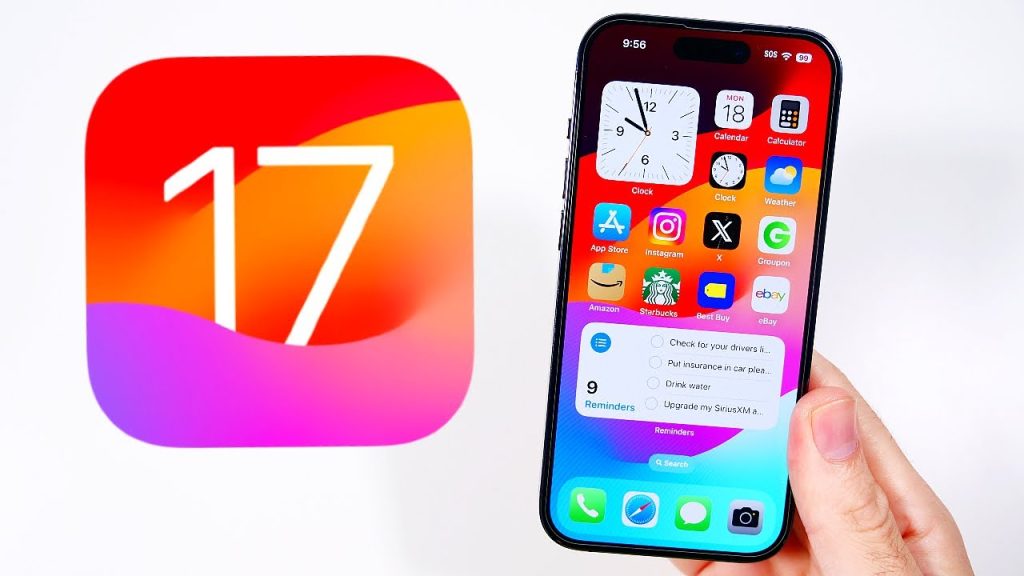
How has iOS 17 changed?
Customizable call displays are the main feature. It gives your calls a deeper level of customization. When you call, you can alter what callers see. Another recent addition is Live Voicemail, which lets you view a message’s Live Transcript.
The Messages app has undergone considerable improvements in iOS 17, which unifies all iMessage apps into a single hub. Checking in lets people know when you’ve arrived somewhere, and Swiping to reply makes it easier to respond. You can read voicemails thanks to audio message transcription, improving accessibility.
Updates are also made to stickers. For canceled FaceTime calls, you can now record voice or video messages. The communication functions in iOS 17 have been improved. In landscape mode, StandBy turns your phone into a bedside clock and provides a slideshow option. Order tracking or keeping up with real-time sports results is simple with full-screen live activities. Calling, texting, and glanceable information are given priority with iOS 17.
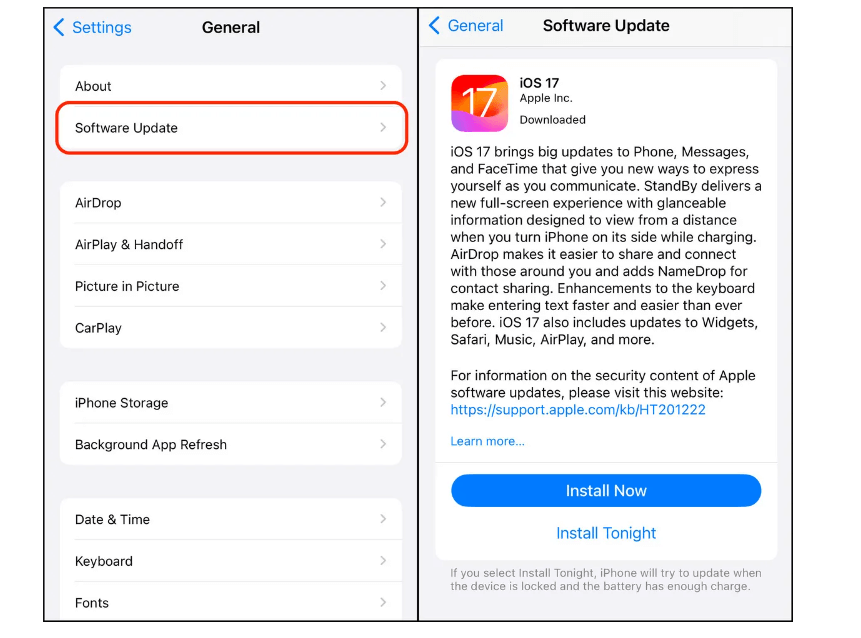
iOS 17 Issues – Problems Users Frequently Experience
It’s crucial to understand the typical problems users frequently face when looking into iOS 17 issues. The overall user experience may be hampered by these problems. For users to enjoy a seamless and satisfying user experience, the above iOS 17 issues must be fixed. Users who experience these issues can try several troubleshooting techniques and watch for official software updates from Apple to fix the issues.
iOS 17 Bugs: Understanding the Issues with Apple’s Most Recent Update
Just like any new software, Apple’s iOS 17 has a few bugs, even though it’s introduced some cool new features and improvements. It’s important to realize that these bugs can affect people differently. It’s essential to find and report these bugs so that Apple can make its software better.
The following are some iOS 17 bugs that users have found:
- Unstable Apps: While iOS updates are designed to make apps more stable, there have been incidents where apps on iOS 17 behave strangely. When attempting to complete tasks, this may include apps freezing or not functioning as they should.

- Slower Performance: The performance enhancements in iOS 17 might not be sufficient for users of older devices. Some users have observed that their devices are now slower and respond less quickly, which makes using them less enjoyable.
- Connection issues: After updating to iOS 17, some users have experienced issues with their Wi-Fi and cellular connections. This may lead to frustratingly slow or unreliable connections to the internet.
- Problems with apps: Crashes in apps are a major annoyance. Apps occasionally crash unexpectedly for some users, even after updating to iOS 17. Whatever they were doing may have been interrupted, which can be extremely bothersome.
It’s really important to notice and let Apple know about these iOS 17 bugs.
Apple has a way for users to report issues, and it’s a great way to tell them if something isn’t working right. While we wait for Apple to fix these issues, there are a few things users can try, like restarting their device, clearing out app data, updating apps, and looking for specific solutions to common problems.
In general, iOS 17 has made a lot of good changes, but it’s not perfect. To help Apple make it even better, we need to find and report the iOS17 issues and bugs we come across.
Potential bug fixes for common iOS 17 issues
iOS 17 has become a significant milestone in the rapidly changing world of technology, promising an extensive range of new features and improvements for Apple users. The seamless user experience can be hampered by problems, as with any software release. We’ll look at ways to fix iOS 17 issues, assisting users in overcoming typical problems and making the most of their Apple devices.
1. Resolving Connectivity Issues
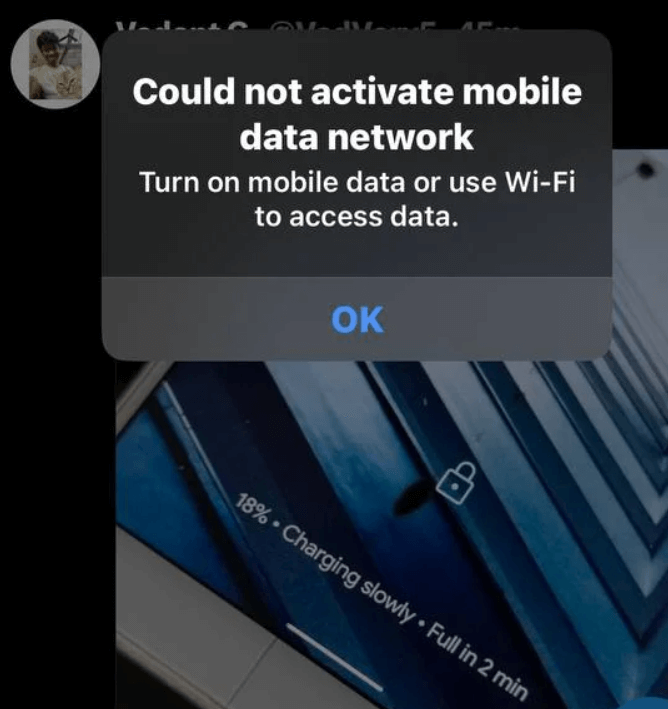
- Restart Your Device: Restarting your device can sometimes fix connectivity issues. Resetting network configurations can result in a more dependable connection.
- Check Your Router/Modem: If you’re having Wi-Fi issues, check your router or modem. Connectivity problems are frequently resolved by restarting or resetting these devices.
- Update the router’s firmware: Verify the firmware on your router is up to date. Issues with iOS 17 compatibility on newer devices can result from outdated firmware.
- Resetting network settings is an option you can access from the settings menu on your device. If connectivity problems continue, this may be useful.
2. Performance Improvement:
- Lower Visual Effects: iOS has settings to lessen transparency and motion effects. Performance can be improved by turning these off, especially on older devices.
- Manage Open Apps: Operating several apps at once can slow down your device. To clear up system resources, close any open applications.
- Optimise Storage: Freeing up storage space by deleting unused apps, pictures, and videos may improve device performance.
3. App Stabilising:
- Check for App Updates: To improve app stability on iOS 17, developers may release updates. Update your apps frequently to benefit from these fixes.
- Report App Issues: If you come across an app that behaves poorly, you might want to consider contacting the developer. They could work on a solution even if they are unaware of the problem.
4. Fixing App Crash Issues:
- Update Apps: Make sure all of your apps are current. Updates are frequently made available by developers to fix compatibility problems with new iOS versions.
- Reinstall problematic apps: If an app frequently crashes, you might want to uninstall it first and then reinstall it from the App Store. This can fix problems caused by damaged app files.
5. Tips for Generally Improving Performance:
- Reduce background activity by turning on Low Power Mode. This could enhance all-around device performance and prolong battery life.
- App Monitoring: Keep an eye on any background-running applications. Closing pointless background programs can release priceless system resources.
- Refreshing Background Apps: Adjust device settings to suit your preferences for app refresh.
Insearch of the Official iOS 17 Update
- Watch for Apple’s Official Fixes: It’s critical to wait patiently for Apple to release the official fixes for the problems with iOS 17. Apple releases updates frequently to fix bugs and glitches, giving users a more dependable and stable experience.
- Outlining Future iOS 17 Updates: Be on the lookout for notifications about forthcoming iOS 17 updates. These updates frequently include new features, performance improvements, and bug fixes. Keeping up with upcoming developments can help you foresee improvement.
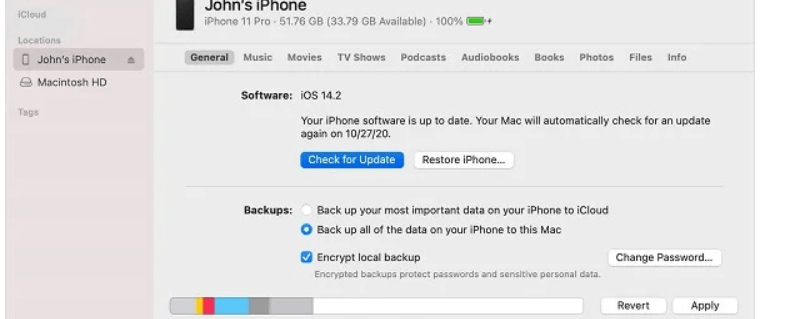
- Encourage Users to Regularly Update Their Devices: It’s critical to encourage users to update their devices regularly. In addition to improving performance, these updates make sure that security flaws are fixed. To maintain a seamless and secure iOS 17 experience, it’s a proactive measure. The current build of iOS 17.0.2 is 21A351, as opposed to the original build of iOS 17.0.2, which is 21A350. The same as before, the update’s release notes state that it resolves a problem that could “prevent transferring data straight to another iPhone during setup.
Conclusion
Users have frequently expressed concern about iOS 17 bugs and issues. The experience has been ruined by connectivity issues, performance issues, app crashes, and battery drain. However, there is hope in the form of potential solutions.
To fix iOS 17 issues, clear app caches, improve device performance, and keep an eye out for official iOS 17 updates from Apple. Users can guarantee a more seamless and enjoyable experience with iOS 17 by employing the appropriate strategies.
Author Bio:
Dinesh Lakhwani 

Dinesh Lakhwani, the entrepreneurial brain behind “TechCommuters,” achieved big things in the tech world. He started the company to make smart and user-friendly tech solutions. Thanks to his sharp thinking, focus on quality and the motto of never giving up, TechCommuters became a top player in the industry. His commitment to excellence has propelled the company to a leading position in the industry.
Popular Post
Recent Post

How to Activate Windows with a Product Key for Windows 11 & Windows 10
It always shows up at the worst time. You are halfway through a report, or about to join a video call. Then you spot it in the bottom right corner of the screen. Activate Windows. Go to Settings to activate Windows. Initially, an unactivated copy of Windows may seem like a minor inconvenience. Over time, […]

Is Easy Duplicate Finder Worth It? Honest Review
The photos folder looked normal at first glance. Then the storage warning popped up. One trip photo appeared four times. A tax PDF sat in three different folders. Two old setup files were still in Downloads, and each one was over 500 MB. Nobody plans this mess. Copies pile up slowly. A download runs twice. […]

Wise Duplicate Finder Review: Real Results from Wise Duplicate Finder
Read my honest Wise Duplicate Finder review. See features, pricing, pros and cons, and real PC test results. Find out if this free duplicate cleaner can free up your Windows storage.

How to Recover Deleted Files from Pen drive, USB Drive, SD Card
Introduction: On tech forums, you’ll often see posts like this: “I connected my pen drive to my laptop this morning, but the folder was empty. All my college project files had vanished. I don’t have a backup. Can someone help me?” Stories like this are very common. Pen drives, USB drives and SD cards are […]

How To Recover Files Deleted from the Recycle Bin [Windows 11]
Losing a file can happen in seconds. You clear your desktop, hit Delete, and empty the Recycle Bin. Then, just when you need that file again, it seems to have vanished. This guide will walk you through ways to restore files removed from the Recycle Bin. We will begin with simple fixes, then look at […]

Disk Drill Data Recovery Tool Explained: Full Review and Guide
It happens in a split second. You delete a folder by mistake. Your drive stops showing up. A photo album from your last trip just vanishes. And your stomach drops. Lost files feel personal. They are not just data. They are memories, work hours, and sometimes years of effort packed into a few gigabytes. When […]

Recover Deleted Files In Windows 11 With Software & Without
Introduction What is the first thing that goes through your mind the second an important file vanishes from a Windows 11 PC? For most people, it is a mix of panic and disbelief, followed by a frantic click through every folder that file could possibly be hiding in. It happens in a split second: one […]

EaseUS Data Recovery Wizard: Everything To Know
Data loss does not always come from a big disaster either. Most cases start small and boring. A drive gets formatted by mistake. A laptop freezes mid-save and restarts on its own. A memory card stops showing up after being pulled out too fast. None of these feel like emergencies at first, until you realize […]

Recuva Data Recovery Tool: Is it Actually Worth it?
When I first tried Recuva Data Recovery, I wanted to see if it could really bring back lost files. The tool is free, small in size, and promises quick recovery, which made me curious enough to test it on my own PC. The setup was fast, and the wizard guided me step by step. I […]

