











So, search for a pair of shoes once online. Close the tab. By evening, those same shoes are sitting on your news site, your video app, and even your recipe blog. Nobody placed them there by chance. A cookie did. Well, yes! Cookies are small files that websites place on your device while you browse. […]
YouTube Shadowban: What is it and How to Fix It
Introduction:
Content creation and social media platforms have revolutionized the way we connect, share, and engage with the world. Among these digital realms, YouTube stands tall as the titan of online video sharing, where creators from all walks of life strive to reach a global audience, express their creativity, and build thriving communities.
However, like any bustling online platform, YouTube isn’t immune to its share of challenges and controversies. One such enigmatic phenomenon that has sent waves of frustration is the “YouTube Shadowban.” But what exactly is a Shadowban? We have got you covered.
In this comprehensive blog post, we explore the depths of the YouTube Shadowban, uncovering its elusive nature and exploring the potential reasons why content creators might find themselves on the wrong side of the platform’s algorithms. We will also provide you with actionable strategies and effective solutions to lift the shadow and regain control over your channel’s visibility and reach.
What is YouTube ShadowBan?
A ShadowBan on YouTube is a sneaky tactic the platform uses to limit the visibility of a creator’s videos without them knowing. It’s not like a regular ban where your account gets suspended; instead, your videos become almost invisible to viewers. YouTube achieves this by tweaking its algorithms, making your videos not show up in searches, recommended sections, or subscribers’ feeds.
What’s even more frustrating is that YouTube doesn’t openly communicate if you’ve been shadowbanned or why it happened. Creators are left in the dark, struggling to figure out why their hard work isn’t reaching the audience it deserves.
A ShadowBan can happen for various reasons, like using flagged keywords or being suspected of breaking YouTube’s rules. Sometimes, malicious users might even try to harm a channel by getting it shadowbanned.
Why Did My Channel Get YouTube Shadowbanned?
In the electrifying realm of YouTube, where creators strive for views and connection, a shadowban can feel like a bolt from the blue. Suddenly, your videos gather dust, and your audience seems to fade away. But why does it happen?
- Flouting the Rules: Violating YouTube’s community guidelines—through offensive content, copyright issues, or spam—can trigger a shadow ban.
- Gaming the System: Artificially boosting engagement or stuffing metadata with misleading keywords can lead to invisibility.
- Content Quality Counts: Spammy, repetitive, or low-quality content dampens visibility, as YouTube aims to promote valuable viewer experiences.
- Persistent Offenses: Repeatedly breaching guidelines or accruing copyright strikes might escalate to a shadowban.
Decoding YouTube’s intricate algorithms isn’t easy, but armed with this insight, you can steer your channel out of the shadows. The journey to reclaiming your presence starts here.
Decreased Engagement? Common Causes of Shadowban!
YouTube doesn’t officially acknowledge shadowbanning, but some creators have reported experiencing reduced visibility of their content, decreased engagement, and limited distribution. However, these issues might not always be due to a deliberate action by YouTube. Common causes of reduced visibility or engagement on YouTube include:
Algorithm Changes: YouTube’s algorithm frequently evolves to improve user experience and content discovery. Changes in the algorithm can sometimes result in fluctuations in a creator’s visibility, as the platform tries to match videos with viewers’ interests.
Content Violations: If your content violates YouTube’s community guidelines, it might result in reduced visibility or even removal of your videos. Violations can range from inappropriate or offensive content to copyright infringement.
Clickbait or Misleading Thumbnails/Titles: If your videos use clickbait or misleading thumbnails and titles to attract clicks, YouTube might reduce their visibility to maintain a higher standard of user experience.
Keyword Stuffing: Overloading your video titles, descriptions, and tags with excessive keywords can be seen as an attempt to manipulate the algorithm. This might lead to reduced visibility.
Mass Flagging: If your content is mass flagged by users, YouTube’s automated systems might temporarily limit its visibility until the platform can review the flags.
Engagement Manipulation: Artificially inflating engagement metrics, such as likes, comments, and views, can trigger YouTube’s algorithms to reduce visibility. This includes using engagement pods or click farms.
Repetitive Content: If your channel consistently produces very similar or repetitive content, the algorithm might limit the distribution of such content to prevent viewer fatigue.
Unverified Information: Sharing false or unverified information, especially on sensitive topics, can lead to reduced visibility as YouTube aims to promote accurate information.
Controversial Topics: Videos discussing controversial or sensitive subjects might be subject to closer scrutiny, which could affect their visibility.
Hence, creators should focus on creating high-quality, engaging, and authentic content that adheres to YouTube’s community guidelines to maintain a positive presence on the platform. If you suspect your content is being unfairly suppressed, you can try reaching out to YouTube’s support for assistance.
How to Fix YouTube Shadowban?
If you’re experiencing reduced visibility or engagement on YouTube, there are several actions you can take to improve your situation:
#1 Verification
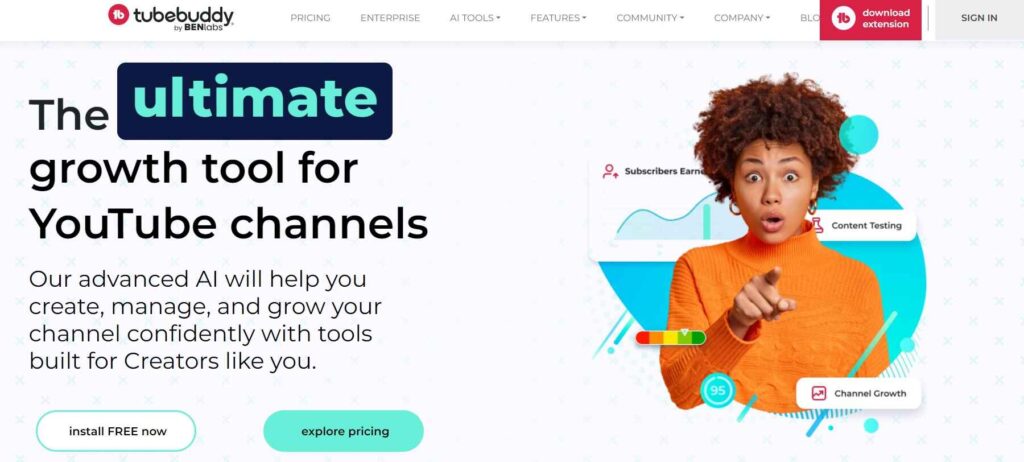
If you’re curious about whether your channel might be under a shadowban, you have the option to use tools like “Shadowban.eu” or “Tubebuddy.” These tools analyze the activity and engagement on your channel to determine if your content is facing any limitations. In case your channel is affected, these tools can offer guidance on possible solutions.
These tools dive into aspects like how your viewers are interacting with your videos, how frequently you upload, and other important factors related to your channel. If they detect any indications of a shadowban, they will provide suggestions on actions you can take to address the issue. This could involve modifying your video details, exploring different content types, or enhancing your audience engagement strategies.
#2 Review Your Content
First things first, as they say. Go through your videos to ensure they adhere to YouTube’s community guidelines. Begin by meticulously reviewing all your uploaded videos to ensure they align with YouTube’s stringent community guidelines. If you identify any content that violates these guidelines such as inappropriate material, copyright infringements, or potentially misleading information swiftly take steps to remove or modify them.
#3 Social Media Boost
If you possess fully functional social media pages, you should consider putting the word out there. Simple stories or posts about clicking the link in your bio for the new video can do wonders. If you have other channels, then you should think about cross-promoting!
Additionally, engaging with your audience in the comments section of your videos can foster a sense of community and encourage viewers to share your content. Responding to comments and asking for feedback not only boosts engagement but also demonstrates your commitment to connecting with your audience on a personal level.
#4 Keep Uploading Content: Don’t STOP
While your videos might not be receiving the usual number of views, it’s important not to hesitate when it comes to consistent video uploads. Ensure that these videos adhere to the guidelines set by YouTube’s community standards. Over time, both the platform and its users are likely to become more receptive to your content, potentially leading to the removal of any restrictions.
Furthermore, in addition to maintaining a regular uploading schedule, actively engaging with your audience can play a pivotal role in overcoming challenges such as a shadowban. Responding to comments, asking for feedback, and fostering a sense of community interaction can gradually build trust and credibility.
As you demonstrate your commitment to producing valuable content and connecting genuinely with your viewers, you create an environment that supports the eventual lifting of any limitations you might be facing.
#5 Follow YouTube Policy Guidelines
YouTube maintains a set of community guidelines that outline the rules for content creation and sharing. These guidelines cover a range of categories, including topics like harmful or risky content, copyright regulations, child safety, and more.
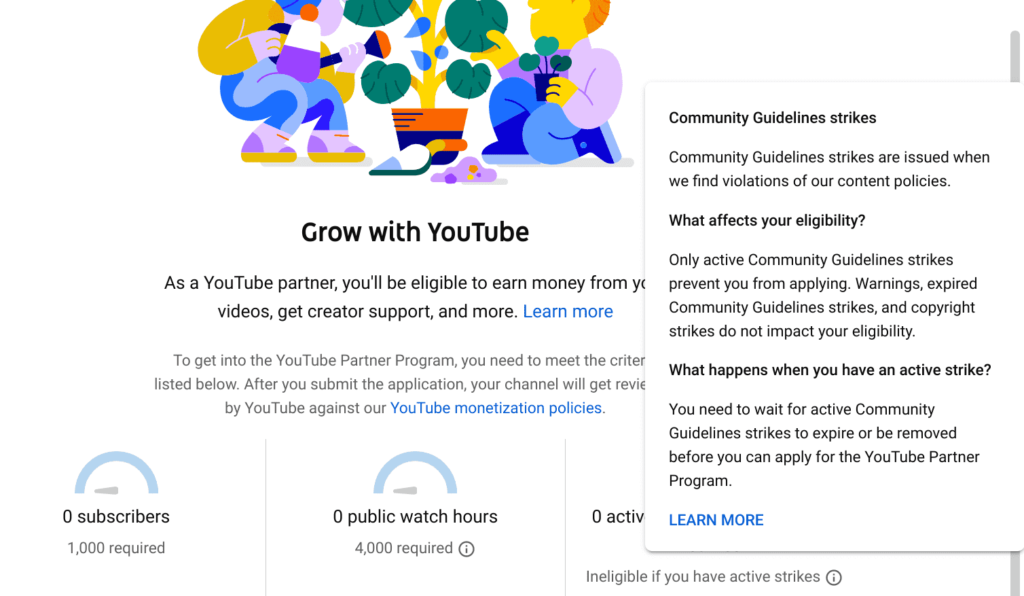
It’s essential to note that YouTube’s policy guidelines are subject to periodic updates in response to evolving needs. Therefore, staying informed about these updates is crucial. Make it a priority to regularly acquaint yourself with any changes in the guidelines. This practice ensures that your content aligns with the latest standards and helps you maintain a positive presence on the platform while avoiding potential penalties or restrictions.
#6 Report to the YouTube Support Team
If you encounter challenges or issues on the YouTube platform, one effective course of action is to report the matter to the YouTube Support Team. This team is in place to assist users with a wide range of concerns, from technical problems to content-related inquiries. Reporting to the YouTube Support Team involves navigating to the designated help or contact section on the platform.
When you report an issue to the YouTube Support Team, it’s important to provide as much relevant detail as possible. Clearly explain the nature of the problem, including any error messages or unusual behaviors you’ve observed. If the issue is related to specific content, provide URLs or titles to help the support team identify the problem accurately. The more specific and detailed your report is, the better equipped the support team will be to understand and address your concern promptly.
#7 Avoid Clickbait
When it comes to the presentation of your videos on YouTube, it’s crucial to maintain transparency and authenticity. This involves using titles, thumbnails, and descriptions that provide an accurate portrayal of the content viewers can expect. By doing so, you establish a level of trust and credibility with your audience that can significantly impact their engagement and satisfaction.
Start with crafting titles that succinctly capture the essence of your video’s topic. A well-crafted title not only helps viewers understand what they’re about to watch but also aids YouTube’s algorithm in accurately categorizing and recommending your content.
Equally important are thumbnails—the small visuals that serve as the first impression of your video. Design thumbnails that are relevant to the video’s actual content. Overly exaggerated or misleading visuals might initially attract clicks, but they can lead to viewer disappointment if the video doesn’t meet expectations.
#8 Optimize Metadata
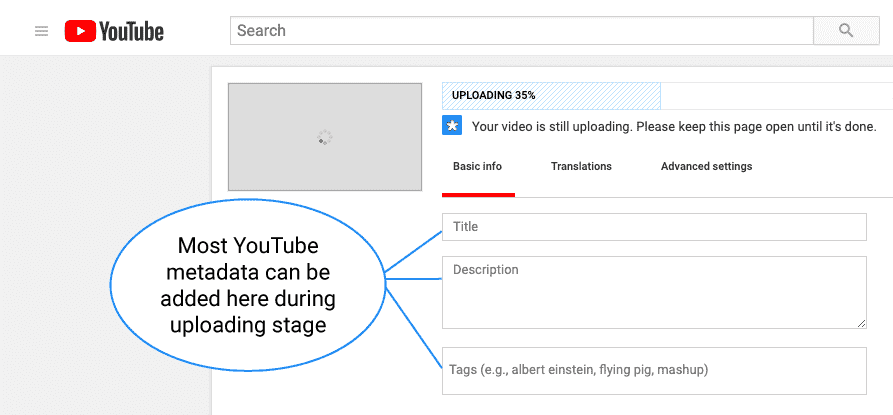
Maintaining the relevance and accuracy of your video metadata is a pivotal aspect of optimizing your content’s visibility and engagement on YouTube. This involves carefully curating your video titles, descriptions, and tags to align seamlessly with the actual substance of your video. By adhering to this practice, you create a foundation that helps viewers find your content and establishes your credibility as a content creator.
And it’s a Wrap!
In conclusion, understanding and addressing the concept of a potential YouTube shadowban can greatly impact your presence on the platform. While the term itself might not be officially recognized, the factors that contribute to reduced visibility or engagement are real.
By adhering to YouTube’s community guidelines, creating authentic and engaging content, fostering genuine audience interactions, and staying informed about platform updates, you can navigate challenges and continue to thrive on YouTube. Remember, the key lies in maintaining transparency, consistency, and a genuine connection with your audience to build a successful and sustainable presence on the platform.
FAQs:
1. How long is a YouTube shadowban?
The concept of a YouTube shadowban isn’t officially acknowledged, so there’s no set duration. However, reduced visibility might last until you address content or engagement issues affecting your channel.
2. Will Shadowban go away?
While YouTube doesn’t confirm shadowbans, addressing content violations, engagement manipulation, and following best practices can improve visibility over time.
3. How am I shadowbanned?
If your content violates guidelines, uses clickbait, or manipulates engagement, your visibility could be affected. Maintaining transparency and authenticity is key to avoiding such issues.
Author Bio:
Dinesh Lakhwani 

Dinesh Lakhwani, the entrepreneurial brain behind “TechCommuters,” achieved big things in the tech world. He started the company to make smart and user-friendly tech solutions. Thanks to his sharp thinking, focus on quality and the motto of never giving up, TechCommuters became a top player in the industry. His commitment to excellence has propelled the company to a leading position in the industry.
Popular Post
Recent Post
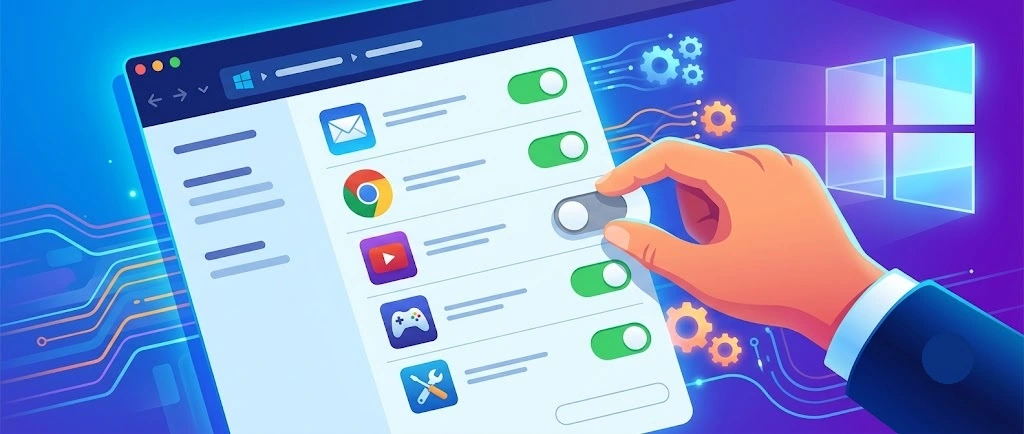
How To Disable Background Apps In Windows: 4 Quick Methods
A slow PC rarely gives a warning. One day, it simply takes longer to start. Apps open late. The fan runs loud, even when the screen is almost empty. Most people blame old hardware. Often, that is not the real reason. The real reason is hiding in plain sight. Windows keeps many apps active in […]
How to Activate Windows with a Product Key for Windows 11 & Windows 10
It always shows up at the worst time. You are halfway through a report, or about to join a video call. Then you spot it in the bottom right corner of the screen. Activate Windows. Go to Settings to activate Windows. Initially, an unactivated copy of Windows may seem like a minor inconvenience. Over time, […]
Is Easy Duplicate Finder Worth It? Honest Review
The photos folder looked normal at first glance. Then the storage warning popped up. One trip photo appeared four times. A tax PDF sat in three different folders. Two old setup files were still in Downloads, and each one was over 500 MB. Nobody plans this mess. Copies pile up slowly. A download runs twice. […]

Wise Duplicate Finder Review: Real Results from Wise Duplicate Finder
Read my honest Wise Duplicate Finder review. See features, pricing, pros and cons, and real PC test results. Find out if this free duplicate cleaner can free up your Windows storage.

How to Recover Deleted Files from Pen drive, USB Drive, SD Card
Introduction: On tech forums, you’ll often see posts like this: “I connected my pen drive to my laptop this morning, but the folder was empty. All my college project files had vanished. I don’t have a backup. Can someone help me?” Stories like this are very common. Pen drives, USB drives and SD cards are […]

How To Recover Files Deleted from the Recycle Bin [Windows 11]
Losing a file can happen in seconds. You clear your desktop, hit Delete, and empty the Recycle Bin. Then, just when you need that file again, it seems to have vanished. This guide will walk you through ways to restore files removed from the Recycle Bin. We will begin with simple fixes, then look at […]
Disk Drill Data Recovery Tool Explained: Full Review and Guide
It happens in a split second. You delete a folder by mistake. Your drive stops showing up. A photo album from your last trip just vanishes. And your stomach drops. Lost files feel personal. They are not just data. They are memories, work hours, and sometimes years of effort packed into a few gigabytes. When […]
Recover Deleted Files In Windows 11 With Software & Without
Introduction What is the first thing that goes through your mind the second an important file vanishes from a Windows 11 PC? For most people, it is a mix of panic and disbelief, followed by a frantic click through every folder that file could possibly be hiding in. It happens in a split second: one […]

EaseUS Data Recovery Wizard: Everything To Know
Data loss does not always come from a big disaster either. Most cases start small and boring. A drive gets formatted by mistake. A laptop freezes mid-save and restarts on its own. A memory card stops showing up after being pulled out too fast. None of these feel like emergencies at first, until you realize […]

