












The photos folder looked normal at first glance. Then the storage warning popped up. One trip photo appeared four times. A tax PDF sat in three different folders. Two old setup files were still in Downloads, and each one was over 500 MB. Nobody plans this mess. Copies pile up slowly. A download runs twice. […]
Bitdefender Security Tools: Top Internet Security Software
Internet Security is a prominent concerning issue for many people, especially for the business owners. Almost every one of us makes use of internet nowadays for many things. But, the internet can be really dangerous if you don’t follow proper security measures.
The last couple of years have seen many disastrous cyber attacks both on individuals and corporate. Many virus, malware, and ransomware attacks have been targeted towards digital users. These attacks usually cause data loss for the victims.
Of all these digital threats, ransomware can be labeled as one of the most dangerous ones, as it encrypts your files and demand ransom in exchange for your valuable files. To counter such malicious attacks, you must use efficient security tools.
When it comes to internet security, Bitdefender has always been a leader, helping people safeguarding their digital lives. In this article, we have reviewed Bitdefender Anti-Ransomware Tool and Bitdefender Traffic Light to help you stay safe against various online threats effectively.
Bitdefender Anti-Ransomware Tool
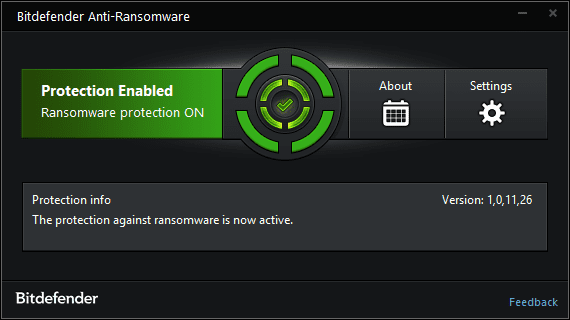
Bitdefender is offering an anti-ransomware tool for completely free of cost. This tool has been rated as one of the best security programs out there. It offers safety and security without any errors. Here’s a brief look at this tool:
Highlights
- Extremely easy to install and use.
- Offers protection against major ransomware families.
- Free of cost.
Features
This security tool offers several features that are both efficient and effective in combating several types of ransomware attacks. Have a look at the prominent features of this software:
- An efficient Anti-Ransomware technology: Ransomware attacks have wreaked havoc in the digital world in the last couple of years. Many victims have lost their sensitive and personal information due to these attacks. This tool offers a solution for you. You can secure yourself from the most dangerous ransomware threats such as Locky, Petya, CTB-Locker, and TeslaCrypt. By installing this software, you can ensure yourself that your device is protected against these attacks, eventually securing your files.
- Local Folder Monitor: Sometimes, these attacks may sneak up into your local storage and launch an attack in the background. Usually, attackers can bypass the inbuilt security mechanism of your device. But, this tool from Bitdefender can help you in such cases. This program constantly monitors your local folders and detects any type of suspicious behavior. By doing so, it ensures that nothing gets into your local storage and encrypts your files successfully.
- Cloud Storage Monitor: Cyber attackers have innovated their attacking methodologies to bypass the usual security measures. Now, they are launching ransomware attacks through cloud storage folders, which can be difficult to detect. But, this tool can save you here, as it’s capable of monitoring your cloud storage as well. This is a great feature, since many of us utilize cloud space to store confidential files. Install this program and secure your important files stored on the cloud storage.
- Lightweight yet effective: If you’re using a software that takes up a major chunk of your device’s resources, chances of your system getting crashed are high. Furthermore, such programs usually don’t work effectively due to lack of resources. This tool from Bitdefender is different here, as it’s a very lightweight application that takes a negligible portion of your computer’s resources.
Bitdefender Traffic Light
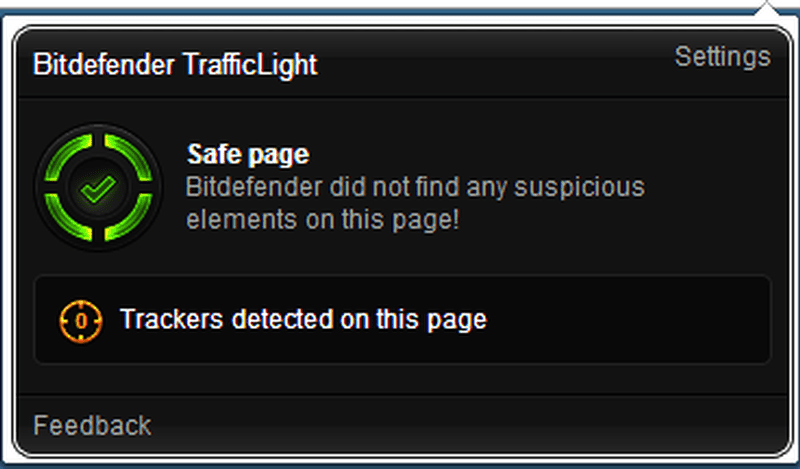
Another tool from the Bitdefender security ecosystem is Bitdefender Traffic Light, which is a browser extension. Your internet browser is the doorway to most of the cyber attacks, which is why you should be securing it without any compromises. Here’s a look at this amazing tool that offers browser security with seamless user experience.
Highlights
- Available for three major browsers which are Chrome, Firefox, and Safari.
- Completely free of cost.
- Doesn’t clutter your browser with unnecessary toolbars.
Features
We use internet browsers to surf the internet and download files. But, during these activities, many threats can secretly get into your computer without you knowing it. To help you secure your web browsing activity, Bitdefender has come up with Traffic Light. Here’s a look at the main features of this tool:
- Advanced Threat Filter: You should know that many websites disguise themselves as normal ones, but contain several threats in the background. When you surf such websites without any protection, threats like viruses and malware infect your device. Some websites even contain phishing scripts, which can hack you seamlessly. In order to protect you from such attacks, this security tool offers Advanced Threat Filter feature which scans websites for any threats and blocks them instantly.
- Tracker Detector: Majority of the websites use trackers which are downloaded onto your device the moment you open that website. These trackers are used to analyze your user behavior. Usually, these files are used by brands to assess their traffic, but many malicious websites take advantage of this phenomenon and invade your privacy through this method. To counter such things, the Tracker Detector feature of this tool constantly scans for any trackers and reports them to you.
- Search Analyzer: When you’re using search engines to find out any information you want, you automatically believe the websites that appear in the search results in most of the cases. But, not many people know that many malicious websites appear on the search engine results. Interacting with such websites may lead to catastrophic situations. To protect yourself from such instances, you should definitely enable the Search Analyzer feature of this security tool. This feature reports any type of websites that comprise of malware or fraudulent elements.
Conclusion
The above-mentioned internet security software from Bitdefender have been thoroughly tested by our team. Here, Bitdefender Anti-Ransomware and Bitdefender Traffic Light both have done an excellent job of protecting the device from malware, ransomware, and other types of threats.
These tools worked exactly as they’re supposed to. You may have already known how vulnerable your digital life is. To safeguard yourself on the internet, try installing these two tools and start using them. If you’re looking out for a complete security software, it’s better to proceed with Bitdefender Total Security program.
Author Bio:
Dinesh Lakhwani 

Dinesh Lakhwani, the entrepreneurial brain behind “TechCommuters,” achieved big things in the tech world. He started the company to make smart and user-friendly tech solutions. Thanks to his sharp thinking, focus on quality and the motto of never giving up, TechCommuters became a top player in the industry. His commitment to excellence has propelled the company to a leading position in the industry.
Popular Post
Recent Post

Wise Duplicate Finder Review: Real Results from Wise Duplicate Finder
Read my honest Wise Duplicate Finder review. See features, pricing, pros and cons, and real PC test results. Find out if this free duplicate cleaner can free up your Windows storage.

How to Recover Deleted Files from Pen drive, USB Drive, SD Card
Introduction: On tech forums, you’ll often see posts like this: “I connected my pen drive to my laptop this morning, but the folder was empty. All my college project files had vanished. I don’t have a backup. Can someone help me?” Stories like this are very common. Pen drives, USB drives and SD cards are […]

How To Recover Files Deleted from the Recycle Bin [Windows 11]
Losing a file can happen in seconds. You clear your desktop, hit Delete, and empty the Recycle Bin. Then, just when you need that file again, it seems to have vanished. This guide will walk you through ways to restore files removed from the Recycle Bin. We will begin with simple fixes, then look at […]

Disk Drill Data Recovery Tool Explained: Full Review and Guide
It happens in a split second. You delete a folder by mistake. Your drive stops showing up. A photo album from your last trip just vanishes. And your stomach drops. Lost files feel personal. They are not just data. They are memories, work hours, and sometimes years of effort packed into a few gigabytes. When […]

Recover Deleted Files In Windows 11 With Software & Without
Introduction What is the first thing that goes through your mind the second an important file vanishes from a Windows 11 PC? For most people, it is a mix of panic and disbelief, followed by a frantic click through every folder that file could possibly be hiding in. It happens in a split second: one […]

EaseUS Data Recovery Wizard: Everything To Know
Data loss does not always come from a big disaster either. Most cases start small and boring. A drive gets formatted by mistake. A laptop freezes mid-save and restarts on its own. A memory card stops showing up after being pulled out too fast. None of these feel like emergencies at first, until you realize […]

Recuva Data Recovery Tool: Is it Actually Worth it?
When I first tried Recuva Data Recovery, I wanted to see if it could really bring back lost files. The tool is free, small in size, and promises quick recovery, which made me curious enough to test it on my own PC. The setup was fast, and the wizard guided me step by step. I […]

GetData Recover My Files Data Recovery Tool: Honest Review
A hard drive error brings a special kind of silence. Well, yes! The screen freezes, then a message appears saying the drive can’t be found or must be formatted. In that moment, years of photos and work files feel at risk. It never happens at a good time. Coffee spills near a laptop, a memory […]

Windows File Recovery: A Complete Review [Tried & Tested]
Imagine this. You spend hours perfecting a video project. You hit save. Then your laptop freezes, reboots, and when the screen comes back. The file is gone. Your stomach sinks. It’s not just you. Lost files happen all the time. A dropped hard drive, a bad update, an accidental delete, or a corrupted partition can […]

