











A slow computer makes it hard to focus. Programs take too long to open. Free space keeps shrinking until the disk is almost full. This happens to most PC owners at some point. Even new machines can slow down after a while. That is the exact problem cleanup tools are built to solve. They comb […]
Surfshark VPN Review: How Does it Fare as a Top VPN Service Provider?
Introduction
Nowadays, practically everyone utilizes various digital platforms for their requirements, personal or professional reasons. They have accounts on different websites, browse through various information online, communicate, and even shop. However, while new features like account syncing and digital payment gateways improve user experience, security is a concern.
Indeed, without proper encryption protection, others like ISPs or cybercriminals can access and read your data, track online activity, etc. For the best protection here, using an A-grade software like Surfshark VPN is extremely useful. Let’s discuss why in this full review.
Brief Overview of Surfshark
Surfshark is one of the best VPN services available online for users to try for comprehensive support with online privacy and security. Users can expect multiple levels of security help with this software that suitably hides the IP addresses and encrypts all data transfers.
You can change the IP address of your device to any location to maintain your online activities without the app, site, ISP, or external hackers tracking your moves. Plus, with this VPN service, you can access content from different countries on your device due to its geo-restriction surpassing ability.
1. Pros of Surfshark
- Robust privacy and security support.
- An unlimited number of connections simultaneously.
- Supports different types of devices and operating systems.
- High internet speed guarantee.
- Strong encryption protection.
- WireGuard compatibility for improved performance.
- Multiple add-on services for users to activate.
- Smooth customer support 24×7.
- Speedy torrenting and streaming with connections to various global servers.
2. Con of Surfshark
- Not accessible in all locations.
- Less dedicated VPN protocols compared to others.
- Some servers do not pick up at high speed.
Basic Specifications of Surfshark
In the context of using the Surfshark software on your device, there is different information that you should know in terms of software specifications. The main points to note about this program are listed for an easier overview.
- Compatibility: computer systems (macOS, Windows, Linux), mobile devices (Android, iOS), Game consoles (PlayStation, Xbox), Smart TV connections (Apple TV, FireTV), and browsers (Mozilla Firefox, Google Chrome)
- Trial: Available for 7 days
- Price: Monthly plan- USD 12.95 per month, 1-year plan (in 12 months)- USD 3.99 per month, 2-year plan (in 24 months)- USD 2.39 per month
- Total number of devices supported: Unlimited
- Kill Switch support: Available
- Dedicated IP/Static Support: Yes
- P2P functionality: Available
- Split Tunnelling: Yes
- DNS Leak Protection: Yes
- Supported VPN protocols: WireGuard, OpenVPN, IKEv2 (select OS types)
Full Review of Surfshark
Surfshark assures high-level functionality for all users with online protection in various aspects. Let’s discuss some of the most notable features the software offers.
1. The user interface is simple to handle
One of the best things that Surfshark VPN users find commendable is the smooth user interface of the software. Whether you are using it in the native desktop or mobile app version, the interface is simple to navigate from the installation phase.
Users must press the Connect button on the home page, and the software will automatically search for available, strong server connections in different global locations. At this point, users can access the Locations section and change to another spot.
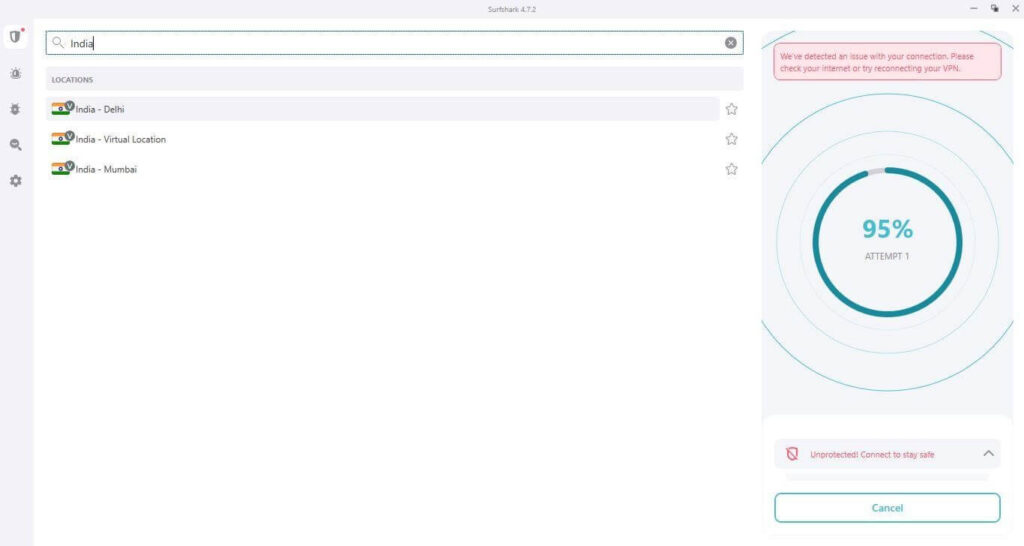
For example, if you are living in Austria and want to access content normally available to Australian citizens, click on the VPN server closest to your preferred location, like Brisbane. Then, you will see all content that the server location allows to its users.
2. Diverse VPN protocols for usage
Surfshark offers superior-level VPN protocols for creating VPN connections, like WireGuard and OpenVPN. Both of these protocols assure a high-quality user experience for all users with their open-source quality. The connection to these technologies allows Surfshark users to browser through different online content on different devices without issues.
The WireGuard protocols assure fast performance and work alongside the OpenVPN protocol on iOS, Android, Linux, Windows, and macOS devices. Mobile app users and Mac users also get IKEv2 protocol support.
3. Geo-restricted content is easier to access
The Surfshark VPN is one of the most user-friendly VPN options, given that it has a wide range of server location support for connections. It is compatible with different streaming service providers like Netflix, Hulu, and BBC iPlayer. Overall, it allows users to easily get geo-blocked content through the app with the Smart DNS feature.
The app supports servers in different locations, like France, Australia, Japan, the United States, the United Kingdom, Canada, India, Austria, and more. Regarding the geo-restricted apps, Surfshark users can access content from different locations for the app.
For example, users can access content from 14 Netflix-supported locations all in one connected device using Surfshark.
4. Activate the advanced split tunneling feature
Surfshark provides users with the split tunneling feature named as Whitelister. You can easily access this section and divert some of the online traffic through the ISP and VPN via specific solutions. To explain, users can select which of the services, apps, and websites they want to encrypt.
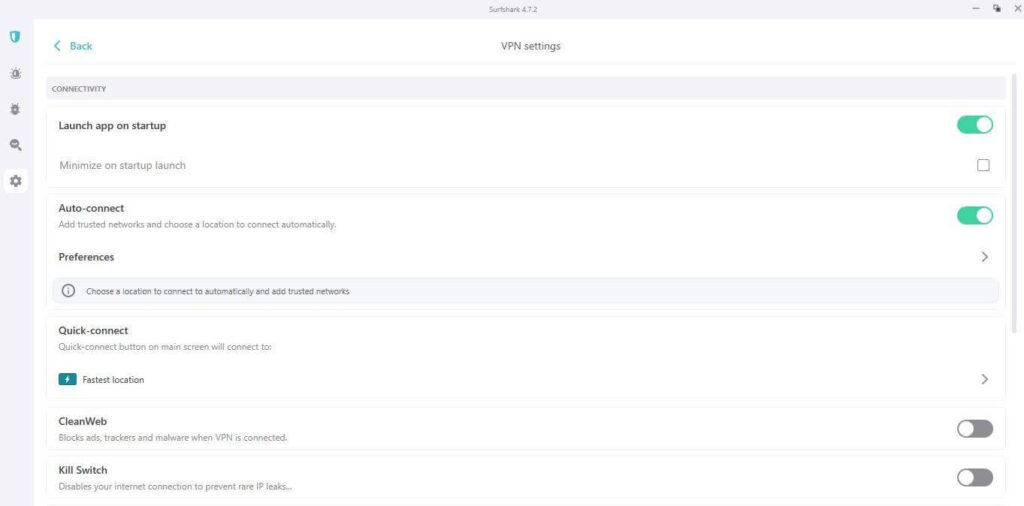
Enabling this feature allows users to avoid connecting and disconnecting the VPN connection multiple times. This is useful for managing which devices and websites run with continuous internet support and will connect automatically.
5. Multihop functionality
One of the most well-liked Surfshark VPN features for all software users is the MutliHop feature. You can activate a secondary VPN server in other countries from this app section.
While using Surfshark, you can activate a secondary location under the MultiHop tab to add another security layer to your browsing experience. So, ideally, even if hackers track your IP address even with the VPN active, the second VPN server will further confuse the actual location.
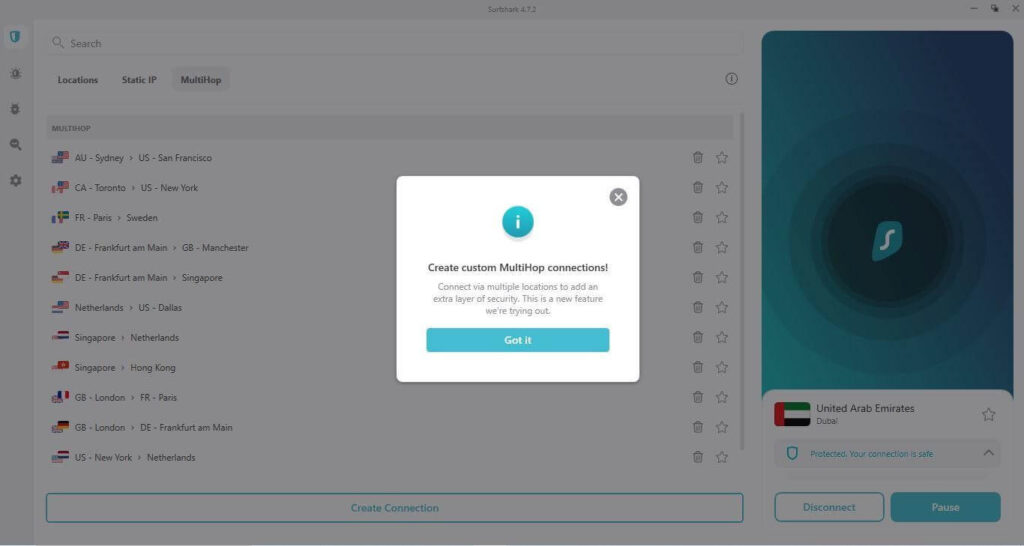
The internet speed is higher with this connection as well.
6. Get No-Logs Policy Support
One of the best qualities of the Surfshark app is that it follows a no-log policy. This means that all users can safely continue using the software without it recording any customer data.
The software algorithms store no information about the bandwidth used, the browsing content, sites the user connected to, payment information one adds, or the connection n time. On the other hand, Surfshark only collects the bare minimum data necessary for account management and overall web analytics, that too with assured security.
The three supported protocols for VPN-based encryptions, i.e., IKEv2, WireGuard, and OpenVPN, assure the no-logs recording benefit. They also help with speedier connections and hide tracking ability easily.
7. Unique features for location tracking are available
With Surfshark, users get access to different features that are native to this platform only. These include advanced functions like NoBorder Mode or Camouflage Mode from the Advanced Settings section.
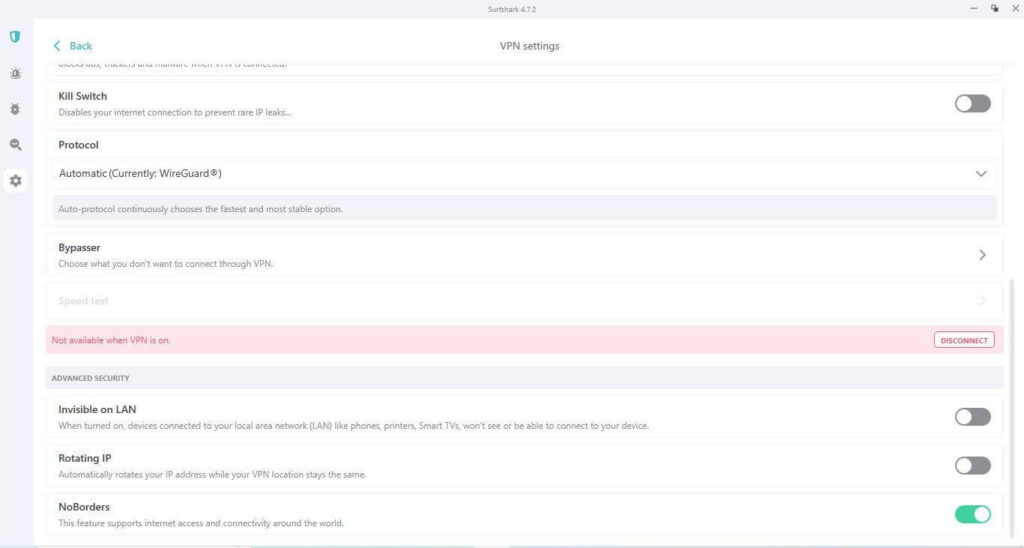
The NoBorder feature operates with obfuscation functionality. Activating this feature allows users to access content in geo-restricted locations with heavy censorship, like China. On the other hand, the Camouflage Mode allows users to fully hide the IP address from ISP for an optimized private browsing experience.
8. Strong Customer Support
Surfshark users can expect high-quality customer care support with the software, which is a major benefit for all. In this app, online guides are available under the basic troubleshooting solutions. For more technical support, a 24×7 live chat function is available. Also, users can send queries via email and get relatively fast responses.
9. Superior searching abilities with additional tools
Surfshark VPN users can activate additional tools from Surfshark with their package and better user experience. For example, the advanced Clean Web support protects users from phishing attempts and malware attacks. Plus, features like Surfshark Search and Surfshark Alert are also available for an improved online searching experience.
With Surfshark Search, users can smoothly search for diverse types of content online without leaving any logs or ads. As for Surfshark Alert, it tracks all emails the users send and tracks when they appear in the leaked databases. Immediately, the software sends alerts to the Surfshark user when it happens.
How to use Surfshark VPN?
To actively utilize the Surfshark VPN app, users must follow these steps for their protected online usage needs.
Step 1: Download the Surfshark VPN from the main downloads page on the official website.
Step 2: Follow all installation steps and then launch the app.
Step 3: Sign into the software or create a new account.
Step 4: A list of different servers will appear on the homepage. Choose your preferred option and tap on Connect.
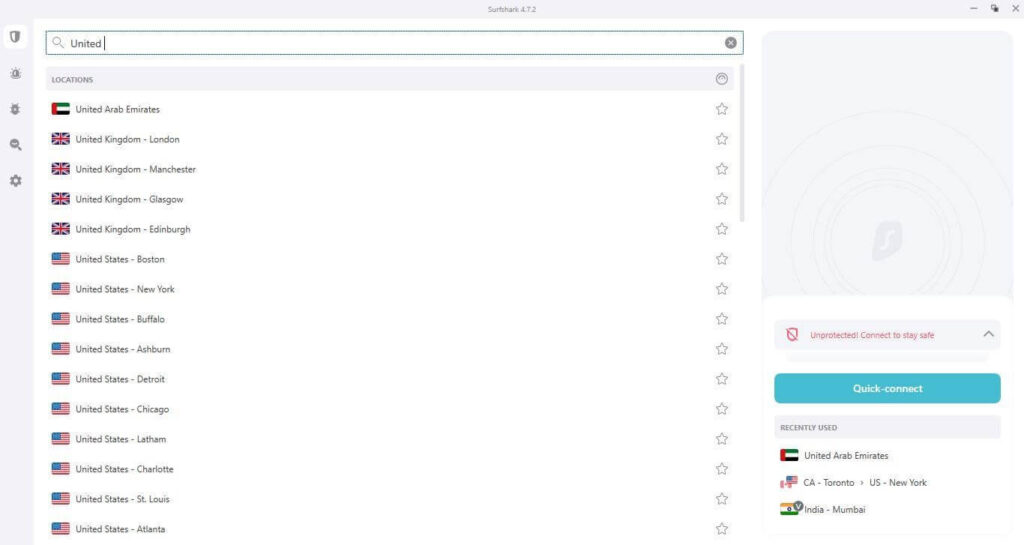
Step 5: After the server is connected, search for content or stream media on supported devices. Make app-related customizations, like password change, viewing mode (Dark/Light), etc., from the Settings tab.
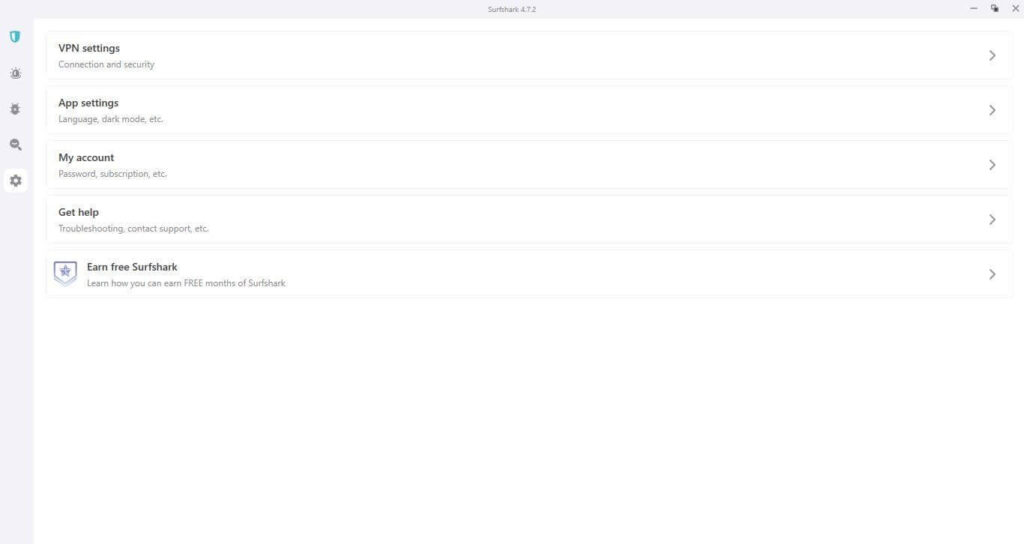
Step 6: On the homepage, click on another server with a strong connection if you want to access content from another location.
Step 7: Press Disconnect after you are done using it.
Final Words
To summarize, Surfshark is one of the best apps available for optimal-level VPN functionality, with multiple VPN protocols and omnichannel access. You can choose your preferred paid plan and activate all the superior-level features available with simple steps. Get the best browsing experience in speed, safety, and performance.
Author Bio:
Dinesh Lakhwani 

Dinesh Lakhwani, the entrepreneurial brain behind “TechCommuters,” achieved big things in the tech world. He started the company to make smart and user-friendly tech solutions. Thanks to his sharp thinking, focus on quality and the motto of never giving up, TechCommuters became a top player in the industry. His commitment to excellence has propelled the company to a leading position in the industry.
Popular Post
Recent Post

Fortect Software Review: The Ultimate PC & Mobile Cleaning, Optimization & Security Tool
Slow computers are a common problem for almost every Windows user. Well, yes! Over time, your PC picks up junk files. These files sit quietly in the background. They take up space and slow things down. Programs open slower. Windows takes longer to boot. Even simple tasks like opening a folder can feel sluggish. There […]
CCleaner PC Optimizer Review: A Complete Guide for Windows Users
If your computer has started to feel slow, you are not alone. Most Windows PCs slow down over time. Junk files pile up. The registry gets messy. Too many apps open when you start your PC. All this adds up and makes even a good machine feel tired. This is where a PC cleaner tool […]
Auslogics Duplicate File Finder: Full Review and User Guide
A computer quietly gathers clutter over time. This includes duplicate photos, repeated downloads, and forgotten backups hiding in random folders. This buildup slowly eats away at storage and can make even a fast PC feel sluggish. Manually finding and deleting duplicates is tedious. It means checking every folder, comparing file names, and guessing which copies […]
CCleaner Duplicate File Finder: Key Features, Pricing, Step-by-Step Guide and More
Every computer collects junk over time. Right? Well, yes! Photos often get copied twice. Documents get saved in two folders by mistake. Old downloads pile up and never get deleted. This slowly eats up your storage space, and most people do not even notice until their drive is almost full. That is where a duplicate […]
Duplicate File Finder Pro: A Complete Review, Everything You Should Know
Computers collect thousands of files over time. Well, yes! Many of them end up being duplicates created by backups, downloads, or accidental copies. These extra files take up valuable storage space and make it harder to keep everything organized. Finding and removing them manually can take hours. Right? Duplicate File Finder Pro is a tool […]
Top 3 Duplicate File Finder for Windows 11 & Windows 10
If your PC storage keeps filling up even after you delete big files, duplicate files could be the real reason. Most of us save the same photo twice, download a document more than once, or copy a whole folder by mistake. Over months and years, these duplicate files pile up quietly. You do not even […]
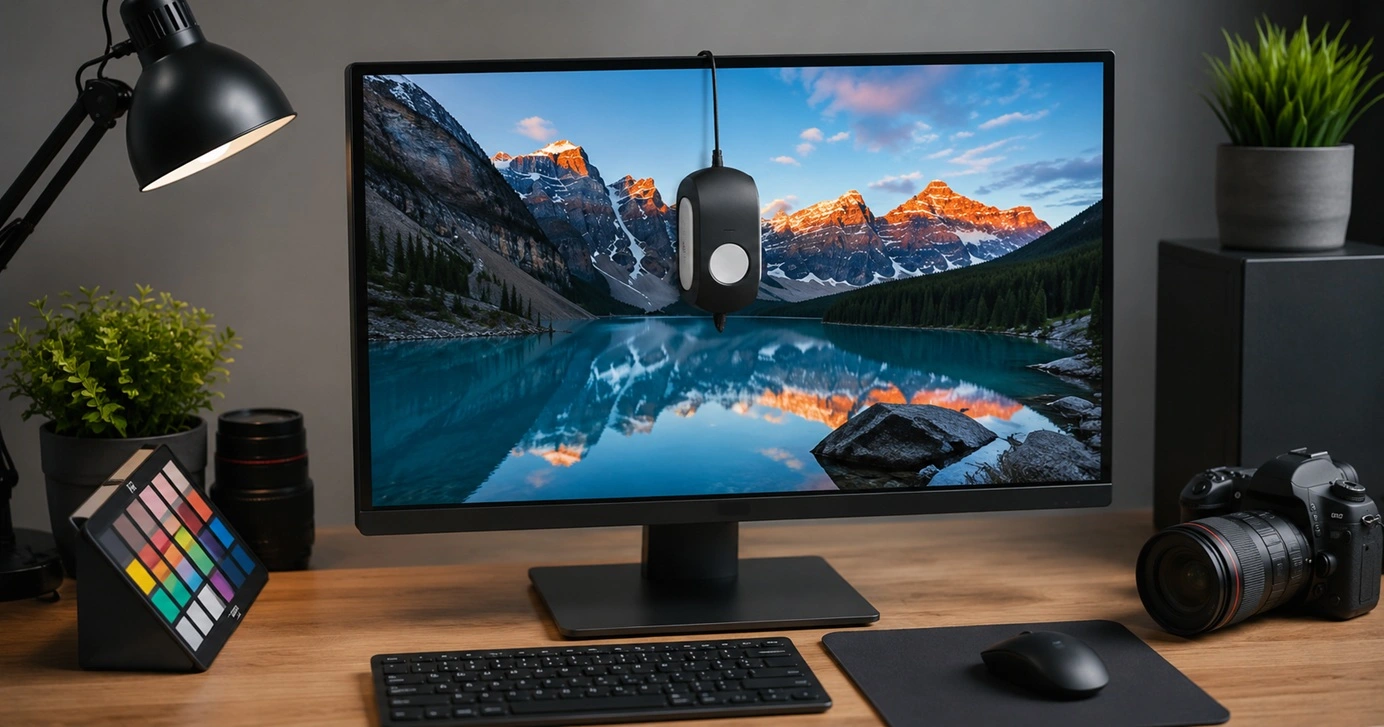
Monitor Screen Calibration Guide: Everything You Should Know
Your monitor shows colors every single day. But are those colors actually correct? Most people never stop to check this. They just use the screen as it comes out of the box. This habit can lead to wrong colors in photos, videos, and work files. Colors may look too warm or too cold without you […]
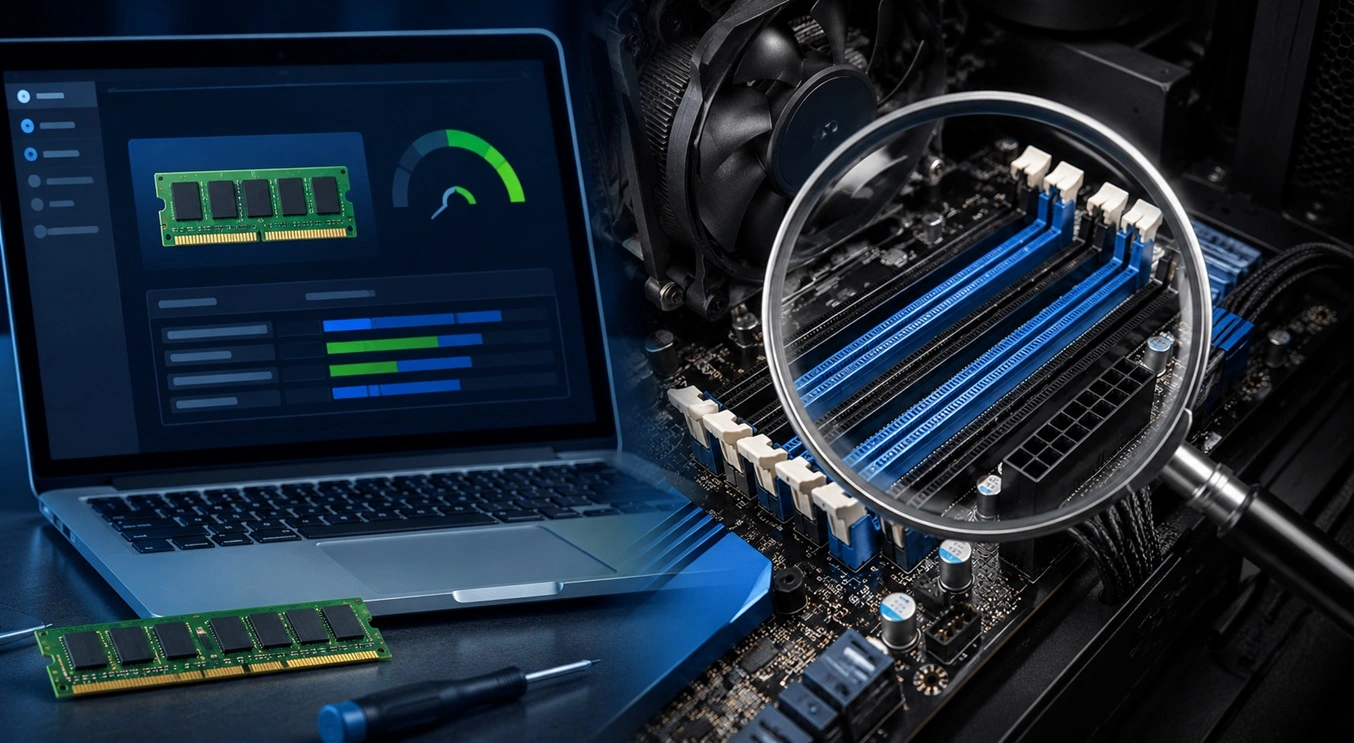
How To Check Installed RAM and RAM Slots [Complete Guide]
RAM plays an important role in how smoothly a computer runs. Short for Random Access Memory, it stores the data and instructions that Windows and active applications need at any given moment. From opening multiple browser tabs to running games and productivity software, RAM helps keep everything responsive. A system with limited memory may experience […]
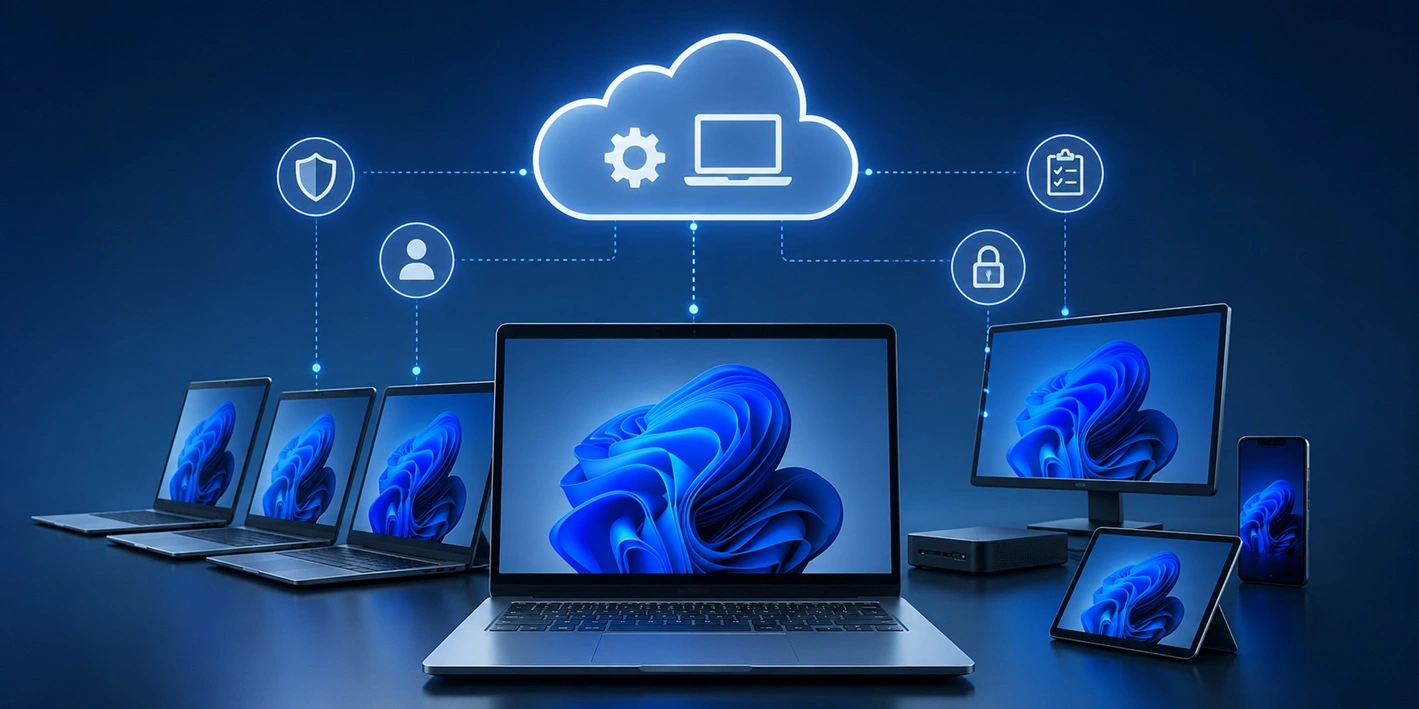
What is Microsoft Autopilot Everything You Need To Know
Technology has changed the way companies manage computers. Well, yes! Employees now work from offices, homes, and remote locations. Setting up devices manually for every worker takes time and effort. It can also create mistakes that slow down productivity. This is where Microsoft Autopilot becomes useful. It helps businesses prepare and deploy Windows devices with […]

