












The photos folder looked normal at first glance. Then the storage warning popped up. One trip photo appeared four times. A tax PDF sat in three different folders. Two old setup files were still in Downloads, and each one was over 500 MB. Nobody plans this mess. Copies pile up slowly. A download runs twice. […]
NordLayer – Best Way to Safeguard your Network
A simple network protection tool with SaaS Security, Threat prevention & secure remote access.
Today businesses require more than a simple security solution & a VPN certainly helps in that. However, it lacks protection and security for clients’ remote workforces. This is why the need for the software that helps build modern secure remote access solutions is felt. Luckily, we have a solution for that, and it is known as NordLayer.
This post will explain all about this tool and why it is the go-to solution for your network solution needs.
What is NordLayer?
Formerly known as NordVPN Teams, NordLayer is a powerful VPN-based network access security solution that businesses of all sizes, from startups to large organizations, can use. The tool can be used as a business VPN manager; this means each individual will no longer have to handle their VPN configurations on their level.
With the help of NordLayer, they can maintain them from an online dashboard & can add new users with just a few clicks. This grants access to NordLayer’s high-quality VPN, including 30+ worldwide locations, powerful AES-256 encryption, built-in malware-blocking, kill switch, & an auto-connect feature guaranteeing the internet connection is secure.
To use NordLayer, you can either enter the username and password or can take benefit from the Single Sign-On (SSO) via Google, OneLogin, Azure, and Okta. It even supports two-factor verification (through SMS and email codes) for additional security.
Furthermore, enterprise users can implement robust Zero Trust & SASE-friendly technologies to safeguard network access.
Benefits of NordLayer
Allows launching dedicated servers, giving users the capability to create their private gateway.
Can divide users into teams providing each gateway, guaranteeing they have access to only their services.
IP allow-listing for protection.
Intelligent Distant Access to secure communication between any devices linked to the service.
Features:
- Network Access Control (IP Whitelisting)
- Biometric authentication
- Dedicated servers / Static IP functionality
- Single Sign-On (SSO) with Azure AD, OneLogin, Okta & G Suite
- Two-factor authentication (2FA) — for additional layered security
- Next-gen site-to-site tunneling
- Network Traffic Monitoring
- Threat-block malware protection (including DNS filtering)
- DDoS Protection
- Batch Permissions & Access
- Multi-User
| Pros | Cons |
| Simple to use user interface | Restricted central management |
| 2-factor authentication, biometrics, and SSO is provided | No monitoring available |
| Helps in creating custom gateways for each team | Only 33 countries in the list. |
| Dedicated IP and kill switch |
Pricing
$9 per user monthly if paid in advance
$7 annually.
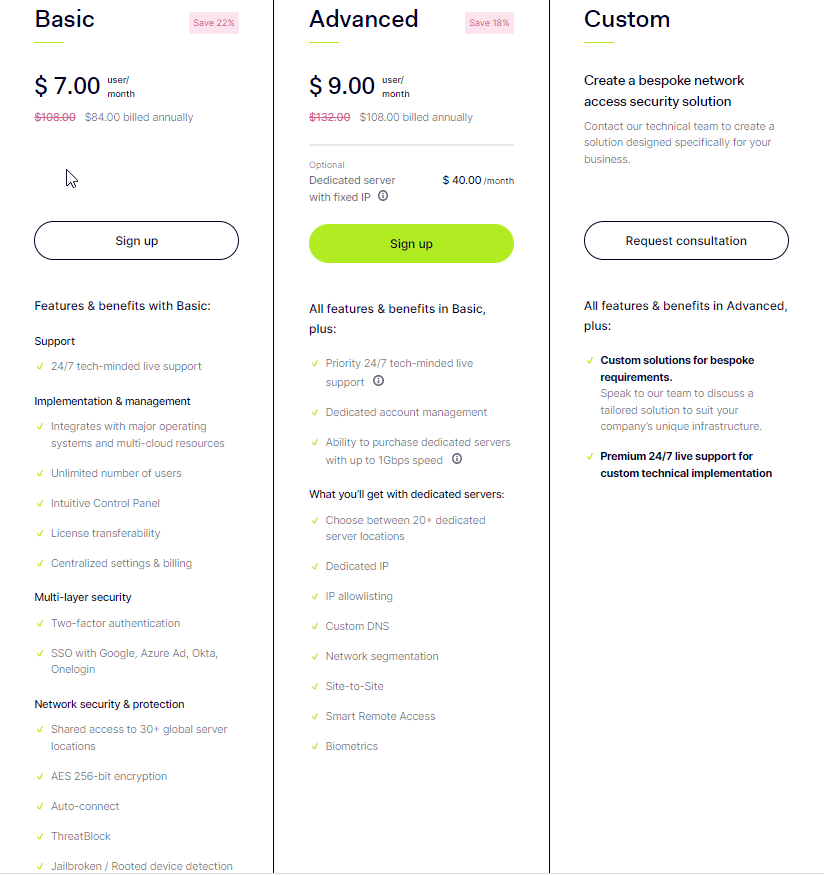
The price at which NordLayer is offered is fair and transparent. There are just two options available. NordLayer Basic comes with a comprehensive VPN, live support 24 hours a day, a central dashboard and administration tools, two-factor authentication, and single sign-on (SSO). It costs $9 per user monthly if paid in advance and $7 annually.
NordLayer Advanced includes priority support and specialized account management. Biometrics support adds another layer of security, while dedicated servers (for $40-$50 a month) offer dedicated IPs, IP allow-listing, site-to-site features, Smart Remote Access, and other features. It costs $11 per user monthly or $9 yearly.
There are no hidden charges; start with one user and add as many as required. NordLayer has a reasonable mid-range price; the billing is neatly centralized. You receive only one invoice, regardless of how many subscribers you have.
Licenses are also transferable, so you can quickly transfer the ownership to another.
Web-based dashboard
The online dashboard makes NordLayer the best; with its help, you can add members, manage your network, and keep track of everything that’s going on. Just enter your email addresses into a text field and click a button to send invites to staff.
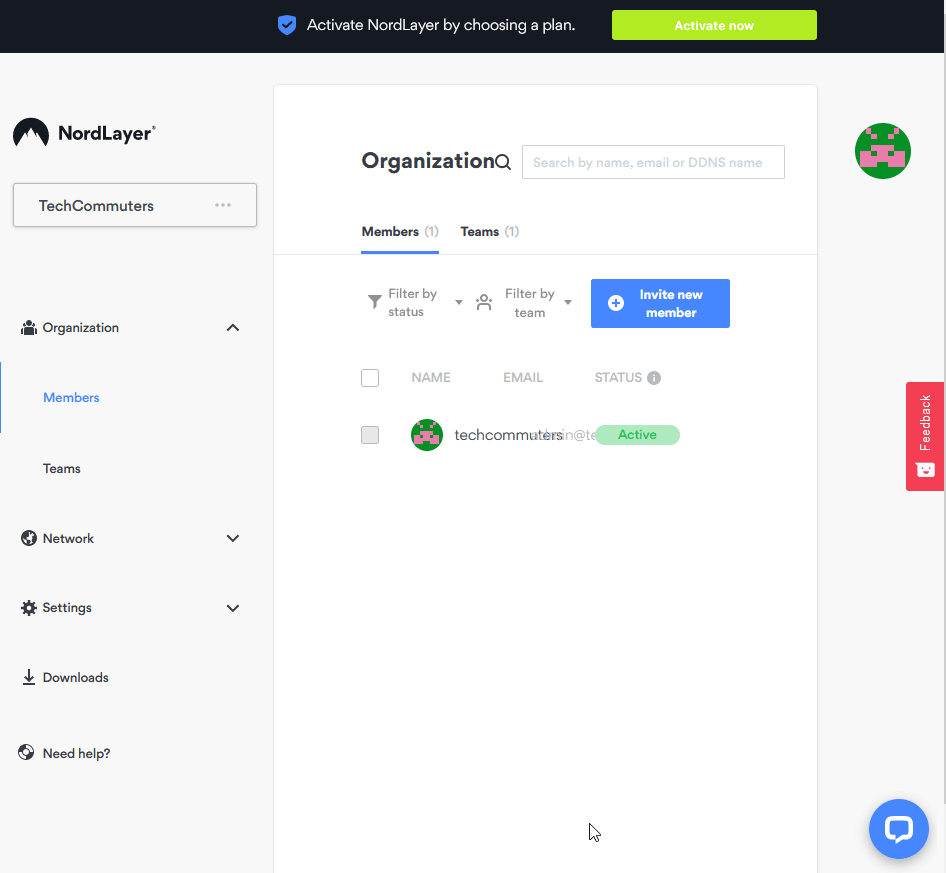
Teams can be used as a permissions system. However, if you have the Advanced plan, you can create custom gates, allocate dedicated servers, and select which teams have access to what.
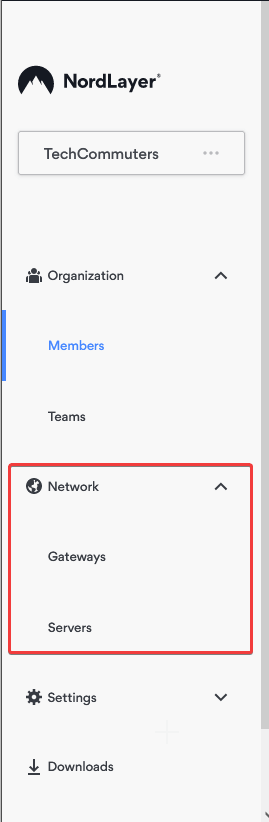
People with a NordLayer Basic account can’t accomplish nearly as much. They only get limited to a few options: login method (email and password, Google, Azure, Okta, or OneLogin), two-factor authentication enforcement, biometric logins, automatic updates, and NordLayer’s ThreatBlock, its built-in malware-blocking system (which looks similar to NordVPN’s CyberSec underneath).
Apps
Although NordLayer uses the same technology as NordVPN, it offers its applications. These are simple, focusing on the essentials, thus reducing the need for training and assistance.
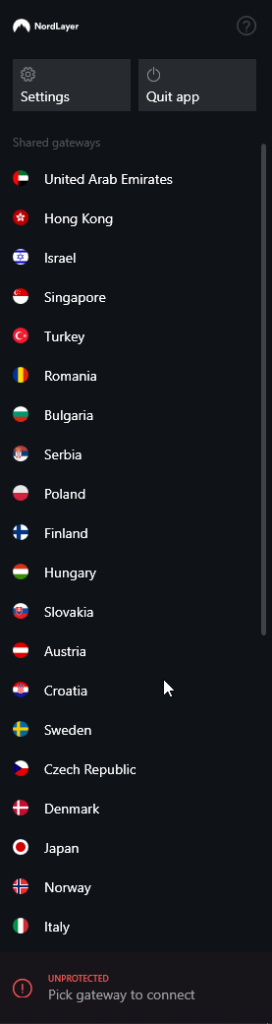
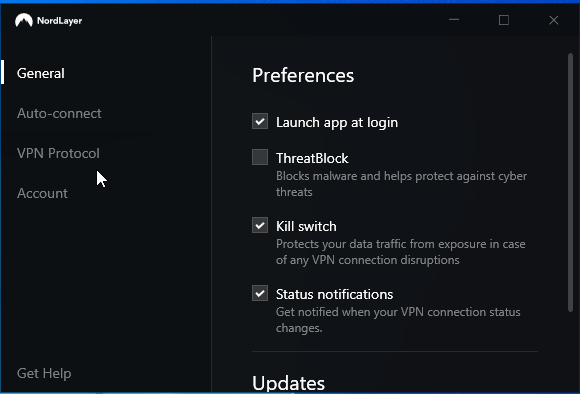
The Windows app is quite simple to use as it consists of a sidebar with a list of countries (or any custom gateways you’ve put up) and Settings and Quit App buttons. The software automatically launches at Windows startup, and the kill switch is switched on by default, thanks to well-chosen settings.
You may also enable the app to connect automatically when you reach untrusted Wi-Fi networks or access any other networks you define.
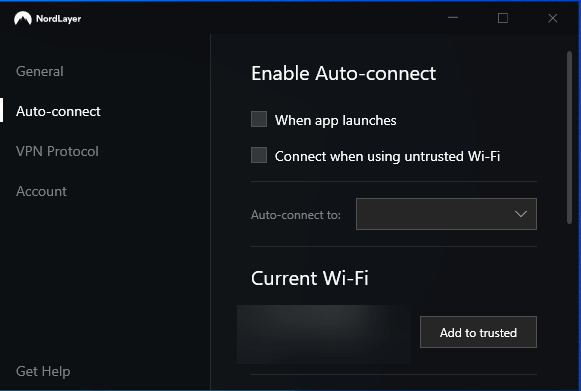
You can also choose between IKEv2, OpenVPN UDP, or TCP as a VPN protocol. Unfortunately, Nord Security’s own WireGuard-based NordLynx isn’t yet supported, so that speeds won’t be as fast as NordVPN. But, it’ll be implemented soon.
Performance
Although unblocking streaming services isn’t a top focus for NordLayer; it still works well.
Support
If you have any issues with the service, NordLayer support is available to assist you.
The online knowledge base is the first point of contact, which is relatively basic. Still, it covers the critical setup and troubleshooting concerns: installation on multiple systems, brief explanations of a few options, how to enhance VPN performance reliability, and handling a few other frequent difficulties.
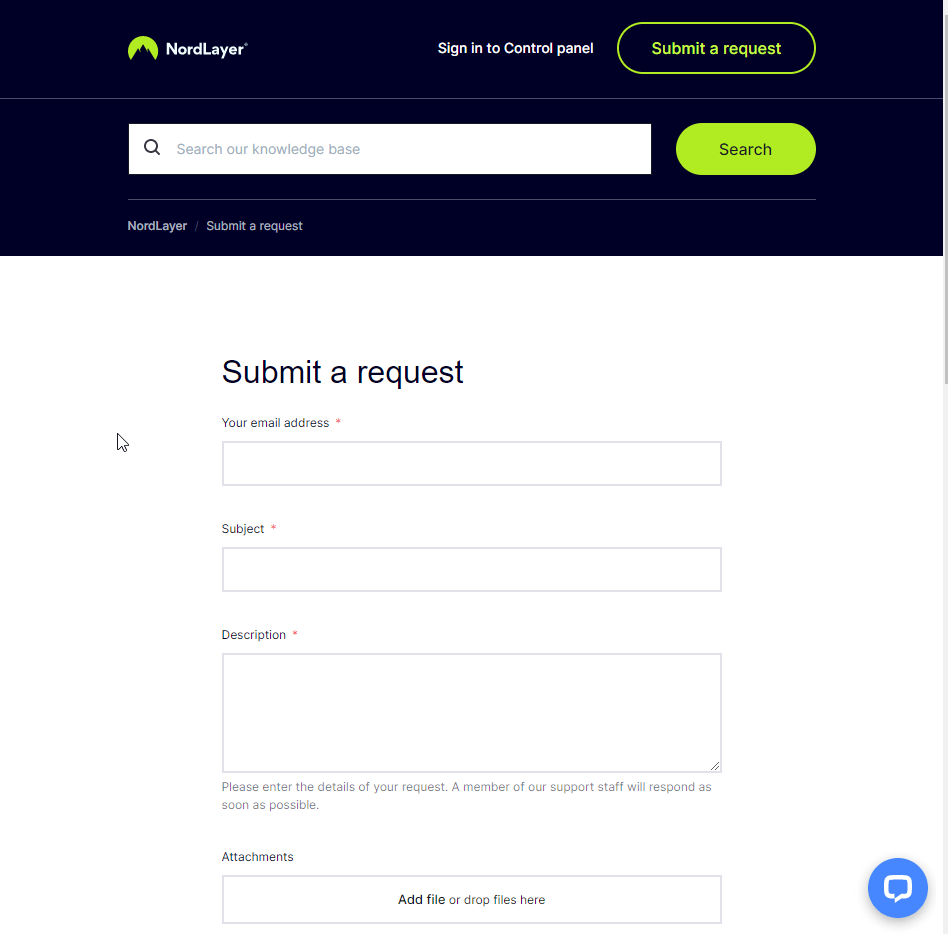
Fortunately, NordLayer’s customer service is always available. When you tap the Help icon in the app, you’ll be sent to a screen where you may ask a question, describe a problem, or explain your situation in general. You may also write an email, and the website offers live chat.
The verdict
NordLayer is an easy-to-use service with high-quality but straightforward tools that make securing team member access to your networks and the internet a breeze. However, it lacks the top competitors’ power, management, and monitoring capabilities, so test the service thoroughly before enrolling your entire firm.
Author Bio:
Dinesh Lakhwani 

Dinesh Lakhwani, the entrepreneurial brain behind “TechCommuters,” achieved big things in the tech world. He started the company to make smart and user-friendly tech solutions. Thanks to his sharp thinking, focus on quality and the motto of never giving up, TechCommuters became a top player in the industry. His commitment to excellence has propelled the company to a leading position in the industry.
Popular Post
Recent Post

Wise Duplicate Finder Review: Real Results from Wise Duplicate Finder
Read my honest Wise Duplicate Finder review. See features, pricing, pros and cons, and real PC test results. Find out if this free duplicate cleaner can free up your Windows storage.

How to Recover Deleted Files from Pen drive, USB Drive, SD Card
Introduction: On tech forums, you’ll often see posts like this: “I connected my pen drive to my laptop this morning, but the folder was empty. All my college project files had vanished. I don’t have a backup. Can someone help me?” Stories like this are very common. Pen drives, USB drives and SD cards are […]

How To Recover Files Deleted from the Recycle Bin [Windows 11]
Losing a file can happen in seconds. You clear your desktop, hit Delete, and empty the Recycle Bin. Then, just when you need that file again, it seems to have vanished. This guide will walk you through ways to restore files removed from the Recycle Bin. We will begin with simple fixes, then look at […]

Disk Drill Data Recovery Tool Explained: Full Review and Guide
It happens in a split second. You delete a folder by mistake. Your drive stops showing up. A photo album from your last trip just vanishes. And your stomach drops. Lost files feel personal. They are not just data. They are memories, work hours, and sometimes years of effort packed into a few gigabytes. When […]

Recover Deleted Files In Windows 11 With Software & Without
Introduction What is the first thing that goes through your mind the second an important file vanishes from a Windows 11 PC? For most people, it is a mix of panic and disbelief, followed by a frantic click through every folder that file could possibly be hiding in. It happens in a split second: one […]

EaseUS Data Recovery Wizard: Everything To Know
Data loss does not always come from a big disaster either. Most cases start small and boring. A drive gets formatted by mistake. A laptop freezes mid-save and restarts on its own. A memory card stops showing up after being pulled out too fast. None of these feel like emergencies at first, until you realize […]

Recuva Data Recovery Tool: Is it Actually Worth it?
When I first tried Recuva Data Recovery, I wanted to see if it could really bring back lost files. The tool is free, small in size, and promises quick recovery, which made me curious enough to test it on my own PC. The setup was fast, and the wizard guided me step by step. I […]

GetData Recover My Files Data Recovery Tool: Honest Review
A hard drive error brings a special kind of silence. Well, yes! The screen freezes, then a message appears saying the drive can’t be found or must be formatted. In that moment, years of photos and work files feel at risk. It never happens at a good time. Coffee spills near a laptop, a memory […]

Windows File Recovery: A Complete Review [Tried & Tested]
Imagine this. You spend hours perfecting a video project. You hit save. Then your laptop freezes, reboots, and when the screen comes back. The file is gone. Your stomach sinks. It’s not just you. Lost files happen all the time. A dropped hard drive, a bad update, an accidental delete, or a corrupted partition can […]

