Top 10 Best Tools for Network Monitoring in 2026

Last updated on December 26th, 2025 at 2:24 am
Introduction
Most people globally use the internet to access various online content and services. One can find content types, apps, and other resources from other global regions easily, but a bad network condition can cause access and protection problems during online services.
Alternatively, you can use software like MacAfee Advanced for high-quality VPN support to 5 license-holders, identity monitoring, and protection score. Or, you can directly use the best network monitoring software to cohesively monitor and maintain multiple network connections like routers and servers. These tools can troubleshoot performance errors, improve security, and monitor network connection strength.
The following are the top software types for this work that are available, listed here for your perusal.
Best Tools for Networking Monitoring to Use
Indeed, multiple types of software, apps, and tools are present, made by different tech providers that offer substantial network protection benefits. After carefully trying them out, we made a list of the best network monitoring software. Here is our review of each option you can trust.
1. SolarWinds Network Performance Monitor
If you are looking for a good network monitoring software for multi-vendor-based work, this network performance monitoring software from SolarWinds is highly useful. You can expect deep visibility into the connections and environments directly through the network insights you get.
The software works with a wide variety of devices and network-based connections, making it a comprehensive enterprise-level tool to use.
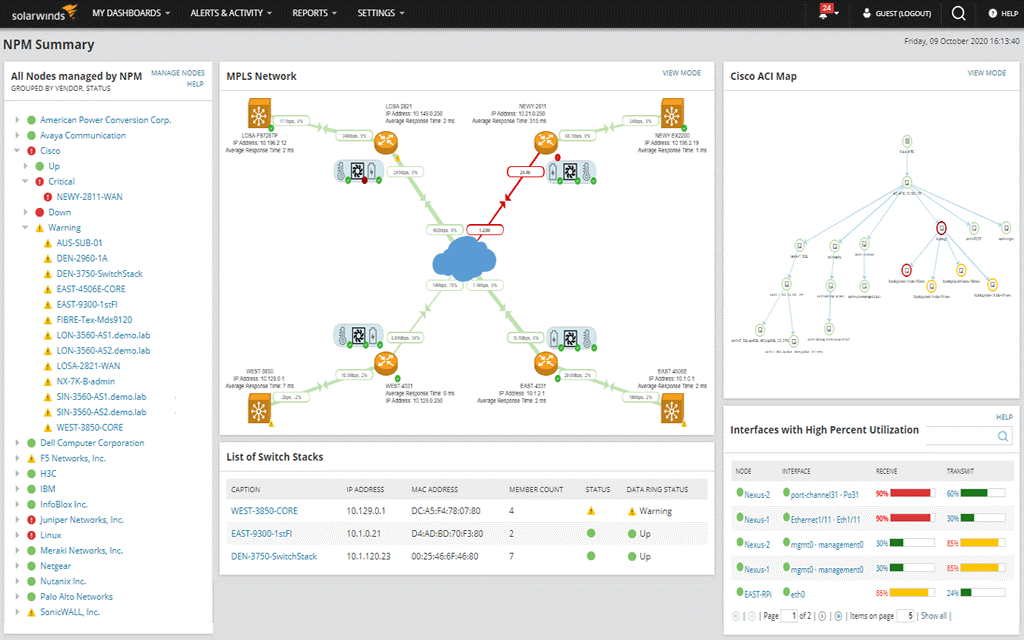
Compatible Devices: Diverse devices, applications, vendors, and network endpoints, like the internet and intranet.
Price: Starts at around USD 1,638 or quote-based. Subscriptions for licenses are available in 1/3/5 year options.
Features:
- Get advanced-quality notifications on real-time network-based activities.
- PerfStack and NetPath support for troubleshooting work.
- Smart adaptation into a large and secure environment.
- Intelligent map support is available.
Pros:
- Expect agile and productive network connections and solutions.
- Strong service level management.
- Get insights on issues and carry out resolutions quickly.
Cons:
- The price of availing of this full-fledged software is extremely high.
- You must renew the perpetual plan after the first year to continue getting maintenance/support benefits.
2. Atera
Atera is one of the best-known remote monitoring and management or RMM software options. It is useful for keeping a constant lookout on the condition of various network devices and connections.
With this software, you can manage logs and patches between endpoints and check cloud-based services well.
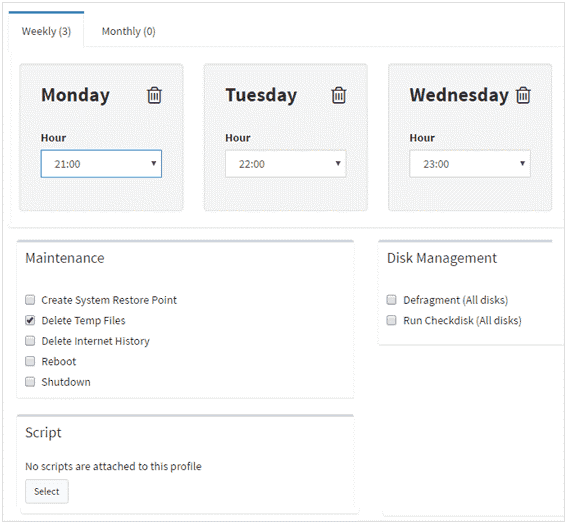
Compatible Devices: Many network-based devices like servers, switches, firewalls, etc., and diverse OS-centric system endpoints.
Price: Pro- USD 79, Growth- USD 119, Power- USD 149 (all plans are monthly-based payments)
Features:
- The widescale suite is full of tools for remote maintenance for easier service management.
- Run a full-scale scan of the system and easily check new updates.
- Patch management for Java, Adobe, Driver, Windows, and other installation updates.
- Get rea-time analysis statements on SQL server, IP monitoring, Network connections, etc.
Pros:
- Each of the plans is available with a free trial first.
- Get API support of 400-700 RPM.
- Patch and remote management functions are available for all users.
Cons:
- The cost of all plans is high for hiring a personalized technician; it is not best for startups.
- Pay extra for add-on services with technicians.
3. Datadog
Datadog is another high-quality and best network monitoring software that assures robust security monitoring approaches for network connections. You can expect useful cloud and on-premises services for cloud management for detailed background analysis of the network connections.
Get proper insights into your network’s traffic flow via software or hardware-based services.
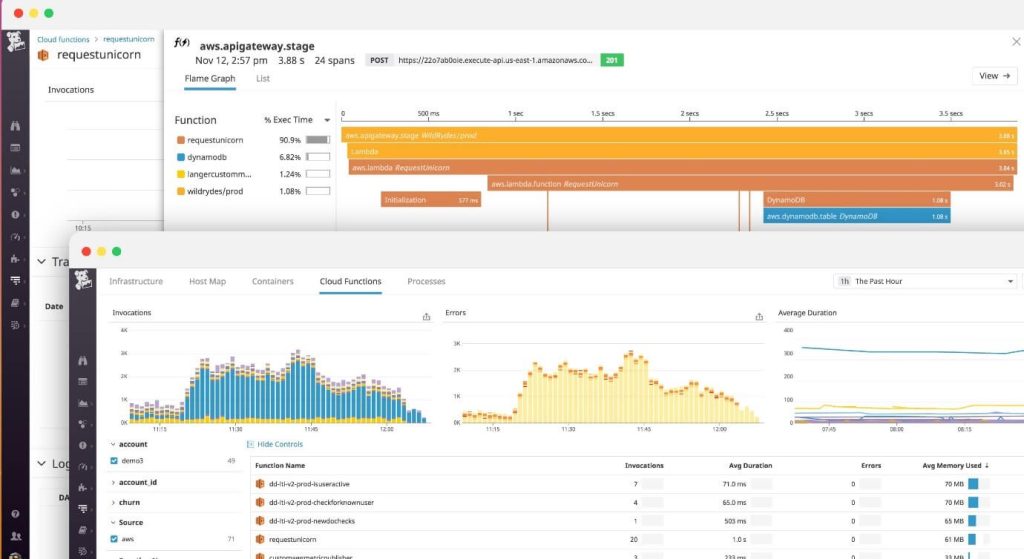
Compatible Devices: Check hardware and software for network-based devices like routers, switches, firewalls, etc.
Price: Free trial first and then USD 5 per month- Network Performance Monitoring, USD 7 per month- Network Device Monitoring.
Features:
- Monitor network performance via a cloud infrastructure, on-premise, or hybrid services.
- Get mapping support for network traffic.
- Detailed traffic aggregation analysis and reports.
- Get realistic utilization and bandwidth visualization for the interface, fan, disk, and other hardware health.
Pros:
- Get technical support in email and chat formats.
- Inclusive community forums for information and online documents are available.
- Get customizable detailed reports on your network devices.
Cons:
- You can get infrastructure tags (automated) only when combining your plan with other options.
- Transferring to APM, Infrastructure, or Logs Management is not simple if you only get Network Monitoring-based plans.
4. Obkio
Obkio is the best networking monitoring software to monitor a wide range of SNMP and network-based devices, focusing on their usage details. This software is useful for getting information about the network traffic and fixing issues noticeable via the VoIP, LAN, Firewall, WAN, and UC networks.
Using this, you can find and solve errors with functional troubleshooting features and get smart event-based notifications on factors like latency, packet loss, or jitter.
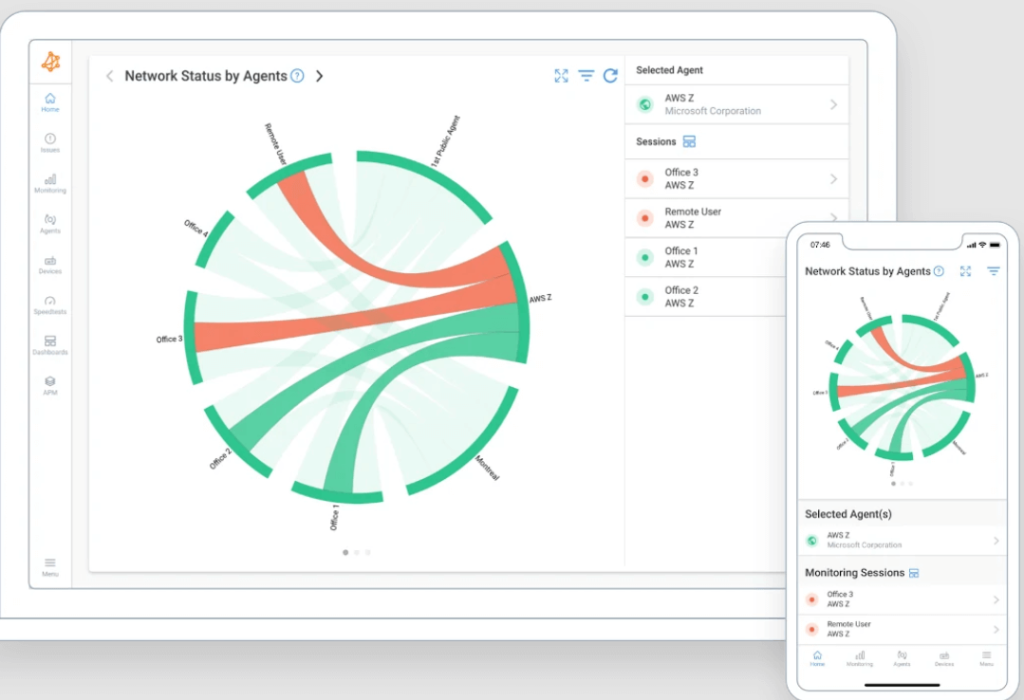
Compatible Devices: Know the network conditions of devices like firewalls, switches, routers, bandwidth, and CPU.
Price: Free, Basic- USD 399/month, Premium- USD 699, Enterprise- USD 1,199+/month.
Features:
- 24×7 measurement of the VoIP quality via MOS Score.
- Detect packet reordering, packet duplicate, and DSCP mismatch easily.
- Understand baseline performance on the dynamic thresholds to understand the historical performance details.
- End-to-end networking monitoring of points like packet loss, latency, etc.
Pros:
- Measure the quality of experience constantly.
- Easy to start with some clicks.
- Access to cloud-centric monitoring agents with easy access like AWS and Google Cloud.
Cons:
- You have to pay additionally to add extra users and agents to the paid plans.
- Live chat and email support are not available for free users.
5. Auvik
Auvik is one of the best network monitoring and management tools for cloud-based optimization. The interface and dashboard here are well-organized, and it is a powerful software to find information about network details easily.
All of the information is real-time-based and accurate due to the software’s modern analytical tech stack.
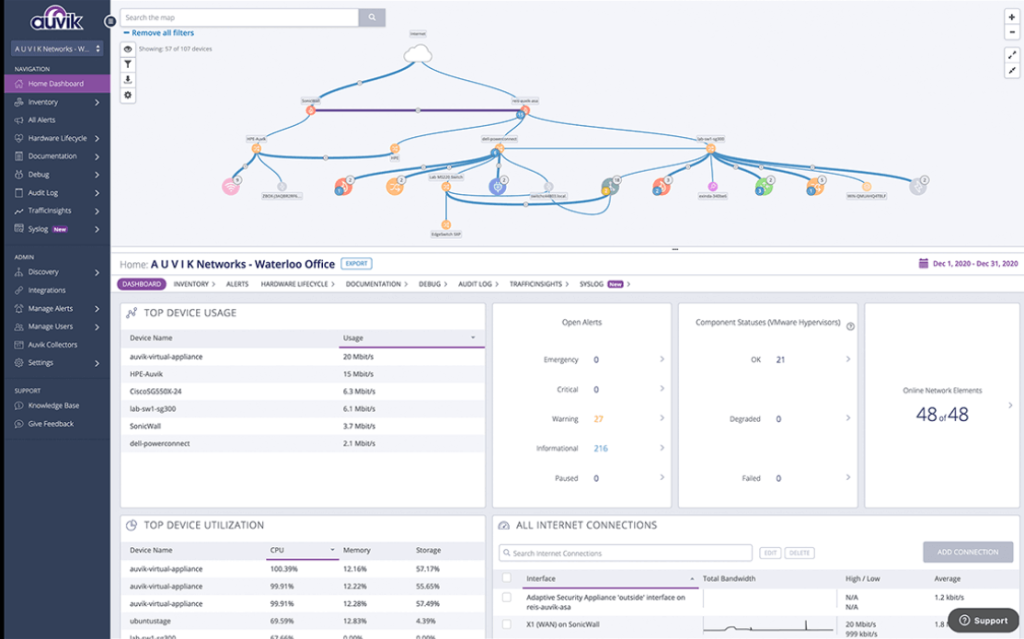
Compatible Devices: Multiple managed services and network-based devices like firewalls, servers, etc.
Price: Both Essentials and Performance plans require customized quotes.
Features:
- Get accurate insights into bandwidth usage details related to the main source addresses, conversations, destination addresses, and ports.
- Unified dashboard for managing diverse device and connection endpoints.
- Supports NetFlow v9, IPFIX, NetFlow v5, sFlow, and more.
- Get detailed information like historical statistics and alert history.
Pros:
- Easily check the users and connections taking up most of the bandwidth.
- Strong privacy and security support are available, like audit logs and 2FA support.
- In-built TrafficInsights™ feature analyses usage metrics of the distributed network.
Cons:
- Essentials plan users do not get a unified list of troubleshooting benefits.
- Geo IP Tracking is available for Performance-based users only.
6. AppNeta
The performance management software of AppNeta is useful for IT teams to check the end-user experiences of their customer case globally carefully. It connects and gets real-time details about traffic across the cloud, applications, and noticeable networks.
The platform takes a four-dimensional approach in the context of network monitoring and utilizes various technological tools for the work.
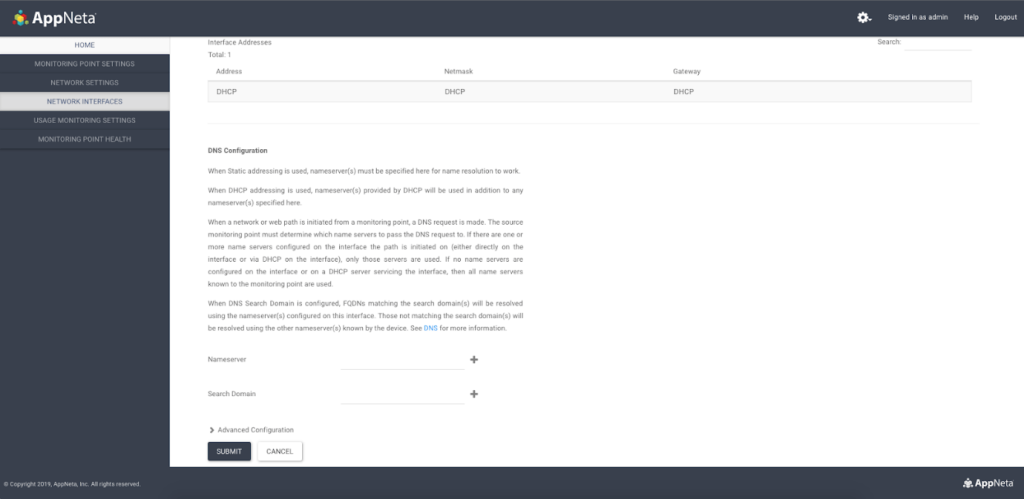
Compatible Devices: It can monitor LAN, WAN, DNS, VoIP/UC, and WiFi networks, among others.
Price: Quote-based pricing for companies.
Features:
- Get raw network packet data for finding critical root issues via remote locations.
- Conduct end-to-end assessment of network performance, availability, and performance consistently.
- Check end-user experience in real-time.
- Expect proactive synthetic transaction-based monitoring for web app/SaaS problem prevention.
Pros:
- Easily detect and record which apps are currently active across the distributed network of the user.
- Opt for a live demo for the various services.
- Check the performance of cloud-based apps securely.
Cons:
- You may come across unauthorized and unchecked third-party links that may be unsafe.
- It collects a lot of personal data you add as per privacy policies.
7. Accedian Skylight Interceptor
This is another top tool, especially with the Skylight Interceptor NDR technology support, focusing on strong networking management and monitoring. You can use this software to manage enterprise networks, applications, and the cloud through one platform and check their performance and actions.
Get the best services like real-time decoding support for application support and network flow monitoring, to name a few.
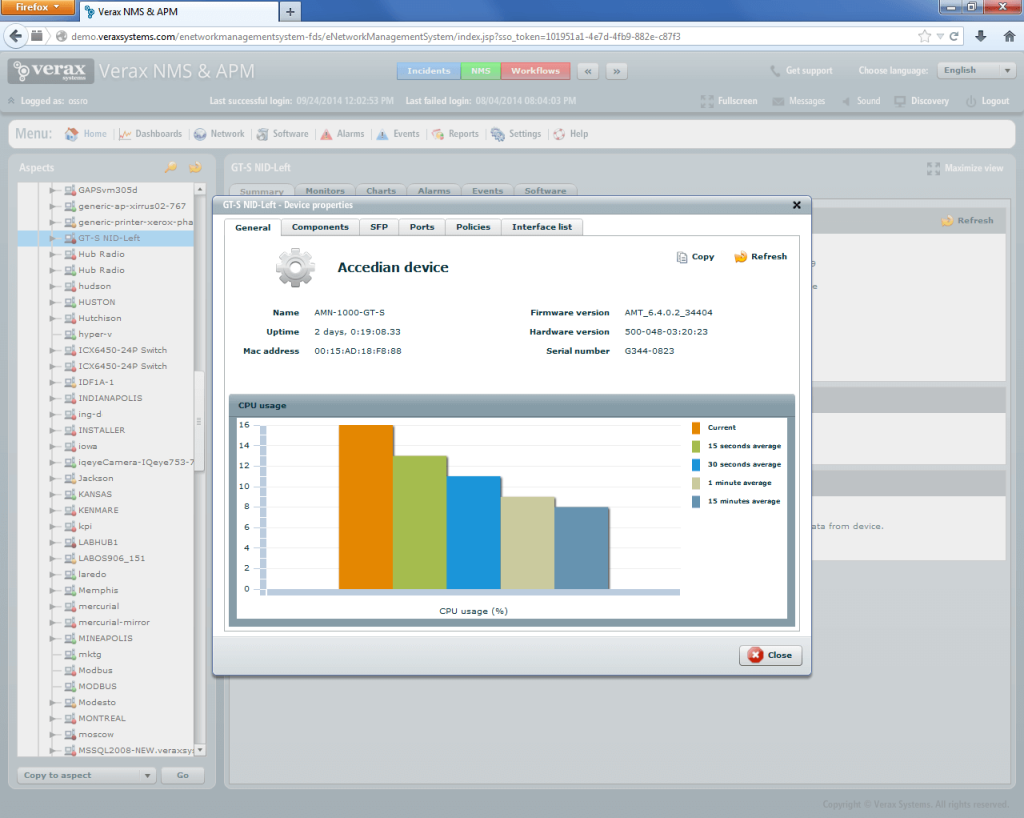
Compatible Devices: Overall network endpoints and services Mac, Windows, and Linux, plus specialized network connections, like WiFi, LAN, etc.
Price: Discussion with experts first to get quoted price.
Features:
- Correlate the events/alerts into incidents for easier analysis.
- Use MITRE ATT&CK-based models to get malicious cyberattack notifications.
- Assess and plan actionable solutions for root cause problem fixing.
- Utilize the NDR AI tech to detect any suspicious security attacks or behaviors.
Pros:
- It collects and preserves network performance, error, and access data.
- Maintain the data quality based on storage, collection, and identity.
- Rectify and close any security gaps.
Cons:
- Email support is the main type of initial communication support.
- Complex to understand for non-technical new users.
8. Whatsup Gold
With Whatsup Gold, companies can carefully keep a strong lookout on your networks and applications, studying all related details like activities and logs. You can check the performance of Apache web servers, Linux Systems, Windows endpoints, and Microsoft apps, to name a few.
Moreover, users of this comprehensive tool for network management and monitoring can get cloud-based control and visibility. Also, easily study bandwidth consumption details for applications, servers, and networks.
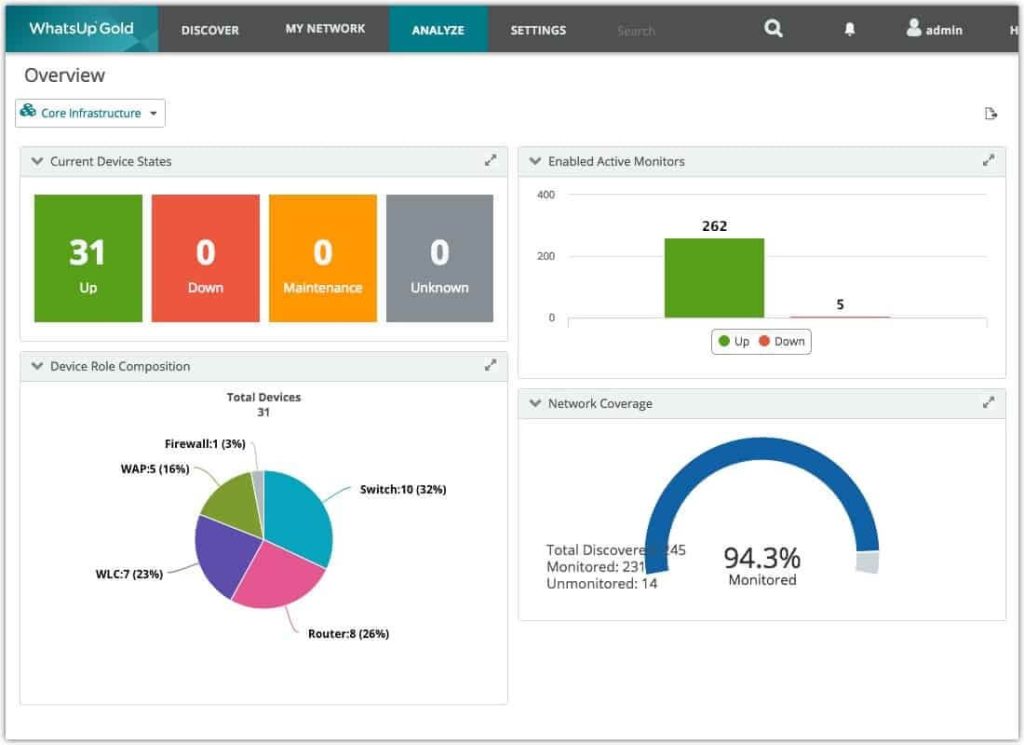
Compatible Devices: Routers, Servers, Switches, APs, WLCs, Firewalls, Logs, etc.
Price: Free, Premium (Perpetual/Annual Plan) + Total Plus- Cost based on quote.
Features:
- Visualize and check the performance quality of wireless networks.
- Assess network performance and fix errors before impact.
- VMware/Hyper-V environments are visible to users.
- Access to cloud-based resources like Azure and AWS elements.
Pros:
- You can automatically switch to one backup system from the primary instance if it fails.
- Use Configuration management add-on module to automate change management and configuration for network-based devices.
- Get detailed information on logs and usage information of all connected devices.
Cons:
- High-quality functions like virtualization monitoring are available as add-ons.
- Not many languages are supported in terms of variety.
9. Domotz
Domotz is one of the best network monitoring software that runs via cloud integration. It collects accurate insights into the performance metrics and activities across particular networks.
Notably, you would get complete knowledge of the real-time information about the automated attributes and devices you manage. From data management to troubleshooting, the platform here provides many benefits to users with network management.
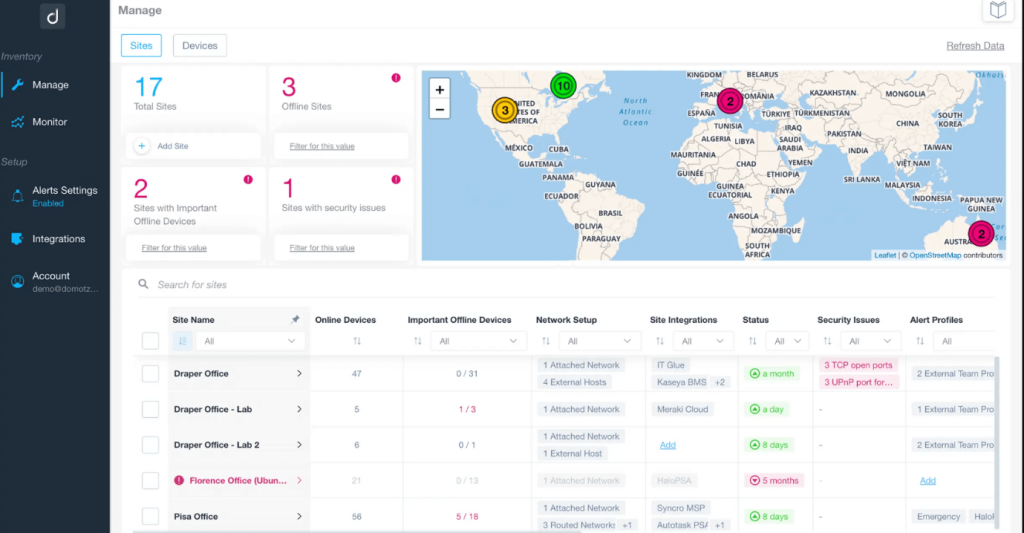
Compatible Devices: Network-based devices like routers, switches, servers, printers, load balancers, firewalls, etc.
Price: USD 22.12 per month for each site.
Features:
- Automatic plotting of the topology and active endpoints.
- Real-time documentation and tracking of the devices via preferred PSA, productivity, or documentation tool.
- Get total visibility of every IT infrastructure and network-based device you work with.
- Get statistics, alerts, measures, etc., on LAN/WAN and other networks.
Pros:
- It is useful for checking any potential network threats.
- Get real-time reports and alerts about hacking attempts or errors in devices connected across one network.
- Constantly checks for new errors and devices accessing the network.
Cons:
- The free trial version is only available for 14 days.
- A high quantity of ads and cookies can get frustrating.
10. NinjaOne
NinjaOne is another best network monitoring software that provides multiple services and benefits for IT management. Users can expect full services related to management, monitoring, backup, automation, and patching of software and network resources.
You can expect high-quality UI support with this software that would drive your overall functions. Easily monitor and fix the endpoint security, productivity, and updates with this tool.
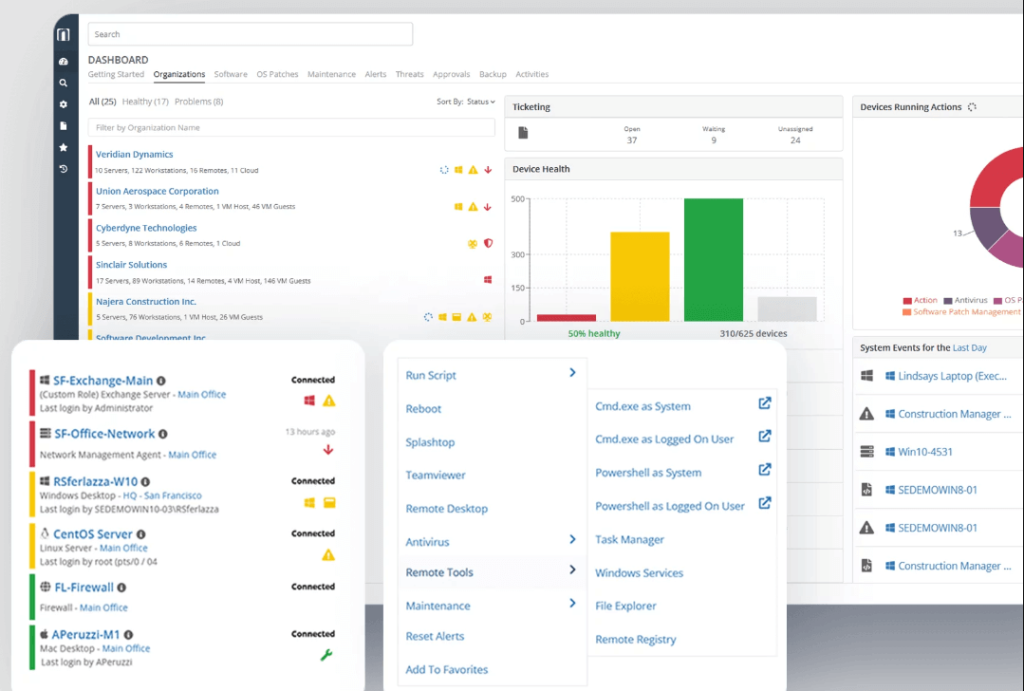
Compatible Devices: Monitor Windows, Linux, Mac, and VMWare endpoints, cloud infrastructure, and SNMP devices.
Price: Prices depend on consultation-based quotes.
Features:
- Install and manage all software at scale or individually.
- Document all IT assets-related information with real-time details.
- Remotely handle all unattended and attended devices connected to your network with zero security issues.
- Accept and automate your overall ticketing workflow carefully.
Pros:
- Strong security protection protocols are available for all network and endpoint connections it supports.
- A personalized knowledge base is available for users.
- Many customer support benefits are available, including a community forum for additional questions.
Cons:
- It is not compliant with FedRAMP regulations.
- The customized prices can extend to high rates if you do not plan carefully.
Conclusion
There are multiple types of comprehensive management and monitoring software and tools available that you can use for unified network evaluation. They also allow troubleshooting functions, patch management, log management, and other services.
While all of these listed software tools are valuable in their capabilities, we found SolarWinds Network Performance Monitor, Domotz, and Atera as usable options, given our preferences. Make your final choice based on your experience after trying each out once.
Author Bio:
Dinesh Lakhwani 

Dinesh Lakhwani, the entrepreneurial brain behind “TechCommuters,” achieved big things in the tech world. He started the company to make smart and user-friendly tech solutions. Thanks to his sharp thinking, focus on quality and the motto of never giving up, TechCommuters became a top player in the industry. His commitment to excellence has propelled the company to a leading position in the industry.
Popular Post











Recent Post

How to Change Mouse Scrolling Settings In Windows
A mouse is one of the most used computer tools. People use it every day. They scroll through emails. They scroll through documents. They scroll through websites and images. The movement becomes automatic. Most users do not notice it. That is why problems often go unnoticed. Scrolling problems show up slowly. At first, it feels […]

Keyboard Light Settings: Keyboard Lighting Control [Complete Guide]
Keyboards are no longer simple typing tools. Well, yes! Over time, they have evolved to include features that improve comfort, visibility, and overall experience. One of the most useful features today is keyboard lighting. It helps users work comfortably in low-light conditions. It also reduces strain when typing for long hours. Many users first notice […]

Customizing Pointer Appearance: Complete Guide
The way your mouse pointer looks on your computer may seem like a small detail. But customizing pointer appearance can make using your PC more comfortable and visually appealing. Many users do not realize that they can change the pointer size, color, and style to fit their needs. Whether you want a bigger pointer for […]

How To Choose a Computer Monitor: Monitor Buying Guide
Buying a monitor looks easy. Many people think all screens are the same. That belief causes regret later. A monitor is not just a display. It is a daily tool. You read on it. You work on it. You relax with it. Small problems become big over time. Poor brightness hurts eyes. Bad size causes […]

How To Get Help With File Explorer in Windows 11 [Complete Guide]
File Explorer is one of the most important tools in Windows 11. It is used to open folders, view files, and manage stored data. Almost every action on a Windows computer depends on it in some way. When users open documents, save downloads, or organize photos, File Explorer is always involved. Because it is used […]

How To Fix A Frozen Computer: Complete Guide [Windows 11/10]
A frozen computer is one of the most common problems Windows users face. The screen stops responding. The mouse pointer does not move. Keyboard inputs do nothing. You may hear the fan running loudly. Sometimes the system looks alive, but nothing works. This situation often happens when you are busy or working on something important. […]

How to Upgrade Computer RAM: Complete Guide
Upgrading RAM is one of the simplest ways to improve a computer. It helps the system feel faster and smoother. Apps open quicker. Browsers handle more tabs. Games and tools run with less delay. Many users search for how to upgrade computer RAM because it gives real results without high cost. You do not need […]

How To Clean Your Computer Keyboard: Complete Guide
A computer keyboard is touched more than almost any other device you own. It is used during work, study, gaming, and casual browsing. Fingers carry natural oils, sweat, and dirt. Small food crumbs fall between keys without notice. Dust settles each day slowly. Over time, this creates a hidden layer of grime. Many users do […]

Computer Mouse Buying Guide for Beginners and Advanced Users
Buying a mouse looks easy at first. Many people think all mouse work the same way. Well, that idea often leads to regret later. A mouse affects comfort, speed, and daily work. It matters for office tasks, gaming, design, and study. The right choice reduces strain and improves control. The wrong one feels annoying every […]

How To Overclock a Computer: A Complete Guide
Overclocking is the process of making your computer run faster than its factory settings. It mainly affects the processor, graphics card, and sometimes memory. Many people choose this method to improve performance without buying new hardware. It is popular among gamers, video editors, and users who run heavy software. When done properly, overclocking can give […]

