10 Best Medication Tracker and Pill Reminder Apps in 2026
Last updated on December 27th, 2025 at 2:51 am
Health is Wealth — we all know that! Unfortunately, not many people still pay attention to their medication and take their prescribed pills on time.
Often work schedules and home chores take all your attention that you don’t remember to take your medicines on time. If that always happens with you, technology has invented a solution for you. Simply install the best medication tracker apps on your mobile, never miss your medicines. We have tried the top pill tracker and reminder apps and shortlisted the ten best ones to keep you healthy for your further ease.
Smart Solutions for Staying on Track: Top Pill Reminder Apps Compared
In 2026, tracking medications is simpler than ever. New apps help users stay on schedule and stay informed. They offer reminders, logs, and health tips. Whether you take many pills or just one, these tools can help.
Below is a quick look at five top apps, each with unique strengths.
| App Name | Key Features | Platform | Cost | Best For |
| MyTherapy | Medication reminders, health journal, mood tracking | iOS, Android | Free | Users managing chronic conditions |
| Medisafe | Pill reminders, drug interaction warnings, caregiver support | iOS, Android | Free with premium options | Seniors and caregivers |
| Pill Reminder | Simple alerts, refill reminders, calendar view | Android | Free | Users seeking a minimalist app |
| Pillboxie | Visual pill organizer, custom alerts | iOS | Paid (one-time) | Visual learners and iPhone users |
| Dosecast | Flexible scheduling, missed dose tracking, cloud sync | iOS, Android | Free with premium options | Busy professionals and travelers |
10 Best Medication Tracker & Pill Reminder Apps in 2026 — Start Healthy Life Now!
The last year has been a wake-up call, a reminder to think about your health first. Taking medicines on time without a gap is the first step towards a healthy lifestyle. To help you stay healthy, we have picked the best ten medication tracker and pill reminder apps. So, let’s start living a healthy life now!
1. MyTherapy
App Store Rating: 4.9/5
Play Store Rating: 4.8/5
Compatible OS: Android (Varies with device) and iOS 12.0 or higher
Number of Users: 1,000,000+
Price: Free with in-app purchases.
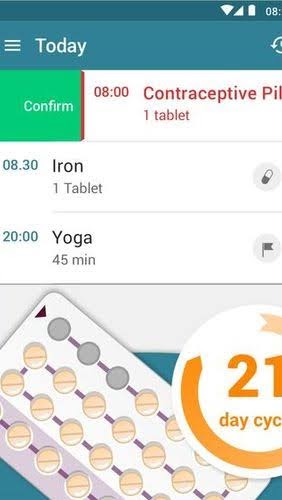
MyTherapy is a free and award-winning medication tracker app. It is more than just a simple pill tracker and reminder. The app can track your mood, weight, blood pressure and even motivate you to take medicines. With over 50 measurements, you can track symptoms for chronic diseases like arthritis, sclerosis, or cardiovascular diseases. You and your family can manage your MyTherapy account together, so you never miss a pill.
Healthy Features
- MyTherapy has a comprehensive reminder that can remind you about birth control pills, maintaining OTC and Rx medication databases, and injection dosage forms.
- Maintains complete logbook based on pill intake and miss.
- A wide range of conditions tracker and
- measurement options like weight, blood pressure, blood sugar, and chronic diseases.
- The app sends a beautiful picture of the day to keep you motivated.
- You don’t need to log in or register to use the MyTherapy app.
Pros
- Comprehensive measurement list.
- Team function to involve family as your personal reminder.
- Create a monthly progress report.
- Easy to use.
Cons
- It is complicated to use with too many options.
- Daily reminders could be skipped in errors.
2. Medisafe
App Store Rating: 4.7/5
Play Store Rating: 4.6/5
Compatible OS: Android 5.0 and iOS 12.0 or higher
Number of Users: 1,000,000+
Price: Free standard app. Premium for $4.99/month.
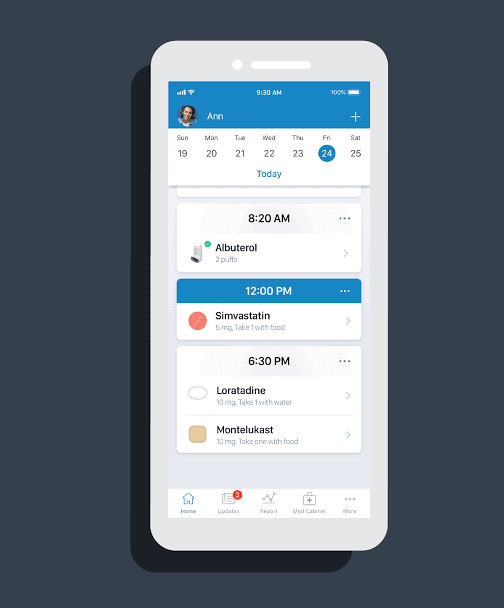
Medisafe is the top-recommended medication tracker and pill reminder app by physicians, pharmacists, and even patients. Millions of people are already using Medisafe and tracking their medications daily. It is a complete medication management tool that can store all your health and medication information in one place. Medisafe provides refill alerts, drug-to-drug interactions, doctor appointment notifications, and more.
Healthy Features
- Offers pill reminders, alarms for medication, complex dose schedules, and many other basic features.
- Medisafe lets your loved ones or caregivers support you via Medfriend functionality including reminders on doctor’s appointments, progress measurements, etc.
- You can maintain your daily, weekly, and monthly logbook to share with your doctors.
- It can track many severe medical conditions such as depression, HIV, MS, lymphoma, etc.
- You can connect it with your Android and iOS wearable gadgets.
- Pill reminders and time settings are fully customizable.
Pros
- Easy to set up.
- No internet access is required.
- Automatically generates progress reports.
- Secure database to protect your privacy.
Cons
- The app is prone to bugs.
3. Pill Reminder
App Store Rating: 4.6/5
Play Store Rating: 4.2/5
Compatible OS: Android 4.1 and iOS 9.0 or higher
Number of Users: 50,000+
Price: Free with in-app purchases.
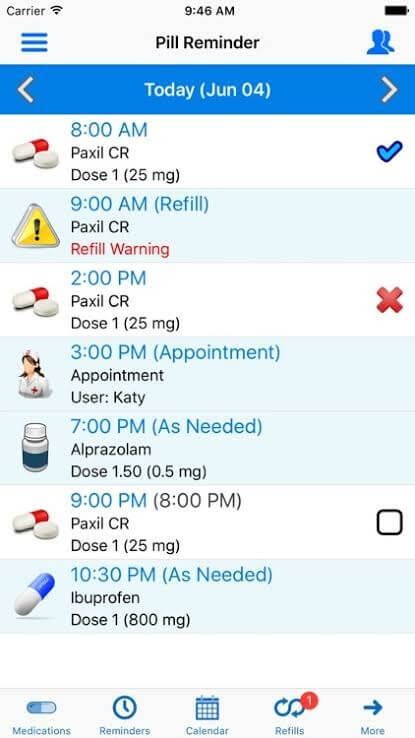
As the name suggests, it is the best app for pill reminder. The app never lets you miss your medication with customizable recurring reminders. Additionally, you can easily reschedule medicines, suspend or resume and define PRN as per your doctor’s recommendation.
Healthy Features
- Recurring reminders can be customized to repeat hourly, daily, weekly, biweekly, and many other ways.
- You can receive refill alerts before meds run out.
- Mark medication missed or taken and share the daily log with your doctors.
- You can add a photo for each medicine for easy identification.
- Ability to search the FDA Drug Database for your medications.
Pros
- Simple user interface.
- Add family support.
- Backup and restore data on multiple devices.
Cons
- It’s not as intuitive as other pill reminders.
4. Pillboxie
App Store Rating: 5/5
Play Store Rating: N/A
Compatible OS: iOS 9.0 or higher
Number of Users: 1,000+
Price: $0.99
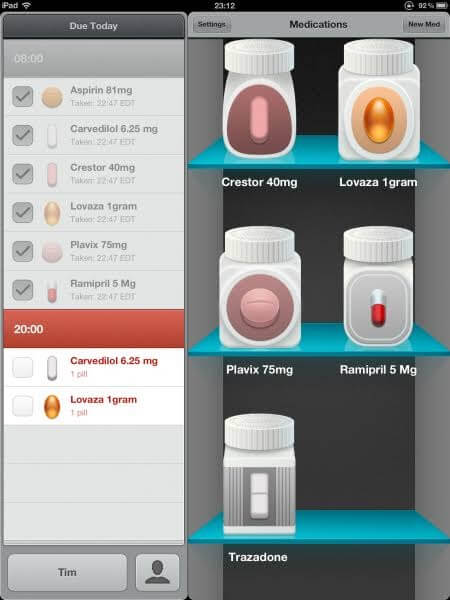
Pillboxie is the classic med tracker and pill reminder app. The app can remind you to take your meds, schedule your reminders, and even visually manage your meds. This program is designed and developed by registered nurses after consulting different patients. Pillboxie is as easy as dropping a pill into a pillbox.
Healthy Features
- It can remind you, even if your device is asleep.
- Pillboxie works offline without a network connection.
- You can customize your pills with a variety of types and colors.
- There are tons of comfortable reminder sounds available to select from.
- Pillboxie graphics look great on Retina Displays.
Pros
- Visually manage meds.
- Easy to use.
- Simple interface.
Cons
- Offers limited features compared to other pill tracker apps.
- Not free.
5. Dosecast
App Store Rating: 5/5
Play Store Rating: 4.1/5
Compatible OS: Android (Varies with device) and iOS 9.0 or higher
Number of Users: 100,000+
Price: Free with in-app purchases. Pro version for $3/month.
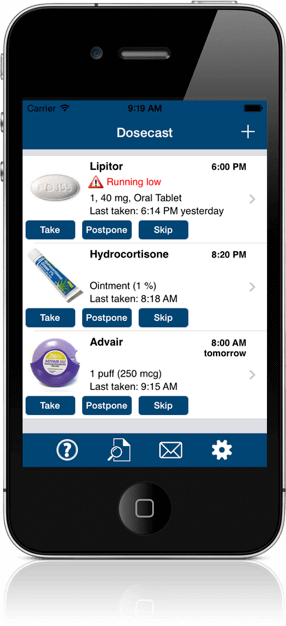
Dosecast is the most featured apps to track medications
, including the New York Times, Reader’s Digest, Simple Magazine, and more. Dosecast’s free version is quite impressive with features like notifications, customization, smart silencing, and more. You can anytime move to Dosecast Pro and unlock plenty of other medication management features.
Healthy Features
- Dosecast pill reminders come with a snooze option that won’t stop unless you take your medication.
- Dosecast reminders will automatically adjust according to your time zone.
- You can fully customize Dosecast with drug names, dosage information, notes, etc.
- The app keeps on tracking your medication even when you are sleeping.
- With Dosecast Pro, you can get multi-device support, doctor and pharmacy tracking, custom drug photos, and so much more.
Pros
- Easy to use.
- The freemium version is great.
- High-quality tracking features.
Cons
- The reminder feature is messy.
- The alarm often doesn’t work.
6. Drugs.com
App Store Rating: 4.4/5
Play Store Rating: 4.6/5
Compatible OS: Android 4.4 and iOS 11.0 or higher
Number of Users: 1,000,000+
Price: Free with in-app purchases.
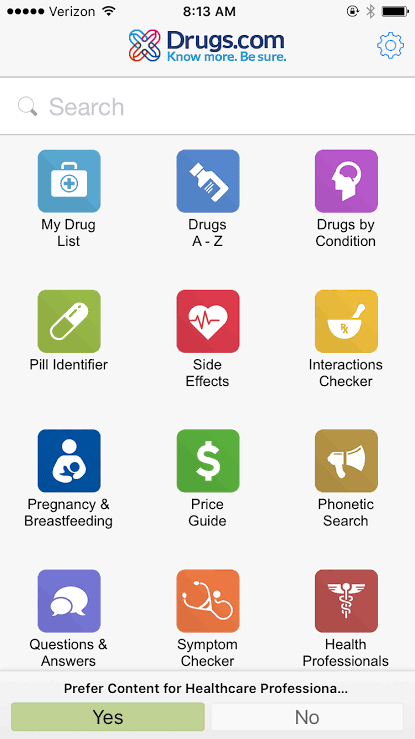
Drugs.com is a comprehensive and up-to-date online drug database. You can check peer reviews, independent data, and information over more than 24,000 prescription drugs. With the Drugs.com app, you can easily look up your drug information, identify pills, set up your personal medical record, and so much more.
Healthy Features
- You can create your personal Medical list to assemble relevant information related to your drugs.
- Drugs.com offers in-depth drug information, including FDA alerts, plus food, drug interactions, and more.
- Interaction Checker helps to find different drug interactions and food interactions.
- You can identify drugs by simply entering imprints, shapes, or colors.
Pros
- Offline support.
- A to Z drug directory.
Cons
- Don’t track medication.
- The app contains bugs.
7. Lady Pill Reminder
App Store Rating: N/A
Play Store Rating: 4.3/5
Compatible OS: Android 4.1 and iOS 9.0 or higher
Number of Users: 1.000,000+
Price: Free
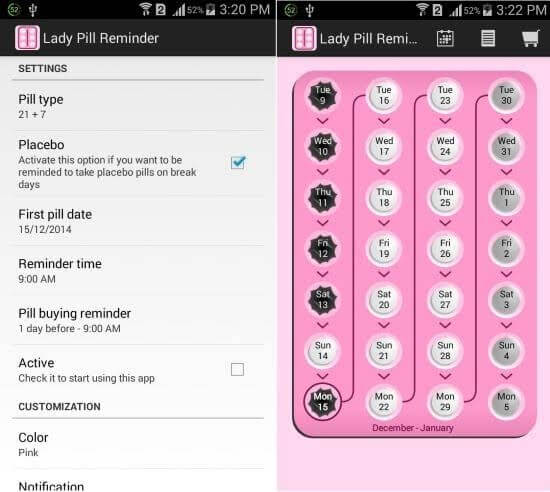
If you are using birth control pills, you should get the Lady Pill Reminder app. This app is easy to set up and use. You just have to indicate the type of birth control pills you are using, and the time you generally take your pills, and the app will automatically notify you when to take them daily. Additionally, it can show the status of the current pill package so you can refill on time.
Healthy Features
- The pill reminder will automatically stop for the days when you don’t have to take them.
- You can customize notification sound and style.
- The pill tracker app allows customizing the number of pills per packet.
- Using the Lady Pill Widgets, you can check your pill calendar and your current cycle day.
Pros
- Easy to customize.
- Notifications can be adjusted.
Cons
- Fails to notify several times.
- Not a reliable app.
8. medPlan
App Store Rating: N/A
Play Store Rating: 4.3/5
Compatible OS: Android 4.1 or higher
Number of Users: 1,000+
Price: Free
medPlan isn’t a simple medication tracker app. It is a robust healthcare partner that can remind you about your pills and helps to lead a healthy life. The app is programmed to make you a health-conscious person and encourage you to lead your life in a better way. With interactive games and health news, medPlan can improve your health.
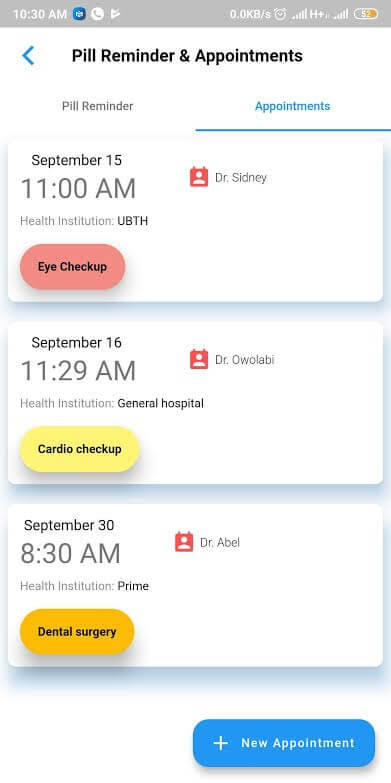
Healthy Features
- You can document your medical history in the app, like allergies, adverse drug reactions, etc.
- The app can track various health measurements such as blood pressure, weight, blood sugar, and more.
- You can explore the health trivia section to learn more about a healthy lifestyle while having fun.
- Gain access to medical news directly on your mobile phone.
- Set reminders for all your medications and doctor’s appointments.
Pros
- Generates monthly medical reports.
- Store information over a secure server.
- Access to free medication reminder sounds.
Cons
- Buggy alert management.
- Forces to register.
9. MedManage
App Store Rating: 5/5
Play Store Rating: N/A
Compatible OS: iOS 10.0 or higher
Number of Users: N/A
Price: Free with in-app purchases.
MedManage is your medication tracker app to log and manage the medications of your entire family. The app offers a variety of features such as chronic disease monitoring, birth control reminders, opioid monitoring, and many other potentially dangerous substance abuse.
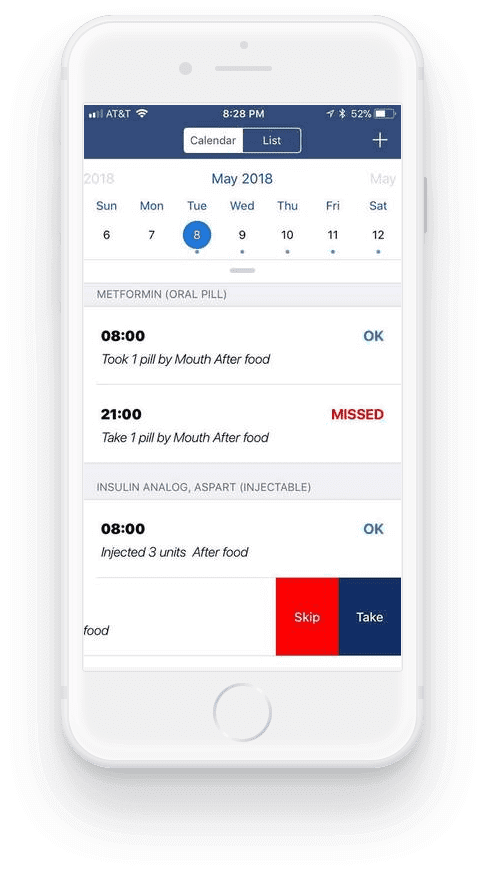
Healthy Features
- MedManage creates your current and previous prescription lists on the cloud.
- Effortlessly create custom schedules, medication lists, and pill reminder alarms.
- The app follows the Universal Medication Schedule system, which helps you find the medications easily.
Pros
- Cloud support.
- Easy to access.
- Powerful pill tracker.
Cons
- The app is prone to glitches.
10. CareClinic
App Store Rating: N/A
Play Store Rating: 3.9/5
Compatible OS: Android 4.1 or higher
Number of Users: 10,000+
Price: Free with ads.
CareClinic is a symptoms tracker, pill tracker, and medication tracker app. In short, it is a complete health and wellness app that helps you measure and improve your health. With this robust tracker, you can track supplements, birth control, conditions, medication, symptoms, nutrition, activity, daily vitals, therapies, and much more.
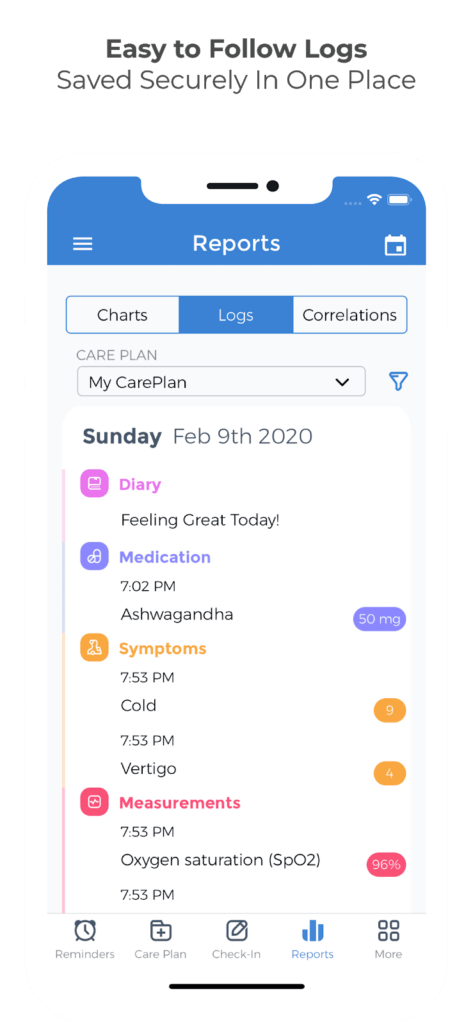
Healthy Features
- You can customize your monthly care plan by adding drugs, therapies, nutrition, and other information.
- Different reminders for a refill, supplements, vitamins, and other meds can be set.
- Create a therapy log for mindfulness, meditation, CBT, and other therapies.
- Multiple symptoms tracker including headaches, migraines, and other chronic pains.
- Summarised med reports based on reminders.
- Allow Caregivers to view your care plan and reports.
- Easily share reports from your medicine tracker app with your family and tracker.
Pros
- Good symptoms tracker.
- Intuitive interface.
Cons
- Notifications often won’t change.
- The app crashes sometimes.
Conclusion
Picking the right app depends on your routine and health needs. Some apps offer more support than others. MyTherapy and Medisafe have many features. They help users with complex schedules or caregiver support. Pill Reminder and Pillboxie are simpler. They work well for those who want easy-to-use tools.
These apps do more than send alerts. They help you stay on top of your health. You can track moods, get refill reminders, and sync data. They give you control over your routine. Whether you’re tech-savvy or new to apps, there’s one that fits your style.
FAQs:
1. Are medication tracker apps safe to use for managing prescriptions?
Yes, trusted medication apps are safe and protect your privacy. They help you manage your pills, but they don’t replace your doctor. Always talk to your healthcare provider before changing any medication.
2. Can these apps send reminders to caregivers or family members?
Many apps, like Medisafe and Dosecast, offer caregiver support features that allow reminders and updates to be shared with trusted contacts. This is especially useful for seniors or individuals who rely on others for medication management.
3. Do I need an internet connection for these apps to work?
Basic reminder functions typically work offline, but features like cloud syncing, data backup, and caregiver notifications may require an internet connection. Apps like Dosecast are designed to be flexible, offering offline functionality with optional online enhancements.
Author Bio:
Dinesh Lakhwani 

Dinesh Lakhwani, the entrepreneurial brain behind “TechCommuters,” achieved big things in the tech world. He started the company to make smart and user-friendly tech solutions. Thanks to his sharp thinking, focus on quality and the motto of never giving up, TechCommuters became a top player in the industry. His commitment to excellence has propelled the company to a leading position in the industry.
Popular Post










Recent Post
Top 10 Best Audio Mixer Software in 2026
Introduction The process of music production does not only revolve around recording instruments and vocals before releasing them. It is important to mix and master them carefully, adjusting the range and pitch of each clip and combining multiple instrumental tracks. Furthermore, one should rectify flaws, stabilize shaky sections, and remove unnecessary audio in the background. […]

How to Import Photos from iPhone to Windows 11 [Ultimate Guide]
iPhone cameras are simply stunning. They let you click high-resolution photos to post on your social media accounts or cherish your special moments. However, when you want to import photos from iPhone to Windows 11, that’s a bit of a problem. As we already know, Apple devices are not friendly enough. There is no direct […]
How to Extend Bluetooth Range on Windows 11 & 10 To Boost Signals
In this article we will discuss the best ways to extend bluetooth range on Windows 11 and Windows 10 to boost the signals. Bluetooth is one of the revolutionary tech developments. It has made data sharing and multiple device connectivity possible without any external tools support. Windows 11 & 10 comes with robust Bluetooth connectors […]
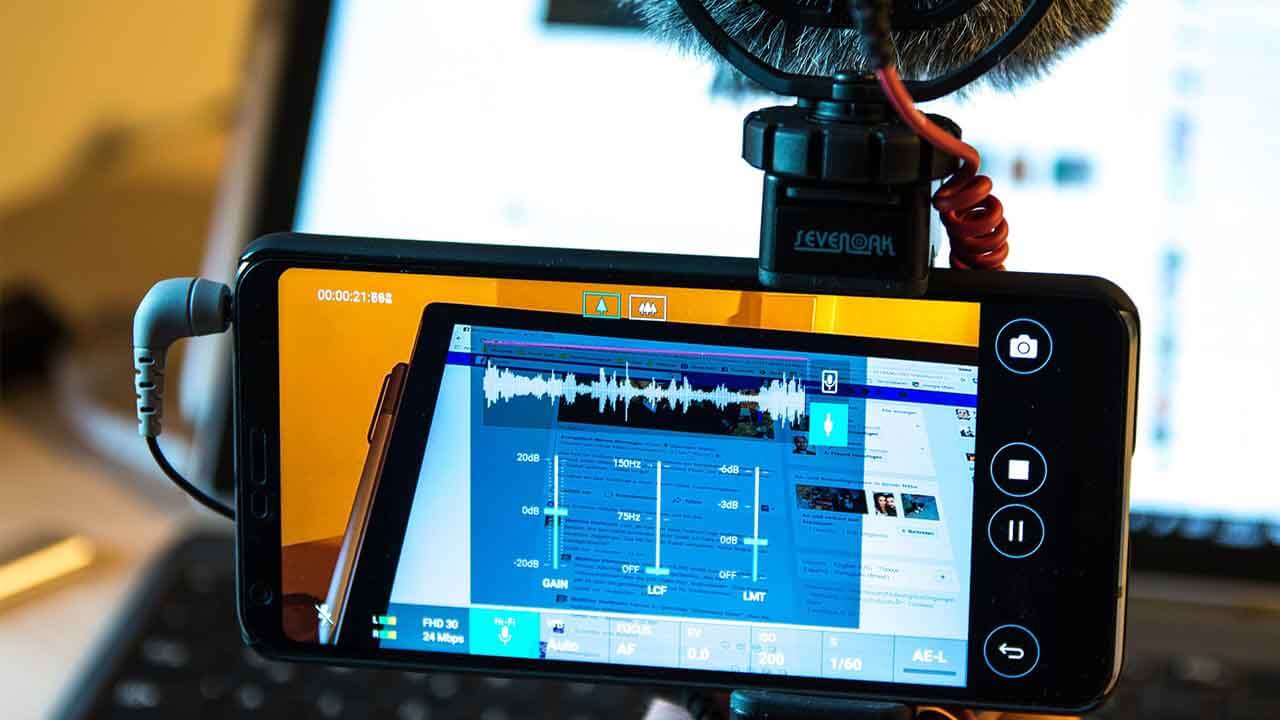
MP3 Editor App- Top 10 Audio Editing Apps for Android and iOS in 2026
Introduction Audio editing has become more accessible than ever. With smartphones getting smarter, users can now edit music, podcasts, and voiceovers right from their devices. Whether you’re a beginner or a seasoned creator, there’s an app for every skill level. These apps offer features like trimming, mixing, adding effects, and exporting in multiple formats. You […]

Here’s How to Reduce RAM Usage on Windows PC — 13 Solutions
Random Access Memory is the lifeline of your PC. Your Windows computer can lag, crash, and freeze on you without sufficient RAM. Since all tasks require memory, a PC cannot process effectively during excessive RAM usage. Therefore, you require significant free RAM on your PC to perform day to day operations. And it is easy […]
Is Your Windows 11 Lagging After the Update? Here are 10 Solutions to Fix It
Windows 11 was a breath of fresh air after a long wait. It has stunning graphics, better utility features and an elevated gaming experience. But unfortunately, Windows 11 updates are not settling well with many users. After the update, some Windows 11 users have reported slow speed and missing WiFi or Bluetooth issues. In addition, […]

Here’s How to Fix Your Frozen MacBook — Complete Guide
The MacBook is one of the most powerful machines in the world. It has stunning graphics and robust hardware to support multiple operations simultaneously. But as they say, everyone has a bad day once in a while, and so does MacBook. On the rarest occasion, you might find yourself in a situation where your MacBook […]
Recover Deleted Pictures/Videos/Documents for Free with iBeesoft Free Data Recovery
One of the golden rules of modern IT is always to back up your data. However, cloud computing has turned us into couch potatoes due to which most of the time we forget to back up everything. For example, if you’re a programmer, the most recent version of your files is probably on Slack or […]
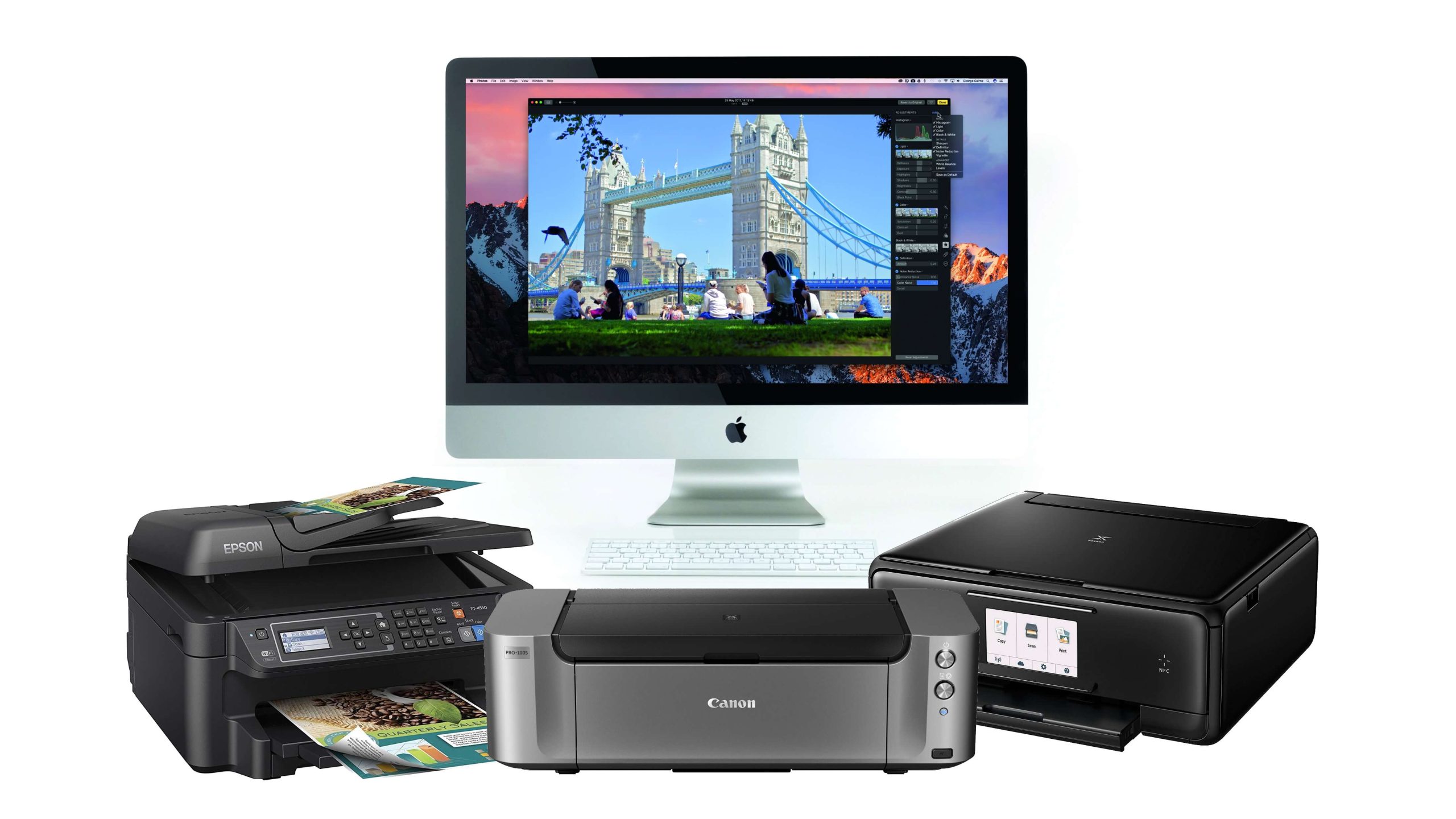
Here’s How to Uninstall a Printer from Your Mac?
Even though digitization is the new way to operate. There are still some situations where you need a hard copy of your documents. For example, when you need to print out your certificates for a job interview or print some photos to create an art piece for your kid’s school. But these situations arise very […]
How To Bypass VPN Blocks & Stay Undetectable Online?
Internet is one of the freest mediums of information and services for people, with multiple websites and applications available for varying uses. For the most part, you can access the internet for content types of various kinds from any location due to transnational server systems. However, web censorship is a major thing where specific content […]

