Top 10 Best Free System Information Tools In 2026

Last updated on February 1st, 2026 at 5:47 pm
Sometimes, understanding all the details of your PC’s software and hardware is necessary. For example, if you have already purchased a new desktop or gained access to one that you are unacquainted with, you’ll want to learn more about it. That’s where the importance of selecting the finest system information software becomes apparent.
Are you aware that there are several excellent tools available for Windows 10 system information? These are the most extensive tools, with a great deal of more than suitable information for most users. Today, we will show you the top 10 tools for Windows 10 that you may use.
Top Free System Information Tools in 2026: Comparison Overview
Free system information tools help you understand your PC without opening the case. They show hardware details, software status, and system health in one place. In 2026, these tools are more polished and easier to read. Some focus on clean summaries. Others go deep into technical data.
The table below compares five popular free options and shows where each one fits best.
| Tool | Hardware Details | Software Info | Real Time Monitoring | Report Export | Ease of Use | Best For |
| IObit SysInfo | Basic to mid-level | Yes | Limited | No | Very easy | Quick system checks |
| Auslogics System Information | Detailed | Yes | Yes | Yes | Easy | Balanced users |
| Speccy | Very detailed | Limited | Yes | Yes | Easy | Home and power users |
| Astra 32 | Deep technical | Yes | Limited | Yes | Moderate | Advanced diagnostics |
| System Information Viewer | Very detailed | Yes | Yes | Yes | Moderate | Tech-focused users |
How to Choose the Best Free System Information Tool
Choosing the right system information tool depends on how much detail you need and how often you use it. Some users only want quick specs. Others need deep diagnostics. A good tool should be accurate, clear, and easy to navigate. Use the points below to narrow your choice.
- Level of Detail
Decide how deep you want to go. Basic tools show CPU and RAM. Advanced ones show sensors, drivers, and firmware. - Ease of Reading
Clear layout matters. Good tools group data properly. You should not hunt for basic info. - Hardware Coverage
Check support for CPU, GPU, storage, motherboard, and network devices. Missing data limits usefulness. - Real Time Monitoring
Live temperature and load data help diagnose issues. This is useful for overheating checks. - Report and Export Options
Saving reports helps with troubleshooting and support. Export formats add value. - System Impact
Lightweight tools run quietly. Heavy tools may slow older systems. - Update Frequency
Regular updates improve compatibility. New hardware needs fresh detection rules. - Trust and Safety
Use tools from known developers. Avoid tools that bundle extras or ads.
Top 10 System Information Tools Available for Free
The leading free system information tools make it simple to capture information about your hardware, software, and operating system environment. Here, we have compiled a list of the top ten Windows 10 tools for getting the most out of your system.
1. IObit SysInfo
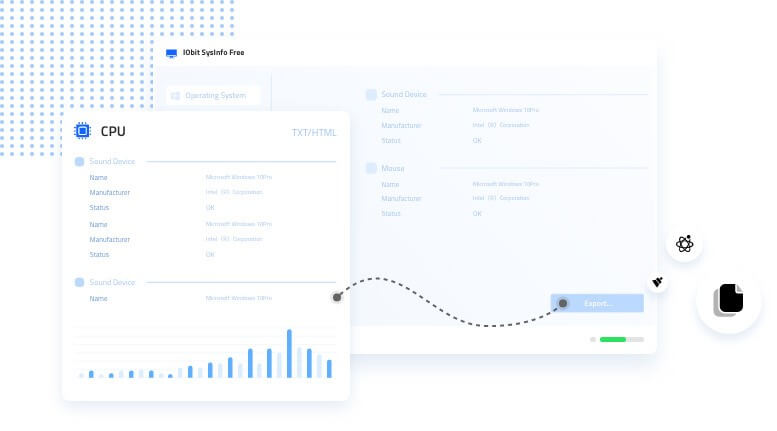
IObit SysInfo provides a straightforward information table. It allows users to see and understand any component of PC hardware attached to the machine. This tool helps you keep track of the hardware and system state, allowing you to report problems and update as necessary. In addition, the temperature and consumption rate of CPU, Disk, Memory resources, and Motherboard will be monitored in real-time.
Price: Free
Compatibility: Windows Vista/ 7/8/10 and XP
Features
- Share precise information about your computer’s specifications.
- Avails real-time hardware temperature tracking.
- Provides quick and easy access to system information.
- Notifies you when the temperature overheats.
Pros
- The user interface is simple.
- Free Tool for obtaining system information.
- Avoids long-term computer harm.
Cons
- Doesn’t offer as thorough information as other tools.
- No upgrades from the last 6 months.
2. Auslogics System Information
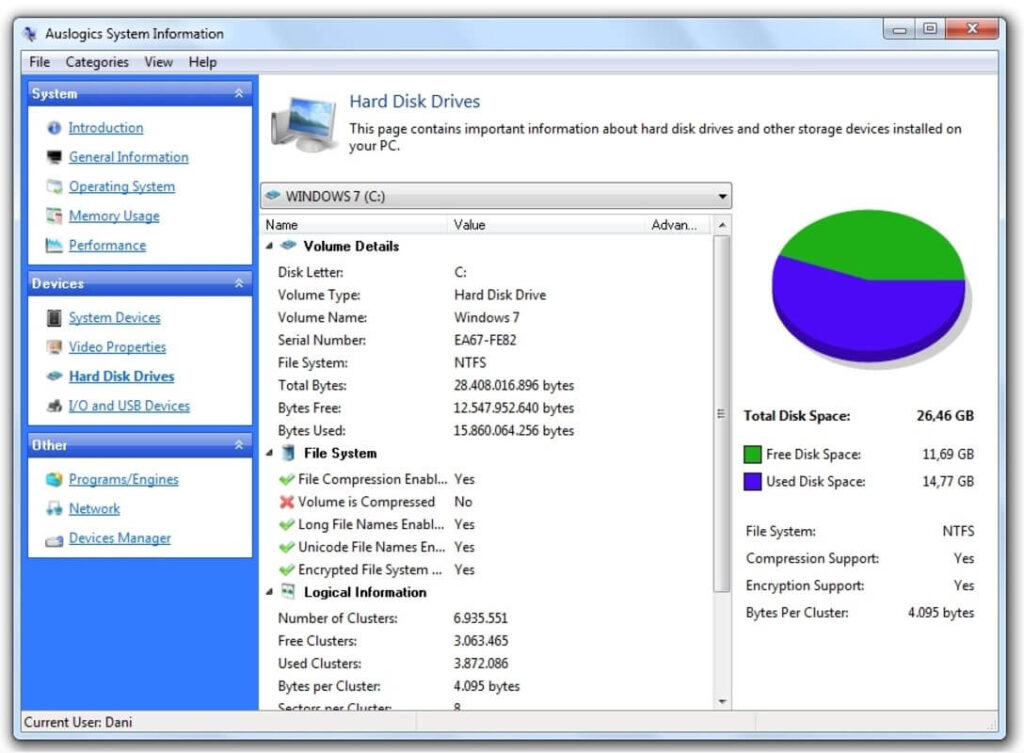
It gives you detailed and convenient information on the system’s setup. It can display video card details, hardware configuration, operating system details, a rundown of currently active processes, and other data. In addition, diagrams and charts will aid in assessing the status of your device. The data may be stored and provided to technical assistance as a file. It is designed to work with the most up-to-date software and hardware.
Price: Free
Compatibility: Windows 10/11/XP.
Features
- Constructed with the most up-to-date technology and software
- More straightforward to use and comprehend.
- Comprehensive information of hard drives, visual cards, processors, and memory.
- Make detailed reports in plain text format, HTML, and XML.
Pros
- Enhanced user interface.
- Freeware system information tools.
- Offers detailed information.
Cons
- Older versions had some bugs.
- Supports better in the latest Windows software.
3. Speccy
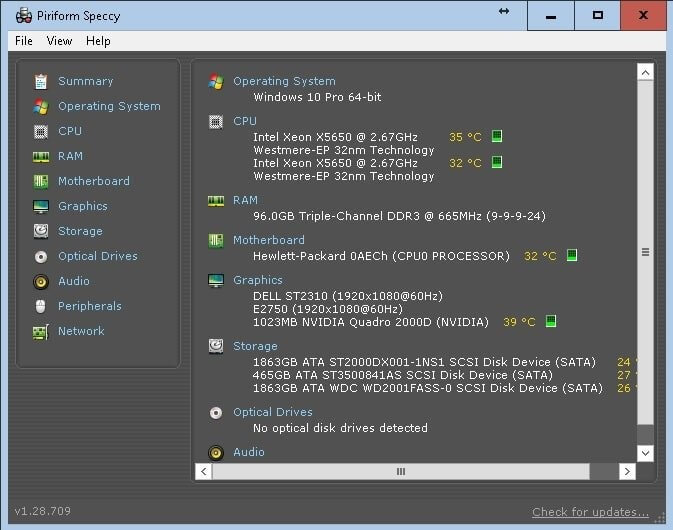
The layout of Speccy is well-designed, providing all of the information you want rather than being unduly crowded. It has a summary page that provides quick yet helpful information on various topics. Operating systems, memory, graphics, and storage devices are examples. Each category is broken down into sections for a more in-depth examination. All Windows operating systems are compatible with Speccy.
Price: $15.96 / year
Compatibility: Windows 10/ 8.1/7/ Vista and XP
Features
- Provides extensive information about a large number of components.
- Allows the user to copy text from the software.
- The findings may be shared online and saved to a file.
- It may be used as conventional and portable software.
Pros
- Easy to use layout and interface.
- Offers in-depth information.
- Displays real-time information.
Cons
- Specific chunks of data cannot be used to create a report.
- Since 2018, this hasn’t been modified.
4. Astra 32
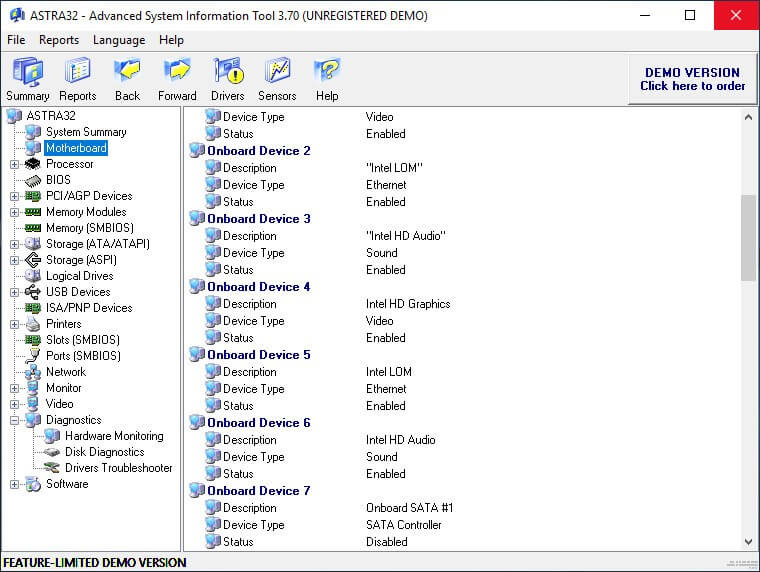
Astra32 is a freeware Windows tool for system information. It provides extensive information on both your hardware and software components. This tool contains information about the PC’s BIOS, CPU, memory modules, Motherboard, and other components.
In addition, it displays information about installed applications and downloaded hotfixes when it comes to software information.
Price: Free
Compatibility: Windows 10/8/7
Features
- All of the information from each category is summarized on one page.
- Provides comprehensive information about computer hardware.
- Includes information about installed programs and recent hotfixes.
- It will be utilized without having to install anything.
Pros
- The interface is simple to read and comprehend.
- Freeware utility for system information.
- Best tool for assessing system specs.
Cons
- It serves as a demonstration program.
- Shows advertisements for purchasing the complete program.
5. System Information Viewer
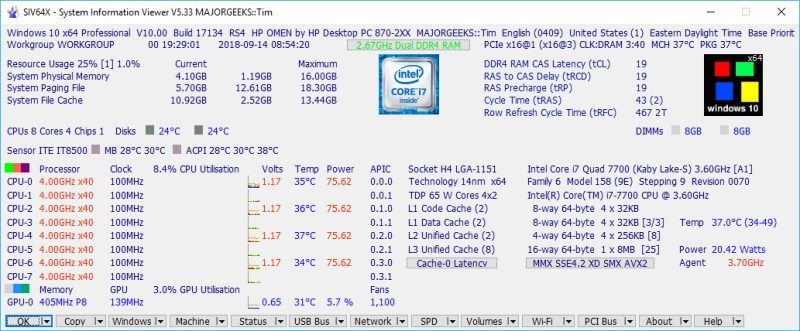
This is another free program that offers many parts to explore. You might notice that the UI is slightly different from other similar programs. However, this application’s capabilities include USB connections, a motherboard, hard drives, and a section dedicated to the CPU. Furthermore, you will receive a live sensor that will display the functioning of your system in real-time.
Price: Free
Compatibility: Windows 10/8/7/XP and Vista
Features
- Keep an eye on the system’s resources.
- It also operates with Windows Server 2022 and specific previous versions.
- Reports can be created for entire data or just a portion of it.
- Because the utility is portable, there is no need to download it.
Pros
- Allows you to view a summary report.
- Displays all of the reports in their entirety.
- Real-time monitoring of system resources.
Cons
- The outcomes are difficult to comprehend.
- Searching is ineffective.
6. ESET SysInspector
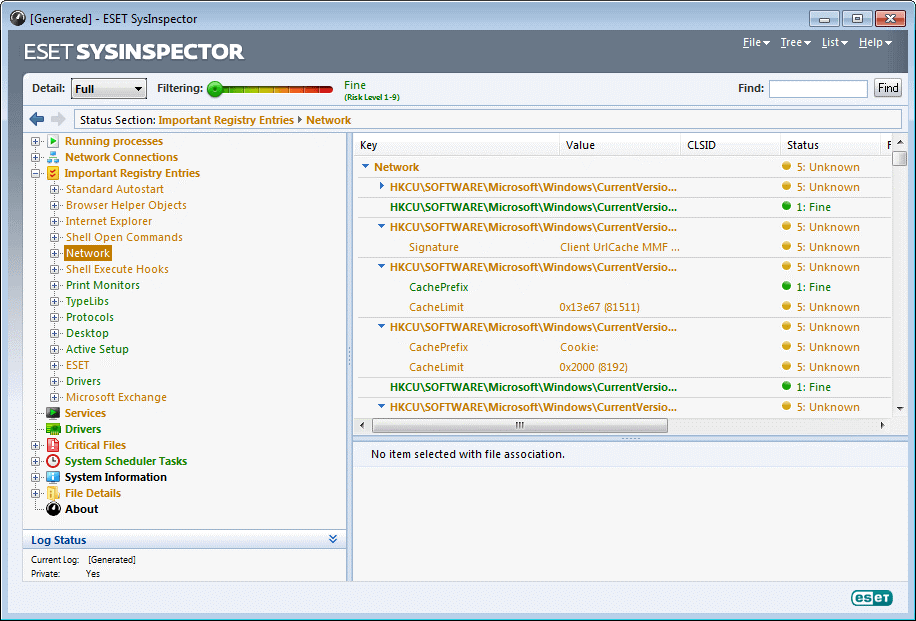
Owing to its search tool and effectively organized UI, ESET SysInspector is extremely easy to use. The information displayed in the findings can be sorted depending on a risk rating of one to nine. Basic data such as system uptime, accessible RAM, and local time may be found. A list of operating processes, present internet connectivity, and a list of critical registry keys may also be seen.
Price: Free
Compatibility: Windows server 2003/ server 2008/ Vista/ 10/8/8.1/7
Features
- Browse several active and deactivated drivers, as well as operating procedures.
- The emphasis was on delivering specific information about the computer’s security.
- Windows Home Server and other server operating systems are also supported.
- Can generate reports based on the program’s findings
Pros
- It has several qualities that set it apart.
- The focus of the findings is on security.
- It is transportable.
Cons
- It isn’t designed to display as much information as similar tools.
7. Belarc Advisor
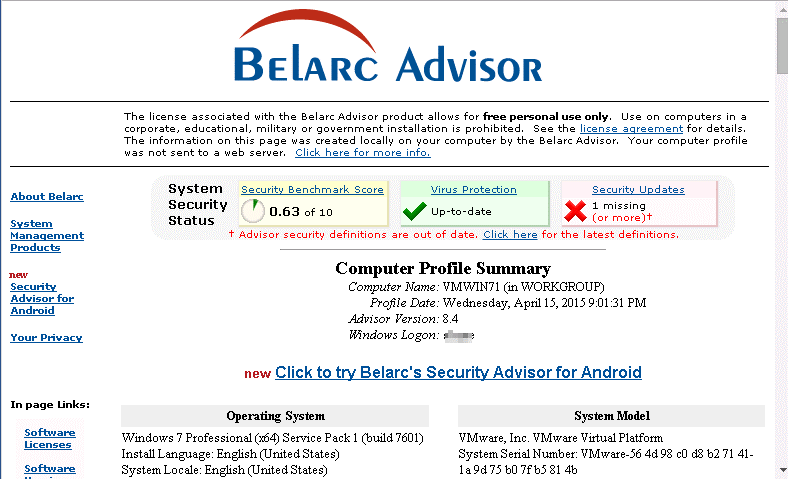
Belarc Advisor isn’t as comprehensive as other freeware system analysis tools. However, the operating system, CPU, RAM, Motherboard, discs, users, and other essential information are displayed. The capability to display all the security upgrades that Windows lacks is a distinctive characteristic of Belarc Advisor. You can also see software licenses, installed hotfixes, program usage frequency, and version numbers for some Microsoft applications.
Price: Free
Compatibility: Windows 11/10/8.1/8/7
Features
- The findings of a scan are shown in a web browser.
- Gives details that aren’t accessible in other programs.
- Essential information on a variety of hardware devices is included.
- It has a fast download that doesn’t install any other software.
Pros
- Performs quickly.
- Small setup file.
- Displays software information.
Cons
- Need to install the tool for use.
- Doesn’t have a summary page.
8. Everest Home Edition
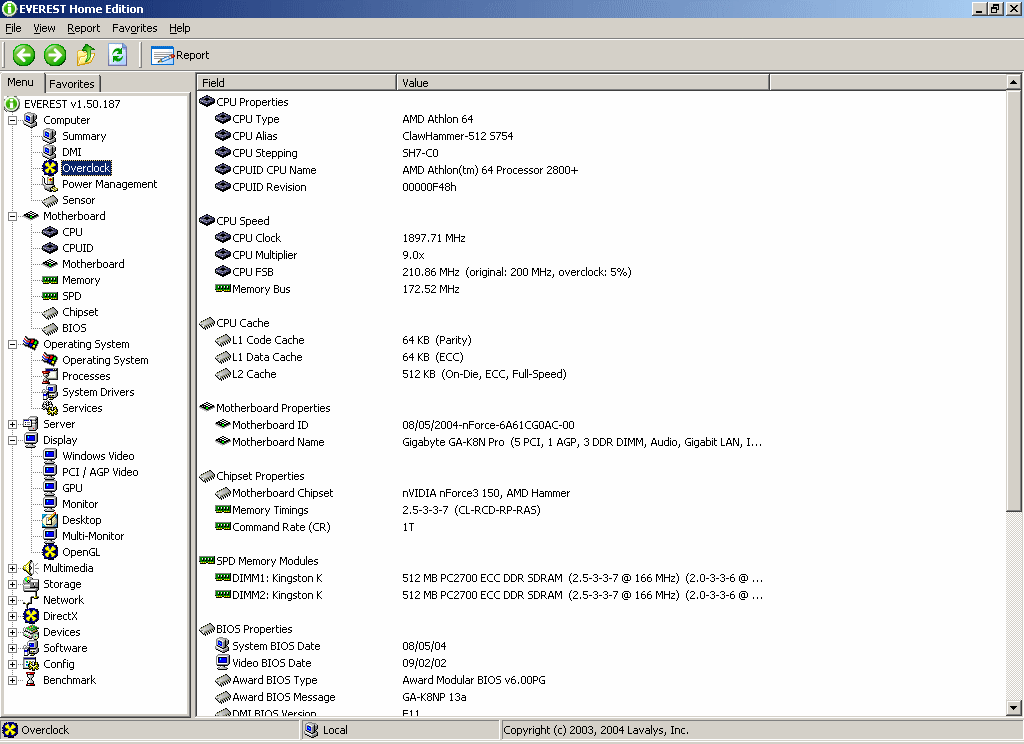
The Everest Home Edition is available as a Zip file. As a result, you may store this valuable tool on the internet and carry it with you. The system information tool’s layout, icon, and interface are simple to grasp. It scans swiftly and groups everything it discovers into nine categories, one of which is for a summary sheet. Everest Home Edition is a decent PC information program in general.
Price: Free
Compatibility: Windows XP, Windows 10, Windows 2003, Windows 2000
Features
- Allows you to save your favorite components for quick access.
- Everything is condensed into a few categories.
- It’s a mobile application.
- Most of all of the information can be used to create reports.
Pros
- Similar user interface as the old windows OS.
- Offers thorough information of the system.
- Simple menu.
Cons
- The software is no longer updated.
- It isn’t as extensive as some others.
9. PC Wizard
PC Wizard is one of the most popular freeware system information tools that displays detailed information on a wide range of elements. You may quickly save a summary report that details any or all aspects of the application. Moreover, you can copy individual lines of information to the clipboard. Not only does PC Wizard provide essential and sophisticated information about hardware, but it also provides essential operating system data.
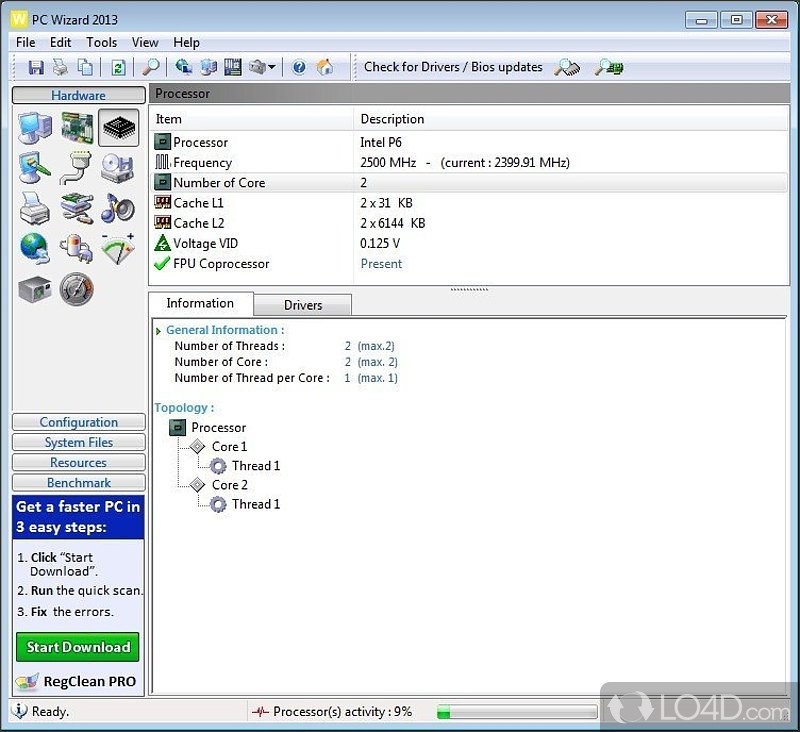
Price: Free
Compatibility: Windows 7
Features
- Analyses and benchmarks the computer systems.
- Assessments provide you with accurate information about the PC’s features and components.
- The most user-friendly and informative instrument for fundamental and complex knowledge.
- The reports that are created are better described and easier to comprehend.
Pros
- Allows you to see a single section with an overview of everything.
- Provides detailed information.
- Results can be copied and exported.
Cons
- Buttons aren’t labeled, which might be challenging to understand.
- Setup attempts to install different software.
10. Free PC Audit
All capabilities you’d expect to see in a program for system information are included in Free PC Audit. It includes the option to save every report as an introductory text file. All hardware, such as the RAM, Motherboard, and printers, may be viewed. It also shows the Windows product key and ID, a rundown of installed applications, etc. Because the tool is portable, it is ideal for a flash drive.
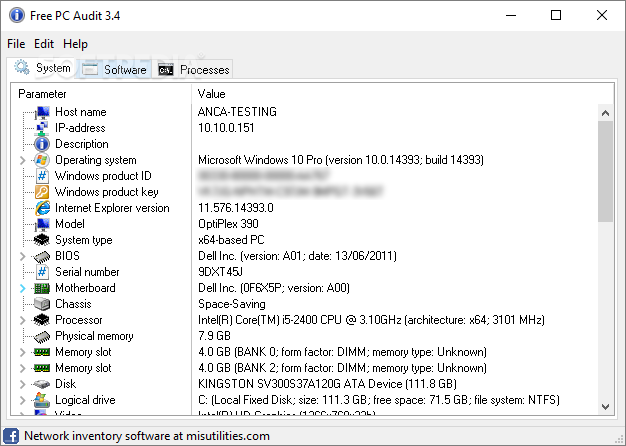
Price: Free
Compatibility: Windows 7/8/10
Features
- With a minimal downloading size, it’s highly portable.
- Free PC Audit is a free setup offering software and hardware information.
- It takes information about all of the PC’s parts.
- Displays software installed along with its version.
Pros
- Simple to understand and utilize
- Allows the filing of reports
- Allows you to copy text from within the software.
Cons
- Some elements’ information is not present in the reports.
- Not comprehensive as comparable tools.
Author’s Tip
Do not install multiple system tools unless you need them. One well-chosen tool is enough for most users. Too many tools can duplicate data and slow down your PC. Start with a simple one and move up only if needed.
Also, use system reports wisely. Raw data alone does not fix problems. Learn what values matter. Temperatures, disk health, and memory usage are key. Focus on those first.
Conclusion
Free system information tools in 2026 are powerful and reliable. Speccy remains a strong choice for most users. It balances detail and clarity well. Auslogics System Information adds live monitoring and reporting, which helps in regular system checks. IObit SysInfo suits users who only need quick answers without technical clutter.
For advanced users, Astra 32 and System Information Viewer go deeper. They expose detailed hardware and software layers. This helps during repairs, upgrades, or diagnostics. Choose based on comfort level and purpose. A simple tool saves time for daily use. A deep tool helps when troubleshooting matters most.
FAQs
Q1. What is a system information tool used for?
It shows details about your computer hardware and software. You can see CPU, RAM, storage, and drivers. It helps diagnose problems. It also helps before upgrades. Many users rely on it for basic health checks.
Q2. Are free system information tools accurate?
Most reputable tools are accurate. They read data directly from the system. Accuracy depends on updates and hardware support. Older tools may miss new components. Always use updated versions.
Q3. Can these tools detect hardware problems?
They can point to signs of trouble. High temperatures matter. Disk health warnings matter. They do not repair hardware. They help you decide the next steps.
Q4. Which free system information tool is best for beginners?
IObit SysInfo works well for beginners. It shows key data clearly. There is little technical clutter. Speccy is also friendly. Both are easy to read and install.
Q5. Do these tools slow down the system?
Most are lightweight. Some run background monitoring. That can add a small load. Disable live sensors if not needed. Performance impact is usually minimal.
Q6. Is it safe to share system reports with others?
Generally, yes, but be cautious. Reports may include system name and OS details. Avoid sharing online publicly. Share only with trusted support or technicians.
Author Bio:
Dinesh Lakhwani 

Dinesh Lakhwani, the entrepreneurial brain behind “TechCommuters,” achieved big things in the tech world. He started the company to make smart and user-friendly tech solutions. Thanks to his sharp thinking, focus on quality and the motto of never giving up, TechCommuters became a top player in the industry. His commitment to excellence has propelled the company to a leading position in the industry.
Popular Post











Recent Post

How To Change Default Apps For File Types In Windows
Windows is designed to make using your computer easy. One way it does this is by assigning default apps to different file types. This means when you open a file, Windows automatically opens it with a specific program. For example, photos may open with Photos, music with Groove Music, and PDFs with Edge. These default […]

How To Adjust The Mouse Pointer Speed: Complete Guide
Using a computer every day means you use the mouse a lot. The mouse pointer moves on the screen and helps you click, scroll, and select items. Many people never think about the speed of the mouse pointer. They have used the default setting for years. This can cause small problems over time. A slow […]

How to Change Mouse Scrolling Settings In Windows
A mouse is one of the most used computer tools. People use it every day. They scroll through emails. They scroll through documents. They scroll through websites and images. The movement becomes automatic. Most users do not notice it. That is why problems often go unnoticed. Scrolling problems show up slowly. At first, it feels […]

Keyboard Light Settings: Keyboard Lighting Control [Complete Guide]
Keyboards are no longer simple typing tools. Well, yes! Over time, they have evolved to include features that improve comfort, visibility, and overall experience. One of the most useful features today is keyboard lighting. It helps users work comfortably in low-light conditions. It also reduces strain when typing for long hours. Many users first notice […]

Customizing Pointer Appearance: Complete Guide
The way your mouse pointer looks on your computer may seem like a small detail. But customizing pointer appearance can make using your PC more comfortable and visually appealing. Many users do not realize that they can change the pointer size, color, and style to fit their needs. Whether you want a bigger pointer for […]

How To Choose a Computer Monitor: Monitor Buying Guide
Buying a monitor looks easy. Many people think all screens are the same. That belief causes regret later. A monitor is not just a display. It is a daily tool. You read on it. You work on it. You relax with it. Small problems become big over time. Poor brightness hurts eyes. Bad size causes […]

How To Get Help With File Explorer in Windows 11 [Complete Guide]
File Explorer is one of the most important tools in Windows 11. It is used to open folders, view files, and manage stored data. Almost every action on a Windows computer depends on it in some way. When users open documents, save downloads, or organize photos, File Explorer is always involved. Because it is used […]

How To Fix A Frozen Computer: Complete Guide [Windows 11/10]
A frozen computer is one of the most common problems Windows users face. The screen stops responding. The mouse pointer does not move. Keyboard inputs do nothing. You may hear the fan running loudly. Sometimes the system looks alive, but nothing works. This situation often happens when you are busy or working on something important. […]

How to Upgrade Computer RAM: Complete Guide
Upgrading RAM is one of the simplest ways to improve a computer. It helps the system feel faster and smoother. Apps open quicker. Browsers handle more tabs. Games and tools run with less delay. Many users search for how to upgrade computer RAM because it gives real results without high cost. You do not need […]

How To Clean Your Computer Keyboard: Complete Guide
A computer keyboard is touched more than almost any other device you own. It is used during work, study, gaming, and casual browsing. Fingers carry natural oils, sweat, and dirt. Small food crumbs fall between keys without notice. Dust settles each day slowly. Over time, this creates a hidden layer of grime. Many users do […]

