5 Best Adobe Flash Player Alternatives/Replacements in 2026

Last updated on December 29th, 2025 at 3:35 pm
Adobe Flash Player once ruled the internet, powering games, animations, and rich media experiences. But as technology evolved, Flash couldn’t keep up with modern security and performance standards.
In 2026, users need reliable replacements to access legacy content and Flash-based applications. This article explores five top alternatives that offer compatibility, safety, and ease of use across platforms.
Comparison Table: Top 5 Flash Player Replacements (2026)
Flash Player is gone. Many websites still need Flash support. New tools now fill that gap. Below is a quick comparison of the top five options in 2026.
| Tool | Platform Support | Key Features | Pros | Cons |
| Microsoft Silverlight | Windows, Android, iOS | .NET-based, rich media apps | High-quality streaming, browser integration | Complex setup, outdated tech |
| Ruffle | Windows, macOS, Linux, Browsers | Rust-based, open-source emulator | Safe, modern, easy to use | Limited ActionScript 3 support |
| Gnash | Linux, BSD | GNU Flash player, open-source | Lightweight, free | Poor compatibility with newer Flash files |
| Photon Flash Player & Browser | Android, iOS | Built-in browser, Flash support | Mobile-friendly, fast | Ads, limited desktop support |
| FlashFox – Flash Browser | Android | Flash-enabled browser | No plugins needed, fast loading | Outdated UI, occasional crashes |
5 Best Adobe Flash Player Alternatives to Use in 2026
Taking Adobe Flash Player’s shortcomings in mind, we have selected the best Flash players to use in 2026. With TechCommuters’s stamp of approval, you can move on to the following five best Adobe Flash Player alternatives:
1. Microsoft Silverlight
Software Rating: 4/5
Compatible OS: Windows, Android, and iOS
Developer(s): Microsoft
Price: Free
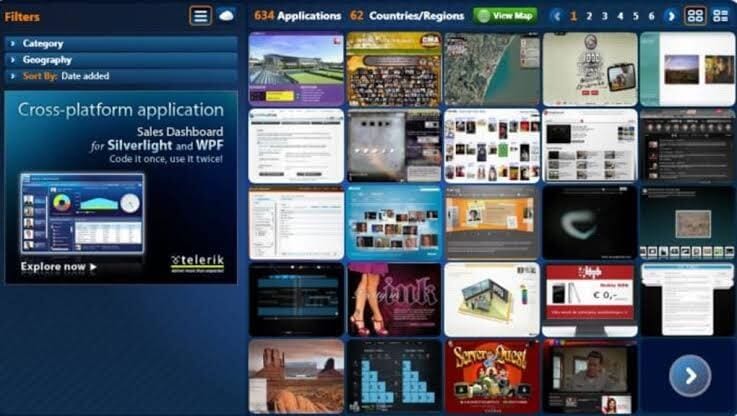
Microsoft Silverlight is a silver-lined Adobe Flash Player alternative. It is a great development tool for producing engaging and innovative user experience web and mobile applications. This is a free plugin supported by the .NET framework and compatible with all the leading devices, web browsers, and operating systems. Using the Silverlight plugin, you can dramatically enhance your video streaming capabilities.
Sparkling Features
- It can offer an interactive video streaming experience for both on-demand and live.
- Silverlight supports multiple formats and devices.
- You can customize Silverlight’s behavior by making selections in the app’s control panel.
- It can integrate with your browser and other video streaming apps.
- You can explore elevated video quality with it.
Pros
- Highly integrated app.
- Improves video streaming quality.
- Easy to configure.
Cons
- It can cause browsers to crash.
- Too much complicated platform.
- Video streaming isn’t a primary function.
2. Ruffle
Software Rating: 3.5/5
Compatible OS: Windows, Linux, macOS, Chrome, Firefox
Developer(s): Mike Welsh, kmeisthax, Nathan “Dinnerbone” Adams, Callum Thomson
Price: Free
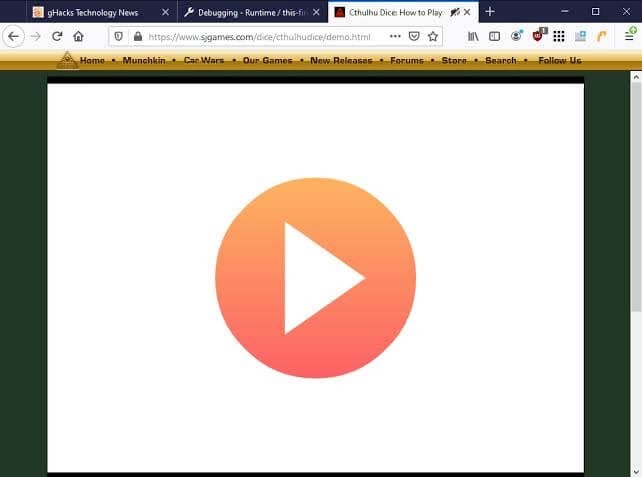
Ruffle is the best Adobe Flash Player alternative written in Rust. It is a stand-alone application for all modern operating systems. The Ruffle can address the Adobe security concerns by leveraging the modern browser sandbox and memory safety from Rust. It can avoid security crashes in all the leading web browsers and operating systems. Ruffle is the GNU project, so it’s both a free and open-source flash media player.
Sparkling Features
- Ruffle is available for desktop as well as web clients.
- Users can simply download the web version of Ruffle and can watch flash content without extra configuration.
- The media player can polyfill content automatically and seamlessly upgrade websites that still rely on flash content.
- It is an open-source project, so if you can suggest or want to contribute to Ruffle development, you are welcome to do that.
Pros
- Free and open source.
- Multiple platform support.
- Automatically detect flash content.
Cons
- Outdated flash content support.
- Underdevelopment phase.
3. Gnash
Software Rating: 3.5/4
Compatible OS: BSD, Linux, and Microsoft Windows
Developer(s): Rob Savoye, Sandro Santilli, Bastiaan Jacques, Benjamin Wolsey, Zou Lunkai, Tomas Groth, Udo Giacomozzi, Hannes Mayr, John Gilmore, Markus Gothe.
Price: Free
Gnash media player is the best and free Adobe Flash Player alternative for playing SWF files. It is a stand-alone player for desktops as well as a plugin for several browsers. Gnash is part of the GNU project, which makes it a free and open-source flash player. The software supports most of the SWF v7 features along with SWF v8 and v9, excluding SWF v10 which makes it the perfect replacement of Adobe Flash Player.

Sparkling Features
- Adobe offers an outdated version of its flash player for Linux on IA-32 and AMD64. On the contrary, Gnash’s architecture supports x68, MIPS, ARM, and PowerPC, including BSD-based operating systems.
- It can play SWF files up to version 7 and 80% of ActionScript 2.0.
- Gnash provides some awesome features not available on Adobe player, including the capacity to extend the ActionScript classes, dynamic file access system, and more.
- One of Adobe player’s major setbacks is security, which Gnash’s extension mechanism can easily manage.
- Gnash video supports playback of FLV format and allows streaming from YouTube, MySpace, and other similar websites.
Pros
- Free and open source.
- High-level security configuration.
- Possibility to extend the ActionScript classes.
- MySQL support.
Cons
- Outdated software.
- Highly technical for beginners.
4. Photon Flash Player and Browser
Software Rating: 3.4/5
Compatible OS: Windows, macOS, iOS, Android
Developer(s): Appsverse Inc
Price: Free with in-app purchase. Full lifetime version for $9.99.
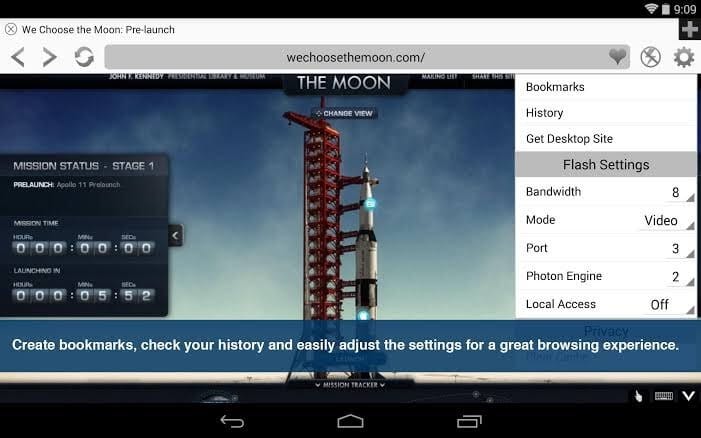
Photon Flash Player and Browser is a powerful Adobe Flash Player alternative that contains built-in Flash Player plugin support and online video streaming features. Its leading-edge technology facilitates fast web browsing due to JavaScript support. Photon doesn’t only support flash videos but also Flash games and websites. You can receive flash speed on your tablets and phones.
Sparkling Features
- Multiple tabs support searching and type on an intelligent URL bar.
- You can play and browse videos plus live TV full screen.
- Incognito and private browsing support allow you to erase browsing history with every session.
- Photon supports multiple web browsers, including Safari, Firefox, Internet Explorer and Chrome.
- It can play FLV and SWF video formats.
- With dynamic bandwidth, you can adjust your video stream bandwidth and save data bandwidth.
Pros
- Different optimization modes.
- Cool three navigation modes.
- Easy to use.
- Accessible on all the devices.
Cons
- Ads disturbance.
- Expensive tool.
5. FlashFox – Flash Browser
Software Rating: 2.6/5
Compatible OS: Windows, Android, and Web Portals
Developer(s): Möbius Networks
Price: Free with ads. Premium version for $9.99 per year.
FlashFox is a robust Adobe Flash Player alternative to play flash videos on mobile web browsers. It is the fastest Adobe Player-enabled browser that you can download on your Android devices. With this browser, you can directly play flash videos from the web without any other flash player’s requirement. The browser offers all the basic web browsing features like history, recent tabs, bookmarks, and more.

Sparkling Features
- It is a super-fast flash browser that can quickly access, search and load flash videos.
- You can keep your favorite videos at your fingertips with easy-to-use tabs, smart searching, and multiple other features.
- With extensive security settings and the Do Not Track feature, you can browse safely and privately.
- It is enabled with end-to-end web experience from HTML5 to Flash enables sites.
Pros
- Fast browser.
- Easy to use.
- Privacy and security.
- Great UI.
Cons
- Based on Adobe Flash Player.
- Too many popup ads.
Conclusion
While Flash may be gone, its legacy lives on through these powerful replacements. Whether you’re a developer, gamer, or casual browser, there’s a tool here to suit your needs.
Choosing the right alternative depends on your device, usage, and preference. From open-source emulators to mobile-friendly browsers, these tools ensure Flash content remains accessible in a secure and modern way.
FAQs:
Q1: Why was Adobe Flash Player discontinued?
Adobe ended support due to security flaws and the rise of modern standards like HTML5. Flash was vulnerable and resource-heavy, making it obsolete for today’s web.
Q2: Is it safe to use Flash Player alternatives?
Yes, most alternatives are safer and more efficient. Tools like Ruffle use modern programming languages and sandboxing to avoid security risks.
Q3: Which alternative is best for mobile users?
Photon and FlashFox are ideal for mobile. They offer built-in Flash support and smooth browsing on Android and iOS devices.
Author Bio:
Dinesh Lakhwani 

Dinesh Lakhwani, the entrepreneurial brain behind “TechCommuters,” achieved big things in the tech world. He started the company to make smart and user-friendly tech solutions. Thanks to his sharp thinking, focus on quality and the motto of never giving up, TechCommuters became a top player in the industry. His commitment to excellence has propelled the company to a leading position in the industry.
Popular Post











Recent Post

Gmail Not Syncing With Outlook (How To Fix)
When your company can utilize Microsoft products such as Outlook but also choose to use Gmail, there is no better option than to sync both. Are you facing difficulties in conducting Gmail and Outlook synchronization? Or, do you face the “Outlook 365 not syncing with Gmail” issue? You may experience difficulties synchronizing some or all […]

10 Best Wi-Fi Analyzer Apps for Mac
Comparison table of top five Wi-Fi analyzer apps for Mac Sr. No. Name of product Compatibility Pricing 1 Wi-Fi Scanner MacOS 10.7 and later 19.99USD 2 KisMac MacOS 10.6 and later Free 3 Mac Wireless Diagnostics Tool MacOS 10.14 and later Free 4 Wi-Fi Explorer Pro 3 MacOS 10.13 and later 19.99USD 5 Homedale MacOS […]

How to Remove Watermark from Photo
A watermark is a symbol or signature that is imprinted on an image. These are often translucent and do not hinder the viewers from enjoying the photo. Watermarking photographs can help safeguard the owner’s copyright by preventing others from using the image without consent. If you are looking for the appropriate approach for how to […]

10 Best Free VR Games 2026 for Windows 10/11
Virtual reality gaming has reached new heights in 2026. More people can now enjoy amazing VR experiences without spending money on games. Free VR games offer the same thrills as paid ones. They let you explore new worlds and have fun adventures. 2026 is one of the best times to be a VR gamer, and […]
Reasons To Choose Azure In 2026: Everything You Need To Know
Throughout the digital transformation, businesses have been encompassing the most revolutionary paces. Every sector and industry has tapped into the power of cloud and remote storage options for their business resources. In other words, businesses have chosen centralized and more holistic business solutions that cover up their entire data resources no matter the number of […]

Top 10 Software to Scan Documents In 2026 [Complete Guide]
Scanning documents is now part of daily life. People use it to save papers, share files, and stay organized. Whether you work in an office, run a business, or study at school, scanning helps you keep things neat and easy to find. In 2026 , scanning software have become smarter. It can read text from […]

10 Best Free & Paid YouTube Intro Maker
Social networks and video streaming services enhance the video content on the internet. With customers spending their maximum hours viewing YouTube videos every day, the marketplace is becoming more competitive. Therefore, YouTube producers require all the assistance to stand forth in the market. This is where a highly produced video introduction can make a huge […]
10 Best Download Manager for Windows 11
Downloading files on your Windows 11 system is one of the common functions for different users. Hence, many people look for dedicated download manager software for Windows 11 that facilitates error-free and quick downloads. While all Windows 11 browsers come with an in-built download manager, not all are as effective as they are marketed to […]
How To Check Screen Time On android?
Digital Well-being is an essential health aspect that you need to take care of. It is very important to understand that mobile phones should not be used so much that it becomes a threat to your social life. Additionally, with several applications that are interesting, you could get addicted to using your mobile. However, to […]

What Is Onion over VPN and How Does It Work?
Security and privacy are the two main challenges of any modern digitized system. While data is vulnerable during the transfer from one system to another, unauthorized access compromises the privacy of the crucial information. Hence, the IT world is struggling to develop modern tools and technologies that add an extra layer to the existing security […]

