












A slow PC rarely gives a warning. One day, it simply takes longer to start. Apps open late. The fan runs loud, even when the screen is almost empty. Most people blame old hardware. Often, that is not the real reason. The real reason is hiding in plain sight. Windows keeps many apps active in […]
Swift Publisher 5 Review: Desktop Publishing Tool For Mac
Until the age of computers, publishing was restricted to print shops. For every small designing work, printing a job, visiting a printer was a must. Certainly, this was a time consuming and hectic process. But with the introduction of apps like PageMaker, QuarkXpress things started to change in the 1990s and since then they have been evolving.
Today, in this article we will discuss an amazing desktop publishing software.
Those who have recently switched from PC to Mac must be in shock as there is no Microsoft Publisher on a Mac. But worry not, we have got you covered.
Swift Publisher 5: Review
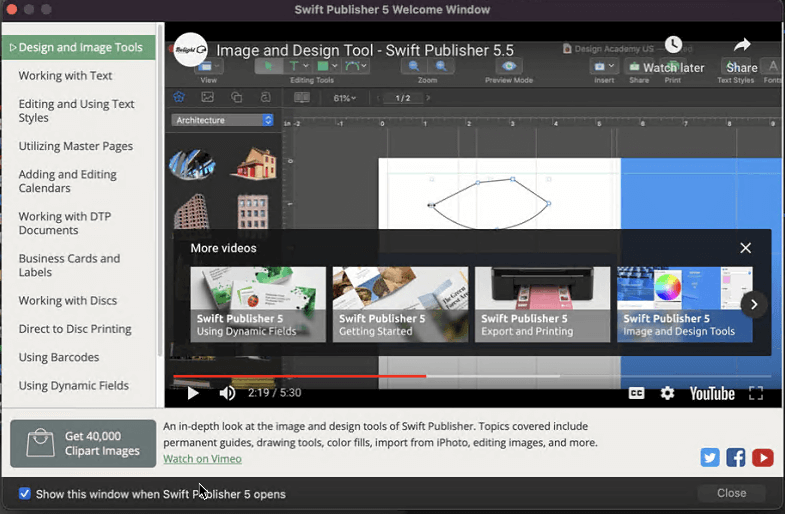
Swift Publisher for Mac is developed by Belight. A company is known for its creative and designing products. This all-purpose page layout and printing software can help to create calendars, brochures, CD labels, and eye-catching business cards.
| Pros | Cons |
| User friendly | Need to pay extra for clipart pack |
| A must-have desktop publishing software | Doesn’t match with Adobe InDesign publishing power |
| Includes professional desktop publishing features | Only available for macOS |
| Value for money | Using default layout requires manual tweaking |
| Direct-to-disc printing | |
| Built-in templates for brochures, flyers, posters, labels, business cards, etc |
Overall – 87%
Ease of Use – 99%
Customer Service – 90%
Value for Money – 99%
Price – $ 19.99 Single License
Languages Supported – German, English, French, Italian, Japanese, Spanish
Purchase Link – https://www.swiftpublisher.com/store/
Highlights:
- Offers over 500+ templates for printing bi-fold and tri-fold brochures, business cards, etc.
- Powerful text editing
- Provides 2000 free clipart images & 100 image masks
- Great collection of 2D and 3D heading presets
- Edit two pages side-by-side
- Diverse Import & Export options
Key Features:
Customizable Templates – Swift Publisher offers 500+ pre-designed templates that can be customized and used for quick creation of brochures, business cards, flyers, and much more.
Spread View – Offers different modes to view and edit simultaneously pages side-by-side when editing magazines or folded brochures.
Import from photos and custom folder – Can use your favourite photos, albums to design projects and create personalized catalog, business cards, disc labels, covers, etc.
Master Pages – To be found only in the best DTP software, Master Pages are a powerful option to create repeating content – headers, page numbers, background for documents.
Flexible Text Tools – Swift Publishers allows adjusting regular text using a Text Box tool as Circular, Vertical when designing discs and jewel cases.
Flowing Text Boxes – Can link text boxes to make text flow even when text boxes are on different pages. While creating self-publishing books and magazines this is a great option.
Unlimited Editing Layers – Supports layer-based workflow to create complex designs and reorder them to make them invisible and non-printable.
Mail Merge with Apple Contacts – Create a mail merge list to automatically print labels or cards for all your contacts in a batch.
Export to PNG, TIFF, PDF, EPS, and JPEG – Export projects to popular image formats and send them to print at the printshop or at home.
Generate Barcodes and Serial Numbers – Using file data generate QR codes, UPC, EAN, ISBN, and other barcodes.
So, this is about the highlights, key features, pricing, pros & cons for Swift Publisher. Now, let’s see how this app looks.
Swift Publisher starts with a blank piece of paper with rulers at the top and sides. Using guidelines you can easily set up the project and create a basic layout.
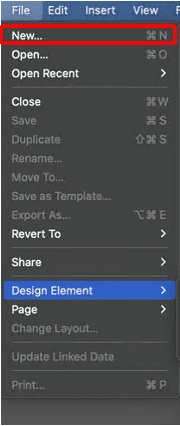
To start a new project, click File > New.
Select the type of document you want to create from Template Gallery
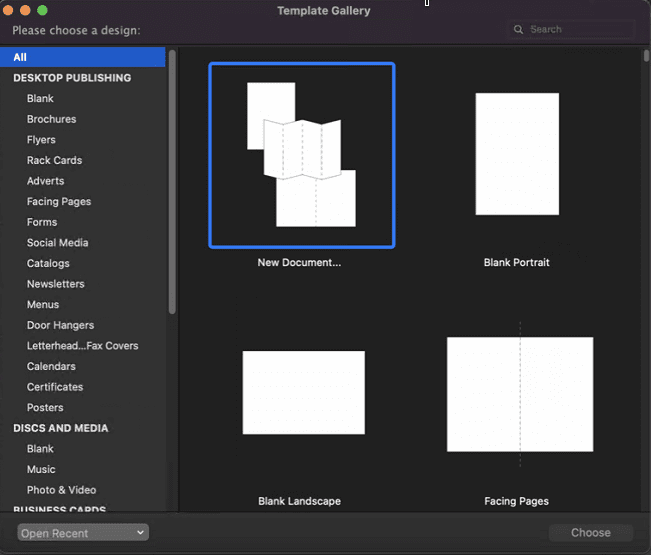
You can now use both foreground and background layers, in fact, multiple layers can be used and aspects of printability can be defined. For instance, you can set instructions for a layer to be printed or not.
Swift Publisher includes magazine layouts, social media headers, and everything you need to create. Name it, Swift Publisher will have it.
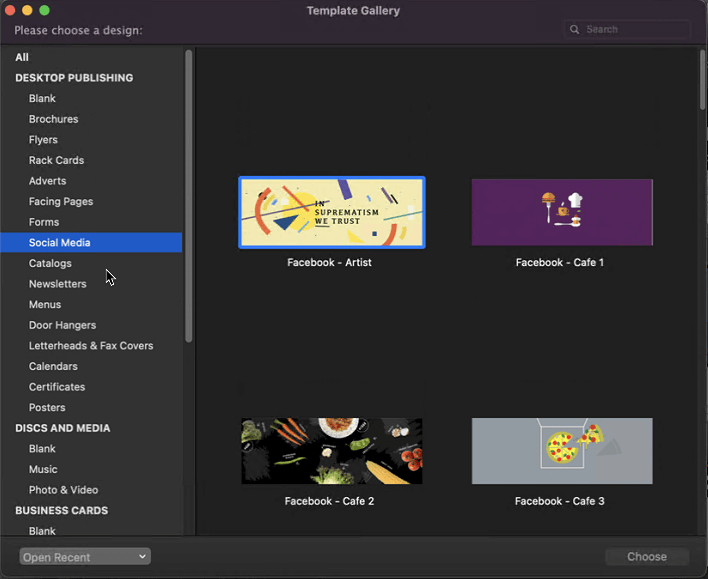
Other tools include designing elements for CD, DVD and Blu-Ray discs.
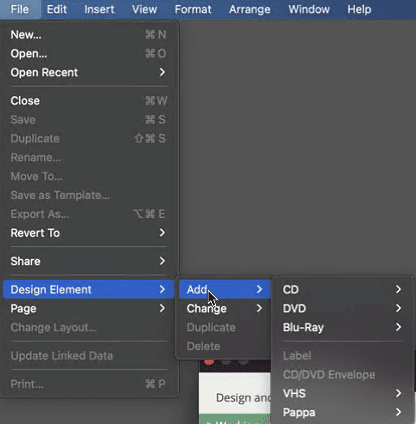
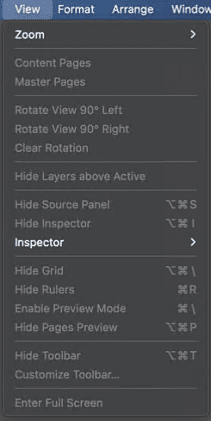
You can use Insert menu to insert photos, smart shapes, text, and other things you need. In addition to this, you can take advantage of 2D and 3D text effects, rotate pieces of text, zoom and do a lot more from different menus.
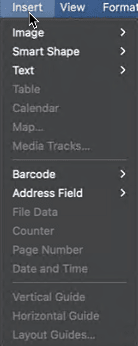
Need to add maps, barcodes, or whatever? Swift Publisher has got it covered. Just drop in Google Maps, draw paths to highlight directions. Add barcode from 11 different formats. Add tables, add different field types for forms, and a lot more.
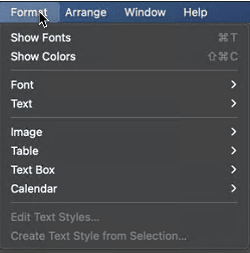
You can format the printable documents, decide to show colors, change the font and a lot more from the Format menu.
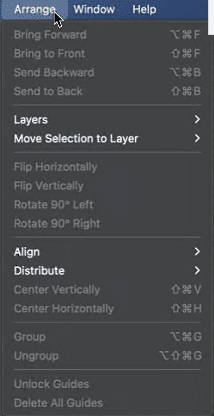
Want to arrange all that you added to the document? Simply use the Arrange menu, bring the text to the front, send backward, add a layer, move selection, flip horizontally, vertically, or whatever way you like. The Format menu gives you all the options for that.
Using Swift Publisher is easy to install your Mac and you are good to go. You are all set to be a publisher and a designer at the same time.
The documents you create using Swift Publisher can be printed, saved in various graphics formats. This wonderful design tool also helps with creating an email newsletters.
You can also take advantage of video tutorials that teach you how to use Swift Publisher. Swift Publisher is an app that you can quickly learn and use for your desktop publishing projects. So, expand your capabilities, become a professional and create complex designs on your own.
With the pricing so reasonable, I could see Swift Publisher a great design teaching tool you can use anytime. Certainly, Belight Software also thinks the same and created Swift Publisher. One can do everything like creating booklets, envelopes, flyers, newspapers, you can also create memes. So, what are you waiting for? Start doing all that from your home on your Mac.
Author Bio:
Dinesh Lakhwani 

Dinesh Lakhwani, the entrepreneurial brain behind “TechCommuters,” achieved big things in the tech world. He started the company to make smart and user-friendly tech solutions. Thanks to his sharp thinking, focus on quality and the motto of never giving up, TechCommuters became a top player in the industry. His commitment to excellence has propelled the company to a leading position in the industry.
Popular Post
Recent Post

How to Activate Windows with a Product Key for Windows 11 & Windows 10
It always shows up at the worst time. You are halfway through a report, or about to join a video call. Then you spot it in the bottom right corner of the screen. Activate Windows. Go to Settings to activate Windows. Initially, an unactivated copy of Windows may seem like a minor inconvenience. Over time, […]

Is Easy Duplicate Finder Worth It? Honest Review
The photos folder looked normal at first glance. Then the storage warning popped up. One trip photo appeared four times. A tax PDF sat in three different folders. Two old setup files were still in Downloads, and each one was over 500 MB. Nobody plans this mess. Copies pile up slowly. A download runs twice. […]

Wise Duplicate Finder Review: Real Results from Wise Duplicate Finder
Read my honest Wise Duplicate Finder review. See features, pricing, pros and cons, and real PC test results. Find out if this free duplicate cleaner can free up your Windows storage.

How to Recover Deleted Files from Pen drive, USB Drive, SD Card
Introduction: On tech forums, you’ll often see posts like this: “I connected my pen drive to my laptop this morning, but the folder was empty. All my college project files had vanished. I don’t have a backup. Can someone help me?” Stories like this are very common. Pen drives, USB drives and SD cards are […]

How To Recover Files Deleted from the Recycle Bin [Windows 11]
Losing a file can happen in seconds. You clear your desktop, hit Delete, and empty the Recycle Bin. Then, just when you need that file again, it seems to have vanished. This guide will walk you through ways to restore files removed from the Recycle Bin. We will begin with simple fixes, then look at […]

Disk Drill Data Recovery Tool Explained: Full Review and Guide
It happens in a split second. You delete a folder by mistake. Your drive stops showing up. A photo album from your last trip just vanishes. And your stomach drops. Lost files feel personal. They are not just data. They are memories, work hours, and sometimes years of effort packed into a few gigabytes. When […]

Recover Deleted Files In Windows 11 With Software & Without
Introduction What is the first thing that goes through your mind the second an important file vanishes from a Windows 11 PC? For most people, it is a mix of panic and disbelief, followed by a frantic click through every folder that file could possibly be hiding in. It happens in a split second: one […]

EaseUS Data Recovery Wizard: Everything To Know
Data loss does not always come from a big disaster either. Most cases start small and boring. A drive gets formatted by mistake. A laptop freezes mid-save and restarts on its own. A memory card stops showing up after being pulled out too fast. None of these feel like emergencies at first, until you realize […]

Recuva Data Recovery Tool: Is it Actually Worth it?
When I first tried Recuva Data Recovery, I wanted to see if it could really bring back lost files. The tool is free, small in size, and promises quick recovery, which made me curious enough to test it on my own PC. The setup was fast, and the wizard guided me step by step. I […]

