











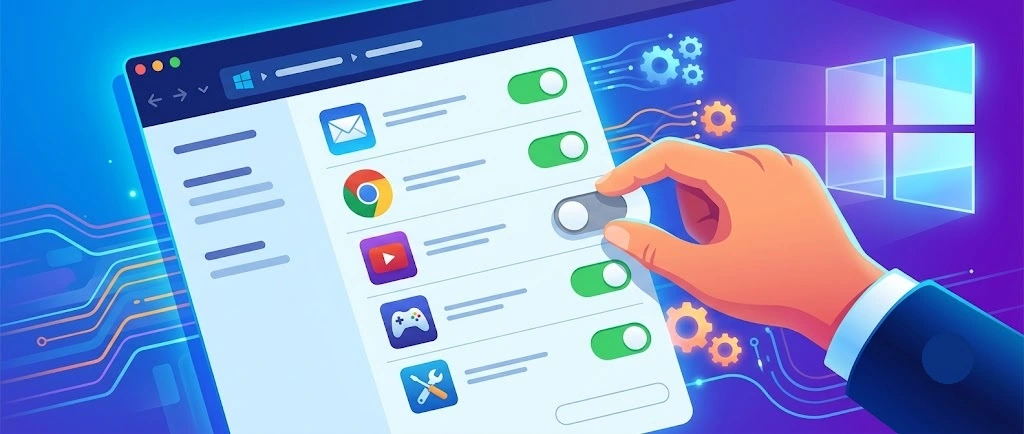
A slow PC rarely gives a warning. One day, it simply takes longer to start. Apps open late. The fan runs loud, even when the screen is almost empty. Most people blame old hardware. Often, that is not the real reason. The real reason is hiding in plain sight. Windows keeps many apps active in […]
10 Best Music Player Apps for iPhone: Complete Guide
Are you tired of the standard Apple Music app? You need better options. The best music player apps for iPhone can change how you enjoy music. They offer more features and better sound.
Music is a big part of our lives. We listen while working, exercising, or relaxing. Having the right music player app matters. It affects your whole listening experience on your iPhone.
We have many choices for music player apps. This guide shows you the best music player apps for iPhone. I tested dozens and picked the top 10. Let’s find the perfect music player for your needs.
Why Do You Need a Third-Party Music Player On iPhone
Apple’s built-in Music app works fine. But third-party music player apps for iPhone offer much more. They bring features Apple doesn’t provide.
- Better sound quality with advanced equalizers and audio enhancement
- More format support for FLAC, ALAC, and other high-quality audio files
- Custom playlists with smart sorting and tagging options
- No ads in many premium music players
- Offline listening without needing constant internet
- Better user interface that’s easier to use one-handed
- Battery optimization for longer listening sessions
———————————————————————————————————————–
10 Best Music Player Apps for iPhone
Finding the perfect music player for your iPhone can enhance your listening experience, whether you’re a casual listener or an audiophile. With a variety of apps offering unique features like high-resolution playback, customizable equalizers, and seamless streaming, there’s something for everyone.
In this guide, we explore the 10 best music player apps for iPhone, highlighting their key features to help you choose the right one for your needs.
1. music player-NePLAYER Lite

Price: Free.
music player-NePLAYER Lite tops our list of best music player apps for iPhone. It offers amazing sound quality with a simple interface.
NePLAYER Lite is a high-resolution music player for audiophiles. It supports FLAC, WAV, ALAC, and DSD formats. It has a visualizer, equalizer, and surround effects. Users can sort songs by format and create playlists. It works with Lightning USB-DAC devices. The interface is simple and the sound quality is excellent.
Key Features:
- 32-bit audio processing for crystal clear sound
- Custom equalizer with 18 preset options
- Gapless playback for albums
- Crossfade between songs (1-12 seconds)
- Smart playlists that update based on your listening habits
Latest Update: April 2025.
What I Like: The sound quality is unmatched. The equalizer makes a real difference in how music sounds.
What I Dislike: Does not support Spotify or Apple Music. File format sorting – Might feel unnecessary for casual listeners.
My Verdict: If sound quality matters most to you, NePLAYER Lite is worth it. It is the best music player app for audiophiles with iPhones.
2. Doppler

Price: $6.99 one-time purchase (3-day free trial)
Doppler stands out among the best music player apps for iPhone with its focus on local music files. Even tech beginners can use it easily.
The app imports music directly from your computer or cloud storage. It organizes everything neatly without needing an internet connection to play.
Key Features:
- Offline-first approach with no streaming service required
- AirDrop support for quick file transfers
- Automatic album artwork and metadata finder
- fm scrobbling integration
- Dark and light modes that match system settings
Latest Update: March 2025 – Added improved metadata editing and fixed album sorting issues
What I Like: The offline focus means no ads or subscriptions. The interface is clean and fast. Music transfer is simple.
What I Dislike: The one-time price is higher than some competitors. No equalizer in the base version.
My Verdict: Doppler is perfect for listeners who own their music files and want a simple, reliable player. One of the best music player apps for iPhone users who prefer offline listening.
3. BeatMaster

Price: Free.
BeatMaster focuses on DJ-like features. It’s one of the best music player apps for iPhone users who like to mix and customize their music experience.
This app stands out with its beat-matching technology. It creates smooth transitions between songs based on tempo and style.
Key Features:
- AI-powered mixing between tracks
- Advanced 10-band equalizer
- Beat detection for perfect transitions
- Visualizer with 12 different styles
- Playlist creation based on BPM or mood
Latest Update: May 2025 – Added new visualizers and improved AI mixing
What I Like: The mixing features are amazing. It makes playlists flow together like a DJ set. The visualizers look great.
What I Dislike: Monthly subscription cost adds up. Uses more battery than other players.
My Verdict: BeatMaster is perfect for party hosts or anyone who values smooth transitions. The subscription is worth it for music enthusiasts.
4. Vox

Price: Free (Vox Premium $4.99/month)
Vox brings a perfect mix of classic looks and modern features. This app wins fans with its elegant interface and high-quality sound. It’s among the best music player apps for iPhone users who want premium audio without complexity.
The app focuses on sound quality first, with a clean interface that makes navigating large music libraries simple. It supports high-resolution audio files that Apple Music can’t handle.
Key Features:
- Hi-Res audio playback up to 24-bit/192kHz
- BS2B technology for better headphone listening
- Radio station integration with thousands of options
- Simple but powerful equalizer with presets
Latest Update: February 2025 – Added new radio stations and improved sound engine
What I Like: The sound quality is exceptional. The interface is clean but powerful.
What I Dislike: Best features require the premium subscription. Cloud storage needs separate subscription.
My Verdict: Vox is perfect for those who want outstanding sound quality with minimal fuss. It balances simplicity with audiophile features.
5. Cs Music Pro

Price: $2.99 one-time purchase
Cs Music Pro focuses on being a powerful alternative to Apple Music. It’s one of the best music player apps for iPhone users who want more control over their music library. The app works with your existing music library but adds better management.
This player enhances how you browse and organize music. It adds features Apple left out of their default player.
Key Features:
- Full control over music library organization
- Grid, list, and cover flow viewing options
- Smart playlists with complex rules
- Swipe gestures for quick music management
- CarPlay support for on-the-road listening
Latest Update: April 2025 – Added new library view options and improved CarPlay integration
What I Like: Works perfectly with existing iTunes/Apple Music libraries. The interface is clean and fast. One-time payment is reasonable.
What I Dislike: Requires music to be in Apple Music library first. No integrated streaming options.
My Verdict: Cs Music Pro is the best music player app for iPhone users who want to enhance their existing Apple Music library experience.
6. Musixmatch

Price: Free (Premium $35.99)
Musixmatch stands out with its focus on lyrics and music identification. This app makes it easy to follow along with songs and discover new music.
The standout feature is the world’s largest lyrics catalog with real-time syncing to your music.
Key Features:
- Floating lyrics widget that works with any music app
- Music identification like Shazam but with lyrics
- Translation of lyrics to your language
- Apple Music and Spotify integration
- Offline lyrics for saved songs
Latest Update: May 2025 – Improved lyrics sync accuracy and added more languages
What I Like: The lyrics feature is unmatched by any other app. Music identification works well. The free version is very usable.
What I Dislike: Premium price is steep for monthly payment. Some features require constant internet.
My Verdict: Musixmatch is the best music player app for iPhone users who love singing along or want to understand lyrics better.
7. Foobar2000

Price: Free
Foobar2000 focuses on customization and power features. It’s among the best music player apps for iPhone users who want complete control over their music experience.
The app comes from a legendary desktop player and brings its power to iOS with a simpler interface while maintaining advanced features.
Key Features:
- Support for 20+ audio formats including rare ones
- Replaygain support for volume normalization
- Highly customizable interface
- Advanced playlist management
- Gapless playback and custom skip intervals
Latest Update: March 2025 – Added new audio formats support and improved stability
What I Like: The customization options are extensive. Sound quality is excellent. Being completely free is amazing.
What I Dislike: Interface can be overwhelming at first. Some advanced features have steep learning curves.
My Verdict: Foobar2000 is perfect for power users and audio enthusiasts. The learning curve is worth it for the control you get.
8. Plexamp

Price: Free (Requires Plex Pass subscription at $6.99/month for full features)
Plexamp focuses on streaming your own music collection from your Plex server. It’s one of the best music player apps for iPhone users who maintain their own music libraries.
The app beautifully displays your music with rich metadata and smart features that learn from your listening habits.
Key Features:
- Streams from your Plex server to anywhere
- “Sonic super powers” with advanced audio processing
- Smart mixes based on listening patterns
- Offline sync for travel
- Multi-device playback syncing
Latest Update: May 2025 – Added new visualizers and improved offline sync reliability
What I Like: Having access to my entire music collection anywhere is fantastic. The sound enhancement features work well. The app looks beautiful.
What I Dislike: Requires a Plex server setup. Full features need Plex Pass subscription.
My Verdict: Plexamp is ideal for users who already use Plex and want the best way to access their music collection from their iPhone.
9. Neutron

Price: $9.99
Neutron specializes in audiophile-quality playback. It’s the best music player app for iPhone users who demand the absolute highest sound quality possible.
The app focuses on bit-perfect audio reproduction with advanced DSP features and format support.
Key Features:
- 32/64-bit audio processing engine
- Parametric equalizer with unlimited bands
- Support for rare formats like DSD, DXD, and MQA
- Direct hardware control bypassing iOS limitations
- Advanced audio effects like crossfeed and tube amplifier simulation
Latest Update: April 2025 – Added USB DAC auto-detection and improved DSP algorithms
What I Like: The sound quality is truly superior. Technical options satisfy even hardcore audiophiles. Support for external DACs works well.
What I Dislike: Expensive compared to other players. Interface prioritizes function over beauty.
My Verdict: Neutron is the ultimate choice for serious audiophiles. If sound quality is your top priority, it’s worth every penny.
10. jetAudio

Price: Free (Plus version $4.99)
jetAudio rounds out our list of best music player apps for iPhone with its balance of features and ease of use. The app includes 32 equalizer presets and 10 sound effects.
This app offers powerful sound enhancement with an interface anyone can use. It’s been refined over many years of development.
Key Features:
- 20-band equalizer with 32 presets
- X-Bass and X-Surround sound enhancements
- Speed control without pitch change
- Crossfading and gap removal
- Tag editing and auto-tagging features
Latest Update: May 2025 – Added new visualization options and improved tag editor
What I Like: The sound enhancements make a real difference. Interface is straightforward. The free version is very capable.
What I Dislike: Plus version needed for best enhancements. Some features hidden in menus.
My Verdict: jetAudio is perfect for users who want enhanced sound without complexity. It strikes a good balance for most listeners.
Conclusion
The best music player apps for iPhone offer features that Apple Music doesn’t provide. From better sound quality to specialized functions, these apps enhance your listening experience. Your choice depends on what matters most to you – sound quality, features, or price.
Try a few apps from this list to find your perfect match. Many offer free trials or versions. The right music player app can transform how you enjoy music on your iPhone.
Frequently Asked Questions
Can third-party music player apps play Apple Music subscription content?
Most third-party music player apps can’t play DRM-protected Apple Music subscription content. They work best with music you own or have downloaded. Some apps like MusicFlow can integrate with Apple Music but still use Apple’s app for the actual playback.
Do these music player apps work offline?
Yes, all the best music player apps for iPhone on this list work offline with locally stored music. Apps like MeloPlay and AudioPrime also offer ways to download streaming content for offline use. Check each app’s features for specific offline capabilities.
Will using a third-party music player drain my iPhone battery faster?
Some feature-heavy music player apps may use more battery than Apple’s Music app. Apps with visualizers, heavy processing, or advanced equalizers typically use more power. BassPod and BeatMaster are more battery-intensive, while simpler players like RetroTunes and MeloPlay are more efficient.
Author Bio:
Dinesh Lakhwani 

Dinesh Lakhwani, the entrepreneurial brain behind “TechCommuters,” achieved big things in the tech world. He started the company to make smart and user-friendly tech solutions. Thanks to his sharp thinking, focus on quality and the motto of never giving up, TechCommuters became a top player in the industry. His commitment to excellence has propelled the company to a leading position in the industry.
Popular Post
Recent Post
How to Activate Windows with a Product Key for Windows 11 & Windows 10
It always shows up at the worst time. You are halfway through a report, or about to join a video call. Then you spot it in the bottom right corner of the screen. Activate Windows. Go to Settings to activate Windows. Initially, an unactivated copy of Windows may seem like a minor inconvenience. Over time, […]
Is Easy Duplicate Finder Worth It? Honest Review
The photos folder looked normal at first glance. Then the storage warning popped up. One trip photo appeared four times. A tax PDF sat in three different folders. Two old setup files were still in Downloads, and each one was over 500 MB. Nobody plans this mess. Copies pile up slowly. A download runs twice. […]
Wise Duplicate Finder Review: Real Results from Wise Duplicate Finder
Read my honest Wise Duplicate Finder review. See features, pricing, pros and cons, and real PC test results. Find out if this free duplicate cleaner can free up your Windows storage.
How to Recover Deleted Files from Pen drive, USB Drive, SD Card
Introduction: On tech forums, you’ll often see posts like this: “I connected my pen drive to my laptop this morning, but the folder was empty. All my college project files had vanished. I don’t have a backup. Can someone help me?” Stories like this are very common. Pen drives, USB drives and SD cards are […]
How To Recover Files Deleted from the Recycle Bin [Windows 11]
Losing a file can happen in seconds. You clear your desktop, hit Delete, and empty the Recycle Bin. Then, just when you need that file again, it seems to have vanished. This guide will walk you through ways to restore files removed from the Recycle Bin. We will begin with simple fixes, then look at […]
Disk Drill Data Recovery Tool Explained: Full Review and Guide
It happens in a split second. You delete a folder by mistake. Your drive stops showing up. A photo album from your last trip just vanishes. And your stomach drops. Lost files feel personal. They are not just data. They are memories, work hours, and sometimes years of effort packed into a few gigabytes. When […]
Recover Deleted Files In Windows 11 With Software & Without
Introduction What is the first thing that goes through your mind the second an important file vanishes from a Windows 11 PC? For most people, it is a mix of panic and disbelief, followed by a frantic click through every folder that file could possibly be hiding in. It happens in a split second: one […]
EaseUS Data Recovery Wizard: Everything To Know
Data loss does not always come from a big disaster either. Most cases start small and boring. A drive gets formatted by mistake. A laptop freezes mid-save and restarts on its own. A memory card stops showing up after being pulled out too fast. None of these feel like emergencies at first, until you realize […]
Recuva Data Recovery Tool: Is it Actually Worth it?
When I first tried Recuva Data Recovery, I wanted to see if it could really bring back lost files. The tool is free, small in size, and promises quick recovery, which made me curious enough to test it on my own PC. The setup was fast, and the wizard guided me step by step. I […]

