











The photos folder looked normal at first glance. Then the storage warning popped up. One trip photo appeared four times. A tax PDF sat in three different folders. Two old setup files were still in Downloads, and each one was over 500 MB. Nobody plans this mess. Copies pile up slowly. A download runs twice. […]
9 Free Best Barcode Scanner for Android: With Comparison
In our digital world, scanning barcodes and QR codes has become second nature. Whether you’re tracking packages, accessing information, or making payments, these little codes have made our lives incredibly convenient. But with so many barcode scanner apps out there for Android, choosing the right one can be overwhelming.
That’s where this guide comes in! We’ve handpicked the 10 best apps to scan barcodes and QR codes on Android. No more sifting through endless options or downloading subpar apps. Get ready to unlock the power of seamless scanning with these top-notch free apps.
From user-friendly interfaces to advanced features like built-in flashlights and product information, we’ve got you covered. Whether you’re a busy professional or just someone who loves staying organized, these free apps to scan barcode or QR code will make your life easier.
How We Made the List
To pick the best free barcode scanners for Android. we focused on accuracy, ease, features, and overall reliability. We tested many apps on different Android models and real barcodes. We looked for apps that read both QR and traditional barcodes fast and without errors.
We also noted how each app handles history, offline use, and scanner tools. Below are the key qualities we weighed in making our list.
- Scanning Speed and Accuracy: We chose apps that read codes quickly with low fail rates. Fast scanning means less waiting and fewer retries.
- Support for Multiple Code Types: Good apps scan QR codes, UPC, EAN, and other formats. Broader support helps in diverse tasks.
- User Interface Simplicity: We looked for clear, uncluttered interfaces. Easy menus and big scan areas help all users.
- Offline Performance: Apps that scan without internet earned extra points. Offline use is essential when on the move.
- History and Organization: We preferred apps that keep a history of scans. Organized history makes it easier to revisit earlier codes.
- Extra Utilities: Apps with price lookup, share tools, and export options scored higher. Useful add-ons improve value.
- Privacy and Permissions
We favored apps that ask sensible permissions and respect user privacy. Minimal data collection is a plus. - Regular Updates: Apps updated often were ranked higher. Frequent updates mean better code libraries and bug fixes.
Questions That May Occur In Your Mind
FLUQ 1: Which app scans fastest on Android
Orca Scan stood out for fast scanning. It locks on codes quickly. Lag is almost zero when lighting is adequate. It scans multiple formats without delay. Beginners find it responsive and reliable. In tests, it read codes faster than most.
FLUQ 2: Is there a barcode scanner with price comparison
Yes, Barcode Scanner: Price Finder includes price tools. It lets you compare product prices easily. After scan it shows pricing options online. This helps when shopping in stores. It links to web results quickly. Price lookup depends on internet access.
FLUQ 3: Can barcode apps save scanned code history
Yes, most scanners keep scan history. They log past codes automatically. You can revisit them later without re-scanning. Some let you share or export them. History helps track products and links. A neat list saves time.
Top 5 Barcode Scanner Apps Compared
Here is a quick look at the five top free barcode scanner apps on Android. The table highlights strengths so you can choose what matters most to you.
Feature / App | QR and BarCode Scanner | QR Code & Barcode Scanner | Barcode Scanner: Price Finder | Orca Scan | QR and Barcode Scanner Plus |
Barcode Type Support | Excellent | Very Good | Very Good | Excellent | Very Good |
Scan Speed | Fast | Fast | Moderate | Very Fast | Fast |
Offline Scanning | Yes | Yes | Yes | Yes | Yes |
History and Sharing | Yes | Yes | Yes | Yes | Yes |
Price Lookup | No | No | Yes | No | No |
User Interface | Clean | Simple | Utility-focused | Modern | Friendly |
Ads Impact | Low | Low | Moderate | Low | Moderate |
Best Use Case | Everyday scanning | Quick home use | Price comparison | Fast pro scanning | Balanced feature set |
9 Best Free QR Code & Barcode Scanner Apps for Android To Use
1. QR and BarCode Scanner
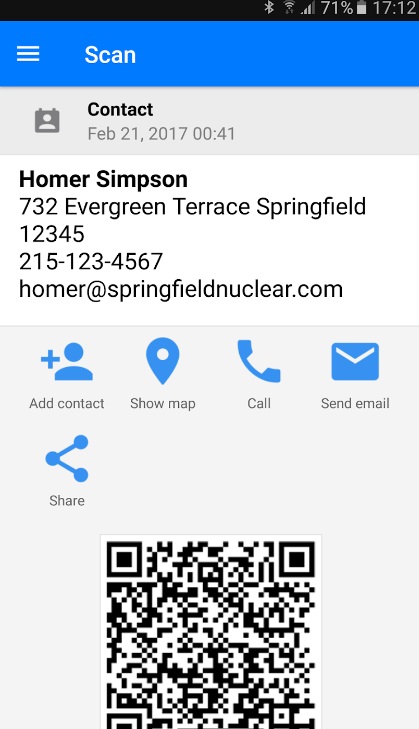
This App by Gamma Play is a free app to scan barcodes and QR codes on Android phones. It offers a seamless and user-friendly experience. This app not only scans traditional barcodes but also supports QR codes, making it a versatile choice for both personal and professional use.
With its intuitive interface and fast scanning capabilities, QR Code Reader is an excellent choice for those seeking a reliable and efficient solution.
Key Features:
- Scan QR codes, barcodes, and data matrix codes.
- Supports multiple languages.
- History log for scanned codes.
- Share scanned codes via various apps.
- Customizable scan vibration and sound.
Pros:
- Simple and clean interface.
- Fast and accurate scanning.
- Supports a wide range of code types.
- Regular updates for bug fixes and improvements.
Cons:
- Limited customization options.
- No built-in flashlight for low-light scanning.
2. QR Code & Barcode Scanner
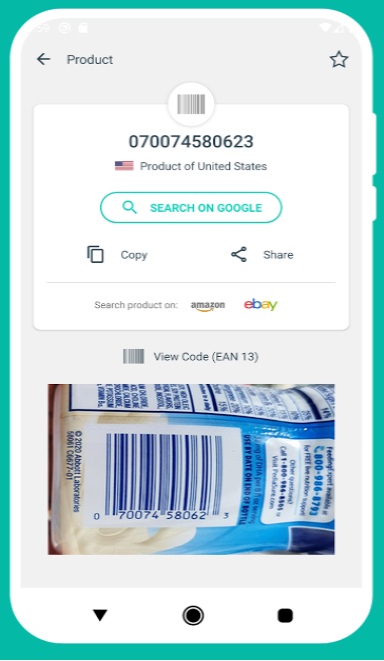
It is a free app to scan barcode or QR code that offers a reliable and secure scanning experience. Developed by the renowned cybersecurity company Trend Micro, this app prioritizes user privacy and data protection.
With its advanced scanning technology and user-friendly interface, QR Code Reader is an excellent choice for those who value security and efficiency.
Key Features:
- Keep track of your scans effortlessly. The app stores your scanning history, allowing you to revisit previously scanned codes whenever needed.
- The app offers fast and accurate scanning for all types of QR codes and barcodes. Whether you’re scanning a product label or a promotional QR code, this feature ensures quick access to relevant information.
- Customizable QR code generation.
Pros:
- Enhanced security features for safe scanning.
- Fast and accurate scanning capabilities.
- Intuitive and user-friendly interface.
- Regular updates with security patches and improvements.
Cons:
- Limited customization options.
3. Barcode Scanner: Price Finder
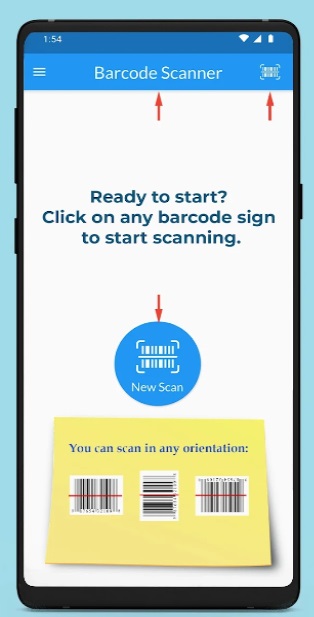
This is a free app to scan barcodes on Android that offers a comprehensive set of features for both personal and professional use. With its intuitive interface and advanced scanning capabilities, this app makes scanning barcodes and QR codes a breeze.
Whether you need to scan product codes, track packages, or access information, Barcode Scanner is an ideal pick.
Key Features:
- The app scans all formats of digital codes, including barcodes and QR codes, both 1D and 2D types.
- Supports a wide variety of code types including UPC-A, UPC-E, EAN-13, Code39, QR Code, Datamatrix, Aztec, and more.
- Scanned items are stored in your history for convenient access. You can easily share the barcode through text or email, or open it directly in a web browser.
Pros:
- Advanced scanning capabilities
- Intuitive and user-friendly interface
- Customizable settings for a personalized experience
Cons:
- Occasional performance issues on older devices
- Limited language support
4. Orca Scan
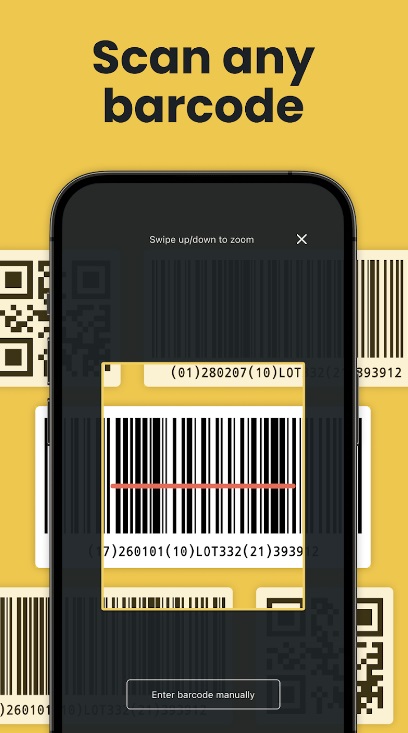
Orca Scan is a free QR code scanner app for Android that offers a sleek and modern scanning experience. This app stands out with its intuitive interface and powerful scanning capabilities, making it a top choice for both personal and professional use.
Whether you need to scan barcodes, QR codes, or data matrix codes, Orca Scan free Android QR Code scanner App delivers reliable and accurate results every time.
Key Features:
- Allows you to scan various types of barcodes, including QR codes, UPC, and other standard formats.
- Orca Scan is fully configurable. You can add or remove fields to capture the specific data you need.
- Export your data in various formats, such as Microsoft Excel, JSON, XML, or CSV.
- The app offers real-time synchronization, allowing multiple users to collaborate efficiently.
Pros:
- Elegant and user-friendly interface.
- Fast and accurate scanning performance.
- Batch scanning mode for efficient scanning of multiple codes.
Cons:
- Limited language support.
- No additional features like product information or price comparisons.
5. QR and Barcode Scanner Plus
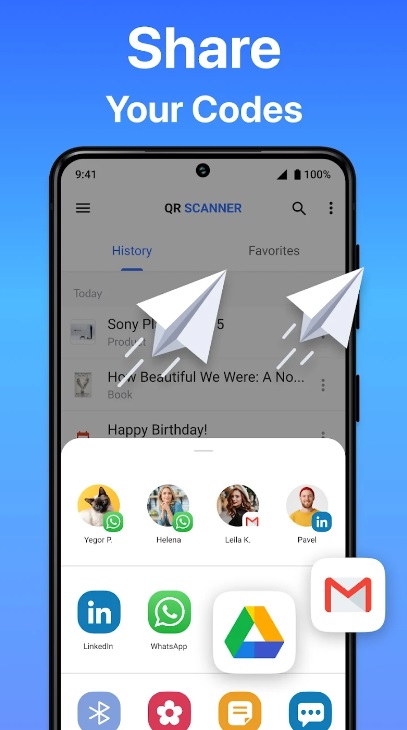
Developed by Digitalchemy LLC, it is a versatile mobile application designed to swiftly decode various types of QR codes and barcodes effortlessly. With its intuitive interface, users can easily scan QR codes and barcodes using their smartphone’s camera.
This free Android QR Code scanner app supports a wide range of formats including QR codes, Data Matrix, UPC, EAN, and more, making it handy for multiple purposes like accessing websites, product information, and event tickets. Its efficient scanning engine ensures rapid results, while additional features such as history tracking and flashlight support enhance usability.
Key Features:
- Allows you to scan all types of QR codes and barcodes. Whether you encounter QR codes on products, promotional materials, or boarding passes.
- The code reader handles all major QR and barcode formats, including QR codes, Data Matrix, Maxi code, Code 128, Code 39, Code 93, and more.
- Comfortably scans 1D (linear) and 2D (Data Matrix, QR Code, or PDF417) barcodes.
Pros:
- Quick and efficient scanning.
- Wide format support.
- No Internet connection is required for scanning QR codes.
- User-friendly interface.
- History tracking feature for easy reference.
Cons:
- Ad-supported version may have occasional interruptions.
- Limited advanced features compared to some premium alternatives.
- Requires access to the device’s camera, raising privacy concerns for some users.
6. Barcode Generator and Scanner
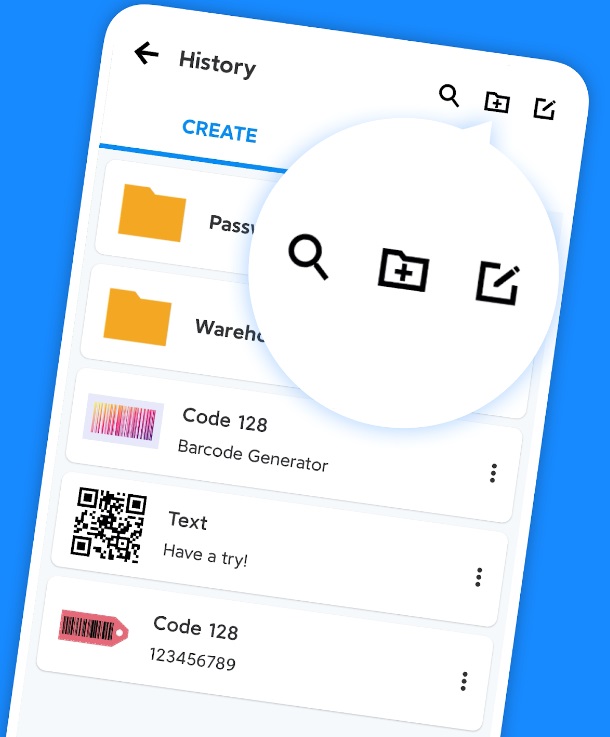
Barcode Generator & Scanner is a comprehensive mobile application designed to meet all your barcode needs with ease. Whether you’re a business owner, event organizer, or simply need to manage your inventory, this app offers a seamless solution. With its intuitive interface, creating custom barcodes tailored to your specific requirements is a breeze.
The scanning feature ensures swift and accurate decoding of barcodes using your smartphone’s camera, making it convenient for on-the-go tasks. Additionally, the free Android QR Code scanner app supports a wide range of barcode formats, ensuring compatibility with various systems and applications.
With features like history tracking and batch processing, Barcode Generator & Scanner streamlines your barcode-related tasks efficiently.
Key Features:
- Generate, scan, and customize barcodes and QR codes.
- Create barcodes in various formats like Code-39, Code-128, and more.
- Personalize barcodes with different colors, text, and even pictures.
- Use beautiful templates and decorate scanned barcodes for a unique look.
- Organize and search through generated barcode and scan records.
Pros:
- Versatile functionality for diverse barcode-related tasks.
- Easy-to-use interface for seamless operation.
- Swift and accurate scanning enhances productivity.
Cons:
- While it covers the basics well, advanced barcode features (such as batch generation or advanced data encoding) may be lacking.
- Some users report encountering ads within the app, which can be distracting.
7. Super CodeReader
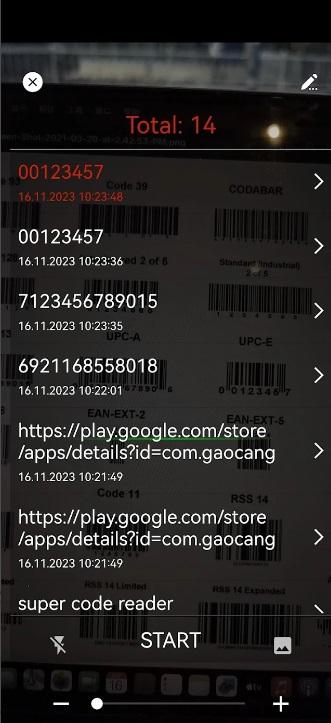
Super CodeReader is a user-friendly mobile application that simplifies the process of scanning and generating QR codes and barcodes. With its intuitive interface and powerful scanning engine, users can effortlessly scan QR codes and barcodes using their smartphone’s camera. The app supports a wide range of formats, including QR codes, UPC, EAN, and more, ensuring compatibility with various systems and applications.
Additionally, users can generate custom QR codes and barcodes for different purposes, such as product labeling and event ticketing.
Super CodeReader is a handy tool for both personal and professional use, offering convenience and efficiency in barcode-related tasks.
Key Features:
- Easily scan QR codes, barcodes, and more.
- Use a flashlight in dark environments and zoom for distant codes.
- Open links, connect to WiFi, add events, and more directly from scans.
- Scan codes from images or using the camera.
- Make your own QR codes or barcodes.
- Keep track of all your scans and creations.
- Save scans and creations as CSV or JSON files for sharing.
Pros:
- Combines scanning and generation features in a single app.
- Allows you to personalize QR codes with colors, logos, and frames.
Cons:
- Advanced barcode functionalities (e.g., batch generation) may be missing.
- Some users report encountering ads while using the app.
8. Barcodica
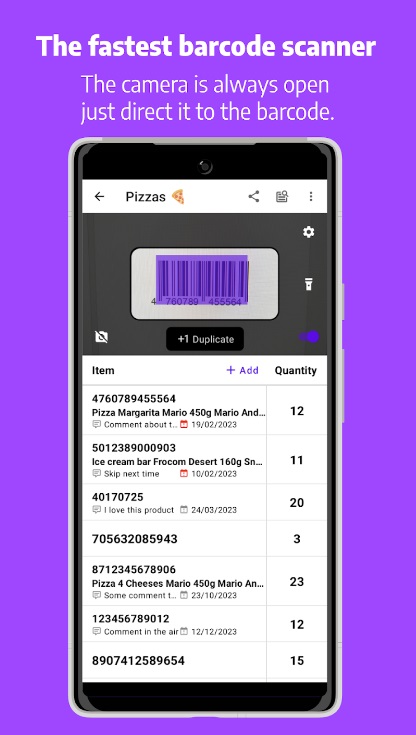
Barcodica is a free barcode scanner app for Android that sets itself apart with its innovative approach to scanning and data management. This app offers a seamless and efficient scanning experience, combined with powerful features that cater to both personal and professional users.
One of the standout features of Barcodica is its advanced data management capabilities. The app allows you to create custom categories and tags for your scanned codes, making it easier to organize and retrieve information. Additionally, Barcodica offers cloud synchronization, ensuring that your scanned data is always accessible across multiple devices.
Key Features:
- Unlike other QR scanners, Barcodica keeps the barcode detection camera always displayed on the screen.
- Create or import products within the app. Each time you scan a corresponding barcode, relevant product data (such as name, price, images, etc.) will be displayed.
- Quickly find specific barcodes or products using the search option.
- Lets you adjust scanner settings to improve quality and prevent duplicate barcode creation or merging.
Pros:
- Cloud synchronization for easy access to scanned data.
- Intuitive and user-friendly interface.
Cons:
- Limited language support.
- No additional features like product information or price comparisons.
9. QRbot: QR & barcode reader
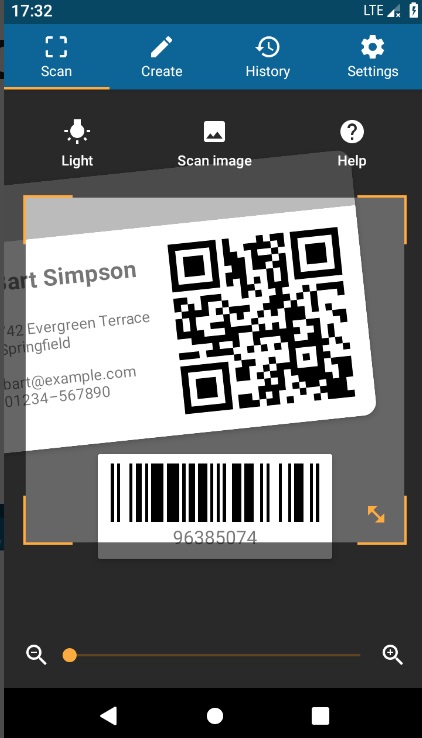
QRbot: QR & Barcode Reader” by TeaCapps is a robust mobile application designed to simplify the process of scanning and decoding QR codes and barcodes. With its user-friendly interface and powerful scanning capabilities, QRbot allows users to effortlessly scan a wide variety of codes using their smartphone’s camera.
Unlike some apps that demand extensive permissions, QRbot respects your privacy. You can scan images without granting access to your device storage. Furthermore, sharing contact data as a QR code doesn’t require access to your address book.
Key Features:
- Create QR codes directly within the app to share arbitrary data like website links with others.
- The app uses Chrome Custom Tabs with Google Safe Browsing technology to protect users from malicious links. It also ensures shorter loading times.
- Activates the flashlight for reliable scans in dark environments and uses pinch-to-zoom to read barcodes from a distance.
- Manages an unlimited history of scans, exports it as a CSV file.
Pros:
- QRbot’s straightforward interface ensures ease of use without unnecessary clutter.
- The app can scan barcodes even without an active internet connection, which is useful in areas with limited connectivity.
- Minimal permissions required for scanning enhance user privacy and security.
Cons:
- Some users might miss the ability to sync their scan history across devices or platforms.
- Navigating within the app could be more intuitive, especially for less tech-savvy users.
Conclusion
In the ever-evolving digital landscape, having a reliable and efficient barcode scanner app on your Android device has become a necessity. Whether you’re a professional looking to streamline your workflows or an individual seeking convenience, the apps mentioned in this article offer a wide range of features and capabilities to cater to your specific needs.
Remember to evaluate your requirements, consider the pros and cons, and choose the app that best aligns with your preferences and usage patterns. Do let us know which one is your favorite free app to scan barcode or QR code on Android.
FAQs:
Are these barcode scanner apps free to use?
Yes, all the apps mentioned in this article are free to download and use on Android devices. However, some apps may offer premium or ad-free versions with additional features for a fee.
Do I need an internet connection to use these barcode reader apps?
Most of these apps can function without an internet connection for basic scanning purposes. However, certain features like accessing product information, price comparisons, or sharing scanned codes may require an internet connection.
Can these apps scan damaged or low-quality barcodes and QR codes?
While most QR code scanner apps are designed to handle a wide range of barcode and QR code types, their performance may vary when scanning damaged or low-quality codes. Apps with advanced scanning capabilities and built-in features like flashlights or image processing may fare better in such scenarios.
Are free barcode scanner apps safe to use
Yes, most free barcode scanners are safe. They only request camera permission to scan codes. Some may show ads, but they rarely collect sensitive data. Always check app reviews and privacy notices. Avoid apps asking for unnecessary permissions like contacts. Safe apps focus just on scanning.
Can these apps read damaged barcodes
Many apps can read slightly damaged barcodes. They use advanced algorithms to fill in gaps. However, very worn or obscured codes may fail. Good lighting helps the scanner see details. Try adjusting angle and distance when scanning. Some apps retry automatically until it reads.
Do barcode scanner apps work offline
Yes, most barcode scanner apps work offline. They use your camera and local code tables. You don’t need the internet to scan most barcodes. Some features like price lookup may fail without data. But basic scanning stays functional anywhere. This is useful on the go.
Author Bio:
Dinesh Lakhwani 

Dinesh Lakhwani, the entrepreneurial brain behind “TechCommuters,” achieved big things in the tech world. He started the company to make smart and user-friendly tech solutions. Thanks to his sharp thinking, focus on quality and the motto of never giving up, TechCommuters became a top player in the industry. His commitment to excellence has propelled the company to a leading position in the industry.
Popular Post
Recent Post
Wise Duplicate Finder Review: Real Results from Wise Duplicate Finder
Read my honest Wise Duplicate Finder review. See features, pricing, pros and cons, and real PC test results. Find out if this free duplicate cleaner can free up your Windows storage.
How to Recover Deleted Files from Pen drive, USB Drive, SD Card
Introduction: On tech forums, you’ll often see posts like this: “I connected my pen drive to my laptop this morning, but the folder was empty. All my college project files had vanished. I don’t have a backup. Can someone help me?” Stories like this are very common. Pen drives, USB drives and SD cards are […]

How To Recover Files Deleted from the Recycle Bin [Windows 11]
Losing a file can happen in seconds. You clear your desktop, hit Delete, and empty the Recycle Bin. Then, just when you need that file again, it seems to have vanished. This guide will walk you through ways to restore files removed from the Recycle Bin. We will begin with simple fixes, then look at […]

Disk Drill Data Recovery Tool Explained: Full Review and Guide
It happens in a split second. You delete a folder by mistake. Your drive stops showing up. A photo album from your last trip just vanishes. And your stomach drops. Lost files feel personal. They are not just data. They are memories, work hours, and sometimes years of effort packed into a few gigabytes. When […]
Recover Deleted Files In Windows 11 With Software & Without
Introduction What is the first thing that goes through your mind the second an important file vanishes from a Windows 11 PC? For most people, it is a mix of panic and disbelief, followed by a frantic click through every folder that file could possibly be hiding in. It happens in a split second: one […]
EaseUS Data Recovery Wizard: Everything To Know
Data loss does not always come from a big disaster either. Most cases start small and boring. A drive gets formatted by mistake. A laptop freezes mid-save and restarts on its own. A memory card stops showing up after being pulled out too fast. None of these feel like emergencies at first, until you realize […]

Recuva Data Recovery Tool: Is it Actually Worth it?
When I first tried Recuva Data Recovery, I wanted to see if it could really bring back lost files. The tool is free, small in size, and promises quick recovery, which made me curious enough to test it on my own PC. The setup was fast, and the wizard guided me step by step. I […]

GetData Recover My Files Data Recovery Tool: Honest Review
A hard drive error brings a special kind of silence. Well, yes! The screen freezes, then a message appears saying the drive can’t be found or must be formatted. In that moment, years of photos and work files feel at risk. It never happens at a good time. Coffee spills near a laptop, a memory […]
Windows File Recovery: A Complete Review [Tried & Tested]
Imagine this. You spend hours perfecting a video project. You hit save. Then your laptop freezes, reboots, and when the screen comes back. The file is gone. Your stomach sinks. It’s not just you. Lost files happen all the time. A dropped hard drive, a bad update, an accidental delete, or a corrupted partition can […]

